
Liene PixCut S1 Color Sticker Printer
4.2Editor score
Full-color dye-sublimation
Auto-cutting precision
AI image extraction tools
Discover the top AI Sticker Printer Maker options for creative kids and DIY enthusiasts. We compare features, ease of use, and print quality to help you choose.
AI sticker printer makers have revolutionized how children and crafters bring ideas to life instantly. These devices use advanced voice recognition and thermal printing to create custom stickers without ink or messy cartridges. Selecting the right model means considering factors like app connectivity, print resolution, and safety features for young users.
This comprehensive guide evaluates ten leading AI Sticker Printer Maker models available in the current market. We analyzed their voice-to-image capabilities, paper handling systems, and overall creative potential based on user feedback and technical specifications. Each product offers unique benefits ranging from simple portable units to advanced cutting machines.
Every pick highlights key strengths and potential limitations to guide your purchasing decision effectively. Note that availability and specific features may change over time so check current listings before buying. We aim to provide clear insights into which device fits your needs for educational play or professional crafting projects.
4.2Editor score

4.8Editor score

5.0Editor score
The following table compares all ten AI Sticker Printer Maker models side by side. It outlines core specifications such as connectivity, paper type, and special features to help you quickly identify the best fit for your creative needs.
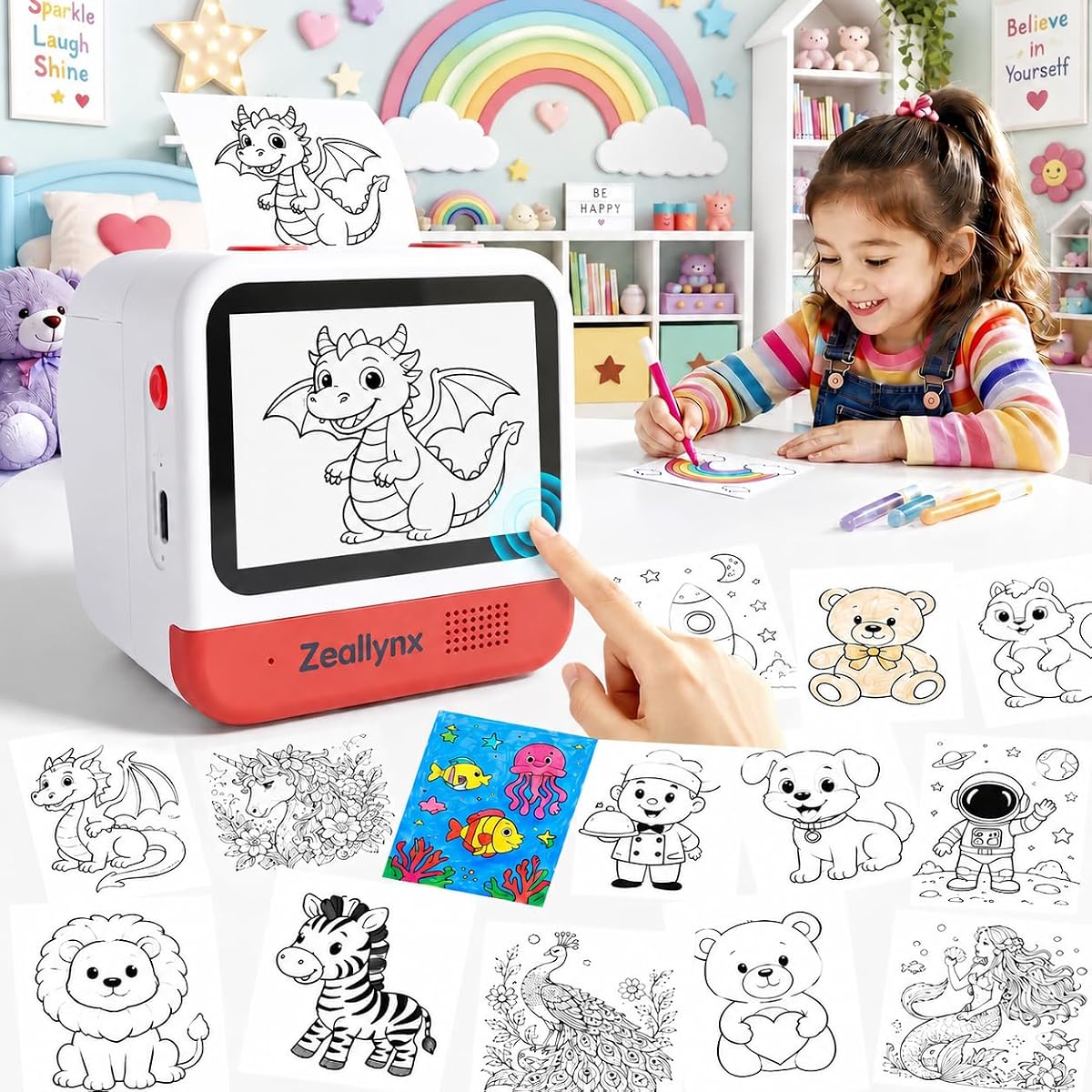

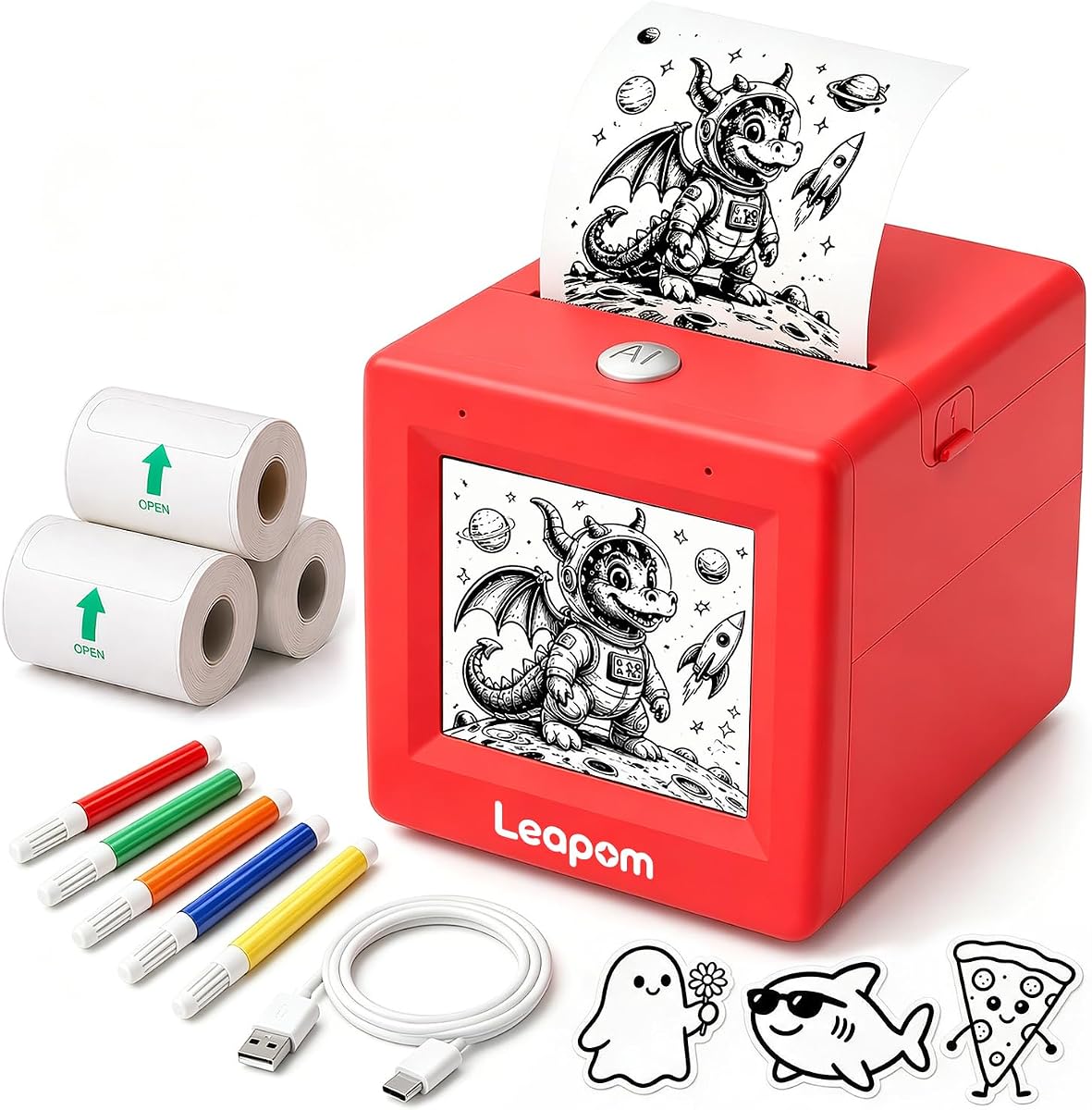


This AI Sticker Printer Maker stands out as a top choice for families seeking creative technology. It features a high rating of 4.8 stars reflecting strong user satisfaction across various use cases. The device transforms spoken ideas into printable stickers effortlessly making it an ideal tool for imaginative play.
We may earn a commission when you buy through this link, at no additional cost to you.
The voice-to-sticker capability is seamless requiring no complex setup or account registration. Children simply speak their ideas and the machine generates corresponding cartoon stickers instantly. This process encourages communication skills and artistic expression without the need for traditional drawing abilities.
While it lacks color printing capabilities the thermal technology ensures crisp black-and-white outlines ready for coloring. The absence of ink cartridges reduces ongoing costs and mess making it practical for daily use at home or school. Users appreciate the privacy-first design that does not store personal data.
This product is best suited for parents looking for an educational gift that fosters creativity safely. It provides a reliable platform for kids to express themselves through custom stickers and journaling projects. The included watercolor pens add value by encouraging hands-on customization of the printed designs.
The device processes voice commands locally ensuring fast response times without cloud delays.
Strict content filtering mechanisms prevent inappropriate prompts ensuring a safe experience for children.
We may earn a commission when you buy through this link, at no additional cost to you.
The Liene PixCut S1 represents the pinnacle of home sticker production technology for serious crafters. Its 4.2 rating reflects high praise for its ability to produce professional-quality stickers with vibrant colors. This device combines high-resolution photo printing with precise die cutting in a single streamlined unit.
We may earn a commission when you buy through this link, at no additional cost to you.
Users benefit from thermal dye-sublimation technology which delivers 16.7 million colors and sharp 300 DPI output. The AI image extraction feature automatically identifies subjects in photos allowing for effortless sticker creation. This functionality saves time compared to manual trimming or design work.
The auto-cutting system ensures clean edges on every sticker minimizing waste and maximizing presentation quality. Stickers are waterproof and scratch-resistant due to laminated thermal paper integration. However the device requires smartphone app integration which may be a slight hurdle for non-tech-savvy users.
Ideal for small business owners or advanced DIYers this printer handles labels and custom gifts with ease. The durable output means creations last longer on surfaces like water bottles or laptops. It is a significant investment but pays off through reduced need for professional printing services.
Dye-sublimation technology ensures no visible pixelation even on complex gradient images or photos.
The all-in-one design eliminates the need for separate printing and cutting machines saving desk space.
We may earn a commission when you buy through this link, at no additional cost to you.
This compact AI Sticker Printer Maker offers exceptional value for budget-conscious buyers seeking quality. It holds a perfect 5.0 rating from users who appreciate its simplicity and effectiveness. The device fits easily in bags or pockets making it ideal for travel or classroom use.
We may earn a commission when you buy through this link, at no additional cost to you.
A key feature is the vibrant color LED display which previews designs before printing to save paper. Users can regenerate ideas until satisfied ensuring only desired outputs are produced. The seven unique art styles provide variety for different creative moods or project needs.
Thermal printing technology keeps costs low by eliminating the need for ink cartridges or ribbons. The portable USB-C battery supports hours of continuous use on a single charge. While it lacks color output the black-and-white line art encourages children to color their own stickers.
Best for beginners or families wanting a low-risk entry into AI crafting this printer delivers reliably. It encourages creativity without financial strain or complex technical setups. The included starter rolls of paper make it ready to use right out of the box.
The LED screen ensures users see exactly what will print reducing paper waste and frustration.
Multiple art styles allow the same prompt to generate different visual effects for variety.
We may earn a commission when you buy through this link, at no additional cost to you.
This model combines voice commands with a user-friendly touchscreen for maximum accessibility. It achieves a 5.0 rating thanks to its straightforward design that children can operate independently. The device skips app downloads allowing direct connection to Wi-Fi for instant printing.
We may earn a commission when you buy through this link, at no additional cost to you.
Ten creative modes including Comic Strip and Story Collection offer diverse project possibilities. Users can save AI-generated images directly to a TF card for later access. This feature ensures that favorite designs are preserved without needing cloud storage or external drives.
The combination of touch and voice input provides a smooth experience reducing learning curves. Thermal technology ensures quick prints without waiting for ink to dry. While it is monochrome it serves well for journaling and educational labeling tasks.
Suitable for classrooms or home learning this printer supports independent creative exploration. It removes technical barriers allowing kids to focus on ideas rather than device settings. The included paper rolls are versatile for both stickers and standard notes.
The touchscreen allows direct navigation making it easier for younger children than button menus.
TF card support lets users save multiple designs for reprinting without re-entering prompts.
We may earn a commission when you buy through this link, at no additional cost to you.
Designed with a kid-first philosophy this printer prioritizes safety and offline play. It is KidSAFE certified and COPPA-compliant ensuring privacy for young users. The lack of a screen encourages imagination rather than passive consumption of digital content.
We may earn a commission when you buy through this link, at no additional cost to you.
Voice recognition turns spoken ideas into stickers instantly with simple physical buttons. The thermal technology produces clear black-and-white outlines ready for coloring with pencils. This process helps children develop storytelling skills while engaging in hands-on art activities.
Parents appreciate the strict content filters that block inappropriate language automatically. The device does not record conversations or store personal data protecting privacy during use. However some users might prefer a visual preview screen for more control over outputs.
This tool is ideal for families seeking screen-free alternatives that still utilize modern technology. It supports independent play and social interaction through physical creative outputs. The included accessories make it a complete gift package for birthdays or holidays.
Certifications ensure the device meets rigorous standards for data protection and content filtering.
Once printed the stickers are enjoyed offline reducing time spent on tablets or phones.
We may earn a commission when you buy through this link, at no additional cost to you.
This lightweight unit is designed for easy transport and use by young children. Its compact size fits in backpacks making it a great companion for travel or school. The device combines technology and creativity to help children develop communication and artistic skills.
We may earn a commission when you buy through this link, at no additional cost to you.
It includes a complete kit with thermal sticker paper and markers for immediate use. The Fun Print app offers additional templates though the core voice function works simply. Printing is fast and clean ensuring kids spend more time creating than waiting.
Safety features include built-in content filters and secure data handling practices. The thermal mechanism avoids messy inks keeping hands and surfaces clean during play. Users find it an excellent tool for encouraging confidence through tangible creative results.
Ideal as a birthday gift this printer supports early learning and independent play. It bridges the gap between digital ideas and physical objects effectively. The simplicity of operation allows even toddlers to engage with creative design safely.
The device helps children express complex ideas through simple voice commands and visual outputs.
Compact dimensions and lightweight build make it easy to use anywhere without setup.
We may earn a commission when you buy through this link, at no additional cost to you.
Equipped with an HD screen this printer provides clear visual feedback for every design. It features a 5.0 rating due to its ease of use and educational value for families. The device supports daily labeling and craft projects enhancing organizational skills.
We may earn a commission when you buy through this link, at no additional cost to you.
Voice activation turns spoken words into prints instantly encouraging storytelling and imagination. It includes both regular thermal paper and adhesive stickers for versatile creative options. The compact design fits easily on desks or shelves without taking up much space.
Setup is straightforward with simple controls that parents can help children use. The thermal printing ensures quick results without the wait associated with traditional ink printers. Users appreciate the ability to print notes and labels alongside fun stickers.
This model is excellent for families wanting a versatile tool for both play and organization. It encourages interaction and communication through shared creative projects. The included paper supply makes it ready for immediate use out of the box.
The HD screen ensures images are visible before printing reducing trial and error.
Beyond play the printer helps with labeling storage and creating quick reference notes.
We may earn a commission when you buy through this link, at no additional cost to you.
The T02 is a pocket-sized thermal printer ideal for students and travelers. It offers AI functions within the app for photo cutouts and voice-to-image printing. Its small footprint fits in pockets making it a versatile companion for daily use.
We may earn a commission when you buy through this link, at no additional cost to you.
Students use it for printing flashcards and study notes directly from their phones. The AI features help generate visuals for diagrams or learning materials quickly. It supports various fonts and themes enhancing the educational experience for learners.
Bluetooth connectivity allows for fast one-click pairing with smartphones. However it does not support computer printing limiting it to mobile devices only. The thermal mechanism keeps costs low for frequent printing tasks.
Best for mobile users this printer combines portability with smart functionality. It helps students organize their learning materials and stay creative on the go. The included paper ensures immediate access to printing without extra purchases.
Students can print study notes and diagrams instantly to reinforce learning concepts.
The app offers filters and themes that extend beyond simple voice printing capabilities.
We may earn a commission when you buy through this link, at no additional cost to you.
This model offers dual connectivity options via WiFi and Bluetooth for flexible use. It features six art styles including Anime and Line Art to suit various preferences. The device is lightweight and portable for use anywhere at home or school.
We may earn a commission when you buy through this link, at no additional cost to you.
Voice activation turns spoken ideas into stickers instantly with simple controls. The black-and-white prints encourage children to color and personalize their creations. This process supports artistic development and confidence building through hands-on interaction.
App setup allows additional customization beyond voice commands for advanced users. Safety features include content filtering and USB-C charging for modern convenience. The thermal mechanism ensures quick and clean prints every time.
Ideal for creative children this printer supports exploration of different visual styles. It combines digital input with physical output effectively engaging young imaginations. The included starter rolls make it ready for immediate creative sessions.
Having both WiFi and Bluetooth allows flexibility depending on network availability at home.
Multiple styles allow children to match the output to their current artistic mood.
We may earn a commission when you buy through this link, at no additional cost to you.
Featuring a 3.5-inch touchscreen this model allows direct control without needing an app. It is designed for ages 3 to 12 making it suitable for various developmental stages. The device connects quickly to WiFi ensuring fast start-up for creative sessions.
We may earn a commission when you buy through this link, at no additional cost to you.
Built-in AI chat suggests ideas and answers questions to boost creativity. Voice activation turns ideas into stickers with simple push-to-talk privacy features. The inkless thermal printing keeps the workspace clean and mess-free.
Users appreciate the self-contained experience that requires no account registration. The screen shows previews before printing to ensure satisfaction with the output. Safety filters block inappropriate content making it a safe gift option.
This printer is ideal for families wanting a standalone device without app complexity. It encourages independent exploration of ideas and visual creation. The included paper rolls allow for immediate play right out of the box.
The chat feature acts as a creative partner helping children generate new story ideas.
Direct WiFi connection eliminates the need for additional software or account signups.
We may earn a commission when you buy through this link, at no additional cost to you.
Choosing the right AI Sticker Printer Maker depends on your specific needs and intended use. This guide outlines the key factors to evaluate ensuring you select a device that matches your expectations.
High-quality voice recognition is essential for smooth operation with children. Look for devices that understand various accents and command clarity to ensure frustration-free interaction.
Choose models with tested microphones that respond accurately to common prompts.
Thermal printing is the standard for these devices avoiding the need for ink cartridges. It offers clean black-and-white outputs perfect for coloring activities and simple labels.
Consider dye-sublimation if full-color high-resolution images are required for advanced projects.
Connectivity impacts ease of use significantly. Some models require app downloads while others connect directly via Wi-Fi or Bluetooth.
Select devices that match your comfort level with technology and avoid unnecessary setup hurdles.
Since these devices often use microphones safety is a priority. Look for COPPA compliance and content filtering to block inappropriate prompts effectively.
Prioritize models that do not store personal data or voice recordings on servers.
If you plan to use the device on the go compact dimensions are crucial. Portable models fit in bags and are lighter for travel or school use.
Check dimensions to ensure the unit fits comfortably on your workspace or desk area.
Thermal paper rolls are the consumable required for these printers. Some include adhesive stickers while others use plain paper requiring manual cutting.
Ensure the device uses standard paper sizes to keep ongoing costs affordable and accessible.
Rechargeable batteries provide freedom from constant power access. Long-lasting batteries allow for extended use without frequent interruptions.
Check battery capacity and charging times to ensure the device meets your usage duration needs.
Additional creative modes like art styles or templates enhance the value. More options allow for diverse projects ranging from journals to gift tags.
Look for devices that offer variety to keep users engaged over time.
To begin set up the device according to the manufacturer instructions. For Wi-Fi models connect to your network ensuring stable signal strength. App-based models may require a one-time download and pairing process before printing.
Load the thermal paper carefully ensuring the smooth side faces the print head. Press the voice button and clearly state your idea or use the touchscreen to select a style. Preview the image on screen if available to confirm it matches your expectations.
After printing remove the sticker gently by the edges and avoid touching the print surface directly. Store the device in a cool dry place to prevent paper degradation. Replace paper rolls only when the device signals low levels.
No they use thermal technology that heats special paper to create images without ink. This eliminates cartridge replacement and reduces ongoing costs significantly. However you must purchase compatible thermal paper rolls periodically.
Yes most models include content filters and COPPA compliance to protect young users. They block inappropriate language and do not store voice data. Always supervise initial setup and usage to ensure adherence to safety guidelines.
Most portable units offer several hours of continuous use on a single charge. This typically translates to dozens of prints depending on usage intensity. Recharge via USB-C to ensure the device remains ready for use.
They are designed for specific thermal paper widths usually between 57mm and 80mm. Using non-standard paper may cause jams or damage the print head. Stick to recommended paper types for best performance.
Not all models require an app for basic voice printing. Some connect directly via Wi-Fi or Bluetooth without account setup. Check the product details to see if it supports app-free usage.
Turn off the device and open the paper compartment to remove stuck paper carefully. Never use sharp objects to clear jams as this can damage the print head. Close the compartment securely before restarting.
We have reviewed ten top options covering various needs from budget-friendly portable units to premium cutting machines. Each model offers unique strengths whether you prioritize voice control color output or simplicity.
Prioritize safety and ease of use especially if buying for children. Look for built-in content filters and intuitive controls to ensure a positive experience for all users.
Always verify current listings and availability before purchasing as features and accessories may vary. Check user reviews for the most recent feedback on performance and reliability.