
Teltonika RUTM50
4.8Editor score
Industrial grade enclosure
RMS remote management
Dual SIM load balancing
This guide compares the top 5G router with external antenna ports for home, RV, and industrial use, highlighting speed, signal strength, and customization
Finding reliable internet in remote areas requires powerful hardware. A 5G router with external antenna ports allows you to boost signal strength significantly. This capability ensures stable connections for work, streaming, and smart home devices even in weak coverage zones.
We evaluated ten top models based on speed, port flexibility, and build quality. Each device supports external antennas to optimize cellular reception. Our comparison covers routers for homes, vehicles, and industrial sites to help you choose the right solution for your needs.
Each pick highlights unique strengths like Wi-Fi 6, dual SIM, or rugged designs. Prices and availability change frequently so check current listings before buying. Use this guide to find the best 5G router with external antenna ports that fits your specific connectivity requirements today.
4.8Editor score

4.2Editor score

4.3Editor score
This table presents a side-by-side comparison of all ten featured routers. Review key specifications like Wi-Fi standards, antenna ports, and special features to identify the model that best meets your connectivity goals for home or business use.




The GL.iNet GL-X3000 Spitz AX stands out as a powerful cellular gateway. It delivers reliable 5G speeds with up to 574Mbps on 2.4GHz and 2402Mbps on 5GHz. This router is ideal for remote homes or RVs needing strong internet.
We may earn a commission when you buy through this link, at no additional cost to you.
Its standout feature is the six detachable antennas. These ports let you connect high-gain external antennas to improve signal in weak areas. The dual SIM slots provide automatic failover ensuring you stay online if one network fails. Built-in VPN support like WireGuard secures traffic easily.
Advanced customization via OpenWrt allows thousands of plugins. You can set up complex networks or use it as a secure gateway. However, the firmware might be complex for casual users who want simple plug-and-play setup.
Buy this if you need a versatile 5G router with external antenna ports for remote or business use. It balances speed, security, and connectivity options better than most competitors. Check current availability before ordering.
Six detachable antennas allow you to position external high-gain antennas for maximum signal strength in poor coverage areas.
Automatic failover between two SIM cards ensures your internet stays active even if the primary carrier experiences an outage.
We may earn a commission when you buy through this link, at no additional cost to you.
This router offers a Qualcomm SDX62 modem capable of up to 3.4 Gbps theoretical 5G speeds. It provides robust wireless performance with AX3000 Wi-Fi. The device is designed for rural or remote locations where wired broadband is unavailable.
We may earn a commission when you buy through this link, at no additional cost to you.
It includes nine detachable high gain antennas split between cellular and Wi-Fi. This allows significant signal improvement by connecting external antennas via SMA connectors. You can connect up to 128 WiFi users simultaneously which is great for dense device environments.
VPN capabilities are extensive with PPTP, L2TP, and WireGuard. This ensures secure remote access to your network. However, some users find the configuration interface technical and less polished than consumer brands.
Consider this router if you need raw speed and antenna flexibility in a remote setting. It balances performance well for users comfortable with advanced networking tools. Verify carrier compatibility before purchase.
With four cellular and five WiFi antennas you can optimize signal for both data and wireless distribution in hard to reach spots.
Support up to 128 WiFi users simultaneously ensuring stable connections even in crowded environments like offices or RV parks.
We may earn a commission when you buy through this link, at no additional cost to you.
The Teltonika RUTM50 is designed for industrial applications where reliability is critical. It features ultra-fast 5G connectivity and a rugged enclosure built to withstand extreme temperatures. This makes it suitable for factories or outdoor remote sites.
We may earn a commission when you buy through this link, at no additional cost to you.
Dual SIM failover ensures uninterrupted connectivity for critical business operations. You can balance load between two carriers seamlessly. The RMS platform allows seamless monitoring and configuration of devices remotely which is essential for managing distributed networks.
Security is handled through OpenVPN, IPsec, and WireGuard support. Firewalls protect your data from external threats. While it uses Wi-Fi 5 it offers next-generation wireless performance that is efficient and fast enough for most tasks.
Buy this router if you need a premium industrial solution with strong signal and management tools. Its focus on reliability and remote control makes it worth the cost. Ensure you check current pricing before deciding.
Remotely monitor and update devices via Teltonika RMS for efficient control of distributed industrial networks without physical access.
Rugged enclosure with wide temperature range ensures performance in harsh outdoor or industrial environments without overheating or failure.
We may earn a commission when you buy through this link, at no additional cost to you.
The Cudy P5 offers exceptional value for those needing 5G connectivity on a budget. It supports speeds up to 3.4 Gbps with the Qualcomm X62 modem. Dual SIM slots allow you to switch carriers easily to avoid outages.
We may earn a commission when you buy through this link, at no additional cost to you.
It comes with four detachable SMA cellular antennas. You can upgrade these to high-gain external antennas for better reception in rural areas. AX3000 Wi-Fi 6 ensures fast speeds for 2.4GHz and 5GHz bands simultaneously.
Cudy provides a mesh satellite for whole-home roaming. The app offers cloud management and parental controls. While not as rugged as industrial models it is easy to set up and manage for most home users.
Choose this if you want reliable 5G with external antenna ports without spending a premium. It balances cost and features well. Check current deals to get the best value today.
Four SMA cellular antennas allow you to upgrade to external high-gain antennas for improved signal in weak coverage or rural areas.
Two Nano SIM slots let you switch providers or keep backup connectivity for always-online applications without relying on one network.
We may earn a commission when you buy through this link, at no additional cost to you.
The MikroTik Chateau LTE6 is a carrier-certified home access point. It supports LTE Cat 6 speeds up to 300 Mbps which is sufficient for most households. It features a quad-core CPU for better performance in crowded wireless environments.
We may earn a commission when you buy through this link, at no additional cost to you.
Five Gigabit Ethernet ports allow you to connect wired devices like consoles or PCs. Carrier aggregation technology can double internet speeds in rural areas. Radar detection ensures compliance with outdoor frequency regulations where required.
Setup can be complex due to MikroTik's professional interface. You may need some networking knowledge to configure it fully. However, it offers powerful features and stability for those willing to learn.
Consider this router for home use if you need more Ethernet ports than typical 5G routers offer. Its efficiency in weak signal areas makes it a solid choice for rural homes. Verify current pricing online.
Carrier aggregation doubles internet speeds in rural areas without waiting for cable network expansions by combining multiple LTE bands.
Five Gigabit ports provide flexible wired connections for multiple devices ensuring high-speed access for gaming consoles and desktops.
We may earn a commission when you buy through this link, at no additional cost to you.
This NetBox 5 upgrade provides Wi-Fi 6 capabilities in a rugged outdoor enclosure. It serves as an AP/CPE for extending wireless coverage. Its compact design makes it suitable for mounting in sheds or poles.
We may earn a commission when you buy through this link, at no additional cost to you.
The connectorized design allows flexible antenna setups. You can connect external antennas easily to improve range. PoE-in support means you can power it through the Ethernet cable which simplifies installation in remote spots.
Modern dual-core ARM CPU ensures efficient wireless performance. It is ideal for point-to-point links or extending indoor Wi-Fi. Keep in mind it does not include a cellular modem so you need a separate backhaul source.
Use this for extending wireless coverage outdoors where a router is needed. Its durability and PoE support make it practical for tough spots. Check if your network setup supports this model before buying.
Connectorized antenna ports allow you to attach external antennas easily to maximize range and signal quality for outdoor Wi-Fi.
PoE input allows you to power the device through Ethernet cable simplifying installation in remote locations without power outlets.
We may earn a commission when you buy through this link, at no additional cost to you.
This CPE device offers extreme long-range wireless up to 30 km. It features a high-gain 27 dBi grid antenna optimized for point-to-point links. This is perfect for connecting buildings across long distances in rural deployments.
We may earn a commission when you buy through this link, at no additional cost to you.
The IP54 weather-resistant enclosure ensures durability in harsh environments. It consumes very little power which is efficient for remote sites. RouterOS v7 provides advanced management capabilities for professionals who need precise control.
Low power consumption allows flexible deployments without heavy electrical setups. It is designed specifically for wireless links rather than cellular internet. Ensure you need a long-range link before purchasing this specialized device.
Buy this for outdoor wireless links where running cables is impossible. Its range and reliability are unmatched for point-to-point connections. Verify line-of-sight requirements before installation.
Up to 30 km range with high-gain antenna allows reliable wireless links between buildings or sites without laying cables.
IP54 weatherproof rating protects the device from rain and dust ensuring reliable performance in harsh outdoor environments.
We may earn a commission when you buy through this link, at no additional cost to you.
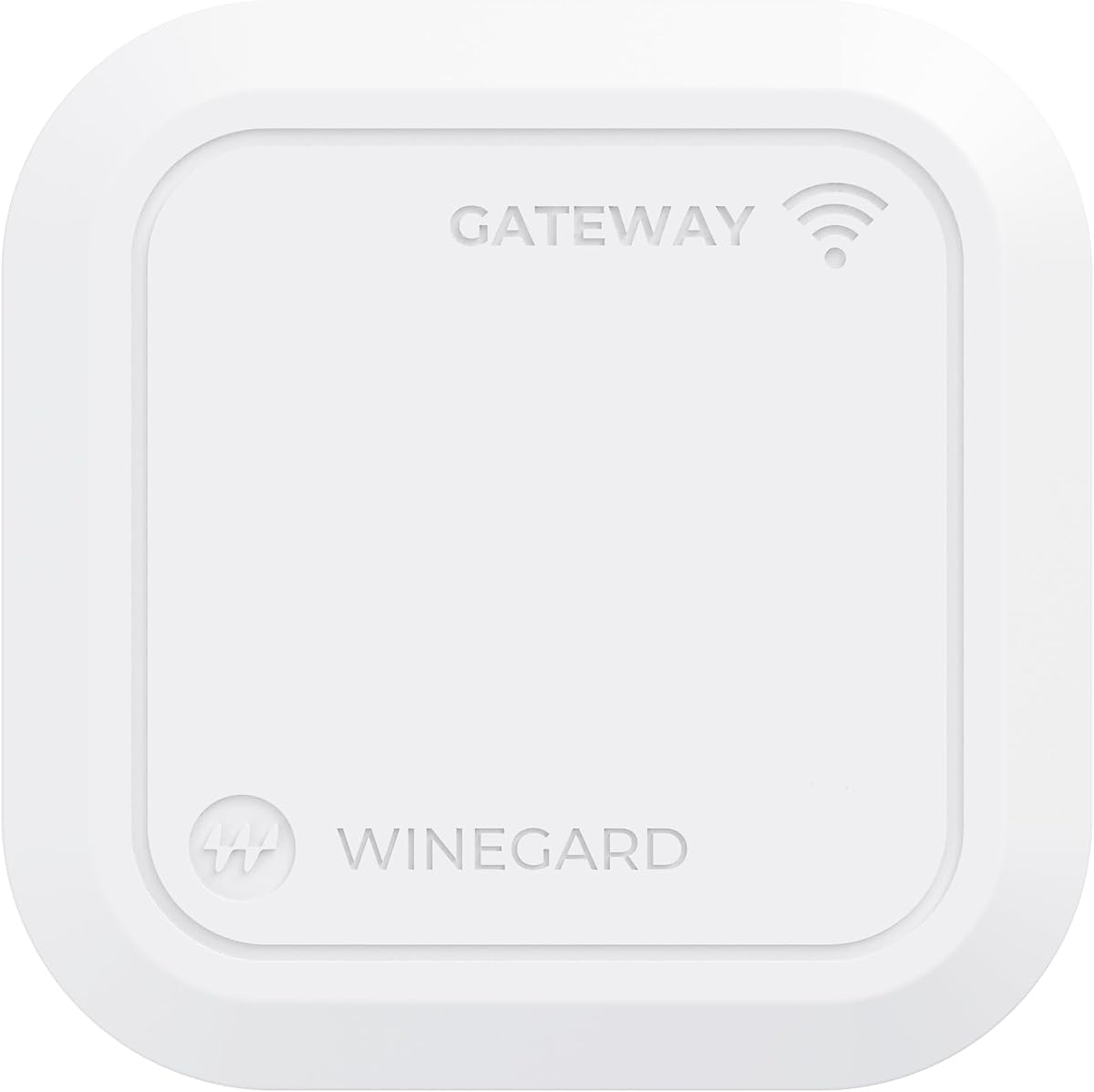
The Winegard Gateway 5G is built for RVs with Air 360+ 5G systems. It delivers ultra-fast cellular backhaul while traveling. Dual-band Wi-Fi supports multiple devices like smart TVs and smartphones inside the RV.
We may earn a commission when you buy through this link, at no additional cost to you.
It integrates directly with the Winegard Air 360+ 5G dome antenna. You can add Starlink or Ethernet WAN for hybrid internet connections. Carrier support includes T-Mobile and Verizon ensuring flexible data options.
Designed for U.S.-based privacy with local servers. It allows switching carriers to find the best signal on the road. However, it is somewhat pricey compared to standard home routers.
Choose this if you own a Winegard Air 360+ system. Its specialized design makes RV internet setup easier. Check current availability and bundle deals for best pricing.
Integrates directly with Winegard Air 360+ 5G dome antenna for seamless cellular backhaul and improved RV internet speed.
Supports Ethernet WAN to add Starlink or other networks ensuring reliable connectivity even when cellular signals are weak.
We may earn a commission when you buy through this link, at no additional cost to you.
This router delivers ultra-fast 5G and tri-band Wi-Fi 7 performance. It supports up to 64 devices for lag-free streaming. The built-in eSIM and dual Nano-SIM slots make it ideal for travelers.
We may earn a commission when you buy through this link, at no additional cost to you.
You can access regional data plans directly via QR codes. The 2.5G Ethernet and 10 Gbps USB-C allow wired backhaul and storage sync. A large battery ensures up to 13.5 hours of untethered freedom.
Multi-WAN failover ensures traffic auto-routes if one link drops. The touchscreen allows quick controls without opening apps. It is best for pro setups and mobile offices rather than outdoor rugged use.
Buy this for content creators or business travelers needing top speeds. Wi-Fi 7 and battery power set it apart. Verify current deals to get best value.
Tri-band Wi-Fi 7 with 2.4, 5, and 6 GHz bands supports up to 64 devices for lag-free streaming and gaming.
Access regional and global eSIM data plans directly without swapping physical SIM cards ensuring seamless connectivity while traveling.
We may earn a commission when you buy through this link, at no additional cost to you.
The QuadMini is a low-profile omni 4×4 MIMO antenna kit. It offers up to 5.2 dBi gain without needing to aim. This ensures faster data and lower latencies for routers with external ports.
We may earn a commission when you buy through this link, at no additional cost to you.
It comes as a complete kit with cables and boots. You can mount it on windows or walls easily. Omni directional design means you just place it on the side of your house getting the best signal.
It significantly improves cell signal to routers with four antenna ports. Expert support and detailed manuals simplify the installation process. Keep in mind this is an antenna not a router so you need a compatible device.
Buy this to upgrade your current router signal. It is practical for improving reception without complex setups. Check compatibility with your router antenna ports before ordering.
Omni directional design means you can enjoy a fast stable connection without the fuss of aiming the antenna toward towers.
Bundled with cables and weatherproofing boots this kit includes everything needed to get blazing fast 5G data rates installed.
We may earn a commission when you buy through this link, at no additional cost to you.
Choosing the right router depends on your specific needs. This guide covers key factors to consider before purchasing.
Ensure the router has external antenna ports like SMA or TS9 to connect high-gain antennas. These ports allow you to boost signal in weak areas. Check if the device supports detachable antennas for easy upgrades.
Look for routers with multiple external ports to use both cellular and Wi-Fi antennas effectively.
Check if the router supports 5G SA and NSA standards for best speeds. Qualcomm SDX62 or X62 modems are reliable options. Ensure it supports dual SIM for redundancy if needed.
Select a router with a modem that matches your carrier's network capabilities for maximum performance.
Wi-Fi 6 offers better efficiency than Wi-Fi 5. Tri-band Wi-Fi 7 provides future-proofing for high density environments. Consider how many devices you need to support simultaneously.
Choose a router with Wi-Fi 6 or higher if you have many smart devices at home.
Support for WireGuard and OpenVPN ensures secure connections on public networks. Some routers include built-in firewalls and DNS encryption. This is vital for remote work or business use.
Prioritize routers with multiple VPN protocols if you need secure remote access.
Rugged industrial routers are better for outdoor or harsh environments. Home routers may need indoor installation. Check IP ratings like IP54 for weather resistance.
Match the router durability to your installation location to prevent damage from elements.
Features like RMS or mobile apps allow easy network control. Remote updates ensure your network stays secure. This is useful for managing distributed networks across multiple sites.
Select a router with an intuitive app if you want to manage settings easily.
Dual SIM slots provide automatic failover to keep internet active. Multi-WAN support allows Ethernet or cellular load balancing. This ensures business continuity during network outages.
Look for routers with dual SIM or multi-WAN to prevent downtime when primary networks fail.
Routers with external antenna ports range from budget to premium. Consider total cost including cables and antennas. Expandability allows upgrading signal later without buying a new router.
Invest in a router that fits your budget but allows future antenna upgrades for better signal.
Start by attaching external antennas to the designated SMA ports. Secure them tightly to ensure good connection. Place the router near a window or outside to maximize signal reception.
Power on the device and access the admin panel to configure settings. Use the mobile app if available for easier setup. Insert SIM cards and select your carrier from the menu.
Regularly check for firmware updates to keep security current. Ensure antennas are weatherproofed if installed outdoors. Clean dust from vents to prevent overheating during high usage periods.
External antenna ports are connectors like SMA that allow you to attach external high-gain antennas. These ports help boost cellular and Wi-Fi signals in areas with weak coverage. They are essential for improving internet speed and reliability in remote locations.
Yes, most 5G routers are backward compatible with 4G LTE networks. This ensures you stay connected if 5G signals are unavailable. Always check carrier certifications to confirm compatibility with your specific mobile provider.
Some routers come with detachable antennas included in the box. Others may require you to purchase separate high-gain antennas. Check the product specs to see what is included before buying extra hardware.
Many modern routers support dual SIM slots for redundancy. This allows automatic failover to a backup carrier when one signal drops. It ensures continuous internet access especially important for remote work.
SA stands for Standalone and NSA for Non-Standalone 5G. SA provides faster speeds and lower latency while NSA relies on existing 4G infrastructure. Ensure your router supports both to match your carrier network deployment.
A 5G router offers more Ethernet ports and external antenna options. It provides stronger signal stability and supports more connected devices. Mobile hotspots are more portable but lack advanced customization features.
Enable strong passwords and use VPN support like WireGuard. Activate built-in firewalls and enable DNS over TLS for privacy. Regularly update firmware to protect against new security vulnerabilities.
Only rugged routers with IP ratings like IP54 are suitable for outdoors. Most home routers require indoor installation to prevent water damage. Use weatherproof enclosures or specialized outdoor models for external setups.
We reviewed ten top models for their speed, antenna flexibility, and reliability. The GL.iNet GL-X3000 and Teltonika RUTM50 stand out for performance and durability. Each offers unique features to suit different home and business needs.
Prioritize external antenna ports if you live in areas with weak signal. Dual SIM failover adds essential backup for critical connections. Ensure your router supports current 5G standards for best speed.
Prices and availability change frequently so check current listings before buying. Use this guide to find the best 5G router with external antenna ports that fits your specific connectivity requirements today.