
Samsung 65-Inch Class Neo QLED QN990F 8K Mini LED Smart TV (2025 Model)
3.5Editor score
768 AI Neural Networks
Wireless One Connect
Up to 240Hz VRR
Choosing the right display for high-end PC gaming requires careful consideration of resolution and refresh rates. 8K TVs offer incredible clarity that transforms every visual detail into a stunning experience for serious gamers today.
We compared ten leading models based on processing power, gaming features like VRR, and overall picture quality. Our analysis focuses on how each unit handles competitive gaming alongside cinematic content for versatile use.
Each pick highlights unique strengths such as input lag performance or brightness levels. Note that prices fluctuate frequently so check current deals before making your final purchase decision for your setup.
3.5Editor score
4.5Editor score

4.0Editor score
As an Amazon Associate we earn from qualifying purchases.
This side-by-side comparison highlights the key specifications and unique features of all ten models to help you find the perfect display for your gaming rig.


This Sony TV offers impressive Mini LED technology with the Cognitive Processor XR delivering deep blacks and high peak brightness for a stunning visual experience.
We may earn a commission when you buy through this link, at no additional cost to you.
It features HDMI 2.1 capabilities including 4K/120 and VRR making it excellent for high performance gaming with low input lag suitable for competitive play.
While it supports PlayStation 5 exclusive features the high price point might be prohibitive for some users looking for more affordable 8K display options.
Buyers seeking premium picture quality with robust gaming features will find this model a strong investment despite the cost and current content limitations.
The Cognitive Processor XR analyzes how humans see to deliver intense contrast with deep blacks and natural colors enhancing the overall viewing experience.
Game Menu puts all your gaming picture settings in one place while HDMI 2.1 features ensure smooth performance with variable refresh rate support.
We may earn a commission when you buy through this link, at no additional cost to you.
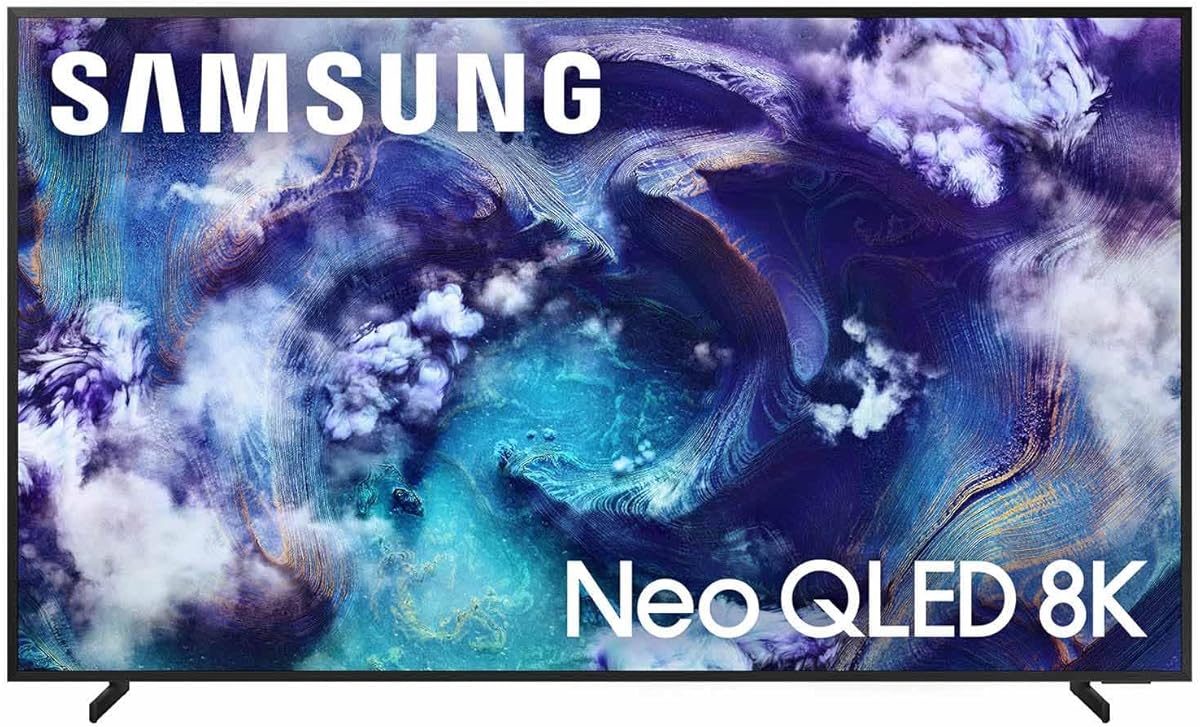
This Samsung model provides phenomenal 8K clarity powered by 768 AI neural networks and supports game speeds up to 240Hz for incredibly smooth motion.
We may earn a commission when you buy through this link, at no additional cost to you.
The wireless connection reduces cable clutter and the glare free panel helps maintain visibility in bright environments ensuring your focus stays on the action.
While the rating is modest the high refresh rate and AI upscaling make it an attractive option for gamers wanting 8K resolution at a lower cost.
Gamers prioritizing smooth motion and a clean setup should consider this unit for its advanced features and flexible connectivity options.
The processor optimizes content so games and movies look incredible transforming everything into stunning 8K resolution with sharp and smooth picture quality.
AI smooths motion of fast moving objects reducing blur so you do not lose sight of the action during intense gameplay or sports viewing.
We may earn a commission when you buy through this link, at no additional cost to you.
This bundle combines the 75 inch Neo QLED TV with an extended protection plan offering peace of mind against accidental damage or screen issues over time.
We may earn a commission when you buy through this link, at no additional cost to you.
It features the same advanced AI upscaling and wireless connectivity as the standard model ensuring a clean setup with stunning 8K resolution for gaming.
The rating is lower which suggests possible variations in quality or shipping handling but the protection mitigates risk for buyers investing in a large display.
Those wanting a larger screen size with warranty coverage will appreciate this comprehensive package for long term home entertainment needs.
Experience stunning 8K resolution with NEO QLED technology that delivers exceptional brightness contrast and color accuracy for immersive viewing on the 75 inch screen.
We may earn a commission when you buy through this link, at no additional cost to you.
This model stands out with 256 AI neural networks and Object Tracking Sound+ delivering astonishingly realistic detail and a sleek metal design blending seamlessly into homes.
We may earn a commission when you buy through this link, at no additional cost to you.
It supports VRR gaming up to 165Hz which ensures tear free visuals for smooth gameplay while the glare free screen improves visibility in bright rooms.
Though it offers fewer neural networks than higher end models the performance and audio features justify the cost for those seeking top tier immersion and design.
Premium buyers looking for exceptional clarity and audio sync will find this TV a standout choice for high fidelity PC gaming environments.
The AI processor enhances content up to 8K resolution delivering a beautiful sharp and smooth picture with enhanced motion clarity for text and action.
Object Tracking Sound+ and Dolby Atmos create an immersive audio environment where sound moves with the action on screen for realistic effects.
We may earn a commission when you buy through this link, at no additional cost to you.
This TV uses Quantum Matrix Pro with 1.5 times more lighting zones for greater detail and includes 512 AI neural networks to transform content into 8K resolution.
We may earn a commission when you buy through this link, at no additional cost to you.
Features like Real Depth Enhancer Pro and Motion Xcelerator 165Hz ensure immersive visuals and smooth action suitable for various gaming and streaming tasks.
The rating is moderate but the inclusion of Dolby Atmos and AI processing provides good value for users seeking advanced features without the premium price tag.
Gaming enthusiasts wanting balanced performance with rich audio and visual depth should consider this model for a versatile home entertainment setup.
Discover details you have been missing with backlight dimming for better brightness and AI motion enhancer to eliminate stutter and sharpens moving objects.
We may earn a commission when you buy through this link, at no additional cost to you.
This model features Motion Xcelerator 240Hz for uninterrupted action and AI Motion Enhancer Pro to ensure you do not miss a moment due to blurred details.
We may earn a commission when you buy through this link, at no additional cost to you.
With Infinity Air Design and Dolby Atmos it offers a modern look and best TV audio tracking the action on screen with pinpoint accuracy for immersion.
The rating is solid reflecting its high performance capabilities though the price may be steep for casual gamers compared to standard gaming monitors.
Gamers prioritizing smooth motion and design elegance will appreciate this unit as a top choice for high refresh rate gaming experiences.
Play games and content with amazingly smooth motion and virtually no lag or blur as visuals are rendered at top speeds for fast action.
We may earn a commission when you buy through this link, at no additional cost to you.
This Hisense model features Mini-LED backlighting for deep shadows and bright highlights with a native 144Hz game mode to keep fast movement fluid and sharp.
We may earn a commission when you buy through this link, at no additional cost to you.
It supports Dolby Vision IQ and has an AI light sensor to adjust brightness in real time ensuring optimal picture quality for comfortable viewing at any time of day.
While technically 4K the high refresh rate and large screen size make it an excellent value for PC gamers prioritizing performance over native 8K resolution.
Buyers wanting a massive display with competitive gaming specs and smart features will find this unit a compelling choice for budget friendly setups.
High refresh performance keeps fast movement fluid and sharp reducing blur during gameplay and live sports for staying in control during competitive gaming.
We may earn a commission when you buy through this link, at no additional cost to you.
This LG TV offers perfect black and perfect color technology with over 8.3 million self-lit pixels and a 165Hz refresh rate with NVIDIA G-Sync support.
We may earn a commission when you buy through this link, at no additional cost to you.
The 0.1ms response time ensures responsive gameplay while the brightness booster helps visibility in well-lit rooms delivering outstanding picture quality for HDR content.
OLED panels carry a risk of burn-in over time which might concern heavy PC gaming users but the visual fidelity remains unmatched for most viewing scenarios.
Gamers seeking deep blacks and fast response times should choose this model for its incredible contrast and immersive gaming features.
Features 165Hz refresh rate NVIDIA G-Sync AMD FreeSync Premium and 0.1ms response time for responsive gameplay ensuring smooth and tear-free visuals.
We may earn a commission when you buy through this link, at no additional cost to you.
This 85 inch BRAVIA 3 offers Google Assistant voice control and Triluminos Pro displaying over a billion accurate colors for vivid and lifelike picture quality.
We may earn a commission when you buy through this link, at no additional cost to you.
It includes exclusive features for PlayStation 5 such as Auto HDR Tone Mapping optimizing picture quality for gaming with a comprehensive entertainment system for various needs.
The resolution is 4K which is less than 8K but the voice control and color accuracy make it an attractive hub for general streaming and console gaming.
Buyers prioritizing voice convenience and color accuracy over native 8K will appreciate this model for its smart features and large screen size.
Experience the future of entertainment with voice control allowing you to navigate and search for your favorite shows using just your voice.
We may earn a commission when you buy through this link, at no additional cost to you.
This Hisense TV features Mini-LED Pro with up to 5000 nits peak brightness and 5600 local dimming zones creating precise light control eliminating halos.
We may earn a commission when you buy through this link, at no additional cost to you.
It has a native 165Hz panel with Game Booster 288 for AMD FreeSync Premium Pro and Low Latency MEMC eliminating screen tearing and controller lag effectively.
While it is a 4K TV the extreme brightness and high refresh rates make it a powerhouse for competitive gaming in bright rooms with vivid colors.
Gamers seeking peak brightness and high refresh rate performance will find this model offers exceptional value for PC gaming setups.
Enjoy your gaming dashboard and manage performance in real time seamlessly adjust settings and monitor gameplay data as you play to lead the moment.
We may earn a commission when you buy through this link, at no additional cost to you.
Selecting the right TV for PC gaming involves evaluating several technical factors to ensure smooth performance and stunning visuals.
Native 8K resolution provides the highest pixel density but content remains limited. Look for TVs with strong AI upscaling like NQ8 AI Gen3 to enhance 4K PC output.
Prioritize models with effective upscaling engines if native 8K is not essential for your gaming library.
Higher refresh rates such as 165Hz or 240Hz reduce motion blur for competitive shooters and fast-paced games. Ensure the TV supports VRR to sync with your GPU.
Choose a TV with at least 144Hz if you plan to play demanding titles.
Input lag measures the delay between controller input and on-screen action. Look for gaming modes with low lag like 8.5ms for optimal responsiveness.
Always enable Game Mode to bypass processing and achieve minimal input delay.
Mini-LED and OLED technologies offer deep blacks and high brightness for HDR gaming. OLEDs provide perfect blacks while Mini-LEDs prevent burn-in.
Select the panel type that fits your room lighting and usage habits.
HDMI 2.1 is required for 4K/120Hz or 8K/60Hz signals. Ensure your TV has full bandwidth HDMI 2.1 ports for PC graphics cards.
Check port specifications carefully to confirm support for high refresh rates.
Smart features like Google TV or WebOS provide apps for streaming. Ensure voice control and easy navigation enhance your user experience.
Consider how you use the TV beyond gaming to choose the best OS.
Larger screens like 75 or 85 inches enhance immersion. Ensure your room size allows for comfortable viewing without eye strain.
Measure your space before buying to avoid fitting issues.
Wireless One Connect or ample HDMI ports help organize cables. A clean setup reduces clutter and improves aesthetics.
Look for models with wireless options if cable management is a priority.
Connect your PC via HDMI 2.1 cables to enable high refresh rates and ensure VRR is enabled in your graphics settings for tear-free gaming.
Adjust the picture mode to Game or Custom to reduce processing lag and optimize brightness settings based on your ambient light conditions.
Clean the screen with a soft microfiber cloth and non-ammonia cleaner to prevent damage while avoiding pressing too hard on the panel surface.
While 8K TVs provide the highest resolution most PC games are optimized for 4K. However an 8K TV with excellent upscaling can still deliver stunning visuals for media and competitive gaming.
144Hz or higher is ideal for competitive gaming to ensure smooth motion. Look for TVs with VRR support to match your GPU refresh rate dynamically.
OLEDs offer perfect blacks and fast response times but carry a burn-in risk with static HUDs. Mini-LED is a safer alternative for long gaming sessions.
Yes HDMI 2.1 is required for high refresh rates and high bandwidth signals. Ensure your TV has full bandwidth ports to support 8K or 4K/120Hz.
Enable Game Mode to bypass unnecessary image processing. This ensures direct signal transmission from your PC to the display for minimal delay.
Yes large 8K TVs can serve as monitors for productivity. Ensure they support text clarity and have low input lag for comfortable daily usage.
We reviewed ten top models including the Sony Z9K and Samsung QN900F offering varied strengths from 144Hz to 240Hz refresh rates.
Prioritize VRR support and low input lag if you play competitive games to ensure smooth and responsive performance on the large display.
Prices fluctuate frequently so check current deals before making your final purchase decision to secure the best value for your gaming rig.