
MINISFORUM DEG1 Docking Station
4.5Editor score
Compact Portable Oculink Design
Force Power On Feature Included
Supports ATX SFX Power Supplies
This guide compares the top ten egpu docks for laptops and mini PCs to help you find the right external graphics solution for your workflow.
Egpu docks transform portable devices into powerful workstations by connecting desktop graphics cards. They enable smooth gaming and creative tasks on thin laptops.
We evaluated ten leading egpu docks based on bandwidth and compatibility features. Our analysis focuses on real-world performance and ease of use for diverse setups.
Each pick highlights unique strengths and ideal use cases for buyers. Prices and availability may change so verify current details before purchasing any model today.
4.5Editor score

4.4Editor score

4.8Editor score
This table compares the key specifications and features of the top ten egpu docks available today to help you make an informed decision.


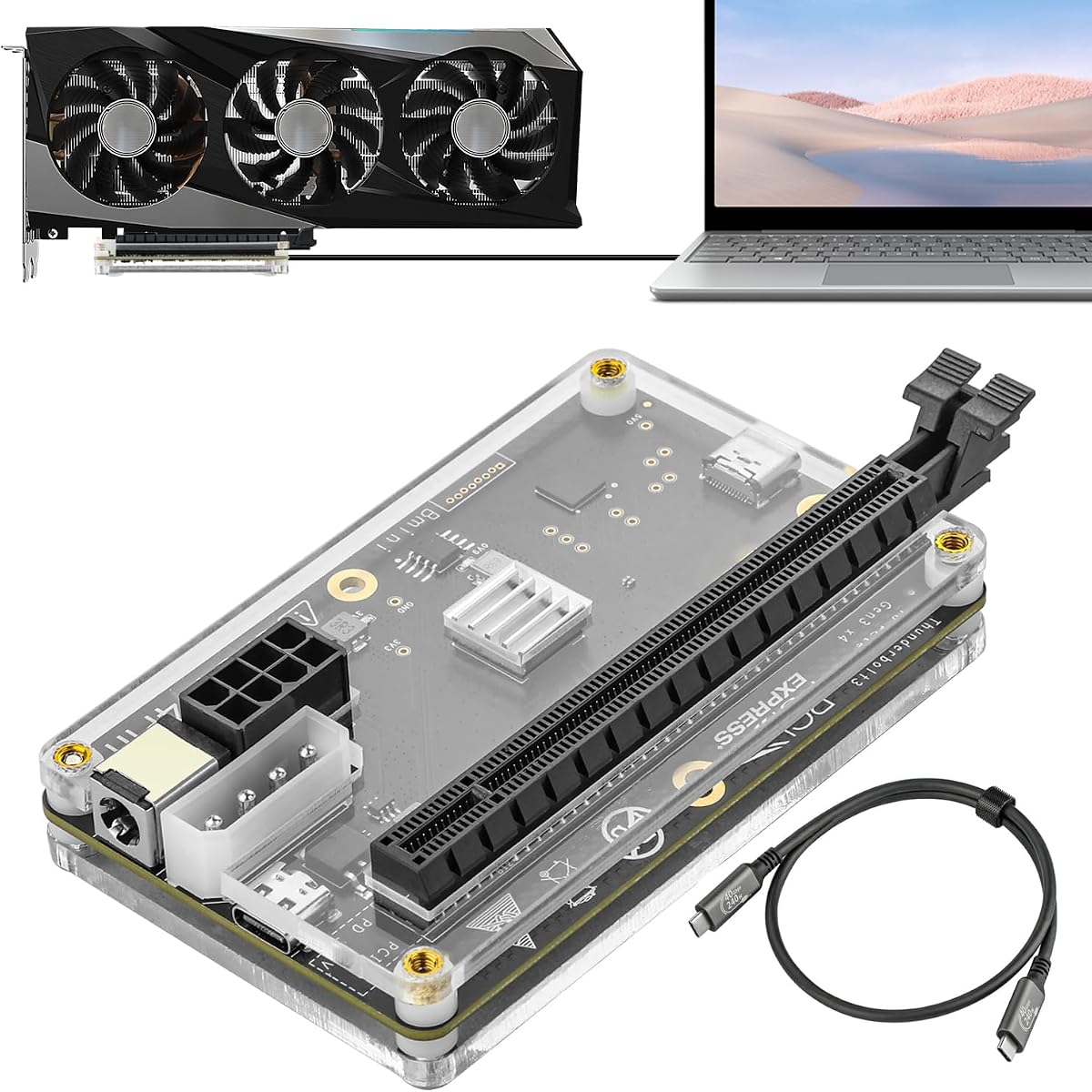


The MINISFORUM DEG2 stands out as a top tier egpu dock with dual link capabilities and integrated storage. It earns high marks for its versatility and robust build quality.
We may earn a commission when you buy through this link, at no additional cost to you.
Its USB4 V2 and OCuLink interfaces offer massive bandwidth for high-end tasks like AI inference and rendering. The M.2 slot keeps project files synchronized across hosts.
While the hardware switch adds a manual step it ensures stable performance across modes. The lack of included GPU or power supply requires careful setup planning.
Ideal for power users seeking a unified desktop and portable workflow without compromising speed. This dock delivers the flexibility needed for demanding professional workloads.
Switching between USB4 V2 and OCuLink modes allows users to optimize for either compatibility or raw performance without swapping cables.
The built-in M.2 NVMe slot lets you store large datasets locally on the dock reducing transfer times when switching devices.
We may earn a commission when you buy through this link, at no additional cost to you.
This variant of the DEG2 emphasizes rich connectivity and seamless interoperability for diverse host devices. Its physical toggle simplifies mode switching significantly.
We may earn a commission when you buy through this link, at no additional cost to you.
The inclusion of a 2.5G LAN port is rare in egpu docks enabling robust wired networking without relying on host ports. Auto On sync enhances user experience.
Some users may find the variety of ports overwhelming or require specific setup knowledge to avoid conflicts. Ensure your power supply is compatible before purchase.
Perfect for users needing wired networking alongside high-speed graphics. It balances performance with practical connectivity needs for professional environments.
A dedicated 2.5G LAN port provides stable high-speed networking essential for data-heavy tasks or remote access workflows.
Automatic startup synchronization with the host device removes manual steps and creates a more intuitive plug-and-play experience.
We may earn a commission when you buy through this link, at no additional cost to you.
The Razer Core X V2 delivers premium build quality with robust cooling for sustained performance under heavy loads. Thunderbolt 5 ensures future-proof connectivity.
We may earn a commission when you buy through this link, at no additional cost to you.
Its steel chassis and active cooling fan handle high-power GPUs effectively maintaining thermal stability during extended sessions. Tool-free installation simplifies upgrades.
Mac compatibility remains limited which restricts its audience significantly. Users must purchase GPU and power supply separately adding to total costs.
Recommended for Windows users seeking reliability and high performance. It is a solid choice for those invested in the Thunderbolt ecosystem.
An active 120mm fan ramps up automatically during heavy loads to keep GPU temperatures in check during demanding tasks.
Support for Thunderbolt 5 provides ultra-fast bandwidth ready for next-generation graphics cards and high resolution displays.
We may earn a commission when you buy through this link, at no additional cost to you.
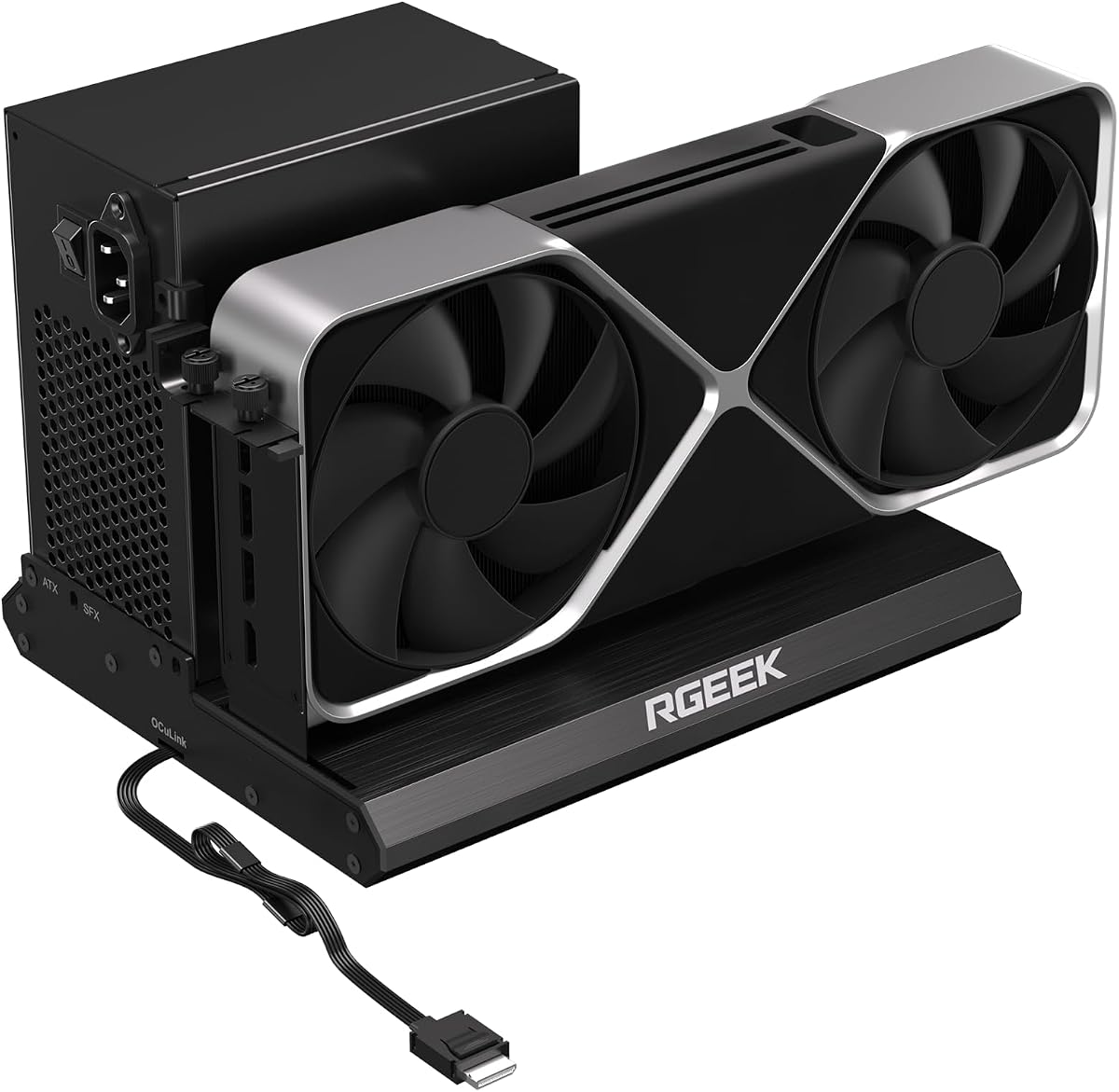
The MINISFORUM DEG1 offers exceptional value with a compact form factor suitable for portable upgrades. Its Oculink interface delivers impressive bandwidth for the price.
We may earn a commission when you buy through this link, at no additional cost to you.
Force Power On functionality simplifies startup processes ensuring consistent operation without repeated manual adjustments. It fits easily in bags for travel use.
Users must be aware that hot plugging is not supported requiring shutdown before cable changes. This limitation reduces convenience but protects hardware integrity.
Best suited for budget conscious buyers prioritizing performance over convenience. It provides powerful graphics expansion without the cost of premium docks.
Delivers high-speed PCIe 4.0 x4 bandwidth at a fraction of the cost of premium thunderbolt solutions.
Small dimensions allow it to fit in backpacks making it ideal for mobile work or travel setups.
We may earn a commission when you buy through this link, at no additional cost to you.
This enclosure focuses on reliability with gold plated contacts and a detachable design for easier storage and transport. It offers solid connectivity for standard ATX setups.
We may earn a commission when you buy through this link, at no additional cost to you.
The included flat cable reduces port damage risks and minimizes interference ensuring stable data transfer. LED indicators provide immediate status feedback during operation.
Limited to ATX power supplies which may not suit smaller chassis preferences. Users must shut down before connecting to avoid damage as hot plugging is unsupported.
Ideal for DIY enthusiasts seeking a straightforward and reliable external graphics solution. It balances functionality and cost effectively for basic needs.
Gold plated contacts reduce oxidation risks ensuring consistent conductivity over long-term use without signal degradation.
Ultra thin flat cables minimize clutter and reduce stress on ports compared to bulky traditional options.
We may earn a commission when you buy through this link, at no additional cost to you.
This dock stands out with PCIe 5.0 support offering double the bandwidth of standard 4.0 models. Its aluminum chassis ensures efficient heat dissipation.
We may earn a commission when you buy through this link, at no additional cost to you.
The factory soldered cable reduces signal loss and simplifies installation significantly. Broad PSU support makes it adaptable to various configurations.
To achieve full PCIe 5.0 speeds users need specific M.2 slots or adapters which may not be included. Hot plugging remains unsupported for safety.
Best for enthusiasts looking to upgrade their setup for next-gen GPUs. It provides a robust foundation for high-performance tasks without unnecessary complications.
PCIe 5.0 support prepares your setup for future graphics cards requiring higher data rates for peak performance.
Aluminum material offers superior heat dissipation helping maintain stable performance during intensive GPU workloads.
We may earn a commission when you buy through this link, at no additional cost to you.
The UGREEN LinkStation combines performance with practical design offering dual channel options for flexibility. Its premium build quality supports oversized GPUs effectively.
We may earn a commission when you buy through this link, at no additional cost to you.
Quiet cooling and cable storage compartments keep workspaces organized and comfortable. The signal booster ensures stable transmission for demanding tasks.
The bracket opening supports dual-slot cards which may limit some large triple-slot models. Overall it delivers excellent value for high-end use cases.
Perfect for creators and gamers needing top performance without clutter. It is a versatile hub for both mobile and stationary setups.
Choose between near-zero latency OCuLink or universal USB4 compatibility based on your host device capabilities.
Integrated cable storage and semi-open chassis ensure neat desktop management and quiet operation during tasks.
We may earn a commission when you buy through this link, at no additional cost to you.
This dock offers unique compatibility with consoles and older laptops via flexible power inputs. It includes a high-quality Thunderbolt 4 cable for convenience.
We may earn a commission when you buy through this link, at no additional cost to you.
The JHL6340 controller provides stability for various applications including AI art and video editing despite lower bandwidth limits.
Its 22Gbps transfer speed may bottleneck high-end GPUs limiting maximum performance. Power options allow adaptability for users with diverse setups.
Best for console gamers or those needing flexible power inputs without high bandwidth needs. It balances practicality with broader device support.
Designed to work with devices like the Lenovo Legion Go expanding gaming capabilities beyond standard limitations.
Multiple power input options allow use with different supply types for greater adaptability in varied environments.
We may earn a commission when you buy through this link, at no additional cost to you.
This unit provides similar features to the main DEG2 model with robust signal optimization for stability. It maintains seamless interoperability across diverse cables.
We may earn a commission when you buy through this link, at no additional cost to you.
The physical toggle simplifies switching between TB5 and OCuLink modes effectively. Auto power-on creates a smooth desktop-like experience.
User feedback suggests some variability in compatibility with certain host devices. Careful review of system requirements is recommended before purchase.
Suitable for users prioritizing single-cable convenience and high throughput. It serves well for productivity and entertainment setups needing reliable connections.
Engineered to minimize signal degradation and connectivity errors ensuring stable performance during data-intensive workflows.
Single cable docking reduces desk clutter while enabling full dock expansion for efficient workstation setups.
We may earn a commission when you buy through this link, at no additional cost to you.
This dock offers reliable certified controller support for a range of GPUs and devices. It integrates hub functionality with daisy chaining flexibility.
We may earn a commission when you buy through this link, at no additional cost to you.
Built-in 85W PD charging supports laptops effectively while maintaining stable performance for local deployments. Compatibility extends to latest RTX and RX series.
Users must ensure correct power cable usage to avoid automatic protection modes. The controller ensures good stability across Windows versions.
Recommended for standard Thunderbolt users needing basic graphics expansion. It balances simplicity with essential connectivity options for everyday tasks.
Officially certified controller modules ensure consistent performance across gaming and AI training tasks without unexpected crashes.
Integrated USB and daisy chain ports turn the dock into a multi-device hub for streamlined connectivity.
We may earn a commission when you buy through this link, at no additional cost to you.
Selecting the right egpu dock requires evaluating interface bandwidth power needs and physical constraints for your setup.
Bandwidth determines how fast data moves between your laptop and external GPU. High-speed options like OCuLink and Thunderbolt 5 offer maximum performance.
Look for docks supporting PCIe 4.0 or higher for gaming and creative work to avoid bottlenecks.
Most docks require separate power supplies. Ensure you have access to standard ATX or SFX units if not included in the package.
Check wattage needs based on your selected graphics card to prevent shutdowns or instability.
Measure your GPU length and thickness against the enclosure limits. Some docks support multi-slot designs while others restrict width.
Consider portability if you move your setup frequently between locations.
Verify your laptop has the correct port such as Thunderbolt 4 or OCuLink. Mac devices often have restrictions compared to Windows systems.
Check manufacturer notes for specific host models to avoid connectivity issues.
Ports like LAN USB or display outputs add utility. Some docks include M.2 slots for storage or charging features.
Prioritize docks with ports matching your peripheral needs to reduce extra adapters.
Active cooling fans help maintain stable performance under heavy loads. Look for quiet operation if you work in shared spaces.
Steel or aluminum chassis often dissipate heat better than plastic alternatives.
PCIe 5.0 support prepares your setup for next-generation graphics cards. Ensure the dock supports standards beyond current needs.
Selecting modular designs allows easier upgrades over time.
Prices vary based on features and build quality. Determine your necessary specs before choosing to avoid overspending on unused capabilities.
Balance cost with performance requirements for your specific use case.
Install your GPU securely into the PCIe slot and connect the power supply cables properly. Ensure the dock is placed on a stable and well-ventilated surface.
Connect the dock to your host device using the recommended cable. Do not use hot plugging on OCuLink models without proper shutdown sequences.
Regularly check for driver updates and clean dust from vents to maintain optimal cooling. Monitor temperatures during extended usage sessions.
Thunderbolt offers broader compatibility and hot swapping while OCuLink delivers higher bandwidth with less latency. Choose Thunderbolt for convenience and OCuLink for raw performance.
Most egpu docks do not include power supplies so you must provide a compatible ATX or SFX unit. Check the product specifications before purchasing to ensure compatibility.
No your laptop must have a compatible port like Thunderbolt 4 or OCuLink. Verify your device specifications before buying to confirm support.
Yes connecting a powerful desktop GPU significantly boosts gaming performance. It allows high frame rates and settings that integrated graphics cannot handle.
Thunderbolt docks generally support hot plugging but OCuLink models require a shutdown before disconnection. Always check the manual for your specific dock type.
Mac compatibility varies and many models require M chips or have limitations. Windows laptops typically have broader support for egpu expansion.
The MINISFORUM DEG2 and UGREEN LinkStation offer top performance with robust connectivity options for demanding users. Each provides unique advantages depending on your setup.
Prioritize bandwidth and power compatibility when selecting your dock to ensure smooth operation. Balance cost with needed features to make a smart investment.
Prices and availability may fluctuate so always check current product details before making a purchase decision.