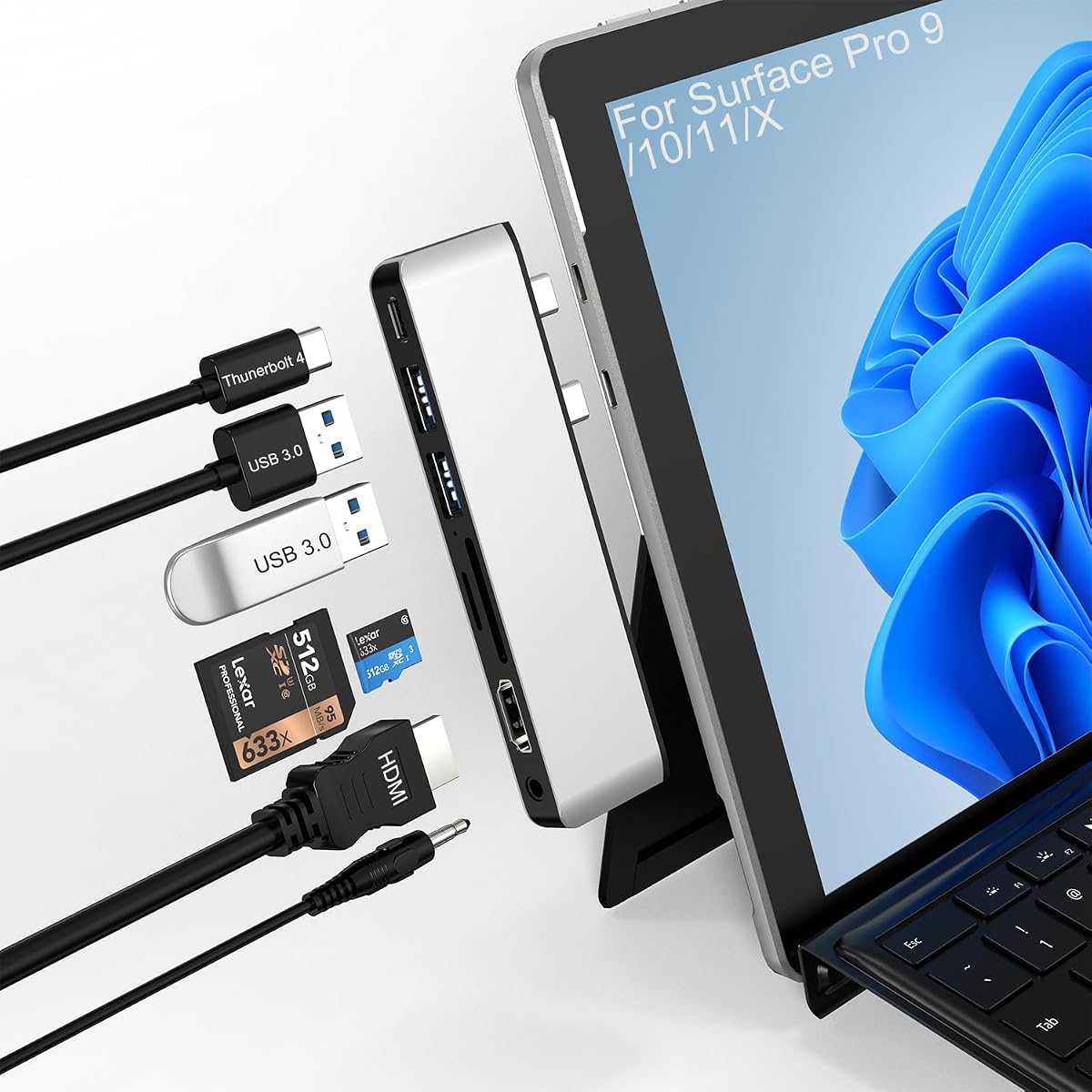
Surface Pro 11 USB Hub with 4K HDMI
4.2Editor score
Thunderbolt 4 USB-C port
Compact aluminum design
SD/TF card slots
This guide compares the top 10 docking stations for Surface Pro 11, evaluating ports, charging power, display support, and reliability for work and creativity.
Selecting the right docking station for your Surface Pro 11 transforms a portable tablet into a powerful desktop workstation. A quality hub expands connectivity, supports multiple monitors, and ensures stable charging while you work. It bridges the gap between mobility and productivity for professionals on the go.
We evaluated ten top-rated docking stations based on port variety, video output capabilities, data transfer speeds, and power delivery. Each product was assessed for compatibility with the Surface Pro 11 and broader Surface ecosystem. Our goal is to help you find a reliable solution that fits your workflow needs.
Each pick highlights specific strengths like triple display support, high-speed USB transfer, or compact design. Prices fluctuate often, so verify current listings before purchasing. This comprehensive overview ensures you invest in hardware that enhances your Surface Pro experience without compromising performance.
4.2Editor score
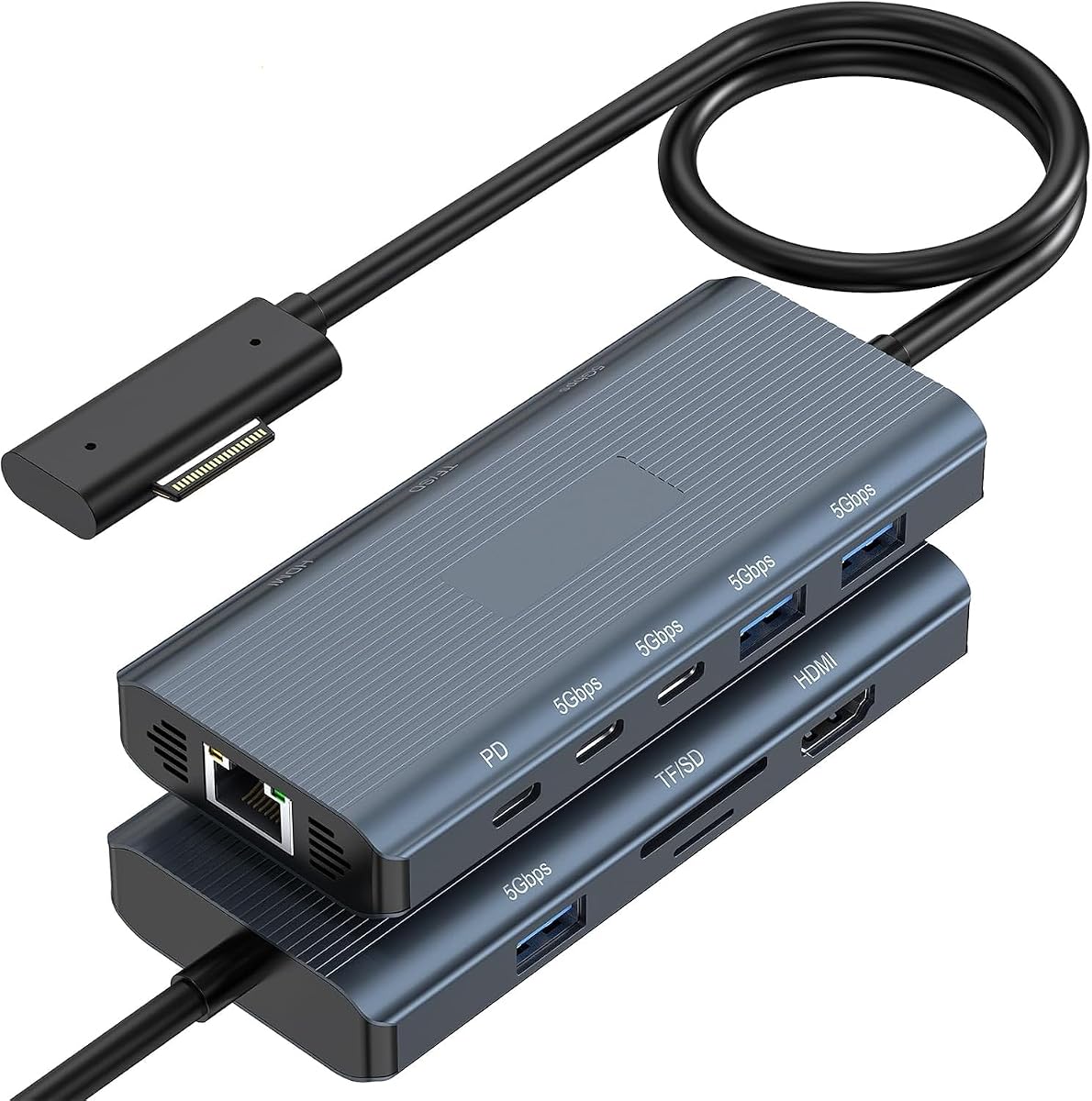
4.8Editor score

4.3Editor score
Compare the key specifications of all ten docking stations side by side. This table helps you quickly identify which model offers the specific ports and display capabilities you need.



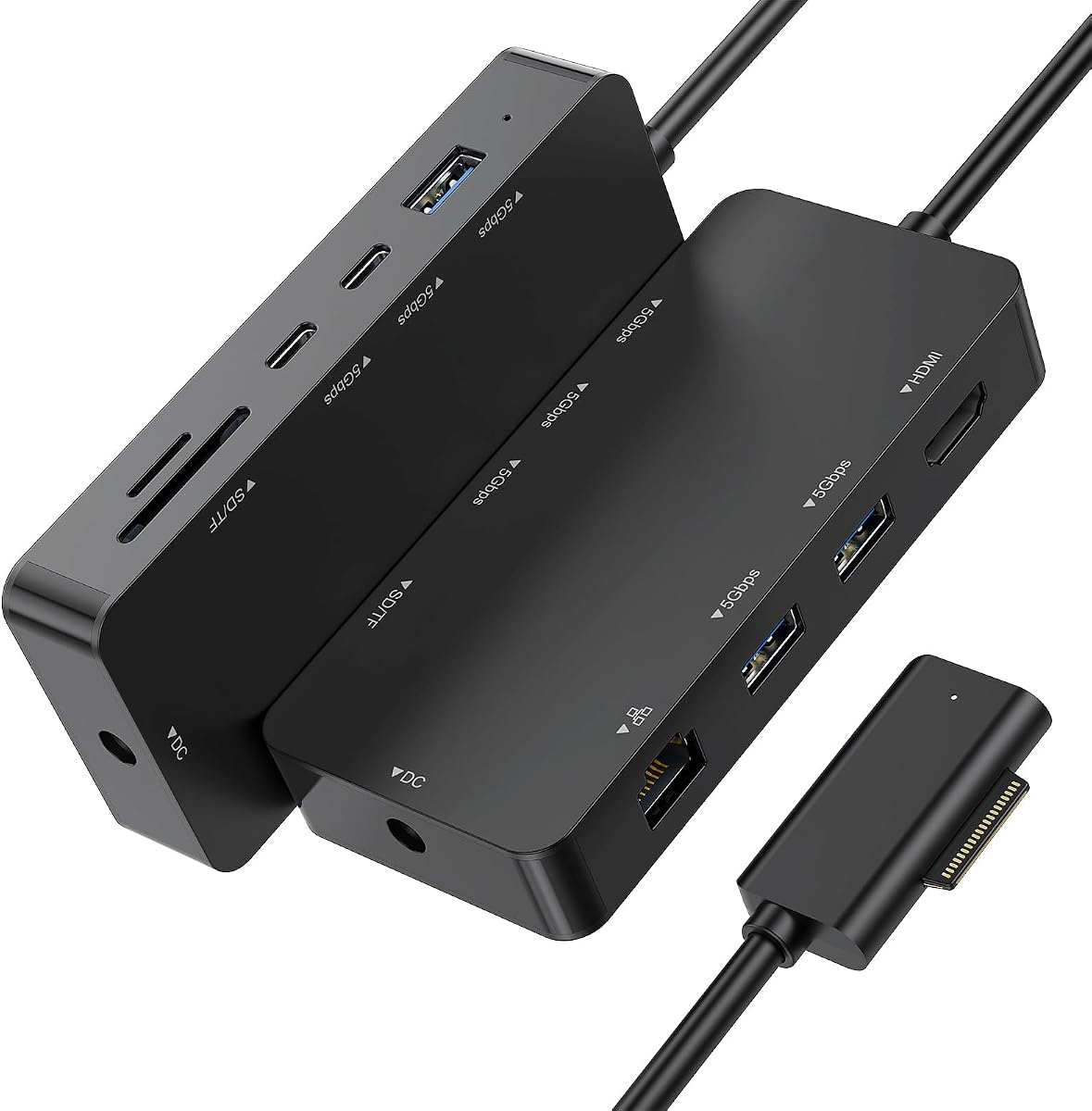
This 11-in-1 docking station earns the Editor's Choice badge for delivering exceptional performance and versatility. With a 4.8 rating, it offers 4K@60Hz HDMI output and a Gigabit Ethernet port for fast, stable internet access.
We may earn a commission when you buy through this link, at no additional cost to you.
The standout feature is the 100W PD power input, ensuring your Surface Pro 11 stays charged while powering multiple peripherals. Users appreciate the extensive port selection including USB-C, USB 3.0, and SD/TF card readers for seamless file transfers.
While the 45W power supply is required for optimal performance, this setup supports demanding workflows like video editing or multi-monitor setups without throttling. The only trade-off is a compact size compared to larger desktop docks.
Ideal for hybrid workers and creatives, this station bridges the gap between portability and a full desktop experience. Its reliability and broad compatibility make it a top recommendation for anyone seeking a dependable docking solution.
The HDMI port supports resolutions up to 3840 x 2160 at 60Hz, ensuring crystal clear visuals for presentations and media.
Gigabit Ethernet reduces lag during video calls and large file downloads, making it perfect for professional environments.
We may earn a commission when you buy through this link, at no additional cost to you.
This triple display docking station offers unique flexibility for users needing maximum screen real estate. Supporting two HDMI and one VGA output simultaneously, it enables complex workflows across three external monitors alongside the Surface screen.
We may earn a commission when you buy through this link, at no additional cost to you.
Key strengths include a comprehensive port array like USB-C, USB-A, and SD/TF slots. The included power adapter ensures stable operation, though users must disable the Surface screen to achieve full triple display functionality.
Trade-offs involve 4K resolution being capped at 30Hz, which may suit casual viewing but less than high refresh needs. The design prioritizes connectivity variety over cutting-edge video specs.
Best suited for office multitasking and coding setups, this hub delivers robust expansion at a competitive price point. It is a strong choice for professionals needing multiple screens without breaking the bank.
Supports dual HDMI and VGA outputs allowing for customized monitor arrangements to fit various desk configurations.
Includes USB-C and USB-A ports along with card readers to connect a wide range of peripherals effortlessly.
We may earn a commission when you buy through this link, at no additional cost to you.
Priced affordably, this Thunderbolt 4 hub delivers high-end performance without the premium cost. It offers 40Gbps data transfer speeds and 100W charging, making it an exceptional value for budget-conscious users needing speed.
We may earn a commission when you buy through this link, at no additional cost to you.
The aluminum case ensures durability and efficient heat dissipation during heavy usage. It turns two USB-C connections into seven versatile ports including HDMI and SD/TF slots for easy access to media files.
Users should note that protective cases may interfere with the fit, so it is best used directly on the device. The HDMI resolution is limited to 4K at 30Hz, which suffices for most static content.
For travelers and mobile professionals, this compact hub combines power and portability effectively. It remains a top recommendation for those prioritizing data speed and charging efficiency in a small form factor.
Achieves data transfer rates up to 40Gbps allowing rapid syncing of large files and external drives.
Its lightweight design makes it easy to slip into a laptop bag for work on the go.
We may earn a commission when you buy through this link, at no additional cost to you.
This docking station stands out with a dedicated 72W power adapter ensuring your device charges while connected to heavy peripherals. It supports three external monitors through dual HDMI and VGA ports for extensive screen real estate.
We may earn a commission when you buy through this link, at no additional cost to you.
High-speed data transfer is handled by USB-A and USB-C ports delivering up to 5Gbps. Users benefit from SD and TF card readers allowing quick access to photos and media without extra adapters.
Connecting the VGA port may limit all external displays to 1080p. The unit is also slightly heavier than minimal hubs but provides stability on a desk setup.
Ideal for professionals managing large spreadsheets or coding projects, this hub offers a robust workspace extension. Its power capacity and display options make it a reliable tool for productivity-focused users.
The dedicated adapter maintains consistent power levels to prevent device drain during long work sessions.
Supports dual HDMI and VGA to create custom multi-monitor setups for various workflows.
We may earn a commission when you buy through this link, at no additional cost to you.
This hub is engineered for creatives needing fast file transfers and multiple screens. With SD card read speeds up to 104MB/s, it streamlines workflows for photographers and video editors managing large media files.
We may earn a commission when you buy through this link, at no additional cost to you.
The 72W power adapter ensures reliable charging even with connected devices. Triple display support allows for complex setups where you can work on multiple projects simultaneously without constant switching.
The unit requires a dedicated power port and is slightly bulkier than ultra-portable hubs. Its focus is on performance and functionality rather than minimalism.
Perfect for hybrid workers and designers, this station enhances productivity through efficient connectivity and display options. It remains a dependable choice for those needing high speed and robust power support.
Reads SD cards at 104MB/s speeding up photo and video offloading processes.
Includes a 3.5mm jack for headphones allowing immersive audio during work.
We may earn a commission when you buy through this link, at no additional cost to you.
This Thunderbolt 4 station offers elite expansion with dual 4K@60Hz HDMI outputs and reliable Gigabit Ethernet. It transforms your device into a desktop powerhouse for demanding tasks like trading or design.
We may earn a commission when you buy through this link, at no additional cost to you.
The 100W DC charging adapter ensures your device remains fully charged while running multiple external drives and displays. MST support allows extending your desktop across three external monitors effortlessly.
Power requirements are specific, needing a 100W adapter for full performance. Some USB-C ports are data-only limiting video versatility compared to Thunderbolt hubs.
Best for professionals needing lag-free connectivity and high-res displays, this dock delivers premium performance. Its speed and network stability make it ideal for high-stakes workflows requiring consistent uptime.
1000Mbps Ethernet port ensures smooth video conferencing and fast file transfers.
Dual 4K@60Hz HDMI ports provide crisp visuals for detailed work.
We may earn a commission when you buy through this link, at no additional cost to you.
This 10-in-1 hub balances functionality and portability with a clean design. It includes a 65W PD power adapter to keep your device charged while managing peripherals like drives and card readers.
We may earn a commission when you buy through this link, at no additional cost to you.
Key strengths are its Gigabit Ethernet port and clear 4K HDMI output for presentations. Users appreciate the straightforward plug-and-play setup requiring no additional drivers or software.
The single HDMI port limits multi-monitor setups compared to triple-display docks. Resolution is capped at 30Hz which works well for static content but less for high refresh needs.
Ideal for travelers needing reliable connectivity without bulk, this hub fits many workflows. Its efficiency and simplicity make it a practical choice for everyday professional use.
65W PD charging keeps your Surface powered throughout the day.
Gigabit Ethernet offers stable low latency connections for work.
We may earn a commission when you buy through this link, at no additional cost to you.
This 12-in-1 station offers broad compatibility across the entire Surface ecosystem. It supports triple displays and fast charging with a 72W power input suitable for diverse professional needs.
We may earn a commission when you buy through this link, at no additional cost to you.
Key features include SD and TF card readers for quick file transfers and a 3.5mm audio jack for headphones. The dual HDMI and VGA ports enable flexible monitor arrangements for complex tasks.
Ethernet speeds are limited to 100Mbps which may not satisfy heavy download users. Turning off the Surface screen is required for three external monitors.
Perfect for professionals and students alike, this hub provides reliable connectivity without complex setup. It remains a versatile choice for those prioritizing compatibility and functionality over top-tier network speeds.
Dual HDMI and VGA allow for customized three-screen setups.
SD and TF slots provide quick access to camera memory cards.
We may earn a commission when you buy through this link, at no additional cost to you.
This premium hub delivers 120W power delivery and triple 4K@60Hz display output for top-tier performance. It is designed for power users needing extensive connectivity and charging capacity in one solution.
We may earn a commission when you buy through this link, at no additional cost to you.
Features include a full-function USB-C port supporting video and data alongside dual HDMI and DP outputs. Ethernet ensures stable gigabit connectivity and SD card readers provide fast access to media files.
The unit is physically larger than standard docks and requires 120W power for full operation. However the superior display support justifies the investment for creative professionals.
Ideal for studios and high-end workflows, this dock sets a benchmark for desktop docking. It remains a premium choice for users needing maximum power and resolution without compromise.
120W adapter ensures fast charging even with heavy peripherals connected.
Three 4K@60Hz displays offer massive screen real estate.
We may earn a commission when you buy through this link, at no additional cost to you.
This hub stands out with a 50cm magnetic Surface Connect cable ensuring a secure connection without fumbling with ports. It offers 4K@60Hz HDMI output and reliable Gigabit Ethernet for high-performance needs.
We may earn a commission when you buy through this link, at no additional cost to you.
Key features include multiple USB ports and SD card readers enabling smooth data transfers. The magnetic cable reduces wear on the device port and allows flexible positioning on your desk.
The cable length can sometimes lead to tangling if not managed carefully. It requires a Surface Connect port which limits compatibility to specific Surface devices only.
Perfect for those valuing convenience and aesthetics this dock simplifies daily connections. It remains a practical choice for users prioritizing cable management and clean desk setups.
The magnetic cable prevents accidental disconnections and protects the device port.
A 50cm cable allows flexible placement for optimal desk ergonomics.
We may earn a commission when you buy through this link, at no additional cost to you.
Selecting the right docking station depends on your specific workflow needs and budget. This guide outlines key factors to consider before making your purchase.
Assess how many ports you need for your peripherals such as monitors, keyboards, and storage drives. Look for hubs offering a mix of USB-A, USB-C, and SD card readers to accommodate different devices without adapters.
Aim for at least 10 ports if you use multiple external devices regularly.
Check if the docking station supports your desired resolution and refresh rate. For video editing or gaming, prioritize models with 4K@60Hz HDMI or DisplayPort to ensure smooth visuals.
Ensure the hub can drive the number of external monitors you plan to use simultaneously.
The dock must provide enough wattage to charge your Surface Pro 11 while running connected accessories. Look for 65W or higher PD charging to avoid battery drain during heavy usage.
Models with 100W or 120W input support are ideal for powering multiple devices and keeping your laptop full.
Wired internet via Gigabit Ethernet provides stable speeds for video calls and large downloads. Avoid models limited to 100Mbps if you rely heavily on network performance.
Ensure the Ethernet port is reliable and integrated into the hub design.
USB 3.0 and USB-C ports should support at least 5Gbps for fast file transfers. SD card readers should ideally handle up to 104MB/s for quick media access.
Faster speeds improve workflow efficiency when moving large files between devices.
Verify the hub works with your exact Surface model including Pro 11 and Laptop variants. Some hubs may not fit devices with protective cases or older connectors.
Choose a model explicitly listed for Surface Pro 11 to ensure smooth connectivity.
Consider the physical size and material of the docking station. Aluminum builds often dissipate heat better and feel more durable than plastic alternatives.
Select a compact design if you travel frequently or have limited desk space.
Check whether the hub includes a power adapter and cables to avoid extra purchases. Some premium models come with magnetic cables or extension cords for convenience.
Ensure the box contains all necessary components for immediate plug and play use.
Begin by connecting the power adapter to the dock before plugging it into your Surface Pro 11. This ensures stable power delivery and prevents connection issues during boot.
Connect your peripherals such as monitors, keyboards, and storage devices to the available ports. Verify that each device is recognized by the operating system automatically.
Clean the hub regularly using a soft dry cloth to remove dust and debris. Avoid using liquids or harsh chemicals to protect the ports and internal components.
Yes, most docking stations require a dedicated power adapter to supply enough wattage for charging your device and running peripherals. Check the product details to ensure the included adapter meets your charging needs.
Some models support triple display output through a combination of HDMI and VGA ports. You may need to turn off the Surface screen to enable full triple external monitor functionality.
4K@60Hz offers smoother motion and better refresh rates ideal for video or gaming. 4K@30Hz is sufficient for static work like coding or spreadsheets but may feel less fluid.
Many docks listed support both Surface Pro and Laptop devices provided they have the Surface Connect or USB-C port. Always verify compatibility for your specific model before purchasing.
Insert the SD card into the SD/TF slot on the dock. The system should detect it automatically allowing you to access files via File Explorer like any external drive.
Most premium models offer Gigabit Ethernet for faster internet speeds while budget models may be limited to 100Mbps. Check the specifications to ensure it matches your network requirements.
Our top picks range from budget-friendly hubs to premium docks offering triple display support and high wattage charging. The Editor's Choice 11-in-1 station stands out for its balance of speed and versatility.
Prioritize power delivery and video resolution if you work with media or multiple screens. For travel needs compact Thunderbolt hubs provide excellent speed in a smaller package.
Always check current pricing and availability as these features vary by model. Investing in the right dock enhances your Surface Pro experience and boosts daily productivity significantly.