
Thermalright AXP90 X36
4.6Editor score
Only 36mm total height
AGHP heat pipe technology
Compatible with AMD and Intel
This guide compares the top ten Htpc CPU Cooler options for silent and efficient cooling in small form factor builds and media center PCs.
Building a home theater PC requires careful attention to cooling. You need a solution that keeps temperatures low without generating noise that disrupts your viewing experience.
We evaluated ten leading coolers based on height compatibility thermal performance and fan noise. Each product was selected for its ability to fit tight spaces while maintaining reliability.
Every pick highlights key features like heat pipe count and fan PWM control. Note that prices fluctuate frequently so verify current offers before purchasing.
4.6Editor score

4.7Editor score

4.7Editor score
This side by side comparison lists all ten selected coolers with their key specifications and links so you can quickly find the right fit for your system.



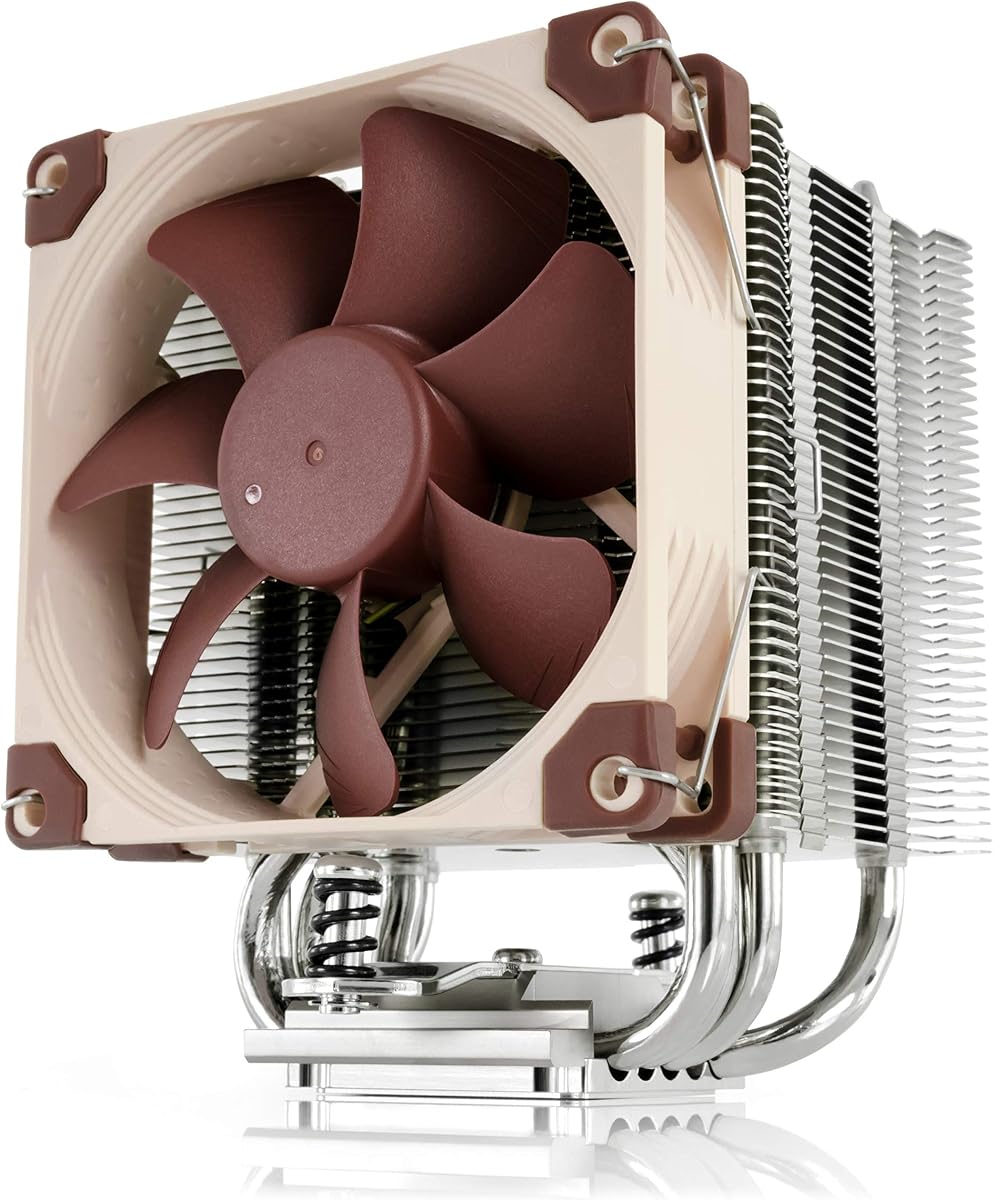


The Noctua NH-L9x65 stands out as a top contender for Htpc CPU Cooler builds due to its exceptional balance of size and performance. It earns a strong rating from users who value silence and efficiency in media centers.
We may earn a commission when you buy through this link, at no additional cost to you.
Its highly optimised NF-A9x14 fan delivers powerful airflow while maintaining near silent operation. The 65mm total height ensures it fits into the most restrictive cases without obstructing memory modules or PCIe slots.
While it carries a premium price tag, the build quality and included accessories like NT-H1 paste justify the cost for enthusiasts seeking reliability. The SecuFirm2 mounting system makes installation straightforward on modern sockets.
This cooler is ideal for users prioritizing acoustic performance in living room setups. If you need a silent low profile solution that just works, this is the recommended choice.
The NF-A9x14 fan uses advanced blade design to minimize turbulence and noise while maximizing cooling efficiency.
Noctua includes its award winning NT-H1 paste which ensures optimal thermal transfer from the CPU to the cooler base.
We may earn a commission when you buy through this link, at no additional cost to you.
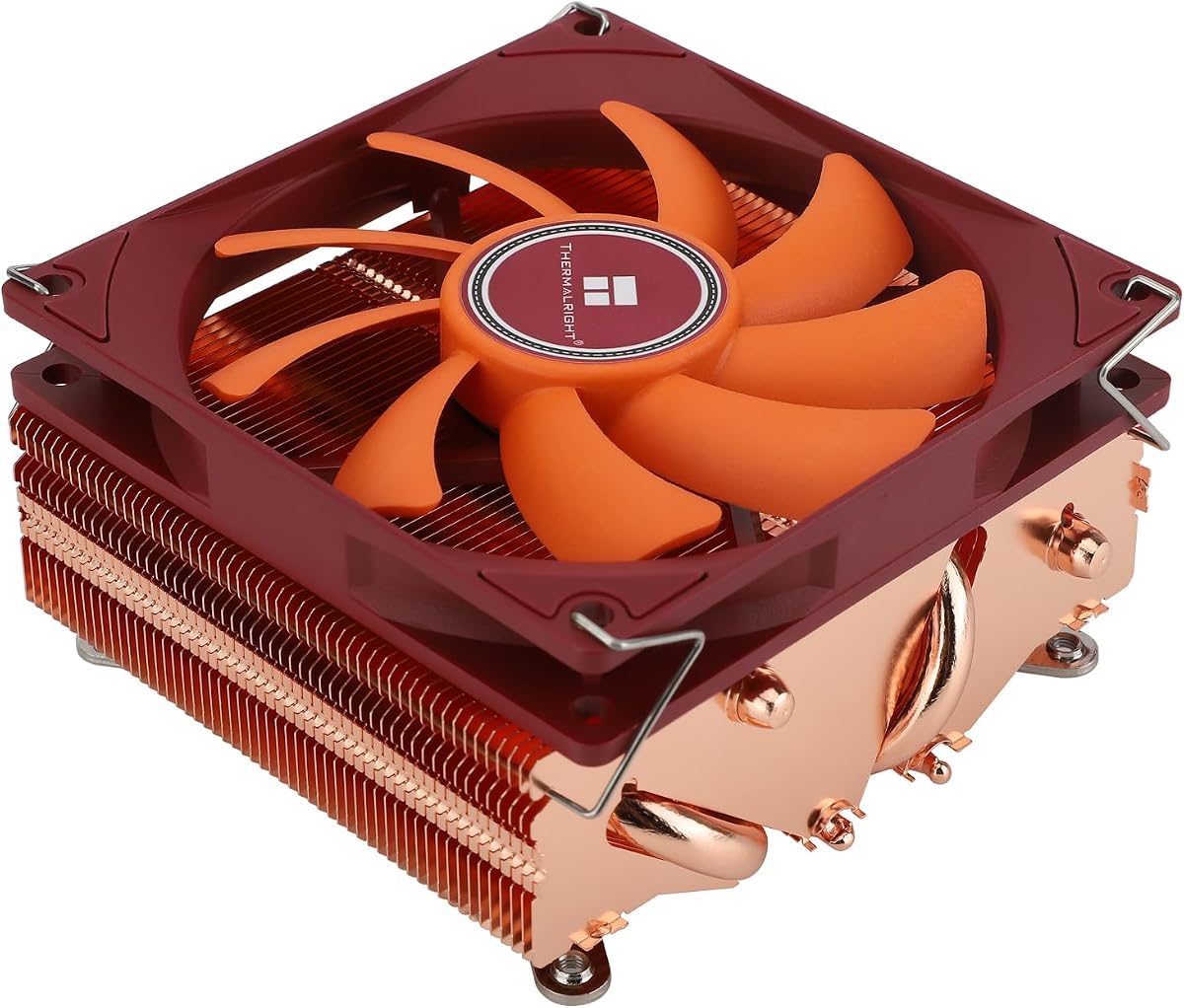
The Thermalright AXP90 X36 offers an incredibly low 36mm profile making it perfect for ultra slim Htpc CPU Cooler chassis. It delivers solid performance for its price and size constraints with modern heat pipe technology.
We may earn a commission when you buy through this link, at no additional cost to you.
Its AGHP technique solves gravity issues ensuring consistent cooling regardless of orientation. The included TL-9015B PWM fan provides automatic speed control to balance noise and heat dissipation effectively.
While the aluminum construction limits max heat output compared to copper, it remains sufficient for many low power CPUs found in home theater systems. Users appreciate the straightforward installation and broad support.
For those needing the absolute lowest profile without breaking the bank, this cooler is a smart pick. It maximizes space efficiency while keeping system temperatures within safe limits for standard workloads.
Advanced gravity heat pipe technology ensures consistent thermal performance whether the system is mounted vertically or horizontally.
The 92mm slim fan is designed to fit into cases where standard thickness fans would obstruct other components.
We may earn a commission when you buy through this link, at no additional cost to you.
The Noctua NH-L12S elevates low profile cooling with a premium build and advanced fan technology. It is designed for users who need better performance than standard low profile coolers can offer in tight spaces.
We may earn a commission when you buy through this link, at no additional cost to you.
Its NF-A12x15 fan delivers exceptional airflow at low speeds thanks to the optimized blade design. This results in quieter operation even under load while keeping CPU temperatures well managed during media playback.
While the price is higher, the 6 year warranty and inclusion of high end thermal paste add value. The 70mm height fits many cases while offering more thermal mass for sustained loads.
This model is best for enthusiasts who want top tier cooling without sacrificing much space. It balances performance and acoustics better than almost any other low profile option on the market.
The optimized 120mm fan moves significantly more air than smaller fans while maintaining whisper quiet operation.
Noctua backs this product with a generous six year warranty ensuring long term reliability for your investment.
We may earn a commission when you buy through this link, at no additional cost to you.
The ID-COOLING IS-67-XT brings six heatpipes into a low profile design which is rare for this form factor. It offers a robust solution for Htpc CPU Cooler needs with excellent heat dissipation capabilities.
We may earn a commission when you buy through this link, at no additional cost to you.
Its copper base and six heatpipes ensure efficient transfer from the CPU to the fins. The included 120mm PWM fan provides high airflow while remaining controllable through automatic speed adjustments.
The 67mm height is slightly taller than ultra slim options but still fits most ITX cases. This design choice allows for better performance on slightly warmer CPUs without increasing bulk too much.
Users looking for more cooling power without switching to a full tower will find this appealing. It is a versatile choice that balances performance and size effectively.
Six copper heatpipes spread thermal load efficiently across the fins for faster cooling response.
The PWM fan adjusts speed automatically based on temperature to reduce noise when full power is not needed.
We may earn a commission when you buy through this link, at no additional cost to you.
The ID-COOLING IS-40-XT is an ultra compact choice for those with severe height limits. Its 47mm profile fits into the thinnest cases while still providing decent cooling via heatpipes.
We may earn a commission when you buy through this link, at no additional cost to you.
Four heatpipes and a 92mm PWM fan work together to manage heat without much noise. The all black design adds a sleek visual touch that matches many modern system builds.
While it may not handle extreme CPU loads, it is excellent for media PCs that do not push high wattages. The installation is straightforward with upgraded mounting kits that simplify backplate use.
This model is a strong option for users prioritizing size and aesthetics over raw thermal power. It keeps things quiet and hidden while maintaining reliable operation.
The uniform black finish gives the cooler a premium and modern appearance inside open or glass cases.
Upgraded backplate kits make the installation process much easier and more secure for various motherboards.
We may earn a commission when you buy through this link, at no additional cost to you.
The Thermalright AXP90-X53 stands out for its pure copper construction which significantly boosts thermal transfer efficiency. It is designed for users who want better conduction than aluminum in a slim form factor.
We may earn a commission when you buy through this link, at no additional cost to you.
With a total height of 53mm it fits comfortably in ITX cases. The AGHP heat pipes help maintain performance in any orientation while the included fan runs quietly at normal speeds.
Pure copper makes the unit heavier and may complicate installation slightly if backplate clearance is tight. However the cooling benefits for sustained loads often outweigh these minor drawbacks in Htpc builds.
This cooler is great for those seeking a balance between material quality and size. It ensures stable temperatures even during long movie marathons or gaming sessions.
Copper conducts heat faster than aluminum allowing the cooler to handle thermal spikes more effectively.
Advanced gravity heat pipes ensure heat travels efficiently even if the system is mounted vertically or inverted.
We may earn a commission when you buy through this link, at no additional cost to you.
The Noctua NH-U9S is a powerful single tower cooler that fits in many Htpc cases needing more cooling than slim models. Its 125mm height allows for substantial thermal mass without blocking RAM.
We may earn a commission when you buy through this link, at no additional cost to you.
It features a highly optimised NF-A9 fan that delivers great airflow quietly. This makes it suitable for users who want better cooling power than a 92mm unit can provide in tight spaces.
The design does not overhang RAM or PCIe slots on most boards ensuring installation smoothness. It includes high end thermal paste and a secure mounting system for long term reliability.
While taller than low profile options this cooler is perfect for larger media PCs or those with powerful CPUs. It remains a reliable choice for quiet performance.
The single tower design offers strong cooling while staying within height limits for many standard cases.
Noctua includes its award-winning NT-H1 paste to ensure optimal thermal conductivity right out of the box.
We may earn a commission when you buy through this link, at no additional cost to you.
The Noctua NH-L9a-AM4 is a specialized low profile cooler tailored for AM4 sockets. Its slim 37mm height makes it one of the thinnest options available for tight Htpc chassis builds.
We may earn a commission when you buy through this link, at no additional cost to you.
It includes a premium NF-A9x14 fan with Low-Noise Adaptor for whisper quiet operation. This fan design ensures minimal acoustic disturbance during media playback or casual use.
Compatibility is excellent with 100 percent RAM and PCIe clearance on ITX motherboards. The SecuFirm2 mounting system ensures easy installation and long term stability for Ryzen systems.
For AM4 users needing the lowest profile possible this is a top choice. It keeps things quiet and fits where almost no other cooler can.
This cooler comes optimized for AM4 mounting brackets ensuring secure and easy setup for Ryzen systems.
At only 37mm it clears nearly any slim case allowing for maximum internal component flexibility.
We may earn a commission when you buy through this link, at no additional cost to you.
The Thermalright Assassin X120 Refined SE offers robust cooling in a standard tower form factor suitable for larger Htpc builds. Its 148mm height supports high performance CPU demands without excessive noise.
We may earn a commission when you buy through this link, at no additional cost to you.
Four heatpipes with AGHP technology ensure efficient heat dissipation regardless of orientation. The TL-C12C PWM fan delivers high airflow while maintaining low noise levels even under load.
It supports both modern Intel and AMD sockets with flexible mounting options. The aluminium cover adds a clean look and protects the fins during transport or handling.
This model is ideal for users who have cases allowing for taller coolers and want more performance than slim options. It balances value and cooling capacity well.
AGHP technology ensures consistent thermal performance even if the computer is mounted vertically inside the case.
The fan and heatsink design minimize acoustic disturbance making it suitable for quiet living room environments.
We may earn a commission when you buy through this link, at no additional cost to you.
The Thermalright Peerless Assassin 120 SE provides max cooling for those with spacious Htpc cases. Its dual 120mm fans and six heatpipes handle high TDP loads with exceptional efficiency.
We may earn a commission when you buy through this link, at no additional cost to you.
AGHP technology ensures stable performance regardless of orientation. The fans run at moderate speeds to keep noise manageable while delivering significant airflow for sustained cooling.
Installation requires checking case dimensions due to its size. However for users with room it offers better cooling than most competitors at a competitive price.
This cooler is perfect for users who want top tier thermal performance in their home theater PC without moving to liquid cooling.
Two 120mm fans move air through the fins faster than single fan designs for better overall cooling.
Advanced gravity heat pipes ensure efficient heat transfer even when the unit is installed in tight orientations.
We may earn a commission when you buy through this link, at no additional cost to you.
Selecting the right cooler requires balancing height limits acoustic needs and thermal performance.
Height is the most critical factor for Htpc builds. Ensure the cooler fits your case clearance without blocking RAM or PCIe slots.
Always check manufacturer specs for exact height limits before purchasing.
More heat pipes usually mean better heat transfer. Low profile coolers with multiple pipes perform better under load than those with fewer.
Choose at least four pipes for modern CPUs to maintain stable temperatures.
Acoustics matter in living room setups. Look for PWM fans with noise ratings below 25dB for quieter operation.
Select fans with adjustable speeds to balance noise and cooling dynamically.
Verify your socket type matches the cooler supports list. New CPUs need updated mounting brackets.
Check for inclusion of AM5 or Intel LGA1700 kits.
Copper base or full copper coolers conduct heat better than aluminum. They reduce thermal resistance and improve cooling speed.
Consider copper for warmer CPUs but expect more weight.
Easy installation saves time and frustration. Look for SecuFirm2 or upgraded backplate kits for simpler mounting.
Ensure the mounting process does not require removing other components.
High quality paste improves transfer efficiency. Some brands include premium pastes like NT-H1 in the box.
Check if paste is included to avoid buying extra.
Warranty length reflects manufacturer confidence. Brands like Noctua offer six years while others vary.
Longer warranties provide peace of mind for expensive components.
Install the cooler on a clean CPU surface with fresh paste for best transfer. Apply a pea sized amount to ensure even coverage.
Secure the mounting brackets tightly but do not over torque screws to avoid damaging the motherboard.
Clean dust from the fins every few months to maintain airflow and keep noise levels low.
Most Htpc cases allow coolers between 30mm to 70mm tall. Always verify your case clearance before choosing a model.
Copper offers better thermal transfer but is heavier. Aluminum is lighter and sufficient for low TDP CPUs.
Some cases support 120mm fans but slim fans are safer. Check clearance with your motherboard layout.
Use PWM mode in BIOS to lower speeds. Ensure the fan is mounted without vibration.
AGHP is advanced gravity heat pipe tech ensuring efficient cooling in any orientation regardless of gravity effects.
Many include paste but check the box. Some high end models provide premium thermal compound.
Yes if the case height allows. Ensure RAM compatibility before installing taller towers.
Clean every three to six months to prevent dust buildup. Dust restricts airflow and increases noise.
We reviewed ten top options balancing height performance and noise for home theater setups.
Prioritize low height and quiet fans for Htpc builds to maintain comfort during use.
Always verify current prices and availability as offers change often on Amazon.