
5X Magnifying Glass with Clip
3.6Editor score
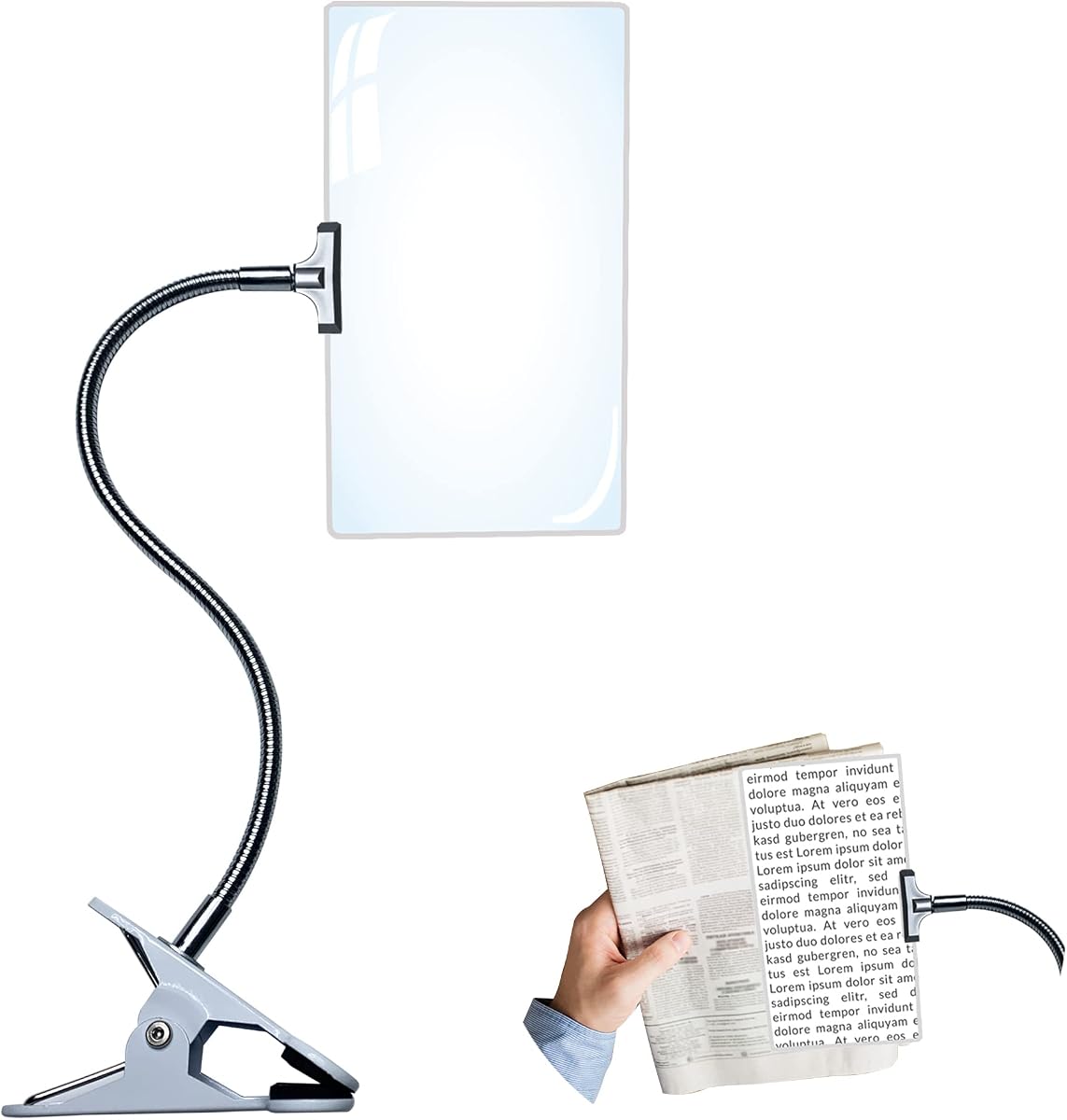
Flexible Gooseneck Design
Large Viewing Area
Clip On Or Handheld
Compare the top magnifying glasses for computer monitors in 2026 to reduce eye strain and improve screen readability for seniors and professionals.
Finding the right magnifying glasses for computer monitors can transform your daily digital experience by reducing eye strain and improving readability for everyone.
We compared ten top-rated products based on optical clarity, adjustability, ease of use, and user feedback to bring you the most reliable options available today.
Each pick highlights unique features and ideal use cases so you can choose the perfect tool for your specific needs while keeping in mind that prices may change.
3.6Editor score

4.6Editor score

3.2Editor score
This side-by-side comparison helps you quickly evaluate the key specifications and features of all ten top-rated magnifying glasses for computer monitors available this year.


This magnifying glasses computer screen magnifier stands out as our top pick for its ultra-clear optics and versatile design that fits phones and laptops.
We may earn a commission when you buy through this link, at no additional cost to you.
The high-definition optical lens ensures minimal distortion while the wooden frame bracket adds a touch of elegance and durability to your desk setup.
While the initial setup may take a few minutes to adjust the angles, the ability to rotate pivot points over 180 degrees makes it highly adaptable.
Ideal for gamers and professionals alike, this product helps reduce eye strain and offers a comfortable viewing experience for long sessions.
The high-definition optical lens material provides sharp visuals that make reading small text or viewing detailed graphics significantly easier.
Compatible with a wide range of laptop and mobile screens, this magnifier adapts to your specific device needs with ease.
We may earn a commission when you buy through this link, at no additional cost to you.
This 5X magnifying glass offers a fantastic entry point for those needing a large viewing area without breaking the bank.
We may earn a commission when you buy through this link, at no additional cost to you.
The 10×6 inch lens covers a substantial portion of your screen or document, making it ideal for reading or detailed craft work.
Its flexible gooseneck allows you to position the lens exactly where you need it, ensuring comfort during extended use sessions.
While the plastic lens may not match the clarity of glass, it remains a practical and cost-effective solution for daily tasks.
The 10×6 inch viewing area allows you to see more content at once, reducing the need to scroll or move materials constantly.
With 360-degree adjustment capabilities, the gooseneck lets you bend the lens into any position for optimal lighting and focus.
We may earn a commission when you buy through this link, at no additional cost to you.
This 21-inch screen magnifier delivers a premium experience with its 3D HD amplifier technology that enhances movies and gaming visuals.
We may earn a commission when you buy through this link, at no additional cost to you.
The adjustable angle design allows you to find the perfect viewing position, reducing fatigue during long hours of screen time.
Although it is a significant investment, the clarity and immersion it provides make it a top choice for seniors and multimedia enthusiasts.
Users note that it works best in low light environments, so consider your lighting conditions before purchasing this powerful tool.
The advanced acrylic Fresnel lens creates a 3D effect that makes watching videos and playing games feel more engaging and comfortable.
With 0 to 90-degree angle adjustments, you can set the magnifier for standing work or lying down reading effortlessly.
We may earn a commission when you buy through this link, at no additional cost to you.
These magnifying glasses with light offer a hands-free solution perfect for intricate tasks like sewing, jewelry making, or detailed crafts.
We may earn a commission when you buy through this link, at no additional cost to you.
With five interchangeable lenses ranging from 0.75X to 4.0X, you can switch magnification levels quickly to suit different projects.
The three LED lights provide ample illumination with adjustable brightness, ensuring you never work in the dark again.
While some users may need to adjust the strap for a perfect fit, the ergonomic design makes it comfortable for extended wear.
The click and release system lets you swap lenses in seconds, giving you flexibility for tasks requiring different levels of zoom.
Built-in lithium batteries and USB-C charging eliminate the need for disposable batteries, saving you money and effort over time.
We may earn a commission when you buy through this link, at no additional cost to you.
This magnifying glass features four detachable lenses that let you choose between 1.5X and 5X magnification for various close work tasks.
We may earn a commission when you buy through this link, at no additional cost to you.
The ergonomic frame and silicone-coated nose bracket ensure comfort, even when wearing the headset for long periods of detailed work.
The adjustable LED light can be tilted up or down to highlight specific areas without creating unwanted shadows or glare.
While the weight may accumulate over hours of use, the stability and clarity provided make it a reliable tool for professionals and hobbyists.
Adjusting the direction of illumination allows you to target exactly where you need light, improving visibility for fine details.
The one-slot design makes it easy to swap lenses with just your fingers, ensuring you spend less time fiddling and more time working.
We may earn a commission when you buy through this link, at no additional cost to you.
These 200% magnification glasses are designed for users who need extra protection from blue light while working on small details.
We may earn a commission when you buy through this link, at no additional cost to you.
The polycarbonate lenses offer durability and clarity, while the built-in LED lights on both sides provide balanced illumination.
With a rechargeable battery that charges in just 1.5 hours, you can rely on them for hours of continuous work without interruption.
Although the magnification is fixed, the blue light blocking feature makes this a smart choice for anyone spending long hours in front of screens.
Built-in blue light filtering helps reduce eye strain and headaches, offering relief for users exposed to artificial lighting daily.
The lightweight and hands-free design ensures you can work comfortably for extended periods without feeling pressure on your face.
We may earn a commission when you buy through this link, at no additional cost to you.
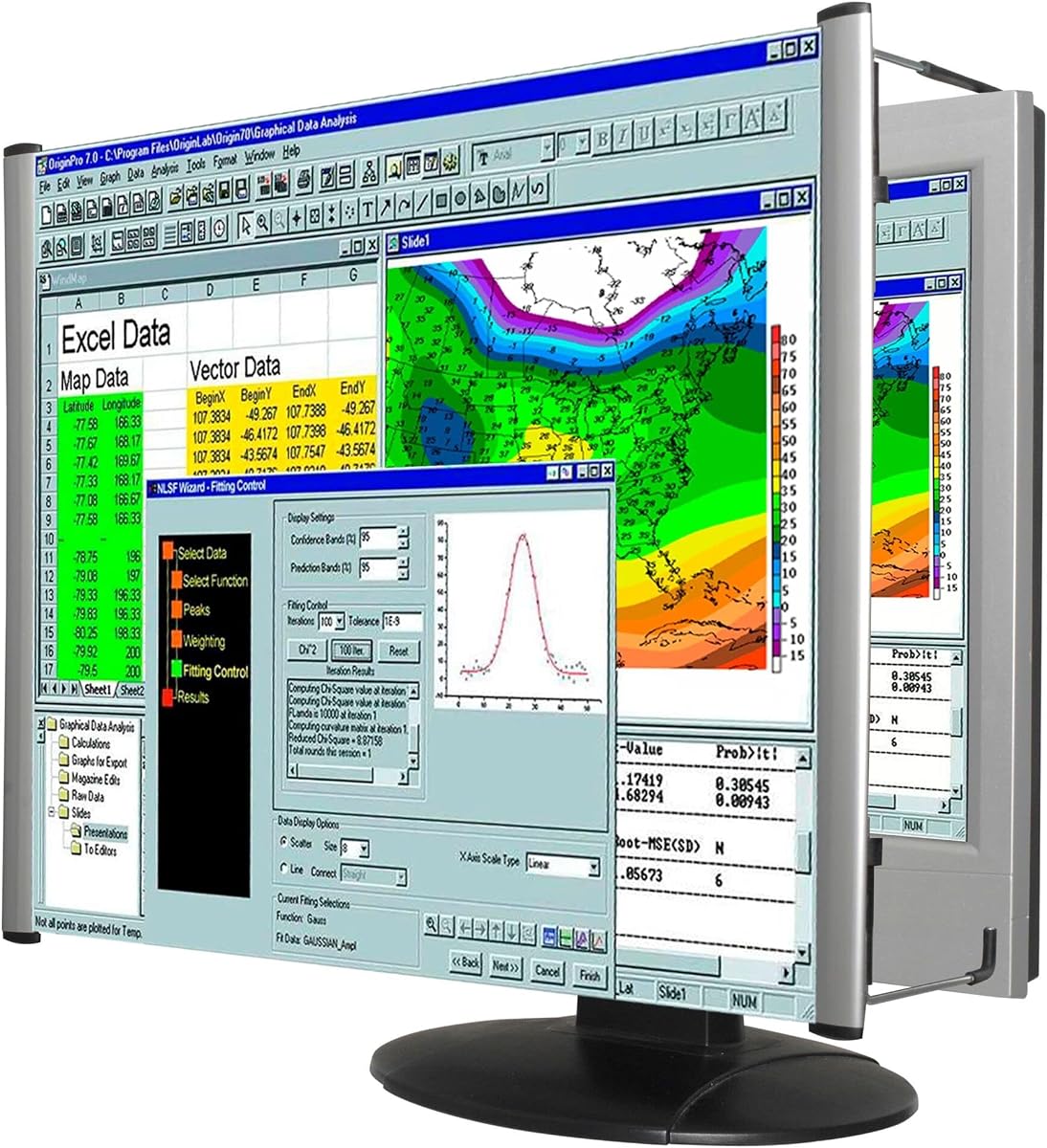
The Kantek LCD monitor magnifier is a classic choice designed specifically for 22-inch widescreen flat panel monitors.
We may earn a commission when you buy through this link, at no additional cost to you.
It features an adjustable magnification setting and a fresnel lens with an antiglare coating to improve readability in various lighting conditions.
Installation is quick and easy, requiring no tools, which makes it a convenient add-on for older office setups.
While it may lack the modern features of newer models, its straightforward design and reliability make it a solid option for desktop users.
The fresnel lens with antiglare coating helps reduce reflections, allowing for clearer viewing even in bright office environments.
Fully assembled and lightweight, this filter installs rapidly onto your monitor, providing instant access to magnified visuals.
We may earn a commission when you buy through this link, at no additional cost to you.
This large clip-on magnifier combines portability with stability, thanks to its robust alloy spring clamp and bendable hose design.
We may earn a commission when you buy through this link, at no additional cost to you.
The up to 5x magnification helps you read small text or inspect details without straining your eyes or holding the lens.
Its desktop stable design means it sits securely on your desk, freeing up your hands for other tasks while you view magnified content.
Ideal for seniors and repair work, this tool balances convenience and performance, making it a versatile addition to any workspace.
The durable clamp grips your monitor or book securely, ensuring the lens stays in place even when you adjust the angle.
The bendable hose design lets you change the lens angle and height with ease to fit your specific reading posture needs.
We may earn a commission when you buy through this link, at no additional cost to you.
This 10×6 magnifying glass is designed with seniors in mind, offering a large view that reduces the strain of reading small print.
We may earn a commission when you buy through this link, at no additional cost to you.
The 4x full page magnification allows you to see entire pages of books or documents clearly without constant adjustments.
Clamped securely to a desk or bed, the hands-free design ensures stability so you can focus on your task without worrying about dropping the lens.
While made of plastic, the fresnel lens is durable and lightweight, making it a practical and comfortable choice for daily reading or crafts.
The 10×6 inch lens covers a large area, letting you see entire pages of text without having to move the magnifier constantly.
The flexible gooseneck adapts to various scenarios, allowing you to adjust the lens to the perfect position for your viewing angle.
We may earn a commission when you buy through this link, at no additional cost to you.
The Kantek MAXVIEW LCD monitor magnifier is designed for office use with a tinted lens that enhances contrast for better readability.
We may earn a commission when you buy through this link, at no additional cost to you.
Its patented design offers a lightweight alternative to heavy glass lenses, and you can adjust magnification simply by moving the filter.
This tool is ideal for general office tasks where increased readability is needed without the complexity of high-power magnification.
While not designed for visually impaired users, its contrast enhancement features make it a valuable asset for anyone needing clearer text on screen.
The optical grade acrylic fresnel lens includes a light tint that boosts contrast, making text easier to read and distinguish.
By moving the magnifier closer or farther from the display, you can control the image size to suit your specific viewing preference.
We may earn a commission when you buy through this link, at no additional cost to you.
Selecting the right magnifying tool involves considering factors like lens quality, adjustability, and compatibility with your specific device setup.
High-quality lenses made from optical grade acrylic or fresnel material provide clearer images with minimal distortion, which is critical for reducing eye strain during long sessions.
Look for materials that are scratch-resistant and durable to ensure the magnifier lasts longer and maintains its clarity over time.
Magnification power ranges from 1.5x to 5x or more, so choose a level that matches your needs without making the image too blurry or too small to see.
Higher magnification is great for tiny details but may require a shorter focal distance, while lower levels work better for general reading.
A flexible gooseneck or adjustable angle design allows you to position the lens exactly where you need it for optimal comfort and viewing angles.
This feature is essential if you work in multiple positions or need to share the view with others frequently.
Ensure the magnifier fits your specific monitor size, laptop screen, or mobile device to avoid coverage issues that limit your viewing area.
Check product specs to confirm it supports the dimensions of your device, whether it is a 22-inch monitor or a standard tablet.
Hands-free options like clip-on clamps or wearable headsets free up your hands for tasks like crafting or typing, reducing fatigue significantly.
This convenience is especially valuable for seniors or anyone who needs to keep their hands active while viewing magnified content.
Integrated LED lights improve visibility in low-light environments, helping to reduce shadows and glare that can hinder your focus.
Adjustable brightness settings are a plus, allowing you to customize the light intensity to match your workspace lighting conditions.
For wearable models, lightweight frames and adjustable straps ensure comfort during extended use without causing pressure on your nose or head.
A comfortable fit prevents distractions and allows you to focus on your work or hobbies without discomfort.
If you travel or use your magnifier in different locations, look for lightweight and collapsible designs that are easy to pack and store.
Portable tools ensure you can maintain your productivity and comfort regardless of where you are working.
Start by attaching the magnifier securely to your monitor or desk, ensuring it does not obstruct your keyboard or workflow unnecessarily.
Adjust the lens height and angle to match your eye level for the most comfortable viewing experience that minimizes neck strain.
Clean the lens regularly with a soft cloth to remove fingerprints and dust, maintaining optical clarity and extending the product's lifespan.
Yes, they are excellent for reading small text on screens or documents without straining your eyes. They provide clear, distortion-free enlargement that makes text easier to see.
Most physical magnifiers do not require power as they use optical lenses. However, models with LED lights will need batteries or USB charging.
Many models are specifically designed to fit laptops and tablets with adjustable clamps or flexible necks to accommodate different screen sizes.
For general use, magnification between 2x and 3x usually offers a good balance of size and clarity. Higher levels may be better for very small text.
Most clip-on or desktop models install easily without tools. Just position the clamp or stand securely and adjust the lens to your preference.
Use a soft microfiber cloth to gently wipe away smudges and dust. Avoid harsh chemicals that could scratch the lens coating.
Choosing the right magnifier can significantly improve your daily computing experience by reducing eye strain and making small details easier to see.
Prioritize factors like lens quality, adjustability, and hands-free designs to ensure you select a tool that meets your specific workflow needs.
Always check current availability and user reviews before purchasing to make sure you get the best value and performance for your setup.