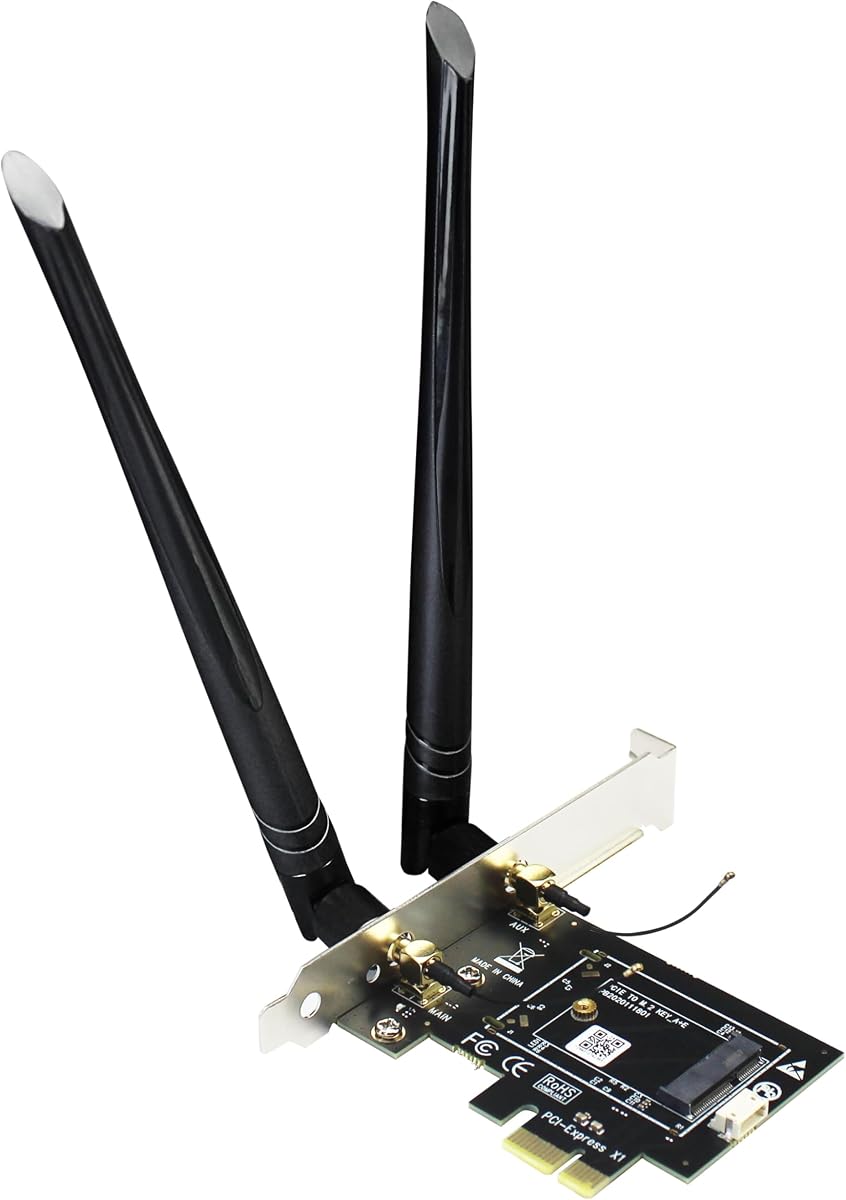
GLOTRENDS WA01 Adapter
4.1Editor score
M.2 Key E to PCIe X1
Supports WiFi 4 through 7
Includes 6-dBi SMA Antennas
Compare the top M2 Key E WiFi Cards for laptops and desktops to find the best 6E and 7 options with high speeds and reliable Bluetooth integration today.
Finding the right M2 Key E WiFi Card is essential for modern computing needs. Whether you need faster speeds or better range, these cards upgrade your connection significantly.
We compared ten top models based on speed, compatibility, and features. Our guide helps you choose the best card for your specific laptop or desktop setup easily.
Each pick shows key specs and real-world performance insights. Note that prices change frequently so check current listings before making your final purchase decision today.
4.1Editor score
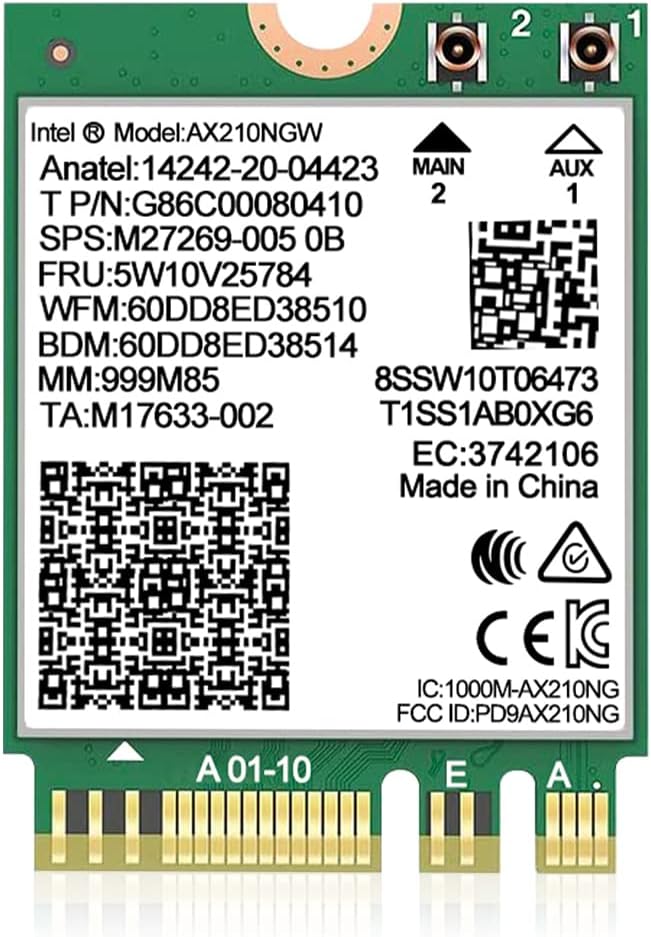
4.6Editor score

4.6Editor score
This side-by-side comparison highlights the key specifications and features of all ten models to help you decide which one fits your system requirements best.






This AX210NGW card offers solid WiFi 6E performance with tri-band support. It scores high for reliability and speed in most setups.
We may earn a commission when you buy through this link, at no additional cost to you.
It delivers speeds up to 574Mbps on 2.4GHz and 2400Mbps on 5GHz and 6GHz bands. The included antennas improve signal strength significantly.
While it requires driver installation it works well with modern routers. It is not compatible with CNVio slots which limits some laptop models.
Buy this if you need reliable 6E speeds and strong signal range. It is a top choice for desktop upgrades.
Using 6GHz reduces interference for faster downloads and streaming.
Included 5dBi antennas boost range compared to standard internal options.
We may earn a commission when you buy through this link, at no additional cost to you.
This adapter allows you to use M.2 WiFi cards in desktop PCIe slots. It is very affordable and supports most common NGFF modules.
We may earn a commission when you buy through this link, at no additional cost to you.
It works with WiFi 4 through 7 modules including AX210. The included 6-dBi antennas provide good range for desktop use.
You must connect a USB cable for Bluetooth to function. It does not support CNVio2 modules which restricts some Intel chips.
Choose this for cheap desktop upgrades if you have a compatible WiFi card. It brings flexibility to older or non-NGFF boards.
Brings modern WiFi capabilities to older desktops via PCIe slots easily.
Accepts a wide range of modules from WiFi 4 up to WiFi 7.
We may earn a commission when you buy through this link, at no additional cost to you.
This adapter converts PCIe slots to M.2 for WiFi cards. It supports both AMD and Intel systems and comes with antenna cables.
We may earn a commission when you buy through this link, at no additional cost to you.
It allows dual-band 2.4GHz and 5GHz usage. The included USB cable enables Bluetooth functionality on desktop motherboards.
Note that the WiFi card is not included in the box. Hot swapping is not supported so plan installation before booting.
Buy this if you need a reliable bridge for WiFi cards in desktops. It is compatible with most modern PCIe slots.
Converts PCIe x1 slots to accept standard M.2 WiFi modules easily.
Dual-band antennas ensure strong reception across common frequency bands.
We may earn a commission when you buy through this link, at no additional cost to you.
This card brings WiFi 7 technology to compatible laptops. It offers speeds up to 5.8Gbps with MLO support for lower latency.
We may earn a commission when you buy through this link, at no additional cost to you.
It uses 4K QAM and 320MHz channels for high throughput. Bluetooth 5.3 ensures smooth connections for peripherals.
It works only with Windows 11 and requires a WiFi 7 router for full speed. Compatibility is limited to newer systems.
Select this for gaming or streaming if you have a modern setup. It is ideal for future-proofing high-end devices.
Multi-link operation allows simultaneous use of bands for better performance.
Achieves up to 5.8Gbps with compatible router configurations.
We may earn a commission when you buy through this link, at no additional cost to you.
This AX210 NGW card is a popular choice for laptop upgrades. It provides tri-band 6E speeds and strong Bluetooth connectivity.
We may earn a commission when you buy through this link, at no additional cost to you.
Maximum speeds reach up to 5400Mbps across bands. It supports Windows 10 and 11 with drivers available online.
You cannot use it with CNVio2 slots so check your laptop model. It is reliable for most modern systems.
Buy this if you need dependable WiFi 6E for work or gaming. It offers excellent value and performance overall.
Tri-band support includes the less crowded 6GHz band for faster speeds.
Official drivers from Intel ensure stability and full feature support.
We may earn a commission when you buy through this link, at no additional cost to you.
This OKN AX210 module delivers tri-band WiFi 6E performance. It features MU-MIMO and OFDMA for better network handling.
We may earn a commission when you buy through this link, at no additional cost to you.
It supports WPA3 security for safer connections. Bluetooth 5.3 enhances peripheral connectivity with lower latency.
You must download drivers from Intel for full function. It is not suitable for CNVio slots.
Choose this for reliable 6E performance in compatible laptops. It offers solid speed and security features.
Supports latest WPA3 security protocols for safer data transmission.
MU-MIMO and OFDMA help reduce latency during heavy usage.
We may earn a commission when you buy through this link, at no additional cost to you.
This AX210 NGW card includes high gain antennas for better range. It supports tri-band 6E for fast connections.
We may earn a commission when you buy through this link, at no additional cost to you.
The 8dBi antennas provide superior signal strength over standard ones. It includes brackets and cables for easy setup.
You must install drivers from Intel. It is not compatible with CNVio2 slots.
Buy this for strong signal performance in laptops. It is great for larger homes with range needs.
8dBi antennas deliver stronger signal penetration through walls.
Includes all necessary cables and brackets for quick installation.
We may earn a commission when you buy through this link, at no additional cost to you.
This QCNCM865 card provides WiFi 7 speeds with MLO support. It is designed for low latency gaming and streaming.
We may earn a commission when you buy through this link, at no additional cost to you.
It supports up to 5800Mbps combined across bands. Bluetooth 5.3 improves connection stability for peripherals.
It works only with Windows 11 and requires a WiFi 7 router for full potential. Older systems will not benefit fully.
Select this for top-tier performance in new builds. It is ideal for future-ready gaming setups.
MLO connects to multiple bands simultaneously for reduced latency.
Ultra-low latency makes it perfect for competitive gaming.
We may earn a commission when you buy through this link, at no additional cost to you.
This BrosTrend card offers WiFi 6 speeds at a budget-friendly price. It supports dual-band connections and Bluetooth 5.2.
We may earn a commission when you buy through this link, at no additional cost to you.
It provides up to 1800Mbps combined throughput. It supports Linux systems with kernel 6.5 or higher.
It lacks 6GHz support and uses Bluetooth 5.2 which is older. It is sufficient for general browsing.
Buy this for budget upgrades without 6E needs. It is good for basic laptop connectivity.
Compatible with Linux systems offering broader OS flexibility.
Provides reliable WiFi 6 performance at an affordable cost.
We may earn a commission when you buy through this link, at no additional cost to you.
This Killer BE200 card is a premium WiFi 7 option for Intel systems. It delivers ultra-low latency for gaming and fast speeds.
We may earn a commission when you buy through this link, at no additional cost to you.
It supports up to 5.8 Gbps across tri-bands. Bluetooth 5.4 offers enhanced peripheral connectivity.
It works only with Intel processors and requires Windows 11. It is not for AMD systems.
Select this for top gaming performance on Intel platforms. It maximizes Wi-Fi 7 potential.
Ultra-low latency minimizes lag during competitive online games.
Latest Bluetooth version provides better connection stability.
We may earn a commission when you buy through this link, at no additional cost to you.
Choose the right card by checking your motherboard slot type and supported standards carefully.
Ensure your motherboard supports M.2 Key E or A+E slots. CNVio2 slots are not compatible with standard M.2 cards so check your specs before buying.
Verify the physical slot and interface type to avoid compatibility issues before purchasing.
Select the right WiFi generation like WiFi 6 or 7 based on your router. WiFi 7 offers faster speeds but requires a compatible router.
Match your card to your existing router for best performance.
Pick speeds based on your internet plan and usage needs. Gaming and streaming benefit from higher throughput and lower latency options.
Choose higher speeds only if your plan and devices support them.
Check the Bluetooth version included with the card. Newer versions like 5.3 or 5.4 offer better range and battery efficiency.
Ensure Bluetooth version aligns with your peripheral needs.
Look for kits that include external antennas if possible. These boost signal strength significantly compared to internal ones.
External antennas improve range and signal stability.
Confirm driver availability for your OS. Some cards require Windows 11 or have limited support on Linux systems.
Ensure your system supports the card drivers.
Weigh cost against features. Budget adapters may need separate cards while full kits cost more but include everything.
Balance cost and completeness for best value.
Choose trusted brands for better support. Reputable sellers often provide better warranties and driver updates.
Stick with known brands for reliability and warranty.
First install your card by opening your device and aligning the M.2 slot properly. Secure the screw to ensure a solid connection.
Second install the latest drivers from the manufacturer or Intel website. This ensures full feature support and stability for your system.
Third keep the slot clean from dust to avoid overheating. Handle the card gently by the edges to prevent static damage.
M.2 Key E is a specific slot interface used for WiFi and Bluetooth modules. It defines the keying pattern and connector type for compatible cards.
No you must match the key type and slot size. Cards like Key A+E work while others like CNVio are not compatible with standard adapters.
Yes you must download and install drivers from the manufacturer. This enables full functionality and proper connection stability.
You can use adapters to convert PCIe slots to M.2 Key E. This allows desktop use of laptop modules with proper installation.
WiFi 7 is the latest wireless standard offering speeds up to 5.8Gbps. It requires compatible routers and Windows 11 for full support.
Most WiFi 6 cards work on Windows 10 but WiFi 7 requires Windows 11. Check specific product specs for OS compatibility.
We reviewed ten models including top picks like the AX210NGW and BE200. Each offers unique benefits for different needs and budgets.
Prioritize compatibility with your motherboard and router before buying. Ensure the slot type and OS are supported for best results.
Check current prices and availability as they change frequently. This ensures you get the best deal when upgrading your connection.