
Lexar D50E 256GB Solid State Dual Drive
4.6Editor score
Dual USB-A and USB-C
Up to 400MB/s read
Durable metal housing
This expert guide compares the top Lexar USB Flash Drive models for performance, durability, and compatibility to help you choose the right portable storage
Portable storage remains essential for modern computing workflows. A reliable flash drive ensures you can carry files, media, and backups securely. Lexar offers a wide range of USB drives designed for speed and convenience across various devices and use cases.
We evaluated ten distinct Lexar models based on transfer speeds, build quality, connector types, and security features. Each product was analyzed for its suitability in professional, creative, and everyday consumer environments to ensure comprehensive coverage for potential buyers.
Every selection includes detailed specifications, pros, cons, and real-world application scenarios. Prices and availability fluctuate frequently, so verify current listings before purchasing. This guide aims to streamline your decision process with accurate, up-to-date product insights.
4.6Editor score
4.6Editor score

4.5Editor score
The following table provides a side-by-side overview of all ten selected Lexar flash drives. Compare key specifications like interface type, read/write speeds, and unique features to identify the model that aligns best with your specific storage needs and device compatibility requirements.


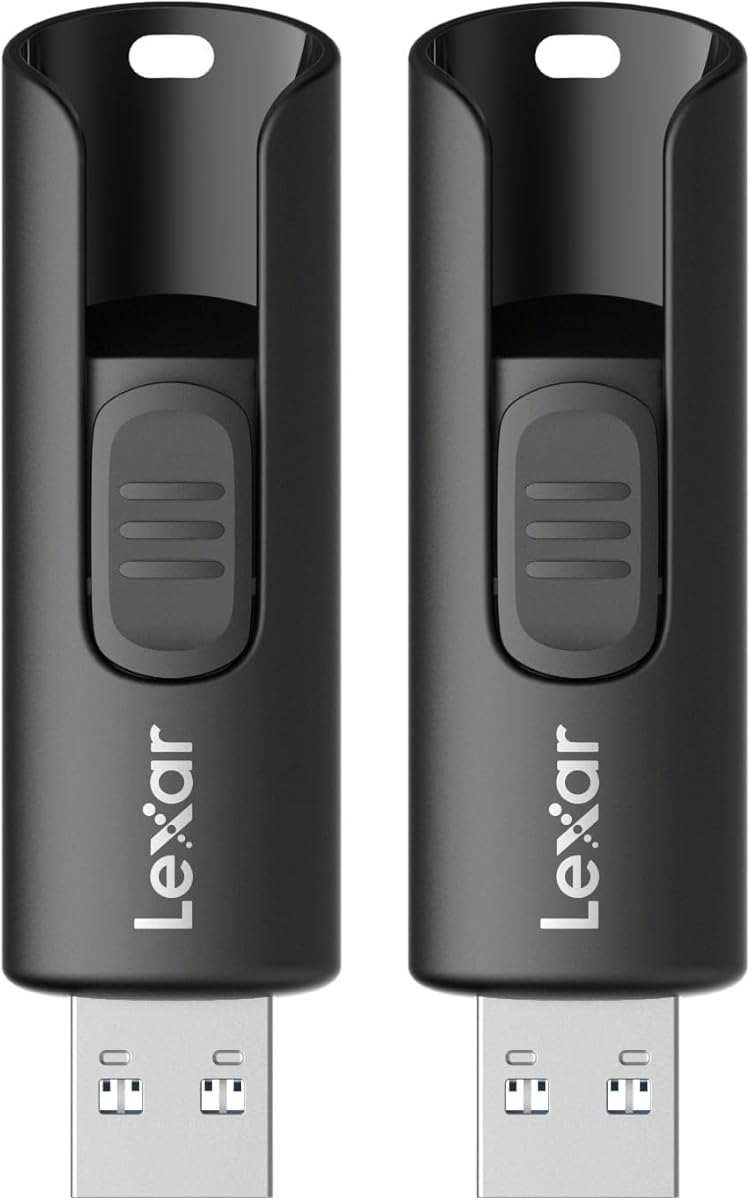
The Lexar A30E USB 3.2 Gen 1 Flash Drive stands out as a top contender for general users needing reliable storage. With a solid 4.6 rating and internal testing showing speeds up to 100 MB/s, it offers a significant leap over older USB 2.0 models. Its lightweight construction at just 7.41 grams makes it easy to carry in a pocket or bag.
We may earn a commission when you buy through this link, at no additional cost to you.
Security is a major highlight with Lexar DataShield, which allows users to create password-protected safes with auto-encryption. This feature ensures sensitive documents and media files remain private. The two-pack configuration provides excellent value, allowing one drive for daily use and another for backups or sharing with colleagues.
While the A30E lacks a USB-C connector, its wide compatibility with tablets, laptops, and Macs via Type-A ensures it works with most existing hardware. The push-button retractor protects the port effectively without requiring a removable cap. It is a practical solution for students and office workers alike.
We recommend this drive for anyone seeking a balance of performance, security, and affordability. Its compact size and protective mechanisms make it ideal for daily transportation of files. Ensure your devices have available USB Type-A ports to maximize its utility.
Lexar DataShield protects files by creating a password-protected safe with auto-encryption to prevent unauthorized access to your sensitive data.
The slim, portable design weighs only 7.41 grams and includes a lanyard loop for convenient on-the-go usage without adding bulk to your gear.
We may earn a commission when you buy through this link, at no additional cost to you.
The Lexar D50E represents a premium tier in portable storage with its solid-state architecture delivering read speeds up to 400MB/s. This performance level is ideal for creative professionals transferring large video files or system images quickly. The dual USB-A and USB-C connectors eliminate the need for adapters when connecting to modern smartphones or tablets.
We may earn a commission when you buy through this link, at no additional cost to you.
Its durable metal housing provides exceptional protection against physical damage and heat, ensuring longevity during rigorous travel. The included Lexar App supports photo backup for iOS and Android, offering a streamlined way to manage media directly from mobile devices. This utility adds significant value for users reliant on mobile content creation.
While the D50E is priced higher than standard drives, the speed and versatility justify the investment for power users. The ability to store up to 1TB in the product line means you can carry an entire library in your pocket. However, iCloud content backup is not yet supported within the app.
We recommend this drive for professionals and enthusiasts who demand speed and cross-platform compatibility. Its robust build and high transfer rates make it a reliable choice for critical data workflows. Check device USB-C port power specifications for optimal performance.
Experience file transfers four times faster than USB 3.0 with read speeds up to 400MB/s and write speeds up to 360MB/s for efficient workflows.
The Lexar App provides an easy way to back up and manage media on both iOS and Android devices without needing a computer connection.
We may earn a commission when you buy through this link, at no additional cost to you.
The Lexar 128GB JumpDrive S80 offers impressive value with read speeds up to 150MB/s, significantly outperforming older USB 2.0 drives. Its protective retractable design ensures the USB port remains shielded from dust and damage when not in use. This model is particularly attractive for budget-conscious users who still require high performance for school or work tasks.
We may earn a commission when you buy through this link, at no additional cost to you.
Security is handled through advanced software that provides 256-bit AES encryption, safeguarding your files from unauthorized access. The USB 3.2 Gen 1 interface ensures compatibility with a wide range of devices while maintaining backward compatibility with USB 3.0 and 2.0 ports. A three-year limited warranty further adds confidence in the product's longevity.
While it lacks a USB-C connector, the S80 remains highly practical for most desktop and laptop environments. The compact form factor allows it to fit easily into bags or pockets without snagging. It is an excellent choice for those needing reliable portable storage at an entry-level price point.
We recommend this drive for students and casual users seeking speed and security without breaking the bank. Its combination of performance and protective features makes it a standout in its category. Verify system compatibility for any specific security software requirements.
Protect your files using advanced security software with 256-bit AES encryption to ensure sensitive data remains private and safe from prying eyes.
The protective retractable design securely covers the connector to prevent wear and tear while allowing for quick access whenever you need it.
We may earn a commission when you buy through this link, at no additional cost to you.
The Lexar D40E features a versatile dual connector design with both USB-A and Type-C ports, making it suitable for a wide array of modern and legacy devices. Its 360-degree swivel design allows for easy switching between connectors without the hassle of losing a cap. This practical feature ensures you can always find the right plug for your current device.
We may earn a commission when you buy through this link, at no additional cost to you.
With transfer speeds up to 100MB/s, this drive offers solid performance for general file sharing and backups. The metal enclosure provides durability and heat dissipation, while the lightweight design makes it easy to carry. Security is enhanced with 256-bit AES encryption software to protect your important documents and media.
Although it lacks the high-end speeds of the D50E, the D40E is a cost-effective solution for users needing flexibility across different systems. The pack of two offers redundancy for backups or sharing with friends and family. It operates reliably across temperatures from 0 to 50 degrees Celsius.
We recommend this drive for professionals who need to connect to both laptops and modern tablets frequently. Its compact design and dual connectivity make it a versatile addition to any tech kit. Ensure your device supports USB-C data transfer for optimal use of that connector.
Features USB Type-A and Type-C connectors in a slim form factor to ensure easy device compatibility without requiring additional adapters or cables.
The 360-degree swivel design allows for easy switching between connectors without the hassle of losing a cap or worrying about port damage.
We may earn a commission when you buy through this link, at no additional cost to you.
The Lexar JumpDrive TwistTurn2 offers a classic, reliable solution with a twist-open design that eliminates the need for a removable cap. This hinged jacket rotates to help protect the USB interface, ensuring it remains clean and undamaged even in a busy bag or pocket. It is perfect for simple tasks like sharing documents or transferring photos.
We may earn a commission when you buy through this link, at no additional cost to you.
While it utilizes the USB 2.0 interface which is slower than modern standards, it still enables fast enough transfers for text files and small media. The compatibility with most PC and Mac computers makes it universally useful for quick data exchanges. The pack of three provides ample drives for multiple users or backup needs.
This model excels in simplicity and durability. The mechanical twist mechanism is robust and reduces the risk of losing parts that often happen with cap-based drives. It is a practical tool for environments where high speed is less critical than ease of use and reliability.
We recommend this drive for basic office or home use where high-speed transfers are not essential. Its straightforward design and pack quantity make it a great value for general storage needs. It works well with legacy systems that may not support newer USB versions.
The flash drive twists open to reveal the interface, so you won't have to worry about losing a cap while you're on the move or working.
Compatible with most PC and Mac computers, enabling simple transfer of photos, music, documents, and other files between various devices.
We may earn a commission when you buy through this link, at no additional cost to you.
The Lexar 256GB JumpDrive D400 combines high capacity with dual USB-A and Type-C connectivity, making it suitable for storing large libraries of photos and videos. With read speeds of 130MB/s, it transfers files efficiently enough for most daily workflows. The swivel design provides protection for both connectors without removing caps.
We may earn a commission when you buy through this link, at no additional cost to you.
Its metal housing adds a stylish and durable element to the drive, protecting internal components during transit. The inclusion of Lexar DataShield offers advanced security solutions to keep your private data safe. This model is ideal for users who need to move content between Android devices and standard PCs frequently.
While write speeds may vary, the read speed ensures you can access your files quickly when needed. The 256GB capacity is substantial for a portable drive, allowing you to carry significant media without multiple devices. It is a versatile choice for students and professionals with large data requirements.
We recommend this drive for those prioritizing storage capacity and cross-platform use. Its reliable performance and secure features make it a solid pick for daily backups and sharing. Verify your system supports USB-C for seamless integration with modern mobile devices.
Dual connectors with USB Type-C and USB Type-A ports ensure compatibility with a wide range of devices from modern smartphones to traditional laptops.
With 256GB of space, this drive can store thousands of photos and hours of video, eliminating the need to constantly manage storage space.
We may earn a commission when you buy through this link, at no additional cost to you.
The Lexar JumpDrive S60 set of five drives offers excellent value for group use or distributed storage needs. Each 32GB drive features a sliding protective cover that helps shield the connector from damage. The assorted colors make it easy to assign specific drives to different users or tasks without confusion.
We may earn a commission when you buy through this link, at no additional cost to you.
While these utilize the USB 2.0 interface which limits transfer speeds, they are perfectly adequate for documents, small presentations, and basic file sharing. The compatibility with most PC and Mac systems ensures broad utility. The manufacturer backs these with a 2-year limited warranty for peace of mind.
The sliding mechanism is durable and prevents the loss of caps, a common issue with traditional designs. This makes them ideal for shared office environments or educational settings where durability and ease of use are key. Their small size allows for easy attachment to keychains or lanyards.
We recommend this set for classrooms, offices, or families needing multiple simple storage options. The variety of colors and reliable build make them a practical choice for general tasks. Keep in mind that they are best suited for smaller files due to their interface and capacity.
The set of five drives in assorted colors allows users to easily distinguish between different files or assign drives to specific team members.
A sliding cover helps protect the connector from physical damage and dust ensuring the drive remains functional over long periods of use.
We may earn a commission when you buy through this link, at no additional cost to you.
The Lexar 128GB JumpDrive M400 balances style with performance, featuring read speeds up to 150MB/s for quick file access. Its durable construction ensures it can withstand daily use while looking professional on your keychain. This model is well-suited for users who value both aesthetics and functionality in their portable storage.
We may earn a commission when you buy through this link, at no additional cost to you.
Security is integrated through Lexar DataShield, allowing you to protect files with encryption. The USB 3.2 Gen 1 interface ensures high-speed transfers and backward compatibility with older ports. This ensures you can use the drive with a wide variety of devices without needing adapters.
While it lacks a USB-C connector, its USB-A design covers most standard laptop and desktop needs. The 128GB capacity provides sufficient space for large media files or system backups. It is a reliable companion for business presentations and personal data storage.
We recommend this drive for professionals and students who need a secure and fast storage solution. Its stylish appearance makes it a pleasant accessory to carry daily. Verify your device ports to ensure compatibility with USB-A connectors.
Transfer files with style and USB 3.2 Gen 1 performance ensuring your data is ready when you need it with minimal wait times.
As stylish as it is durable, this drive is built to withstand daily handling while maintaining high performance over extended periods.
We may earn a commission when you buy through this link, at no additional cost to you.
The Lexar E31 stands out with its sleek all-metal build, offering durability and a premium feel in a compact package. Transfer speeds reach up to 100MB/s, significantly improving workflow compared to older USB 2.0 models. Its integrated keyring loop allows attachment to keychains or lanyards, ensuring you can take your digital world anywhere without worrying about losing the drive.
We may earn a commission when you buy through this link, at no additional cost to you.
Plug and play functionality means no software installation is required; simply plug into any USB port to start transferring files. Widely compatible with PCs, laptops, TVs, and car audio systems, it serves as a versatile media player or backup device. Every product undergoes extensive testing to ensure performance and reliability.
While the 64GB capacity is modest, it is sufficient for essential documents and media collections. The metal body conducts heat efficiently which may make it warm during extended transfers but ensures structural integrity. A 2-year limited warranty provides further assurance of quality.
We recommend this drive for users seeking a durable and compact storage solution for daily tasks. Its metal build and keyring feature make it easy to carry and hard to misplace. Check your device specifications for power compatibility when used with smaller USB ports.
This sleek all-metal USB flash drive features a sturdy and reliable construction ideal for everyday storage and transfer of photos and videos.
An integrated keyring loop allows attachment to keychains or lanyards so you can take your digital world anywhere without worrying about losing the drive.
We may earn a commission when you buy through this link, at no additional cost to you.
The Lexar JumpDrive S60 black pack of three drives offers exceptional value with a high 4.8 rating from users. Each drive features a sliding protective cover to safeguard the connector, ensuring longevity even with frequent use. This model is ideal for shared offices or families needing reliable small storage for documents and photos.
We may earn a commission when you buy through this link, at no additional cost to you.
Although it uses the USB 2.0 interface, it provides fast enough file transfers for most non-video content. Compatibility with most PC and Mac systems makes it universally useful for quick data exchanges. The sleek black design maintains a professional appearance suitable for any environment.
The inclusion of three drives allows for easy distribution or redundancy in your workflow. Whether for backups or sharing with colleagues, having multiple units on hand is always beneficial. The 2-year limited warranty backs the manufacturer's confidence in the product's durability and performance.
We recommend this set for budget-conscious users requiring multiple drives for general purposes. Its reliable sliding cover and high user satisfaction make it a top choice for basic storage needs. Verify file sizes to ensure they fit within the 32GB capacity per drive.
Backed by the manufacturer's 2-year limited warranty and praised for reliability, this drive ensures your files remain safe over time.
The USB 2.0 interface enables fast file transfers that are compatible with USB 1.1 standards for broad system support.
We may earn a commission when you buy through this link, at no additional cost to you.
Selecting the right Lexar USB Flash Drive involves considering several key factors to ensure it meets your performance, capacity, and durability needs.
Capacity determines how much data you can store on the drive. For basic documents and photos, 32GB to 64GB may suffice. However, large video files and full system backups benefit from 128GB, 256GB, or even 1TB options found in premium models.
Choose a capacity that matches your storage habits and avoids the need for frequent drive swaps or deletions.
Transfer speed affects how quickly files move to and from the drive. USB 3.2 Gen 1 drives offer speeds up to 100MB/s or more while USB 2.0 models are slower. Higher speeds are crucial for large media files and time-sensitive tasks.
Prioritize USB 3.0 or higher speeds for professional workflows to minimize wait times during data transfers.
Check your devices for USB-A or USB-C ports. Dual connector drives provide flexibility to connect to both old and new hardware without needing adapters. This ensures compatibility across laptops, tablets, and mobile devices.
Opt for dual connectors if you regularly switch between modern smartphones and traditional computers for maximum versatility.
Durability depends on the materials and design of the drive. Metal housings offer better protection against heat and physical impact compared to plastic. Retractable or swivel designs protect the USB port effectively against wear.
Select a drive with a protective design that suits your environment if you plan to carry it daily or travel frequently.
Security features like encryption software help protect sensitive data from unauthorized access. Lexar DataShield and 256-bit AES encryption are common tools in higher-end models to safeguard your files.
Ensure the drive offers encryption software if you handle private or confidential documents to maintain data privacy.
Most Lexar drives work seamlessly with Windows, macOS, and Linux. Verify that the drive supports your operating system to avoid formatting or driver issues. Plug-and-play functionality simplifies this by removing the need for software installation.
Confirm system compatibility to ensure the drive functions immediately upon connection without additional setup steps.
Warranty terms vary between models, typically ranging from 2 to 3 years. A longer warranty provides peace of mind and indicates the manufacturer's confidence in product reliability. Check the terms before purchasing to ensure protection against defects.
Choose a drive with a substantial warranty to protect your investment and ensure access to customer support if issues arise.
Evaluate the cost relative to capacity and features. Bulk packs offer excellent value for shared needs while premium models cost more but offer faster speeds and metal builds. Consider your budget against required features to find the best fit.
Balance your budget with your technical needs to avoid overspending on unnecessary features or underpaying for essential performance.
Begin by inserting the drive into an available USB port on your computer or compatible device. The drive should mount automatically, appearing as a new storage location in your file explorer. Drag and drop your desired files onto the drive icon to transfer data.
Before removing the drive from the port, always eject it safely through your operating system to prevent data corruption. This step ensures all write operations are complete and protects the integrity of your files on the drive.
Store the drive in a cool, dry place away from direct sunlight or extreme temperatures. Regularly check for firmware updates if available and avoid bending or exposing the USB connector to moisture or dust to maintain longevity.
Yes, Lexar USB flash drives are designed to be compatible with Mac computers. Most models use standard file systems that work with macOS without additional software. You may need to format the drive using Disk Utility if it is pre-formatted for Windows.
To check if your USB drive is working, insert it into your computer and confirm it appears in the file manager. Try copying a small file to the drive and reading it back to verify data integrity. If it is not detected, try a different port or computer.
Yes, many Lexar drives with capacities of 128GB or higher are suitable for large video files. Ensure your files fit within the drive's storage limit and that you have enough free space. Faster drives also help in transferring large files efficiently.
The main difference lies in transfer speed. USB 3.0 drives offer significantly faster data transfer rates compared to USB 2.0 models. This means copying files takes less time with USB 3.0. However, both types remain backward compatible with older ports.
To format a Lexar drive for Mac, connect it to your computer and open Disk Utility. Select the drive from the list and click Erase choosing Mac OS Extended or APFS as the format. This process will wipe existing data so backup your files first.
Many Lexar drives include security software like Lexar DataShield for password protection and encryption. This software allows you to create a secure vault for sensitive files. Check the product description to confirm if software is included with your specific model.
While some users leave drives plugged in, it is generally safer to unplug them when not in use to prevent power surges. However, most Lexar drives are designed to withstand frequent plugging and unplugging without issues. Regularly eject safely before removing.
The Lexar A30E, D50E, and S80 models stand out as top choices offering a mix of speed, security, and value. Whether you need dual connectivity or high capacity, there is a Lexar drive tailored to your requirements.
Consider your primary use cases such as daily backups or large file transfers when selecting a model. Prioritizing speed and durability will ensure your storage solution remains reliable throughout its lifespan.
Always check current availability and prices before making your purchase to get the best deal on your chosen model. With the right Lexar USB Flash Drive, managing your digital content becomes seamless and secure.