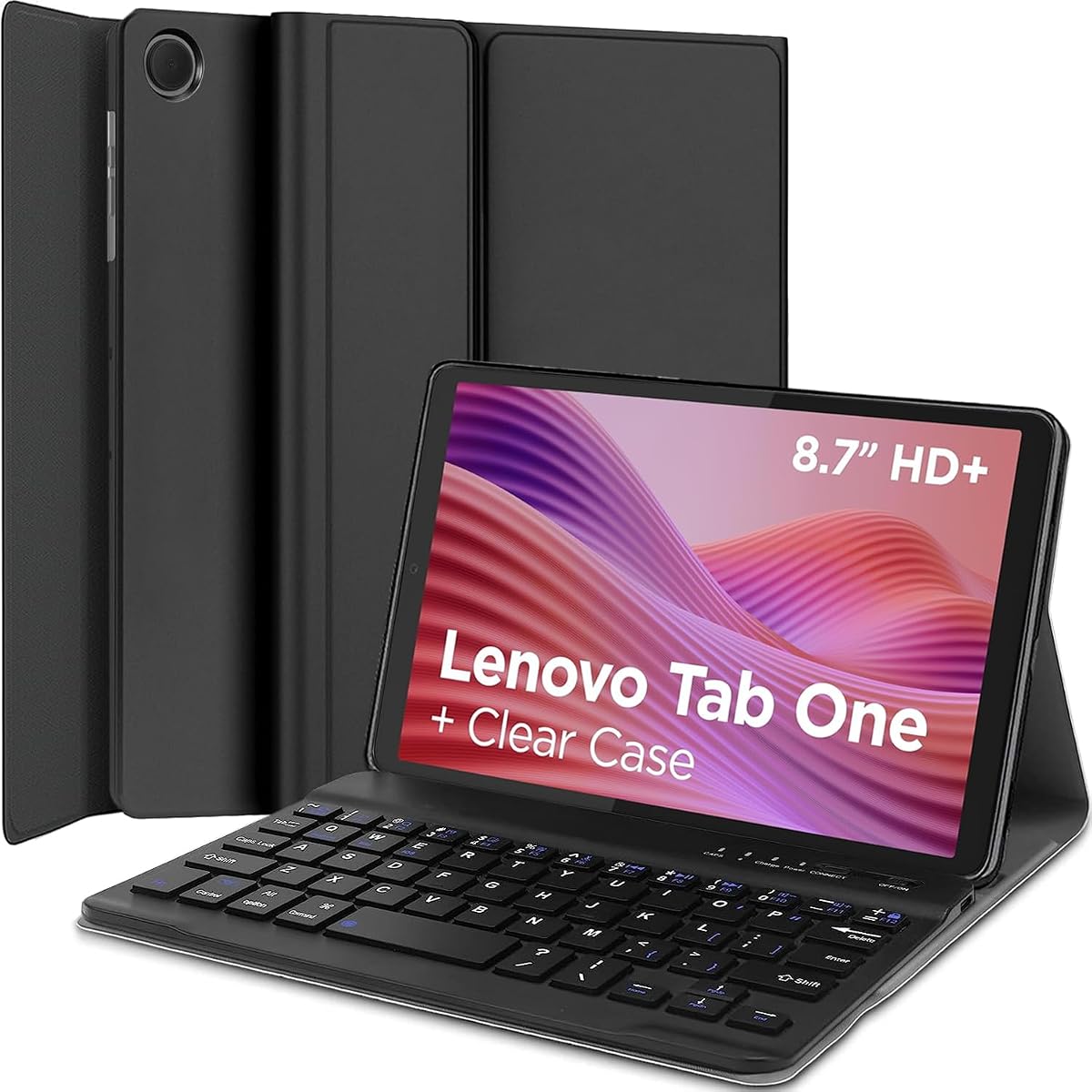
Case with Keyboard for Lenovo Tab One 8.7 Inch 2025
5.0Editor score
Magnetically detachable design
Up to 100 hours battery
Premium TPU leather case
Finding the right keyboard for your Lenovo Tab One can transform your tablet into a powerful productivity tool. Whether you need a sleek folio case or a standalone Bluetooth unit, the right accessory enhances typing comfort and efficiency significantly.
We evaluated ten top-rated options based on build quality, compatibility, battery life, and typing experience. Our analysis focuses on models specifically designed for the Tab One 8.7 inch 2025 release to ensure a perfect fit and seamless functionality for daily tasks.
Each selection in this list highlights unique features like backlighting, trackpads, and detachable designs. Please note that availability and pricing may fluctuate, so we recommend checking the latest product details before making your final purchase decision today.
5.0Editor score

4.8Editor score

4.3Editor score
As an Amazon Associate we earn from qualifying purchases.
This table provides a side-by-side overview of the top keyboard solutions available for the Lenovo Tab One and related models, highlighting key specifications and unique features for easy comparison.


This keyboard case stands out as a top choice for the Lenovo Tab One due to its versatile design and robust feature set. With a strong rating, it delivers a premium typing experience that feels secure and reliable for daily use.
We may earn a commission when you buy through this link, at no additional cost to you.
The seven color backlight options provide exceptional flexibility for typing in various lighting conditions. The detachable keyboard allows for easy angle adjustments, while the durable PU leather case ensures your tablet remains protected from drops and scratches.
Users should note that keeping the backlight on for extended periods will reduce the overall battery life significantly. However, the intelligent battery management system ensures the device remains functional for long sessions even without constant lighting.
Ideal for students and professionals who need a laptop-like experience on a tablet, this keyboard combines protection with functionality. We highly recommend it for anyone seeking a reliable and stylish typing accessory for their 8.7 inch tablet.
The ergonomic layout and tactile keys reduce finger fatigue during long typing sessions.
The full folio cover safeguards the screen and back while allowing easy access to ports.
We may earn a commission when you buy through this link, at no additional cost to you.
This budget-friendly option impresses with an outstanding perfect rating from users who value reliability and battery efficiency. It simplifies the transition from tablet to laptop mode without breaking the bank.
We may earn a commission when you buy through this link, at no additional cost to you.
The ABS material keys offer a sturdy typing experience that avoids the flimsy feel of cheaper silicone alternatives. With a battery life lasting up to 100 hours on a single charge, you can work for weeks without plugging in.
The lack of backlighting might be a limitation for those who frequently type in dim environments. However, the slim design and magnetic detachment make it highly portable and convenient for everyday carry tasks.
If you prioritize battery life and build quality over flashy features, this keyboard is an excellent choice. It delivers essential productivity tools in a sleek package that fits perfectly with the Lenovo Tab One design.
Extended battery performance ensures uninterrupted work sessions throughout the day and night.
Hard ABS material keys provide better tactile feedback compared to standard silicone options.
We may earn a commission when you buy through this link, at no additional cost to you.
This official Lenovo keyboard pack brings a premium laptop experience to tablets with a dedicated trackpad and seamless connection. It is designed for maximum productivity with features that standard third-party cases often lack.
We may earn a commission when you buy through this link, at no additional cost to you.
The pogo pin connection ensures instant data and power transfer without pairing or charging the keyboard itself. The spacious trackpad supports intuitive gestures, making navigation smooth and efficient for multitasking professionals.
While primarily marketed for the Idea Tab Pro, the design may offer versatility for other users seeking high-end features. The ergonomic key travel and adjustable kickstand contribute to a comfortable posture during extended work periods.
If you want the closest experience to a traditional laptop with official branding, this pack is worth considering. It provides a robust typing surface and navigation tools that significantly boost productivity on supported devices.
Pogo pin connectors eliminate the need for Bluetooth pairing or separate charging for the keyboard.
A large trackpad supports multi-touch gestures for efficient scrolling and window management.
We may earn a commission when you buy through this link, at no additional cost to you.
This standalone keyboard offers impressive versatility by allowing seamless switching between up to three different devices. It is ideal for users who need to move between work and personal tablets or phones effortlessly.
We may earn a commission when you buy through this link, at no additional cost to you.
With a slim profile weighing only 180 grams, it is highly portable for travel. The flexible connectivity options let you choose between Bluetooth or USB-C depending on your setup preference.
Because it lacks a built-in stand or case, you will need to pair it with a separate protective cover for your tablet. This trade-off offers more flexibility but adds an extra step to your setup process.
For professionals who manage multiple devices, this keyboard provides a reliable and comfortable typing experience. Its quiet operation makes it suitable for office environments or quiet home workspaces.
Switch between Android, iOS, and Windows devices with a simple button press for easy workflow.
Supports both Bluetooth and USB-C connections for maximum compatibility with various devices.
We may earn a commission when you buy through this link, at no additional cost to you.
Designed specifically for the 11 inch Idea Tab, this case offers a complete solution with an integrated screen protector. It ensures your investment is fully protected while providing a versatile typing surface.
We may earn a commission when you buy through this link, at no additional cost to you.
The tempered glass protector adds an extra layer of durability without compromising visual clarity. Combined with the durable PU leather cover, this setup shields your tablet from everyday wear and tear.
While it does not fit the Tab One, it is an excellent choice for larger tablet owners who want all-in-one protection. The detachable keyboard adds flexibility for watching media or using the device in different positions.
If you own the 11 inch model, this keyboard case simplifies your setup by bundling protection and input into one unit. It is a practical choice for users who value screen safety and typing convenience.
Tempered glass protection safeguards the touchscreen from scratches and impacts without reducing sensitivity.
The detachable keyboard allows you to easily switch between typing and viewing modes.
We may earn a commission when you buy through this link, at no additional cost to you.
This unique case features an integrated multi-touch trackpad, aiming to replicate the full laptop experience on your tablet. It allows for cursor control and navigation without reaching for a separate mouse.
We may earn a commission when you buy through this link, at no additional cost to you.
The 3-zone backlighting helps you find keys in dim environments, adding a layer of convenience for night users. The folio design also functions as a stand, allowing for multiple viewing angles.
However, user reviews suggest variability in trackpad responsiveness, which can affect the overall experience. If cursor control is a priority, it may be worth considering alternatives or testing this option carefully.
For users who want an all-in-one solution with navigation built directly into the case, this model is worth exploring. It offers a compact form factor that reduces the need for extra peripherals.
Combines keyboard, stand, and trackpad into one unit for a complete laptop replacement experience.
The magnetic detachment allows you to change the tablet angle for optimal viewing or typing.
We may earn a commission when you buy through this link, at no additional cost to you.
Neezee offers a stylish alternative with a focus on design and durability. The keyboard features Type-C charging, which is convenient for users who prefer a modern charging standard over micro-USB.
We may earn a commission when you buy through this link, at no additional cost to you.
The strong magnets ensure the keyboard stays securely in place during use, yet allows for easy detachment when needed. The premium PU leather keeps your device safe while adding a polished look to your workspace.
Without a backlight, this option is best suited for environments with good lighting conditions. However, the waterproof and dustproof nature of the material makes it easy to clean and maintain over time.
If you appreciate a clean design and want a keyboard that offers secure protection with modern charging, this is a great pick. It is particularly appealing for users who value aesthetics alongside practical function.
Type-C charging allows for easier cable management and compatibility with other modern devices.
Premium PU leather provides water and dust resistance to keep your tablet clean.
We may earn a commission when you buy through this link, at no additional cost to you.
This model is unique in its inclusion of a wireless mouse, enhancing cursor control for complex tasks. It is tailored for the 11 inch Idea Tab, ensuring a precise fit for that specific form factor.
We may earn a commission when you buy through this link, at no additional cost to you.
The pen slot allows you to store your S Pen securely, so you never have to hunt for it when needed. Combined with the 7-color backlight, it offers a complete ecosystem for productivity.
Users who want a mouse without buying one separately will find this bundle valuable. The adjustable viewing angles also make it suitable for watching media or video calling comfortably.
For those with the 11 inch tablet looking for a comprehensive package with extra accessories, this is a strong contender. It simplifies your setup by providing everything you need for a laptop-like experience.
Includes a wireless mouse and pen slot for a complete productivity and navigation setup.
Multiple viewing angles make it easy to watch content or video call comfortably.
We may earn a commission when you buy through this link, at no additional cost to you.
BoxWave offers a dedicated standalone keyboard that focuses on portability and customization. The ability to choose from seven vibrant LED colors lets you personalize your typing environment.
We may earn a commission when you buy through this link, at no additional cost to you.
A dedicated power switch helps conserve battery life when the device is not in use, extending the time between charges. The slim profile ensures it slips easily into a bag without adding bulk.
While it uses an older Bluetooth standard, it remains reliable for basic typing needs. The compact form factor is perfect for travelers who need extra input without carrying a larger keyboard.
If you prefer a separate keyboard rather than a case, this is a lightweight and colorful option to consider. It adds a touch of style to your workspace while delivering essential typing functionality.
Choose from seven LED colors to match your mood or workspace decor.
A dedicated power switch helps reduce power drain and extend overall battery life.
We may earn a commission when you buy through this link, at no additional cost to you.
For those who prefer a clean and minimalist approach, this keyboard offers an ultra-thin design without sacrificing tactile feel. The chiclet-style keys are familiar and comfortable for extended typing sessions.
We may earn a commission when you buy through this link, at no additional cost to you.
It is designed to be power-efficient, using energy-saving technology to extend battery life. The quick pairing process ensures you spend less time setting up and more time getting work done.
Without backlighting or extra features, it keeps the focus on core functionality. This makes it an excellent choice for users who want simplicity and reliability above all else.
Ideal for frequent travelers who need a lightweight input tool, this keyboard delivers performance in a compact package. It is a practical solution for on-the-go professionals who value efficiency.
Measuring just 3/16 inch thick, this keyboard fits easily into pockets and small bags.
Chiclet-style keys provide a comfortable and responsive feel for daily use.
We may earn a commission when you buy through this link, at no additional cost to you.
Selecting the right keyboard involves considering compatibility, features, and your specific usage needs. Here are key factors to help you make an informed decision.
Always verify the model number of your tablet before purchasing. Some keyboards are designed specifically for the 8.7 inch Tab One or 11 inch Idea Tab models. A perfect fit ensures buttons and ports remain accessible while providing full protection.
Check the product description for model codes like TB305FU. Buying a mismatched case can lead to poor button alignment or a loose fit that offers no real protection.
Decide between Bluetooth wireless and pogo pin connections. Bluetooth keyboards offer more flexibility and can often connect to multiple devices, while pogo pins provide instant data transfer without battery drain.
Bluetooth is generally more versatile for travelers who switch between tablets and phones. Pogo pins are great if you want a seamless laptop-like experience with fewer setup steps.
Look for keyboards with long battery life to minimize interruptions. Many models offer 60 to 100 hours of continuous use. Check if the device uses standard USB-C or older micro-USB for charging.
Modern USB-C ports are preferable for future-proofing and ease of use. Longer battery life means you can work for weeks without needing to plug in again.
If you type in low-light environments, a backlight is essential. Some keyboards offer multiple colors and brightness levels for customization. Consider if you need this feature based on where you work most often.
Backlights add a premium touch but can consume more power. If you work mainly during the day, a non-backlit keyboard might save battery life without compromising usability.
Ensure the case offers full protection for your device. Look for durable PU leather and anti-slip interiors. A good case protects against dust, water, and accidental drops without adding too much weight.
A sturdy case can save money on repairs in the long run. Prioritize models that shield both the front and back of your tablet effectively.
Some cases include a built-in trackpad, while others may include a separate wireless mouse. A trackpad makes navigation easier, while a mouse offers more precision for tasks like graphic design or spreadsheets.
Choose based on your need for cursor control. If you mostly use touch gestures, a trackpad might be optional, but if you use a desktop-like interface, it is highly recommended.
Consider how much extra weight you are carrying with you. Slim designs are better for travel, while bulkier cases might offer more protection. Aim for a balance between sturdiness and lightness.
Lightweight keyboards are easier to carry in a backpack. If you commute daily, a portable design will reduce fatigue and make your bag lighter.
Check if the keys are made of ABS or silicone. ABS materials provide a better tactile feel and last longer. Ergonomic key travel and spacing also contribute to a comfortable typing experience.
Try to read reviews about the key responsiveness. A comfortable keyboard reduces finger fatigue during long sessions of writing or data entry.
To set up your keyboard, ensure your tablet Bluetooth is on and pair the device from your settings menu. If using a magnetic case, attach the keyboard gently to the designated area until it snaps into place securely.
Keep your keyboard clean by wiping it with a soft, slightly damp cloth. Avoid harsh chemicals or excessive moisture. For detachable keyboards, store them in a dry place when not in use to preserve battery life.
Manage power efficiently by turning off the keyboard when not in use or using the auto-sleep feature. If your keyboard has a backlight, adjust brightness levels to balance visibility with battery conservation.
Most cases are designed specifically for the 2025 release of the Tab One. Always check the model number like TB305FU before buying. Older models may have different dimensions that cause a poor fit.
Yes, most Bluetooth keyboards support simultaneous charging and usage. However, this may vary by model. Check the product manual for specific instructions to ensure optimal performance.
Typically, charging takes between two to four hours depending on the model. Using the original cable ensures the fastest and safest charging experience for your device.
Many keyboards support both Android and iOS systems via Bluetooth. Ensure your operating system is updated to the latest version for the best compatibility and feature support.
Most cases are designed to handle minor movement without issues. However, you should avoid dropping the case with the keyboard attached. If it detaches, simply realign it carefully with the case.
Yes, many detachable keyboards can be replaced separately. Contact the manufacturer to check warranty options or replacement parts availability for your specific keyboard model.
We explored ten top-rated keyboard options for the Lenovo Tab One, highlighting standout choices for budget, value, and premium needs. Whether you need a full protection case or a portable standalone unit, there is a perfect fit for everyone.
Prioritize features that match your workflow, such as backlighting for night typing or a trackpad for navigation. A good keyboard enhances your tablet into a versatile tool for work and entertainment.
Remember to check current availability and ensure your model number matches the product description. With the right accessory, your Lenovo Tab One becomes a powerful companion for your daily digital tasks.