
LeapFrog 2-in-1 LeapTop Touch
4.7Editor score
Flip screen tablet mode
Five learning modes included
Customizable child name input
Find the perfect laptop for 5 year old with our expert guide comparing top educational toys and real devices for learning and fun.
Choosing a laptop for a five year old requires balancing educational value with durability and safety. Young learners need devices that engage their curiosity while teaching foundational skills like typing and logic.
We evaluated ten top products based on features, ratings, and age appropriateness. Our list includes toy laptops for beginners and actual tablets for growing tech skills.
Each pick highlights key benefits and potential trade-offs to help you decide. Remember that prices and availability change frequently so check current listings before buying.
4.7Editor score

4.5Editor score

4.2Editor score
This side by side comparison overview all ten top rated laptops for five year olds. We highlight key specifications and features to help you find the right device.





The VTech Genio Bilingual JuniorBook stands out as the top choice for five year olds. It combines realistic computer features with rich educational content tailored to young learners.
We may earn a commission when you buy through this link, at no additional cost to you.
This laptop offers over 80 activities spanning math, science, and music. The full-size QWERTY keyboard helps kids practice typing while the bilingual mode supports language development in English and Spanish.
While it requires batteries and lacks a touch screen, the offline capability ensures uninterrupted play. The design mimics a grown-up computer which boosts confidence and engagement.
Ideal for children ready to explore basic computer skills, this laptop delivers comprehensive learning without internet dependency. It is a strong foundation for digital literacy.
Kids can switch between English and Spanish for every activity building early language skills naturally.
All activities come pre-loaded meaning no internet connection is required for uninterrupted learning and fun.
We may earn a commission when you buy through this link, at no additional cost to you.
The Lexibook Unicorn Laptop offers excellent value for parents seeking a budget-friendly educational tool. It features a slim elegant design that appeals to young learners.
We may earn a commission when you buy through this link, at no additional cost to you.
Activities cover math, logic, and music with different levels to test knowledge. The realistic mouse and keyboard mimic real computers helping children adapt to tech interfaces.
Though the screen is basic and lacks bilingual options, the focus on core skills makes it a solid choice. The ergonomic design ensures comfortable use during play sessions.
Best for children who need an entry-level device, this laptop encourages learning through fun games and music. It is a practical option for daily educational play.
Musical activities help kids learn notes and melodies as their first step into music education.
Slim size and realistic controls make it easy for small hands to grip and use comfortably.
We may earn a commission when you buy through this link, at no additional cost to you.
This Kids Laptop features a vibrant TFT color screen that makes learning visually engaging. It is designed to be compact and easy for small hands to handle.
We may earn a commission when you buy through this link, at no additional cost to you.
With 48 learning modes covering alphabet, math, and animals, it offers a broad range of educational content. The realistic keyboard helps children practice typing skills early.
Users note the protective film needs removal for best viewing. While the keyboard feels basic compared to real computers, it is suitable for pretend play.
Ideal for kids who enjoy visual learning, this laptop provides a clear screen and fun games. It balances education and entertainment effectively for daily use.
The TFT color screen offers clear lifelike visuals that capture attention and aid retention.
Slim dimensions make it easy to carry around the house or take on trips.
We may earn a commission when you buy through this link, at no additional cost to you.
The LeapFrog 2-in-1 LeapTop Touch is a versatile toy that transforms from a laptop to a tablet. It is perfect for transitioning toddlers to school age.
We may earn a commission when you buy through this link, at no additional cost to you.
Five learning modes include ABCs and games that adapt to the child's pace. The screen flips to allow touch interaction which encourages exploration.
Customization allows parents to add their child's name for a personalized experience. While the screen is not high definition, the interactive nature keeps kids engaged.
Best for children who enjoy touch screens, this device offers flexible play modes. It is a trusted choice for early digital skill development.
Flip the screen to switch between typing and touch tablet modes for varied play.
Parents can customize settings to help children learn their own name and letters.
We may earn a commission when you buy through this link, at no additional cost to you.
The VTech Play Smart Preschool Laptop is designed with preschoolers in mind. It looks like a grown-up computer and offers activities that grow with the child.
We may earn a commission when you buy through this link, at no additional cost to you.
Thirty activities introduce letters, numbers, and basic Spanish. The logic games and music features add variety to the learning experience.
Personalization with a child's name and avatar adds a touch of ownership. The design is sturdy enough for daily use though battery life is standard.
Ideal for younger kids moving to five, this laptop builds essential early skills. It is a colorful and engaging tool for home learning.
Activities adapt to different skill levels helping children progress at their own pace.
Kids can personalize with their name and avatar to feel more connected to the device.
We may earn a commission when you buy through this link, at no additional cost to you.
This LEXiBOOK LAPTAB is a real Android laptop designed for kids. It offers a full HD touchscreen and access to Google Play for endless content.
We may earn a commission when you buy through this link, at no additional cost to you.
With 128GB storage, it can hold thousands of books and games. Parental controls allow parents to manage time and apps safely.
The premium price reflects its powerful specs and realistic usability. It requires internet access for full app functionality but works well offline for some tasks.
Best for tech-savvy families, this laptop bridges the gap between toy and real computer. It supports both learning and entertainment at a high level.
Access thousands of educational games and apps on Google Play for endless entertainment.
Manage time and apps effortlessly with customizable profiles and parental controls.
We may earn a commission when you buy through this link, at no additional cost to you.
This Kids Laptop includes a built-in camera that lets children take photos. It is perfect for creative play alongside educational activities.
We may earn a commission when you buy through this link, at no additional cost to you.
Sixty-four modes cover alphabet and math. The camera comes with cute frames and filters for fun picture taking.
The TFT screen displays vibrant colors and the keyboard is ergonomic. While the camera resolution is basic for kids, it encourages creativity.
Ideal for artistic kids, this laptop combines learning with photography. It is a great gift for capturing memories and learning at once.
Kids can use clear lenses and cute frames to express creativity and take fun pictures.
After learning kids can play games and take pictures for balanced playtime.
We may earn a commission when you buy through this link, at no additional cost to you.
The LeapFrog LeapPad Academy is a robust learning tablet with educator-approved apps. It is designed to grow with the child up to age eight.
We may earn a commission when you buy through this link, at no additional cost to you.
Features include a shatter-safe screen and a rechargeable battery. Parents can manage apps and set time limits via parent controls.
While the device is durable, additional content often requires subscriptions. The starter apps provide solid value for initial learning.
Best for structured learning, this tablet offers a safe digital environment. It is a reliable tool for home and classroom education.
Explore kid-friendly web content with built-in parent controls for safe internet access.
The tough bumper and shatter-safe screen ensure the tablet survives drops and rough play.
We may earn a commission when you buy through this link, at no additional cost to you.
The Lexibook Barbie Laptop offers a themed experience with 124 activities. It supports bilingual learning in English and Spanish effectively.
We may earn a commission when you buy through this link, at no additional cost to you.
Activities include math and logic with multiple levels. The slim design makes it easy to carry and store.
Though the screen is small, the content is rich. This laptop appeals to children who love themed toys.
Ideal for themed enthusiasts, it balances fun with education. It is a portable option for learning on the go.
With 124 activities it offers hours of varied learning and entertainment for kids.
Easily switch between English and Spanish to build strong language skills.
We may earn a commission when you buy through this link, at no additional cost to you.
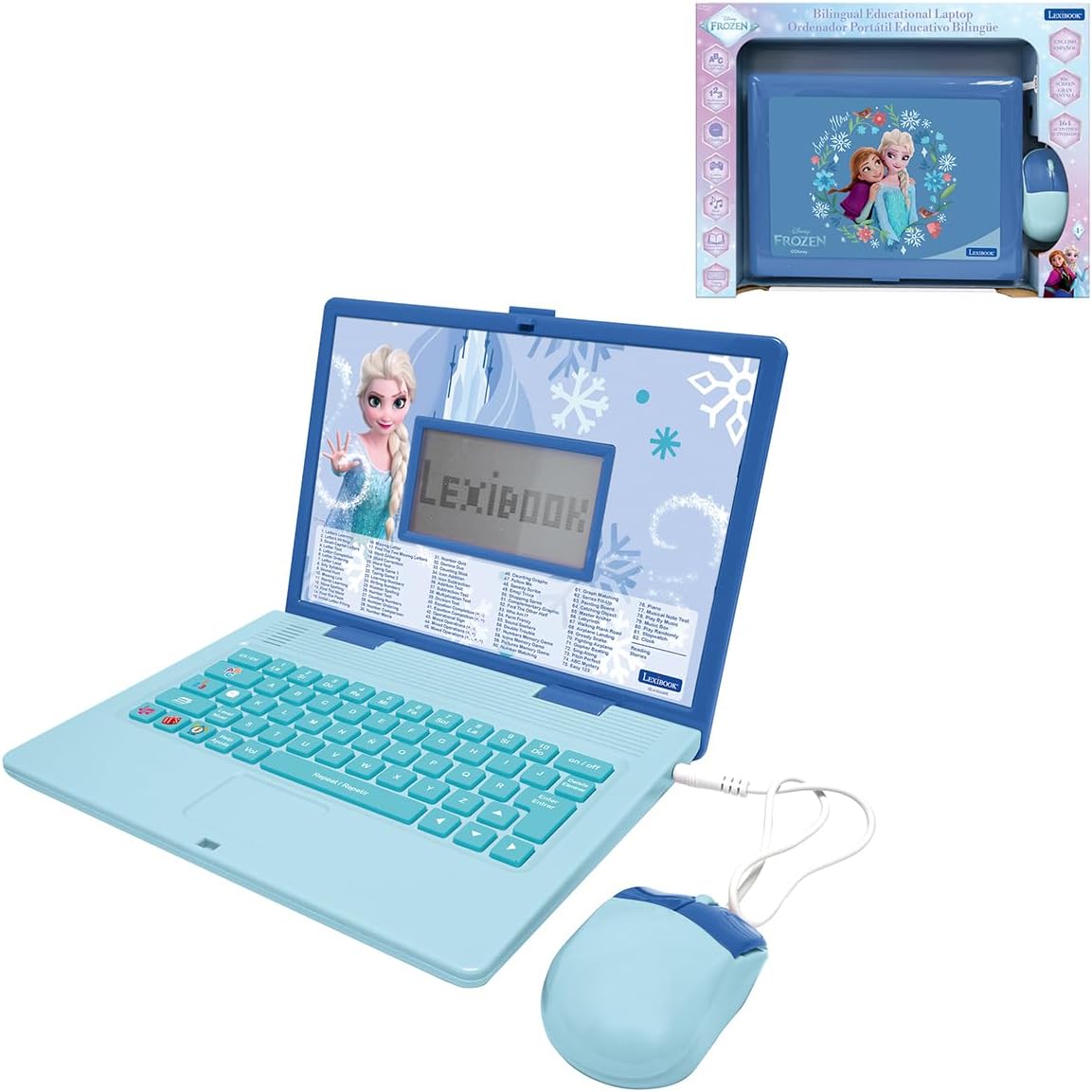
The LEXiBOOK Frozen Laptop provides a fun themed learning experience. It includes 164 activities covering vocabulary and math.
We may earn a commission when you buy through this link, at no additional cost to you.
It supports bilingual learning and music modes to keep kids engaged. The device is lightweight and easy to handle for small hands.
While the rating is lower, the content volume is high. It appeals to fans of the theme looking for educational play.
Best for themed fans, this laptop offers good value. It is a practical choice for daily learning and entertainment.
With 164 activities it keeps children engaged from the first activity.
Lightweight design makes it ideal for learning at home or taking on the go.
We may earn a commission when you buy through this link, at no additional cost to you.
Selecting the right laptop for a five year old involves considering educational value, safety, and durability. Here are key factors to keep in mind.
Look for laptops with activities that match your child's current skills. The best options cover math, reading, and logic to build a strong foundation.
Ensure the product is designed for five year olds specifically. Some devices are too advanced while others may be too simple for their needs.
A clear screen helps maintain focus. Higher resolution displays provide better visuals for learning activities but toy screens are usually adequate.
Five year olds can be rough with toys. Choose models with sturdy construction and protective cases to withstand drops and spills.
Rechargeable batteries offer convenience while AA batteries are easily replaceable. Consider how often you need to change power sources for regular use.
Decide if you need internet access. Some laptops work offline while others connect for apps. Parental controls are essential for connected devices.
If you speak multiple languages, look for bilingual options. Switching between English and Spanish can help develop early language skills effectively.
Set a budget based on features. Toy laptops are affordable while real tablets cost more. Balance cost with the expected lifespan of the device.
Start by removing any protective films on the screen for clear visibility. Insert fresh batteries or charge the device before first use to ensure maximum playtime.
Yes toy laptops are designed with child safety in mind. They lack sharp edges and harmful materials making them safe for young children to use.
Most toy laptops work offline with preloaded content. Real tablets may need internet for full app access but offer more educational options.
Many models have full-size QWERTY keyboards suitable for developing motor skills. Children learn to type at their own pace with these tools.
The selected laptops target ages three to eight. Five year olds fall squarely in this range meaning most devices will be age appropriate.
Use a soft dry cloth to wipe down the surface. Avoid liquids near buttons to protect internal components and ensure longevity.
Yes they teach basics like letter recognition and numbers. This prepares children for elementary school by building early digital literacy skills.
Warranty terms vary by brand and model. Check product listings for details on guarantees and return policies before purchasing online.
Set limits using parental tools or physical timers. Encourage breaks to prevent eye strain and promote balanced daily habits.
Our top picks include the VTech Genio for educational breadth and the LeapFrog LeapTop for versatility. These offer strong foundations for young learners.