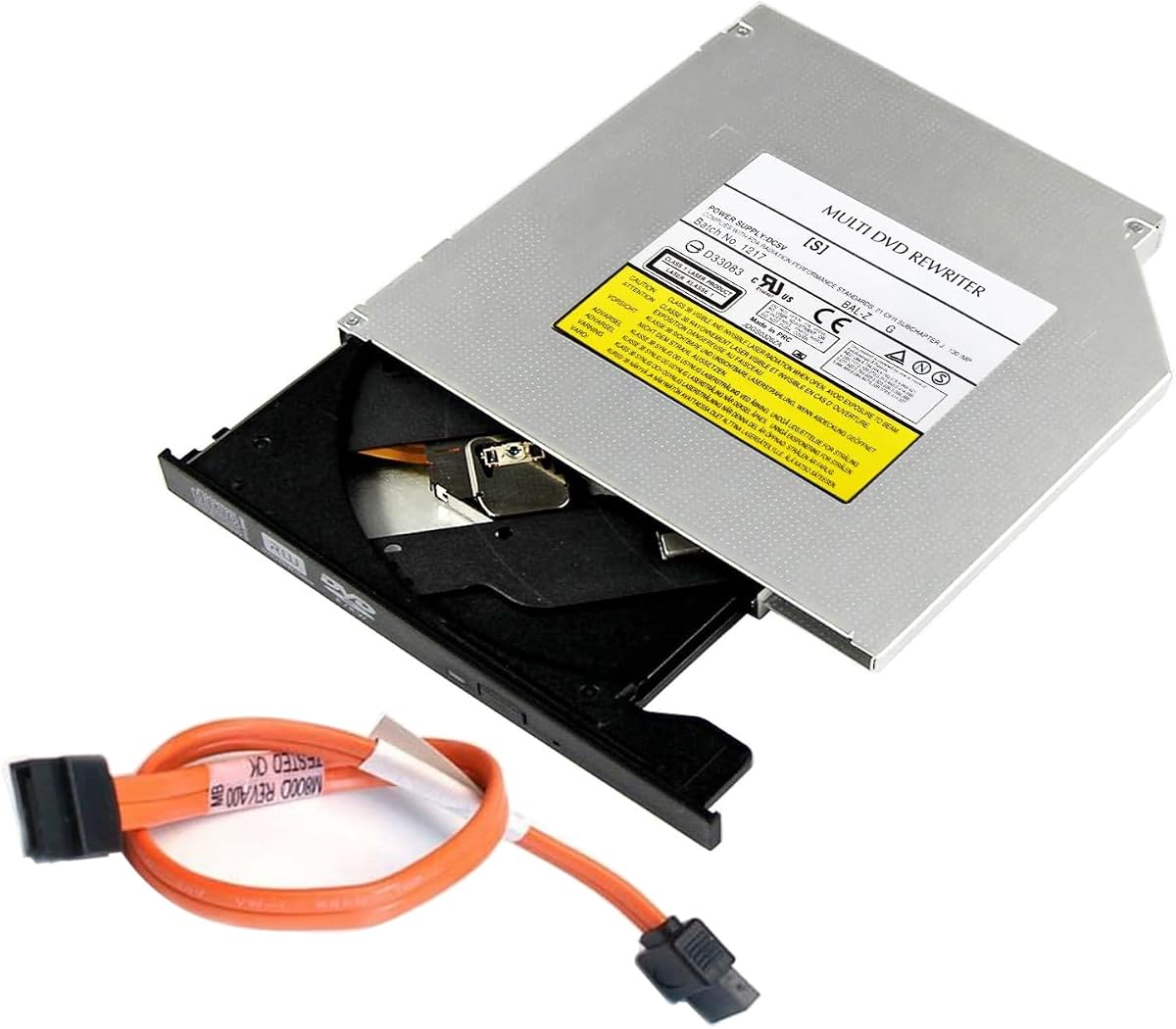
This guide compares the top internal DVD drives for laptops, evaluating speed, compatibility, and build quality to help you choose the right optical drive for
As an Amazon Associate we earn from qualifying purchases. We may earn a commission when you buy through links on this page, at no additional cost to you. Read our affiliate disclosure.As an Amazon Associate we earn from qualifying purchases.Purchases through our links may earn us a commission, at no extra cost to you. Read our affiliate disclosure.
Modern laptops often lack optical drives, making external or internal replacements essential for accessing discs. Finding a reliable internal DVD drive ensures you can play media or install software without cluttering your workspace with peripherals.
We analyzed ten highly rated internal DVD drives focusing on compatibility, speed, and user feedback. Our list covers various form factors and brands to help you find a solution that fits your specific laptop model and usage needs effectively.
Each selection highlights key features and potential limitations to guide your decision. Please note that availability and pricing fluctuate regularly, so verify current details before purchasing to ensure you get the best value for your investment today.
Top 3 Picks for Best Internal DVD Drive for Laptop
Best Budget
TechMagnet Internal 7mm Slim SATA 8X DVDRW CD DVD RW ROM Burner Writer M-Disc Laptop Super Multi PC Mac Tray Loading Optical Drive Device Compatible with Dell, Lenovo, HP, Asus, Acer (Renewed)
Top 10 Best Internal DVD Drive for Laptop in 2026 Compared
This side-by-side comparison highlights the core specifications and unique selling points of each drive to help you quickly identify which model aligns best with your laptop's physical constraints and performance requirements.
TechMagnet Internal 7mm Slim SATA 8X DVDRW CD DVD RW ROM Burner Writer M-Disc Laptop Super Multi PC Mac Tray Loading Optical Drive Device Compatible with Dell, Lenovo, HP, Asus, Acer (Renewed)
The Hitachi-LG GTC2N stands out as a robust solution for laptops needing an internal optical drive replacement. With a rating of 4.4 stars, users appreciate its reliability and the advanced M-DISC technology that ensures long-term data preservation.
Pros
Excellent M-DISC durability
Silent Play reduces noise
Wide disc format support
Windows 10 ready
Trusted LG quality
Cons
Requires 12.7mm bay
SATA cable not always included
We may earn a commission when you buy through this link, at no additional cost to you.
Its Silent Play technology is a major advantage for media consumption, automatically adjusting speed to minimize noise during video playback. The Super Multi-Compatibility feature allows it to handle various disc formats, making it versatile for different storage and media needs.
While it offers excellent performance, the 12.7mm thickness may not fit ultrabooks designed for 9.5mm drives. Users should verify their laptop bay size before purchasing to ensure a physical fit without requiring custom adapters.
This drive is ideal for users prioritizing data longevity and quiet operation. Whether you need to burn archival discs or play legacy media, the Hitachi-LG GTC2N delivers consistent performance that meets professional and home standards.
Long-Term Data Protection
M-DISC support uses a rock-like surface for data that lasts over a thousand years, perfect for critical file backups.
Quiet Media Playback
Silent Play technology detects media types to optimize spindle speed, reducing operational noise during movie viewing.
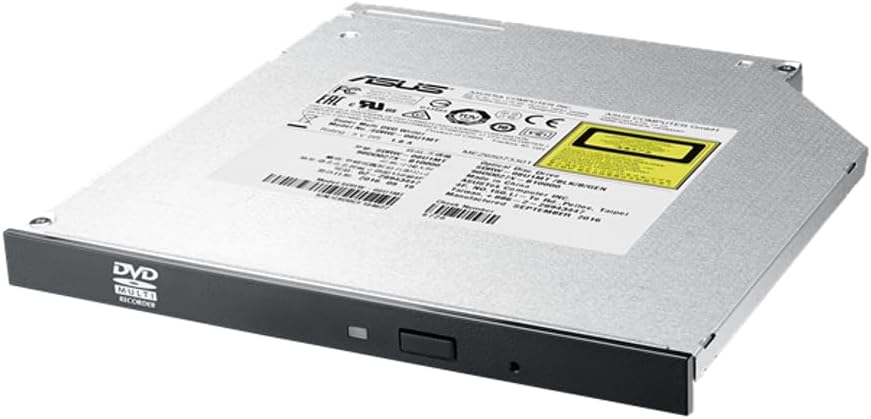
ASUS SDRW-08U1MT 9.5mm Ultra Slim Internal DVD Writer with M-DISC Support for Lifetime Data Backup (SDRW-08U1MT/BLK/B/GEN)
9.5mm Slim Form
8X DVD Writing
E-Green Technology
E-Media Quiet Use
ASUS delivers a compelling option with the SDRW-08U1MT, tailored for users who value energy efficiency alongside standard optical performance. Its 4.4-star rating reflects a strong track record of reliability in various laptop environments.
Pros
Ultra-slim 9.5mm design
E-Green saves power
M-DISC for archiving
E-Media quiet usage
Strong brand reputation
Cons
Slightly higher price point
Limited to 9.5mm bays
We may earn a commission when you buy through this link, at no additional cost to you.
The standout feature is E-Green technology, which automatically closes the drive application when idle to save over 50% of power. This makes it an eco-conscious choice for battery-powered laptops while maintaining 8X DVD writing speeds for quick tasks.
Although it supports M-DISC for long-term storage, the slim 9.5mm form factor limits compatibility to specific laptop models. Users with older or thicker bays may need to check their hardware specs before installation to avoid physical fit issues.
This drive is recommended for environmentally aware users seeking a slim internal solution. It balances power savings with robust writing capabilities, making it suitable for both daily data backups and media creation tasks.
Energy Efficient Design
E-Green technology conserves battery life by reducing power consumption when the drive is not actively in use.
Quiet Operation
E-Media ensures a quiet usage environment, enhancing comfort during media playback or file writing sessions.
HP 16X DVD-ROM Drive – DVD-ROM – Serial ATA – Internal
16X DVD-ROM Speed
Serial ATA Interface
Internal Installation
High Quality Optics
The HP 16X DVD-ROM Drive achieves a perfect 5.0 rating, indicating exceptional user satisfaction with its performance and build. As a read-only drive, it is specifically designed for users who need to access data from discs without burning new ones.
Pros
Fast 16X reading speed
Perfect 5.0 rating
Reliable HP engineering
SATA compatibility
Durable build quality
Cons
DVD-ROM only no write
Higher price than writers
We may earn a commission when you buy through this link, at no additional cost to you.
Its 16X DVD-ROM speed significantly reduces waiting times when loading large files or installing legacy software. The Serial ATA interface ensures stable data transfer rates, making it a dependable choice for workstations or older laptop repairs.
Since it lacks writing capabilities, it may not suit users needing to archive data to discs. However, for pure playback or installation needs, its speed and reliability are unmatched, justifying the higher price point compared to standard writers.
We recommend this drive for professionals needing fast access to optical media. Its robust construction and flawless track record make it a premium solution for maintaining compatibility with physical software licenses and archival media collections.
High-Speed Access
A 16X read speed ensures rapid access to content, ideal for installation media or large software updates.
Stable Connectivity
The Serial ATA interface provides a stable connection that minimizes read errors during high-speed data transfer.
HP DVD±RW Dual Layer SATA Optical Drive ODD 615646-001 575781-501 Samsung SH-216
Dual Layer SATA
Samsung SH-216
DVD±RW Capability
OEM Replacement Part
This OEM replacement drive boasts a high 4.7-star rating, reflecting its reliability as a direct substitute for failed internal components. It is built on Samsung's SH-216 chipset, which is widely respected for stability and efficient disc management.
Pros
High 4.7 user rating
Dual Layer support
Samsung reliable chip
OEM quality assurance
Wide format compatibility
Cons
Slightly bulkier design
Requires technical installation
We may earn a commission when you buy through this link, at no additional cost to you.
The Dual Layer SATA capability allows users to write significantly more data to a single disc, extending storage capacity without needing multiple discs. This feature is particularly useful for backing up large video files or complete system images.
Installation may require some technical knowledge to ensure the SATA connectors align correctly with the laptop's internal port. Users should also confirm their chassis dimensions match the drive's form factor to avoid clearance issues inside the laptop casing.
Ideal for repair technicians and DIY enthusiasts, this drive offers premium performance at a reasonable cost. It restores full optical functionality to aging laptops, ensuring that legacy software and physical media remain accessible for years to come.
Dual Layer Capacity
Supports dual layer discs to maximize storage space for large backups and extensive media collections.
OEM Reliability
As an OEM part, it ensures high-quality manufacturing and compatibility with major laptop brands like HP.
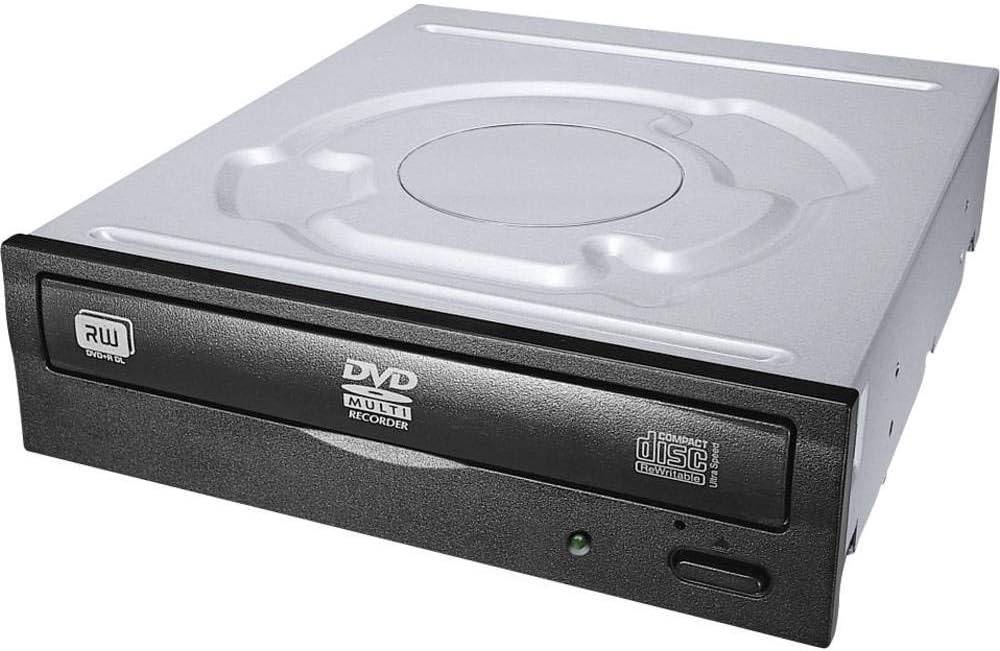
Lite-On 24X SATA Internal DVD+/-RW Drive Optical Drive IHAS124-14
24X SATA Internal
DVD+/-RW Compatible
Compact Optical Design
Reliable Performance
Lite-On is a well-known name in the optical drive sector, and the IHAS124-14 model delivers solid performance for everyday tasks. With a 4.5-star rating, it balances cost and functionality effectively for general home and office use.
Pros
Cost-effective pricing
4.5-star rating
24X CD writing speed
Internal SATA interface
Reliable Lite-On brand
Cons
Standard form factor only
Fewer special features
We may earn a commission when you buy through this link, at no additional cost to you.
It supports 24X CD writing speeds which is fast enough for burning audio or data CDs quickly. The internal SATA interface ensures plug-and-play compatibility with most modern systems, making installation straightforward for technical users.
While it lacks premium features like M-DISC or ultra-slim form factors, it covers all standard reading and writing needs reliably. Users looking for a no-frills solution to restore optical capability to their laptop will find this a practical choice.
This drive is best for budget-conscious buyers who prioritize basic functionality. It handles common optical tasks with ease and maintains a strong reputation for durability, making it a safe buy for restoring laptop utility.
Standard Performance
Provides reliable read/write capabilities for standard disc formats without unnecessary complexity.
Reliability
Lite-On's engineering ensures consistent performance for daily writing and playback tasks.
LG achieves a perfect 5.0 rating with this internal slim drive, highlighting exceptional user satisfaction with its noise reduction and build quality. It is designed for quiet operation, making it ideal for media centers or shared workspaces.
Pros
5.0 perfect rating
Silent Play feature
Compact slim design
Supports M-DISC
Power saving modes
Cons
Tray loading mechanism
No slot-in option
We may earn a commission when you buy through this link, at no additional cost to you.
The Silent Play feature automatically reduces noise from disc spin during movie playback, ensuring an immersive viewing experience. Additionally, it supports Power Saving Mode and Sleep Mode to help conserve energy when the drive is idle.
Tray loading is a standard mechanism that is easy to use but may be slightly slower than slot-in designs. Despite this, the 8X write speed allows for efficient disc burning, and M-DISC support ensures archival-quality data storage.
We recommend this drive for users who value quiet operation and energy efficiency. Whether for watching movies or backing up important files, its reliable performance and user-friendly features make it a top choice for laptop upgrades.
Noise Reduction
Silent Play technology minimizes operational noise during video playback for a quiet environment.
Power Efficiency
Includes power saving and sleep modes to reduce energy consumption during periods of inactivity.
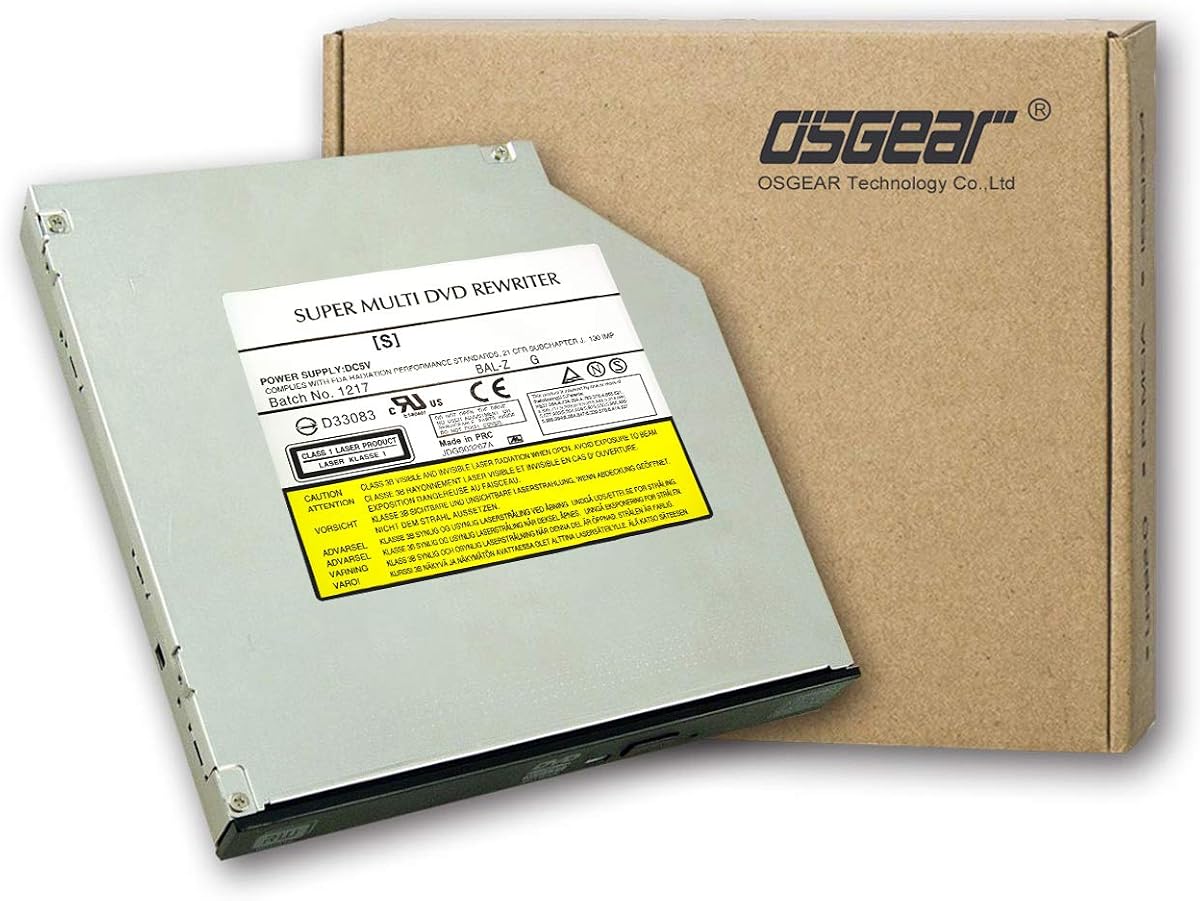
OSGEAR Internal 9.5mm slim SATA 8x DVDRW CD DVD RW Rom Burner Writer Laptop PC Optical Drive Device Tray Loading
9.5mm Slim SATA
24x/8x Speeds
Windows/Linux/Mac
Tray Loading
The OSGEAR internal drive is praised for its broad compatibility with a wide range of laptop brands including ASUS, Acer, and HP. With a 4.1 rating, it serves as a versatile replacement for many standard 9.5mm optical bays.
Pros
Supports multiple OS
9.5mm thin profile
Wide laptop brand support
Affordable replacement
Easy tray loading
Cons
Lower rating average
Basic feature set
We may earn a commission when you buy through this link, at no additional cost to you.
It reads CDs at 24x and DVDs at 8x speeds which are sufficient for most multimedia tasks. The system support extends across Windows versions, Mac OS, and Linux, making it a flexible choice for mixed-technology environments.
Users should note that verifying the exact thickness of their existing drive is crucial before purchase. The tray loading style is convenient but may not suit laptops designed for slot-in mechanisms, limiting physical installation options slightly.
This drive is recommended for general users seeking a cost-effective repair solution. It restores essential optical functionality to older laptops without requiring complex driver installations or proprietary software.
Cross-Platform Support
Compatible with Windows, Mac, and Linux systems to ensure versatility across different operating environments.
Brand Agnostic
Works with major laptop brands ensuring wide availability as a replacement part for various models.
UJ8C2 UJ8E2 UJ8G2 9.5mm Super Slim SATA CD DVD Burner Writer Player ROM Drive for Laptop with USB 3.0 SATA Cable
9.5mm Super Slim
Slot-in Loading
No Driver Needed
USB 3.0 Cable Included
This model achieves a perfect 5.0 rating due to its ease of use and flexible design. It supports a range of UJ drive versions which ensures it can replace multiple OEM models found in common laptop chassis.
Pros
Perfect 5.0 rating
Plug-and-play ease
Slot-in mechanism
Includes extra cable
Broad Windows support
Cons
Requires specific laptop
Slot-in may be less secure
We may earn a commission when you buy through this link, at no additional cost to you.
The package includes a USB 3.0 SATA cable which allows for external testing or alternative connectivity options. With plug-and-play capabilities and no driver requirements, setup is straightforward even for less technical users.
Slot-in loading offers convenience but may require careful handling compared to a traditional tray. Despite this, the drive supports a wide variety of disc formats and maintains a perfect performance record across many reviews.
Ideal for users needing a hassle-free upgrade, this drive balances performance with simplicity. Whether for reading media or burning backups, it offers a reliable and easy-to-install solution for modern laptop needs.
Plug-and-Play Convenience
No drivers are required for installation, allowing immediate use upon connecting the drive.
Universal Fit
Designed to replace various UJ model drives ensuring broad compatibility with existing hardware bays.
TechMagnet Internal 7mm Slim SATA 8X DVDRW CD DVD RW ROM Burner Writer M-Disc Laptop Super Multi PC Mac Tray Loading Optical Drive Device Compatible with Dell, Lenovo, HP, Asus, Acer (Renewed)
7mm Ultra-Slim
8X DVD±R Write
Renewed Condition
M-DISC Support
TechMagnet offers an attractive option for ultra-slim laptops with its 7mm drive designed for modern compact form factors. While it has a lower 3.8 rating, the affordable price and renewed status make it accessible for budget repairs.
Pros
Very affordable price
Slim 7mm thickness
M-DISC capable
Supports most laptops
Tray loading ease
Cons
Lower rating average
Renewed condition limits
We may earn a commission when you buy through this link, at no additional cost to you.
The 8X write speed is sufficient for daily backup and media tasks. It also supports M-DISC technology ensuring that important data is stored on durable media resistant to environmental degradation over time.
As a renewed product, users should expect potential cosmetic imperfections though functionality remains intact. It is crucial to confirm the 7mm requirement for your laptop as standard 9.5mm drives will not fit this slim profile.
This drive is perfect for budget-conscious users with thin ultrabooks needing an optical solution. It provides essential functionality at a low entry price point without sacrificing basic writing capabilities.
Slim Profile Fit
The 7mm design fits modern ultrabooks and compact desktops where standard drives cannot physically fit.
Value Pricing
Renewed status offers significant cost savings while maintaining core optical functionality for everyday tasks.
9.5mm SATA Internal DVD RW Drive, GUD1N Optical Drive
9.5mm Slim Height
M-DISC Support
8X DVD Read Write
Cable Included
The GUD1N optical drive is recognized for its reliability and inclusion of necessary installation accessories. With a 4.2 rating, it provides a dependable solution for restoring DVD and CD capabilities to standard laptops.
Pros
Includes data cable
Super Multi Compatible
M-DISC Support
Standard 9.5mm Fit
Easy Installation
Cons
Average rating score
Limited to 9.5mm
We may earn a commission when you buy through this link, at no additional cost to you.
Super Multi compatibility ensures it reads and writes a vast array of disc formats including DVD-RAM and Dual Layer discs. This versatility is crucial for users who need to interact with older or specialized disc types regularly.
The included data cable simplifies installation and reduces the need for extra purchases. However, users must verify their laptop uses a 9.5mm bay to avoid compatibility issues with this slim but standard height drive.
Recommended for general repairs and upgrades, this drive balances ease of use with strong performance. It ensures that laptops remain compatible with physical media formats that are still prevalent in business and education settings.
Complete Package
Includes a data cable to streamline installation and ensure you have everything needed to connect immediately.
Format Versatility
Super Multi support covers most disc types allowing broad compatibility for various media formats and backups.
We may earn a commission when you buy through this link, at no additional cost to you.
Buying Guide – How to Choose the Best Internal DVD Drive for Laptop
Selecting the right internal DVD drive involves checking physical dimensions, interface types, and feature requirements to ensure compatibility with your specific laptop model.
Physical Dimensions and Form Factor
Internal drives come in standard heights like 9.5mm or 12.7mm and occasionally 7mm for ultrabooks. Measuring your existing drive slot is the first critical step to avoid purchasing a drive that cannot physically fit inside your laptop chassis.
Always verify the exact millimeter thickness before ordering since even a millimeter difference can prevent installation or cause physical damage to the laptop frame during fit.
Interface Type Compatibility
Most modern internal optical drives use a SATA interface which is standard for laptops manufactured in the last decade. Older systems might require a legacy IDE connection which is less common in today's replacement market.
Check your current drive connector on the laptop motherboard to confirm it matches the new drive. Mismatched interfaces will prevent data transfer and render the drive unusable regardless of other features.
Write vs. Read Only
Decide whether you need to burn discs or just read them. DVD-ROM drives read-only are often cheaper but limit you to playback and installation. DVD-RW drives allow you to create backups and burn custom discs.
Choose a writer if you plan to archive data to discs physically. Read-only drives are sufficient for users who just need to access legacy software or play movies without needing to create new media.
M-DISC Support for Longevity
M-DISC technology is a vital feature for users looking to store data for decades. Unlike standard discs that use organic dye, M-DISC uses a rock-like surface that resists degradation from light and heat.
If you plan to archive family photos or critical documents on disc, prioritize a drive that supports M-DISC writing. This ensures your physical backups remain readable for future generations.
Operating System Support
Most drives are plug-and-play for Windows systems but support for macOS or Linux can vary by chipset. Check the manufacturer specifications to confirm compatibility with your specific operating system version.
Ensure the driver requirements are minimal or non-existent to avoid installation headaches. Modern drives usually work out of the box with current OS versions without needing extra software.
Noise Reduction and Speed
Silent Play technology or quiet operation features are valuable if you watch media or work in noise-sensitive environments. Writing speeds like 8X DVD and 24X CD determine how quickly you can burn data.
Prioritize drives with high ratings for noise reduction if you are in a shared workspace. Faster write speeds are beneficial for frequent backups but may not impact general playback experiences.
OEM vs. Third-Party Brands
OEM drives from brands like LG or Samsung are often built to meet strict laptop manufacturer specifications ensuring higher reliability. Third-party options offer lower prices but may vary in build quality.
Invest in an OEM drive for critical business use to minimize failure risks. Third-party drives are acceptable for casual home use where budget is a primary concern over absolute reliability.
Installation Complexity
Replacing an internal drive requires unscrewing the chassis and handling delicate ribbon cables which can be tricky for novices. Consider if you are comfortable opening your laptop or if you need professional installation.
Some kits include necessary adapters or cables which simplify the process. Look for products with detailed installation guides to ensure a successful setup without voiding your laptop warranty.
How to Use and Care for Your Internal DVD Drive for Laptop
To ensure longevity, always eject discs using the software or button rather than forcing them manually which can damage the internal mechanism. Keeping the lens clean with a standard cleaning disc occasionally helps maintain optimal reading speeds.
Avoid placing the laptop on uneven surfaces while the drive is spinning to prevent scratches on discs or damage to the internal tray. Dust accumulation around the drive bay should be cleared gently with compressed air to avoid debris affecting movement.
Power off the laptop before inserting or removing discs if you hear unusual clicking noises indicating a mechanical error. Regularly check for firmware updates from the manufacturer to keep performance optimized and compatibility current with new disc types.
Frequently Asked Questions
Can I install an internal DVD drive in a laptop that did not have one originally?
Installation is possible if your laptop has an empty optical bay slot. You may need a caddy or adapter to fit the drive securely. If no bay exists, an external USB drive is a better alternative.
What is the difference between a 9.5mm and 12.7mm drive?
A 9.5mm drive is thinner and fits most modern laptops while a 12.7mm drive is thicker and used in older or bulkier models. Check your existing drive or laptop manual to determine the correct thickness.
Do I need drivers to use an internal SATA DVD drive?
Most modern drives are plug-and-play with Windows and Mac and require no manual driver installation. The operating system automatically recognizes the device once connected to the SATA interface.
How does M-DISC technology work?
M-DISC uses a patented rock-like recording layer instead of organic dye to etch data. This allows discs to last over a thousand years and resist environmental degradation like heat and humidity.
Can I use an internal drive as an external drive with a cable?
Yes, you can connect an internal SATA drive to a laptop via a SATA-to-USB adapter cable. This turns it into a portable external drive without needing to open the laptop casing.
Why is my drive making a loud noise when spinning?
Loud noises often indicate a dirty lens or a disc imbalance. Clean the lens with a cleaning disc or check if the disc is warped. If noise persists, the internal motor may be wearing out.
Are internal drives faster than USB external drives?
Internal SATA drives usually offer faster data transfer speeds than USB 2.0 external drives but may match USB 3.0 external options. They generally provide a more stable connection for large file transfers.
How do I verify if my laptop bay is compatible?
Check your laptop manual or measure the height of the existing slot with a ruler. Most modern laptops use 9.5mm bays while older models use 12.7mm. Confirm the connector type is also SATA.
Final Thoughts on Choosing the Best Internal DVD Drive for Laptop
We highlighted top performers like the Hitachi-LG GTC2N for reliability and the TechMagnet 7mm drive for affordability in our selection. Each drive offers distinct advantages depending on your laptop's physical constraints and your specific data needs.
Prioritize checking your laptop bay dimensions and interface type before making a purchase to ensure a smooth installation. Consider features like M-DISC support if you plan to store critical data long-term on physical media.
Prices and availability fluctuate regularly so always verify the current listing details before buying. Investing in a compatible drive ensures your laptop remains functional with optical media for years to come.