
Teeran 2 in 1 Wireless CarPlay and Android Auto Adapter
4.1Editor score
Wireless CarPlay and Auto
Compact flush-fit design
Dual-band connectivity chips
This guide compares the top 10 Hulu Carplay adapters to help you stream movies and shows safely on your factory wired CarPlay or Android Auto infotainment
Modern drivers often seek ways to maximize their in-car entertainment systems beyond standard navigation and music apps. While native CarPlay focuses on driving safety, streaming video services like Hulu can enhance long trips or waiting periods. Specialized adapters bridge this gap, enabling safe access to video content on compatible factory screens without complex modifications.
We evaluated ten distinct devices based on connectivity stability, streaming app availability, and overall ease of use. Our analysis focuses on models that convert wired factory systems to wireless while supporting media playback through HDMI or built-in operating systems. Each product was assessed for signal reliability, build quality, and user interface responsiveness across various vehicle makes and models.
Each review highlights specific strengths and limitations relevant to streaming Hulu and other video platforms. We provide detailed specs and setup requirements to ensure you choose a device compatible with your specific car. Please note that pricing and availability change frequently, so verifying current details on the product page is recommended before purchasing.
4.1Editor score

2.9Editor score

3.4Editor score
The following table provides a side-by-side overview of all ten products reviewed in this guide. It highlights key specifications such as connectivity options, app support, and physical design features to help you quickly identify the most suitable device for your streaming needs.


The AUTOSKY AI Box Lite Flex ranks as the Editor's Choice for users seeking direct access to streaming apps like Hulu on their car screens. It transforms factory wired systems into wireless ones while allowing you to select specific streaming platforms from a list of thirteen supported options. This flexibility makes it stand out compared to standard wireless adapters that focus solely on phone projection.
We may earn a commission when you buy through this link, at no additional cost to you.
Key strengths include its ability to project apps directly onto the vehicle screen using WiFi or a mobile hotspot. You retain full control of original OEM buttons and voice commands without any extra adapters. The setup is simple; you just plug it in and pair via Bluetooth or WiFi. It works seamlessly with most vehicles that have wired CarPlay or Android Auto built-in.
Trade-offs involve its dependency on a touchscreen display for streaming apps and the need to reconnect WiFi when switching between CarPlay and streaming modes. Additionally, you must have your own subscriptions for the services. The overall user rating is lower than typical wireless adapters, which might indicate some connectivity inconsistencies during testing.
This device is ideal for drivers who prioritize entertainment variety and are comfortable managing separate connections for media and navigation. If your car has a touchscreen and you want flexible app choices without complex setups, this adapter offers a convenient solution despite its minor connectivity quirks.
Choose any two apps from thirteen platforms to match your entertainment needs.
Keep all factory controls like steering wheel buttons and voice commands.
We may earn a commission when you buy through this link, at no additional cost to you.
The AutoSky CarPlay TV Adapter provides a unique dual-functionality solution for streaming services like Hulu through HDMI connections. It allows you to plug in devices like Fire Stick or Roku directly to your car's screen while maintaining wireless CarPlay functionality simultaneously. This makes it a premium choice for those who want dedicated streaming hardware alongside their usual navigation tools.
We may earn a commission when you buy through this link, at no additional cost to you.
Its main advantage is the ability to access a vast array of apps through the HDMI input without relying on built-in software limitations. You can enjoy navigation and music via CarPlay while streaming video via the connected stick. The setup is straightforward, requiring no apps or complicated installation steps beyond plugging into the USB port.
However, this adapter does not charge your phone in USB-C mode and relies on your own subscriptions for content. It also requires your vehicle to already support wired CarPlay or Android Auto. While versatile, managing an extra streaming stick might add clutter compared to built-in app solutions.
Choose this if you prefer the flexibility of hardware-based streaming and already own devices like Fire Stick or Roku. It is perfect for drivers who want maximum content options and do not mind using an external stick for video while keeping their phone free for navigation.
Connect popular streaming sticks to access unlimited content options.
Use CarPlay and video streaming at the same time.
We may earn a commission when you buy through this link, at no additional cost to you.
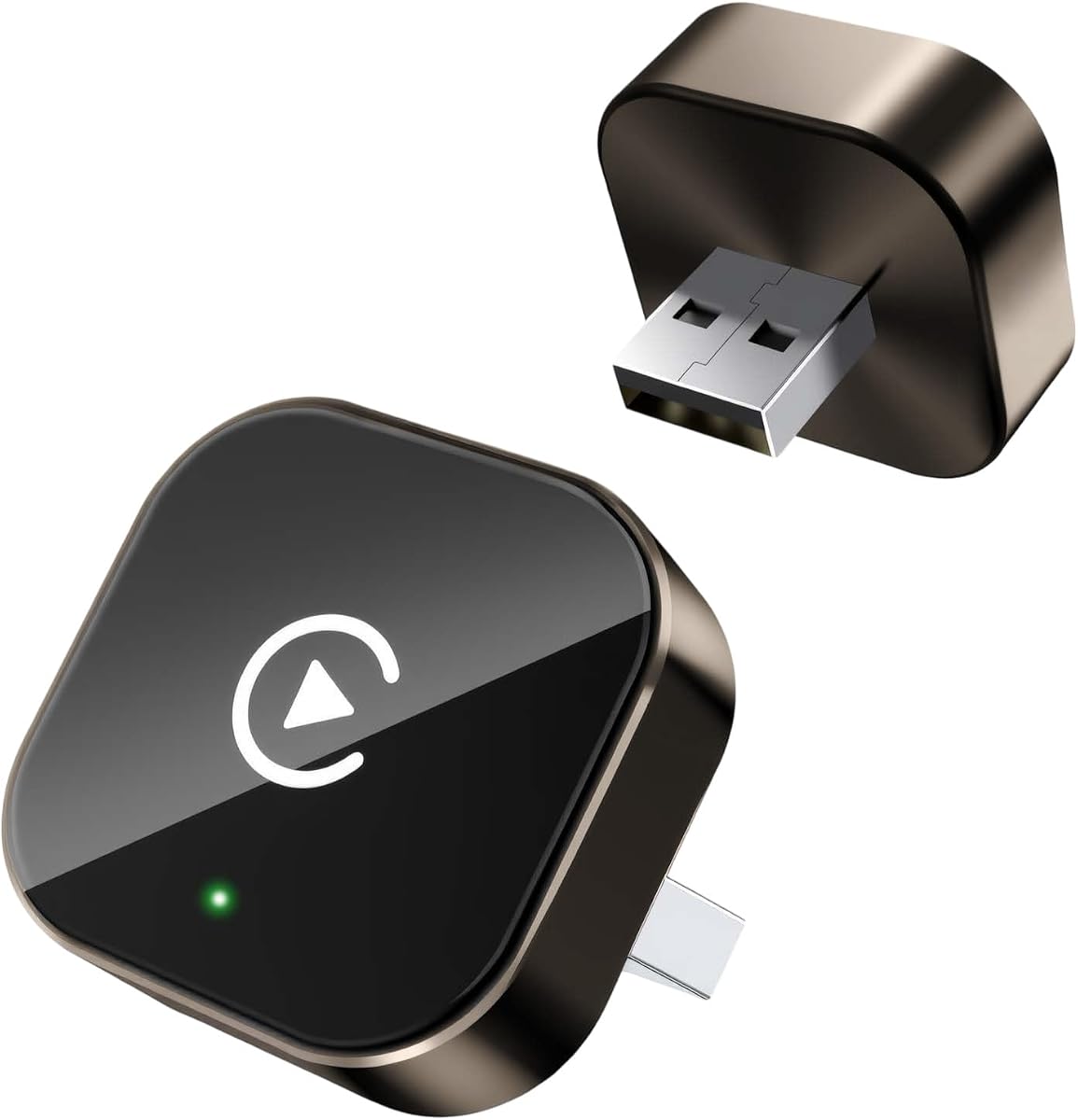
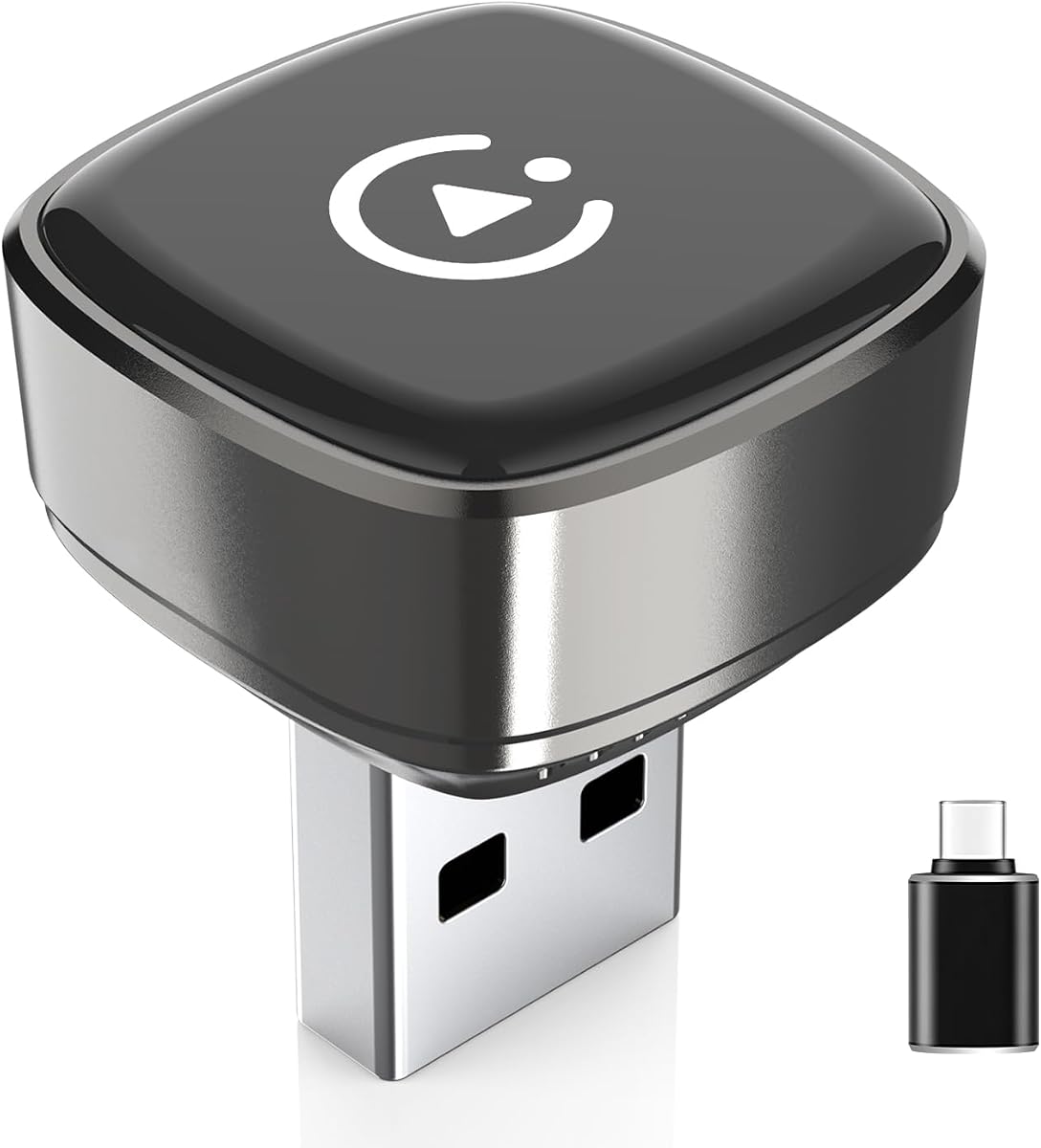
Teeran 2 in 1 Wireless CarPlay Adapter stands out as the best budget option for converting wired factory systems to wireless connectivity without extra costs. It supports both CarPlay and Android Auto, making it versatile for households using different phones. Its compact design ensures it stays nearly invisible when plugged in, keeping your dashboard clutter-free and organized.
We may earn a commission when you buy through this link, at no additional cost to you.
Key strengths include fast auto-reconnection in under three seconds and support for over one thousand vehicle models. The dual-band chip ensures stable connections for music and navigation. It maintains full OEM control functionality, allowing you to use steering wheel buttons and voice commands seamlessly during drives.
While it lacks built-in streaming apps for services like Hulu, it excels at its primary function of stable wireless connectivity. You will need to rely on screen mirroring or other HDMI solutions for video if your car supports it. This trade-off keeps the price lower than premium streaming boxes.
This adapter is ideal for drivers who want reliable wireless navigation and music without paying for extra features they may not use. If your main goal is eliminating cables for daily driving, this model offers excellent value and performance at an affordable price point.
Works with over one thousand vehicle models for easy setup.
Flush-fit form factor keeps your dashboard neat.
We may earn a commission when you buy through this link, at no additional cost to you.
The Wireless Carplay Adapter for iPhone Latest Upgrade is optimized for iOS users seeking a reliable wireless connection for navigation and media. It uses dual-band Wi-Fi and Bluetooth 5.4 to deliver performance that surpasses many competitors in stability and speed. This makes it an excellent choice for daily commutes where consistent connectivity is essential.
We may earn a commission when you buy through this link, at no additional cost to you.
Its strengths lie in the near-zero latency performance that prevents stuttering during music playback or GPS usage. The setup requires just three simple steps: plug, pair, and play. Once configured, it auto-reconnects within seconds of entering the car, ensuring you can start driving immediately without fumbling with your phone.
Trade-offs include its exclusivity to iPhone users and lack of direct streaming app support. It focuses strictly on standard CarPlay functionality. Additionally, it requires your car to have a factory wired CarPlay system to work. If you need video streaming capabilities, you might need to look elsewhere.
Choose this if you prioritize stability and ease of use for standard CarPlay tasks. It is perfect for iPhone drivers who want a hassle-free wireless upgrade for their existing systems without worrying about lag or connection drops.
2.4 and 5.8 GHz bands ensure consistent signal strength.
Connects to your phone within seconds of starting the car.
We may earn a commission when you buy through this link, at no additional cost to you.
The 2026 Wireless CarPlay Adapter offers broad compatibility for both iPhone and Android devices, making it a practical choice for mixed-device households. It features a compact design that blends seamlessly into your car's interior. Built with a durable metal casing, it ensures long-term use while providing stable signal transmission even on rough roads.
We may earn a commission when you buy through this link, at no additional cost to you.
Its key features include an auto-reconnect function that links to your phone instantly upon starting the car. The FCC certification guarantees it meets international safety standards, reducing concerns about signal interference. Free lifetime firmware updates help maintain performance over time without additional costs.
However, this adapter does not support direct streaming apps for services like Hulu. It focuses on standard navigation and media playback. You will need to verify your car's factory wired CarPlay compatibility before purchasing. While reliable, it lacks the advanced features found in premium AI boxes.
Select this if you need a reliable wireless solution for both Android and iPhone users. It is best suited for drivers who want basic wireless functionality without extra complexity or costs for streaming features.
Metal casing and acrylic glass ensure long-term reliability.
FCC-certified to prevent signal interference during drives.
We may earn a commission when you buy through this link, at no additional cost to you.
The Jemluse Wireless CarPlay Adapter is designed for families with multiple iPhones, offering seamless switching between devices without complex setups. It utilizes an 8-core processor and 5.8 GHz WiFi to ensure high transmission speeds. This makes it ideal for users who need quick and reliable connectivity for navigation and music during busy days.
We may earn a commission when you buy through this link, at no additional cost to you.
Key strengths include its ability to save time through automatic connections and user switching. The compact aluminum alloy design helps dissipate heat effectively, ensuring stable performance during long drives. It preserves all original car controls, providing a natural driving experience without interference from the adapter.
Trade-offs include its limitation to iPhone users and lack of built-in streaming apps. You cannot stream Hulu directly on this device without external solutions. Also, it requires your car to have a factory wired CarPlay system to function. These limitations are acceptable for users focused purely on wireless navigation.
Choose this if you are in a family with multiple iPhones needing quick switch capabilities. It provides excellent value for those prioritizing speed and reliability for standard CarPlay tasks over entertainment features.
Switch between paired iPhones seamlessly without manual pairing.
Aluminum alloy design prevents overheating during long use.
We may earn a commission when you buy through this link, at no additional cost to you.
The 2027 Upgraded Wireless CarPlay Adapter offers enhanced features like AirPlay and screen mirroring, giving users flexibility beyond standard CarPlay. It connects in just five seconds after initial setup, ensuring minimal wait times. The low-latency technology keeps audio synchronized for navigation and media, providing a smooth user experience.
We may earn a commission when you buy through this link, at no additional cost to you.
Key strengths include support for various media types and the inclusion of both USB-A and USB-C cables for universal fit. The dual-core processor maintains stability across different functions. Its compact housing fits discreetly, keeping your dashboard clean without blocking other ports or controls.
Trade-offs include DRM restrictions that prevent mirroring apps like Netflix or Hulu directly. You must verify your car's hardware compatibility for full functionality. It works best for standard CarPlay but may not support all screen mirroring features perfectly on every device.
Select this if you need flexible connectivity options including AirPlay for your iPhone. It is a solid choice for drivers who want a clean dashboard and quick connections without worrying about complex setup procedures.
Use both USB-A and USB-C for universal vehicle compatibility.
Ensures synchronized sound for navigation and music apps.
We may earn a commission when you buy through this link, at no additional cost to you.
The LAMTTO Wireless Carplay Adapter offers direct access to video apps like Netflix and Hulu without needing external devices. It uses dual WiFi connections to maintain CarPlay or Android Auto while streaming video on a separate network. This makes it a strong contender for drivers seeking integrated entertainment without extra dongles.
We may earn a commission when you buy through this link, at no additional cost to you.
Its strengths include USB drive support for offline playback and a Mini HDMI output for rear-seat entertainment. The setup is simple: pair once and auto-reconnect every time you start the car. It supports both CarPlay and Android Auto, making it versatile for different phone types.
Trade-offs include restrictions on car models like BMW and Tesla and the inability to download new apps. You must rely on pre-installed applications. Also, you need a stable hotspot or WiFi to stream. These constraints are manageable for users who prioritize built-in video capabilities.
Choose this if you want a straightforward solution for streaming video directly on your car screen. It is ideal for road trips or waiting periods where entertainment is a priority for passengers.
Stream video directly without needing additional external devices.
Maintain navigation while streaming video simultaneously.
We may earn a commission when you buy through this link, at no additional cost to you.
The Wireless Carplay Adapter for 800+ Vehicles is a compact solution designed to convert factory wired systems to wireless quickly. It supports a wide range of vehicle models, making it a reliable choice for many drivers. The setup involves just three simple steps, ensuring you can start using it immediately after purchase.
We may earn a commission when you buy through this link, at no additional cost to you.
Key strengths include its tiny size that can be hidden easily and the automatic reconnection feature. You do not need to manually pair your phone every time you drive. It provides a clutter-free experience by eliminating cables for CarPlay. The design is minimalist, matching most car interiors without obtrusion.
Trade-offs include lack of Android support and direct streaming capabilities. It is strictly for CarPlay users with factory wired systems. While convenient for navigation, it does not support video apps like Hulu directly. Users needing video features may need to look at specialized models.
Select this if you want a simple and affordable way to eliminate cables for navigation and music. It is best for drivers with compatible cars who prioritize ease of use over advanced streaming features.
Supports over 800 vehicle models for broad user appeal.
Hidden installation keeps your dashboard free of clutter.
We may earn a commission when you buy through this link, at no additional cost to you.
The 2026 Upgraded Wireless CarPlay Adapter focuses on safety and durability for everyday driving. It features an FCC certification to ensure strict international safety standards are met, reducing concerns about signal interference. The metal casing adds robustness, ensuring the device withstands daily use without damage.
We may earn a commission when you buy through this link, at no additional cost to you.
Its strengths include quick auto-reconnect that saves time on every trip. The setup is simple: plug, pair, and play. It supports both iPhone and Android devices, providing flexibility for mixed households. The tight-fit design ensures stable signals even on rough roads or mountain paths.
Trade-offs include the lack of direct streaming apps and reliance on factory wired systems. It does not support Android Auto unless the car has built-in wired support. While excellent for navigation, it requires separate solutions for video streaming like Hulu.
Choose this if you value safety certifications and durability in a wireless adapter. It is a reliable option for drivers who prioritize stable connectivity and build quality over entertainment features.
FCC-certified design ensures safe operation without interference.
High-quality metal casing protects against wear and tear.
We may earn a commission when you buy through this link, at no additional cost to you.
Choosing the right adapter requires understanding your vehicle's existing system and your specific entertainment needs. This section breaks down essential factors to consider before purchasing.
First and foremost, confirm that your car has a factory wired CarPlay or Android Auto system. Most adapters do not work with vehicles that lack these built-in systems. Check your car's manual or test the wired connection on your phone before buying.
Always verify that your vehicle is listed as compatible to avoid return hassles.
Decide if you need direct access to streaming apps like Hulu or if wireless CarPlay with screen mirroring is enough. Some AI boxes have built-in apps, while others rely on HDMI connections for external sticks.
Prioritize models with dual WiFi or HDMI input if streaming is your main goal.
Ensure the adapter supports your phone's operating system. Some devices are strictly for iPhone users, while others support both iOS and Android. If you share the car with Android users, a universal adapter is essential.
Look for models explicitly listing both iOS and Android compatibility.
A compact design that fits discreetly prevents clutter on your dashboard. Materials like metal casings offer better durability than plastic, especially for devices that stay plugged in long-term.
Choose models with heat dissipation features to ensure stability during long drives.
Reliable connectivity is critical for navigation and media. Look for adapters with dual-band Wi-Fi and Bluetooth technologies that minimize lag and dropouts.
Prioritize products with high user ratings for connection speed and consistency.
The best adapters should require minimal setup, ideally plug-and-play with auto-reconnect features. This ensures you spend less time configuring and more time driving.
Select devices with clear instructions and automatic reconnection upon starting the car.
Consider your budget and what features you actually need. Basic wireless adapters are cheaper, while streaming-enabled models cost more. Ensure the price matches the functionality offered.
Evaluate if premium features like built-in apps are worth the extra cost.
A product with lifetime support and firmware updates ensures longevity. Technical support can resolve connectivity issues quickly, saving you time and frustration.
Look for brands offering warranties and active customer service channels.
First, plug the adapter into your car's USB port. Ensure your phone's Bluetooth and Wi-Fi are enabled, then pair with the adapter using the provided instructions. This initial setup may take a few minutes to establish a stable connection.
Second, once connected, launch your preferred apps like Hulu. For streaming, ensure your phone has a stable internet connection via cellular data or hotspot. Adjust your display settings to allow full screen viewing if your car supports it.
Third, care for your device by avoiding extreme temperatures and regular cleaning. Ensure the adapter does not overheat by unplugging it when not in use. Check for firmware updates periodically to maintain optimal performance and security.
Most adapters require your car to have factory wired CarPlay. For a 2020 Toyota, check if your infotainment system supports wired CarPlay first. If it does, any of the wireless converters listed should work seamlessly.
Yes, adapters that allow streaming Hulu or Netflix require you to have your own active subscriptions. The device itself does not provide free content, it simply enables the app to run on your car screen.
No, most adapters including those reviewed here do not support Tesla vehicles due to their unique infotainment systems. Tesla owners often need specific solutions designed for their brand's software.
Most modern adapters have low power consumption and do not drain your battery when the car is off. However, unplugging them when parked is a good practice to avoid any potential issues with battery drainage over time.
Screen mirroring shows your phone screen on the car display. Streaming adapters run apps directly on the car system. For Hulu, direct streaming is preferred to keep your phone free for navigation while watching video.
Drops may happen due to signal interference or poor Wi-Fi signal. Ensure you are in a clear area and not too close to other wireless devices. Updating firmware often resolves these connectivity issues.
Regular firmware updates help maintain compatibility with the latest phone OS versions. Manufacturers often provide free updates to improve performance and fix bugs. Check the support page for the latest versions periodically.
Adapters designed for navigation are safe for driving as they integrate with voice commands. Streaming apps should only be used when parked to ensure safety. Always prioritize navigation tools while in motion.
We have reviewed ten top contenders ranging from simple wireless converters to advanced streaming AI boxes. Whether you prioritize compatibility or entertainment features, there is a suitable model for every need.
For the best experience, consider what matters most. If you need reliable navigation, a standard wireless adapter works well. For video streaming, models with built-in apps or HDMI support are essential for a cinematic experience.
Prices and availability change frequently, so always check the product page for current details. Investing in a high-quality adapter ensures you enjoy seamless connectivity and entertainment safely on every drive.