
TP-Link BE6500 Dual-Band WiFi 7 Router
4.3Editor score
WiFi 7 Multi-Link Operation
2.5 Gbps Ethernet ports
HomeShield security included
This guide compares the top high bandwidth WiFi routers for 2026, evaluating speed, coverage, and features to help you choose the best networking solution for
Modern homes demand networks that can handle massive data loads without slowing down. High bandwidth WiFi routers provide the throughput necessary for 8K streaming, cloud gaming, and smart home ecosystems simultaneously.
We analyzed technical specifications, real-world performance metrics, and user feedback to compile this list. Our selection focuses on routers offering advanced standards like WiFi 7 and tri-band architectures for maximum capacity.
Each pick highlights specific strengths tailored to different household needs and budgets. Please note that prices and availability can change frequently, so verify current details before making your final purchase decision.
4.3Editor score

4.3Editor score

4.3Editor score
The following table offers a side-by-side comparison of the leading high bandwidth routers available today. It highlights key specifications to help you quickly identify the best fit for your network requirements.



This router delivers high performance with WiFi 6E technology, offering a dedicated 6 GHz band to minimize interference. It is an excellent choice for households requiring simultaneous high-speed connections for gaming and streaming.
We may earn a commission when you buy through this link, at no additional cost to you.
The tri-band design allows for efficient device management, ensuring that heavy downloads do not lag video calls. The included VPN server functionality is a distinct advantage for users needing remote access without external apps.
While it lacks multi-gigabit wired ports, the wireless throughput is sufficient for most gigabit plans. The unique housing ensures the system remains cool during extended use, contributing to long-term reliability.
Home users seeking a balance of performance and features should strongly consider this model. It remains a top recommendation for those transitioning from older WiFi standards to newer protocols.
The 6 GHz band provides additional bandwidth and near-zero latency for connected devices like gaming consoles and VR headsets.
EasyMesh compatibility allows seamless network extension by adding compatible extenders to eliminate dead zones across large properties.
We may earn a commission when you buy through this link, at no additional cost to you.
This budget-friendly option introduces WiFi 7 capabilities to a wide audience at an accessible price point. It features Multi-Link Operation which significantly enhances throughput and latency compared to previous generations.
We may earn a commission when you buy through this link, at no additional cost to you.
The inclusion of 2.5 Gbps ports makes it ideal for users with internet plans exceeding standard gigabit speeds. You can utilize these ports for wired connections to NAS drives or desktop PCs.
While it is dual-band, the advanced modulation techniques ensure robust performance for streaming and video conferencing. The Tether App simplifies management, keeping your network secure with regular updates.
This router is perfect for early adopters who want premium speed features without the flagship price tag. It offers a compelling balance of modern specs and cost-effectiveness.
MLO technology transfers data across multiple frequency bands simultaneously to reduce lag and improve overall connection reliability.
Designed with the latest standards, this router ensures your network remains relevant as newer devices like laptops and phones enter the market.
We may earn a commission when you buy through this link, at no additional cost to you.
This flagship router represents the pinnacle of high bandwidth networking with quad-band WiFi 7 technology. It is engineered for enthusiasts who demand the absolute fastest wired and wireless speeds possible.
We may earn a commission when you buy through this link, at no additional cost to you.
The dual 10G Ethernet ports allow for massive local data transfers, making it a great choice for professional content creators. Gaming traffic is prioritized through triple-level acceleration to minimize ping.
While expensive, the hardware is built to handle the most demanding network environments without breaking a sweat. The coverage is extensive, supported by high-efficiency external antennas.
Serious gamers and tech enthusiasts should choose this model for the ultimate experience. It is an investment in performance that leaves no room for bottlenecks.
Triple-Level Game Acceleration boosts traffic from your PC to the game server, ensuring smooth performance during competitive play.
Dual 10G ports offer unparalleled wired connectivity for devices requiring maximum data throughput like workstations or media servers.
We may earn a commission when you buy through this link, at no additional cost to you.
This NETGEAR router brings WiFi 7 tri-band speeds to larger homes with its expansive coverage capabilities. It is designed to keep up with growing smart home ecosystems and high-demand devices.
We may earn a commission when you buy through this link, at no additional cost to you.
The multi-gig WAN port ensures you can fully utilize fast internet plans without being bottlenecked by the router itself. The 6 GHz band provides a dedicated lane for your fastest devices.
While the security features are robust, the subscription model for continuous protection may be a consideration for some users. The setup process is straightforward via the Nighthawk app.
Families with many connected devices will appreciate the reliability and speed this model provides. It is a strong contender for those needing coverage over 2000 square feet.
Multiple 2.5 Gig LAN ports connect gaming rigs and storage drives to maintain high speeds over cable connections.
The Nighthawk app lets you manage networks and run speed tests from anywhere, ensuring consistent performance remotely.
We may earn a commission when you buy through this link, at no additional cost to you.
This model offers a more affordable entry point into WiFi 7 technology without sacrificing essential features. It focuses on dual-band performance to deliver reliable speeds for everyday use.
We may earn a commission when you buy through this link, at no additional cost to you.
The 2.5 Gig WAN port allows compatibility with faster internet plans while the internal processor manages traffic efficiently. It covers up to 2000 square feet effectively for most mid-sized homes.
Without a dedicated 6 GHz band, it is best suited for users who do not have many WiFi 7 clients. However, the MLO technology still improves stability across standard devices.
This router is ideal for upgrading from older WiFi 5 models on a budget. It provides significant speed improvements without the high cost of top-tier models.
MU-MIMO and OFDMA let multiple devices send and receive data simultaneously, reducing congestion during peak usage times.
The free Nighthawk app provides guided setup and management tools, allowing you to pause devices easily from anywhere.
We may earn a commission when you buy through this link, at no additional cost to you.
This router provides a balanced mix of speed and security features for modern households. It includes a dedicated private IoT network which helps segregate less secure smart devices from your main network.
We may earn a commission when you buy through this link, at no additional cost to you.
The inclusion of five 2.5G ports ensures that wired connections are just as fast as wireless ones. This is perfect for NAS drives or media servers requiring high throughput.
While the rating is slightly lower than others, it offers solid performance for its price range. The privacy tools add value for users concerned about device security and data protection.
Buyers looking for comprehensive port speeds should prioritize this model. It serves well for those needing to connect multiple high-speed wired devices simultaneously.
Full 2.5G WAN and LAN ports support peak device performance and future-proof your home network infrastructure.
A separate WiFi network for IoT devices isolates them from personal data, enhancing overall network security against cyber threats.
We may earn a commission when you buy through this link, at no additional cost to you.
This AX73 model offers a reliable high-speed option for standard gigabit internet plans. It uses WiFi 6 to efficiently manage multiple devices, making it a stable choice for households.
We may earn a commission when you buy through this link, at no additional cost to you.
The USB 3.0 port allows for local media sharing, creating a simple private cloud without extra hardware. Its coverage reaches up to 2000 square feet effectively through high-power FEMs.
While it lacks the latest WiFi 7 features, it remains highly effective for most current devices. The rating reflects consistent performance and user satisfaction over time.
Homeowners with standard internet speeds will find this a practical and robust choice. It is a safe bet for those prioritizing reliability over bleeding-edge features.
The USB 3.0 port enables easy media sharing and private cloud storage accessible by any connected device.
More vents on the chassis help unleash the full power of the router by dissipating heat efficiently during operation.
We may earn a commission when you buy through this link, at no additional cost to you.
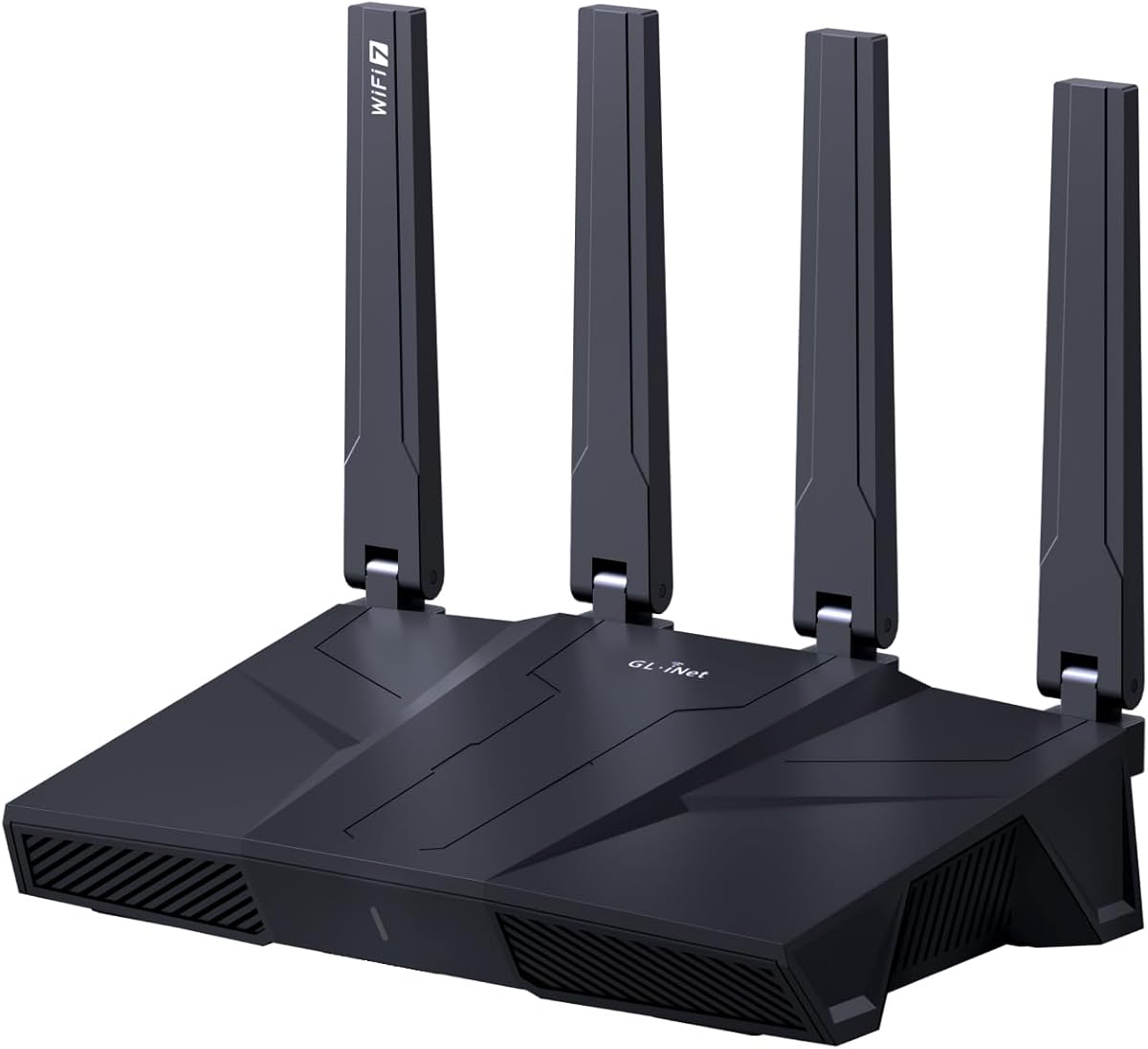
This budget-friendly WiFi 7 router brings next-gen features to entry-level buyers. The quad-core processor ensures the system remains responsive even when managing multiple heavy data transmissions.
We may earn a commission when you buy through this link, at no additional cost to you.
Dual 2.5G ports offer significant advantages for wired devices, breaking the 1G barrier for better performance. It is a good choice for upgrading connectivity without spending a fortune.
While it does not support the 6 GHz band, the Multi-Link Operation still improves efficiency. The EasyMesh support allows for expanding your network if you move to a larger home.
Buyers wanting modern specs on a tight budget should consider this model. It offers a solid step up from older routers with improved latency and speeds.
A next-generation quad-core processor eliminates lag and manages high throughput effortlessly for fast connections.
Seamlessly connect to other EasyMesh routers to create a whole-home network without drops as you move between rooms.
We may earn a commission when you buy through this link, at no additional cost to you.
This router excels in privacy features while delivering high bandwidth speeds. It supports OpenVPN and Wireguard with impressive speeds, making it a great choice for security-conscious users.
We may earn a commission when you buy through this link, at no additional cost to you.
The built-in AdGuard Home allows for blocking unwanted tracking at the network level, providing a cleaner browsing experience. It can handle over a hundred devices with stable connections.
Users should update the firmware immediately upon setup to ensure optimal performance. The interface may be slightly complex but offers extensive control over network settings.
This model is best for power users who value privacy and ad blocking alongside raw speed. It offers unique tools that many standard routers do not provide out of the box.
AdGuard Home supported DNS server blocks tracking and ads, offering full control over your online browsing environment.
Rapid OpenVPN and Wireguard speeds ensure you can manage gaming and working bandwidth without sacrificing security.
We may earn a commission when you buy through this link, at no additional cost to you.
This router was a pioneer in high bandwidth speeds and still offers impressive capabilities for legacy support. The 60GHz band provides short-range high-speed connections ideal for streaming media wirelessly.
We may earn a commission when you buy through this link, at no additional cost to you.
The inclusion of a 10G SFP+ port allows for high-speed wired connections which were rare at the time of its release. It supports a wide range of wired devices including gaming consoles.
While it is an older model compared to WiFi 7 options, it remains a solid choice for specific networking needs. The quad-core processor handles traffic efficiently for its era.
Users needing legacy compatibility or specific port types may find this useful. It is a reliable option for those who have already invested in compatible devices.
The 10G SFP+ port allows for maximum wired throughput ensuring your internal network does not bottleneck internet speeds.
Amazon Alexa Voice Controls allow you to manage your network settings using simple voice commands for convenience.
We may earn a commission when you buy through this link, at no additional cost to you.
Choosing the right router requires understanding your specific internet plan and device count. This guide outlines the critical factors to consider before making a purchase.
Select a router that matches your current and future devices. WiFi 7 offers the best speed and latency, while WiFi 6E is excellent for reducing congestion with a 6 GHz band.
Choose the latest standard available for your budget to ensure long-term compatibility and performance.
Tri-band routers provide three separate frequency bands which help reduce interference in crowded environments. Dual-band options are sufficient for smaller homes with fewer devices.
Tri-band is recommended for households with many users streaming or gaming simultaneously to maintain consistent speeds.
Ensure the router has Ethernet ports that match your internet plan. If you have a multi-gig plan, look for 2.5G or 10G ports to avoid wired bottlenecks.
Prioritize routers with multiple high-speed LAN ports if you connect many devices via cable like consoles or PCs.
Match the router's coverage range to your home size. Larger homes may require mesh systems or high-gain antennas to reach every room effectively.
Look for routers with beamforming technology which focuses signals towards your devices rather than broadcasting blindly.
A strong CPU and ample RAM are essential for handling high throughput and multiple connected devices. Weak processors can cause lag even with fast internet.
Check specifications for dual-core or quad-core processors and high-speed memory to ensure smooth operation.
Modern routers often include subscription security services like parental controls and threat protection. Evaluate whether these built-in features meet your needs or if third-party tools are better.
Choose a model with robust encryption and automatic updates to keep your network safe from vulnerabilities.
If your home grows, you may need to add extenders or mesh nodes. Ensure the router supports protocols like EasyMesh or its own ecosystem for seamless expansion.
Compatibility with range extenders allows you to build a robust network without replacing your main router.
Place the router in a central and elevated location to maximize signal strength. Avoid placing it inside cabinets or near walls that can block signals.
Update the firmware regularly to ensure you have the latest security patches and performance improvements. Most routers can automate this process via their apps.
Use strong passwords for your admin panel and WiFi network to prevent unauthorized access. Regularly review connected devices to identify any anomalies.
Yes, most high bandwidth routers require a separate modem to connect to your ISP. The router manages your local network while the modem connects to the internet.
WiFi 7 offers faster speeds and lower latency through features like Multi-Link Operation and wider channels. It supports newer devices with better overall network efficiency.
Modern high bandwidth routers can handle 50 to over 100 devices simultaneously. The exact number depends on the model and how much data each device uses.
They are useful if your internet plan exceeds standard gigabit speeds. They also allow faster local file transfers between devices connected to the router.
It means the router broadcasts three separate signals which can be used to separate traffic. Most routers allow you to merge these bands into a single SSID.
Many models support EasyMesh or proprietary mesh features. Check the specific product details to ensure compatibility with extenders or satellite units.
This guide highlights the top ten routers that offer exceptional speed and reliability. The TP-Link AXE5400 stands out as a balanced choice, while the ASUS ROG GT-BE98 Pro offers peak performance.
Prioritize your specific needs such as wired speeds or security features when selecting a model. Ensure the router matches both your current internet plan and future technology expectations.
Remember that prices and availability change frequently so verify the latest details before buying. Always check compatibility with your existing hardware to ensure a smooth upgrade.