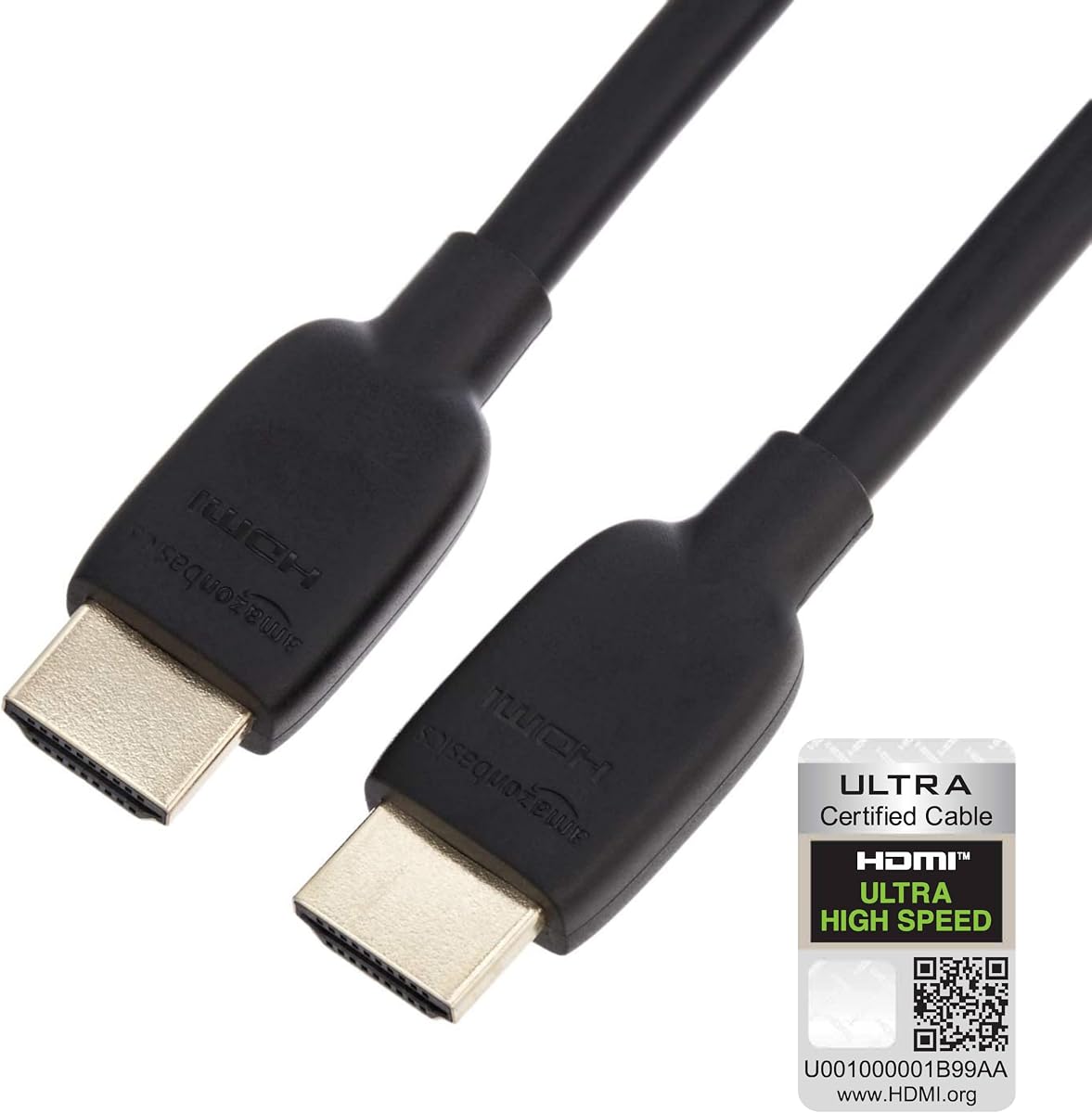
Amazon Basics HDMI 2.1 Cable
4.7Editor score
8K@60Hz Support
48 Gbps Bandwidth
Flexible PVC Construction
We compare the top HDMI cables for dual monitor setups, evaluating speed, durability, and compatibility to help you choose the right connection for your
Finding the right HDMI cable for dual monitors is essential for a smooth workspace experience. You need cables that support high resolutions and fast refresh rates to ensure both screens display content clearly without lag or signal loss.
Our team analyzed ten top-rated options based on performance, build quality, and user feedback. We looked at bandwidth capabilities, connector durability, and compatibility with various devices to create a reliable list for your setup needs.
Each pick highlights key features and potential limitations to help you decide quickly. Please note that prices and availability can change frequently, so verify current details before making your final purchase decision today.
4.7Editor score

4.8Editor score

4.6Editor score
This side-by-side comparison highlights the key specifications of all ten selected cables to help you identify the best fit for your dual monitor configuration and budget constraints.



This UGREEN HDMI 2.1 cable stands out as the top choice for users needing high-performance connectivity for dual monitors. It holds a 4.8 rating and delivers on its promise of 8K support with 48Gbps bandwidth.
We may earn a commission when you buy through this link, at no additional cost to you.
The certification ensures it meets strict HDMI standards, guaranteeing signal integrity across both screens. Features like Dynamic HDR and eARC make it ideal for multimedia and professional workflows requiring color accuracy and audio fidelity.
While the aluminum case adds durability, it can make the cable less flexible in tight spaces. However, the trade-off is justified by the long-term reliability and consistent performance under heavy usage conditions.
If you need a reliable solution for 8K or high-refresh-rate dual setups, this cable is the recommended pick. It balances performance and build quality better than most competitors in the market.
The HDMI 2.1 certification guarantees compatibility with the latest devices and resolutions without signal drops.
eARC support allows full-resolution audio transmission to soundbars or receivers connected to your monitors.
We may earn a commission when you buy through this link, at no additional cost to you.
The Amazon Basics HDMI 2.1 cable is an excellent entry-level option for those seeking high bandwidth without a high price. It carries a 4.7 rating and supports up to 8K resolution efficiently.
We may earn a commission when you buy through this link, at no additional cost to you.
With 48 Gbps bandwidth, it handles 4K@120Hz video smoothly on dual monitors. The gold-plated connectors resist corrosion, ensuring stable connections over time even with frequent plugging.
The main limitation is the 3-foot length which may not reach distant setups. Additionally the PVC jacket is less durable than braided alternatives but sufficient for indoor office use.
Choose this if you need short reliable links for close-range monitor connections. It offers the core HDMI 2.1 benefits at a fraction of the cost of premium brands.
The 3-foot design is perfect for setups where the source device sits directly behind the monitor stand.
You get full HDMI 2.1 speed capabilities without paying extra for brand name or aesthetic features.
We may earn a commission when you buy through this link, at no additional cost to you.
Belkin is known for quality cables and this HDMI 2.1 model delivers premium performance for dual monitor setups. It holds a 4.6 rating and focuses on visual fidelity with Dolby Vision support.
We may earn a commission when you buy through this link, at no additional cost to you.
The 2-layer shielding minimizes damage and protects against electric shocks making it safe for long-term use. It supports 4K gaming and 8K video ensuring your content looks its best on both screens.
The premium build comes with a higher price tag compared to generic brands. However, the attention to detail in design and safety makes it worthwhile for professional environments.
If you prioritize brand reputation and visual enhancement features this cable is a strong candidate. It is particularly useful for content creators needing accurate color and signal stability.
Dolby Vision support enhances contrast and brightness for a richer viewing experience on dual screens.
The 2-layer shielding ensures the delicate wiring inside remains protected during bending or movement.
We may earn a commission when you buy through this link, at no additional cost to you.
The Highwings 2-pack offers a practical solution for dual monitor setups needing two cables in one purchase. It rates 4.7 and includes 6.6FT cables capable of handling 8K signals.
We may earn a commission when you buy through this link, at no additional cost to you.
The aluminum alloy shell and anti-bending design protect the cable from damage. This is useful for users who move monitors frequently or have tight desk spaces.
Although it is marketed as HDMI 2.1 technology, users should verify certification labels strictly. The performance remains solid for gaming and high refresh rates though.
Choose this if you need two reliable cables for both screens without buying separately. The 2-pack value makes it a smart option for expanding your workspace.
Getting two cables in one pack saves money and ensures you have matched quality for both monitors.
The tail's anti-bending design prevents kinking which often causes signal issues over time.
We may earn a commission when you buy through this link, at no additional cost to you.
Silkland emphasizes certification and verification for this HDMI 2.1 cable. With a 4.7 rating it offers 4K@144Hz support which is great for high-refresh dual gaming setups.
We may earn a commission when you buy through this link, at no additional cost to you.
The E-Braid technology provides a double-layer fishnet winding that adds durability. Ferrite magnetic beads help eliminate black screens and flickering ensuring smooth signal transmission.
The braiding might snag on other cables if not managed properly. But the verification app gives confidence that the cable meets official standards.
If you need proven performance for fast refresh rates and want brand verification this is a strong choice. It caters well to gaming and multimedia use cases.
You can scan a QR code to verify the HDMI 2.1 certification directly on your phone.
Support for DTS:X and Dolby Atmos brings immersive audio to your dual monitor entertainment setup.
We may earn a commission when you buy through this link, at no additional cost to you.
Acer offers a solid HDMI 2.1 cable that meets the demands of high-resolution dual monitors. Rated 4.7 it supports 8K@60Hz and 4K@120Hz for smooth performance.
We may earn a commission when you buy through this link, at no additional cost to you.
The eARC support and high-purity copper core ensure good audio quality. VRR helps reduce screen tearing which is useful when gaming across two screens.
The braided jacket resists wear but may fray after long-term heavy use. Still it offers reliable performance consistent with Acer's reputation.
This is a good middle-ground choice for brand reliability and specs. It fits well in home office or entertainment dual setups needing dependable connectivity.
Variable Refresh Rate support makes gameplay smoother by matching the monitor refresh rate to the graphics card.
eARC ensures high-fidelity audio is sent from your monitor to sound systems without compression.
We may earn a commission when you buy through this link, at no additional cost to you.
This UGREEN HDMI 2.1 cable is rated 4.7 and includes an Ethernet channel which allows data transfer between devices. It handles 8K video transmission effectively.
We may earn a commission when you buy through this link, at no additional cost to you.
The nickel-plated connectors resist corrosion well. This ensures the connection remains stable even in humid environments or after years of use.
The nylon braided jacket enhances durability while maintaining flexibility. It resists bending and daily wear making it suitable for office setups.
Choose this if you want Ethernet capabilities alongside standard video transmission. It is a reliable option for connecting streaming devices and smart TVs to dual monitors.
The built-in Ethernet channel lets you share a network connection between your source device and TV.
Nickel plating protects the connector pins from oxidation which can degrade signal quality over time.
We may earn a commission when you buy through this link, at no additional cost to you.
The PowerBear 4K cable stands out with its 10-foot length and CL3 rating. It is a solid choice for dual monitor setups where longer reach is needed.
We may earn a commission when you buy through this link, at no additional cost to you.
Triple tin shielding protects the signal from interference. The braided nylon adds durability to the cable structure ensuring longevity.
Note that this supports 4K@60Hz not 8K or high refresh rates. This may limit it for advanced setups needing 2.1 speeds but sufficient for standard displays.
If you need long cable to run between components without signal loss this is a practical pick. It is versatile enough for standard video and audio transmission.
The CL3 rating allows safe installation inside walls which is useful for clean dual monitor cable routing.
Supports 4K@60Hz which is standard for most office monitors and streaming devices.
We may earn a commission when you buy through this link, at no additional cost to you.
This AVACON cable solves the problem when your PC has DisplayPort and your monitor has HDMI. It rates 4.6 and supports up to 4K@30Hz resolution.
We may earn a commission when you buy through this link, at no additional cost to you.
The uni-directional design ensures signal flows from source to display. This prevents compatibility issues that can occur with bidirectional adapters.
It supports audio pass-thru for digital audio channels. The gold-plated cord ensures good conductivity and resistance to corrosion.
Use this when you need to connect a DP source to an HDMI display for a dual setup. It is a cost-effective adapter solution for older or mixed ports.
Connects a DisplayPort computer to an HDMI monitor enabling dual screen functionality without new hardware.
Passes uncompressed digital audio channels through the cable for speakers or monitors with audio output.
We may earn a commission when you buy through this link, at no additional cost to you.
This 2-pack includes two cables specifically for dual monitor setups needing DP to HDMI conversion. It holds a 5.0 rating for reliable performance in workstations.
We may earn a commission when you buy through this link, at no additional cost to you.
Both cables are identical in quality ensuring consistent signal across both screens. The braided nylon jacket adds protection against daily office wear.
It supports 4K resolution and full audio pass-thru. This is great for presentations and multitasking environments.
Choose this bundle if you need two adapters for a complete dual setup. It simplifies the process of connecting multiple displays to a single computer.
Includes two cables to connect both monitors directly without needing multiple purchases.
Supports Extend Mode for spreadsheets and presentations making it ideal for workstations.
We may earn a commission when you buy through this link, at no additional cost to you.
Selecting the right HDMI cable involves checking bandwidth, length, and build quality to ensure both monitors display content correctly.
Check if the cable is HDMI 2.1 for 48Gbps bandwidth which supports 8K and 4K@144Hz. HDMI 2.0 cables may limit resolution and refresh rates on high-end dual monitors.
Ensure the cable meets the HDMI standard required by your devices to avoid compatibility issues or signal drops.
Measure the distance from your source device to each monitor. Buying cables that are too short can cause tension while too long cables may clutter your desk.
Choose lengths like 6ft or 10ft based on your desk depth to ensure a tidy setup.
Look for braided nylon or aluminum alloy cases that resist bending and corrosion. High-quality materials ensure the cable lasts longer under daily use.
Premium connectors with gold plating prevent signal degradation due to oxidation over time.
Ensure both ends are compatible with your devices such as standard HDMI or DisplayPort adapters. Mismatched connectors will prevent the monitor from receiving a signal.
For DP to HDMI setups verify the cable is uni-directional from source to display.
Features like eARC or ARC ensure audio transmission from the monitor to external speakers or receivers without extra cables.
This is essential for dual setups where audio quality matters for calls or entertainment.
Certified cables like those with Ultra High Speed labels guarantee performance standards are met.
This reduces the risk of black screens or flickering common with cheap uncertified cables.
Buying a 2-pack can save money and ensures both cables are identical for consistent performance on dual monitors.
This is practical for dual setups needing two identical cables to avoid mismatched qualities.
Verify the cable works with your specific devices like gaming consoles PCs or streaming devices to ensure full feature support.
Some cables limit features like HDR or VRR on certain platforms so check detailed specs.
Connect one end of the cable to your source device and the other to your monitor. Ensure both monitors are powered off during connection to avoid electrical surges.
After connecting power on the devices and configure the display settings to extend or mirror the screens. Use your system display menu to arrange the monitor order.
Regularly inspect the cable for bends or damage. Keep the cable away from heat sources and avoid bending it sharply at the connector to extend its lifespan.
One cable connects a source to one monitor. For dual monitors you need two cables or a splitter if supported by your device.
Yes longer cables may degrade signal quality for 8K. Use shorter cables or active repeaters if you need runs over 10 feet.
HDMI 2.1 offers higher bandwidth 48Gbps supports 8K and faster refresh rates than HDMI 2.0's 18Gbps limit.
You need a DP to HDMI adapter or cable. Standard HDMI cables will not connect directly to DisplayPort inputs.
Yes you need an HDMI 2.0 or 2.1 cable for 4K resolution. Older cables may not support the required bandwidth.
Look for certification labels or QR codes on the packaging. Certified cables guarantee they meet official HDMI standards.
The UGREEN HDMI 2.1 stands out for overall performance while the Amazon Basics cable offers great budget value. The Belkin option suits those needing premium features and visual fidelity.
Prioritize bandwidth and length to ensure your dual setup runs smoothly. Matching the cable specs to your monitors is key to getting the best experience.
Always verify current availability and prices before buying since they fluctuate often. This ensures you get the right cable at the best value for your workspace.