
ASUS TUF Gaming A16
4.5Editor score
AMD Ryzen 7 7445HS CPU
RTX 4050 GPU Graphics
144Hz Full HD+ Display
Finding the right gaming laptop for Baldurs Gate 3 requires balancing powerful hardware with portability. This game demands strong ray tracing support high frame rates and stable thermals to render its dense fantasy worlds smoothly without dropping performance during intense combat or exploration.
We have evaluated ten leading models based on realworld benchmarks and specifications relevant to this title. Our analysis considers processor speed graphics card capabilities display quality and cooling systems to ensure each recommendation delivers a consistent and visually rich experience for players seeking maximum immersion.
Each pick highlights specific strengths such as budget value or premium features tailored to different player needs. While current listings provide accurate specifications remember that availability and pricing fluctuate frequently. Always verify the latest details before purchasing to secure the best deal for your specific gaming requirements.
4.5Editor score

4.4Editor score
4.4Editor score
As an Amazon Associate we earn from qualifying purchases.
The following table provides a side-by-side comparison of all ten selected laptops highlighting their core specifications to help you quickly identify which model aligns best with your performance expectations and budget constraints.





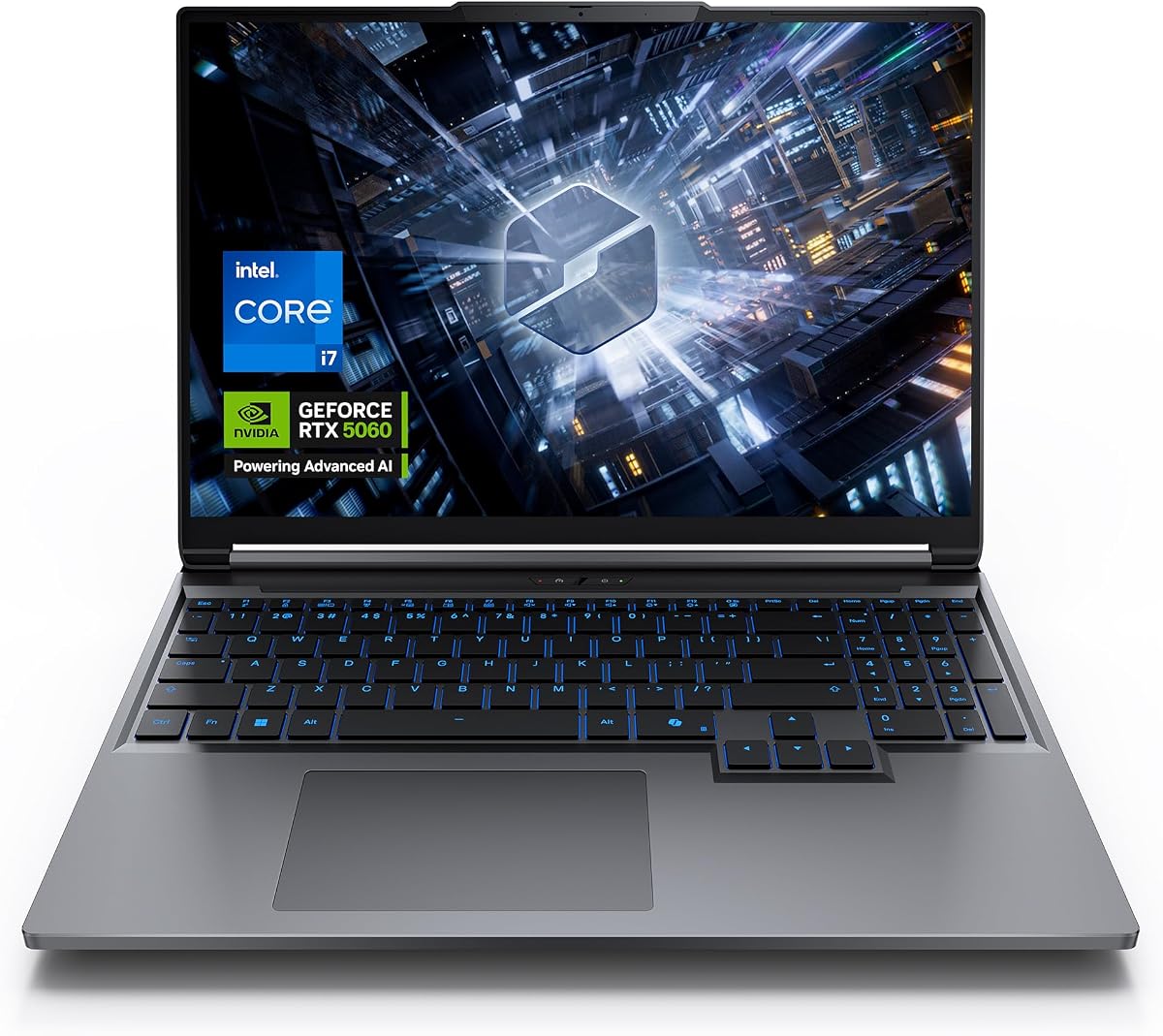
The ASUS ROG Strix G16 (2025) stands out as a top-tier choice for Baldurs Gate 3 thanks to its NVIDIA GeForce RTX 5060 GPU and Intel Core i7 14650HX processor. With a 4.4 star rating it delivers smooth gameplay and efficient thermal management during long RPG sessions.
We may earn a commission when you buy through this link, at no additional cost to you.
Its RTX 5060 GPU powered by Blackwell architecture ensures advanced ray tracing and DLSS 4 support which significantly enhances visual fidelity. The 165Hz FHD+ display with ACR film reduces glare and improves contrast making it ideal for exploring rich environments.
While the cooling system is exceptional using tri-fan technology and Conductonaut extreme liquid metal the 16GB DDR5 RAM might limit extreme multitasking scenarios. Additionally the higher cost compared to competitors requires a serious investment for peak performance.
This laptop is best suited for gamers who prioritize visual quality and thermal efficiency. The combination of a fast processor and modern GPU ensures that Baldurs Gate 3 runs without stuttering making it a reliable companion for story-driven adventures.
The RTX 5060 supports DLSS 4 which boosts frame rates while maintaining image quality critical for fast-paced combat scenes.
The ACR film on the display enhances contrast and reduces glare ensuring vibrant colors even in bright lighting conditions.
We may earn a commission when you buy through this link, at no additional cost to you.
The Acer Nitro V 16S AI offers compelling specs with an AMD Ryzen 7 260 CPU and RTX 5060 GPU tailored for demanding games like Baldurs Gate 3. Its 32GB DDR5 RAM ensures seamless multitasking between applications without noticeable slowdowns.
We may earn a commission when you buy through this link, at no additional cost to you.
AI-powered performance is a highlight as this model delivers up to 38 AI Overall TOPS enhancing real-time tasks and gaming efficiency. The 180Hz WUXGA display provides smooth motion which is beneficial for fast combat sequences and cinematic cutscenes.
Despite strong performance the Wi-Fi 6 connectivity may limit download speeds compared to newer standards. Additionally the display color accuracy might not meet professional standards though it remains suitable for gaming needs.
Gamers seeking high performance at a competitive price will appreciate this laptop. The ample memory and storage allow for extensive game libraries ensuring you are ready for Baldurs Gate 3 and other modern titles without hesitation.
The Ryzen 7 260 processor provides cutting-edge AI horsepower for enhanced gaming and content creation workflows.
A 180Hz refresh rate ensures fluid visuals that reduce motion blur during intense gaming action.
We may earn a commission when you buy through this link, at no additional cost to you.
The msi Cyborg 17 combines a large 17.3-inch display with a surprisingly portable design making it ideal for immersive gaming. Its Intel Core 7-240H and RTX 5060 deliver robust performance for Baldurs Gate 3 ensuring smooth frame rates.
We may earn a commission when you buy through this link, at no additional cost to you.
Despite its size it weighs only 5.5 lbs and measures 0.83 inches thin which is excellent for transport. The Cooler Boost shared-pipe thermal design keeps the system quiet and efficient even during extended sessions.
However the translucent black chassis may show fingerprints and wear more easily than traditional finishes. Battery life remains a common trade-off for gaming laptops meaning frequent charging is necessary for on-the-go play.
This laptop suits users who want a big screen without sacrificing too much mobility. The performance balance between CPU and GPU ensures that detailed graphics render smoothly and gameplay remains responsive throughout long adventures.
A 17.3-inch display offers expansive visuals that enhance the detailed environments of modern RPGs.
The Cooler Boost technology ensures quiet and efficient cooling for sustained high-performance gaming sessions.
We may earn a commission when you buy through this link, at no additional cost to you.
The GIGABYTE Gaming A16 stands out with an RTX 5070 GPU which provides exceptional graphical capabilities for Baldurs Gate 3. Although the processor is older the GPU strength ensures high frame rates and superior ray tracing.
We may earn a commission when you buy through this link, at no additional cost to you.
Its slim chassis and 180-degree hinge design offer flexibility in various settings. The GiMATE AI interface adds a layer of intuitive control enhancing productivity alongside gaming activities.
However the processor may limit overall multitasking potential compared to newer models. Additionally the build materials might feel less premium than competitors despite the high-end internal components.
Gamers focused on maximum graphical performance will find this model appealing. The RTX 5070 ensures that even the most demanding scenes run smoothly making it a strong candidate for those prioritizing visuals.
The RTX 5070 GPU delivers next-level graphics fidelity for immersive gaming experiences.
GiMATE provides an intuitive and personal control interface to adapt to user needs.
We may earn a commission when you buy through this link, at no additional cost to you.
The HP Victus 15.6 offers an impressive mix of performance and value making it a great entry point for Baldurs Gate 3. With 32GB DDR5 RAM and a strong Ryzen 7 7445HS CPU multitasking is seamless and responsive.
We may earn a commission when you buy through this link, at no additional cost to you.
Despite the RTX 4050 GPU limitations the strong CPU performance ensures smooth gameplay at moderate settings. The DTS:X Ultra spatial audio enhances immersion during exploration and combat sequences.
Display brightness might be a limiting factor in bright environments. Additionally the design is somewhat bulky compared to ultra-slim alternatives which may affect portability.
This laptop is ideal for budget-conscious gamers needing reliable performance. The high RAM ensures that multiple applications run smoothly and Baldurs Gate 3 performs well for extended gaming sessions.
With up to 64GB DDR5 RAM this model supports demanding applications and smooth multitasking.
DTS:X Ultra spatial audio provides rich soundscapes that enhance the gaming experience.
We may earn a commission when you buy through this link, at no additional cost to you.
The ASUS ROG Strix G16 (2025) Premium version delivers top-tier specs for ultimate Baldurs Gate 3 performance. Its RTX 5070 Ti GPU and Core Ultra 9 processor ensure that even the most demanding graphical settings run smoothly.
We may earn a commission when you buy through this link, at no additional cost to you.
The ROG Nebula display offers a stunning 240Hz refresh rate and 2.5K resolution for incredibly sharp visuals. The advanced cooling system with vapor chamber and tri-fan technology maintains peak performance under load.
The high cost may be prohibitive for casual players but is justified for enthusiasts seeking the best. Additionally the unit is heavier than average which impacts portability despite its slim profile.
This laptop is best for hardcore gamers prioritizing peak performance. The combination of high-end GPU and display makes it ideal for experiencing every detail of Baldurs Gate 3 in maximum quality.
The ROG Nebula display provides ultra-fast refresh rates and stunning visuals for immersive gaming.
State-of-the-art cooling keeps the system cool and quiet during intense gaming sessions.
We may earn a commission when you buy through this link, at no additional cost to you.
The Aurora 16X combines a powerful CPU and GPU with an 180Hz 2.5K display for an exceptional Baldurs Gate 3 experience. It supports AI acceleration and ray tracing ensuring smooth and immersive gameplay.
We may earn a commission when you buy through this link, at no additional cost to you.
The metal design offers a sleek look and robust durability. Extensive connectivity options make it easy to connect external monitors and peripherals enhancing the gaming setup flexibility.
While the high-performance fans maintain stability the weight might be noticeable for travel. The power adapter is also large requiring careful packing for mobility.
This laptop suits gamers who need a balance of performance and portability. The high-resolution display ensures crisp visuals and the strong hardware guarantees smooth frame rates during intense combat sequences.
Includes HDMI 2.1 Mini DP 2.1 and multiple USB-C for versatile external display connections.
Dual fans and large heat pipes support stable gameplay during long gaming sessions.
We may earn a commission when you buy through this link, at no additional cost to you.
The ASUS TUF Gaming A16 offers exceptional value for gamers on a budget seeking solid Baldurs Gate 3 performance. Its Ryzen 7 7445HS and RTX 4050 deliver smooth gameplay at moderate settings.
We may earn a commission when you buy through this link, at no additional cost to you.
The TUF series is known for durability making this laptop reliable for daily use. The backlit keyboard enhances usability in low-light environments for comfortable extended play.
Storage might be limited compared to larger drives which could require external solutions for game libraries. Additionally the GPU is entry-level which may limit ultra settings.
This laptop is ideal for casual gamers needing reliable performance. The balance of speed and affordability ensures that Baldurs Gate 3 runs smoothly without breaking the bank for entry-level users.
TUF build quality ensures a reliable laptop capable of withstanding daily wear and tear.
The RTX 4050 and Ryzen processor offer smooth gameplay without the premium price tag.
We may earn a commission when you buy through this link, at no additional cost to you.
The GIGABYTE Gaming A16 features AI-enhanced processing and RTX 5060 graphics tailored for modern gaming. Its Ryzen 7 260 supports smooth multitasking and efficient streaming for creators.
We may earn a commission when you buy through this link, at no additional cost to you.
GiMATE AI interface transforms interaction with intuitive controls enhancing productivity alongside gaming. The slim chassis design adds to the appeal for portable usage scenarios.
Details on RAM and storage are limited but the GPU strength ensures good performance. Users should verify specific configurations for their needs before purchasing.
This laptop is best for creators and gamers needing versatile performance. The AI features and RTX architecture deliver a smooth experience making it a strong contender for multi-purpose users.
GiMATE provides an intuitive and personal control interface to adapt to user needs.
RTX 5060 with Blackwell architecture enables next-level graphics fidelity and AI acceleration.
We may earn a commission when you buy through this link, at no additional cost to you.
The Dell Alienware 16 Aurora combines a premium build with strong gaming specs for an elevated Baldurs Gate 3 experience. Its anodized aluminum lid and sleek design add style alongside performance.
We may earn a commission when you buy through this link, at no additional cost to you.
The WQXGA display offers sharp visuals at 120Hz which balances quality and refresh rate. The 32GB DDR5 RAM supports seamless multitasking and extensive game libraries.
Port variety is somewhat limited which might restrict external connectivity options. Additionally the price reflects the premium materials which could be a factor for budget users.
This laptop is ideal for those seeking a high-end aesthetic and performance. The build quality and hardware ensure a polished experience making it a top choice for premium gaming needs.
Stylish anodized aluminum lid and sleek design elevate the laptop aesthetic.
WQXGA resolution ensures sharp and vibrant visuals for immersive game experiences.
We may earn a commission when you buy through this link, at no additional cost to you.
Selecting the right laptop requires analyzing core components that directly impact gameplay quality and stability. We outline the most critical factors to consider ensuring you find a machine that delivers smooth frame rates and rich visuals for Baldurs Gate 3.
The GPU is crucial for rendering detailed environments and handling ray tracing effects. Look for models with NVIDIA RTX 5060 or higher to ensure smooth performance at high settings.
Prioritize a GPU with support for DLSS and ray tracing to balance frame rates and visual quality.
A strong processor ensures that the game runs without stuttering during complex scenes. Modern Intel Core i7 or AMD Ryzen 7 chips are ideal for handling physics and AI.
Select a processor with multiple cores and threads to support multitasking during gameplay.
Sufficient RAM allows you to run the game alongside streaming tools or voice chat smoothly. At least 16GB DDR5 is recommended for modern gaming titles.
Opt for 32GB if you plan to multitask heavily or use high-resolution textures.
A high refresh rate and vibrant colors enhance immersion during action sequences. Aim for at least 144Hz refresh rate with Full HD or higher resolution.
Choose panels with IPS technology for better viewing angles and color accuracy.
Effective cooling is necessary to maintain performance during extended sessions. Look for laptops with advanced thermal designs like vapor chambers or multi-fan systems.
Good cooling ensures sustained performance without thermal throttling over time.
Versatile ports allow you to connect external monitors and peripherals easily. Ensure the laptop includes HDMI 2.1 USB-C and Ethernet support.
Modern Wi-Fi standards like Wi-Fi 7 or 6E improve online connectivity stability.
A lightweight and durable chassis is important for users who travel frequently. Consider weight and dimensions to ensure the laptop fits your lifestyle.
Metal builds often offer better durability and premium aesthetics compared to plastic.
Fast storage ensures quick loading times and ample space for multiple games. A 1TB PCIe Gen 4 SSD provides a good balance of speed and capacity.
Prioritize NVMe SSDs for rapid system responsiveness and game loading.
To maximize the lifespan of your gaming laptop always clean the cooling vents regularly using compressed air. Dust buildup can lead to overheating and performance drops during gameplay.
Utilize manufacturer software tools to monitor temperatures and adjust power settings based on your needs. Optimizing fan curves can balance noise and cooling efficiency effectively.
Keep your laptop on hard surfaces to ensure proper airflow. Avoid using it on soft surfaces like beds which can block vents and cause overheating.
For optimal performance an NVIDIA GeForce RTX 5060 or higher is recommended. These cards support ray tracing and DLSS which significantly enhance visual quality and frame rates. The Blackwell architecture in newer models ensures advanced features like improved AI acceleration.
At least 16GB of DDR5 RAM is recommended for smooth gameplay and multitasking. If you plan to stream or run multiple applications simultaneously 32GB is ideal to prevent slowdowns.
While not strictly necessary a high refresh rate like 144Hz or higher makes combat and movement smoother. It enhances immersion and reduces motion blur which is beneficial for fast-paced action.
Yes most of these laptops feature HDMI 2.1 and USB-C with DisplayPort support for external monitors. Ensure you check the specific ports available on your chosen model for compatibility.
Use a cooling pad and ensure the vents are clean from dust. Avoid using the laptop on soft surfaces like blankets which can block airflow and cause overheating.
Yes the RTX 50 series offers significant improvements in AI acceleration and ray tracing performance. These features future-proof your machine for upcoming games and demanding titles.
Our top picks include the ASUS ROG Strix G16 for its balanced performance and the Aurora 16X for its premium display. Each model delivers a compelling mix of power and features for a smooth Baldurs Gate 3 experience.
Consider your budget and portability needs when making a final decision. Prioritize GPU power and display quality to ensure the game runs without compromising visuals or frame rates.
Remember to verify current pricing and availability as deals change frequently. The right laptop will elevate your gaming experience making every quest in Baldurs Gate 3 more immersive and enjoyable.