
BITFUNX NGC to HDMI™ Adapter, for Gamecube DOL-001 with GCVideo
4.4Editor score
Supports homebrew software like Swiss
Includes GC2SD Gen2 storage support
Offers multiple display mode options
Discover the top GameCube HDMI adapters for modern displays. This guide compares ten leading adapters for picture quality, compatibility, and ease of use.
Playing classic games on modern TVs requires reliable adapters that preserve visual quality. The right GameCube HDMI adapter ensures your retro console connects seamlessly to high definition screens without signal loss or lag during intense gaming sessions.
We evaluated ten popular adapters based on compatibility, image processing capabilities, and user feedback. Our analysis focuses on devices that support specific GameCube models, offer essential features like line doubling, and provide stable connections for long term use.
Each pick highlights unique strengths and potential trade-offs to help you choose wisely. While product details remain consistent, availability and pricing may shift across retailers. Always verify current stock before purchasing to ensure you get the best value for your setup.
4.4Editor score

4.6Editor score

4.2Editor score
This comparison table outlines the key specifications and capabilities of ten leading GameCube HDMI adapters. Review these details to find the model that best fits your specific console version and display requirements.

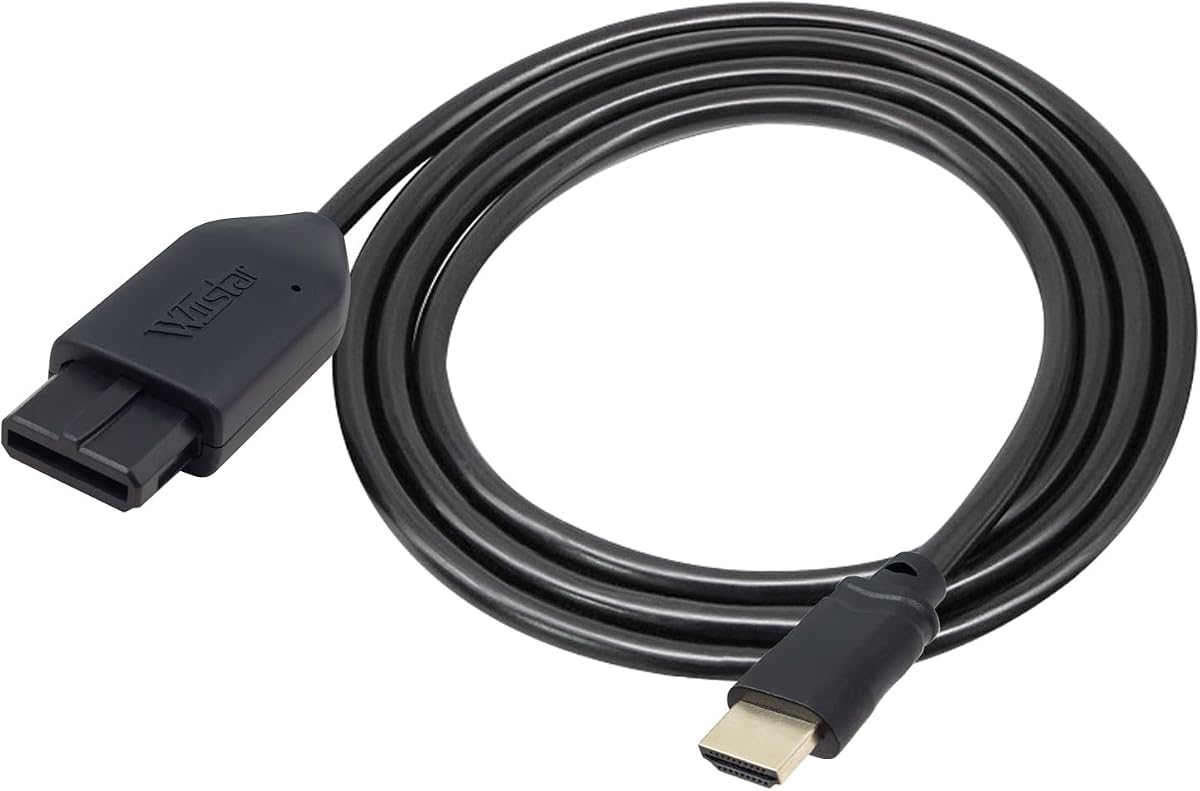


The Kaico GameCube HDMI Adapter stands out for its dedicated support of the GCVideo operating system. This device delivers superior image clarity compared to standard AV cables, making it a top choice for enthusiasts who demand the best visual experience from their retro console.
We may earn a commission when you buy through this link, at no additional cost to you.
Its key strengths lie in advanced features like line doubling and scanlines, which are accessible via a programmed remote for easy navigation. The adapter also includes a USB port for firmware updates, ensuring long term compatibility with evolving standards. Additionally, the included 3D printed shelf helps reduce strain on the digital connector.
While the adapter performs exceptionally well, it is limited to DOL-001 GameCube consoles equipped with the digital port on the back. Users with older models will need alternative solutions. This specificity is acceptable given the high quality of signal processing and the seamless integration with modern HDMI displays.
This adapter is ideal for gamers who want a reliable, feature rich solution for their GameCube setup. It offers a balance of ease of use and advanced customization that justifies its position as a top pick. We recommend it for anyone seeking a durable and high performing connection.
The built-in line doubling feature enhances image quality without requiring extra power, providing a sharper and more defined picture on modern screens.
The included 3D printed shelf reduces physical strain on the console's digital connector, enhancing the overall durability and functionality of the adapter setup.
We may earn a commission when you buy through this link, at no additional cost to you.
This HDMI adapter offers broad compatibility across multiple legacy consoles including the GameCube, N64, and SNES. It supports resolutions up to 1080p, allowing these older systems to run on newer TVs with a clearer and smoother picture quality.
We may earn a commission when you buy through this link, at no additional cost to you.
Its primary advantage is the all-in-one nature of the package, which includes the necessary HDMI cable for immediate setup. The device is designed for plug and play use, though it requires an external power supply to function correctly. Users appreciate the lack of screen lag which ensures a responsive gaming experience.
However, the need for an external power supply can add to cable clutter on your setup. Additionally, it lacks specialized features tailored specifically for the GameCube like the GCVideo integration. These trade-offs are acceptable for users prioritizing a single adapter for multiple systems.
This adapter is best for those who own several retro consoles and want a unified solution. It provides a straightforward path to connecting older hardware to modern displays without complex configurations. We recommend it for budget-conscious buyers seeking versatility.
The adapter supports a range of classic systems allowing users to connect their GameCube N64 or SNES with a single purchase.
Setup is straightforward with included cables ensuring minimal wait time before you start playing your favorite titles on a modern screen.
We may earn a commission when you buy through this link, at no additional cost to you.
The BITFUNX NGC to HDMI Adapter delivers full digital HDMI format with zero transmission loss, ensuring excellent image clarity. It supports various NGC display modes and enhances picture quality with features like line doubling and scanlines without extra power.
We may earn a commission when you buy through this link, at no additional cost to you.
Its standout feature is the support for GC2SD Gen2 storage and homebrew software like Swiss, offering enhanced functionality for advanced users. The adapter includes a USB port for firmware updates and comes with a bracket that protects the device while enhancing durability. This makes it a powerful tool for those interested in expanding their GameCube capabilities.
The higher price point compared to basic converters reflects these advanced capabilities. While it is restricted to DOL-001 consoles, the added features like microsd support and homebrew compatibility justify the investment. These limitations are acceptable given the depth of customization available.
This adapter is perfect for enthusiasts who want to go beyond standard gaming. It offers a bridge between classic hardware and modern digital storage solutions. We recommend it for users who value high performance and expanded functionality.
With support for microSD cards up to 512GB users can back up game files and enjoy homebrew software directly on their console.
The included small black bracket protects the adapter and enhances durability ensuring a stable connection over extended gaming sessions.
We may earn a commission when you buy through this link, at no additional cost to you.
The Tengchi RCA to HDMI Converter is designed to convert analog composite input to HDMI 1080p output. It supports multiple TV formats including PAL and NTSC making it suitable for international users. The package includes the necessary cables for a complete setup.
We may earn a commission when you buy through this link, at no additional cost to you.
Its main strength is its broad compatibility with devices like PS2, VHS, and standard composite AV inputs. Users can easily install and operate it without complex steps. The included USB cable powers the device, ensuring stable transmission to your TV or monitor.
However, it lacks support for S-Video signals which are available on some GameCube models for better image quality. The need for an external power source also adds an extra cable to your setup. These trade-offs are reasonable for the low price point and wide device compatibility.
This converter is ideal for users who primarily use standard RCA cables. It provides a straightforward path to displaying classic games on modern screens. We recommend it for those seeking an affordable and easy solution.
The adapter supports multiple TV formats such as PAL and SECAM ensuring it works with consoles from different regions.
You receive the converter HDMI cable and USB power cable in one box allowing you to start using it right out of the box.
We may earn a commission when you buy through this link, at no additional cost to you.
This adapter offers S-Video signal output which provides a cleaner image compared to standard composite AV cables. It is designed as an all-in-one cable solution that connects directly to consoles like N64 and GameCube via their proprietary ports.
We may earn a commission when you buy through this link, at no additional cost to you.
Its key strength is the elimination of extra cables and external power needs. The built-in console specific ports simplify the setup significantly. Users can plug it directly into their console for the cleanest setup available without worrying about power supplies or extra cables.
The output is limited to 1080p60hz which may not suit all monitors. Additionally users may encounter a blue screen if the connection is not successful. These issues are manageable with proper setup. The lack of extra power is a significant advantage for simplicity.
This adapter is great for users who prefer a tidy setup with minimal cables. It offers a direct and reliable connection for retro gaming on modern displays. We recommend it for those who value simplicity and S-Video quality.
By extracting the S-Video signal path the adapter provides a brighter and sharper image than standard composite connections.
The all-in-one design eliminates the need for extra cables just plug directly into your console for the simplest setup available.
We may earn a commission when you buy through this link, at no additional cost to you.
This 3-in-1 HD link adapter allows users to convert S-Video signals from multiple consoles to digital HDMI. It features a toggle switch for 4:3 and 16:9 aspect ratios ensuring optimal display on modern TVs.
We may earn a commission when you buy through this link, at no additional cost to you.
Its strengths include detachable HDMI cables and low latency performance which makes it suitable for competitive gaming. The upscaled signal processing provides great precision and colors. Users appreciate the ability to adjust aspect ratios easily without navigating console menus.
While it supports multiple consoles the setup requires specific cables which may add to the complexity. The aspect ratio switch is a useful feature but not all users may need it. These trade-offs are acceptable given the overall visual quality.
This adapter is ideal for collectors who own multiple retro consoles and want a unified connection. It offers flexibility and performance that suits various setups. We recommend it for users who value customization options.
Support 4:3 and 16:9 with a toggle switch to match your display preferences and unnoticeable lag when playing games.
The detachable design allows high-end or extended HDMI cables to be used providing flexibility in your setup arrangement.
We may earn a commission when you buy through this link, at no additional cost to you.
This adapter converts analog signals into crisp digital HDMI signals up to 1080p. It supports switching between 4:3 and 16:9 aspect ratios and features ultra-low input lag for responsive performance.
We may earn a commission when you buy through this link, at no additional cost to you.
Its main strengths are the improved picture quality and broad compatibility with classic consoles like N64 and GameCube. The upgraded design often operates without extra power reducing cable clutter. Users can get gaming in seconds without drivers or complicated software.
However, optional external power may be needed for additional accessories which adds a step. It lacks advanced features like homebrew support. These trade-offs are acceptable for users seeking a simple and effective connection for standard gaming.
This adapter is best for those who want a reliable connection with good resolution. It provides a stable and responsive experience for classic gaming. We recommend it for users prioritizing ease of use.
Converts analog signals into crisp digital HDMI signals supporting resolutions up to 1080p for sharp picture quality on modern displays.
Features ultra-low input lag and stable signal transmission ensuring color accuracy and responsive performance during gameplay.
We may earn a commission when you buy through this link, at no additional cost to you.
This adapter supports SVideo and Composite outputs for use with Nintendo consoles. It does not need any additional power to work making it a convenient plug and play solution.
We may earn a commission when you buy through this link, at no additional cost to you.
Its strengths include a clean and hassle-free setup with no messy cables. The adapter works well with N64, SNES and GameCube via the proprietary analogue port. Users appreciate the lack of installation requirements and the included warranty.
However, it lacks advanced video modes or digital enhancements found in higher end adapters. This limitation is acceptable for users who need basic functionality. The no power design makes it a practical choice for simple setups.
This adapter is ideal for users seeking a straightforward connection without extra power needs. It offers a reliable bridge between classic consoles and modern TVs. We recommend it for those who value simplicity.
The N64 Super Nintendo and Gamecube all work well with this HDMI Converter and does not need any additional power to work.
12 Months Support Repair and Replace Warranty with Kaico on all HDMI adapters providing peace of mind for your purchase.
We may earn a commission when you buy through this link, at no additional cost to you.
This adapter supports 16:9 conversion on HDTVs and includes an HDMI cable for immediate use. It offers plug and play ease with no screen lag or external power supply required.
We may earn a commission when you buy through this link, at no additional cost to you.
Its strengths include clear and smooth picture quality and broad compatibility with legacy systems. The included cable saves the need for separate purchases and the setup is straightforward. Customers appreciate the 30 day return policy if issues arise.
However, basic features may limit advanced customization. Users should ensure connections are successful to avoid blue screens. These trade-offs are acceptable for a budget friendly and simple adapter.
This adapter is best for users who want a complete package right out of the box. It provides a reliable connection for retro games on modern TVs. We recommend it for quick setup.
HDMI Cable included in the package to save you from buying one separately and get started immediately.
Designed to provide clear and smooth picture quality for legacy systems to run on newer TVs.
We may earn a commission when you buy through this link, at no additional cost to you.
This converter extracts the S-Video signal from the AV Multi-Out port for a cleaner and more defined image. It includes a 1.5m HDMI cable and does not require external power for normal use.
We may earn a commission when you buy through this link, at no additional cost to you.
Its strengths lie in the cleaner output compared to RCA composite cables and the durable nickel-plated connectors. Users can connect directly to the console's AV port for a simple and effective setup without extra cables.
However, it does not upscale to HD resolutions and the micro USB port is only for backup power. This limits its use for those seeking high definition enhancement. These trade-offs are acceptable for users prioritizing signal cleanliness.
This adapter is ideal for users who want a clean S-Video connection without external power. It offers a reliable way to play classic games on current displays. We recommend it for signal quality.
This converter extracts the S-Video signal path and outputs it through HDMI providing a cleaner and more defined image compared to standard RCA composite cables.
Includes a 1.5-meter HDMI cable with nickel-plated connectors to help resist oxidation and maintain stable signal transmission over time.
We may earn a commission when you buy through this link, at no additional cost to you.
Selecting the right adapter requires understanding key factors that affect performance and compatibility.
Ensure the adapter matches your GameCube model. Some adapters only work with DOL-001 consoles with the digital port.
Check the product description for specific model compatibility before purchasing to avoid return issues.
Adapters that support S-Video output provide better image quality than standard composite inputs.
Look for adapters that explicitly mention S-Video extraction for a cleaner signal.
Some adapters require external power via USB or an adapter while others draw power from the console.
Choose a model that fits your setup preferences to minimize cable clutter.
Check the supported resolution such as 1080p or 480p to ensure it matches your TV capabilities.
Higher resolution support can result in a sharper picture on modern displays.
Features like remote control menus and firmware updates can enhance usability and longevity.
Consider if you need advanced options like line doubling or scanlines for your specific setup.
Durable connectors and included brackets can protect your console's ports and ensure stable connections.
Prioritize adapters with reinforced cables and protective features to avoid physical wear.
Look for adapters that offer warranties and responsive customer service for any technical issues.
A solid warranty can save you money if the device fails after purchase.
Higher priced adapters often offer better video processing and specialized features for retro enthusiasts.
Balance your budget with the performance level you need for your gaming experience.
Connect the adapter firmly to the GameCube's AV port ensuring a secure fit to avoid loose signals.
Plug the HDMI cable into the adapter and your TV or monitor then select the correct input source.
Keep cables organized and avoid bending them sharply to prevent internal damage and extend adapter life.
No. Some adapters draw power directly from the GameCube console. Others require a USB power supply for stable operation. Check the product details before purchasing to confirm power needs.
The DOL-001 model with the digital port is preferred for specialized adapters. Other models may work with standard composite adapters that rely on the AV multi-out port.
Yes. Some adapters extract the S-Video signal from the AV port and convert it to HDMI. This provides better image quality than standard composite inputs.
This often indicates a connection issue or lack of signal. Ensure all cables are plugged in securely and the correct TV input is selected.
Some adapters offer USB ports for updates. These can improve compatibility and stability over time. Check the manufacturer's site for update tools.
Most adapters require a modern HDMI TV. If you have an older TV you may need an additional converter to display the signal.
Many adapters support multiple consoles like SNES or N64. Verify compatibility in the product description to ensure it works with your specific system.
Quality adapters minimize input lag to provide a responsive experience. Look for models that mention low latency or lag-free gaming features.
We reviewed ten top adapters that balance compatibility, quality, and ease of use. Each model offers unique strengths depending on your needs and console setup.
Prioritize adapters that support your specific GameCube model and provide the image clarity you desire. Consider factors like power requirements and additional features to make an informed decision.
Always check current availability and pricing before purchasing to ensure you get the best value. These adapters help keep retro gaming accessible on modern displays.