
DARKROCK 3-Pack 120mm Black Computer Case Fans
4.6Editor score
Nine fan blades for cooling
Hydraulic bearing design
Silicone cushions for vibration
We compare the top 10 exhaust fans for PC to help you choose the right cooling solution for your specific build and budget today.
Keeping your computer cool is essential for performance and longevity. An exhaust fan for PC moves hot air out of the case to maintain safe operating temperatures for your components.
We evaluated ten top-rated options based on airflow, noise levels, bearing types, and user feedback. Our list covers various sizes and power configurations to suit different needs.
Each pick highlights key strengths and ideal use cases for you. Please note that prices and availability can change frequently on online retail platforms.
4.6Editor score

4.7Editor score

4.8Editor score
This side-by-side comparison highlights the key specifications of all ten fans to help you quickly identify the model that fits your cooling requirements.




The be quiet! Pure Wings 3 stands out as a highly reliable option for users seeking balance between silence and cooling power. It holds a strong rating from users who appreciate its consistent performance.
We may earn a commission when you buy through this link, at no additional cost to you.
Its optimized frame and seven airflow blades ensure peak performance even on radiators or demanding configurations. The rifle bearing design provides an impressive 80,000-hour operating lifetime, ensuring long-term reliability for your build.
While it lacks RGB lighting which some builders desire, the focus on quiet operation makes it ideal for home theaters or office setups. The low minimum RPM capability allows for near silent operation when full speed is not needed.
This fan is best suited for builders who prioritize noise reduction and longevity over flashy aesthetics. If you need a dependable exhaust fan that blends seamlessly into any case without adding unnecessary noise, this is a top recommendation.
The fan frame is specifically engineered to deliver peak airflow efficiency especially when used with radiators or in constrained case spaces.
The rifle bearing technology significantly extends the operational life of the fan reducing the likelihood of mechanical failures over time.
We may earn a commission when you buy through this link, at no additional cost to you.
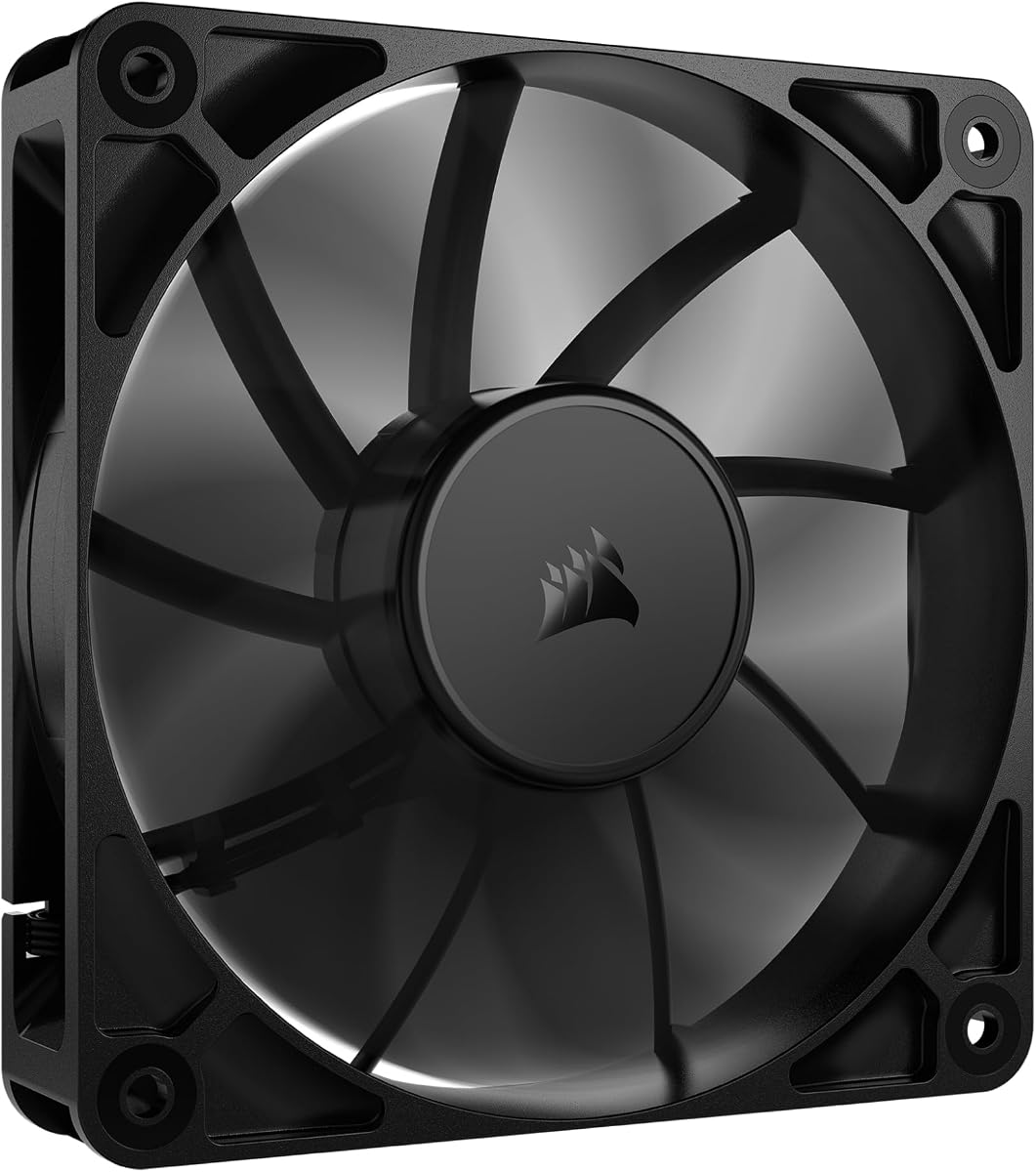
The DARKROCK 3-Pack offers excellent value by providing three high-performance cooling fans at a budget-friendly price point. It is a strong contender for those needing multiple exhaust solutions without overspending.
We may earn a commission when you buy through this link, at no additional cost to you.
Each fan uses a hydraulic bearing design which reduces noise and extends service life to an average of 30,000 hours. The soft silicone cushions absorb vibration effectively keeping the maximum noise at just 32.1 dBA.
The 3-pin interface limits advanced motherboard control but ensures simple installation compatible with all case types. While the speed is capped at 1200 RPM it still provides adequate airflow for general case cooling needs.
This pack is ideal for budget builds or large cases requiring multiple exhaust points. If you need straightforward reliable cooling and want to save money without sacrificing quality this three-pack is a smart choice.
Getting three fans in one purchase allows users to optimize airflow across their entire system without incurring high costs.
The included silicone cushions play a critical role in reducing noise by absorbing mechanical vibrations generated during high-speed rotation.
We may earn a commission when you buy through this link, at no additional cost to you.
Noctua is a legendary brand known for exceptional cooling performance and reliability. The NF-P12 redux-1700 brings this quality at a slightly more accessible price while maintaining its premium attributes.
We may earn a commission when you buy through this link, at no additional cost to you.
The pressure-optimised blade design delivers high static pressure making it effective for CPU coolers and radiators. With a mean time to failure exceeding 150,000 hours it offers peace of mind for long-term setups.
Although the redux edition excludes some extra accessories like anti-vibration mounts or extension cables the core fan performance remains top-tier. The PWM support allows automatic speed adjustments based on thermal loads.
For users who demand the absolute best cooling performance with minimal noise the Noctua NF-P12 is hard to beat. It is an ideal choice for high-performance builds where thermal stability and silence are paramount.
Noctua fans have won over 100 awards from international hardware sites validating their engineering and performance standards.
The specific blade design optimizes static pressure ensuring air is pushed effectively through radiators or restrictive components.
We may earn a commission when you buy through this link, at no additional cost to you.
This fan is designed for versatility working well with PCs servers or other electronic devices requiring dedicated cooling. It includes an AC plug so it can operate independently of your PC power supply.
We may earn a commission when you buy through this link, at no additional cost to you.
The variable speed controller allows you to adjust fan speed between 700 and 2800 RPM based on thermal needs. The dual-ball bearings are rated for 50,000 hours ensuring consistent operation in environments.
Because it runs on AC power it is perfect for server cabinets or routers where internal 12V headers might not be available. Just plug it into an outlet and start cooling immediately.
This option is best for users needing cooling for external or specialized equipment. If you want a fan that does not rely on motherboard headers or internal power cables this model is highly practical.
The built-in AC plug allows this fan to run without connecting to a motherboard or power supply which simplifies setup.
Adjustable speed controls let you optimize the noise and cooling balance for your specific environmental conditions.
We may earn a commission when you buy through this link, at no additional cost to you.
The X1 USB Cooling Fan is a compact solution designed to prevent overheating in portable or external devices like routers and consoles. Its whisper-quiet operation makes it suitable for living rooms or home offices.
We may earn a commission when you buy through this link, at no additional cost to you.
With a powerful 55.8 CFM airflow and 9-blade design it drops device temperatures rapidly. The built-in cable connects easily to chargers power banks or laptops requiring no extra wires for setup.
It features 4 shock-absorbing pads that protect surfaces from scratches and minimize vibration noise. The sturdy ABS material supports heavy-duty use and is designed to last up to 40,000 hours.
This fan is perfect for gamers or users with mini PCs and consoles that run hot. If you need a simple plug-and-play cooling solution that fits in narrow spaces this model is excellent.
Operating at just 18dB the fan is quieter than the sound of rustling leaves ensuring no distraction during use.
It works seamlessly with a wide variety of devices including PS5 routers and modems ensuring broad utility.
We may earn a commission when you buy through this link, at no additional cost to you.
The CORSAIR RS120 offers streamlined connectivity allowing multiple fans to be controlled through a single PWM connector. This reduces cable clutter and simplifies installation inside modern PC cases.
We may earn a commission when you buy through this link, at no additional cost to you.
Featuring AirGuide technology the anti-vortex vanes direct airflow precisely to hot components like radiators or heatsinks. The Magnetic Dome bearing minimizes noise and friction extending the fan's operational longevity.
With up to 72.8 CFM airflow and high static pressure it is highly effective for radiator mounts. The precise PWM speeds allow you to set optimal performance up to 2100 RPM.
This fan is ideal for users who value clean cable management and reliable cooling. If you plan to install multiple radiators or need high-pressure cooling for a liquid setup this model works well.
The daisy-chain feature allows you to control multiple fans via a single 4-pin PWM connector reducing complexity.
AirGuide technology uses specific vanes to direct airflow exactly where it is needed most for maximum thermal efficiency.
We may earn a commission when you buy through this link, at no additional cost to you.
This pack provides five high-performance fans with synchronized ARGB lighting allowing for a vibrant and cohesive build aesthetic. The high-brightness LED blades reflect light softly for an attractive visual effect.
We may earn a commission when you buy through this link, at no additional cost to you.
The S-FDB bearings solve blade shaking issues keeping noise minimal while maintaining excellent cooling performance. With speeds up to 1550 RPM these fans deliver strong airflow for CPU coolers and cases.
Up to 17 light modes can be managed via the motherboard port ensuring perfect color synchronization. The included cable length is sufficient for series control of multiple fans easily.
Ideal for users wanting aesthetic appeal without sacrificing cooling power this pack covers multiple case exhaust points. If you need to fill out a case with fans and lights this is a comprehensive solution.
The atomizing ARGB fan blades ensure light reflects effectively matching the cooler and case for a soft visual effect.
The S-FDB technology addresses common blade shaking issues ensuring smooth and quiet operation even at higher speeds.
We may earn a commission when you buy through this link, at no additional cost to you.
This 80mm fan is designed for compact builds where space is at a premium. It maintains silent operation while providing optimized airflow to reduce system heat effectively.
We may earn a commission when you buy through this link, at no additional cost to you.
The long-life bearing ensures durability making it suitable for mining rigs or server environments where continuous operation is required. Its rugged black frame offers consistent cooling in various mounting positions.
It is compatible with standard 80mm mounts replacing old worn-out fans easily. While it has less airflow than larger fans it is perfect for restricted areas needing ventilation.
If your case requires 80mm exhaust points or you need a small replacement fan this model is reliable. It delivers maximum airflow for its size with low noise levels.
The 80mm design fits small cases where standard 120mm fans cannot be installed.
Built with a reliable long-life bearing this fan withstands continuous operation in demanding environments.
We may earn a commission when you buy through this link, at no additional cost to you.
This fan is built for high-performance cooling requiring maximum airflow volume. With a thick 38mm profile it pushes an impressive 230 CFM of air making it ideal for mining rigs or server cases.
We may earn a commission when you buy through this link, at no additional cost to you.
The dual-ball bearings offer a lifespan of 67,000 hours and allow the fan to stand upright. While it supports PWM for speed regulation be aware that full speed can be loud for quiet setups.
It works well for projects needing serious ventilation like Antminer cases or GPU chassis. The 4PIN connector allows intelligent speed regulation via BIOS settings.
If you need raw cooling power and noise is secondary this fan delivers. It is a great choice for specialized high-heat environments where airflow is the top priority.
The fan is designed specifically for projects that require maximum cooling such as crypto mining rigs.
Dual-ball bearings support high-speed rotation for long-term reliability in demanding conditions.
We may earn a commission when you buy through this link, at no additional cost to you.
This trio provides a complete cooling solution with three fans ready to install. It offers soft ARGB lighting effects that can be managed through your motherboard port for a cohesive look.
We may earn a commission when you buy through this link, at no additional cost to you.
The S-FDB bearings ensure stable rotation minimizing noise while delivering cooling performance up to 1550 RPM. The design allows efficient heat removal from cases and CPU coolers alike.
With 66.17 CFM airflow each fan contributes to strong air movement. The high-brightness LEDs reflect light well matching other components for a polished aesthetic.
This pack is perfect for users needing a full set of fans for their case. If you want synchronized lighting and quiet performance in a budget-friendly three-pack this is an excellent option.
Getting three fans in one box allows you to cover all necessary intake and exhaust points easily.
The careful engineering of the S-FDB bearings reduces noise significantly ensuring a quiet computing experience.
We may earn a commission when you buy through this link, at no additional cost to you.
Choosing the right exhaust fan depends on several factors including case size cooling needs and budget. This guide helps you understand key specifications to make an informed decision.
Most PC cases support standard sizes like 120mm or 80mm fans. Check your case manual to confirm the available mounting locations and exact dimensions required.
Ensure the fan thickness matches your case clearance especially if using radiators or filters.
Airflow measured in CFM indicates how much air moves through the fan. High CFM is ideal for general case ventilation. Static pressure measures resistance capability useful for filters or radiators.
Prioritize high static pressure if your exhaust path has obstructions or dense filters.
Noise is measured in dBA. Lower values indicate quieter operation. Look for fans rated below 25 dBA for silent setups.
If noise is a concern check for silicone cushions or quiet bearings like fluid dynamic bearings.
Bearings affect fan lifespan and noise. Sleeve bearings are cheaper but wear faster. Ball bearings last longer and handle heat better.
Fluid dynamic bearings offer excellent balance of noise and longevity for most builds.
PWM fans use 4-pin connectors allowing speed control via motherboard. 3-pin fans run at constant speed unless manual controller is used.
Check your motherboard headers to ensure compatibility with the fan's connection type.
RGB fans add visual appeal but require extra cables or controllers. Decide if you want lighting effects for your setup.
Standard non-RGB fans are often quieter and simpler to install.
Look for sturdy frames and durable materials like PBT or reinforced plastic. High-quality mounts prevent vibrations that increase noise.
Strong build quality ensures the fan remains effective over years of use.
Compare price against features and quantity. Multi-packs offer better value if you need multiple fans.
Budget options can work well for basic cooling without sacrificing essential performance.
Ensure the fan is mounted securely using provided screws or rubber mounts. Correct orientation pushes air out of the case to expel heat effectively.
Clean the fan blades and housing regularly using compressed air to remove dust buildup that can hinder airflow and increase noise.
Monitor fan speeds via BIOS or software. If the fan becomes unusually noisy check bearings and mounting points for looseness or wear.
Yes, an exhaust fan helps remove hot air from inside the case preventing overheating which can throttle CPU and GPU performance. It ensures your components run at optimal temperatures.
Most modern cases use 120mm fans. Check your case specifications for supported sizes. Some compact cases may require 80mm or 92mm fans.
Mount the fan facing outward so it blows hot air out of the case. Use screws to secure it firmly. Ensure the wiring connects to the motherboard or a controller.
PWM fans have 4-pin connectors allowing the motherboard to adjust speed automatically based on temperature. Non-PWM fans run at fixed speed unless manually controlled.
Not necessarily. Noise depends more on the bearing and motor quality. Some RGB fans are very quiet while some standard fans can be noisy.
Clean your fan every three to six months or more often in dusty environments. Dust buildup reduces airflow and causes overheating.
We reviewed ten excellent exhaust fans for PC ranging from budget packs to premium silent models. Each offers unique features tailored to different building needs.
Prioritize size compatibility and noise levels when making your choice. High-quality bearings and correct airflow specs are essential for long-term cooling reliability.
Remember to verify current availability and specs before purchasing as models may vary. Selecting the right fan keeps your system cool and running smoothly.