
Bambu Lab P1S 3D Printer
4.5Editor score
Enclosed Design
15 Min Setup
500mm/s Speed
Multi Material Support
This guide compares the top easy to use 3D printers for beginners and experts, highlighting features like auto leveling, speed, and ease of setup for reliable
Finding an easy to use 3D printer can transform your creative projects into reality without the usual frustration. Modern devices now offer automated calibration and intuitive interfaces that make 3D printing accessible to everyone. Whether you are a hobbyist or a parent looking for a safe toy factory, the right machine matters.
We compared ten leading models based on setup time, calibration ease, print quality, and user feedback. Our analysis focuses on how quickly you can move from unboxing to printing without complex troubleshooting. Each product was evaluated for reliability, features that simplify the workflow, and overall user satisfaction ratings.
Each pick below shows a detailed breakdown of strengths, weaknesses, and ideal use cases to help you choose wisely. Note that prices change frequently, so always check current offers before making a purchase. Our goal is to save you time and money while ensuring you get a printer that delivers consistent results.
4.5Editor score

4.7Editor score
4.6Editor score
This table provides a side by side comparison of all ten products to help you quickly identify the best fit for your specific needs. We highlight key specifications such as print speed, build volume, and unique features that define user friendliness across different price points and use cases.



The Bambu Lab A1 stands out as the premier choice for anyone seeking an easy to use 3D printer. With a rating of 4.7 it offers unparalleled speed and precision without the typical calibration headaches. Its ready to use design ensures you spend time printing rather than troubleshooting technical issues.
We may earn a commission when you buy through this link, at no additional cost to you.
Its standout feature is the full auto calibration system which handles Z offset and bed leveling automatically. The active flow rate compensation ensures smooth prints while the 10000mm/s2 acceleration delivers results fast. The interface is simplified with a touchscreen that makes navigation intuitive for beginners and experts alike.
While the multi color printing requires an AMS lite add on the core experience remains seamless. The quiet motor noise canceling allows for home use without disturbing others. The quick swap nozzle system makes maintenance convenient and reduces downtime significantly.
This printer is perfect for families or creators who want reliability and speed out of the box. Its design minimizes friction in the workflow making it a top recommendation for most users. If you value time savings and print quality this model delivers consistently.
Full auto calibration handles all setup processes ensuring optimal performance for every print without manual intervention.
Active motor noise canceling and high acceleration allow for rapid silent printing suitable for any home environment.
We may earn a commission when you buy through this link, at no additional cost to you.
The Bambu Lab P1S combines speed with versatility in a fully enclosed package. Rated at 4.5 it is ideal for those needing to print advanced materials like ABS or ASA. The enclosed design improves thermal consistency for higher quality results across various projects.
We may earn a commission when you buy through this link, at no additional cost to you.
Setup takes just fifteen minutes allowing you to start printing almost immediately. The 500mm/s speed ensures you do not wait around for your masterpieces to finish. Auto bed leveling simplifies the process further ensuring high quality prints every time without manual adjustments.
While it supports a wide range of filaments carbon or glass fiber reinforced polymers are not recommended. The need for an AMS module for multi color printing adds to the initial cost. However the performance gain in speed and reliability justifies this for serious users.
If you require a printer that handles more than just PLA this is a strong contender. Its ease of use paired with professional capabilities makes it valuable for workshops or dedicated creators. It balances power with simplicity effectively.
Fully enclosed body improves print performance for advanced filaments ensuring stable temperatures and consistent results.
Spend more time printing and less time setting up with a user-friendly design that ensures hassle-free assembly.
We may earn a commission when you buy through this link, at no additional cost to you.
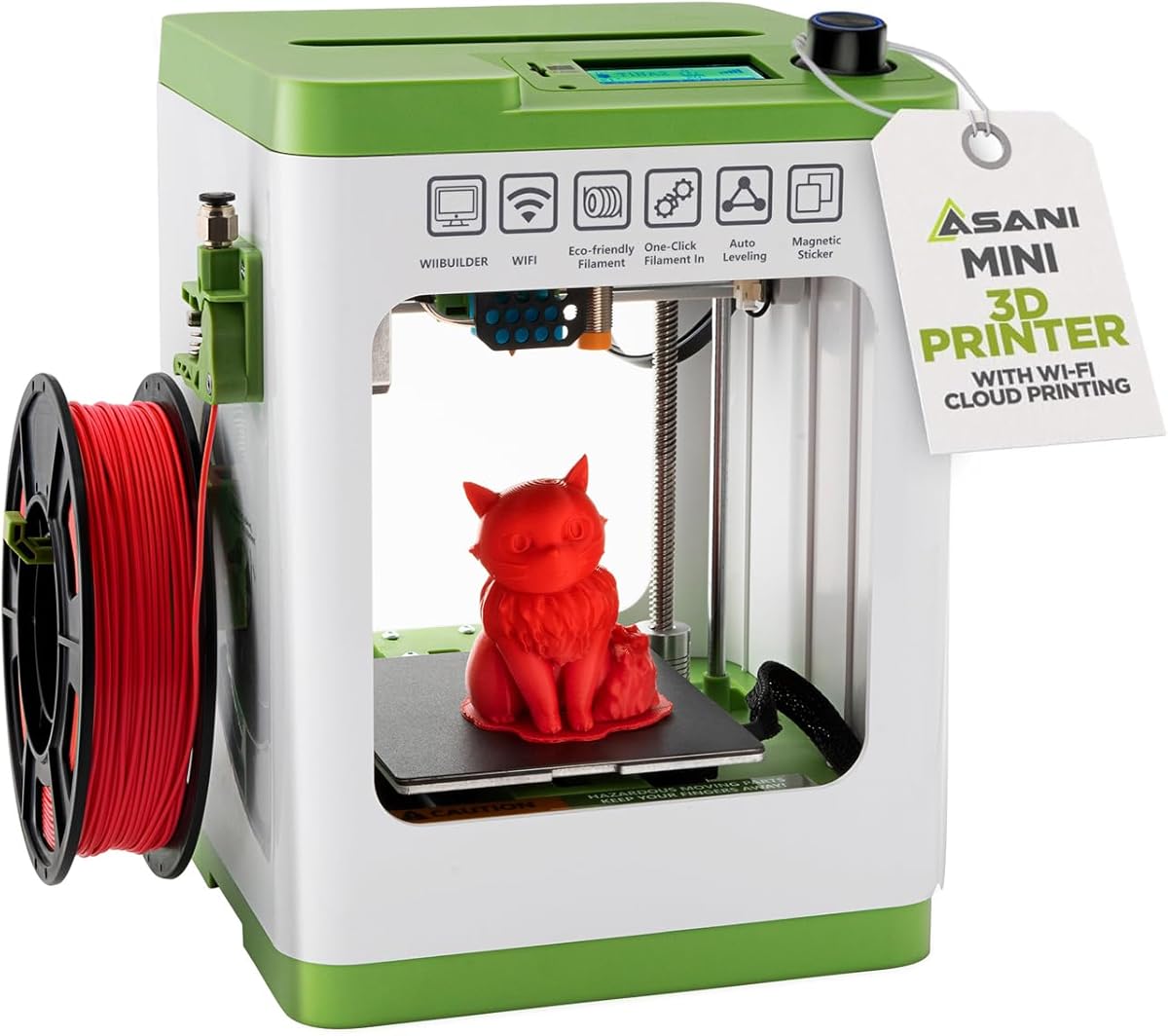
The TINA2S offers an unbeatable entry point for beginners needing a fully assembled mini 3D printer. With a 4.6 rating it comes ready out of the box with 10m of PLA and essential tools. This complete kit removes the friction of assembly that often stops new users.
We may earn a commission when you buy through this link, at no additional cost to you.
Its compact design fits easily on desks or in classrooms making it ideal for students or hobbyists with limited space. Auto leveling ensures reliable first layers while the flexible magnetic build plate makes model removal simple. Open source compatibility allows for future upgrades and customization.
The small build volume limits large projects but suffices for toys and small functional parts. Users must ensure they use the specific magnetic plate to avoid sensor issues. Despite these minor constraints the value provided is exceptional for the price point.
This printer is perfect for families wanting to try 3D printing without a heavy investment. It delivers reliable prints and teaches the basics of design without overwhelming complexity. If you need a reliable starter machine this is a top choice.
Unlike other 3D printers our printer is designed for reliable long-term use right out of the box.
Easy auto leveling and one touch filament loading turn complexity into creativity fueling simplicity.
We may earn a commission when you buy through this link, at no additional cost to you.
The A1 Mini is designed to make 3D printing easy from day one with automatic calibration. It includes a lamp kit allowing you to bring ideas to life with functional decorative lights. This adds immediate value and engagement for beginners who want fun projects quickly.
We may earn a commission when you buy through this link, at no additional cost to you.
Accessing MakerWorld provides a huge library of ready to print models without needing complex design skills. The device is compact and quiet fitting naturally into home studios or workspaces. Bambu Handy app integration ensures seamless management of prints from anywhere.
The build volume is smaller than full size models but perfect for personal gifts and decor. While it lacks multi color out of the box the speed and reliability make up for it. It is made for everyday creativity without the technical barriers.
This printer is ideal for gift making or small creative tasks at home. The included kit makes it a complete package for immediate enjoyment. If you want a hassle-free experience with quick results this is a great option.
Bring your ideas to life with the included LED Lamp Kit to turn creations into functional decorative lights.
Enjoy a connected ecosystem designed to make 3D printing easier and more enjoyable via the Bambu app.
We may earn a commission when you buy through this link, at no additional cost to you.
The Adventurer 5M series offers automatic bed leveling to save time on adjustments and ensure consistent adhesion. With a CoreXY structure and 600mm/s travel speed it maximizes efficiency for rapid prototyping. The design is smart with quick 3 second nozzle changes for versatility.
We may earn a commission when you buy through this link, at no additional cost to you.
Real time app monitoring allows you to receive instant status alerts remotely. The dual fan cooling and vibration compensation help maintain print quality at high speeds. A dual sided PEI platform makes removal easy for various creative projects.
While the rating is lower than some competitors the raw speed is a major plus. Users may find the interface less polished but the functionality is robust for production cycles. It is suited for those prioritizing speed over premium build quality.
Consider this if you need to produce parts quickly without waiting hours. The ability to monitor remotely adds convenience for busy creators. It balances efficiency and cost well for intermediate users.
Maximize efficiency and reduce production cycles with high speed printing and automatic bed leveling.
Monitor print progress remotely with the Flash Studio app to ensure a seamless experience anywhere.
We may earn a commission when you buy through this link, at no additional cost to you.
This AI 3D printer lets kids bring their imagination to life with voice or text prompts. With 8000 plus models it acts as a toy factory at home with endless DIY fun. The AI Doodle feature removes the need for design skills making it truly accessible.
We may earn a commission when you buy through this link, at no additional cost to you.
Safety is a priority with a closed design and pinch resistant parts for kids. Real time monitoring via camera lets families watch progress together. The included starter kit with filament and tools ensures everything is ready right out of the box.
While limited to single color printing it inspires creativity through smart design tools. The speed allows small projects to finish in minutes keeping kids engaged. It transforms screen time into tangible creation and learning.
Perfect for families looking to support STEM education at home. The AI features make design intuitive and the safety features give parents peace of mind. It is a thoughtful gift that encourages hands on creativity.
AI Doodle lets children create custom 3D models using voice or text with no design skills required.
Enclosed pinch resistant design and quiet operation make it a safe choice for children at home.
We may earn a commission when you buy through this link, at no additional cost to you.
The Tina2C is designed for first time users with guided setup through the Poloprint Cloud app. You can start your first print in as fast as eight minutes making it frustration free. AI creativity features allow photo to print capabilities for fun custom projects.
We may earn a commission when you buy through this link, at no additional cost to you.
Regularly updated STEM courses and interactive tools turn this into an educational experience. WiFi and offline modes give flexibility to create anytime without internet dependency. The compact body and low noise operation suit classroom or home environments well.
While the build volume is small it is perfect for school projects and small builds. The self cleaning nozzle and quick swap printhead reduce maintenance complexity significantly. It is a reliable tool for learning 3D design.
Ideal for classrooms or parents wanting an educational toy that grows with the child. The app integration provides structure to the learning process. It balances ease of use with educational value effectively.
Access 20+ creative modules and STEM learning courses for an engaging educational experience.
Supports both WiFi printing and TF card offline mode for flexibility anytime.
We may earn a commission when you buy through this link, at no additional cost to you.
The AD5M combines brand new technology and superior craftsmanship for all skill levels. A fully automatic one click leveling system measures nozzle to plate distance accurately. Say goodbye to manual calibration tools for a flawless first layer every time.
We may earn a commission when you buy through this link, at no additional cost to you.
Core XY all metal motion structure ensures high speed printing without compromising quality. It features a patent quick release nozzle allowing swaps in as little as three seconds. Power loss resume helps you save ongoing layers if electricity shuts down.
While it may take some time to master the software the hardware is robust. The PEI steel plate makes model removal simple and versatile. It is designed for stress free creative journeys with consistent performance.
A strong option for those needing reliable speed and durability. The automated features reduce manual effort and maintenance time. It fits well for makers who want consistent quality without constant tweaking.
Durable CoreXY structure ensures high speed printing with stable and smooth motion for reliability.
Resume prints after power outages by saving the ongoing layer and continuing from that point.
We may earn a commission when you buy through this link, at no additional cost to you.
Designed for fast setup the Ender 3 V3 SE can be assembled in just a few simple steps. CR Touch auto leveling and automatic Z offset calibration help achieve a reliable first layer. It reduces manual adjustments making printing easier for beginners.
We may earn a commission when you buy through this link, at no additional cost to you.
The upgraded Sprite Direct Drive Extruder provides smooth filament feeding for various materials. Dual synchronized Z-axis screws and precision shafts work together to reduce vibration and ensure consistent quality. A 32-bit silent mainboard reduces operating noise for comfort.
While the build volume is moderate it is sufficient for everyday projects. The flexible PC spring steel build plate allows models to be removed quickly with minimal effort. It offers proven performance without unnecessary complexity.
Perfect for anyone looking for a no fuss entry into 3D printing. The balance of speed and stability makes it a solid choice for learning. It delivers consistent results for daily use.
Designed for fast and straightforward setup with auto leveling to reduce manual adjustments.
Dual synchronized Z-axis lead screws help reduce vibration and support accurate layer alignment.
We may earn a commission when you buy through this link, at no additional cost to you.
The Kobra X comes born with 4 colors built-in allowing for multicolor designs. It is innovative and easily expandable up to 19 colors with extra units. The native capability saves hours of time and filament on purging.
We may earn a commission when you buy through this link, at no additional cost to you.
Equipped with a hardened steel nozzle and vibration compensation it ensures smooth layers. LeviQ 3.0 uses 49 point calibration to ensure 100% bed flatness. The large model library offers over 100,000 models for home use or schools.
Filament is not included in the package so be sure to budget for that. The large print size and dual-band WiFi add convenience and utility. It is a powerful tool for creative production.
Best for those who need color output without complex external systems. The speed and quality make it suitable for larger scale personal projects. It balances advanced features with usability.
Comes with 4 colors built-in to easily expand palette for breathtaking multicolor designs.
LeviQ 3.0 and auto bed leveling ensure 100% bed flatness for flawless first layers.
We may earn a commission when you buy through this link, at no additional cost to you.
Choosing a printer involves evaluating features that simplify the workflow and ensure reliable prints. We break down the key factors to consider for a frustration free experience.
Look for models with auto bed leveling and auto Z offset calibration. These features eliminate the need for manual adjustments which are often the biggest hurdle for beginners. Full auto calibration handles all setup processes so you start printing faster.
Prioritize printers that offer one click leveling or guided setup apps to ensure you start fast.
The build volume determines the maximum size of your objects. While larger volumes offer versatility smaller compact models often fit better on desks. Consider if you need to print large props or small toys when choosing dimensions.
Match the build volume to your most common project types to avoid wasted space.
Modern printers can achieve speeds up to 600mm/s. High speed models reduce wait times but require stable electronics to maintain quality. Acceleration values like 10000mm/s2 indicate how quickly the head can move without losing precision.
Higher speed models generally improve workflow efficiency for hobbyists.
Enclosed designs help maintain temperature for advanced filaments like ABS. Open frames are simpler but may struggle with warping on complex projects. Choose based on the materials you plan to use regularly.
Select enclosed models for better thermal consistency and advanced material support.
Some brands offer cloud ecosystems like MakerWorld or Poloprint Cloud with ready to print models. Open source options allow compatibility with third party slicing software like Cura. Integrated apps enable remote monitoring which is essential for modern workflows.
Choose ecosystems that match your need for convenience versus customization.
Quick swap nozzle systems allow changes in seconds without tools. This simplifies switching between materials or sizes for different projects. Look for models with patented quick release or clip systems for efficiency.
Prioritize quick swap systems to simplify maintenance and reduce downtime.
Ensure the printer supports PLA and TPU for beginners. Direct drive extruders handle flexible filaments better than bowden setups. Some machines may not support carbon fiber reinforced polymers so check specifications carefully.
Verify material support aligns with your project requirements before buying.
Entry level models may require filament purchases separately. Higher end models often include more accessories and better warranties. Consider the total cost of ownership rather than just the sticker price.
Evaluate total cost of ownership to find the best value long term.
Start by placing the printer on a level and vibration free surface to ensure stable prints. Connect it to your network and follow the app guided setup for auto leveling. Ensure the build plate is clean to avoid adhesion issues during the first layer.
Use the recommended filament types for your model to prevent extrusion problems. Load and retract filament using the one touch buttons if available. Monitor the first few prints via camera or app to verify settings are correct.
Maintain the printer by occasionally lubricating moving parts and cleaning the nozzle. Check the build plate for scratches that could affect adhesion. Store filament in a dry place to prevent moisture absorption which degrades print quality.
An easy to use 3D printer features automated calibration, intuitive interfaces, and reliable build surfaces. Look for auto bed leveling and quick setup times to avoid complex troubleshooting. These features ensure a frustration free experience for beginners.
Many modern printers arrive fully assembled or require minimal assembly. Fully assembled kits save time and reduce the risk of errors. Beginners should choose models with guided setup apps for maximum convenience.
Enclosed printers offer better temperature control which reduces warping for common filaments. They also provide a safer environment for home use. However open frames are simpler to access for maintenance.
Yes many models support multi color printing via add on modules or native capabilities. Systems like AMS allow swapping colors automatically without stopping the print. Check if the color system is included or sold separately.
Speeds around 250mm/s to 600mm/s balance quality and efficiency. Higher acceleration ensures faster prints without losing detail. However lower speeds may be preferred for intricate models.
Costs vary but filament and electricity are the main expenses. Modern printers are energy efficient but check power usage specifications. Always budget for extra accessories like spare nozzles.
WiFi enables remote monitoring and control which adds convenience to your workflow. It allows you to track progress from a phone or PC. Consider models with dual band support for stability.
Most printers have power loss resume to save ongoing layers. Auto leveling and vibration compensation help prevent failure causes. Use the included model libraries to start with reliable templates.
We reviewed ten exceptional models offering automated setup and high performance for various needs. Whether you need speed, safety for kids, or budget value there is a perfect match. The Bambu Lab A1 remains our top recommendation for balanced excellence.
Prioritize features like auto calibration and filament compatibility when making your choice. These elements determine long term success and ease of use. A reliable machine saves time and frustration over the life of the device.
Remember to check current prices and availability before purchasing as offers fluctuate. Our goal was to simplify your selection process with honest expert insights. With the right printer your creative projects are ready to take off today.