
Dell Latitude 3550 Business Laptop
4.5Editor score
Intel Ultra 7 155U
16GB DDR5 RAM
1TB SSD Storage
15.6 inch FHD Display
Finding the right business laptop requires balancing power, portability, and reliability. Dell Latitude laptops excel in these areas, offering robust security, long battery life, and durable designs. These machines serve professionals who need consistent performance for demanding workflows without compromising on mobility.
We evaluated ten distinct Dell Latitude models based on processor speed, memory capacity, display quality, and connectivity options. Our analysis focuses on how each device handles multitasking, video conferencing, and data security. We prioritize systems that support modern AI tools and offer flexible upgrade paths for future needs.
Each selection highlights specific strengths such as screen size, keyboard comfort, or thermal management. Readers will find options ranging from compact ultraportables to larger productivity workstations. Prices and availability fluctuate frequently, so verify current details before making your final purchase decision.
4.5Editor score

4.6Editor score

5.0Editor score
As an Amazon Associate we earn from qualifying purchases.
The following table provides a side-by-side comparison of all ten selected Dell Latitude models, focusing on key specifications like processor type, memory size, storage capacity, and display characteristics.




The Dell Latitude 5450 stands out as a top-tier business laptop with an impressive rating. Its balance of performance and portability makes it ideal for professionals requiring a powerful yet portable workstation. The system handles complex tasks effortlessly.
We may earn a commission when you buy through this link, at no additional cost to you.
Powered by the Intel Ultra 7 processor and 32GB of DDR5 RAM, this model excels in multitasking scenarios. The 1TB SSD ensures rapid data access, while the 14-inch FHD IPS display offers sharp visuals with 400 nits brightness. Support for three external monitors enhances productivity significantly.
Trade-offs include a higher price compared to entry-level models and limited graphical horsepower for gaming. These limitations are acceptable given the target audience focuses on productivity and security. The device remains stable under load without overheating issues.
Business users and administrative teams will find this device perfectly suited for their needs. It offers the reliability required for daily operations and hybrid work setups. We recommend it for those prioritizing performance and durability.
The inclusion of AI-powered Copilot and Windows 11 Pro tools streamlines daily workflows. Security features like BitLocker and facial recognition protect sensitive data effectively.
Built to meet rigorous standards, this laptop ensures longevity in demanding environments. Thunderbolt 4 ports provide versatile docking solutions for modern peripherals.
We may earn a commission when you buy through this link, at no additional cost to you.
This model delivers robust performance with a spacious screen ideal for data analysis. It maintains a high rating due to its effective balance of speed and storage options. The dual SSD configuration adds reliability to the system architecture.
We may earn a commission when you buy through this link, at no additional cost to you.
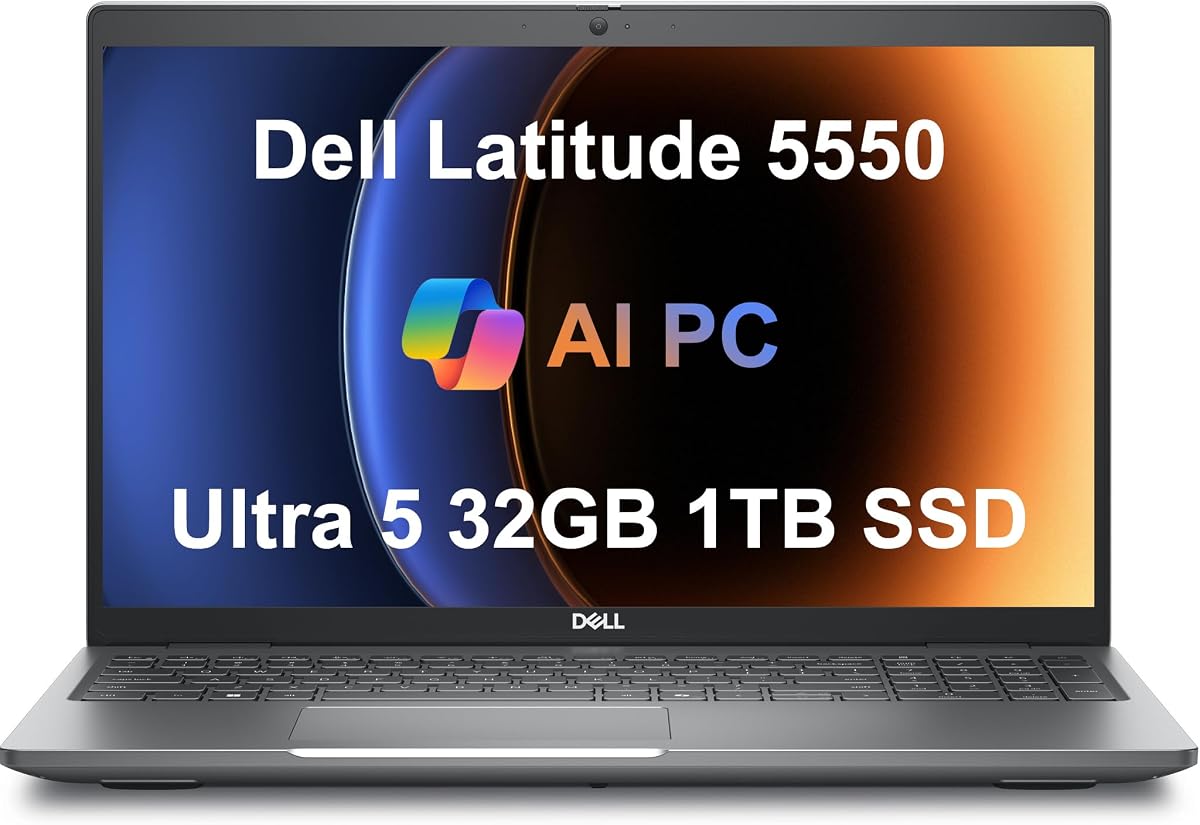
The Intel Core Ultra 5 processor paired with 32GB DDR5 RAM handles heavy multitasking smoothly. Users benefit from a 15.6 inch FHD display that provides ample workspace. Connectivity includes Thunderbolt 4 and HDMI, allowing multiple external monitor setups.
While the weight is slightly higher than ultraportables, it remains manageable for office use. The resolution is standard FHD rather than higher alternatives which may affect sharpness. However, the productivity gains from screen real estate outweigh this trade-off.
Professionals requiring a desktop replacement or home office setup will appreciate this choice. It supports complex workflows without compromising on stability. We suggest it for those needing larger screens and high memory.
Separating system and storage drives onto dual SSDs improves overall stability and file management. This design helps maintain performance integrity over time.
The webcam includes an HDR RGB sensor and a physical privacy shutter. This ensures clear video calls while giving users control over their privacy.
We may earn a commission when you buy through this link, at no additional cost to you.
This laptop offers an impressive combination of performance and affordability for business users. It features a high-end Intel Ultra 7 processor, typically found in more expensive models. The value proposition is strong for teams looking to equip staff efficiently.
We may earn a commission when you buy through this link, at no additional cost to you.
The 15.6 inch display provides a comfortable viewing experience. It supports standard business tasks well with 16GB DDR5 RAM and 1TB SSD storage. Connectivity options include essential ports like RJ-45 and HDMI for easy integration with office setups.
Trade-offs include a design that may feel less premium than higher-tier models. Port variety is functional but lacks some advanced options like Thunderbolt 4. Despite this, it covers most professional requirements effectively.
Small business owners and educational institutions will find this model highly practical. It balances cost and performance without sacrificing essential features. We recommend it for budget-conscious buyers needing reliability.
The Intel Ultra 7 155U processor brings powerful computing capabilities to a budget tier. It supports AI acceleration and efficient multitasking.
Biometric security is included via a fingerprint reader. This adds a layer of protection for data access and user login.
We may earn a commission when you buy through this link, at no additional cost to you.
This ultraportable combines power and interaction with a perfect five-star rating. Its touchscreen capability sets it apart for presenters and creative professionals. The build quality and performance are consistent with high-end standards.
We may earn a commission when you buy through this link, at no additional cost to you.
The Intel Core Ultra 7 165U provides exceptional speed for complex tasks. 32GB of DDR5 RAM ensures smooth multitasking. The 13.3 inch display is sharp and vibrant, enhancing the interactive experience. WiFi 6E keeps connections fast and stable.
The premium price reflects the advanced hardware and features. Touchscreen functionality can reduce battery life if used extensively. However, for professionals valuing touch input, this is a minor compromise.
Executives and creative directors needing a portable power tool should consider this model. It supports interactive presentations and on-the-go work effectively. We recommend it for those needing top performance in a small package.
Despite its compact size, this laptop delivers high performance. It remains lightweight enough for frequent travel.
The touchscreen allows for intuitive navigation and annotation. It enhances usability during meetings or collaborative sessions.
We may earn a commission when you buy through this link, at no additional cost to you.
This model is engineered for mobility and longevity in the field. It maintains a perfect rating due to its reliable battery performance. Users can work all day without needing a power outlet constantly.
We may earn a commission when you buy through this link, at no additional cost to you.
The 16-inch WUXGA display offers more vertical screen real estate than standard FHD. It supports up to three external monitors for a expanded workspace. The MIL-STD 810H certification ensures it withstands physical stress.
Storage is limited to 512GB which may require external solutions. The processor is efficient but not top-tier for heavy computing. These trade-offs are acceptable for users prioritizing battery and durability.
Field professionals and travelers needing reliable uptime will appreciate this device. It supports demanding workflows while remaining portable. We recommend it for those valuing battery performance.
The ability to drive multiple external displays transforms this laptop into a mobile workstation. It handles video calls and large file management easily.
Military-grade testing standards provide confidence in daily commuting. The chassis is built to resist wear and impact.
We may earn a commission when you buy through this link, at no additional cost to you.
This refurbished model offers a high value proposition for budget-conscious buyers. It provides significant memory and storage for tasks requiring data handling. The certification process ensures a working condition that meets business standards.
We may earn a commission when you buy through this link, at no additional cost to you.
The 15.6 inch screen provides standard visuals for office work. It connects to external displays via HDMI and USB-C. The SD card reader facilitates easy transfer of media and documents.
An older processor means lower efficiency for AI workloads. The HD resolution is basic compared to modern FHD screens. However, for general office tasks, performance remains adequate and reliable.
Teams looking to refresh hardware economically will find this suitable. It offers the capacity to handle multiple applications. We recommend it for internal IT projects with budget constraints.
32GB of RAM and 1TB of NVMe storage support heavy multitasking. This configuration is rare at this price point.
Refurbished units undergo testing to ensure functionality. This reduces risk for buyers seeking cost savings.
We may earn a commission when you buy through this link, at no additional cost to you.
This device prioritizes mobility without sacrificing core performance capabilities. It is designed for professionals constantly on the move. The weight is minimized to ensure comfort during long travel days.
We may earn a commission when you buy through this link, at no additional cost to you.
The Intel Ultra 5 processor provides efficient performance for daily tasks. Windows Studio Effects enhance video calls by adjusting framing and noise. The display is compact but bright enough for most environments.
The screen size limits multitasking on the device itself. Storage capacity is adequate but may require external drives for large archives. These are standard compromises for this form factor.
Remote workers and consultants moving between client sites will benefit. It balances portability with the power needed for work. We recommend it for travelers prioritizing weight.
AI-driven audio features improve call clarity. This ensures professional communication even in noisy spaces.
At 2.72 lbs, this laptop is easy to carry in a shoulder bag. It fits comfortably under airplane seats.
We may earn a commission when you buy through this link, at no additional cost to you.
This laptop introduces AI capabilities through a dedicated Neural Processing Unit. It accelerates specific tasks like image recognition and transcription. The build quality and reliability are consistent with business expectations.
We may earn a commission when you buy through this link, at no additional cost to you.
The processor beats previous generations in multi-core efficiency. WiFi 6E ensures fast network speeds for cloud applications. The keyboard provides a comfortable typing experience for extended sessions.
RAM and storage are sufficient but not expandable to the highest levels. This is fine for standard office tasks but not heavy data processing. Users should plan accordingly for storage needs.
Professionals interested in AI-enhanced tools will find this attractive. It supports the future of business computing effectively. We recommend it for those looking ahead to AI integration.
The dedicated NPU handles local AI tasks efficiently. It offloads work from the main CPU to save battery.
Support for Wi-Fi 6E ensures stable and fast connections. This is critical for seamless cloud collaboration.
We may earn a commission when you buy through this link, at no additional cost to you.
This model targets standard business needs with a focus on cost efficiency. It provides a large screen for document editing and web browsing. The configuration is solid for general productivity tasks.
We may earn a commission when you buy through this link, at no additional cost to you.
The Intel Core i5-120U handles everyday applications smoothly. DDR5 RAM ensures responsiveness even with multiple apps open. The 16-inch display offers ample workspace for spreadsheets.
Heavy gaming or rendering is not supported due to integrated graphics. Battery life is average compared to premium models. This is acceptable given the price point and target use cases.
Small business teams and students will find this practical. It covers essential computing needs without unnecessary cost. We recommend it for standard office environments.
The 16-inch FHD+ screen offers 1200p resolution. It provides more vertical space for multitasking.
Support for modern wireless standards ensures fast internet. It includes standard ports for peripherals.
We may earn a commission when you buy through this link, at no additional cost to you.
This laptop serves entry-level business needs with essential reliability. It is robust enough to handle daily operations in various environments. The design focuses on durability and basic security.
We may earn a commission when you buy through this link, at no additional cost to you.
The Intel i3 processor is efficient for web-based tasks and email. DDR5 RAM allows smooth switching between apps. The fingerprint reader adds necessary security for shared environments.
Performance is limited compared to i5 or i7 models. Complex computations will be slower. However, for basic office tasks, it is sufficient and cost-effective.
Startups and entry-level employees should consider this option. It provides a solid foundation for business computing. We recommend it for organizations with budget priorities.
Military standard testing ensures it survives daily wear. This makes it suitable for field workers or commuting staff.
Biometric login adds convenience and safety. It secures data access quickly without typing passwords.
We may earn a commission when you buy through this link, at no additional cost to you.
Selecting the right business laptop requires evaluating hardware capabilities against your specific workflow requirements. The following factors help narrow down the best options.
The processor determines how quickly applications run and how well the laptop handles multitasking. Look for newer Core Ultra or i5/i7 chips for improved efficiency and AI support.
Choose a higher tier processor if you run heavy software like CAD or data analysis tools.
RAM dictates how many programs you can run simultaneously without slowdowns. 16GB is the standard baseline for modern business needs.
Opt for 32GB if you work with large datasets, virtual machines, or frequent video editing.
Solid State Drives (SSD) provide faster boot times and application loads compared to traditional hard drives. NVMe SSDs are the fastest standard available.
Ensure at least 512GB capacity to store necessary files and operating system updates efficiently.
Screen resolution and brightness affect eye comfort and visual clarity. FHD and WUXGA resolutions are ideal for office work.
Select a screen with higher brightness if you often work in bright office environments or outdoors.
Weight and dimensions determine how easy the laptop is to carry. 13-inch models are lightest, while 15-inch models offer larger screens.
Consider your travel frequency. If you commute daily, prioritize models under 3.5 lbs.
Ports like Thunderbolt 4 and HDMI allow connections to external monitors and peripherals. Check for sufficient USB-A and USB-C ports.
A built-in Ethernet port is crucial for office environments requiring stable wired internet connections.
Long battery life ensures you can work uninterrupted throughout the day. Look for models with 8+ hours of real-world usage.
Fast charging support is beneficial for reducing downtime when you need a quick power boost.
Business laptops should include features like fingerprint readers and IR cameras for Windows Hello facial recognition.
Ensure the device supports enterprise-grade encryption tools to protect sensitive company data.
Always place your laptop on a hard, flat surface to ensure proper ventilation. This prevents overheating during extended usage and protects internal components.
Use a soft, lint-free cloth to clean the screen. Avoid harsh chemicals or abrasive materials that could damage the anti-glare coating.
Keep your laptop plugged in occasionally to calibrate the battery. Update drivers regularly through Dell Support Assistant to maintain peak performance and security.
The 3000 series is designed for entry-level business use with cost-effective features. The 5000 series offers higher performance, better build quality, and more ports for professional workflows.
Yes, models with i7 or Ultra processors and 32GB RAM are suitable for standard video editing. However, for heavy 4K editing, dedicated workstation models are recommended.
Most models provide between 8 to 11 hours of standard office usage. Actual battery life varies based on screen brightness and application load.
Many Latitude models allow upgrades for RAM and SSD. However, some ultra-slim models have soldered components. Check the specific manual before purchase to confirm upgradeability.
All listed models come with Windows 11 Pro pre-installed. This edition includes features like BitLocker and remote desktop for business security and management.
Most models support up to three external displays via HDMI and Thunderbolt ports. Using docking stations enhances this capability for expanded desktop setups.
Yes, they are built to meet MIL-STD 810H standards. This certification ensures resistance to dust, shock, and temperature variations.
Standard warranties usually cover one year of hardware service. Extended service plans including accidental damage protection are available through Dell support.
The Dell Latitude series offers a wide range of solutions for every type of professional. Whether you need a portable touchscreen for travel or a large screen for productivity, there is a model to fit.
Prioritize performance and battery life based on your daily tasks. Selecting the right screen size and weight will significantly impact your user experience over time.
Remember that specifications and prices change frequently. Always verify current details and availability before finalizing your purchase to ensure the best value.