
Amazon Basics Condenser Microphone
4.4Editor score
Cardioid pickup pattern isolates voice
One tap silent mode mute button
Adjustable 360 degree stand included
Finding a reliable cheap podcast microphone can be challenging when you need professional sound without breaking the bank. Modern USB microphones offer impressive clarity and features that rival expensive studio gear. Whether you are starting a new show or upgrading your setup, there are excellent options available for every creator.
We have carefully analyzed top models based on audio performance, build quality, and ease of use. Our team looked at frequency response, noise rejection, and connectivity options to ensure a fair comparison. This list includes versatile microphones suitable for streaming, recording, and voice work across various devices.
Each pick highlights key strengths and potential limitations to help you make an informed decision. Remember that specific models may vary in availability and features over time. Check the latest product details before purchasing to ensure it meets your current recording needs.
4.4Editor score

4.4Editor score

4.5Editor score
As an Amazon Associate we earn from qualifying purchases.
This side-by-side comparison evaluates all ten models to highlight their unique strengths and technical specifications. Use this table to quickly identify the right microphone for your specific recording environment.




The ZealSound Podcast Microphone stands out as a top choice for creators seeking professional audio without high costs. With a 4.4 rating, it delivers broadcast-level sound using a high-performance condenser capsule. Its design focuses on your voice while reducing unwanted background noise effectively.
We may earn a commission when you buy through this link, at no additional cost to you.
Key strengths include an intelligent Noise Reduction Mode that minimizes keyboard clicks and fan hum. Physical knobs allow you to adjust mic volume, monitoring levels, and echo instantly. Zero-latency monitoring ensures you hear your voice in real time without delay.
While the echo knob offers creative depth, some users may need to adjust it carefully to avoid distortion. The included adapters for mobile devices are excellent, though the USB cable length might require careful routing on larger desks.
This microphone is ideal for podcasters, streamers, and online educators who need reliable setup with full control. Its all-in-one package makes it a perfect starting point for high-quality content creation across multiple platforms.
Pressing the mute button activates a blue indicator that suppresses background noise like AC hum and fan sounds.
A built-in 3.5mm jack lets you hear your voice instantly while adjusting headphone levels independently for comfort.
We may earn a commission when you buy through this link, at no additional cost to you.
The Amazon Basics Condenser Microphone offers exceptional value for those just starting their podcasting journey. Rated 4.4, it features a large 14mm diaphragm for clear sound pickup. Its straightforward design makes it easy to use right out of the box.
We may earn a commission when you buy through this link, at no additional cost to you.
The cardioid pickup pattern effectively isolates your voice from background noise, ensuring clean recordings. A one-tap mute function syncs with your laptop for quick privacy control. The included stand allows 360-degree rotation for flexible positioning on any desk.
While it lacks advanced knobs or lighting effects, this simplicity is a strength for users who prefer minimal setup. The shock absorber and silicone boot help reduce vibration noise during active sessions, though it does not match the build of heavier metal units.
Ideal for students, remote workers, and beginners, this microphone provides clear audio for meetings and casual recording. It is a reliable, low-risk option for anyone needing a decent mic without complex configuration steps.
The microphone captures clear sound in front while reducing side noise for better broadcast quality.
A built-in mute button allows you to quickly silence audio during calls without navigating software settings.
We may earn a commission when you buy through this link, at no additional cost to you.
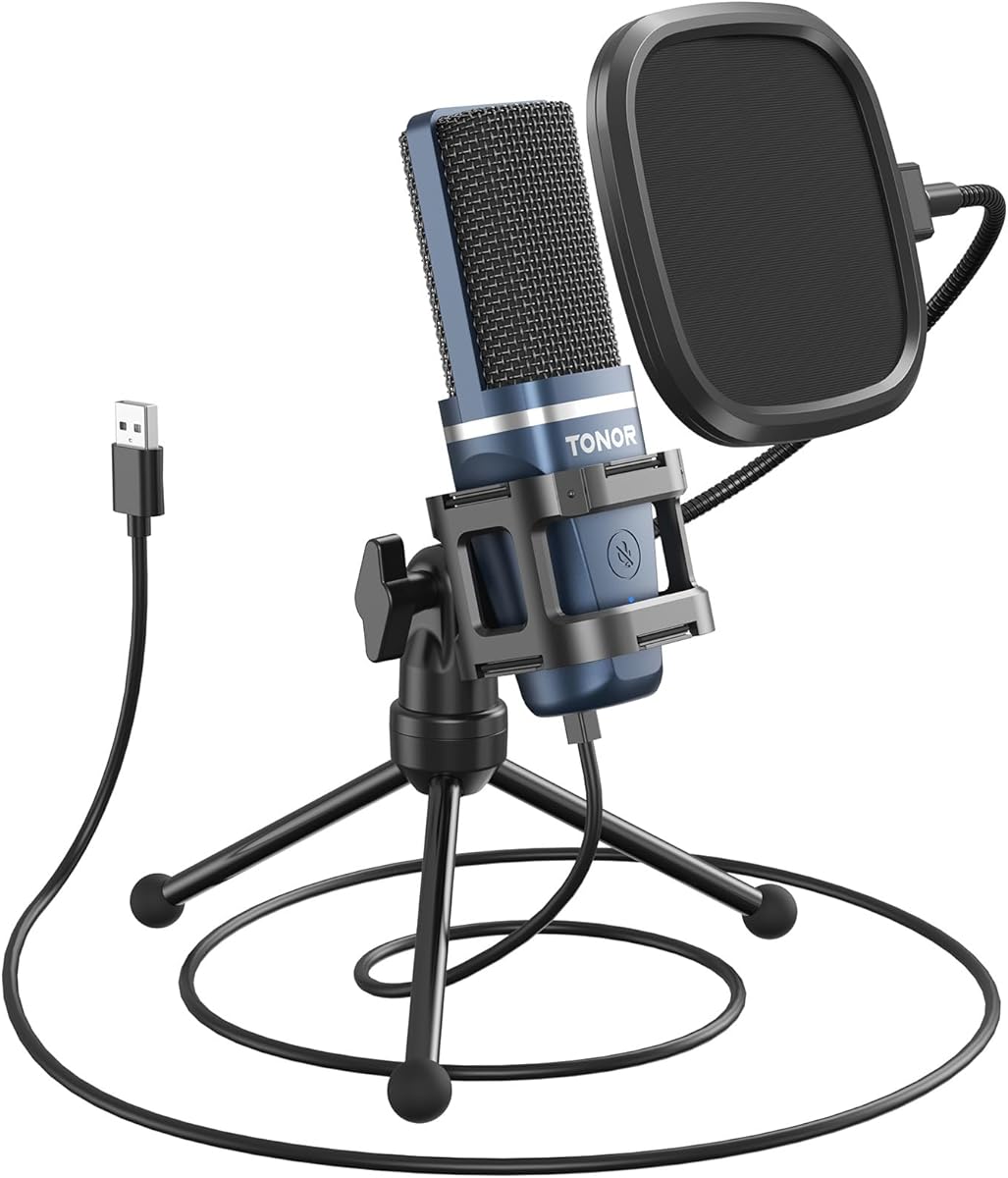
The TONOR TC-777 is a versatile microphone designed for podcasting and streaming. With a 4.3 rating, it captures clear voice through a cardioid pickup pattern. Its package includes essential accessories to improve sound quality immediately.
We may earn a commission when you buy through this link, at no additional cost to you.
The included pop filter and shock mount prevent vibrations and plosive noises from affecting your recording. One-click mute and volume controls allow easy operation during live sessions. It works well with Windows, Mac, and PS systems for broad usability.
The angle of the microphone and pop filter can be adjusted to suit your recording position. However, it does not support Xbox consoles. The foldable tripod stands small on your desk but may not reach further distances compared to boom arms.
This model is best for hobbyists needing a complete kit with vibration protection. It offers a practical setup for voice calls and content creation without needing extra purchases or complex hardware.
A shock mount and pop filter prevent keyboard taps and hard sounds from distorting your voice recording.
Connect via USB 2.0 and start recording on supported devices without installing drivers or software.
We may earn a commission when you buy through this link, at no additional cost to you.
The FIFINE K669B is known for its solid construction and clear sound output. With a 4.5 rating, it delivers smooth vocals for recordings and streaming. Its simple design makes it an excellent choice for daily use.
We may earn a commission when you buy through this link, at no additional cost to you.
A mic volume knob allows you to adjust sensitivity directly on the device. The cardioid condenser reduces background noise while focusing on your main voice source. It does not require external power, simplifying your setup.
The included 5.9-foot cable provides flexibility in placement, though the stand is basic. While it lacks visual effects, the audio quality remains consistent. It is a great tool for gamers and streamers prioritizing performance over aesthetics.
Buyers looking for a sturdy microphone that withstands heavy use will appreciate this model. It offers reliable performance for podcasts and meetings with minimal maintenance requirements and straightforward controls.
Adjust your voice volume directly on the device to maintain clear output without software settings.
Solid construction ensures longevity for voice-over and livestream setups where the mic is used often.
We may earn a commission when you buy through this link, at no additional cost to you.
The FIFINE AmpliGame AM8 offers flexibility with both USB and XLR connections. With a 4.5 rating, it provides balanced audio clarity for dynamic voices. Its premium features make it a strong choice for serious streamers.
We may earn a commission when you buy through this link, at no additional cost to you.
RGB lighting adds a visual element to your setup, controllable via a dedicated key. Tap-to-mute ensures privacy during live streams, with a LED reminder to prevent accidents. Hardware controls allow smooth adjustments during gameplay.
While the XLR connection allows for future upgrades, the cable must be purchased separately. The RGB lighting is limited to USB mode, which may confuse users switching connections. Overall, it supports high-fidelity and natural voice reproduction.
Creators seeking a microphone that can grow with their studio will find this valuable. It combines practical controls and visual flair, making it a top pick for gaming and professional podcast recording.
Upgrade to an audio interface later for professional flexibility and smoother operation without extra setup.
Quickly silence audio with a tap so you do not interrupt streams or conversations accidentally.
We may earn a commission when you buy through this link, at no additional cost to you.
The Logitech Blue Yeti remains a classic choice for podcasters needing professional versatility. With a 4.6 rating, its three-capsule array produces broadcast-quality sound. It is widely recognized for its ability to adapt to various recording scenarios.
We may earn a commission when you buy through this link, at no additional cost to you.
Four pickup patterns allow you to switch between cardioid, omni, bidirectional, and stereo modes. The Blue VO!CE software adds modulation and effects to enhance vocal clarity. Onboard controls give you direct access to gain, mute, and pattern selection.
While it offers premium performance, the larger size may dominate smaller desks. Software installation is necessary for full feature access. However, the audio fidelity is unmatched in this category, justifying its reputation as a studio standard.
For podcasters who need high flexibility and top-tier sound, the Blue Yeti is a top recommendation. It balances ease of use with professional-grade capabilities that suit any serious creator.
Record vocals, instruments, or interviews using flexible patterns that would normally require multiple microphones.
Enhance your stream or recording with advanced effects, modulation, and HD audio samples.
We may earn a commission when you buy through this link, at no additional cost to you.
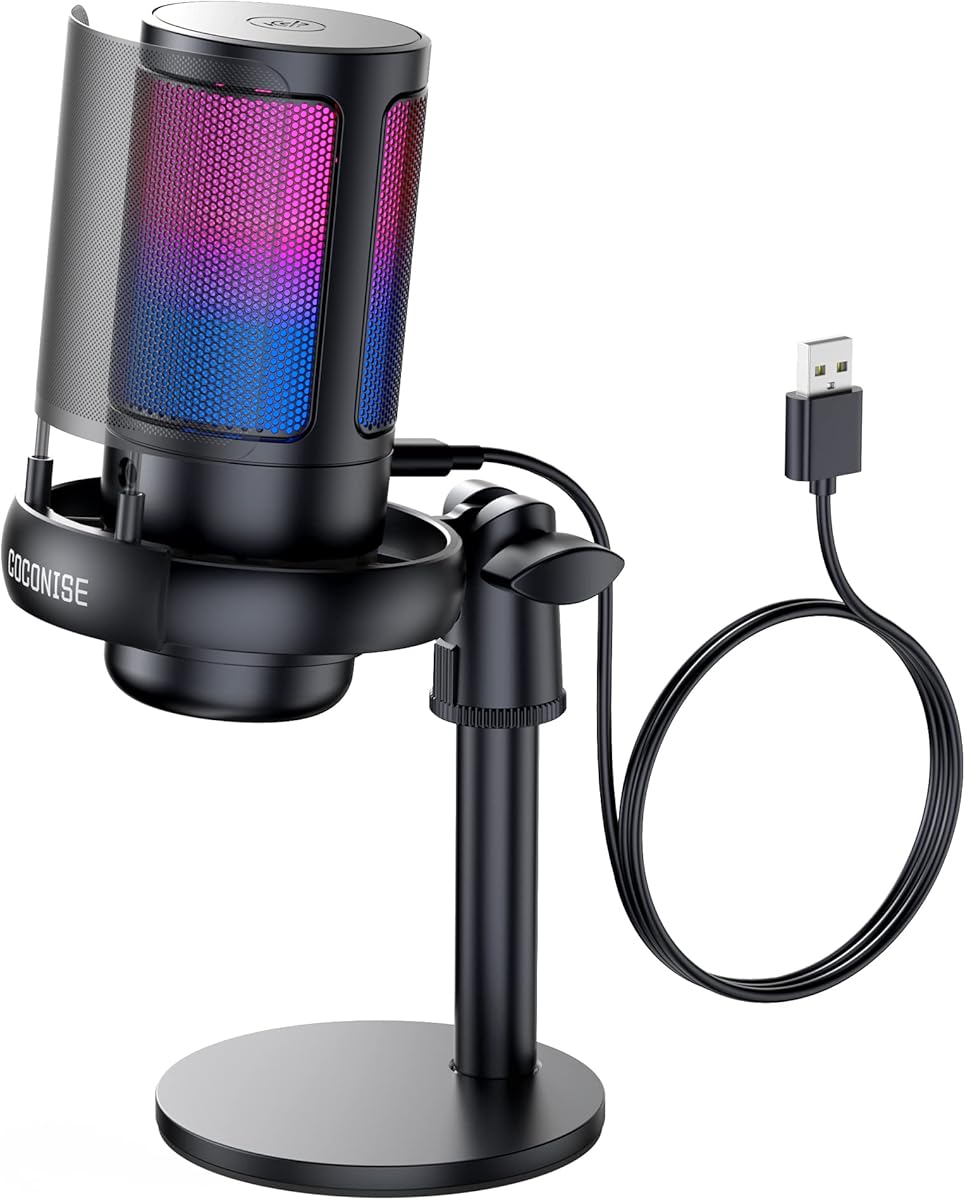
This Gaming Microphone blends functionality with a stylish design ideal for gamers and streamers. With a 4.3 rating, it features a 25mm diaphragm for detailed audio. The RGB lights adapt to your setup aesthetic while signaling mute status.
We may earn a commission when you buy through this link, at no additional cost to you.
The RGB lights go off when muted, preventing accidental broadcast of private sounds. A rotary volume button and headphone jack help you adjust levels during sessions. The metal anti-splash screen filters plosives better than foam.
While the RGB adds flair, some users may prefer a simpler look. The heavy carbon steel base ensures stability but adds bulk. Overall, it delivers crisp sound and useful features for gaming chats and live content.
Perfect for gamers who want a microphone that matches their rig, this model offers practical tools. It provides a secure recording experience with visual cues that enhance your streaming setup.
RGB lights match your gaming gear and turn off when muted for visual feedback.
A detachable metal filter effectively reduces plosive sounds compared to traditional sponge screens.
We may earn a commission when you buy through this link, at no additional cost to you.
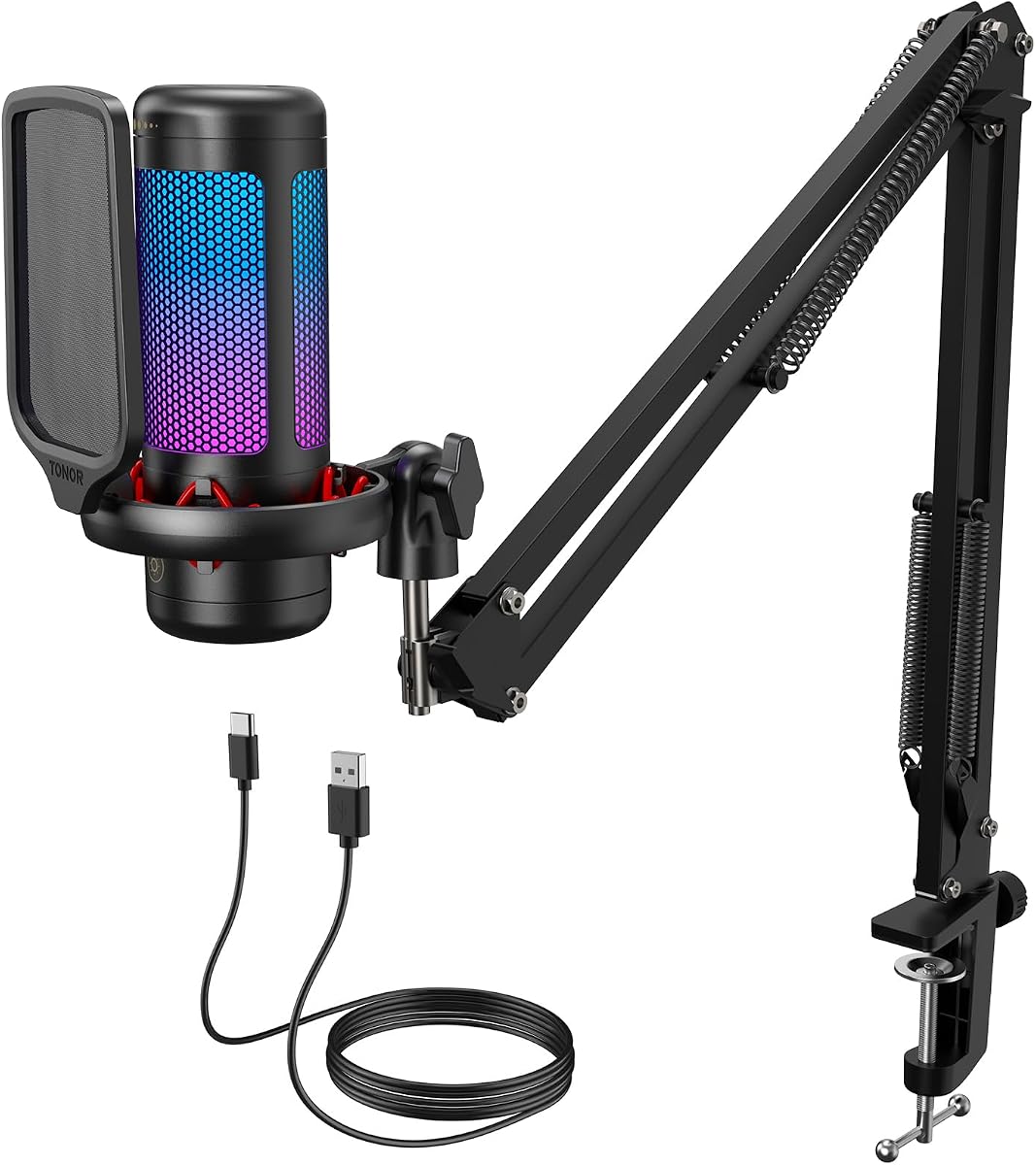
The TONOR TC310+ provides a full mic and arm kit for streamlined podcast setups. With a 4.5 rating, it ensures clean sound through expert tuning. The boom arm saves desk space and allows flexible positioning for recording.
We may earn a commission when you buy through this link, at no additional cost to you.
RGB lighting modes can be customized to match your gaming vibe or room aesthetic. Tap-to-mute allows quick response to unexpected situations without fumbling with software. The boom arm features a sturdy clamp for stable mounting.
While the arm is sturdy, adjusting it to the perfect angle may take time. RGB lights must be controlled via USB. The mic quality is excellent for content creators, offering high-fidelity reproduction without extra hardware.
This all-in-one kit is ideal for streamers wanting a professional look without buying separate accessories. It supports efficient workflows with robust hardware and intuitive sound controls.
Includes a metal-made boom arm and clamp that fits most desks under 2.36 inches.
Choose from static, gradient, and breathing modes to transform your gaming setup quickly.
We may earn a commission when you buy through this link, at no additional cost to you.
The MAONO A04 features a professional sound chipset for high-resolution audio. With a 4.5 rating, it offers smooth frequency response for studio-quality vocals. The 192kHz sample rate ensures your voice sounds detailed on the internet.
We may earn a commission when you buy through this link, at no additional cost to you.
The package includes a full kit with scissor arm, shock mount, and pop filter. This allows for clean recordings right out of the box. Anti-interference rings on the cable help maintain signal quality during long sessions.
The arm may take time to calibrate for perfect positioning. It is not compatible with Xbox but works well with mobile devices. The microphone provides strong bass response for deep, rich voiceovers.
Ideal for voice actors and educators needing high resolution, this mic delivers. Its complete accessory set makes it a value-packed solution for serious podcasters and streamers.
The chipset holds a high resolution sampling rate for smooth, flat frequency response.
Includes a pop filter and foam windscreen to ensure your voice is crystal clear.
We may earn a commission when you buy through this link, at no additional cost to you.
The FIFINE A6V brings award-winning design to budget-friendly podcast microphones. With a 4.5 rating, it delivers detailed audio at 192kHz sampling. Its cardioid pattern reduces noise, ensuring your voice remains clear during gaming.
We may earn a commission when you buy through this link, at no additional cost to you.
Quick mute prevents outbursts and maintains team atmosphere, with RGB turning off for status. Gradient lighting cycles colors automatically to enhance your gaming rig. Included accessories like pop filter and shock mount support clean recording.
The RGB adds color but may distract some. The tripod stand is stable but lacks arm flexibility. However, the audio performance and iF award recognition highlight its quality and attention to detail.
Buyers seeking a stylish, high-performing mic for streaming will find this ideal. It offers a complete setup for clear communication and immersive visual aesthetics.
This microphone has earned the iF Design Award for its high-quality sound delivery.
Tap to silence immediately; RGB turns off to indicate mute status clearly.
We may earn a commission when you buy through this link, at no additional cost to you.
Choosing the right microphone requires understanding your specific needs and recording environment. Consider these factors to find a model that balances quality and value.
The pickup pattern determines how the microphone captures sound from different directions. Cardioid patterns focus on your voice while rejecting background noise, making them ideal for solo podcasting.
Always prioritize cardioid patterns for clear voice isolation in noisy environments.
USB microphones offer plug-and-play convenience for most computers. XLR options provide higher quality but require an interface, which can add cost. Choose based on your budget and setup complexity.
USB is best for beginners, while XLR suits those planning future upgrades.
Solid metal construction ensures durability and reduces vibration noise. Look for microphones with anti-vibration stands or shock mounts to prevent noise from your desk.
A sturdy base protects your investment and ensures stable recording sessions.
Physical knobs for volume, gain, or mute allow quick adjustments during recording. This reduces dependency on software and prevents accidental changes to audio levels.
Microphones with physical controls offer better convenience during live streams.
A headphone jack for zero-latency monitoring lets you hear your voice in real time. This helps you detect noise or distortion before finalizing your recording.
Always check for a monitoring jack to maintain audio quality during sessions.
Look for kits that include pop filters, shock mounts, or boom arms. These accessories save money and simplify your setup, providing immediate professional results.
An all-in-one package reduces the need for additional purchases.
Ensure the microphone supports your operating system and devices like gaming consoles. Some models include adapters for mobile devices, which adds versatility for on-the-go recording.
Check compatibility lists to avoid issues with your specific hardware.
Some microphones offer companion apps for sound effects or EQ adjustments. This can enhance audio quality without external mixing boards.
Consider software features if you want advanced control over your voice.
Always place the microphone on a stable surface to prevent vibration noise. Adjust the height so it aligns with your mouth for optimal sound capture.
Use headphones to monitor your voice during recording and identify any background noise early. Adjust gain and volume knobs to ensure clear output without distortion.
Keep the microphone clean by dusting it gently and storing it in a safe place. Avoid exposing it to extreme humidity or temperature changes to preserve its lifespan.
Yes, many affordable models deliver broadcast-quality audio suitable for professional use. Focus on a cardioid pattern and low noise features to ensure clarity. Proper setup and environment matter as much as the hardware.
Most USB microphones work as plug-and-play devices without extra software. However, companion apps can add effects or EQ for better quality. Check product specs to see if specific software is required.
Use the built-in noise reduction features if available. Position the mic close to your mouth and away from fans or keyboards. A quiet room makes a significant difference in audio clarity.
USB microphones are generally better for beginners due to simplicity and lower cost. They do not require an audio interface. XLR is a good upgrade path once you need more control.
The optimal distance is usually 2 to 6 inches from your mouth. Being too close may cause distortion, while being too far can introduce background noise. Adjust based on your voice volume.
Many modern USB microphones include adapters for mobile devices. Check for USB-C or Lightning compatibility before purchasing. Some models are designed specifically for multi-platform use.
Use a soft cloth to wipe the exterior gently. Avoid water or harsh chemicals near the electronics. Store the microphone in a dust-free area to prevent buildup.
Keyboard noise is often picked up due to sensitive gain or proximity. Lower the mic gain and move the microphone further from the keyboard. Use a shock mount to reduce vibration transfer.
The ZealSound, Amazon Basics, and FIFINE AM8 top our list for their balance of performance and features. Each offers unique strengths that suit different recording needs and budgets.
Prioritize your specific use case, whether it is gaming, podcasting, or voice recording. Look for key features like noise reduction and physical controls to enhance your workflow.
Remember that prices and availability may change over time. Verify current product details and reviews before making your final purchase decision to ensure satisfaction.