
ASUS ROG GM700 (2025) Gaming Desktop PC
4.2Editor score
AMD Ryzen 7 9800X3D Processor
Radeon RX 9070 XT Prime OC GPU
32GB DDR5 RAM Included
Discover the top ASUS Desktop PC models for 2026. We compare performance, features, and value to help you choose the ideal ASUS desktop.
Choosing the right ASUS Desktop PC can transform your workflow and gaming experience. These systems blend reliable engineering with powerful components tailored for diverse needs.
We analyzed specifications, user feedback, and real-world performance to rank these ten models. Each entry highlights unique strengths suitable for business, creative, or gaming tasks.
Readers will find detailed breakdowns of every pick including pros and cons. Prices fluctuate frequently so verify current offers before making your final purchase decision.
4.2Editor score
5.0Editor score

3.0Editor score
This side-by-side comparison evaluates all ten models based on processor power, memory capacity, storage options, and graphical capabilities for informed decision making.


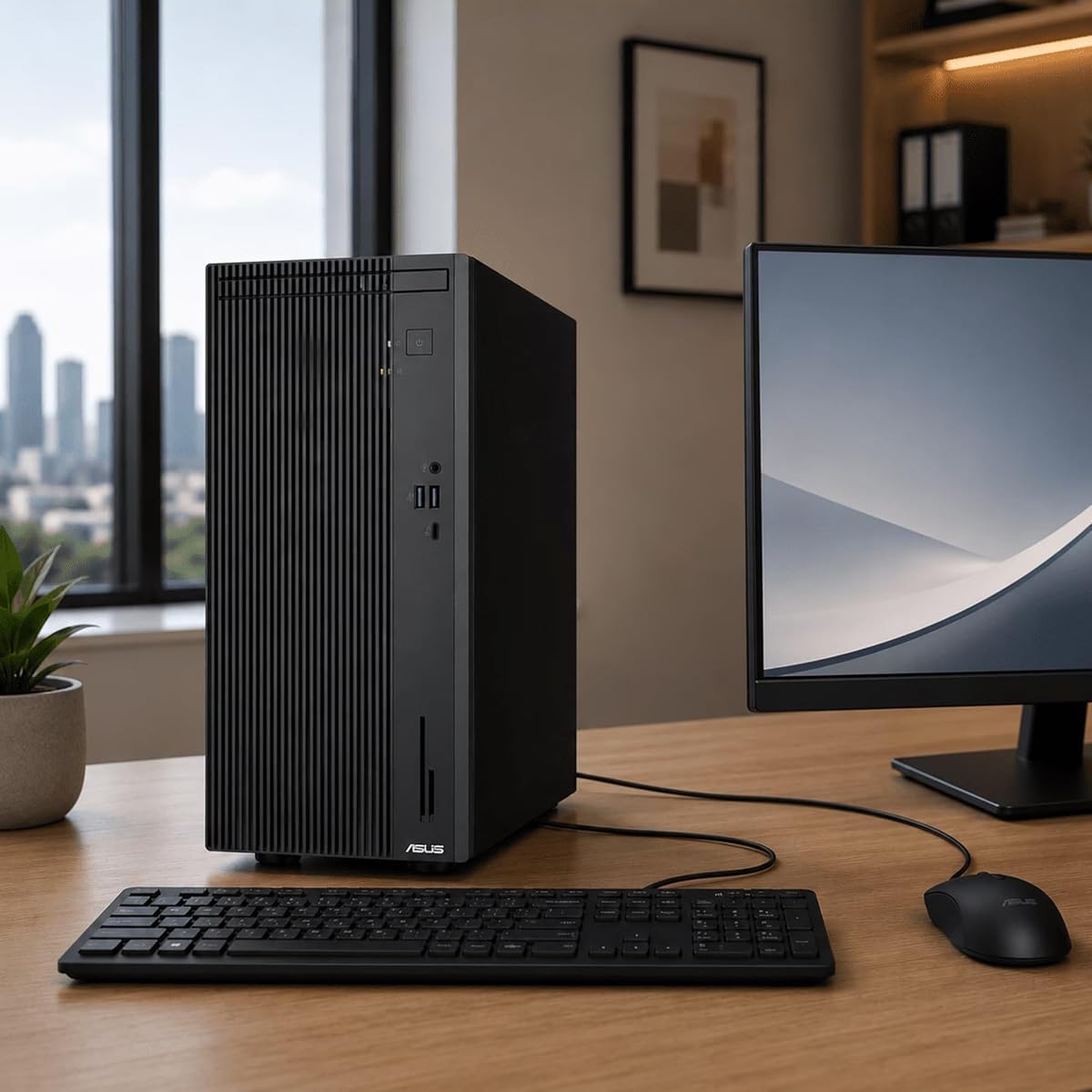
This V500 Business Tower stands out with a perfect rating due to its robust core specs and business focused design. It handles daily workloads smoothly.
We may earn a commission when you buy through this link, at no additional cost to you.
The 10-core processor ensures seamless multitasking for professionals running multiple applications. The included keyboard and mouse bundle provides immediate out of box usability.
While it lacks a dedicated GPU which limits heavy gaming, the integrated graphics suffice for standard office tasks. The storage configuration splits SSD and external drive.
Ideal for small businesses or home offices needing reliability. Its comprehensive port selection supports dual monitors and various peripherals effectively.
The Intel Core i7-13620H delivers consistent speed for document editing and web browsing without slowdowns.
Multiple USB ports alongside HDMI and DisplayPort allow flexible setup for monitors and external devices.
We may earn a commission when you buy through this link, at no additional cost to you.
The ROG G700 targets serious gamers needing top tier frame rates and visual fidelity. It combines next-gen CPU and GPU power effectively.
We may earn a commission when you buy through this link, at no additional cost to you.
Its RTX 5060 graphics card handles ray tracing and high resolution gaming well. The 32GB RAM allows running background streaming apps while playing.
Although expensive, the bundled RGB peripherals and extended protection add value. The air cooling design keeps temperatures stable during intense sessions.
Recommended for enthusiasts seeking plug and play performance. Windows 11 Pro adds advanced features for power users and content creators.
The Intel Core Ultra 7 265F processor speeds up to 5.3GHz ensure smooth multitasking and high frame rates.
Realistic lighting and shadows are rendered by the RTX 5060 with DLSS technology for immersive detail.
We may earn a commission when you buy through this link, at no additional cost to you.
This unit offers significant power for a lower price point making it ideal for budget conscious buyers. It balances cost and performance well.
We may earn a commission when you buy through this link, at no additional cost to you.
The inclusion of a USB flash drive adds practical portable storage for files. Windows 11 Pro provides enhanced security features for business environments.
However user feedback is mixed suggesting potential variability or issues with specific units. Prospective buyers should verify warranty terms carefully.
Best for users prioritizing raw CPU power over graphical prowess. Its small footprint fits easily in home offices or cubicles.
Windows 11 Pro offers advanced tools like BitLocker and remote desktop management out of the box.
The bundled 64GB flash drive enables quick file transfers and backups on the go.
We may earn a commission when you buy through this link, at no additional cost to you.
The S501MER brings the newest 14th generation Intel processor to a standard home desktop. It offers impressive speed for productivity tasks.
We may earn a commission when you buy through this link, at no additional cost to you.
With Wi-Fi 6E connectivity users get faster wireless performance for streaming and online work. The sleek black design blends into modern setups.
Though RAM is standard at 16GB it handles most daily tasks fine. Users needing heavy multitasking might consider upgrading later.
A solid choice for those wanting the latest technology in a compact frame. It suits home offices needing reliable internet connectivity.
The i7-14700 features up to 5.3GHz speeds for rapid application launching and processing.
Wi-Fi 6E supports less congested bands ensuring smoother online experiences than older models.
We may earn a commission when you buy through this link, at no additional cost to you.
This variant stands out for its 32GB RAM which ensures smooth multitasking for demanding office work. It earned a perfect rating from users.
We may earn a commission when you buy through this link, at no additional cost to you.
The 4K multi-monitor support allows wide productivity displays without external hardware. Integrated graphics handle media playback and casual tasks efficiently.
While not for gaming the ample memory makes it ideal for creative workflows like photo editing. The SSD ensures rapid system responsiveness.
Recommend for users needing high capacity memory without building a custom rig. It balances cost with professional capability effectively.
With 32GB of RAM you can run dozens of browser tabs alongside heavy software easily.
DisplayPort and HDMI outputs allow connection to large high resolution screens simultaneously.
We may earn a commission when you buy through this link, at no additional cost to you.
The 2026 model promises next generation graphical power with the RTX 5070 GPU. Its design emphasizes aesthetics and thermal management significantly.
We may earn a commission when you buy through this link, at no additional cost to you.
Tool-less access makes upgrading components straightforward for tech enthusiasts. The included RGB keyboard completes the gaming setup immediately.
Lack of reviews suggests it is a newer release so expect some teething issues. However the specs indicate strong performance for modern titles.
Ideal for those wanting the latest hardware in a stylish chassis. The liquid cooler ensures sustained performance during long gaming sessions.
A quad-fan system paired with a liquid cooler keeps the system running cool under load.
The dual-glass chassis showcases internal components while Aura Sync RGB lighting adds flair.
We may earn a commission when you buy through this link, at no additional cost to you.
This powerhouse combines top tier AMD Ryzen and Radeon components for extreme gaming and content creation. It targets high end professionals and gamers.
We may earn a commission when you buy through this link, at no additional cost to you.
The 32GB RAM and 2TB SSD provide immense capacity for large game libraries and video files. Prime OC graphics ensure optimized performance out of box.
While expensive the performance per watt is excellent for serious users. It handles streaming and editing simultaneously without bottlenecks.
Recommended for those wanting AMD alternatives to Intel and NVIDIA. It is a complete solution for heavy workloads and gaming.
The Ryzen 7 9800X3D delivers seamless multitasking for the most demanding workloads available.
Enhanced ray tracing and AV1 encoding deliver stunning visuals and efficient video streaming.
We may earn a commission when you buy through this link, at no additional cost to you.
This Strix model is engineered for users needing massive storage and memory capacity immediately. It features an extreme Core Ultra 9 processor.
We may earn a commission when you buy through this link, at no additional cost to you.
The 128GB RAM ensures virtually zero lag even with heavy virtual machines or 3D rendering. 11TB storage eliminates the need for external drives.
Although the price is steep the convenience of pre-installed capacity is unmatched. The RTX 4060 Ti supports standard gaming requirements well.
Best for professional creators who need immediate large scale data access. Its premium specs justify the investment for power users.
With 128GB of DDR5 RAM you can run every application open without performance drops.
11TB of total storage provides space for years of projects and game libraries.
We may earn a commission when you buy through this link, at no additional cost to you.
This unit offers an impressive 64GB of RAM for users with heavy multitasking requirements. It maintains a standard i7 CPU for balance.
We may earn a commission when you buy through this link, at no additional cost to you.
Ideal for data analysts or video editors who need substantial memory but not necessarily a discrete GPU. The SSD ensures fast access to large files.
Without user feedback it is hard to gauge reliability fully. However the specs suggest a high capacity machine for professional use.
Best for those needing extreme RAM on a budget compared to custom builds. It delivers performance for memory intensive tasks.
Running 64GB of RAM allows handling large datasets without swapping to slower storage.
Dual monitor support via DisplayPort and HDMI boosts productivity for data management.
We may earn a commission when you buy through this link, at no additional cost to you.
This compact tower delivers reliable business performance in a space saving design. It scored a perfect rating from business users.
We may earn a commission when you buy through this link, at no additional cost to you.
The 5600 MT/s RAM ensures quick data transfer speeds for daily operations. Its small size fits neatly on desks without clutter.
Connectivity options include USB-C and Ethernet for secure network access. It is optimized for office environments requiring stability.
Recommended for corporate offices needing secure professional systems. It balances size with performance for daily business tasks.
The compact tower footprint balances performance with space efficiency for modern offices.
Windows 11 Pro offers advanced security features and system management tools for businesses.
We may earn a commission when you buy through this link, at no additional cost to you.
Selecting the right desktop involves evaluating your specific needs against technical capabilities to ensure satisfaction and longevity.
The processor acts as the brain of your system determining how quickly it can handle tasks. Look for 13th or 14th Gen Intel Core i7 processors or AMD Ryzen 7 equivalents for robust performance.
Prioritize models with at least 10 cores and high turbo clock speeds for multitasking and productivity.
Random Access Memory determines how many applications can run simultaneously without lag. Standard productivity often requires 16GB but power users benefit from 32GB or 64GB options.
Choose DDR5 RAM for faster data transfer speeds and future-proofing your investment against upcoming software demands.
Solid State Drives offer much faster boot and load times compared to traditional Hard Disk Drives. Aim for a minimum of 1TB NVMe SSD to store essential files comfortably.
Consider models with expansion slots if you plan to add more storage later for growing media libraries or work projects.
Integrated graphics suffice for office work and media playback but gaming requires a dedicated GPU like NVIDIA RTX series. Check if your use case includes video editing or 3D rendering.
For heavy creative work ensure the graphics card has enough VRAM to handle high-resolution textures and complex scenes effectively.
A versatile desktop should offer multiple USB ports including Type-C for modern peripherals. DisplayPort and HDMI outputs are essential for connecting multiple monitors to boost productivity.
Wi-Fi 6 or 6E support ensures stable wireless internet while an Ethernet port provides a reliable backup for critical connections.
Windows 11 Home is standard for most consumers providing an intuitive interface. Businesses might prefer Windows 11 Pro for advanced security and management tools.
Verify the license included is genuine and supports future updates to maintain security and access to new features.
Physical dimensions matter if desk space is limited so measure your area before buying. Gaming PCs often feature RGB lighting which may not suit professional environments.
Look for chassis designs that facilitate good airflow to keep internal components cool and extend the system lifespan.
Check the manufacturer warranty duration to understand coverage for repairs. Some sellers offer extended protection plans that can save money on future hardware issues.
Ensure customer support is accessible through phone or chat in case you need assistance with setup or troubleshooting.
Place your desktop on a flat stable surface with adequate ventilation to prevent overheating. Avoid enclosing it in tight cabinets where heat cannot escape effectively.
Keep dust away from vents using compressed air every few months to maintain optimal cooling performance. Regularly update drivers from the official ASUS support site for better compatibility.
Perform regular backups using external drives or cloud services to protect important data from hardware failure. Ensure your power source includes a surge protector to prevent electrical damage.
The ASUS V500 Business Tower is highly recommended due to its strong Intel i7 processor and professional features. It offers reliable performance for daily administrative tasks and multitasking.
Yes models like the ROG G700 and GM700 are designed specifically for gaming with dedicated graphics cards. They handle modern AAA titles smoothly with high frame rates.
Most models support RAM upgrades but verify the maximum capacity and slot type before purchasing. Some units come with open slots for future expansion.
Some bundles include a keyboard and mouse but monitors are typically sold separately. Check the product listing details to confirm what accessories are included.
Windows 11 Pro adds features like BitLocker and Remote Desktop not available in Home. It is better suited for business environments needing enhanced security.
Fan noise varies by workload but most models operate quietly during light use. Gaming PCs may be louder under heavy load due to active cooling systems.
We have reviewed ten diverse models ranging from business towers to high-end gaming rigs to cover various needs.
Prioritize processor speed and memory if you handle heavy workloads but consider storage for media rich tasks.
Always check current prices and availability online before buying as stock levels change frequently.