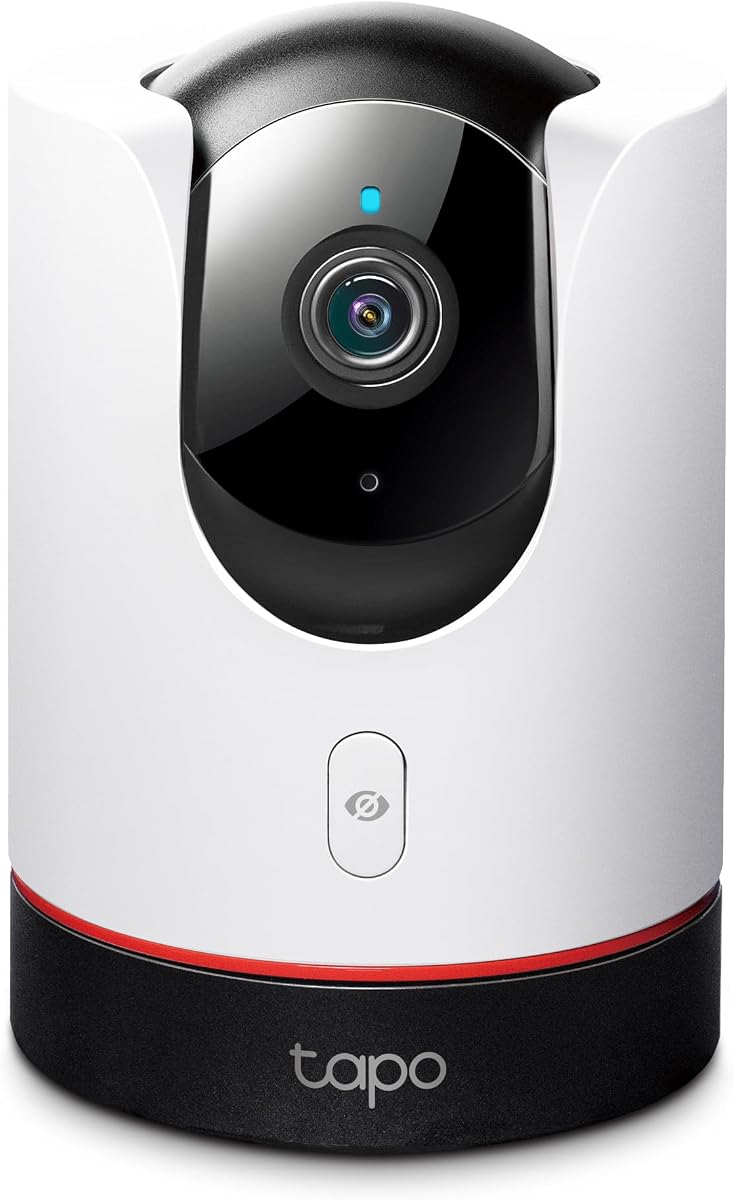
TP-Link Tapo 2K+ Pan/Tilt Security Camera Apple HomeKit, C225
4.5Editor score
2K QHD Live View
360 Degree Pan Tilt
Physical Privacy Mode
Discover the top Apple Homekit security cameras compared for 2026 with detailed reviews of resolution AI detection privacy features and HomeKit integration.
Finding the right security camera for your smart home ecosystem is crucial. Apple Homekit security cameras offer seamless integration with your devices ensuring privacy and reliable performance.
We compared the leading models based on video quality detection capabilities and ease of setup. Our guide highlights the best options for indoor outdoor and hybrid use cases.
Each pick shows key features pros and cons to help you decide. Prices and availability may change so check current listings before purchasing your new device.
4.5Editor score
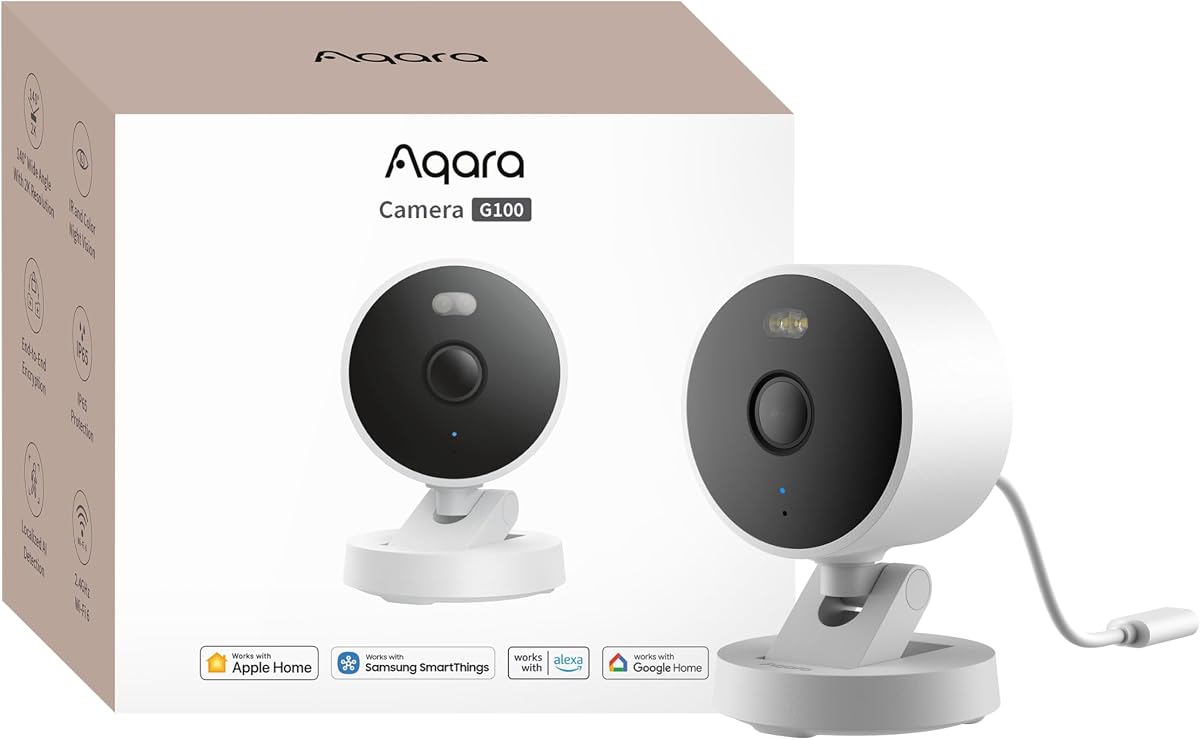
4.2Editor score
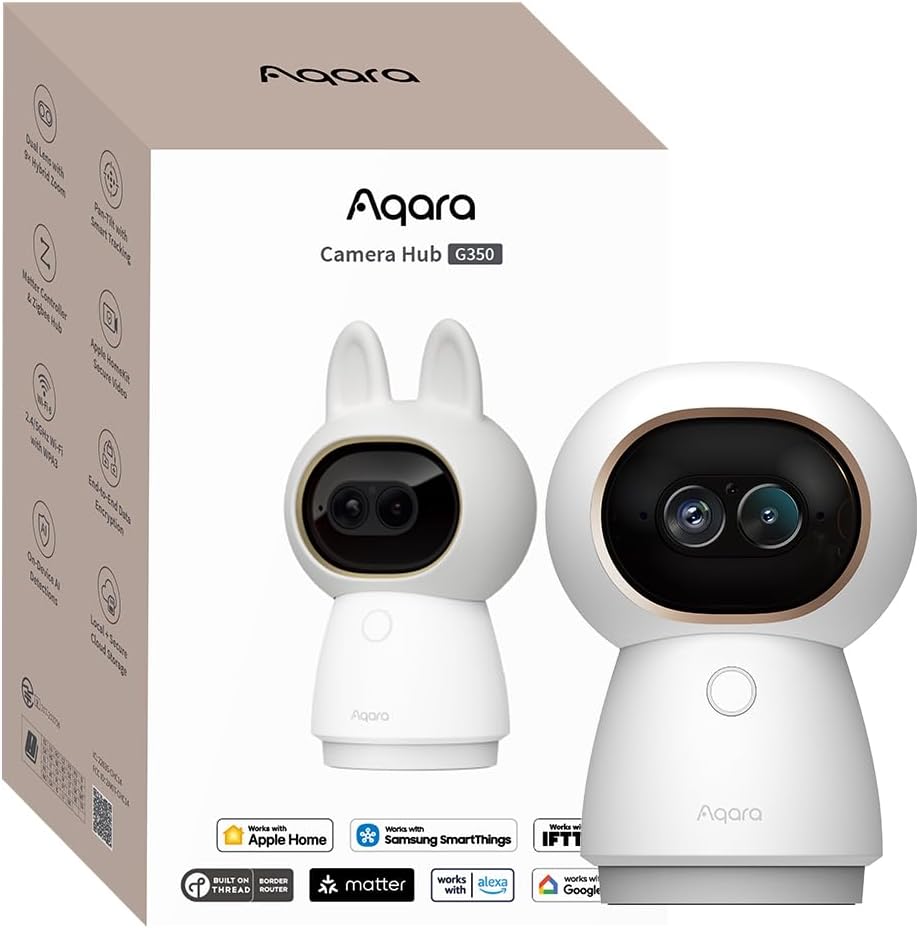
4.3Editor score
This side by side comparison reviews all ten top rated models. We evaluate their core specifications video clarity and smart features to help you choose the perfect fit.



The Aqara G100 stands out as a versatile choice for Apple Homekit security cameras. It offers sharp 2K resolution and robust weather resistance making it suitable for various placements.
We may earn a commission when you buy through this link, at no additional cost to you.
Its dual night vision modes provide flexibility for clear recording in low light. The camera supports HomeKit Secure Video ensuring your footage remains private and accessible only to you.
While the night vision modes require manual setup the overall performance is strong. The IP65 rating ensures it handles outdoor conditions well without issues.
Buy this if you want reliable dual purpose security with strong encryption. It balances cost and features effectively for most smart home setups.
The G100 supports spotlight color night vision and IR detection for flexible dark recording.
Footage is encrypted end-to-end and stored securely in iCloud via HomeKit.
We may earn a commission when you buy through this link, at no additional cost to you.
The Eve Cam is designed exclusively for Apple Homekit security cameras emphasizing privacy. It keeps data local and offers seamless integration with your devices.
We may earn a commission when you buy through this link, at no additional cost to you.
AI processing happens on device ensuring your personal data remains private. Smart motion detection helps reduce false alerts by distinguishing people and pets.
It lacks outdoor durability and requires a subscription for cloud features. However indoor it remains a solid choice for focused indoor monitoring.
Choose this if privacy is your top priority. It is ideal for monitoring nurseries or living rooms without external exposure.
End-to-end encryption ensures only you can view live and recorded video.
Video analysis happens securely at home not in the cloud.
We may earn a commission when you buy through this link, at no additional cost to you.
The Aqara G350 offers top tier features for Apple Homekit security cameras. Its dual lens system delivers 4K resolution and hybrid zoom for unmatched detail.
We may earn a commission when you buy through this link, at no additional cost to you.
Smart tracking follows people or pets automatically. The Matter bridge expands compatibility with other smart devices for broader home automation.
While setup is detailed and costs are higher the feature set justifies it. Physical privacy mode adds extra assurance when you are home.
Pick this for premium quality and future-proof integration. It suits tech savvy users wanting maximum control and clarity.
Combines wide angle 4K lens and telephoto lens for detailed views.
AI automatically follows movement and zooms in for close up capture.
We may earn a commission when you buy through this link, at no additional cost to you.
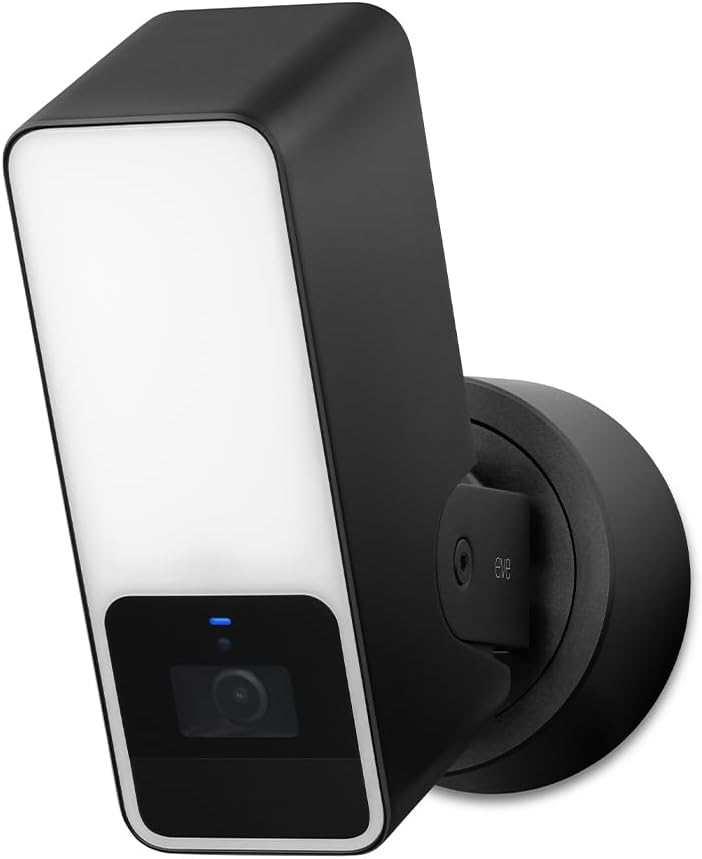
The Eve Outdoor Cam delivers robust outdoor security for Apple Homekit security cameras. Its floodlight deters intruders and improves night visibility significantly.
We may earn a commission when you buy through this link, at no additional cost to you.
It supports HomeKit Secure Video with end-to-end encryption. Advanced detection distinguishes people pets and vehicles to reduce false alarms.
Installation requires a neutral wire which may limit some setups. The 1080p resolution is standard but less sharp than newer models.
Choose this for strong outdoor deterrence and privacy. It fits well in wired outdoor environments needing bright illumination.
Dimmable floodlight with infrared sensor aids night vision and deterrence.
No Eve cloud ensures your data is not exposed to external servers.
We may earn a commission when you buy through this link, at no additional cost to you.
The TP-Link Tapo C225 offers excellent value among Apple Homekit security cameras. It earned a Red Dot Design Award for its blend of performance and aesthetics.
We may earn a commission when you buy through this link, at no additional cost to you.
It provides 2K QHD views with full 360 pan tilt. A physical privacy mode blocks the lens ensuring visual security when needed.
Smart AI detects people pets and sounds reliably. Night vision options include infrared and starlight for low-light clarity.
Opt for this if you need affordable quality. It works well for basic home monitoring without breaking the budget.
Capture crystal-clear images in every corner with full 360 view.
Clever housing blocks the lens with a single click in the app.
We may earn a commission when you buy through this link, at no additional cost to you.
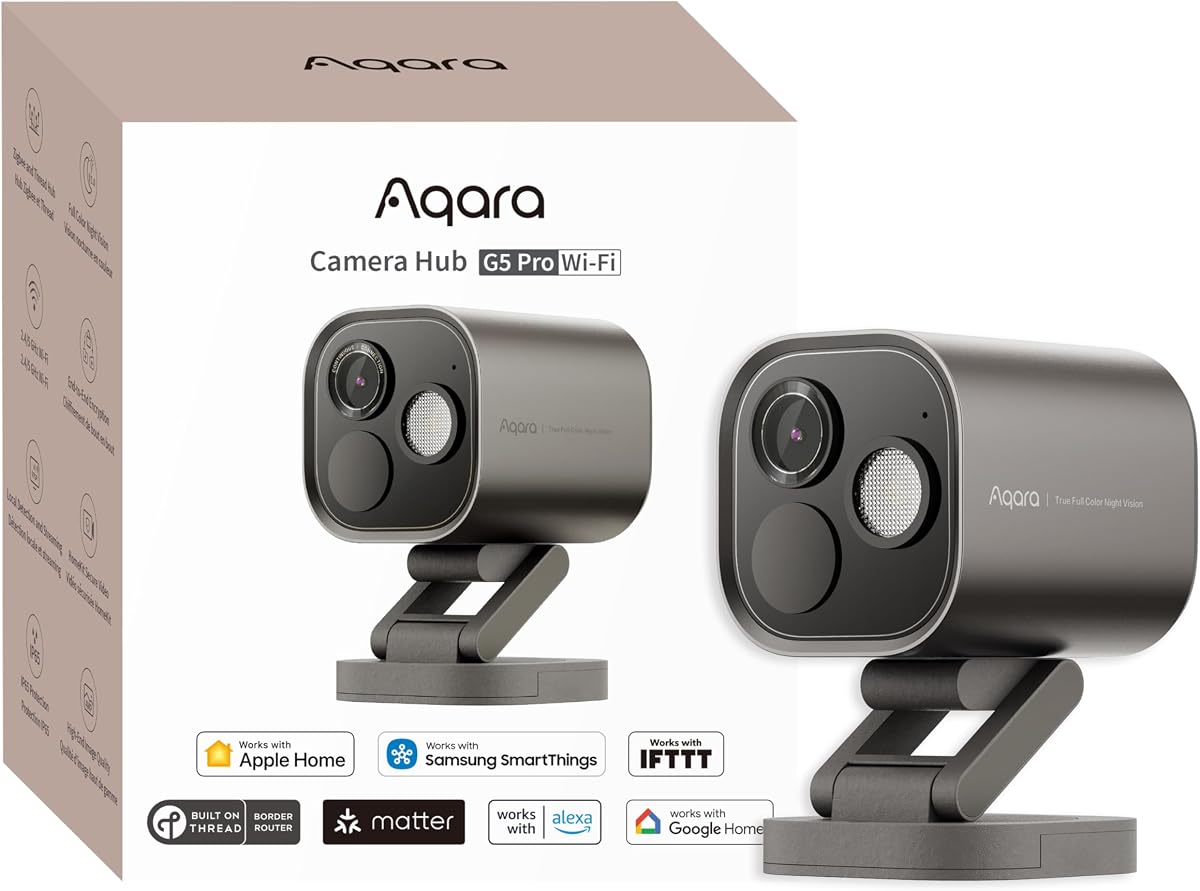
The Aqara G5 Pro WiFi provides vivid low-light imaging for Apple Homekit security cameras. Its true color night vision uses a large aperture for better visibility.
We may earn a commission when you buy through this link, at no additional cost to you.
Built-in NPU enables local visual and sound detection. It also acts as a hub connecting Zigbee and Thread devices seamlessly.
It requires constant power and lacks infrared which may affect pure darkness. Yet the dual-band WiFi ensures stable connectivity in busy networks.
Select this for rich night images and hub capabilities. It suits users needing both surveillance and smart device centralization.
Large aperture and sensor identify intruders even in low-light.
Supports Zigbee and Thread to connect up to 80 devices.
We may earn a commission when you buy through this link, at no additional cost to you.
The Logitech Circle View is built for durability in Apple Homekit security cameras. It features weatherproof housing and a wide field of view.
We may earn a commission when you buy through this link, at no additional cost to you.
TrueView technology ensures clear details in high contrast. The camera tilts down for instant privacy when you are at home.
It lacks continuous video recording and only triggers on motion. Also it works only through HomeKit not a separate app.
Buy this for solid weatherproof performance. It fits well for entryways needing simple reliable monitoring.
Best-in-class optics provide sharp 1080p HD with wide dynamic range.
Tilt down or press button for instant privacy assurance.
We may earn a commission when you buy through this link, at no additional cost to you.
The Aqara E1 excels in indoor tracking for Apple Homekit security cameras. It offers 2K resolution and full 360-degree viewing via pan tilt.
We may earn a commission when you buy through this link, at no additional cost to you.
Automated privacy pivots the lens and deactivates recording locally. Motion detection and audio alerts help track activity precisely.
Requires a separate power supply and microSD card. Still it delivers strong performance and HomeKit Secure Video support.
Choose this for detailed indoor monitoring. It suits parents or pet owners needing wide coverage and control.
Full 360 viewing enhances tracking and eliminates blind spots.
Automated privacy mode pivots lens and disables audio recording.
We may earn a commission when you buy through this link, at no additional cost to you.
The eufy E30 captures fine detail for Apple Homekit security cameras. It records in 4K and tracks people and pets automatically.
We may earn a commission when you buy through this link, at no additional cost to you.
Storage is local via SD card removing subscription fees. A built-in spotlight enables color night vision for clear dark views.
HomeKit limits resolution to 1080p even if the camera supports 4K. Still on-device AI provides useful smart alerts.
Get this for high res local storage. It works well for nursery or pet monitoring without ongoing costs.
Capture every detail with crystal-clear 4K recording day and night.
Camera tracks movement when a person or pet is detected.
We may earn a commission when you buy through this link, at no additional cost to you.
The Aqara G5 Pro PoE offers stable installation for Apple Homekit security cameras. Power over Ethernet simplifies wiring for outdoor placements.
We may earn a commission when you buy through this link, at no additional cost to you.
It acts as a hub for Zigbee and Thread devices. Local AI detects faces and sounds reliably without constant internet.
Requires a PoE switch which must be bought separately. But dual mode via USB-C allows flexibility when power fails.
Select this for wired reliability and hub integration. It suits users needing robust outdoor monitoring with centralized control.
Transmit video and power via a single network cable.
Connect up to 80 Zigbee or Thread devices.
We may earn a commission when you buy through this link, at no additional cost to you.
Choosing the right camera involves balancing resolution connectivity and smart features. This guide breaks down key factors to help you make an informed decision.
Higher resolution like 2K or 4K delivers clearer images. Look for lenses with wide apertures to capture better detail in low light.
Prioritize at least 1080p resolution for effective monitoring. Good optics ensure you can identify faces or details when reviewing footage.
HomeKit Secure Video encrypts footage end-to-end ensuring privacy. Check if your chosen model supports this feature for seamless iCloud integration.
Ensure your Apple Hub is compatible and updated. This feature keeps video analysis local and protected from cloud breaches.
Outdoor cameras need weather-resistant ratings like IP65 or IP64. Indoor cameras can be smaller and focus on smart features or design.
Match the camera rating to its location. Indoor units save costs while outdoor units withstand rain and dust.
Look for cameras with infrared or spotlight night vision. True color night vision uses large sensors to provide full-color video in low light.
Check if night vision modes are automatic or manual. Automatic modes ensure recording without user intervention during dark hours.
Advanced AI detects people pets vehicles and sounds. This reduces false alarms from trees or shadows improving alert reliability.
Ensure the camera supports local processing for privacy. This keeps sensitive data inside your home network rather than cloud servers.
Decide between local SD card or cloud storage. Local storage avoids fees but needs manual backup for permanent records.
Cloud options like iCloud or vendor apps provide easy access. Ensure encryption is enabled for safe data handling.
Wi-Fi 6 or dual-band support improves stability in congested homes. Ensure your router supports the required frequency bands.
Check if the camera uses standard protocols or requires a hub. Dual-band support minimizes latency and signal dropouts.
Physical privacy modes like lens covers or tilt provide peace of mind. Ensure audio can be muted to keep conversations private.
Look for end-to-end encryption as a baseline. Avoid cameras that require third-party cloud apps for basic functions.
Install your camera in a secure location using provided brackets. Connect to your Wi-Fi network and follow app instructions to add it to HomeKit.
Configure motion zones and detection settings to reduce false alerts. Test night vision and audio features to ensure they work properly in your space.
Regularly update firmware to maintain security and performance. Clean lenses periodically with a soft cloth to keep image quality sharp.
Not all models require a subscription. Some use local storage or HomeKit Secure Video with iCloud+. Check individual specs for recurring fees or storage requirements.
Outdoor cameras have weather-resistant housings like IP65 ratings. Indoor cameras focus on smart detection and design without weatherproof needs.
Yes most models support live view and playback via the Home app or vendor apps. You need a compatible hub and stable internet connection.
Yes it uses end-to-end encryption ensuring only you can view recorded clips. The footage is stored in your iCloud account securely.
Some cameras continue recording to local SD cards or NAS during outages. Others need constant connectivity for smart alerts and automation.
Local storage is great for privacy and cost control. Cloud offers convenience and backup. Choose based on budget and data protection needs.
HomeKit is exclusive to Apple devices. You can use the Home app on iPhone iPad or Apple TV but not on Android phones or tablets.
You can manage and view cameras remotely using iCloud and HomeKit Secure Video. Ensure your hub is online and linked to your iCloud account.
We highlighted top options like the Aqara G100 and TP-Link Tapo C225 for varied needs. Each offers strong HomeKit integration and reliable performance.
Consider your priority whether it is resolution privacy or smart detection. High-end models like the G350 suit complex needs while budget picks work for basic use.
Verify current listings before buying as prices and features update often. This ensures you get the best value for your smart home setup.