
FIREBAT Gaming Laptop Metal 15.3in
5.0Editor score
Ryzen 7 H255 processor with 8 cores
1TB PCIe 4.0 SSD storage
120Hz WQXGA display with RGB keyboard
Finding a durable computer requires looking beyond plastic casings. An all metal laptop offers superior thermal management and a premium feel that lasts. These devices resist scratches and provide better heat dissipation for sustained performance during intense workloads.
We evaluated ten top contenders based on build integrity, processing power, and display quality. Our analysis focuses on models that combine robust aluminum or alloy bodies with modern specs like DDR5 RAM and fast SSD storage. We considered real-world usability for various user profiles.
Each pick highlights unique strengths from budget-friendly options to high-performance workstations. Read carefully to match your needs with the right specifications. Prices and availability change frequently, so verify current details before making your final purchase decision.
5.0Editor score

4.4Editor score

4.9Editor score
As an Amazon Associate we earn from qualifying purchases.
The following table provides a side-by-side comparison of all ten selected models. Compare their processors, memory, storage, and display specifications to find the perfect match for your daily computing needs and budget constraints.


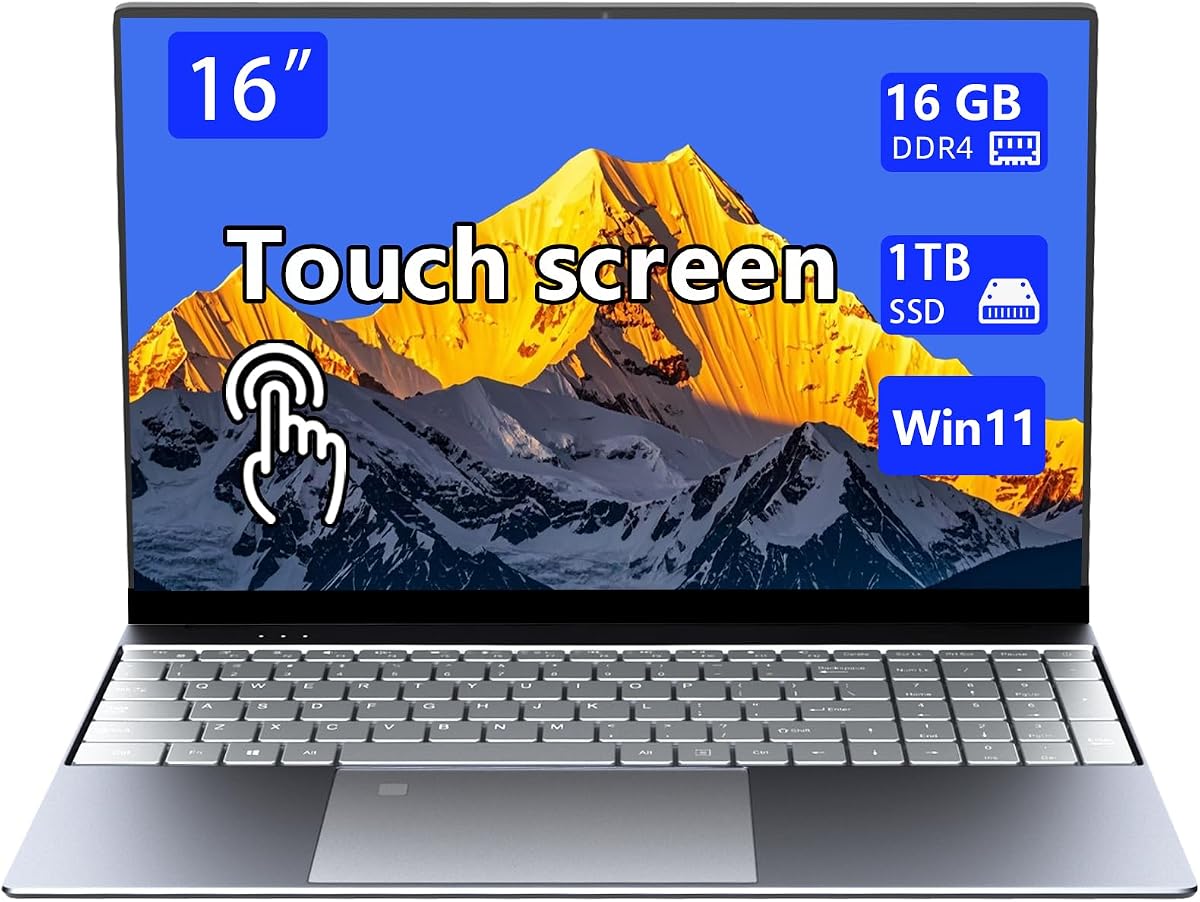


This laptop stands out for its exceptional storage and memory specifications at a competitive price point. It features a full metal chassis that promises better heat dissipation than plastic alternatives. The 32GB RAM ensures smooth multitasking even with heavy applications running simultaneously.
We may earn a commission when you buy through this link, at no additional cost to you.
The N95 processor is suitable for daily office tasks and web browsing. Its 16-inch FHD touchscreen offers intuitive interaction for users who prefer direct input. The integrated fingerprint reader adds a layer of security for accessing files quickly.
While the processor may struggle with intensive video editing, it excels in standard productivity workflows. The large 2TB drive eliminates the need for external storage in most cases. Users should note that the lack of detailed reviews requires careful consideration before purchasing.
Ideal for students or professionals needing bulk storage without sacrificing build quality. This model is a strong contender for those prioritizing capacity and metal construction over raw processing speed.
The 2TB SSD allows you to store thousands of documents and photos without external drives.
The all-metal body provides durability and helps manage heat during extended use.
We may earn a commission when you buy through this link, at no additional cost to you.
Designed for tough environments, this Dell Latitude combines ruggedness with high performance. The metal reinforced body withstands daily wear and tear better than standard consumer laptops. It comes with Windows 11 Pro for enterprise-grade security features.
We may earn a commission when you buy through this link, at no additional cost to you.
The Core i7 processor handles demanding software with ease. Its 32GB of RAM supports complex simulations or multiple virtual machines. The touchscreen adds flexibility for field workers needing quick data entry.
Although it weighs more than ultrabooks, the trade-off is increased resilience. The 1TB drive offers plenty of room for project files. This device is a reliable choice for engineers or field researchers needing dependability.
Buy this if you need a laptop that can survive rough handling while delivering professional performance. The Pro OS ensures you have the tools needed for business management and encryption.
Built to withstand drops and bumps, making it perfect for construction or outdoor sites.
Windows 11 Pro includes BitLocker encryption to keep sensitive business data safe.
We may earn a commission when you buy through this link, at no additional cost to you.
The HP OmniBook 3 introduces a new standard for efficiency with its Snapdragon processor. This device promises all-day battery life, making it ideal for travelers who cannot always access a power outlet. The 2K OLED display delivers stunning visuals for media consumption.
We may earn a commission when you buy through this link, at no additional cost to you.
Integrated AI features help automate tasks like transcription and note-taking. The 16GB RAM ensures smooth operation for typical productivity apps. Its lightweight design fits easily into carry-on bags or backpacks.
While storage is modest compared to peers, the speed of the Gen4 SSD compensates. Users dependent on massive local libraries might need cloud solutions. However, the performance-to-battery ratio is unmatched in this category.
Choose this laptop if you prioritize mobility and screen quality above storage volume. It represents the future of thin, light devices that do not compromise on display excellence.
With up to 41 hours of battery life, you can work for days without a charger.
The OLED screen provides deep blacks and vibrant colors for a premium viewing experience.
We may earn a commission when you buy through this link, at no additional cost to you.
This NIMO laptop is designed specifically for educational needs with a focus on silent performance. The metal top cover adds durability against accidental drops. Its 180-degree hinge allows for easy screen sharing in group settings.
We may earn a commission when you buy through this link, at no additional cost to you.
The N150 processor handles web browsing and document editing efficiently. Windows Copilot AI integration helps students summarize notes quickly. The backlit keyboard aids in typing during late-night study sessions.
While it may not suit heavy gaming, it covers all standard academic requirements well. The inclusion of a physical webcam shutter addresses privacy concerns for online classes. The 2-year warranty provides peace of mind for buyers.
For students seeking a reliable and affordable metal-cased machine, this is an excellent choice. The balance of cost and build quality makes it a top budget pick.
The fanless design ensures no noise distractions during library sessions or quiet hours.
A physical webcam shutter lets you physically block the camera when not in use.
We may earn a commission when you buy through this link, at no additional cost to you.
This model offers a metal body at a very competitive price point. It provides essential features like a touchscreen and fingerprint scanner. The 16GB RAM allows for reasonable multitasking within everyday applications.
We may earn a commission when you buy through this link, at no additional cost to you.
The N95 processor is best suited for light tasks like email and web browsing. Users should not expect heavy video editing capabilities. The all-metal construction remains a key selling point for budget buyers.
Note that user feedback suggests variability in quality. It is advisable to check recent returns and reviews before ordering. For basic users needing a sturdy machine, it may suffice.
This laptop is a compromise between cost and material quality. It fits those who want a premium feel without paying for high-end performance.
Get the benefits of an aluminum body without the price of a premium brand.
We may earn a commission when you buy through this link, at no additional cost to you.
This HP model focuses on cloud connectivity rather than massive local storage. It includes Office 365 and OneDrive, ensuring you can work from anywhere. The slim chassis makes it easy to carry for daily commutes.
We may earn a commission when you buy through this link, at no additional cost to you.
The N150 processor keeps energy consumption low while handling basic productivity tasks. The 15.6-inch IPS display offers decent viewing angles for web browsing. Fast charging ensures you get hours of use from a short plug-in time.
Users preferring offline access might find the local storage restrictive. However, the cloud integration offers seamless synchronization across devices. It is a modern approach to laptop storage management.
Select this device if you rely on online files and need a portable, lightweight companion. The included software adds significant value for home users.
OneDrive integration means your files are safe and accessible across all your devices.
We may earn a commission when you buy through this link, at no additional cost to you.
This laptop provides a sharper display with 1920×1200 resolution in a 16-inch frame. The metal body adds a premium touch to the overall aesthetic. It is well-suited for users who need clear text for writing and coding.
We may earn a commission when you buy through this link, at no additional cost to you.
The Core i7 processor supports multitasking adequately for most office tasks. A 512GB SSD provides a good balance of space and speed. The backlit keyboard is practical for working in dimly lit environments.
While the CPU is from an earlier generation, it remains competent for general computing. The Bluetooth 4.2 might limit pairing with newer peripherals. Verify compatibility if you use advanced wireless accessories.
Ideal for writers or designers who need high resolution and a metal chassis. It balances screen real estate with portability effectively.
The 1200p vertical resolution provides extra space for documents and spreadsheets.
We may earn a commission when you buy through this link, at no additional cost to you.
Equipped with DDR5 memory, this Dell laptop offers improved bandwidth over older DDR4 models. The Ryzen 7 processor ensures snappy performance for multitasking and creative apps. The 16-inch FHD+ touchscreen offers more vertical space for productivity.
We may earn a commission when you buy through this link, at no additional cost to you.
The 256GB SSD is fast but may fill up quickly with large files. Users should consider cloud options or external drives for expansion. The chassis design is sleek and suitable for business environments.
Connectivity options are modern, including USB-C with DisplayPort support. The webcam resolution is high, facilitating clear video conferences. It represents a solid step forward in mainstream hardware.
Buy this if you want next-gen memory standards without overspending. It is a versatile machine for professionals needing modern connectivity.
DDR5 RAM offers faster data transfer rates for a smoother multi-app experience.
We may earn a commission when you buy through this link, at no additional cost to you.
This laptop distinguishes itself with a robust selection of ports including USB-C and HDMI. The metal shell adds a layer of protection to the thin profile. It is designed for business and student use cases alike.
We may earn a commission when you buy through this link, at no additional cost to you.
The N95 processor handles standard office workloads efficiently. With 16GB RAM, you can keep multiple tabs open without slowdowns. The IPS display provides reasonable viewing angles for meetings.
It does not excel in power-intensive tasks but remains a reliable workhorse for general use. The lightweight design ensures it fits easily into any backpack. Customer service support is a noted feature for this brand.
Choose this for a no-nonsense metal device with excellent connectivity. It works well for presentations and travel where ports are essential.
With Type-C and HDMI available, you can connect to projectors without extra adapters.
We may earn a commission when you buy through this link, at no additional cost to you.
This laptop combines a premium metal body with high-end internal components. The Ryzen 7 H255 processor delivers desktop-class performance in a portable chassis. With 32GB DDR5 RAM, it handles complex rendering tasks effortlessly.
We may earn a commission when you buy through this link, at no additional cost to you.
The 2560×1600 display offers crisp detail and smooth motion at 120Hz. It is ideal for designers who need color accuracy and speed. The 1TB PCIe 4.0 SSD ensures rapid data access and boot times.
Despite the gaming label, its metal build makes it suitable for professional work. The RGB keyboard adds a customizable touch for user preference. It balances power with portability better than most rivals.
For users needing a metal laptop that does not compromise on raw power, this is the top choice. It serves both creative professionals and power users well.
The 8-core Ryzen 7 handles video rendering and heavy code compilation with ease.
The WQXGA screen provides 2.5K resolution for ultra-sharp text and images.
We may earn a commission when you buy through this link, at no additional cost to you.
Selecting the right all metal laptop involves evaluating build materials, thermal performance, and internal specifications. This guide outlines the critical factors to consider for a long-lasting investment.
Look for aluminum or magnesium alloy chassis rather than plastic shells. Metal bodies resist scratches better and dissipate heat more effectively during long sessions. Check if the entire enclosure is metal or just the lid for true durability.
Prioritize models with solid unibody construction for structural integrity and a premium feel.
Metal conducts heat well, but efficient cooling systems are still required for high performance. Ensure the laptop has adequate vents or heat pipes to prevent throttling under load. This is crucial for maintaining speed during multitasking or rendering.
A well-designed metal laptop should stay cool to the touch even after extended use.
Match the CPU to your workflow. N-series chips are sufficient for office work, while Ryzen or Core i7 processors handle creative tasks. Avoid older generations if you plan to keep the device for several years.
Choose a processor that balances battery life with the speed you need for daily tasks.
16GB RAM is the sweet spot for modern multitasking. For storage, a 512GB SSD is a good minimum, but 1TB offers more breathing room. Ensure the SSD is NVMe for faster boot and load times.
Expandable memory slots are a bonus if you anticipate future growth in your data needs.
Opt for IPS or OLED panels for accurate colors and wide viewing angles. A 16:10 aspect ratio provides more vertical space for documents and code. Check brightness levels if you work outdoors or in bright offices.
High resolution screens reduce eye strain and improve overall visual clarity during work.
Ensure the laptop has enough ports like USB-C and HDMI to avoid dongles. Wi-Fi 6 or 6E ensures fast internet speeds. Thunderbolt support can be vital for connecting external displays or high-speed storage.
A versatile selection of ports simplifies your setup and increases daily productivity.
Aim for at least 10 hours of real-world battery life for all-day use. Metal laptops often have larger batteries to support their power needs. Fast charging capabilities can save time when you are on the move.
Battery efficiency is key for maintaining productivity without constant access to a charger.
Metal can add weight, so check dimensions if you commute daily. A chassis under 1.5kg is ideal for frequent travel. Balance the durability of metal with the convenience of a light form factor.
Select a size that fits your bag and usage scenario without causing fatigue.
Keep your metal laptop clean by wiping it with a microfiber cloth. Avoid harsh chemicals that could damage the coating or finish. Regular cleaning maintains its aesthetic appeal and prevents dirt from entering ports.
Use a protective sleeve or case when transporting it. While metal is durable, it can still scratch from contact with keys or coins. A soft barrier adds an extra layer of security during travel.
Manage heat by using the laptop on hard, flat surfaces. Avoid soft fabrics like blankets that block ventilation. Good airflow ensures the metal chassis can dissipate heat effectively.
Yes, they offer better durability and heat dissipation than plastic models. The premium feel and longevity make them a great investment for daily use. They also tend to retain value better over time.
Metal conducts heat well, so the surface may feel warm under load. However, modern cooling systems usually keep internal temperatures safe. It is normal for the chassis to warm up during heavy tasks.
Most modern all metal laptops offer 8 to 12 hours on a single charge. High-performance models may have shorter life due to power consumption. Always check reviews for real-world usage times.
Many metal laptops have soldered RAM, but some allow storage upgrades. Check the specific product specifications before buying. Look for M.2 slots if you plan to increase storage later.
Minor scratches can be minimized with metal polish or a protective skin. Avoid abrasive tools that worsen the damage. A high-quality case prevents future scratches during travel.
Yes, especially those with dedicated graphics and high-end CPUs. The metal body helps manage the heat generated by gaming workloads. Ensure the cooling system is robust enough for extended play.
Our top picks cover a wide range of needs from the battery-efficient HP OmniBook to the powerful FIREBAT gaming model. Each option brings unique benefits like superior display quality or rugged durability for specific use cases.
When making your choice, prioritize the processor speed and memory capacity that match your daily tasks. A robust build ensures your device lasts longer and performs consistently under pressure.
Always verify current availability and deals before buying since prices fluctuate regularly. This guide provides a solid foundation for finding the perfect all metal laptop for your workflow.