
Alienware 34 Curved Gaming Monitor – AW3425DWM
4.6Editor score
180Hz refresh rate for smooth motion
WQHD resolution with vibrant color coverage
Hardware-based low blue light solution
Choosing the right curved gaming monitor can transform your entire experience by delivering deeper immersion and sharper visuals. Alienware leads this space with innovative technology and sleek designs tailored for serious gamers seeking edge.
We evaluated each model based on refresh rates response times panel technology and overall build quality. Our team analyzed specifications user feedback and performance metrics to ensure this list reflects the most reliable options available right now.
Each pick highlights key strengths ideal use cases and potential trade-offs so you can decide with confidence. Keep in mind that pricing and availability fluctuate frequently so always verify the latest details before finalizing your purchase decision.
4.6Editor score

4.3Editor score

4.5Editor score
As an Amazon Associate we earn from qualifying purchases.
This side-by-side comparison breaks down the critical specifications of each model so you can quickly identify which monitor fits your specific gaming needs and budget constraints without unnecessary confusion.





This monitor stands out as an excellent entry point into high-performance curved gaming with a strong rating from users. It delivers WQHD visuals and a fluid 180Hz refresh rate that suits fast-paced titles well without breaking the bank.
We may earn a commission when you buy through this link, at no additional cost to you.
The standout qualities include its WQHD resolution which brings expansive details to life across the 34-inch ultrawide panel. Color coverage hits DCI-P3 95% ensuring vibrant images while VESA DisplayHDR 400 certification adds depth to compatible content.
Trade-offs are minimal for the price point though the 1500R curve may feel less intense than tighter options. The 1ms response time is solid for most gamers and AMD FreeSync Premium keeps gameplay smooth without screen tearing.
It is ideal for budget-conscious gamers who need a reliable ultrawide display for both work and play. The dedicated console mode and eye comfort features make it a smart choice for long sessions without strain.
The 34-inch ultrawide panel with 1500R curve wraps your field of view for better immersion in open worlds.
Hardware-based low blue light solutions preserve color while reducing strain during marathon gaming sessions.
We may earn a commission when you buy through this link, at no additional cost to you.
This premium model offers elite performance with a 240Hz refresh rate and incredible QD-OLED technology that dominates in visual fidelity. Its rating reflects high satisfaction among users seeking the fastest response and deepest blacks available.
We may earn a commission when you buy through this link, at no additional cost to you.
The QD-OLED panel delivers infinite contrast and 1000 nits peak HDR brightness ensuring every shadow and highlight stands out. AMD FreeSync Premium Pro and VESA AdaptiveSync make games feel effortlessly smooth across different hardware configurations.
The main trade-off is the higher cost and the inherent OLED risks though manufacturers include mitigation tools. The 0.03ms response time sets a new benchmark for speed making it perfect for competitive shooters and fast titles.
Enthusiasts who demand the absolute best visual clarity and speed will find this monitor worth the investment. It creates a breathtaking level of immersion that redefines how expansive details and color accuracy appear on screen.
Adaptive sync technologies ensure smooth gameplay with minimal lag for competitive advantages in fast-paced scenes.
QD-OLED technology provides incredible color range and clarity that easily immerses you in any virtual world.
We may earn a commission when you buy through this link, at no additional cost to you.
Recognized for its impeccable design and stutter-free speed this monitor blends gaming performance with creative tools effectively. It holds a solid rating thanks to its reliable G-SYNC ULTIMATE certification and high-quality panel technology.
We may earn a commission when you buy through this link, at no additional cost to you.
Its key strengths lie in the Quantum Dot-OLED technology which enables superior color performance and a slim panel design. The 175Hz refresh rate and 0.1ms response time deliver smooth gaming that eliminates motion blur and jitter.
The trade-offs include standard HDR brightness compared to newer models though contrast remains excellent. Creator Mode allows switching between DCI-P3 and sRGB color spaces for precise color-critical work beyond just gaming.
It fits creators and gamers who need a single display for high-end graphics and competitive play. The customizable stadium loop lighting and 360° ventilation ensure it looks great and stays cool during long usage periods.
Industry-fast 0.1 ms GtG response time ensures ultra-low latency gameplay for smooth and reactive control.
Precise color-critical work options allow professionals to switch between native color spaces easily.
We may earn a commission when you buy through this link, at no additional cost to you.
This model offers a classic curved experience with proven stability and strong color accuracy for many users. It maintains a high rating thanks to its WQHD resolution and consistent G-Sync performance across supported graphics cards.
We may earn a commission when you buy through this link, at no additional cost to you.
The key strengths include 98% DCI-P3 coverage delivering accuracy and color depth for vibrant game visuals. The 1900R curved display maximizes field of view and provides an even viewing experience with anti-glare protection.
Trade-offs involve a 120Hz refresh rate and 2ms response time that lag behind newer models. However these remain sufficient for most single-player adventures and casual competitive play without noticeable stutter.
It is a reliable choice for gamers prioritizing color fidelity over raw speed or refresh rates. The Alienfx customizable lighting adds visual flair while the ergonomic stand supports tilt and swivel adjustments.
The gaming monitor provides incredible accuracy and color depth so that colors are experienced as designed.
Screen coating provides glare reduction with 3H hardness to protect the display and improve visibility.
We may earn a commission when you buy through this link, at no additional cost to you.
This bundle combines the popular AW3423DW monitor with essential accessories for immediate setup out of the box. It is a convenient choice for users wanting a complete package without sourcing extra cables or tools separately.
We may earn a commission when you buy through this link, at no additional cost to you.
The monitor delivers expansive immersion with QD-OLED technology providing exceptional color purity and deep blacks. Speed remains high with a 175Hz refresh rate and 0.1ms response time ensuring tear-free gameplay during fast action.
The bundle includes DisplayPort and HDMI cables plus a cleaning kit ensuring a complete connectivity solution right away. ComfortView Plus reduces blue light without affecting color accuracy for longer editing or gaming sessions.
It suits buyers who want convenience alongside high performance and creator tools in one purchase. The infinite contrast and HDR True Black 400 certification enhance visual depth for cinematic content and games.
Includes display cables and cleaning kit ensuring a complete connectivity solution for high-performance use right out of the box.
QD-OLED panel provides exceptional color purity and precise highlights making open-world games feel more lifelike.
We may earn a commission when you buy through this link, at no additional cost to you.
This bundle offers a complete setup with a headphone extender and cleaning kit for versatile use cases. It is designed for users who value readiness and flexibility in their gaming and creative workflows immediately.
We may earn a commission when you buy through this link, at no additional cost to you.
The monitor produces lifelike color accuracy and deep blacks thanks to the ultra-wide 1800R curvature. G-SYNC Ultimate ensures smooth tear-free visuals even in fast-paced scenes where frame pacing matters most.
Trade-offs include a lower user rating which may reflect shipping or quality variations in bundles. However the hardware itself delivers premium speed and contrast for competitive and cinematic gaming experiences equally well.
It is ideal for those wanting a full kit with ergonomic adjustments and lighting for style. The adjustable stand offers tilt swivel and height changes to match any desk setup comfortably.
Adjustable stand offers tilt swivel and height adjustments to match any gaming or editing setup perfectly.
34-inch QD-OLED curved display produces lifelike color accuracy deep blacks and cinematic HDR contrast.
We may earn a commission when you buy through this link, at no additional cost to you.
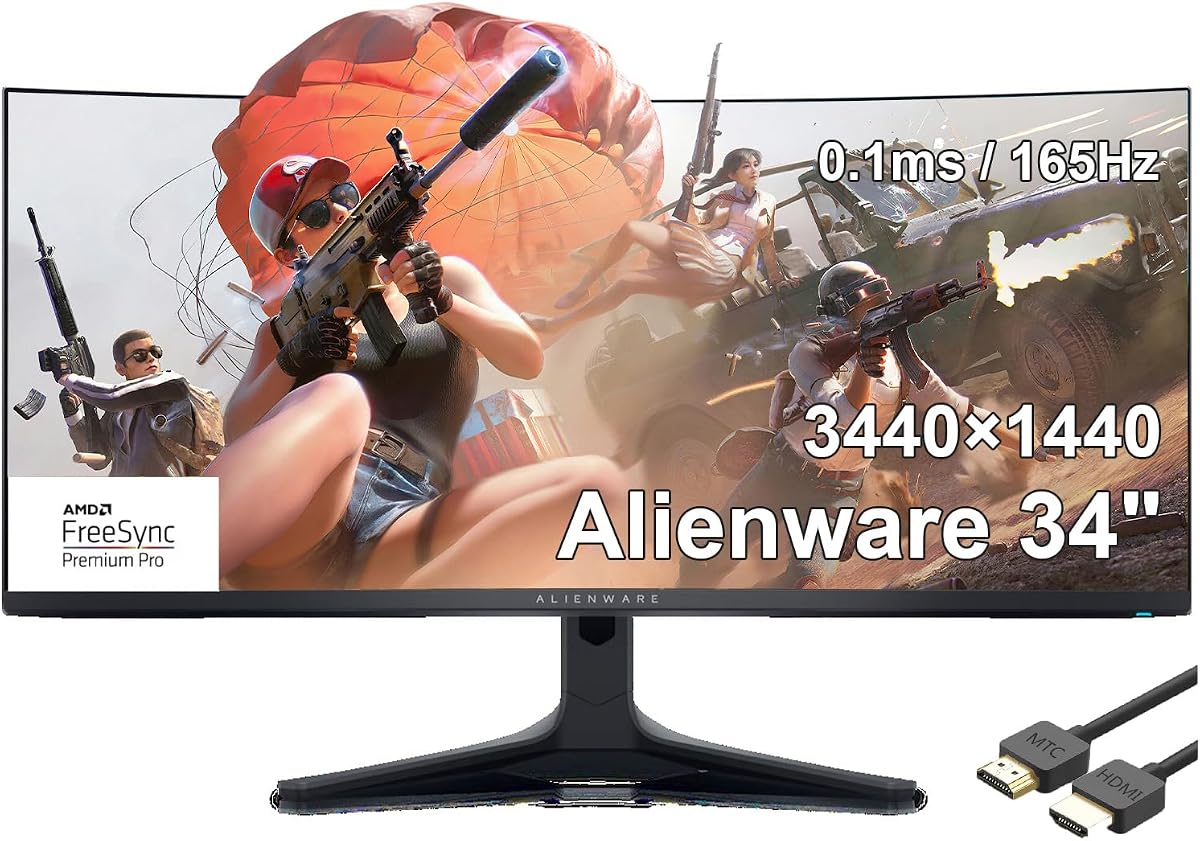
This model focuses on AMD users offering robust FreeSync Premium Pro support for smooth gameplay on AMD GPUs. It maintains a solid rating among enthusiasts who value the speed and color precision of QD-OLED technology.
We may earn a commission when you buy through this link, at no additional cost to you.
The display delivers 1.07 Billions Colors with 0.1ms Gray-to-Gray response time reducing ghosting in motion. AMD FreeSync Premium Pro ensures synchronized frame rates and minimal lag for fluid competitive gaming sessions.
Trade-offs involve a lower rating compared to other models in the lineup possibly due to firmware or panel variance. Still the core performance specs remain strong for both productivity and high-end gaming scenarios.
It fits AMD system owners needing a responsive wide-screen monitor without G-Sync restrictions. The bundled HDMI cable and DisplayPort options simplify connection choices for various graphics cards and consoles.
AMD FreeSync Premium Pro support ensures synchronized frame rates and minimal lag for fluid competitive gaming.
1.07 Billions Colors and 0.1ms Gray-to-Gray response reduce ghosting in motion for clear images.
We may earn a commission when you buy through this link, at no additional cost to you.
This model offers a compact 32-inch 4K OLED alternative for those needing higher pixel density in a smaller footprint. It carries a strong rating for visual quality making it a standout in the premium curved category.
We may earn a commission when you buy through this link, at no additional cost to you.
The 4K Ultra HD resolution delivers sharp text and detailed visuals ideal for both gaming and productivity tasks. QD-OLED technology ensures deep blacks and vibrant colors enhancing contrast and brightness across the screen.
Trade-offs include limited public specifications compared to other models which might require more research before buying. The black and white color finish offers a unique aesthetic that fits modern minimalist setups well.
It suits professionals and gamers wanting a high-end small screen with exceptional color accuracy and clarity. The model number W129021912 identifies it as a specialized option within the Alienware lineup.
3840 x 2160 pixels deliver sharp text and detailed visuals ideal for both gaming and productivity tasks.
Black and white color finish offers a unique aesthetic that fits modern minimalist setups well.
We may earn a commission when you buy through this link, at no additional cost to you.
This bundle brings unmatched speed with a 280Hz refresh rate and 1ms response time for competitive gamers. It earned a perfect rating due to its reliable performance and rich accessory kit for full connectivity.
We may earn a commission when you buy through this link, at no additional cost to you.
The 27-inch IPS panel supports vivid immersion with 100% sRGB and 95% DCI-P3 coverage for rich color depth. AMD FreeSync Premium Pro and NVIDIA G-Sync compatibility ensure seamless on-screen action across different GPU brands.
Trade-offs involve a smaller 27-inch screen and IPS contrast limits compared to OLED curved options. However the 280Hz rate and USB hub integration make it a top choice for pure speed and convenience.
It fits competitive players prioritizing refresh speed over ultrawide immersion. The iconic Legend 2.0 design and adjustable stand ensure it stays stylish and ergonomic during intense gaming sessions.
Equipped with AMD FreeSync Premium Pro and Adaptive-Sync it delivers seamless on-screen action for an immersive experience.
Choose from four hardware-based overlays for real-time visual enhancement to customize your view easily.
We may earn a commission when you buy through this link, at no additional cost to you.
As a leading alternative this Samsung monitor offers massive 40-inch WUHD curved immersion for wide-field gaming. It holds a solid rating for delivering breathtaking realism and smooth motion with powerful HDR performance.
We may earn a commission when you buy through this link, at no additional cost to you.
The 1000R curved display wraps around the field of vision with a 21:9 screen for next-level immersion. VESA DisplayHDR 600 delivers more contrast with deeper blacks and brighter whites for greater clarity in dark scenes.
Trade-offs include a larger footprint and lack of specific Alienware features though it offers comparable speed and visuals. The 180Hz refresh rate and near-instant 1ms response time minimize lag for ultra-smooth gameplay.
It suits gamers seeking a massive ultrawide experience outside the Alienware ecosystem. The combination of speed and contrast ensures epic gameplay remains engaging and clear throughout long sessions.
Samsung's 40” Odyssey G7 provides breathtaking realism for epic gameplay with ultrawide 4K resolution.
VESA DisplayHDR 600 delivers more contrast with deeper blacks and brighter whites for greater clarity even in dark scenes.
We may earn a commission when you buy through this link, at no additional cost to you.
Choosing the right curved monitor involves weighing panel technology refresh rate response time and ergonomics to match your needs.
Most models use QD-OLED which delivers infinite contrast and deep blacks unlike older IPS displays. This technology improves visual immersion and color accuracy especially in darker games where shadows matter.
Look for QD-OLED if you prioritize image quality over maximum brightness for HDR content.
Higher refresh rates like 240Hz or 180Hz ensure smoother motion in fast games reducing blur and jitter. For competitive shooters prioritize the highest Hz available within your budget to gain split-second advantages.
Choose at least 175Hz for balanced gaming across most modern titles without motion issues.
Response time measures how quickly pixels change color impacting motion clarity. Values below 1ms reduce ghosting and trail effects during rapid movement ensuring crisp visuals.
Aim for 0.1ms or lower if you play fast-paced competitive games regularly.
Curvature is measured in R where lower numbers like 1000R are more aggressive than 1800R. Tighter curves increase immersion and peripheral visibility making them ideal for ultrawide setups.
Select 1500R or tighter for deep immersion or standard curves for comfort if seated further back.
Sync tools like G-SYNC or FreeSync match your monitor refresh rate to your GPU output preventing screen tearing. Check compatibility with your graphics card to enable tear-free gaming without stutter.
Ensure the monitor supports your preferred sync standard for smooth frame synchronization.
Adjustable stands for height tilt and swivel help reduce neck strain during long sessions. Look for ventilation and cable management features to keep your desk organized and cool.
Prioritize ergonomic flexibility to maintain comfort during extended gaming or creative work.
HDR standards like TrueBlack 400 or HDR600 define brightness and contrast capabilities for visual depth. Higher ratings improve realism and shadow detail in supported games and media.
Look for HDR 400 or higher to see clear detail in dark and bright scenes.
Some packages include essential cables and cleaning kits saving you extra costs and setup time. Verify what is included to avoid buying extra ports or tools separately.
Choose bundles that provide full connectivity and maintenance items for immediate use.
Connect the monitor using the supplied DisplayPort or HDMI cable and ensure your graphics card drivers are updated. This ensures you utilize the maximum refresh rate and sync features properly without compatibility issues.
Adjust the ergonomic stand to eye level and tilt the screen to reduce glare and strain on your neck. Proper positioning maintains comfort during long sessions and extends the physical life of your device.
Clean the screen gently with the included kit or a soft microfiber cloth to avoid scratches. Avoid harsh chemicals and let the unit cool before maintenance to preserve the panel quality and lighting.
Most Alienware curved models support NVIDIA G-SYNC and AMD FreeSync to ensure smooth gameplay without tearing. Check the specific model page for G-SYNC ULTIMATE certification before purchasing to confirm full GPU compatibility.
An ideal viewing distance for a 34-inch ultrawide monitor is roughly two to three feet to enjoy the full immersion. Sitting closer than two feet may cause neck strain while sitting farther reduces the visual impact of the curve.
QD-OLED panels carry some risk of burn-in with static elements but manufacturers include mitigation tools like pixel shifting. Using varied content and enabling screen savers helps prevent permanent image retention during long static use.
Yes DisplayPort connections generally support higher refresh rates and bandwidths than HDMI on these ultrawide monitors. For 175Hz or 240Hz performance always use the provided DisplayPort cable for optimal signal stability.
Most Alienware monitors support VESA mounting for flexible installation though the stand design may vary. Confirm the specific mount hole pattern before purchasing a third-party arm or wall bracket for your setup.
Creator Mode allows switching between color spaces like DCI-P3 and sRGB for accurate professional work. Gaming Mode prioritizes response time and refresh rates for smooth action ensuring the right mode for your task.
Your top picks span budget friendly OLED and bundle options ensuring there is a model for every setup need and budget level. The AW3425DWM offers excellent value while the AW3425DW provides elite speed and contrast.
Prioritize refresh rate panel technology and sync features based on your most used games to match performance to play style. Ergonomics and bundle accessories matter for long-term comfort and convenience too.
Prices change frequently so always verify current details and offers before finalizing your purchase decision today.