
TP-Link AC1900 Smart WiFi Router Dual Band Router for Wireless Internet
4.5Editor score
Wave 2 Wireless Internet Router
OneMesh Compatible technology
MU-MIMO Gigabit Router support
This guide compares the top AC1900 wireless routers for speed, coverage, and security to help you choose the best model for your home network needs.
Finding the right wireless router is essential for a smooth online experience in modern homes. AC1900 routers offer a balance of speed and coverage suitable for most households today.
We evaluated ten leading models based on performance metrics, security features, and ease of setup to ensure you get reliable connectivity for all your devices.
Each pick highlights key strengths and potential trade-offs so you can make an informed decision. Keep in mind that availability and pricing may change over time.
4.5Editor score

4.5Editor score

4.3Editor score
This table provides a side-by-side overview of the top AC1900 routers available today. Compare their core specifications to find the model that fits your specific connectivity requirements.




The ASUS RT-AC68U stands out as a top contender in the AC1900 category. With a rating of 4.5 stars from users, it consistently delivers reliable high-speed internet connectivity for modern households needing robust network performance.
We may earn a commission when you buy through this link, at no additional cost to you.
This router features dual-band 802.11ac technology with 3×3 streams to achieve up to 1900 Mbps combined speeds. The 1GHz dual-core CPU ensures smart multitasking between Wi-Fi and USB data, while AiProtection Pro powered by Trend Micro provides multi-stage security against threats.
While it offers premium features like five Gigabit LAN ports and excellent beamforming technology, it comes at a higher price point compared to entry-level models. The large physical size might also be a consideration for smaller setups or crowded entertainment centers.
Home users seeking a balance of speed, security, and extensive wired connectivity should strongly consider this model. It is an excellent choice for families needing reliable performance across multiple devices without sacrificing network safety.
AiProtection Pro offers vulnerability detection and blocking of malicious sites, ensuring your family's data remains safe from online threats.
The Broadcom TurboQAM Wi-Fi acceleration significantly boosts wireless-N data rates for smoother streaming and gaming experiences across all devices.
We may earn a commission when you buy through this link, at no additional cost to you.
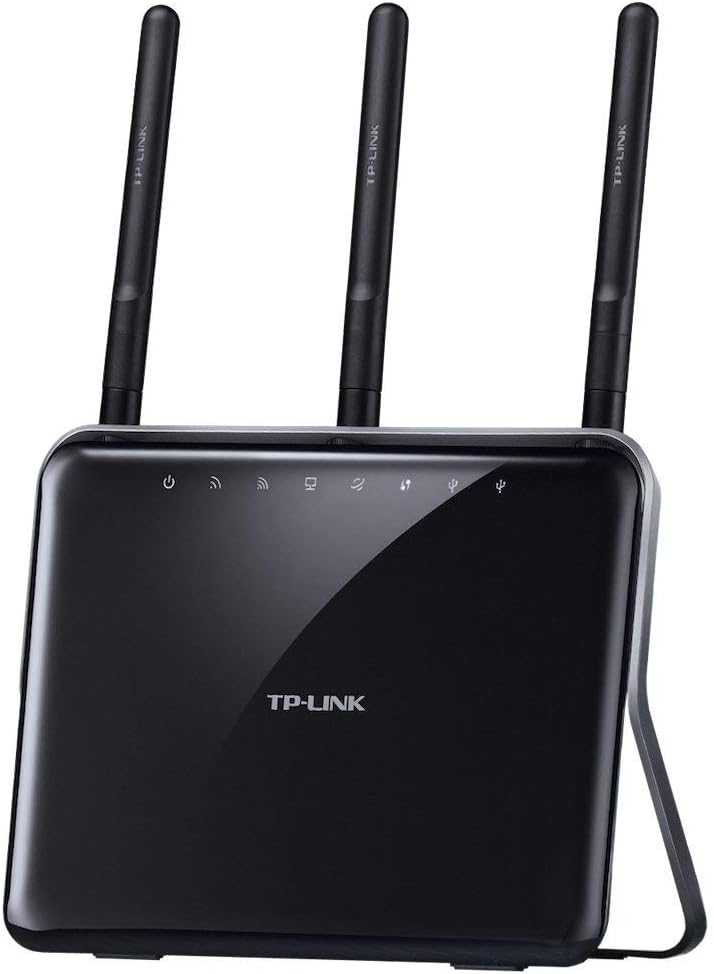
The TP-Link Archer A8 delivers impressive value for those seeking AC1900 speeds without breaking the bank. Its 4.5-star rating reflects user satisfaction with its ability to handle simultaneous streaming and gaming tasks effectively for most homes.
We may earn a commission when you buy through this link, at no additional cost to you.
Featuring Wave 2 technology, this dual-band router offers up to 1300 Mbps on 5GHz and 600 Mbps on 2.4GHz bands. MU-MIMO technology allows simultaneous data streams for better efficiency, while OneMesh compatibility helps extend coverage seamlessly with extenders.
This model does not include a USB port for storage sharing, which might limit users needing file sharing via wired connections. Security is functional but lacks the advanced threat protection found in more expensive premium alternatives.
Budget-conscious buyers looking for solid performance and easy management through the Tether App will find this router ideal. It is perfect for households needing reliable coverage without extra advanced networking features.
OneMesh compatibility allows you to create a unified network with compatible TP-Link extenders, ensuring consistent connectivity throughout your entire home space.
MU-MIMO ensures your connected devices receive optimal performance by managing communication efficiently without bottlenecking bandwidth during heavy usage.
We may earn a commission when you buy through this link, at no additional cost to you.
The NETGEAR Nighthawk R7000 is a premium choice known for its powerful performance and advanced features. With a 4.3-star rating, it appeals to users who need high coverage and security for connected smart home devices and media streaming.
We may earn a commission when you buy through this link, at no additional cost to you.
This router supports speeds up to 1900 Mbps and covers up to 1800 square feet reliably. It includes 1x USB 3.0 and 1x USB 2.0 ports for sharing storage drives or printers, plus Netgear Armor powered by BitDefender for comprehensive device protection.
Although it offers excellent hardware and security options, the price point is higher than budget alternatives, and initial setup can be slightly more involved than simpler models. The advanced features may also be overwhelming for casual users.
Tech-savvy users or those with larger homes requiring robust security and multiple device connections will appreciate its capabilities. It is best for families prioritizing comprehensive safety and maximum range over cost savings.
USB ports allow you to create a personal cloud storage accessible from anywhere, providing convenience for storing and sharing media without extra drives.
With Amazon Alexa Voice Controls and Dynamic QoS, you can manage network traffic and prioritize activities like gaming or streaming effortlessly.
We may earn a commission when you buy through this link, at no additional cost to you.
The NETGEAR R6900P offers a solid combination of speed and coverage with practical features for modern households. It carries a 4.3-star rating and is designed to handle multiple devices simultaneously with consistent performance across your network.
We may earn a commission when you buy through this link, at no additional cost to you.
Equipped with a dual-core 1GHz processor and Beamforming+ technology, this router delivers up to 1900 Mbps speeds. It includes one USB 3.0 port for external storage sharing and advanced features like Smart Parental Controls to manage internet usage responsibly.
However, it only provides one USB port compared to some competitors that offer dual connectivity options, which might limit simultaneous peripheral connections. Security and parental controls often require subscription fees after the initial free trial period.
Families looking for reliable parental controls and decent speed coverage will find this model suitable for daily use. It is a good mid-range option for those wanting essential smart features without excessive complexity.
Smart Parental Controls help promote healthy internet habits by allowing you to set time limits and schedule access for your children effectively.
Dynamic QoS ensures your most important tasks like video calls get priority bandwidth to prevent lag during simultaneous network activity.
We may earn a commission when you buy through this link, at no additional cost to you.
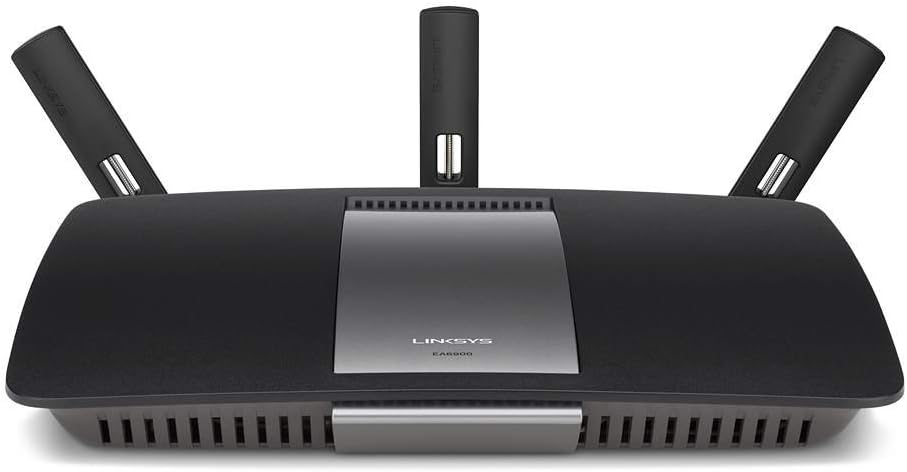
The Linksys EA6900 is a durable choice known for its straightforward design and reliable connectivity. With a 4.3-star rating, it serves households needing consistent dual-band speeds without overly complicated setup processes or features.
We may earn a commission when you buy through this link, at no additional cost to you.
This router supports simultaneous dual-band speeds of up to AC1300 on 5GHz and 600 on 2.4GHz. It features a 1 USB 3.0 port for fast data transfer and Beamforming technology to follow devices around the home for better signal strength.
While functional, the software interface can feel dated compared to newer models with modern app controls. Some users may find the physical design less appealing for contemporary entertainment center setups due to its bulky appearance.
Users prioritizing simplicity and stable performance over cutting-edge features will appreciate this router's reliability. It is a solid choice for small to medium homes requiring basic wired and wireless connectivity.
DLNA certification ensures seamless home media management allowing you to stream content to compatible devices on your network effortlessly.
Smart Wi-Fi App control allows you to manage parental settings and monitor network traffic from anywhere using your smartphone or tablet.
We may earn a commission when you buy through this link, at no additional cost to you.
The TP-Link Archer C80 offers a renewed option for those seeking AC1900 performance at a lower cost. Its 4.5-star rating highlights strong reliability and ease of use for households needing efficient bandwidth allocation across various connected devices.
We may earn a commission when you buy through this link, at no additional cost to you.
This router supports WiFi 5 standards with speeds up to 1300 Mbps on 5GHz and 600 Mbps on 2.4GHz. It uses 3×3 MU-MIMO to communicate with multiple clients simultaneously and OneMesh technology to create a flexible network ecosystem seamlessly.
Since it is a renewed model, physical condition may vary and warranty support could be limited compared to new units. Buyers should ensure they are comfortable with pre-owned hardware before making this purchase for their network needs.
Cost-conscious buyers looking for modern MU-MIMO technology will find this router a great alternative to buying new. It is best for standard home environments where reliable performance matters more than brand-new hardware features.
Airtime Fairness improves network efficiency by limiting excessive occupation ensuring all connected devices get fair access to bandwidth.
OneMesh supports creating a flexible network that covers your entire home without replacing existing devices for a seamless connection.
We may earn a commission when you buy through this link, at no additional cost to you.
The TP-Link Archer C1900 is designed for performance-driven users needing robust wireless speed and gaming support. With a 4.4-star rating, it offers high-power amplification to deliver reliable coverage for streaming and gaming across your home space.
We may earn a commission when you buy through this link, at no additional cost to you.
It features simultaneous dual-band networks with up to 1300 Mbps on 5GHz and 600 Mbps on 2.4GHz. Three dual-band antennas with 900mW high-powered amplifiers extend signal strength while a 1GHz dual-core processor handles wired and wireless connections efficiently.
While powerful hardware is present, it lacks some of the advanced software tools found in more expensive models like VPN servers or advanced parental controls. Its larger physical size may also be a constraint for users with limited shelf space.
Gaming enthusiasts and households needing extended range will appreciate its high-power capabilities. This router is best for users prioritizing raw signal strength and speed over complex smart features.
High-powered amplifiers with three antennas ensure consistent signal strength throughout larger rooms reducing dead spots effectively.
The dual-core processor manages wired and wireless connections without interruption providing stability for critical tasks like online gaming.
We may earn a commission when you buy through this link, at no additional cost to you.
The ASUS RT-AC68P is a classic model providing solid performance for wired and wireless connectivity. With a 4.2-star rating, it remains relevant for users seeking extensive wired ports and reliable dual-band speed for various device types.
We may earn a commission when you buy through this link, at no additional cost to you.
It delivers combined dual-band data rates of 1900Mbps with Broadcom TurboQAM technology for faster wireless-N data rates. Five Gigabit Ethernet ports enable fast stable wired connections, while dual USB ports support ultrafast USB 3.0 data transfer.
Users might notice its design feels older compared to newer routers, and the software interface lacks some modern mobile app conveniences. The cloud service requires account setup which may not be essential for everyone using local storage instead.
Workstations needing multiple wired connections and reliable performance will benefit from this router. It is a practical choice for users who value extensive wired connectivity over sleek aesthetics.
Five Gigabit Ethernet ports allow multiple devices to connect via cable ensuring stable and fast speeds for desktops and consoles.
ASUS AiCloud service lets you access sync share and stream data anywhere even connecting to other routers to create a private server.
We may earn a commission when you buy through this link, at no additional cost to you.
The ASUS RT-AC67P emphasizes simplicity without sacrificing speed or coverage. With a 4.2-star rating, it appeals to users who want reliable internet setup without technical complexity for everyday streaming and browsing activities.
We may earn a commission when you buy through this link, at no additional cost to you.
It supports dual-band speeds up to 1900 Mbps and extends coverage up to 3000 Sq Ft using AiRadar Beamforming Technology. MU-MIMO allows multiple clients to connect at maximum speed simultaneously while six layers of security keep your network safe.
Though setup is easy, the build quality feels average compared to premium models and security features might be basic for advanced users needing enterprise-level protection. The app is useful but may not offer deep configuration options.
Casual users looking for quick setup and wide coverage will find this router convenient for home use. It is best for environments prioritizing ease of use and reliable connectivity over advanced network control.
With just three easy steps you can set up your router in less than 30 seconds getting connected to high-speed Wi-Fi instantly.
The ASUS Router App lets you set up manage traffic and diagnose connection issues easily without needing to boot up a PC.
We may earn a commission when you buy through this link, at no additional cost to you.
The ASUS RT-AC1900P combines speed with robust security features suitable for large modern homes. With a 4.4-star rating, it offers free lifetime security and flexible mesh capabilities for users needing comprehensive protection and whole-home coverage.
We may earn a commission when you buy through this link, at no additional cost to you.
This router provides combined dual-band speeds of up to 1900Mbps and includes five Gigabit Ethernet ports for extensive wired connectivity. It supports AiMesh to create a flexible whole-home network and features USB 3.1 and USB 2.0 ports for fast data transfer.
Setting up requires either app or browser access which may be less intuitive for non-tech-savvy users. The physical size is large and might dominate smaller shelves or entertainment centers compared to compact alternatives.
Security-conscious households with multiple wired devices will appreciate its comprehensive protection and connectivity options. It is ideal for users wanting lifetime security and mesh scalability without monthly subscription fees.
AiProtection powered by Trend Micro blocks and neutralizes security threats for all your connected smart devices at no extra cost.
AiMesh compatible allows connecting to other routers to build a flexible network ensuring consistent Wi-Fi across every room.
We may earn a commission when you buy through this link, at no additional cost to you.
Choosing the right AC1900 router involves understanding key factors like speed, coverage, and security. This guide helps you evaluate these elements to select a device that meets your home's specific networking needs.
AC1900 routers provide combined speeds of up to 1900 Mbps across dual bands. Look for models supporting 802.11ac and MU-MIMO to ensure efficient bandwidth distribution among multiple connected devices without congestion.
Prioritize routers with strong 5GHz performance for streaming and gaming while using 2.4GHz for extended range and smart home devices.
Coverage typically ranges from 1800 to 3000 square feet depending on model and environment. High-power antennas and beamforming technology help direct signals to devices reducing dead zones in larger homes effectively.
Choose a router with sufficient antenna count and range claims that match your home's layout for consistent connectivity throughout.
Advanced routers include built-in security suites like AiProtection or Netgear Armor to protect against malware and intrusions. Evaluate if these features require ongoing subscriptions or come included with your purchase decision.
Security is critical for households with children or IoT devices, so prioritize models with robust threat detection and parental control options.
Most AC1900 routers offer four to five Gigabit Ethernet ports for devices like consoles and desktops. Some premium models include USB 3.0 ports to share storage or printers easily across your network.
Assess your need for wired connections and USB storage sharing to select a router that provides the ports you require.
Mesh-compatible routers allow expansion with additional nodes for seamless coverage in large properties. Systems like OneMesh or AiMesh provide unified network management without needing multiple separate routers.
If your home is large or multi-story, consider a router that supports mesh technology to extend Wi-Fi coverage easily without complex setup.
User-friendly interfaces and mobile apps simplify initial setup and ongoing network management. Look for intuitive controls and features like guest networks and parental controls available through user-friendly dashboards.
A simple setup process saves time and frustration, making it easier for all household members to manage network settings effectively.
Prices vary widely based on features, brand, and performance capabilities. Balance your budget against essential needs like security coverage and port availability to find the best value for your specific situation.
Investing in a reliable mid-range model often provides the best balance between cost and long-term performance for most households.
Dual-core processors with ample RAM ensure the router handles multiple tasks like VPNs and file sharing smoothly. Look for routers with at least 1GHz CPU speed to avoid bottlenecks during heavy usage periods.
Strong internal hardware ensures consistent performance even when multiple devices stream video or download large files simultaneously.
Position your router in a central elevated location away from obstructions and electronic interference. This placement optimizes wireless signal distribution and ensures coverage reaches all areas of your home effectively.
Regularly update the router's firmware through the admin interface or app to maintain security and performance. Manufacturers frequently release patches that fix bugs and add features to keep your network running smoothly.
Restart your router occasionally to clear cached data and resolve minor connectivity issues. A simple reboot can improve performance and ensure all connected devices maintain stable connections to the network.
AC1900 indicates the combined maximum theoretical speed of the router across its dual bands. Typically this means 600 Mbps on the 2.4GHz band and 1300 Mbps on the 5GHz band totaling 1900 Mbps for fast internet performance.
Yes AC1900 routers provide ample speed and low latency for most gaming needs. Models with MU-MIMO and beamforming further improve stability for online gaming by prioritizing traffic to gaming devices effectively.
Yes these routers require a separate modem to connect to your internet service provider. The router manages local network traffic while the modem handles the connection to your ISP for internet access.
Most AC1900 routers cover between 1800 to 3000 square feet depending on model and physical environment. Walls and interference can reduce effective range so central placement helps maximize coverage in your home space.
Yes many AC1900 models support mesh technologies like OneMesh or AiMesh for whole-home coverage. These systems allow adding additional compatible nodes to eliminate dead spots without complex configuration setup.
Look for built-in antivirus firewall protection and parental controls. Premium models often include threat detection and blocking malware to keep all your connected devices safe from online risks and vulnerabilities.
MU-MIMO improves performance when multiple devices connect simultaneously by transmitting data to multiple clients at once. This reduces congestion and ensures consistent speeds for streaming gaming and browsing across connected devices.
Yes routers with USB ports let you share storage drives or printers across your network. This feature allows file access from multiple devices remotely without needing additional storage hardware for your home setup.
This guide reviewed ten top AC1900 routers each offering unique strengths for different home networking needs. From the budget-friendly TP-Link Archer A8 to the feature-rich ASUS RT-AC68U there is a model to suit every preference and household size.
Prioritize features that matter most to you such as security coverage or wired ports when making your decision. Ensuring compatibility with your existing devices and internet plan will help maximize the router's performance and longevity for years.
Remember to check current availability and pricing since they may change frequently on online marketplaces. Selecting the right router today ensures reliable high-speed internet and a smoother digital experience for your entire family.