
Heavy Duty 3D Printer Stand
4.8Editor score
Compact 23.6 inch design
Dual tier spool storage
Adjustable leveling feet
Finding the right workspace for your 3D printer is crucial for maintaining print quality and keeping your area organized. A dedicated stand with filament storage helps reduce vibrations and keeps materials accessible. This guide reviews the best options available for makers and professionals alike.
We evaluated these products based on stability, storage capacity, ease of assembly, and overall design. Each stand offers unique features like built-in power hubs or mobile wheels. Our goal is to help you find the perfect fit for your specific printing needs and available space.
Each pick highlights key strengths and potential trade-offs to guide your decision. Prices and availability change frequently so check current listings before buying. Read on to discover which stand best matches your workflow and budget requirements for your 3D printing projects.
4.8Editor score

4.3Editor score

4.2Editor score
As an Amazon Associate we earn from qualifying purchases.
This side-by-side comparison highlights the key specifications and unique features of each top-rated 3D printer stand to help you make an informed decision for your workspace.
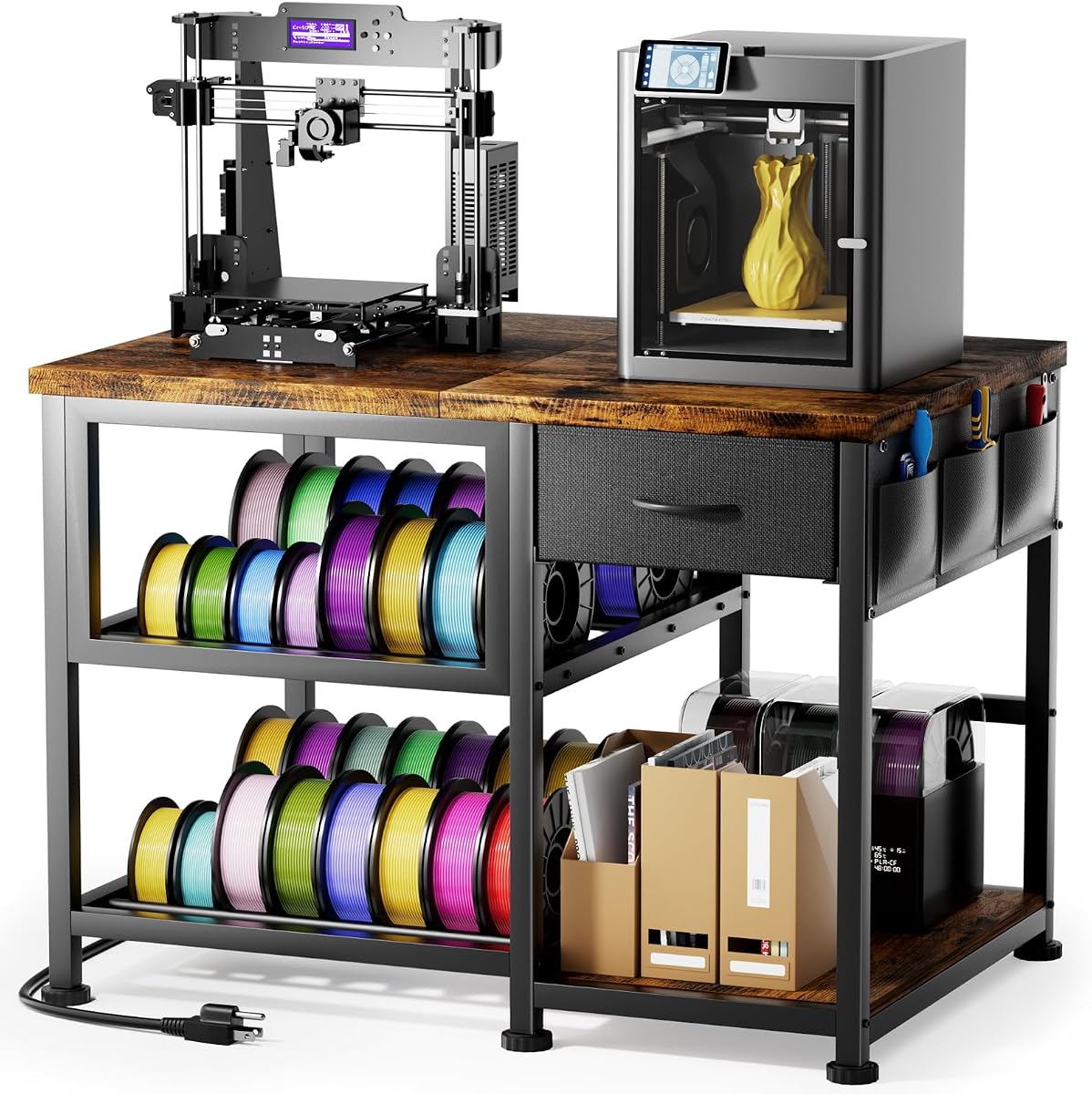


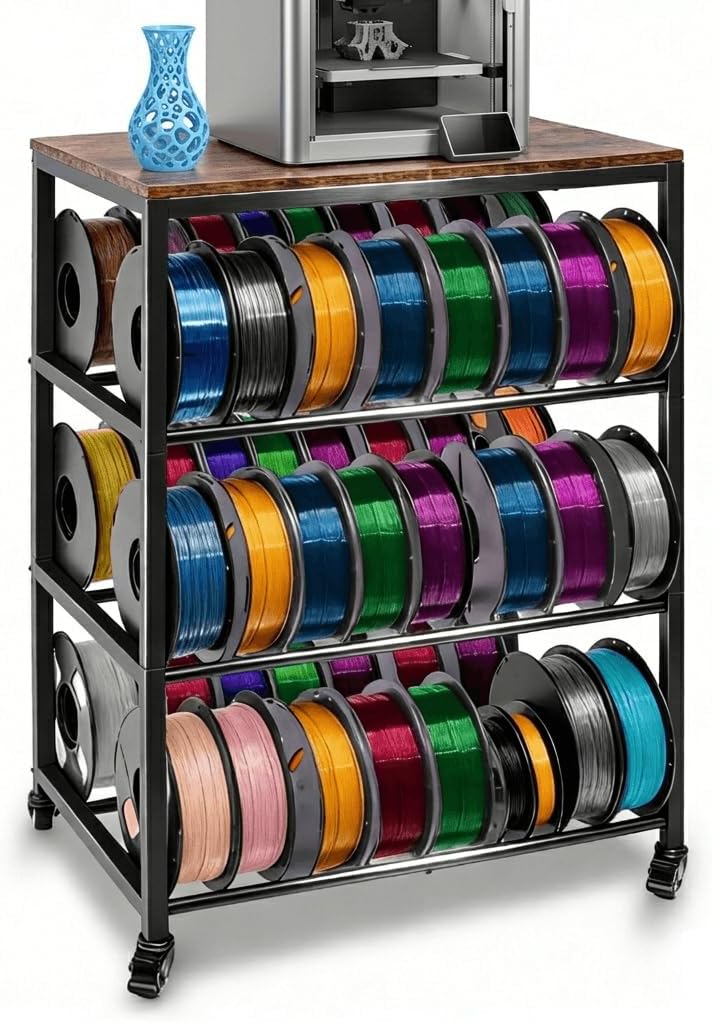
This stand stands out for its heavy-duty construction and ability to absorb mechanical vibrations for smoother prints. It features a large metal drawer and space for up to 56 spools keeping your workshop clutter-free.
We may earn a commission when you buy through this link, at no additional cost to you.
The stability is remarkable thanks to the reinforced frame design which minimizes ghosting on tall prints. The matte black finish resists scratches while the leveling feet ensure a solid base on uneven surfaces.
While assembly requires some effort the included hardware makes it straightforward. The size is substantial so measure your space before buying but the organizational benefits are worth the footprint.
Ideal for serious hobbyists who need reliable support and ample storage. It balances functionality with aesthetics to enhance your printing workflow significantly.
The heavy-duty table design absorbs vibrations that can cause print defects ensuring cleaner layers on every job.
Up to 56 spools fit neatly on open shelves reducing floor clutter and keeping materials accessible during long prints.
We may earn a commission when you buy through this link, at no additional cost to you.
Combining wood and metal this stand offers a sleek look that fits well in home offices or studios. It includes a power outlet for convenience and ample storage for tools and filaments.
We may earn a commission when you buy through this link, at no additional cost to you.
The three-tier structure maximizes vertical space allowing various spool sizes without clutter. The mobile design makes rearranging your workspace simple while the side pockets keep tools handy.
Wood finishes may require occasional care to maintain appearance but the visual appeal is strong. The power outlet reduces cable mess making setup cleaner and more efficient overall.
Perfect for creators who value design alongside functionality. It provides a professional look while supporting efficient workflows.
Natural wood finish paired with metal accents creates a centerpiece that reflects your passion for innovation.
Built-in power outlets eliminate messy cables and multiple strips streamlining your workspace connectivity.
We may earn a commission when you buy through this link, at no additional cost to you.
This all-in-one workstation integrates power hubs and storage for a complete printing solution. The built-in power strip with USB ports eliminates cable clutter while the X-bracket frame reduces vibrations significantly.
We may earn a commission when you buy through this link, at no additional cost to you.
Designed for heavy-duty use it fits most printer brands from desktop to industrial grade. Every drawer and compartment is optimized for 3D printing essentials ensuring zero wasted space.
The power hub streamlines setup by allowing multiple devices to connect easily. While slightly pricier the integrated features save time and effort in the long run.
Ideal for professionals needing a robust and organized center. It supports creativity by removing technical constraints.
Dual AC outlets and USB ports keep your printer and laptop powered without extra strips.
X-shaped bracket reinforcement reduces wobble ensuring cleaner and more precise print layers.
We may earn a commission when you buy through this link, at no additional cost to you.
Perfect for smaller rooms this stand offers a square footprint that supports heavy printers stably. The dual-tier storage holds up to 32 spools and adjustable feet balance it on uneven floors.
We may earn a commission when you buy through this link, at no additional cost to you.
Thick steel tubing ensures vibration-free printing even on compact tables. Assembly is quick taking about twenty minutes with clear instructions provided.
The compact size limits width but maximizes vertical space efficiently. It is an excellent choice for those prioritizing space conservation without sacrificing stability.
Great for hobbyists with limited floor space. It delivers essential features at a budget-friendly price point.
Frees up cluttered desktops while organizing printers and filaments in one spot efficiently.
Solid MDF top and steel tubing hold heavy printers stably for smooth precise printing.
We may earn a commission when you buy through this link, at no additional cost to you.
This workstation features two dedicated zones allowing simultaneous printing without mutual interference. It supports heavy loads and unique hanging mesh racks for maximum filament and tool organization.
We may earn a commission when you buy through this link, at no additional cost to you.
The dual-loop frames ensure stability across both zones so weight transfer doesn't compromise rigidity. With space for over 48 spools it suits busy production environments.
Assembly includes a detailed manual to simplify setup but the unit is large. Ensure you have adequate space before purchasing to avoid fit issues.
Best for users running multiple printers. It transforms your workshop into a streamlined efficient production center.
Two separate working zones isolate vibration allowing service on one printer without disrupting the other.
Hanging mesh racks on both sides store tools and filaments efficiently without taking up floor space.
We may earn a commission when you buy through this link, at no additional cost to you.
Featuring dual fabric drawers this stand offers practical tool storage alongside ample space for up to 50 spools. The heavy-duty steel frame ensures stability for premium printers.
We may earn a commission when you buy through this link, at no additional cost to you.
One shelf serves dual purposes for printing and displaying finished models. Fabric drawers partition scrapers and pliers neatly keeping small items organized.
Particleboard is durable but may not suit all environments. However for the price it delivers solid performance and organization.
Good for general home use and small workshops. It provides excellent value with strong storage features.
Perfectly partitions your scrapers pliers and wrenches to keep tools within reach.
Provides ample room to run machines and showcase finished products all in one place.
We may earn a commission when you buy through this link, at no additional cost to you.
A wood-style tabletop combines durability with a clean modern aesthetic. It includes power outlets and a multi-level filament rack to keep spools visible and organized.
We may earn a commission when you buy through this link, at no additional cost to you.
The spacious desktop provides stability for your printer and laptop. A pull-out drawer protects small tools and accessories from dust.
Wood finishes look great but require care to prevent scratches. Power management is convenient reducing cable clutter around the area.
Ideal for home offices seeking a stylish setup. It balances form and function effectively.
Equipped with outlets and ports to keep devices connected from one central workstation reducing cable clutter.
Multi-level rack keeps filament spools organized visible and within easy reach while printing.
We may earn a commission when you buy through this link, at no additional cost to you.
This stand balances features and size for a versatile solution. It includes a built-in power strip with USB ports and fabric drawers for accessories.
We may earn a commission when you buy through this link, at no additional cost to you.
Metal tube racks on middle and bottom shelves keep filaments organized and accessible. Its compact fit suits home offices without taking up too much space.
Power strip length allows flexibility in placement. It is a solid choice for standard setups needing basic organization.
Perfect for students or casual hobbyists. It delivers essential features in a compact footprint.
Stay charged and powered up with embedded outlets making it easy to connect multiple devices.
Metal tube racks ensure filaments stay organized and easily accessible on multiple levels.
We may earn a commission when you buy through this link, at no additional cost to you.
Featuring enclosed cabinet doors this stand protects sensitive spools from dust and moisture. It offers ample storage and mobility with locking casters for stability during prints.
We may earn a commission when you buy through this link, at no additional cost to you.
The metal frame effectively absorbs vibrations ensuring equipment remains level. Dimensions provide a large work surface compatible with most machines.
Mobility is excellent with swivel casters yet locks keep it firm. This is great for shared spaces where protection is key.
Ideal for studios needing protection and portability. It combines security with convenience.
Four 360-degree swivel casters with locking brakes provide balance of portability and firm stability.
Lower enclosed compartment protects sensitive spools from dust and moisture keeping everything within reach.
We may earn a commission when you buy through this link, at no additional cost to you.
This stand boasts an impressive load capacity of up to 480 pounds making it ideal for heavy industrial printers. It features silent casters and adjustable feet for stability and mobility.
We may earn a commission when you buy through this link, at no additional cost to you.
Three layers of storage hold 48 rolls keeping filaments tidy and space preserved. The wooden top suits different printer types and decorations.
Load distribution ensures accessories remain safe and stable. Adjustability allows fixation on uneven surfaces for added security.
Best for heavy-duty workshop environments. It prioritizes durability and capacity for professional use.
Astonishing overall load capacity ensures your printer accessories remain neat stable and reliable.
Lockable heavy-duty rotating casters allow smooth movement while adjustable feet enhance stability.
We may earn a commission when you buy through this link, at no additional cost to you.
Selecting the right stand requires evaluating stability, storage, size, and extra features. This guide explains key factors to consider for your setup.
Vibrations during printing can cause defects like ghosting or layer shifting. Look for stands with thick steel tubing, reinforced frames, or X-brackets that absorb shocks effectively.
Prioritize models with adjustable leveling feet to ensure the unit remains perfectly even on any floor surface.
Assess how many spools you use regularly. Stands range from holding 30 to over 50 spools. Open shelves allow visibility while enclosed cabinets protect from dust.
Ensure the shelf spacing accommodates your specific spool sizes such as 1kg or 2kg rolls without crowding.
Check the maximum weight limit the stand can support. Heavy printers combined with tools and accessories add up. A safe margin prevents structural stress.
Higher load limits often correlate with thicker materials and better overall rigidity for long-term use.
Measure your available floor space and printer dimensions. Compact units save space but may limit expansion. Taller stands utilize vertical space efficiently.
Consider width for tool access and clearance around moving parts like printheads during maintenance.
Built-in power outlets and USB ports reduce cable clutter. Fabric or metal drawers keep tools accessible. Mobile casters allow repositioning as needed.
Evaluate if these additions align with your workflow to justify their presence on the unit.
Steel frames offer durability while wood tops add aesthetic appeal. Powder coatings resist scratches and wear. Ensure all joints are reinforced for longevity.
High-quality materials prevent wobbling and extend the lifespan of the furniture under continuous use.
Review assembly time and required tools. Some models include hardware while others need separate purchases. Detailed manuals simplify setup significantly.
Quick assembly minimizes frustration and gets your printer running faster with less effort.
Consider how the stand matches your office or studio decor. Matte black or wood finishes offer different vibes. A clean look improves the workspace environment.
Select a finish that is easy to clean and resistant to smudges or accidental spills.
Place the stand on a flat and sturdy floor. Use the adjustable feet to level the surface and prevent wobbling during operation. Tighten all bolts securely after assembly to ensure structural integrity.
Store filament spools on shelves away from direct sunlight and humidity. Organize tools in drawers to keep the work surface clear for printing and maintenance tasks.
Regularly check the casters and leveling feet for wear. Clean dust from surfaces using a dry cloth to maintain appearance and prevent buildup in drawers or racks.
A dedicated stand absorbs vibrations more effectively to improve print quality. It also provides organized storage for tools and filaments keeping your workspace tidy. Regular tables often lack stability and dedicated storage features.
Most stands hold between 30 to 56 spools depending on size. Some models use vertical space to maximize capacity without increasing footprint. Check specific product dimensions for your spool sizes.
Some models include built-in power strips with AC and USB ports. This feature helps reduce cable clutter around your printer. Always check the product specifications before purchasing to confirm.
Many stands feature locking casters for easy mobility and stability. These wheels allow you to reposition the unit when needed. Locking mechanisms ensure the stand stays fixed during printing.
Some dual-zoned models support two printers side by side effectively. Standard single-unit stands may fit smaller dual setups depending on size. Verify the load capacity and tabletop dimensions first.
Heavy-duty steel frames with powder-coated finishes offer the best durability. Wood tops add style but may need more care. Combination designs provide both stability and aesthetic appeal.
Each stand reviewed offers unique benefits whether you prioritize stability, storage, or mobility. The top picks highlight options that excel in different categories to suit varied needs.
Focus on stability and capacity first to ensure your printer operates smoothly. Extra features like power hubs add convenience but may increase cost depending on your requirements.
Prices and availability fluctuate so verify current listings before making a final decision. Choose the model that best fits your space and workflow for optimal printing success.