
ASRock PG 1600G
4.4Editor score
1600W continuous output
ATX 3.1 compliant
Native 12V-2×6 connectors
Fully modular design
This guide compares the top 1600W power supplies for high-end PCs, evaluating efficiency, noise, connectivity, and build quality to help you choose the right
Modern computing demands immense power for AI workstations and extreme gaming. A high wattage unit ensures stability under load. Finding the right supply requires checking efficiency, noise, and connector compatibility carefully.
We evaluated ten leading models based on efficiency ratings, connector types, and build quality. Our analysis highlights units that meet ATX 3.1 standards while offering quiet operation and robust protection features for demanding systems.
Each pick details key strengths and trade-offs to guide your decision. We include expert insights on what matters most for your specific build. Prices fluctuate frequently, so verify current listings before purchasing to ensure you get the best value available today.
4.4Editor score

4.5Editor score

4.3Editor score
The following table offers a side-by-side view of every model evaluated. Compare efficiency ratings, connector types, and warranty terms to find the best fit for your hardware configuration.


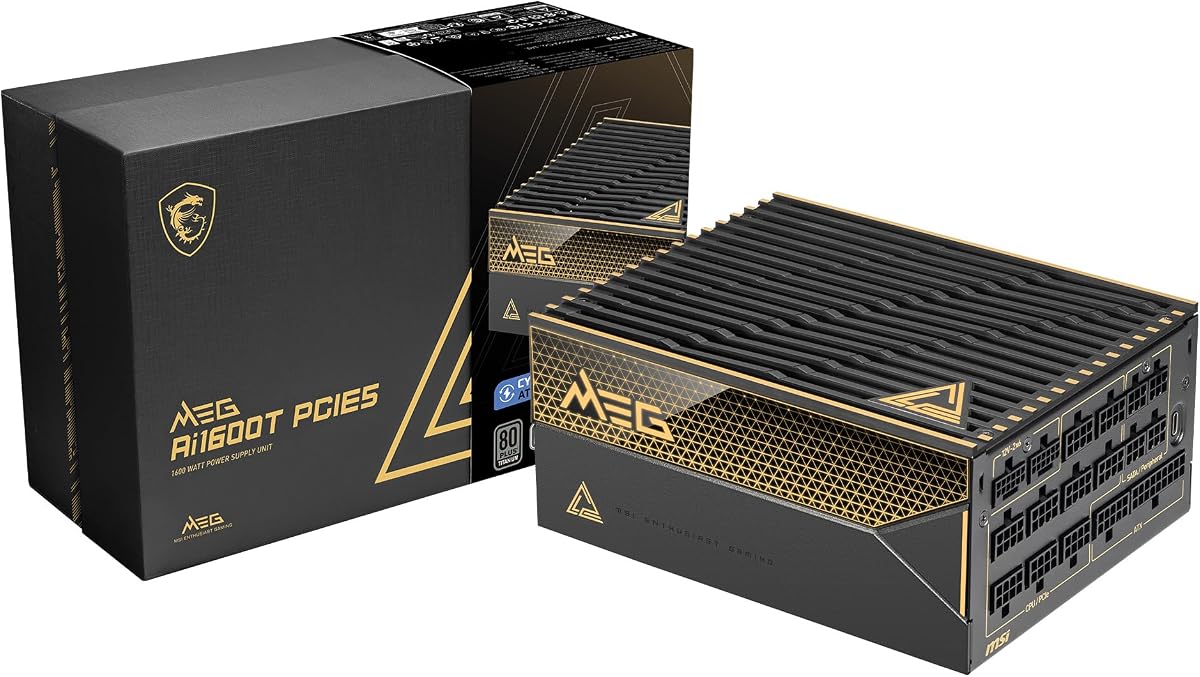

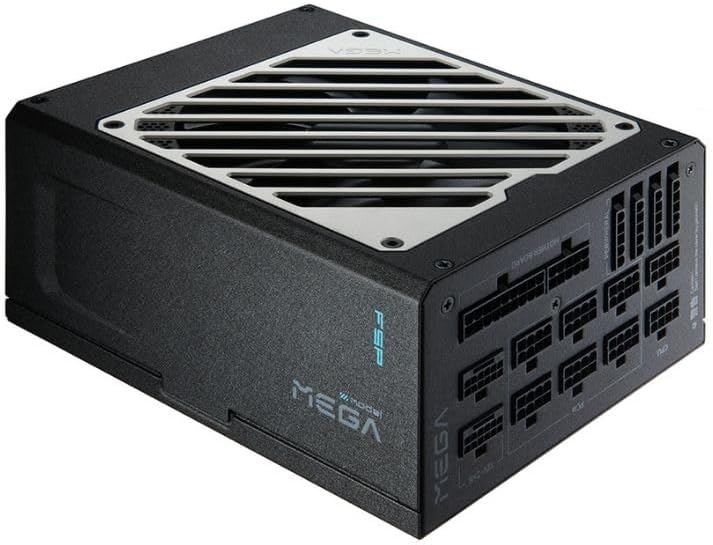

The ASRock PG 1600G offers immense power for budget builders. It delivers 1600W continuous output with 80 Plus Gold efficiency and native PCIe 5.1 connectors.
We may earn a commission when you buy through this link, at no additional cost to you.
Its standout features include full modularity and Japanese capacitors for reliability. The TempGuard technology monitors connector temperature to prevent failures during high load.
Trade-offs include a large 180mm depth that may not fit smaller cases. Ensure your chassis clearance matches the dimensions before purchasing.
Buy this if you need high power without overspending on premium features. It balances performance and cost effectively for most high-end gaming systems.
Cybenetics Platinum certification ensures low power waste. TempGuard protects your GPU by monitoring connector heat directly.
Dual native 12V-2×6 cables support the latest GPUs. Fully modular design improves airflow and cable management in your case.
We may earn a commission when you buy through this link, at no additional cost to you.
This model combines Seasonic reliability with Noctua silence. It offers titanium efficiency and a custom fan that runs nearly inaudible even under heavy loads.
We may earn a commission when you buy through this link, at no additional cost to you.
Its key strength is the semi-passive operation. The fan stays off until 50% load, ensuring perfect silence for office or bedroom setups.
The main trade-off is cost. This unit commands a premium price due to its specialized cooling and efficiency certifications.
Buy this if silence is your absolute priority and budget is secondary. It represents the pinnacle of quiet, high-performance power delivery.
The custom Noctua fan provides Lambda A++ rating. It reduces noise significantly compared to standard high-wattage units.
Titanium certification reduces power loss. Less waste heat means lower operating temperatures for your internal components.
We may earn a commission when you buy through this link, at no additional cost to you.
The Dark Power Pro 13 allows deep customization of power delivery. It uses digital control to switch between rail configurations for stability or single-rail output.
We may earn a commission when you buy through this link, at no additional cost to you.
Its standout feature is the full mesh inlet. This design improves airflow into the unit while maintaining low noise levels during operation.
Complexity might deter some users. Configuring rail switches requires understanding your system requirements to avoid instability.
Buy this if you need specific rail configurations for workstation tasks. It offers unique flexibility for power management not found elsewhere.
Overclocking key switches between six rails or one massive rail. Tailor power delivery to your specific CPU and GPU needs.
Full mesh front with funnel-shaped inlet optimizes intake. This ensures the unit runs cool even during extended high-load sessions.
We may earn a commission when you buy through this link, at no additional cost to you.
This unit is our Editor's Choice for its perfect balance of features. It provides titanium efficiency and full ATX 3.1 compliance for future-proofing.
We may earn a commission when you buy through this link, at no additional cost to you.
Dual native 12V-2×6 connectors are a major strength. You avoid adapters for next-gen graphics cards, reducing potential failure points.
While it is expensive, the build quality justifies the cost. Seasonic is known for long-term stability and robust protection circuits.
Buy this for a top-tier build needing modern standards. It offers the reliability expected from a premium power supply unit.
Dual 12V-2×6 cables support latest GPUs safely. Native connectors ensure stable power delivery without intermediates.
Hybrid fan control stops the fan at low loads. This keeps your system whisper-quiet during light tasks or idle.
We may earn a commission when you buy through this link, at no additional cost to you.
The HX1500i stands out with digital features. It supports ATX 3.1 standards and integrates directly with CORSAIR iCUE software for monitoring.
We may earn a commission when you buy through this link, at no additional cost to you.
Software integration allows custom fan curves and rail protection toggles. You can tailor performance without physical switches or complex settings.
Dependence on software may limit control if the app crashes. Ensure you have necessary drivers installed for full functionality.
Buy this if you use a CORSAIR ecosystem. Software control adds value for users who want detailed power management.
Monitor power consumption and adjust curves easily. Toggle protection modes without opening the PC case.
ATX 3.1 compliance handles transient spikes. Digital control helps maintain safety during sudden power surges.
We may earn a commission when you buy through this link, at no additional cost to you.
This model offers a massive 12-year warranty. It combines server-grade components with full ATX 3.1 compliance for extreme durability.
We may earn a commission when you buy through this link, at no additional cost to you.
The use of 105°C capacitors ensures longevity. These industrial-level components are tested for higher temperature tolerance.
Some features may feel overkill for standard gaming. The industrial focus targets stability rather than gaming aesthetics.
Buy this if you plan to keep the unit for a decade. The warranty and build quality provide long-term peace of mind.
12-year warranty reflects high build confidence. Protect your investment against long-term wear and failure.
Industrial capacitors ensure steady power output. This reduces ripple and noise for stable high-end components.
We may earn a commission when you buy through this link, at no additional cost to you.
The Thor stands out with its magnetic OLED display. It shows real-time power consumption visually for a high-tech build feel.
We may earn a commission when you buy through this link, at no additional cost to you.
GaN MOSFETs provide higher efficiency than standard units. Intelligent voltage stabilizer improves delivery to your GPU significantly.
The display can be tricky to install in tight cases. Ensure clearance is adequate before purchasing for aesthetics.
Buy this if you want a visually distinct power supply. It blends performance with a unique aesthetic feature found nowhere else.
Magnetic OLED display tracks live consumption. It adds style while providing practical usage data.
GaN MOSFETs run cooler and more efficiently. Higher energy efficiency translates to better overall system stability.
We may earn a commission when you buy through this link, at no additional cost to you.
This unit is a proven workhorse for high-power builds. It features Gold efficiency and a 10-year warranty for reliability.
We may earn a commission when you buy through this link, at no additional cost to you.
Full modularity helps with cable management significantly. You can route cables efficiently to maximize airflow inside the case.
It lacks modern ATX 3.1 standards. This means you may need adapters for new GPUs which adds risk.
Buy this if you have an older build needing replacement. It offers solid performance without the latest connector requirements.
G2 series has a strong track record. High user satisfaction scores confirm its consistent performance over time.
Heavy-duty protections safeguard components from surges. OVP, UVP, and OCP prevent damage during power events.
We may earn a commission when you buy through this link, at no additional cost to you.
This unit offers the highest wattage in our selection. It provides 1650W of continuous power for extreme multi-GPU setups.
We may earn a commission when you buy through this link, at no additional cost to you.
Its titanium efficiency ensures minimal power loss. Compact design helps in cases with limited PSU clearance.
Zero RPM mode allows silent operation at low loads. This keeps noise to a minimum during light tasks or idle.
Buy this if you need maximum headroom. The capacity ensures stability for systems that draw peak power consistently.
1650W allows for extreme overclocking. Extra capacity ensures stable rails even during massive transient spikes.
Compact 180mm depth fits tight spaces. This reduces obstruction in smaller high-end PC chassis.
We may earn a commission when you buy through this link, at no additional cost to you.
This unit focuses on Platinum efficiency for power savings. It provides reliable 1600W delivery for demanding high-performance systems.
We may earn a commission when you buy through this link, at no additional cost to you.
Japanese capacitors ensure long-term stability. You avoid degradation issues common with lower quality internal components.
ECO mode helps with noise control at idle. However, full load may still trigger the 140mm fan to spin.
Buy this for a balance of efficiency and value. It provides proven reliability for stable power in modern PCs.
Platinum certification minimizes power waste. Reduced heat generation lowers cooling demands and electricity usage.
Japanese bulk capacitors ensure longevity. They maintain stable voltage output even after years of use.
We may earn a commission when you buy through this link, at no additional cost to you.
Selecting a high-wattage PSU requires evaluating key specifications. This guide breaks down the most critical factors to consider.
Efficiency ratings like Gold, Platinum, and Titanium indicate how well the unit converts power. Higher ratings reduce heat and electricity costs significantly.
Look for at least 80 Plus Gold certification for reliable performance and energy savings.
Modern GPUs need ATX 3.1 and PCIe 5.1 compatibility. These standards support high transient spikes and new connectors like 12V-2×6.
Ensure your unit has native connectors for new graphics cards to avoid adapter risks.
Check if the unit has enough PCIe connectors for your GPU setup. Dual native 12V-2×6 connectors are crucial for stability.
Verify you have enough connectors for storage and peripherals as well.
Fully modular PSUs allow you to use only needed cables. This improves airflow and reduces clutter in the case.
Always choose fully modular designs for better cable management in high-end builds.
Look for OCP, OVP, UVP, and SCP protections. These prevent damage during power surges or shorts.
Ensure the unit has comprehensive protection circuits for component safety.
Fan type matters for noise. Fluid Dynamic Bearings (FDB) are better than ball bearings for longevity and quietness.
Semi-passive modes allow silence during low-load operation.
Internal components like capacitors determine longevity. Japanese bulk capacitors offer better reliability than standard ones.
Check for high-temperature rated parts for better stability under load.
Long warranties indicate manufacturer confidence. 10 years or more is common for premium units.
Prioritize units with extended warranties for better long-term value.
Always verify compatibility with your case before installation. High-wattage units often have deeper chassis. Ensure clearance.
Use the included native cables for GPU connections. Do not use adapters if possible to ensure safe current delivery.
Regularly clean dust from the intake vents. Dust buildup restricts airflow and can cause overheating during high-load tasks.
Only if you plan on extreme overclocking or multiple high-end GPUs. Most single-card gaming builds run on 850W to 1200W.
It is the new power connector for latest GPUs. It combines 8 and 4 pins into one connector for better stability.
Fully modular cables are safer for airflow. They reduce clutter inside your case which helps with cooling efficiency.
Titanium or Platinum offers the best efficiency. Gold is acceptable for most users who want good performance and savings.
No, mixing brands risks incompatible wiring. Always use the cables provided by the manufacturer for safety.
A high-quality unit can last 5 to 10 years. Proper ventilation and stable grid power improve its lifespan.
We reviewed ten models ranging from budget to premium. Each offers unique features to match different build requirements and needs.
Prioritize ATX 3.1 compliance and high-efficiency ratings for the best results. These ensure longevity and safety for your investment.
Prices and availability change frequently. Always check current listings to ensure you get the best deal before buying.