
Amazon Fire HD 8 Kids tablet
4.6Editor score
8-inch HD display
Up to 13-hour battery life
32GB internal storage
Selecting the right tablet for young children involves balancing durability, safety, and educational value. Parents need devices that withstand drops while offering robust parental controls and age-appropriate content to ensure a safe digital experience for toddlers and early elementary students.
We evaluated ten leading tablets designed specifically for kids ages three to seven. Our comparison focuses on build quality, screen size, battery longevity, included subscriptions, and the ease of managing screen time through dedicated parent dashboards and security features.
Each pick in this list highlights key strengths, trade-offs, and ideal use cases for different family needs. Please note that product availability and pricing can change frequently, so verify current details on the retailer sites before making your final purchase decision today.
4.6Editor score

4.3Editor score

4.0Editor score
As an Amazon Associate we earn from qualifying purchases.
The following table provides a side-by-side comparison of all ten tablets featured in this guide. Review the specifications, ratings, and key features to determine which device aligns best with your child's age, interests, and your family's budget requirements.




The Amazon Fire 7 Kids tablet is the top-selling kids tablet on Amazon and a top choice for families seeking a reliable device for children ages 3 to 7. It comes with a 1-year Amazon Kids+ subscription, a kid-proof case, and a 2-year worry-free guarantee, making it a comprehensive package for parents.
We may earn a commission when you buy through this link, at no additional cost to you.
This tablet offers robust parental controls through the Parent Dashboard, allowing you to set educational goals and time limits effortlessly. The included Amazon Kids+ subscription provides thousands of ad-free books, games, and videos from trusted brands like Disney and PBS Kids, ensuring safe and engaging content for your little one.
While the 16GB storage may fill up quickly with large apps or videos, you can expand it with a microSD card up to 1TB. The battery life lasts up to 10 hours, which is sufficient for most day trips, though heavier users might find it needs charging more often than larger models.
Overall, the Fire 7 Kids tablet is an excellent starting point for young children due to its durability, safety features, and included content. It is ideal for families who want a hassle-free device that prioritizes educational content and parental oversight without breaking the bank.
The 2-year worry-free guarantee is a standout feature that offers peace of mind. If the tablet breaks during normal use, you can return it and get a free replacement within two years.
With Amazon Kids+ included, children have access to a curated library of content designed to encourage learning and creativity. This includes STEM activities and language learning tools.
We may earn a commission when you buy through this link, at no additional cost to you.
The Amazon Fire HD 8 Kids tablet offers an upgrade from the Fire 7 with a brighter 8-inch HD screen and longer battery life. It retains all the safety and parental control features of the Fire 7 while providing better performance and more storage for apps and videos.
We may earn a commission when you buy through this link, at no additional cost to you.
This model features 3GB RAM, which is 50% more than the previous 2022 release, ensuring smoother multitasking and faster app loading. The 32GB internal storage gives you more room for content without needing immediate expansion, and you can add up to 1TB via microSD if needed.
The battery life of up to 13 hours is a significant advantage for long travel days or full school days without charging. The kid-proof case is sturdy and includes a handle, making it easy for children to carry and hold securely while watching shows or playing games.
Ideal for families who want the best experience within the Fire ecosystem, this tablet balances performance, durability, and content access effectively. It is a great choice for children who consume a lot of video content or need a more responsive device for interactive learning apps.
The 8-inch HD display provides vibrant colors and sharp text, making reading books and watching videos a more enjoyable experience for children compared to smaller or lower-resolution screens.
With up to 13 hours of battery life, this tablet can last through a full day of use on a single charge. This reduces the need for frequent charging and ensures the device is ready whenever needed.
We may earn a commission when you buy through this link, at no additional cost to you.
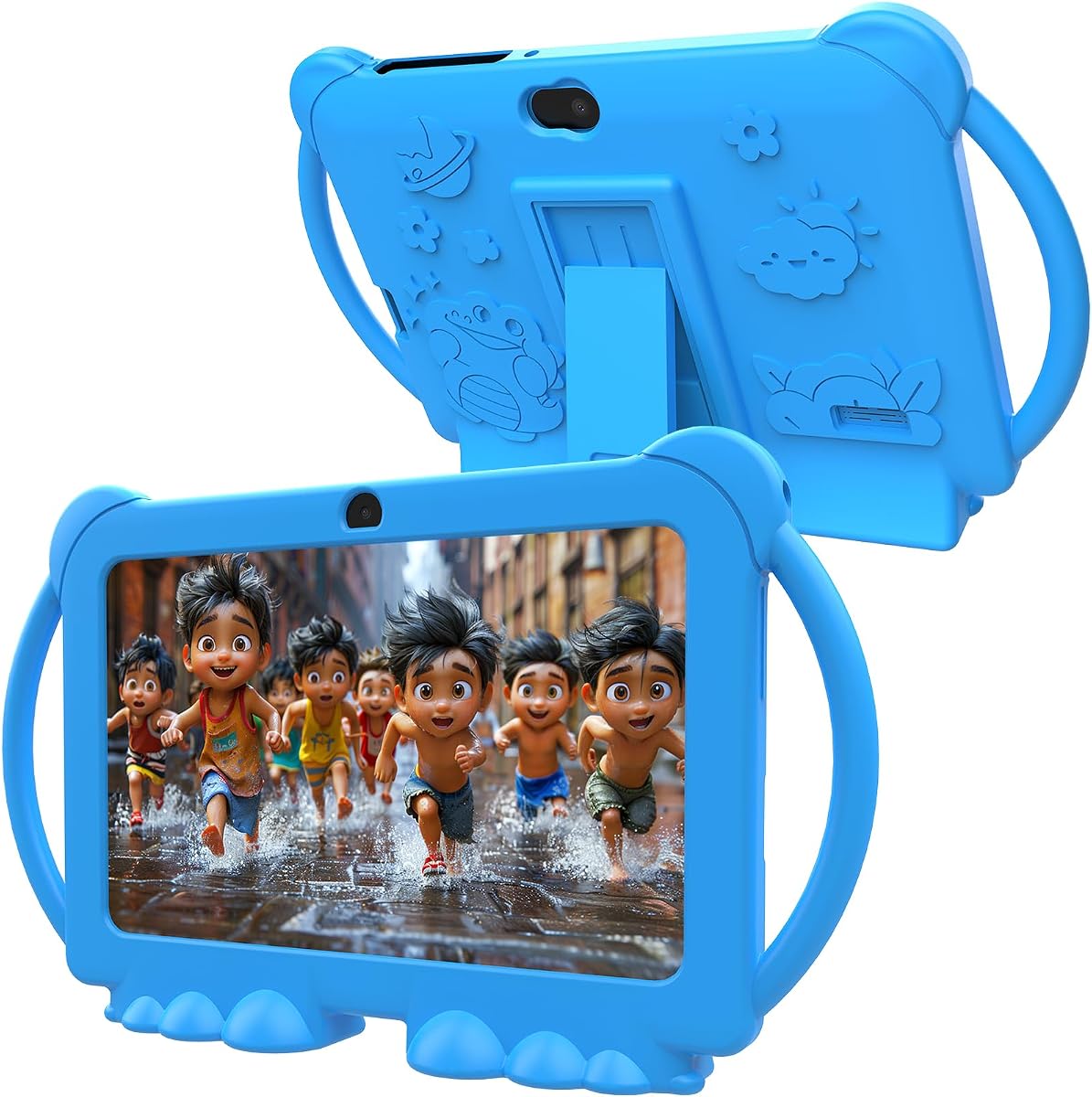
This Kids Tablet is an excellent budget-friendly option for families who prefer a pure Android experience. It runs on Android 12 and offers access to the Google Play Store, allowing you to download a wide variety of educational apps and games directly.
We may earn a commission when you buy through this link, at no additional cost to you.
Equipped with 4GB RAM and 32GB ROM, this tablet delivers solid performance for everyday tasks like video streaming and basic gaming. The screen features eye protection technology to reduce blue light, which helps minimize eye fatigue during extended use sessions.
Parental controls are included to limit screen time, set passwords, and block unsafe web pages, giving you control over your child's digital environment. The included shockproof case provides basic protection against drops and bumps, ensuring durability for active toddlers.
While it may not have the same polished ecosystem as Amazon Fire tablets, this device is a great choice for those who want flexibility and access to Google services at a lower price. It is ideal for families looking to maximize value without sacrificing essential safety features.
Because it runs Android 12 and supports Google Play, you can download apps from a vast library. This allows for more customization and access to third-party educational tools.
The display includes automatic brightness adjustment and eye protection technology to protect your child's vision. This is particularly useful for younger children who may spend longer periods reading or watching videos.
We may earn a commission when you buy through this link, at no additional cost to you.
The YosaToo Kids Tablet runs on Android 16, one of the latest Android versions available. This ensures a smooth user experience and compatibility with modern apps. It is preloaded with offline learning apps, making it perfect for travel or areas without stable Wi-Fi.
We may earn a commission when you buy through this link, at no additional cost to you.
This tablet includes Google Kids Space, which provides a safe environment for children to learn and create. Parents can filter content, set screen time limits, and monitor app usage through advanced parental controls, ensuring a secure digital experience for kids ages 3 to 12.
The included silicone case is shockproof and features an adjustable stand, allowing kids to watch hands-free while learning or playing. With 4GB RAM and 32GB storage, plus expandable options, there is plenty of room for apps and media content.
Overall, this tablet is a strong contender for families who need a versatile device that supports both online and offline learning. It combines modern software features with physical durability to offer a comprehensive solution for toddlers and young children.
With offline learning apps pre-installed, this tablet is perfect for long road trips or airplane rides where Wi-Fi is unavailable. Kids can continue learning and playing without interruptions.
Running Android 16 ensures access to newer features and security patches. The system is designed to be safer for kids with enhanced parental control options out of the box.
We may earn a commission when you buy through this link, at no additional cost to you.
The Fire HD 8 Kids Pro tablet is designed for older kids aged 6 to 12 who need a more independent experience. It features a slim case that looks less like a toy and offers robust specs including 64GB storage and a powerful hexa-core processor.
We may earn a commission when you buy through this link, at no additional cost to you.
This tablet includes a web browser with built-in guardrails, allowing kids to browse the web independently while staying safe. Parents can still manage content, approve downloads, and review activity remotely to ensure responsible usage.
With 64GB of internal storage, there is ample space for games, apps, and media. The battery life lasts up to 13 hours, supporting all-day use. It also supports voice and video calls over Wi-Fi to approved contacts, fostering communication with family.
While it is not intended for toddlers, this device is perfect for school-age children who need a reliable tablet for homework, entertainment, and staying connected. It balances independence with safety through its advanced parental control features.
The web browser is designed with built-in controls to filter inappropriate sites. Parents can block specific sites, ensuring kids can explore safely while gaining research skills.
Kids can make voice and video calls over Wi-Fi to approved contacts. This keeps them connected with family members while maintaining a secure communication environment.
We may earn a commission when you buy through this link, at no additional cost to you.
The PEICHENG Kids Tablet runs Android 12 and is certified for Google Play, offering a flexible environment for downloading educational apps. It includes a 7-inch IPS screen with eye protection features to reduce strain during use.
We may earn a commission when you buy through this link, at no additional cost to you.
Parental controls allow you to create separate profiles for each child, manage screen time, and filter unsafe web pages. The tablet includes a shockproof case and an adjustable stand to protect the device and make viewing hands-free.
With 4GB RAM and 32GB ROM, plus expandable storage via microSD, there is enough capacity for a variety of apps and media. It also features dual cameras for photos and video, adding a creative element for children.
This tablet is a good value option for families who want basic Android functionality with parental controls. While the build may not be as rugged as some competitors, it provides the essential features needed for safe and educational use.
The parental control system supports separate profiles for each child. This allows for customized content and time limits tailored to each kid's needs.
Support for microSD cards up to 512GB means you can store more content. This is useful for families with large libraries of videos or educational files.
We may earn a commission when you buy through this link, at no additional cost to you.
The ApoloSignage 2026 tablet features a 10-inch HD display, providing a spacious screen for videos and interactive apps. Powered by an Octa-Core processor and 8GB RAM, it offers high-speed performance for complex learning activities.
We may earn a commission when you buy through this link, at no additional cost to you.
It includes Google Kids Space and advanced parental controls, allowing parents to filter content and manage screen time easily. The screen features blue light reduction technology to protect eyes during long viewing sessions.
With 64GB internal storage and support for expandable storage up to 1TB, there is plenty of room for all your family's apps and media. The battery capacity is 5000mAh, designed to support extended use between charges.
This tablet is ideal for older children who need a larger display for reading or educational games. While it is bulkier than 7-inch models, the screen real estate makes it a good choice for immersive learning experiences.
A 10-inch screen makes reading and viewing content more comfortable. It is especially beneficial for younger children who struggle with smaller text on compact devices.
With 8GB RAM, this tablet can handle multiple apps running simultaneously. This ensures smooth performance even when using demanding educational tools or games.
We may earn a commission when you buy through this link, at no additional cost to you.
The HOTTABLET Kids Tablet runs Android 12 and supports Netflix with Widevine L1, allowing for high-quality video streaming. It includes a silicone case with a stand function, making it easy for kids to use hands-free.
We may earn a commission when you buy through this link, at no additional cost to you.
Parental controls allow you to customize profiles and manage screen time. The tablet comes pre-installed with the iwawa app, which offers creative content like brain training and painting to engage children.
With 4GB RAM and 32GB ROM, plus expandable storage up to 1TB, there is plenty of space for apps and videos. It features dual cameras for taking photos and videos, adding a fun creative element.
This tablet is a solid choice for families looking for a versatile device at a reasonable price. Its support for popular streaming services and creative tools makes it a good all-around option for entertainment and learning.
Support for Widevine L1 means high-definition streaming on apps like Netflix. This ensures children get a clear viewing experience without technical limitations.
Pre-installed creative apps encourage children to draw and learn. These tools help develop artistic skills and provide engaging content beyond passive entertainment.
We may earn a commission when you buy through this link, at no additional cost to you.
The aiprotablet 10 inch tablet features a 6000mAh battery, offering extended use between charges. It runs on Android 16 and is powered by a Unisoc T606 Octa-Core processor for smooth task switching.
We may earn a commission when you buy through this link, at no additional cost to you.
This tablet includes built-in parental controls to manage screen time and set learning goals. The screen features eye protection and wide viewing angles for a comfortable viewing experience during learning or entertainment.
With 24GB RAM and 64GB internal storage, plus expandable options, there is ample capacity for apps. It supports dual-band Wi-Fi for improved network speed and stability, ensuring better connectivity for online learning.
Ideal for children who need a reliable device with long battery life, this tablet is a good choice for heavy users. The combination of fast charging and large storage makes it a practical option for daily use.
The 6000mAh battery ensures the tablet can last through multiple days of light use. This reduces the hassle of daily charging and keeps the device ready.
Dual-band Wi-Fi support improves network speed and stability. This ensures smooth streaming and faster downloads for educational apps and content.
We may earn a commission when you buy through this link, at no additional cost to you.
The PRITOM 7 inch Kids Tablet offers a child-friendly interface with the iWawa app pre-installed. It runs Android 13 and includes comprehensive parental controls to manage app usage and screen time effectively.
We may earn a commission when you buy through this link, at no additional cost to you.
This tablet features a lightweight, durable case with a stand function, making it easy for kids to hold or watch hands-free. The USB Type-C charging port provides faster charging speeds compared to older micro-USB ports.
With 4GB RAM and 32GB ROM, plus expandable storage, it provides enough capacity for essential apps and media. The eye protection mode helps alleviate dryness and fatigue for children during extended use.
Overall, this is a solid budget option for families looking for basic tablet functionality with safety features. It is suitable for young children who need a device for educational apps and video streaming.
USB Type-C fast charging reduces downtime between sessions. This ensures the tablet is ready for use quickly after charging.
The child-friendly interface ensures kids can navigate easily. Pre-installed apps are curated for safety and education, reducing the risk of accessing inappropriate content.
We may earn a commission when you buy through this link, at no additional cost to you.
Choosing a tablet for young children requires careful consideration of several factors to ensure safety, durability, and educational value.
Kids tablets need to withstand drops, bumps, and rough handling. Look for devices that come with a durable kid-proof case designed to absorb impact. Materials like silicone or rubberized plastic can protect the screen and body from damage.
Prioritize tablets with reinforced corners and sturdy cases that are built to survive the chaos of daily use. This ensures the device lasts longer and protects your investment.
Robust parental controls are essential for managing screen time and content. You should look for features that allow you to filter websites, set time limits, and create separate profiles for multiple children.
A dedicated parent dashboard makes it easy to monitor activity and adjust settings remotely. This helps you maintain a safe digital environment without constant supervision.
Screen size affects portability and viewing comfort. Smaller 7-inch tablets are easier to hold but may lack clarity for long reading sessions. Larger 8-inch or 10-inch screens provide better visual experiences for videos and educational content.
Ensure the display has HD resolution or IPS technology for vibrant colors and sharp text. This helps reduce eye strain and improves the overall quality of media consumption.
Long battery life is crucial for travel and daily use. A tablet with at least 10 hours of battery life ensures your child can use it throughout the day without interruption. Higher capacities may provide even longer usage.
Consider how often you can charge the device. A longer battery life reduces the need for frequent charging and ensures the tablet is always ready for educational activities.
Apps and videos require significant storage space. Look for tablets with at least 32GB of internal storage to accommodate a variety of applications. Expandable storage via microSD cards is a valuable feature for growing needs.
Ensure the device supports expandable storage up to 1TB if possible. This allows you to download large libraries of content without worrying about running out of space quickly.
Many tablets come with bundled subscriptions to educational content services like Amazon Kids+. Check if the subscription covers a full year and what content is included. This can save money compared to purchasing services separately.
Evaluate the quality of the included apps and media. Look for content from trusted brands that offer educational value and age-appropriate entertainment for your child.
Android tablets offer access to the Google Play Store, providing a wide range of apps. Fire tablets use a customized version of Android with a curated app store for kids. Choose based on your preference for app selection and management.
Ensure the operating system is updated to a recent version for security and performance. This guarantees compatibility with modern apps and safety features.
Prices for kids tablets vary based on features and brand. Set a budget that balances cost with necessary features like durability and parental controls. Often, the best value includes a free subscription or warranty.
Consider the long-term cost of ownership, including potential subscription renewals and accessories. A slightly higher upfront cost may be worth it for a more durable device with better support.
Always place the tablet in its protective case before handing it to your child. This ensures the device is shielded from drops and bumps during play. Avoid leaving the tablet in direct sunlight or hot environments to prevent screen damage.
Regularly review your parental control settings to ensure they match your child's current age and interests. Update these settings as your child grows to provide appropriate content and screen time limits. Use the parent dashboard to monitor usage patterns.
Keep the screen clean using a microfiber cloth and avoid using harsh chemicals. If the tablet runs slowly, clear unused apps and free up storage space. Ensure the device is charged regularly to maintain battery health over time.
Yes, many of these tablets offer voice-assisted interfaces and video-based content that does not require reading. Look for models with visual navigation and audio tutorials to help non-readers explore the device safely and independently.
Most tablets come with a dedicated parent dashboard app or web portal. You can access this through your Amazon account or the tablet settings. Follow the setup wizard to create a child profile and configure time limits and content filters.
Once apps are downloaded via Wi-Fi, they can often be used offline. Check each app's settings to enable offline mode. Some tablets also come with pre-installed offline content for travel or areas with limited connectivity.
Amazon Fire tablets include a 2-year worry-free guarantee that allows you to replace the device for free if it breaks. Other brands may offer limited warranties, so check the product details for specific coverage terms and conditions.
Most Android and Fire tablets include web browsers. However, on kids tablets, these browsers often have safety guardrails to filter inappropriate content. Parents can disable internet access entirely if they prefer a strictly offline environment.
Battery life varies by model but generally ranges from 10 to 13 hours for standard use. Actual performance depends on factors like screen brightness, app usage, and whether the device is streaming video or playing games.
We have reviewed ten top options for kids tablets ages 3 7, from the durable Amazon Fire 7 to the large-screen ApoloSignage. Each device offers unique strengths tailored to different needs, whether you prioritize battery life, screen size, or content variety.
When choosing, prioritize safety features and parental controls to ensure a secure experience. Balance performance with durability, ensuring the device can withstand active play while delivering smooth performance for learning and entertainment.
Remember to check current prices and availability before purchasing as deals change frequently. These tablets represent excellent value for families looking to introduce technology safely to young children.