
Brother HL-L2405W
4.1Editor score
250-sheet tray plus manual slot
Dual-band wireless connectivity
Compact desktop footprint design
Compare the top 10 laser printers with envelope feeders for home and office use. Find reliable models for professional output and versatile paper handling.
Finding the right laser printer with envelope feeder support is essential for businesses and home offices that need professional-quality stationery. These devices streamline your workflow by handling standard documents and unique paper types without requiring manual adjustments or jamming.
We evaluated ten top-rated models based on print speed, connectivity options, paper capacity, and specialized envelope feeding mechanisms. Our analysis focuses on reliability and ease of use to help you select a device that meets your specific printing demands efficiently.
Each pick includes detailed specifications and real-world performance insights to guide your decision-making process. Prices and availability fluctuate regularly, so verify the latest details on the manufacturer or retailer site before finalizing your purchase for optimal value.
4.1Editor score

4.3Editor score

4.4Editor score
This side-by-side comparison highlights the key specifications of our top ten selected laser printers with envelope feeder capabilities. Review the table below to quickly identify which model offers the best balance of speed, capacity, and features for your environment.


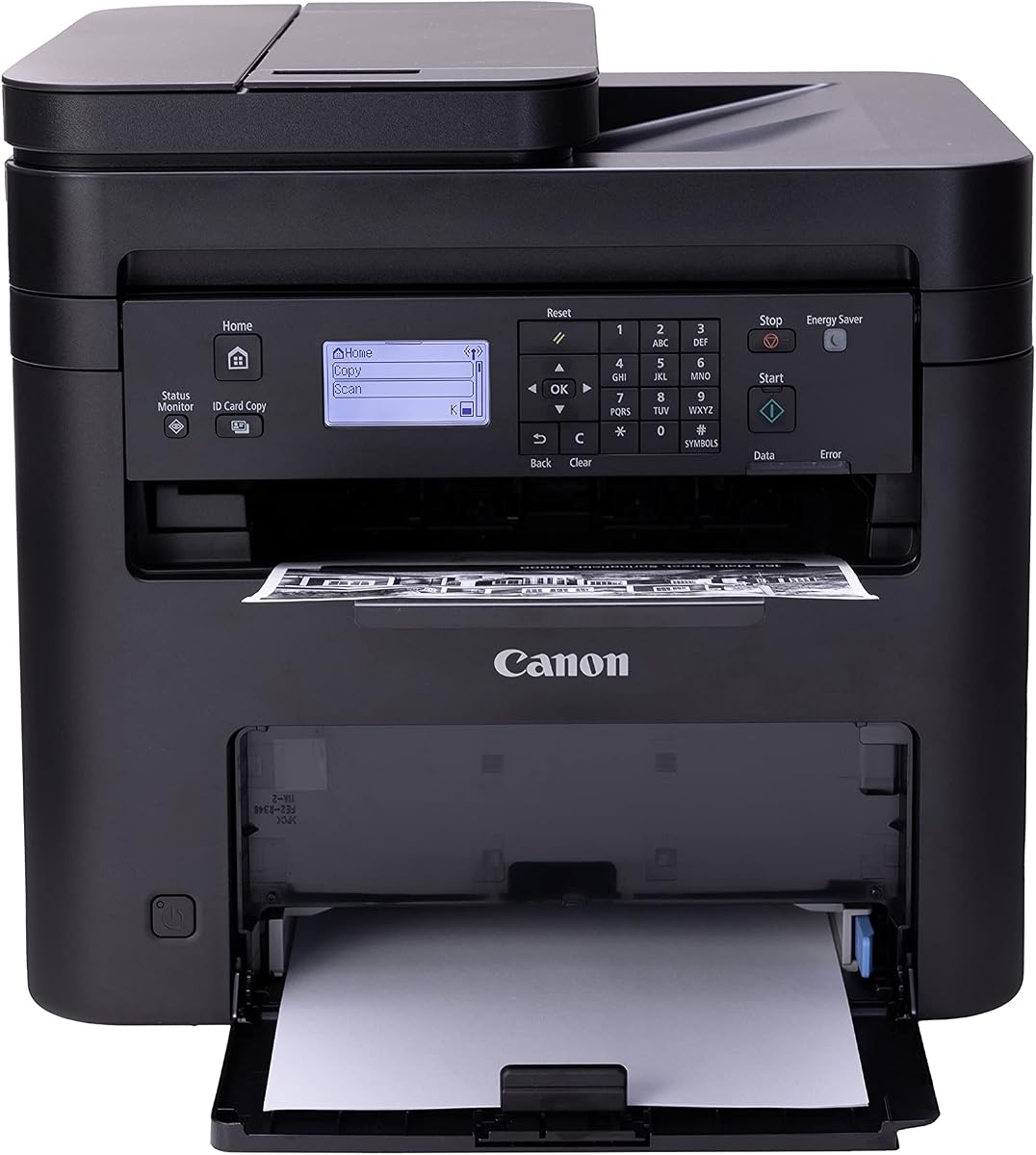


The Brother HL-L2405W is a top choice for budget-conscious buyers needing reliable laser output with envelope support. It earns a solid rating for its consistent print quality and straightforward wireless connectivity options.
We may earn a commission when you buy through this link, at no additional cost to you.
Its manual feed slot allows you to print on envelopes and specialty paper without changing trays. This feature ensures your important documents look professional while saving time on manual handling.
The lack of automatic duplex printing means you must manually flip pages for double-sided jobs. However, this is a fair trade-off given the low cost and smaller physical footprint it offers.
Buyers needing a compact monochrome printer for home offices will find this model ideal. It handles everyday tasks efficiently and integrates well with mobile devices for flexible printing anywhere.
The dedicated slot lets you feed envelopes directly without interrupting your regular paper tray setup.
Print from smartphones or tablets using the Brother Mobile Connect app for added flexibility.
We may earn a commission when you buy through this link, at no additional cost to you.
This business-grade all-in-one printer delivers professional color prints and robust security features. It stands out for its ability to handle high-volume workloads while maintaining consistent output quality.
We may earn a commission when you buy through this link, at no additional cost to you.
The duplex printing capability saves paper and time, while the generous paper capacity reduces frequent refills. Security features like badge authentication protect sensitive documents effectively.
While the initial investment is higher, the included toner and low operating costs provide long-term value. The larger size might be a constraint for very small offices with limited desk space.
It is best suited for teams needing secure, high-quality color prints and envelopes. The advanced features justify the cost for organizations prioritizing efficiency and document protection.
Triple-layer security protects your network and documents from unauthorized access during transmission.
Automatic two-sided printing increases productivity and reduces paper consumption significantly.
We may earn a commission when you buy through this link, at no additional cost to you.
The Brother MFC-L2820DW combines speed and versatility in a compact design that handles envelopes seamlessly. It offers excellent value for small offices needing multi-function capabilities without a large footprint.
We may earn a commission when you buy through this link, at no additional cost to you.
With automatic duplex and a 50-page auto document feeder, it streamlines scanning and printing tasks efficiently. The touchscreen interface simplifies navigation for daily office workflows.
While it lacks color, its monochrome output is sharp and professional for business documents. The standard toner capacity might require more frequent replacements compared to high-yield options.
This model is ideal for users needing a reliable workhorse for documents and envelopes. Its balance of features and cost makes it a top pick for small business productivity.
Scan double-sided documents in a single pass to save time on large file processing.
A 2.7-inch touchscreen provides quick access to settings and cloud services.
We may earn a commission when you buy through this link, at no additional cost to you.
Designed for high-volume offices, this printer delivers 50 pages per minute with consistent quality. It is perfect for environments where speed and efficiency are critical for daily operations.
We may earn a commission when you buy through this link, at no additional cost to you.
The massive 70-page auto document feeder handles long documents effortlessly without jamming. Network capabilities ensure multiple users can share the device smoothly across the office.
The high toner yield reduces replacement frequency, which helps manage operating costs over time. However, the larger footprint means it requires dedicated space rather than a compact desk.
Businesses with heavy printing needs should consider this model for its robust performance. It ensures your envelopes and reports are produced quickly and accurately without bottlenecks.
With 50 ppm, this printer keeps up with the fastest busy office environments.
Built-in Gigabit Ethernet ensures stable connectivity for shared office workflows.
We may earn a commission when you buy through this link, at no additional cost to you.
This HP model is optimized for small teams needing reliable connectivity and mobile-friendly management. It offers a balanced feature set for professional output without overwhelming complexity.
We may earn a commission when you buy through this link, at no additional cost to you.
Security features help protect your printer from potential network attacks, which is vital for shared spaces. The HP Smart app simplifies maintenance and printing tasks directly from a phone.
The auto document feeder speeds up scanning, though it lacks some advanced duplex options found elsewhere. It is best for smaller operations where basic reliability outweighs high-volume needs.
Teams looking for a straightforward printer that handles envelopes and documents well will appreciate this. It provides essential tools without unnecessary bloat or steep learning curves.
Connectivity issues are automatically detected and resolved to keep printing running smoothly.
Streamline tasks like scan-to-cloud or printing from your mobile device instantly.
We may earn a commission when you buy through this link, at no additional cost to you.
Canon delivers a fast and simple all-in-one printer that handles envelopes and daily documents well. It focuses on core functions without unnecessary bloat, making it easy to manage.
We may earn a commission when you buy through this link, at no additional cost to you.
The quick first print time ensures you do not wait long for urgent jobs. Wireless connectivity allows multiple users to access the device efficiently through standard protocols.
While the paper tray is smaller than some competitors, it suits low to moderate volume offices. The manual feed slot ensures you can print on varied media types seamlessly.
It is a strong option for those needing a compact multifunction device. The straightforward design minimizes setup issues and ensures consistent performance for essential tasks.
First page prints in approximately 5.3 seconds for quick access to urgent documents.
Auto two-sided printing helps reduce paper waste and streamline your workflow.
We may earn a commission when you buy through this link, at no additional cost to you.
This compact all-in-one printer offers a durable build that handles envelopes and documents with ease. It is designed for users who need reliability in a smaller package.
We may earn a commission when you buy through this link, at no additional cost to you.
The adjustable tray accommodates various paper sizes, including legal, while the manual slot supports envelopes. Wireless and USB options ensure you can connect to almost any device seamlessly.
The 26 ppm speed is adequate for most home offices but may lag behind faster business models. However, the robust construction ensures it lasts longer under regular usage conditions.
Teams needing a sturdy machine for varied media will find this model practical. Its design prioritizes function and longevity over flashy features, making it a solid workhorse.
Adjustable guides support different paper sizes without needing to change the tray.
Use the manual slot for envelopes while keeping regular paper in the main tray.
We may earn a commission when you buy through this link, at no additional cost to you.
This model features a large color touchscreen that makes navigation and app access intuitive. It supports high-speed printing with automatic duplex capabilities for efficient document handling.
We may earn a commission when you buy through this link, at no additional cost to you.
The expandable paper capacity ensures you can adjust the printer to your growing needs easily. Duplex scanning and printing reduce paper use significantly while maintaining professional output quality.
While the initial cost is higher, the efficiency gains and large display justify the investment. The high-capacity toner options help manage long-term operating costs effectively for busy offices.
Teams seeking a modern interface and fast processing will appreciate this design. It combines speed with user-friendly controls to enhance overall office productivity and workflow.
Quick access to frequently used tools via the intuitive application library interface.
Add optional cassettes to increase capacity and reduce refills during busy periods.
We may earn a commission when you buy through this link, at no additional cost to you.
HP delivers a highly reliable model for small teams seeking consistent performance. It handles envelopes and reports efficiently with professional output quality that suits any environment.
We may earn a commission when you buy through this link, at no additional cost to you.
The wireless connection is dependable, ensuring the printer stays online even in complex network settings. Duplex printing speeds are high, which helps reduce paper waste and printing times.
Be aware of the cartridge chip restrictions, which limit third-party toner options. This ensures quality but may increase long-term costs depending on your volume and budget.
It is an excellent choice for offices prioritizing reliability and ease of use. The balanced features provide a stable foundation for daily document and envelope printing needs.
Wireless networking looks for the best connection to maintain consistent online status.
Sharp black-and-white prints ensure reports and documents look polished and professional.
We may earn a commission when you buy through this link, at no additional cost to you.
This compact laser printer delivers fast duplex speeds and crisp output for home office use. It focuses on efficiency and ease of use without occupying too much desk space.
We may earn a commission when you buy through this link, at no additional cost to you.
The wireless connectivity allows seamless printing from mobile devices and computers. The manual feed slot ensures envelopes can be printed on without interrupting your standard paper supply.
While it lacks advanced features like color or touchscreens, it performs core tasks exceptionally well. The design prioritizes speed and reliability, making it a practical choice for daily use.
It is ideal for individuals or small teams needing a no-fuss printing solution. The balance of speed and size makes it a great addition to any compact workspace.
Connect using dual-band wireless for stable connections from any device in the office.
A compact footprint saves space while still offering generous paper tray capacity.
We may earn a commission when you buy through this link, at no additional cost to you.
Selecting the right laser printer involves evaluating several key factors to ensure it meets your specific needs. This guide breaks down what to look for to make an informed decision.
Ensure the printer has a dedicated manual feed slot or a tray that accommodates different paper sizes like envelopes. Look for models with adjustable guides to prevent jams and ensure smooth feeding of specialty media.
Match the printer's pages per minute (ppm) to your daily workload. High-volume offices benefit from speeds of 35 ppm or higher, while home users may find 25 to 30 ppm sufficient for regular use.
Modern printers should offer dual-band Wi-Fi and Ethernet to ensure stable network connections. Check for mobile printing support and compatibility with operating systems you currently use for seamless integration.
Consider if you need scanning, copying, or faxing capabilities alongside printing. Multifunction units save desk space but may come at a higher cost compared to single-function devices designed for specific tasks.
A higher capacity tray reduces the frequency of refills during busy periods. Look for models that offer 250 sheets or more as standard, or those with expandable options to suit growing needs.
For business environments, advanced security features like authentication and encrypted printing are vital. These measures protect sensitive documents from unauthorized access and ensure compliance with data protection standards.
Evaluate the cost of toner cartridges and the expected page yield. High-yield toners may have a higher upfront cost but reduce the cost per page significantly over the lifespan of the printer.
Measure your workspace to ensure the printer fits comfortably on your desk or in your office. Compact models are available for smaller areas but may offer fewer features than larger business units.
Always load envelopes into the manual feed slot in the correct orientation to prevent jamming. Check the printer manual for specific guidance on the recommended edge or flap orientation for your model.
Keep your printer in a clean, dry area to avoid dust buildup that can affect print quality. Regularly clean the rollers and glass scanner surface to ensure smooth paper feeding and sharp scans.
Update the printer firmware regularly to maintain compatibility and security. This ensures you have the latest performance improvements and protection against potential vulnerabilities.
Not all laser printers are designed to handle envelopes. Look for models with a manual feed slot or adjustable trays specifically tested for thick paper to avoid jams and ensure smooth operation.
Automatic duplex for envelopes is rare. Most models support duplex on standard paper but require manual feeding for envelopes. Always check the specific capabilities before purchasing to manage your workflow expectations.
Load envelopes in the manual feed slot with the flap side facing up or down as instructed. Align them carefully to prevent skewed feeds and potential damage to the printer's internal rollers.
Most modern laser printers support mobile printing via apps or AirPrint. Ensure your chosen model has Wi-Fi and supports the specific mobile OS you use for remote printing convenience.
Toner replacement frequency depends on your print volume. High-yield cartridges typically last longer, but checking the printer's monitoring app can alert you when supplies are running low for timely refills.
Color is often optional for standard business envelopes. Monochrome printers are usually more cost-effective. Choose color only if your branding requires colored logos or designs on your stationery.
Yes, most models support both Mac and Windows operating systems. Verify system requirements on the manufacturer's website to ensure full compatibility with drivers and features you need.
Standard warranties often cover parts and labor for one year. Some manufacturers offer extended plans or on-site support options for business units to minimize downtime during potential hardware issues.
We have reviewed ten reliable models that balance speed, cost, and envelope handling capabilities. Each option offers unique benefits depending on whether you need a compact home device or a robust business unit.
Prioritize features like duplex printing and network connectivity if your workflow requires high efficiency. Security and maintenance ease should also influence your choice to ensure long-term satisfaction with the device.
Prices and availability fluctuate, so check current offers before buying to secure the best value. Verifying the latest details ensures you get the performance and support you expect from your investment.