
Ordilend Keyboard Cleaner Kit
4.6Editor score
All-in-one cleaning tools
Retractable large brush
Includes keycap puller
This guide compares the top laptop fan cleaning kits including electric dusters and brush sets to help you choose the right tool for maintaining your devices.
Keeping your laptop running cool requires regular maintenance of its cooling system. Dust accumulation inside fans can lead to overheating and reduced performance over time. A dedicated cleaning kit ensures you have the right tools to reach tight spaces safely.
We evaluated ten top-rated products focusing on airflow power, battery life, and accessory variety. Our comparison includes rechargeable electric dusters and traditional brush sets suitable for various electronic devices. Each option offers unique benefits for different cleaning needs and budgets.
Every review highlights key specifications and real-world performance insights based on user feedback. Prices and availability change frequently so always check current listings before purchasing. Select the kit that matches your specific device maintenance requirements today.
4.6Editor score
4.4Editor score

4.5Editor score
The following table provides a side-by-side comparison of all ten products to help you quickly identify key specifications and features for your maintenance needs.




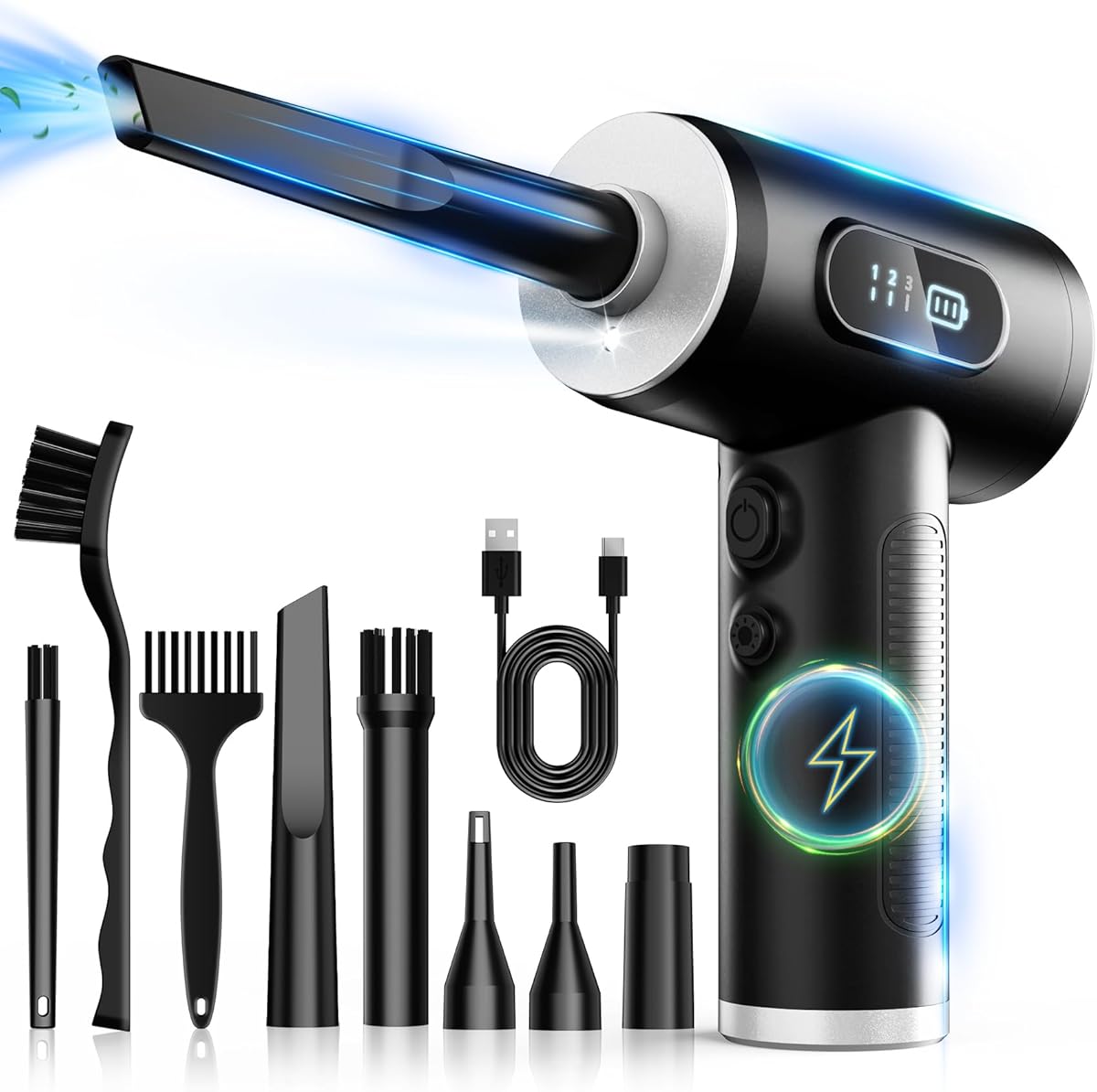
The FRESMOL Compressed Air Duster stands out as a top choice for maintaining laptop fans and electronic components. With a 4.4 rating from users it delivers reliable performance for removing stubborn dust without risking damage to sensitive hardware.
We may earn a commission when you buy through this link, at no additional cost to you.
Its 100000RPM motor provides strong airflow while the three adjustable speeds let you tailor intensity for delicate areas or tough grime. The smart LED display keeps you informed of battery levels preventing interruptions during critical cleaning tasks.
While the unit is slightly heavier than basic models the ergonomic design ensures comfortable handling. Users note that the LED light is essential for viewing internal fan areas where shadows often hide debris accumulation.
This kit is ideal for tech enthusiasts who need a durable reusable solution. It effectively replaces disposable cans and offers consistent power for keyboards vents and tight corners around your laptop chassis.
The built-in light illuminates dark crevices inside laptop casings ensuring no dust remains hidden during maintenance routines.
Five nozzles and three brushes allow precise cleaning of ports vents and hard-to-reach spaces without needing extra tools.
We may earn a commission when you buy through this link, at no additional cost to you.
The iFixit Laptop Cleaning Kit offers a trusted solution for keeping devices spotless and performing well. With a near perfect rating users appreciate the thoughtful inclusion of screen savers and microfiber cloths alongside standard cleaning tools.
We may earn a commission when you buy through this link, at no additional cost to you.
This kit covers both surface cleaning and internal debris removal with its dust blower and anti-static brush. The compact tool pouch makes it easy to store all essentials together which is great for travelers or office workers.
While it lacks the raw power of electric dusters it excels at delicate tasks like screen polishing and keyboard wiping. The alcohol wipes help freshen up surfaces without leaving residue that could attract more dust later.
Ideal for users seeking a full maintenance package this kit ensures every part of your laptop gets attention. It is particularly useful for those who prioritize screen clarity and overall device hygiene over deep internal cleaning.
The included screen saver helps prevent scratches while the specialized cloths ensure streak-free visibility for your display.
A dedicated pouch keeps all components organized preventing lost tools and making transport convenient for daily use.
We may earn a commission when you buy through this link, at no additional cost to you.
This electric air duster delivers exceptional power with a motor reaching up to 280000 RPM for industrial-grade cleaning performance. Users love the high-pressure airflow that clears stubborn debris from PC components and laptop fans quickly and effectively.
We may earn a commission when you buy through this link, at no additional cost to you.
The smart LCD screen provides real-time updates on battery and speed settings ensuring you never run out of power mid-task. Type-C fast charging supports up to 150 minutes of runtime which is impressive for heavy maintenance sessions.
While the price is higher than average the durability and performance justify the investment for power users. The six-in-one versatility means it serves multiple roles from camera lens cleaning to home ventilation maintenance.
Best for professionals or gamers who need reliable high-speed cleaning this unit sets a new standard. It combines efficiency with modern features like LED lighting making it a premium choice for serious device care.
The brushless motor achieves industry-leading speeds that dislodge deep-set dust in seconds rather than minutes.
High-capacity battery ensures prolonged use across multiple devices without frequent interruptions for recharging cycles.
We may earn a commission when you buy through this link, at no additional cost to you.
The WOLFBOX MegaFlow 50 balances power and portability for users who need a lightweight tool. Weighing only 0.45 lb it is easy to carry around and the lanyard ensures it stays secure in your hand during use.
We may earn a commission when you buy through this link, at no additional cost to you.
With speeds up to 110000 RPM it handles standard dusting tasks with ease. The three adjustable settings provide enough control for both gentle cleaning and heavier debris removal from laptop cooling vents.
Charging is quick at 3.5 hours and the battery supports up to 240 minutes on low settings. This efficiency makes it a practical choice for daily maintenance without needing constant power access.
This model is recommended for travelers or those with limited storage space. Its slim design and sufficient power make it a reliable everyday tool for keeping electronics clean and functional.
The ultra-light build and lanyard attachment ensure you can clean anywhere without fatigue or worry of dropping the tool.
Fast charging and long runtime options mean less downtime and more time focused on cleaning your devices efficiently.
We may earn a commission when you buy through this link, at no additional cost to you.
This budget-friendly kit offers an extensive range of tools for cleaning keyboards and screens without breaking the bank. Users appreciate the keycap puller which allows deep cleaning of mechanical keyboard switches often overlooked by standard kits.
We may earn a commission when you buy through this link, at no additional cost to you.
The retractable large brush is a standout feature for sweeping debris from tight spaces. Paired with a polishing cloth and soft plastic lens pen it covers most daily cleaning needs for laptops and monitors effectively.
While it lacks electric power the variety of physical tools ensures you can tackle different types of grime. The inclusion of replacement cloths extends the life of the kit and keeps cleaning hygienic over time.
Perfect for students or office users on a budget this set provides excellent value. It ensures you have the right mechanical tools for thorough surface maintenance and key area access without needing expensive electronics.
The included keycap puller lets users safely remove keys for a deep clean of switch internals and dust buildup.
From sponges to brushes the diverse tool set adapts to various surfaces ensuring no part of your device stays dirty.
We may earn a commission when you buy through this link, at no additional cost to you.
Designed for heavy-duty cleaning this duster features a powerful motor that blasts away years of dust in seconds. The 8000mAh battery supports long sessions and the AI chip adds safety protection against overheating during use.
We may earn a commission when you buy through this link, at no additional cost to you.
With 4 adjustable speeds including a storm mode it handles everything from delicate screens to clogged fans. The six nozzles and ten detail brushes provide tailored solutions for every electronic device in your workspace.
Users report that the airflow consistency is superior to many cheaper alternatives. The rechargeable design eliminates the need for disposable cans which saves money and reduces waste over the life of the product.
Best for users with multiple devices or heavy dust environments this unit is a workhorse. Its combination of power and battery life makes it a top contender for professional maintenance tasks and deep cleaning projects.
The upgraded AI chip prevents overcharge and overheating ensuring safe operation even during extended cleaning sessions.
Ten detail brushes and six nozzles cover every possible angle ensuring no debris remains in tight electronic gaps.
We may earn a commission when you buy through this link, at no additional cost to you.
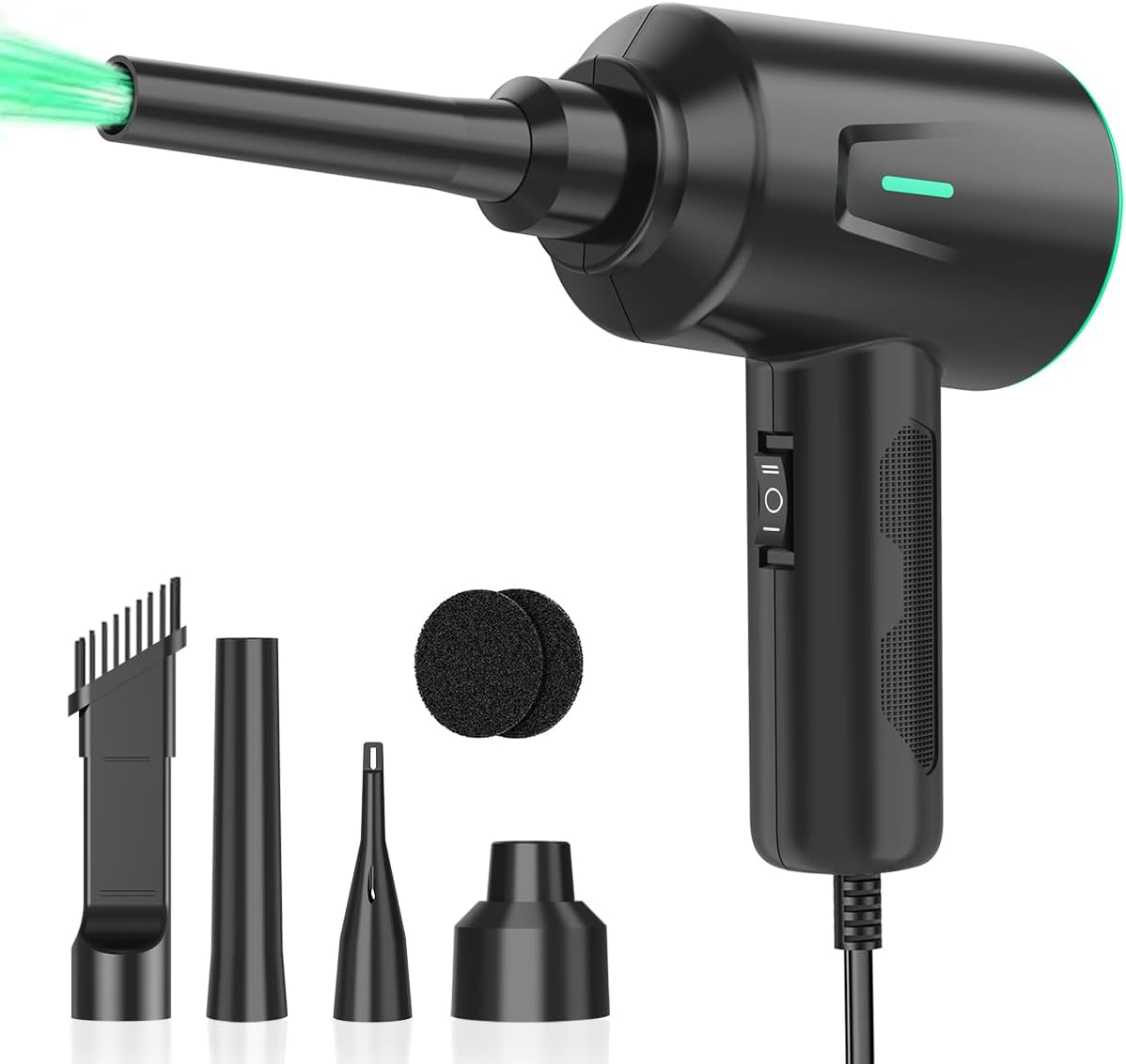
Unlike battery models this duster runs on mains power with an 8.2-foot cord ensuring continuous operation without interruption. The 500W motor delivers high-pressure air that removes dust efficiently from computer fans and keyboard gaps.
We may earn a commission when you buy through this link, at no additional cost to you.
Users appreciate the quiet operation which makes it suitable for office environments without causing distraction. The two-speed settings offer enough variety for different tasks while keeping the tool simple to operate for everyone.
The trade-off is less mobility due to the cord but for desk-based cleaning this is often a plus. It eliminates the need to recharge and ensures you have full power whenever you need to clean a device.
Recommended for stationary workstations this model provides reliable power for frequent cleaning. It is a practical choice for users who prioritize consistent performance over portability in their maintenance routine.
Mains power ensures the airflow never weakens due to battery drain making it reliable for extensive cleaning projects.
The upgraded air duct reduces noise levels allowing for clean environments without loud blowing sounds during use.
We may earn a commission when you buy through this link, at no additional cost to you.
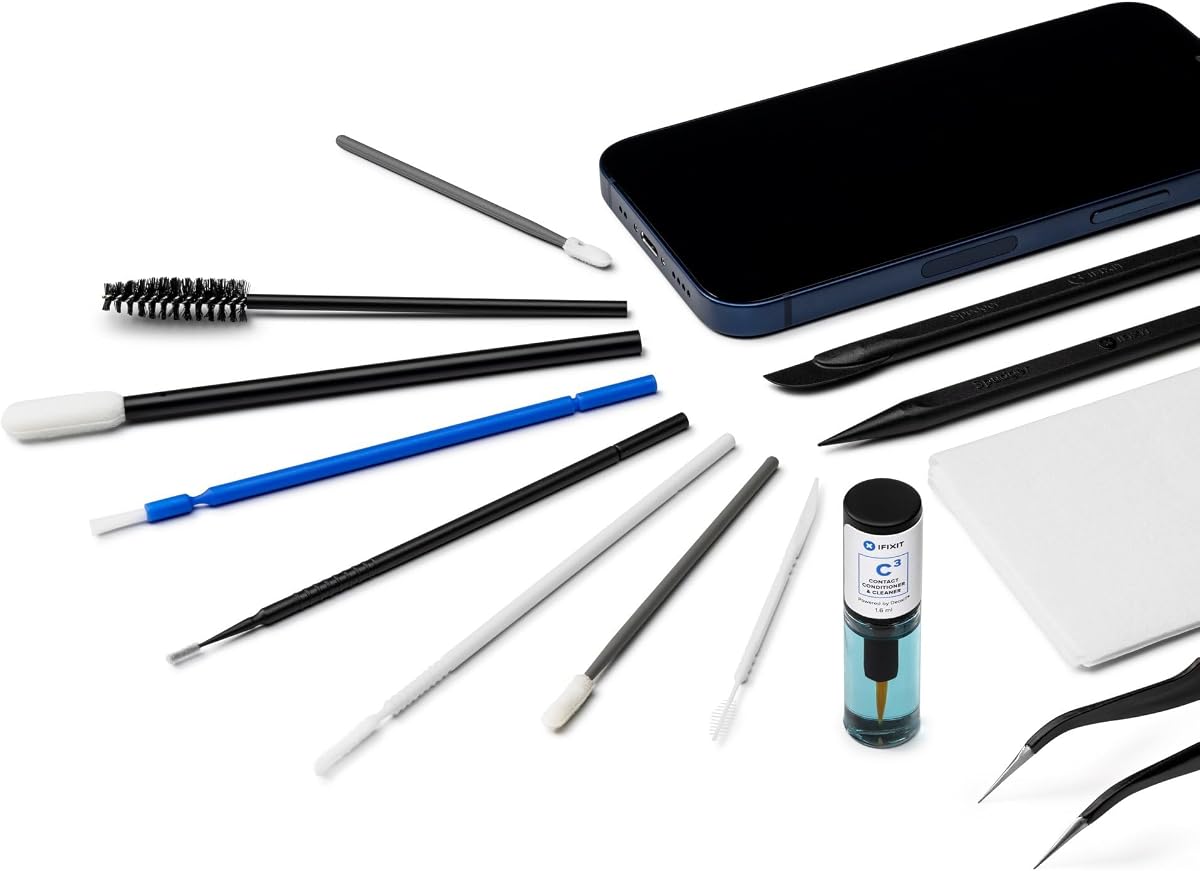
This kit focuses on precision tools for detailed maintenance rather than bulk air cleaning. It includes specialized items like angled tweezers and precision foam swabs ideal for cleaning ports and connectors on laptops.
We may earn a commission when you buy through this link, at no additional cost to you.
The inclusion of DeoxIT D100L helps clean contacts effectively ensuring proper connectivity. Users find the lint-free wipes essential for leaving surfaces scratch-free after handling delicate internal components.
While it does not include an air blower the physical tools allow for targeted cleaning that machines cannot achieve. This is perfect for users who open their devices for maintenance and need to clean inside safely.
Best for DIY enthusiasts this kit supports deep cleaning of internal parts. It complements air dusters by offering the fine touch needed for sensitive areas like camera lenses and motherboard connectors.
Cleaning solutions included help remove oxidation from contacts ensuring reliable performance after maintenance.
Precision tools allow safe manipulation of small parts without risking damage during deep cleaning sessions.
We may earn a commission when you buy through this link, at no additional cost to you.
This set provides a wide variety of brush sizes to handle different cleaning needs across your devices. The anti-static design ensures safety for sensitive components like motherboards while the bristles remove debris effectively.
We may earn a commission when you buy through this link, at no additional cost to you.
Users appreciate the distinction between hard and soft brushes for different surfaces. The soft ones work well on screens and cameras while the hard ones tackle tougher dust in laptop cooling vents.
While it lacks air power the physical scrubbing action removes dust that air might push deeper. It is a great companion tool for any cleaning kit that needs to address fine particles manually.
Best for budget-conscious users this set offers high value for manual cleaning tasks. It ensures you have the right tool for every size of gap without needing expensive electronic solutions.
Nylon material prevents static buildup ensuring sensitive electronic components remain safe during manual cleaning tasks.
Ten different sizes allow you to reach every corner of your device with a brush that fits perfectly.
We may earn a commission when you buy through this link, at no additional cost to you.
This electric blower handles everything from laptop fans to car interiors with a powerful airflow. The LED light and ergonomic grip make it comfortable to use for extended periods without fatigue.
We may earn a commission when you buy through this link, at no additional cost to you.
Users like the multi-purpose nature which allows it to serve as an inflation tool or car cleaner. The rechargeable battery supports long sessions and the Type-C charging ensures fast top-ups between tasks.
While the build is primarily plastic it feels sturdy enough for daily use. The consistent speed settings provide enough control to clean delicate electronics safely without applying too much force.
Ideal for general household and office use this unit offers good versatility. It is a practical choice for those who want one tool to handle various cleaning jobs around their workspace.
The lightweight design and grip shape ensure comfortable use during detailed cleaning tasks around laptops.
Beyond electronics it works well for inflating items or cleaning car dashboards offering broad value.
We may earn a commission when you buy through this link, at no additional cost to you.
Selecting the right cleaning kit depends on your specific needs and the type of maintenance you plan to perform. This guide breaks down the key factors to consider.
For deep cleaning of laptop fans you need sufficient airflow to dislodge dust from tight vents. Look for models with high RPM motors and adjustable settings to balance power with safety.
Prioritize units with at least 100000 RPM for effective debris removal without manual scrubbing.
Rechargeable units offer convenience but battery life varies significantly between models. Check runtime ratings to ensure you can clean multiple devices without frequent recharges.
Fast charging via Type-C is a valuable feature for uninterrupted maintenance sessions.
Different nozzles and brushes allow you to reach various parts of your laptop. A comprehensive kit includes narrow tips for ports and wider brushes for keyboards.
More attachments increase versatility so you can use the tool for other electronics too.
Laptop cleaning involves handling sensitive components so the tool must be reliable. Look for durable materials and safety features like overheat protection.
Invest in units with solid construction to ensure longevity and consistent performance.
If you clean on the go consider weight and size. Lightweight models are easier to carry but might have smaller batteries.
A balance between portability and power ensures you can maintain devices anywhere.
Some electric dusters can be loud which may be distracting in quiet offices. Look for models with low noise designs.
Quieter operation allows cleaning without disrupting work or others around you.
Budget-friendly kits offer basic tools while premium models provide advanced features. Decide based on how often you need to clean devices.
Higher initial cost often pays off with better battery life and more durable parts.
Reusable electric dusters reduce waste from disposable cans. This is a significant factor for environmentally conscious users.
Choose rechargeable options to minimize environmental impact and save money long-term.
Always power off and unplug your laptop before starting any cleaning process. Hold the device firmly and use the tool at a slight angle to blow dust away from the fan rather than deeper inside.
Use lower speed settings for delicate areas like camera lenses and screens. For internal components like fans and cooling grills you can increase the speed to ensure debris removal.
After cleaning wipe down the exterior with microfiber cloths to remove fingerprints and dust. Store the kit in a dry place to prevent brush bristles from bending and to protect electronic parts.
Yes most modern electric dusters are safe provided you use the right attachment and speed. Avoid holding the nozzle too close to sensitive ports and do not tilt the device excessively while cleaning to prevent dust from spreading.
Ideally you should clean your laptop fans every three to six months. However if you work in dusty environments or notice overheating you may need to clean them more frequently.
Yes compressed air cans work but they are less eco-friendly and can run out quickly. Electric dusters provide consistent pressure and are reusable which saves money over time.
Use a brush attachment or keycap puller to remove debris from between keys. Follow up with a cloth to wipe the surface without using too much liquid.
Most reputable brands offer a warranty covering motor defects and battery issues. Check the product description or seller policy for specific terms before purchasing.
Many kits include soft brushes suitable for lens cleaning. Just ensure the brush is labeled soft and anti-static to avoid scratching delicate coatings.
The FRESMOL Compressed Air Duster and the MiaEpic Z3 offer excellent performance for those who need powerful airflow. For budget-friendly needs the Ordilend kit provides all essential tools for basic maintenance.
Prioritize battery life and accessory variety if you plan to clean multiple devices. Safety features like LED lights and anti-static brushes make a big difference in maintaining your equipment.
Prices and availability vary so verify current listings before finalizing your purchase. Keeping your laptop clean ensures it runs cooler and lasts longer for all your daily tasks.