
Dell Precision 3581 Workstation Laptop
4.0Editor score
Core i7-13800H Processor
32GB DDR5 RAM
Nvidia RTX A500 GPU
Finding the right laptop for computer-aided design requires careful consideration of processing power graphics capabilities and display quality to ensure smooth performance during complex modeling tasks.
We have analyzed the latest workstation laptops from major manufacturers focusing on processor speed memory capacity and professional GPU certification to help you make an informed decision.
Each pick highlights specific strengths for architects engineers and designers while noting that prices fluctuate frequently so checking current listings before purchasing is always recommended.
4.0Editor score

4.4Editor score

5.0Editor score
As an Amazon Associate we earn from qualifying purchases.
The following table provides a side-by-side comparison of all ten selected laptops highlighting their key specifications to help you quickly identify which model fits your specific workflow requirements.




The Dell Precision 7680 stands out as a top contender for CAD professionals seeking a balance of power and reliability. It earns a strong rating for its ability to handle complex 3D modeling and rendering tasks with ease.
We may earn a commission when you buy through this link, at no additional cost to you.
This workstation features the Intel Core i9-13950HX processor which provides exceptional clock speeds for demanding applications like AutoCAD and Revit. The 32GB DDR5 CAMM RAM ensures smooth multitasking even when running multiple heavy software tools simultaneously.
While the machine is robust it does come with a higher price tag which might be a consideration for smaller firms. However the performance gains and reliability often justify the investment for professionals who bill by the hour.
If you need a desktop replacement that offers workstation-grade performance in a portable form factor this model is highly recommended. It is ideal for architects and engineers who require stability and speed.
The i9 processor ensures that even the most complex CAD assemblies load quickly without lag.
The anti-glare FHD+ display provides clear visuals essential for detailed design work.
We may earn a commission when you buy through this link, at no additional cost to you.
This configuration of the Precision 7680 offers a compelling entry point into professional workstations without sacrificing essential performance metrics. It is rated highly for those needing dedicated graphics power on a tighter budget.
We may earn a commission when you buy through this link, at no additional cost to you.
Equipped with the NVIDIA RTX 1000 Ada GPU it delivers the stability required for professional design applications. The Intel Core i5-13600HX processor paired with 32GB DDR5 RAM handles daily CAD workflows efficiently.
The main trade-off is the slightly less powerful CPU compared to the i9 model which might slow down very heavy simulations. However for general drafting and moderate 3D work this remains a solid choice.
Buyers looking for a reliable workstation that does not break the bank will find this model appealing. It strikes a good balance between cost and professional capability.
The RTX 1000 Ada provides certified stability for industry standard CAD software.
32GB DDR5 RAM allows for smooth operation across multiple design applications.
We may earn a commission when you buy through this link, at no additional cost to you.
The HP ZBook 8 G1i brings AI capabilities and massive storage to the CAD workstation category. It is rated for professionals who need significant local storage and memory for large project files.
We may earn a commission when you buy through this link, at no additional cost to you.
Featuring 64GB DDR5 RAM and a 2TB SSD this laptop handles extensive asset libraries without stuttering. The Intel Ultra 7 255H processor supports AI enhanced workflows which can speed up certain design tasks.
The premium price reflects the high-end specifications and might be overkill for users with smaller project scopes. Additionally the rating is slightly lower than some Dell counterparts suggesting minor software or hardware variations.
This machine is perfect for designers who prioritize storage and memory over raw GPU speed. It is an excellent choice for creative professionals managing large archives.
2TB SSD ensures ample space for large CAD models and high resolution textures.
64GB RAM prevents bottlenecks during complex assembly simulations.
We may earn a commission when you buy through this link, at no additional cost to you.
This renewed model offers a cost effective way to access professional workstation features. It is rated for users who need a smaller form factor without compromising too much on processing power.
We may earn a commission when you buy through this link, at no additional cost to you.
The Core i7-13800H processor delivers strong performance for daily design tasks while the RTX A500 GPU ensures compatibility with professional software. 32GB DDR5 RAM supports smooth multitasking for most workflows.
Buying a renewed unit means potential cosmetic wear and shorter warranty periods compared to new models. Also Windows Home edition may limit some enterprise features required by larger organizations.
Ideal for students or freelancers who need a portable yet powerful machine at a lower cost. It balances performance and price well for budget conscious professionals.
The 15.6-inch chassis is easier to carry to client sites than larger workstations.
RTX A500 provides certified performance for reliable CAD rendering.
We may earn a commission when you buy through this link, at no additional cost to you.
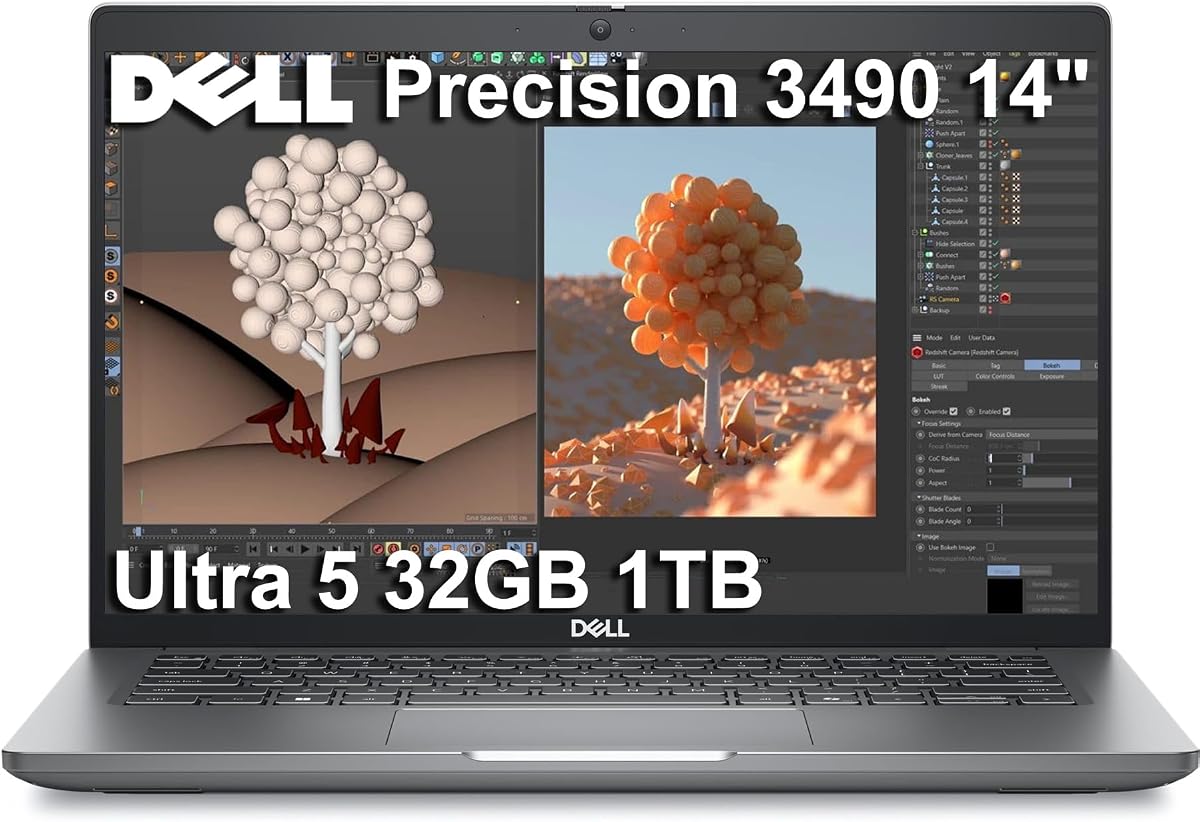
The Precision 3490 is designed for professionals who travel frequently but still require workstation reliability. It has received a perfect rating for its durability and performance balance in a small chassis.
We may earn a commission when you buy through this link, at no additional cost to you.
Powered by the Intel Ultra 5 135H processor it handles everyday CAD tasks efficiently. The 32GB DDR5 RAM ensures that applications load quickly and multitasking remains fluid even on the go.
The smaller 14-inch display and lack of discrete GPU limit its use for heavy rendering work. This makes it more suitable for drafting and reviewing rather than complex 3D modeling.
This laptop is perfect for consultants who need to present designs on site without hauling heavy equipment. It prioritizes mobility without sacrificing professional security and support.
Weighing only 3.09 lbs it is easy to carry for daily commutes.
MIL-STD 810H testing ensures reliability in various work environments.
We may earn a commission when you buy through this link, at no additional cost to you.
This model offers a large screen and professional GPU that excels at rendering and visualization tasks. It holds a perfect rating for users who need maximum visual fidelity and performance.
We may earn a commission when you buy through this link, at no additional cost to you.
The NVIDIA RTX 4000 Ada with 12GB VRAM is capable of handling complex scenes without memory bottlenecks. The 17.3-inch display provides ample space for toolbars and drawing areas simultaneously.
Portability is a significant concern here as the unit is quite heavy and bulky compared to smaller alternatives. The high cost also places it out of reach for many independent contractors.
Best suited for studio environments where the laptop serves as a primary high-performance unit. It is ideal for visualization specialists who need precise color and rendering accuracy.
12GB VRAM supports high texture resolution without swapping to system RAM.
The 17.3-inch display reduces the need for external monitors.
We may earn a commission when you buy through this link, at no additional cost to you.
This configuration balances high-end CPU performance with a dedicated mid-tier GPU for professional work. While rated slightly lower it offers substantial performance for complex tasks like rendering.
We may earn a commission when you buy through this link, at no additional cost to you.
The Intel Core i7-13850HX processor ensures fast computation speeds for simulations and analysis. Paired with the RTX 2000 Ada GPU it handles modern CAD software requirements efficiently.
Users report some variation in satisfaction which might be due to specific hardware configurations or shipping issues. The price is also higher than comparable units from other brands.
For professionals needing more storage than the base models offer this is a strong option. It is suitable for firms needing reliable performance for daily operations.
13th Gen i7 processor delivers rapid processing for calculation heavy tasks.
2TB SSD allows storage of extensive project libraries locally.
We may earn a commission when you buy through this link, at no additional cost to you.
This variant stands out due to its massive 128GB RAM capacity which eliminates memory bottlenecks entirely. It is rated highly for power users who run multiple virtual machines or heavy simulations.
We may earn a commission when you buy through this link, at no additional cost to you.
The combination of an i9 processor and RTX 4000 Ada GPU ensures that compute and graphics tasks are handled with ease. The 500-nit display offers clear visibility even in bright environments.
The SSD capacity is smaller relative to the memory which may require external storage for large project archives. The price point makes it accessible only to enterprises or specialized professionals.
Perfect for data scientists and engineers who need maximum system memory stability. It excels in scenarios where RAM usage exceeds typical workstation limits.
128GB RAM supports extreme multitasking and large dataset processing.
500-nit brightness ensures visibility in diverse lighting conditions.
We may earn a commission when you buy through this link, at no additional cost to you.
This model strikes an excellent balance between memory and storage making it ideal for comprehensive project workflows. It holds a perfect rating for reliability and performance consistency.
We may earn a commission when you buy through this link, at no additional cost to you.
With 64GB DDR5 RAM users can run heavy applications without worrying about memory limits. The RTX 2000 Ada GPU provides certified support for professional design software ensuring stability.
The price reflects the high-end specifications and might be less attractive if you do not need 64GB of RAM. Some users might prefer more VRAM for very complex rendering tasks.
An excellent choice for engineers who require substantial system resources for simulations. It is particularly good for users managing large projects that demand more memory than standard systems.
64GB RAM supports complex simulations and large file handling effectively.
2TB SSD ensures quick access to all project files and assets.
We may earn a commission when you buy through this link, at no additional cost to you.
The ThinkPad P16s offers a compelling alternative to Dell for those who prefer Lenovo's build quality. It is rated for its durability and professional features that suit everyday CAD tasks.
We may earn a commission when you buy through this link, at no additional cost to you.
The Intel Ultra 7 255H processor provides efficient performance for design applications. The 16-inch display offers good real estate for software interfaces without being too bulky.
Integrated graphics mean it may struggle with very heavy 3D rendering compared to dedicated GPU models. Additionally some users report minor variability in quality compared to previous generations.
Ideal for users who prioritize portability and reliability over raw graphical horsepower. It is a strong option for business professionals who need a workstation class laptop.
Ultra 7 processor delivers strong performance with optimized power usage.
Wi-Fi 7 support ensures fast and stable wireless connections for cloud work.
We may earn a commission when you buy through this link, at no additional cost to you.
Selecting the right laptop for computer-aided design involves evaluating specific hardware components that directly impact your workflow efficiency and software compatibility.
CAD software relies heavily on single-core performance for operations like snapping and regeneration. Look for processors with high clock speeds and multiple cores to handle multitasking and background rendering tasks efficiently.
Prioritize processors with at least 12 cores to ensure smooth performance during complex assemblies.
System memory is critical for loading large projects and switching between applications without slowdowns. Insufficient RAM can lead to system crashes or freezing during critical design phases.
Aim for a minimum of 32GB DDR5 RAM to handle modern 3D modeling requirements.
A dedicated GPU accelerates rendering and viewport performance in 3D modeling software. Professional cards are ISV certified to ensure stability and accuracy with industry applications.
Choose a workstation GPU with at least 4GB VRAM for comfortable 3D visualization.
The display must offer high resolution and color accuracy for detailed design work. Anti-glare technology reduces eye strain during long hours of screen time.
Select a screen with at least 1920×1200 resolution for clear line visibility.
Fast storage ensures quick boot times and rapid loading of large project files. NVMe SSDs provide the necessary bandwidth for data-intensive workflows.
Opt for a 1TB NVMe SSD to store projects locally without external drives.
If you travel to job sites, the laptop must be lightweight and built to withstand physical demands. MIL-STD certification indicates resistance to shock and vibration.
Look for models under 5 pounds if you move your workspace frequently.
Windows 11 Pro is generally preferred for enterprise features and software compatibility. Ensure the OS version supports the specific tools you use.
Verify that your software suite is compatible with Windows 11 before purchasing.
Sufficient ports are necessary for connecting external monitors, storage, and peripherals. Thunderbolt 4 offers high-speed data transfer and display support.
Ensure at least two Thunderbolt 4 ports are available for future expansion.
Keep your workstation clean from dust to ensure proper airflow for the cooling system. Regularly clear out cache files to maintain storage performance over time.
Update your graphics drivers frequently to ensure compatibility with the latest CAD software versions. This helps prevent crashes and graphical glitches during design sessions.
Use a high-quality external monitor when working in the office to enhance productivity. This reduces strain on the laptop screen and provides better color accuracy for final reviews.
While 16GB is the official minimum, 32GB is highly recommended for comfortable performance with larger files. This ensures smooth multitasking when running AutoCAD alongside browsers and other tools.
Yes, a dedicated GPU accelerates 3D viewport performance and rendering tasks significantly. Integrated graphics can struggle with complex assemblies and detailed textures.
ISV certification ensures that the hardware is tested for stability with specific professional applications. It reduces the risk of software crashes during critical work.
Current 13th and 14th Gen Intel processors offer excellent performance for CAD work. These generations provide efficient core counts and high clock speeds for design software.
Gaming laptops can work but may lack ISV certification for professional software. Workstation laptops offer better stability and warranty support for business use.
Battery life varies significantly with heavy load; expect 2 to 4 hours during active work. Always keep your power adapter handy for uninterrupted sessions during reviews.
A 16-inch screen offers a good balance of portability and workspace for software interfaces. Larger screens reduce the need for external monitors when working remotely.
We have highlighted the top ten laptops that cater to different needs from portability to high-end rendering capabilities. Each model offers distinct strengths depending on your budget and professional requirements.
Prioritize memory and GPU power if you work with complex 3D models daily. For general drafting, a balanced configuration with solid storage will serve you well.
Prices for these workstations fluctuate often so check current listings before finalizing your purchase. Investing in a machine that meets your current needs ensures long-term productivity.