
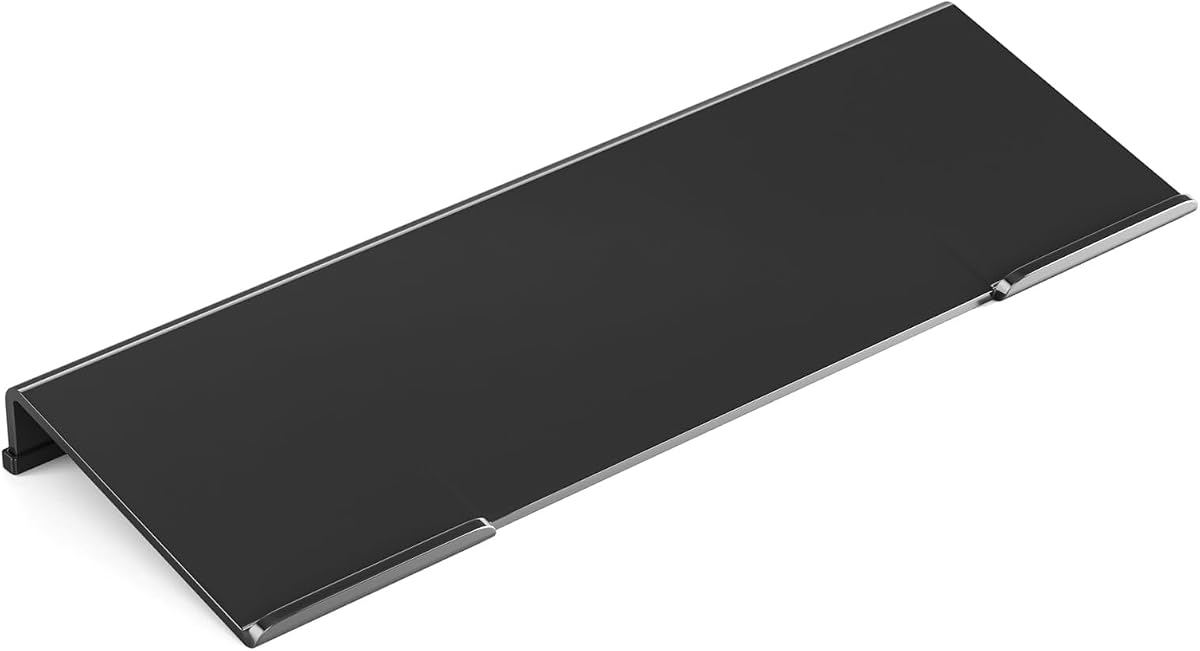
KOTEMON Acrylic Tilted Stand
4.8Editor score
Low front lip protection
Non-slip silicone strip
Polished rounded edges
Discover the top ten angled keyboard riser options for ergonomic comfort. This guide compares design, stability, and fit for home and office setups.
Finding the right angled keyboard riser can transform your daily workspace experience. An ergonomic tilt helps reduce wrist strain and promotes better posture during long typing sessions at home or work.
We evaluated ten top-rated models based on build quality, ergonomic benefits, and user feedback. Each product offers unique features like adjustable angles, silicone grips, or premium acrylic finishes for various desk needs.
Every pick highlights key strengths and potential trade-offs to help you decide. Prices and availability may fluctuate, so check current listings before purchasing to ensure you get the best value for your setup.
4.8Editor score
4.7Editor score

4.8Editor score
This side-by-side comparison highlights the key specifications and design elements of each top-rated angled keyboard riser to help you find the perfect match for your desk.




The Richboom Computer Keyboard Stand Tilt stands out as a top choice for ergonomics. With a rating of 4.7 stars, users appreciate its sturdy acrylic build and thoughtful design features.
We may earn a commission when you buy through this link, at no additional cost to you.
Its ergonomic slant lifts your keyboard to a comfortable angle, reducing wrist strain during long typing sessions. The low front lips ensure your hands don't catch on the tray, while the silicone strip keeps everything secure.
While it does not offer adjustable angles, the fixed tilt is scientifically optimized for most users. Some might prefer more customization, but the stability and quality make this a minor trade-off.
This model is ideal for anyone seeking a reliable, no-fuss solution for a better typing posture. It fits standard keyboards and adds a sleek look to any desk setup.
The slanted design keeps your wrists in a neutral position, reducing the risk of repetitive strain injuries over time.
Silicone strips on the bottom ensure the stand stays put even during vigorous typing or gaming sessions.
We may earn a commission when you buy through this link, at no additional cost to you.
The KOTEMON Acrylic Tilted Computer Keyboard Stand offers exceptional value. With a high rating of 4.8, it proves that budget-friendly options can still deliver premium ergonomics and design.
We may earn a commission when you buy through this link, at no additional cost to you.
Its tilted design raises your keyboard to the right angle for comfortable typing. The non-slip silicone strip wraps the back side to protect your desk and prevent movement during use.
While it lacks adjustable angles, the fixed tilt is effective for most users. Some may find the lack of color options limiting, but the simple elegance suits any office environment.
This stand is perfect for students or home office workers needing an affordable ergonomic upgrade. It also doubles as a whiteboard for notes, adding extra utility.
The environmental-friendly silicone material protects your table surface from scratches while keeping the keyboard stable.
Beyond holding a keyboard, the smooth acrylic surface can be used to write daily tasks or project deadlines.
We may earn a commission when you buy through this link, at no additional cost to you.
The WINFFOR Comfortable Computer Keyboard Stand is a premium choice for ergonomics. With a 4.8 rating, it delivers a sleek look and solid performance for home or office use.
We may earn a commission when you buy through this link, at no additional cost to you.
It elevates your keyboard to a comfortable angle that reduces neck and wrist fatigue. The wide 17-inch design fits various sizes, from compact to full-size, ensuring versatility for any setup.
Though it has a fixed angle, the ergonomic height is optimized for comfort. Some might prefer more color options, but the modern finish blends seamlessly with most decor styles.
This stand is ideal for those prioritizing aesthetics and comfort. It requires no assembly and provides immediate ergonomic benefits right out of the box.
The 17-inch width accommodates 60%, 65%, 75%, TKL, and full-size keyboards without issue.
No ugly protective film or screws means you can start using it immediately without hassle.
We may earn a commission when you buy through this link, at no additional cost to you.
The Richboom Clear Acrylic Tilted Keyboard Holder combines style and function. With a 4.7 rating, users love its transparent look and ergonomic benefits for long typing sessions.
We may earn a commission when you buy through this link, at no additional cost to you.
Its low front lip ensures your hands feel comfortable without interference. The upgraded version features highly polished corners and food-grade silicone to prevent slipping and protect your desk.
While the clear design is elegant, it can show fingerprints more easily. The fixed angle works well for most, but those needing adjustment might look elsewhere.
This model is perfect for minimalists who want a clean look. It fits most standard keyboards and maintains a tidy workspace effortlessly.
The transparency blends into your setup, making the stand almost invisible while holding your keyboard securely.
Rounded edges and corners reduce the risk of cuts or injuries during daily handling and cleaning.
We may earn a commission when you buy through this link, at no additional cost to you.
The Beego Ergonomic Computer Keyboard Stand offers a sleek solution for desk organization. Rated 4.5, it combines aesthetics with practical ergonomic improvements for daily typing.
We may earn a commission when you buy through this link, at no additional cost to you.
Its tilt angle makes typing more comfortable by reducing strain on wrists and neck. The mold silicone strip and rubber pads prevent wobbling, ensuring stability during intense work sessions.
The hot-bent front stopper is subtle enough not to interfere with typing. While the angle isn't adjustable, the design optimizes comfort for most standard keyboard users.
Ideal for those wanting a clean desk without clutter. It elevates your keyboard just enough to improve posture and looks great in any home office.
By lifting the keyboard, it creates visual space and keeps your surface organized and clean.
Rubber pads and silicone ensure the tray stays firmly in place without any sliding or noise.
We may earn a commission when you buy through this link, at no additional cost to you.
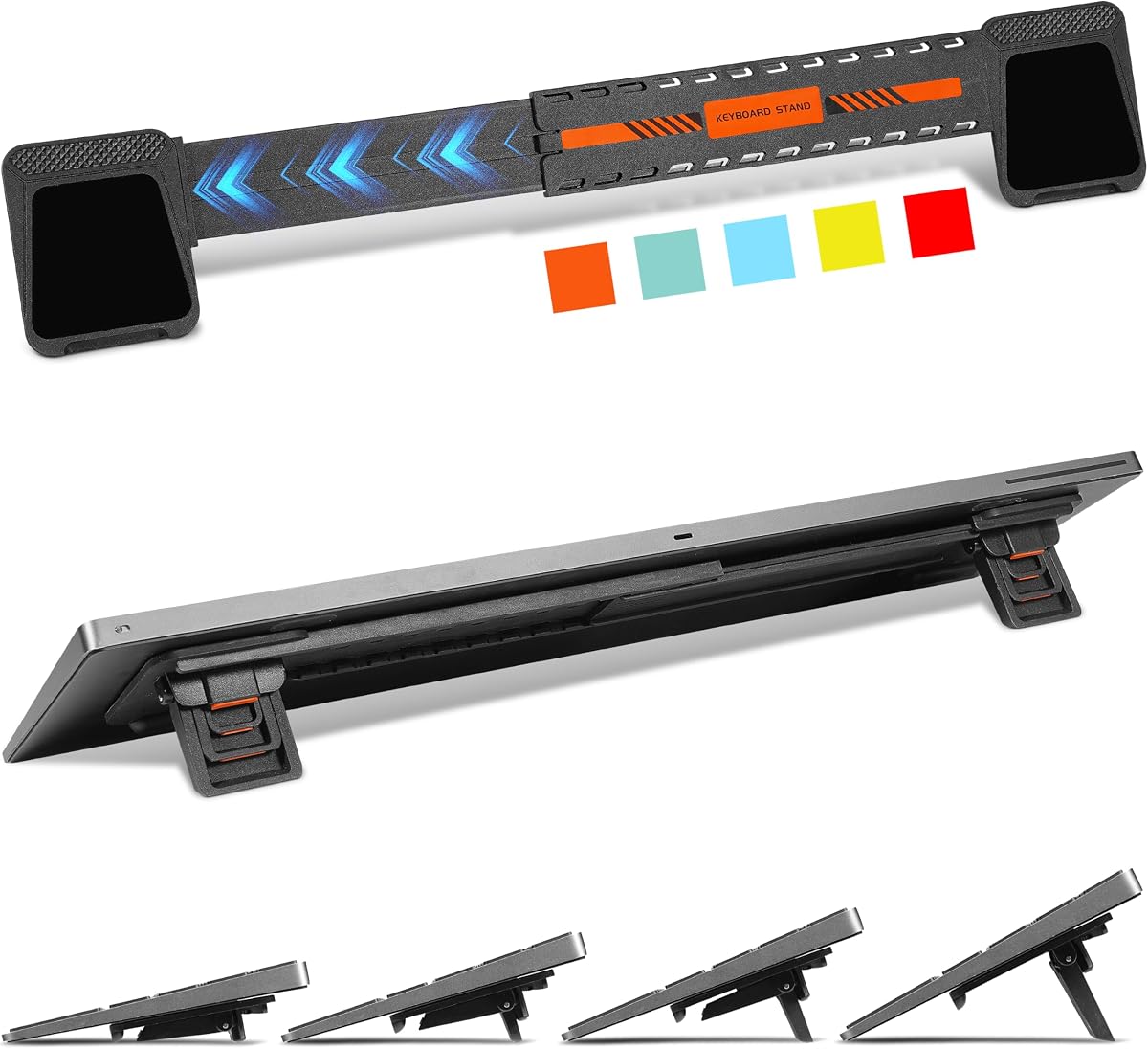
The MEKASS Computer Keyboard Stand stands out for its adjustability. With a 4.2 rating, users enjoy having four height options to optimize wrist position and reduce strain.
We may earn a commission when you buy through this link, at no additional cost to you.
It attaches to your keyboard using washable micro-suction pads, allowing it to move with your device. The non-slip feet provide stability once you choose your preferred angle.
While the nylon construction is durable, it may not feel as premium as acrylic. The need to clean suction pads occasionally is a minor maintenance task for better grip.
This is great for users who share a desk or want flexibility. It fits Apple Magic Keyboards and mechanical ones, offering a portable ergonomic solution.
Four adjustable angles let you tailor the tilt to your specific hand and wrist preferences for better ergonomics.
The compact design makes it easy to move between devices or bring along for travel and work sessions.
We may earn a commission when you buy through this link, at no additional cost to you.
The GPG2 ESC Flip Keyboard Stand offers a unique attachable design. With a 4.5 rating, it is perfect for Apple and Logitech keyboards needing a portable ergonomic boost.
We may earn a commission when you buy through this link, at no additional cost to you.
It mounts directly to your keyboard using washable TPU pads, so it goes wherever you take your device. The three tilt settings allow you to find the ideal wrist angle.
While it doesn't work with ridged or curved keyboards, it excels with flat-back models. The pads may need rinsing to restore grip over time, which is simple to do.
Ideal for users who switch locations often. It combines adjustability with convenience, making it a trusted choice for home office flexibility.
Since it attaches to your keyboard, you never need to reposition a separate stand when you move.
The reusable pads can be rinsed with warm water to restore strength without leaving residue.
We may earn a commission when you buy through this link, at no additional cost to you.
The Klearlook Acrylic Keyboard Riser adds extra comfort with a wrist rest. With a 4.4 rating, it is designed to reduce fatigue during long typing sessions.
We may earn a commission when you buy through this link, at no additional cost to you.
It features three levels of height adjustment to tailor the tilt. The cable management groove and storage slot keep your desk organized while protecting your devices.
Its compact size saves space, but may be shorter than full-size trays. The wrist rest helps, though some users might prefer a separate larger pad.
Great for users with limited desk space. It combines ergonomics with utility to create a tidy and comfortable typing environment.
The included silicone wrist rest provides a cushioned surface to reduce strain during extended use.
Cable management and a storage slot help keep headphones or phones off the main surface.
We may earn a commission when you buy through this link, at no additional cost to you.
The HONKID Computer Keyboard Stand prioritizes durability and stability. With a 4.4 rating, it offers a functional and reliable solution for everyday typing needs.
We may earn a commission when you buy through this link, at no additional cost to you.
It uses micro-suction pads to stay firmly in place, preventing shifts during typing. The three adjustable angles promote a neutral wrist position to reduce strain effectively.
While the nylon construction is sturdy, it lacks the premium look of acrylic. This is minor compared to its functional benefits and desk-friendly design.
This is ideal for users valuing function over form. It suits any workspace, from gaming to office settings, ensuring comfort and safety.
The micro-suction pads ensure the stand stays fixed without damaging your desk surface over time.
Adjustable angles help prevent repetitive strain injuries by keeping wrists in a natural position.
We may earn a commission when you buy through this link, at no additional cost to you.
The Clear Acrylic Tilted Keyboard Holder delivers straightforward ergonomic relief. With a 4.7 rating, it offers a scientifically tested angle for improved comfort.
We may earn a commission when you buy through this link, at no additional cost to you.
The 15-degree inclination is optimized to reduce wrist and arm tension. The polished edges and Grade A material ensure a smooth tactile experience and durability over time.
While it lacks features like storage or adjustability, it does its core job well. Some may miss extra functionality, but the simplicity makes it a reliable daily tool.
This is perfect for those seeking a basic, effective tilt. It fits most standard keyboards and provides a clear, clean look to your workspace.
The 15-degree tilt is determined through testing to offer the best position for palms and wrists.
Grade A acrylic ensures the stand remains clear and durable without clouding or cracking easily.
We may earn a commission when you buy through this link, at no additional cost to you.
Selecting the right angled keyboard riser depends on your desk setup, keyboard type, and ergonomic needs. Here are the key factors to consider.
Materials like acrylic offer a sleek, modern look and are durable for daily use. Nylon provides strength and resistance to impact but may feel more utilitarian. Choose based on your aesthetic preference and usage intensity.
Look for polished edges and smooth surfaces to avoid discomfort and ensure longevity.
Some models offer fixed angles optimized for ergonomics, while others provide multiple height or tilt settings. Adjustable options let you customize comfort but may add complexity and cost.
Fixed angles work well for most users seeking a simple, effective solution without extra steps.
Check if the riser fits your keyboard size, whether full-size, tenkeyless, or compact. Some attach directly to the keyboard, while others act as trays. Ensure it supports your specific model type.
Confirm dimensions to avoid size mismatches that could cause instability or poor fit.
Silicone strips, rubber pads, or micro-suction technology keep the stand and keyboard from sliding. Stability is crucial for comfortable typing and preventing accidental movement.
Prioritize models with multiple contact points or washable grips for consistent performance.
A proper tilt helps maintain a neutral wrist position, reducing strain over time. Look for low front lips and smooth transitions to prevent hand or wrist injuries.
Research or reviews mentioning ergonomic benefits can confirm real-world comfort.
Compact risers save space, which is vital for smaller desks. Measure your available area to ensure the stand doesn't crowd your workspace or overlap with other devices.
Opt for slim designs that lift without taking up excessive desk real estate.
Some stands require no assembly, offering instant setup. Others may need simple adjustments or attachment steps that add time but allow customization.
Consider your preference for quick setup versus adjustable features when choosing.
Color and finish should complement your existing desk setup. Clear acrylic blends easily, while black or purple options add style. A polished look can enhance your workspace ambiance.
Choose a finish that resists fingerprints and matches your office decor.
Place the riser on a flat surface and align your keyboard with its edges to ensure stability. If it has adjustable angles, choose the one that keeps your wrists straight and comfortable.
Clean the surface regularly with a soft cloth to remove dust and fingerprints. For silicone or rubber parts, use mild soap and water to maintain grip and prevent residue buildup.
Inspect non-slip pads periodically for wear and replace if they lose adhesion. Proper care ensures long-term performance and keeps your typing experience smooth and comfortable.
An angled riser elevates the keyboard to a height that aligns your wrists with your forearms, reducing strain. This promotes a neutral wrist position, preventing repetitive injuries and keeping your posture aligned during long sessions.
Most standard keyboards fit, but check the dimensions and attachment type. Some models are designed for flat-back keyboards, while others act as trays. Always verify compatibility before purchasing to ensure a secure fit.
Many models come pre-assembled for instant use, requiring no setup. Others may have simple steps like attaching pads or adjusting angles. Always check the product description for specific assembly instructions.
Quality risers use silicone or rubber pads to protect surfaces from scratches. Non-slip features prevent movement that could cause wear. Choose models with soft contact points to keep your desk pristine.
Yes, most silicone strips can be cleaned with mild soap and water. If micro-suction pads lose grip, rinsing and air drying can restore adhesion. Avoid harsh chemicals to preserve the material.
Scientific studies suggest a 15-degree tilt is optimal for most users to reduce wrist strain. However, comfort is subjective, so choose a model with adjustable options if you need to fine-tune the angle.
Yes, they can improve comfort during extended gaming sessions by reducing wrist tension. Ensure the model is stable enough to handle rapid keystrokes without wobbling for the best experience.
Measure your keyboard's width and depth and compare them to the riser's dimensions. Check product descriptions for compatibility lists to confirm it supports your brand and model size.
The top picks from Richboom, KOTEMON, and WINFFOR lead the category with ergonomic design and reliable stability. Each offers unique benefits to suit different desk needs and budgets.
Prioritize features like adjustability, material quality, and non-slip grips to ensure comfort. A well-chosen riser can significantly improve your daily typing experience and long-term health.
Remember to check current pricing and availability before purchasing. Deals may change, so staying informed helps you secure the best value for your workspace setup.