Lenovo V15 Gen 4
4.0Editor score
Budget friendly military grade build
40GB RAM capacity option
Expandable storage via M.2
Finding a laptop that grows with your needs is crucial in today's fast moving tech landscape. Upgradeable RAM allows you to boost performance without buying a new machine. This guide highlights ten excellent options designed for flexibility and longevity.
We evaluated each model based on memory slots, processor strength, and real world usability. Our analysis focuses on devices that let you expand capacity as tasks become more demanding. We prioritized build quality and thermal management for sustained performance.
Each pick below showcases unique strengths for professionals students and creators. Note that product availability and pricing fluctuate frequently. Always verify current specifications before purchasing to ensure you get the exact configuration you need for your workflow.
4.0Editor score

4.9Editor score

4.5Editor score
As an Amazon Associate we earn from qualifying purchases.
This table provides a quick side by side look at the top ten laptops featuring memory upgrade capabilities. Compare key specifications like processor type and RAM size to find the best match for your requirements.


This ASUS Vivobook delivers top tier performance with its 13th Gen Intel Core i9 processor. It earned a high rating for users needing elite computing power for complex tasks like AI workloads or intensive creative projects.
We may earn a commission when you buy through this link, at no additional cost to you.
The standout feature is the 48GB of RAM which ensures smooth multitasking even with dozens of applications open. The bundled PCO Cooler helps maintain peak performance by preventing thermal throttling during extended heavy use.
While the price reflects its premium capabilities the investment ensures longevity. The physical webcam shield adds a layer of privacy security that modern professionals require for sensitive meetings and data protection.
Ideal for power users this laptop is a robust choice for those who need reliability. The extensive port selection means you can connect peripherals directly without needing extra dongles for daily productivity.
Optimized for next gen AI workloads this system handles complex simulations seamlessly without lag.
The exclusive cooling bundle ensures your processor maintains peak frequency for longer durations.
We may earn a commission when you buy through this link, at no additional cost to you.
The Dell Latitude 5531 offers a renewed solution for businesses seeking reliable hardware without the full new price tag. It features a strong 14 core processor suitable for multitasking and professional applications.
We may earn a commission when you buy through this link, at no additional cost to you.
With 32GB of RAM this machine handles daily enterprise workloads efficiently. The inclusion of Windows 11 Pro provides essential management tools and security features for corporate environments.
Buying a renewed unit can be cost effective but check warranty terms carefully. The non touch screen is standard for business models prioritizing typing comfort over interactive displays.
This laptop is well suited for office workers needing consistent performance. Its sturdy construction and professional grade features make it a practical choice for remote or hybrid teams.
The 14 core CPU delivers significant processing power for demanding business applications and multitasking.
We may earn a commission when you buy through this link, at no additional cost to you.
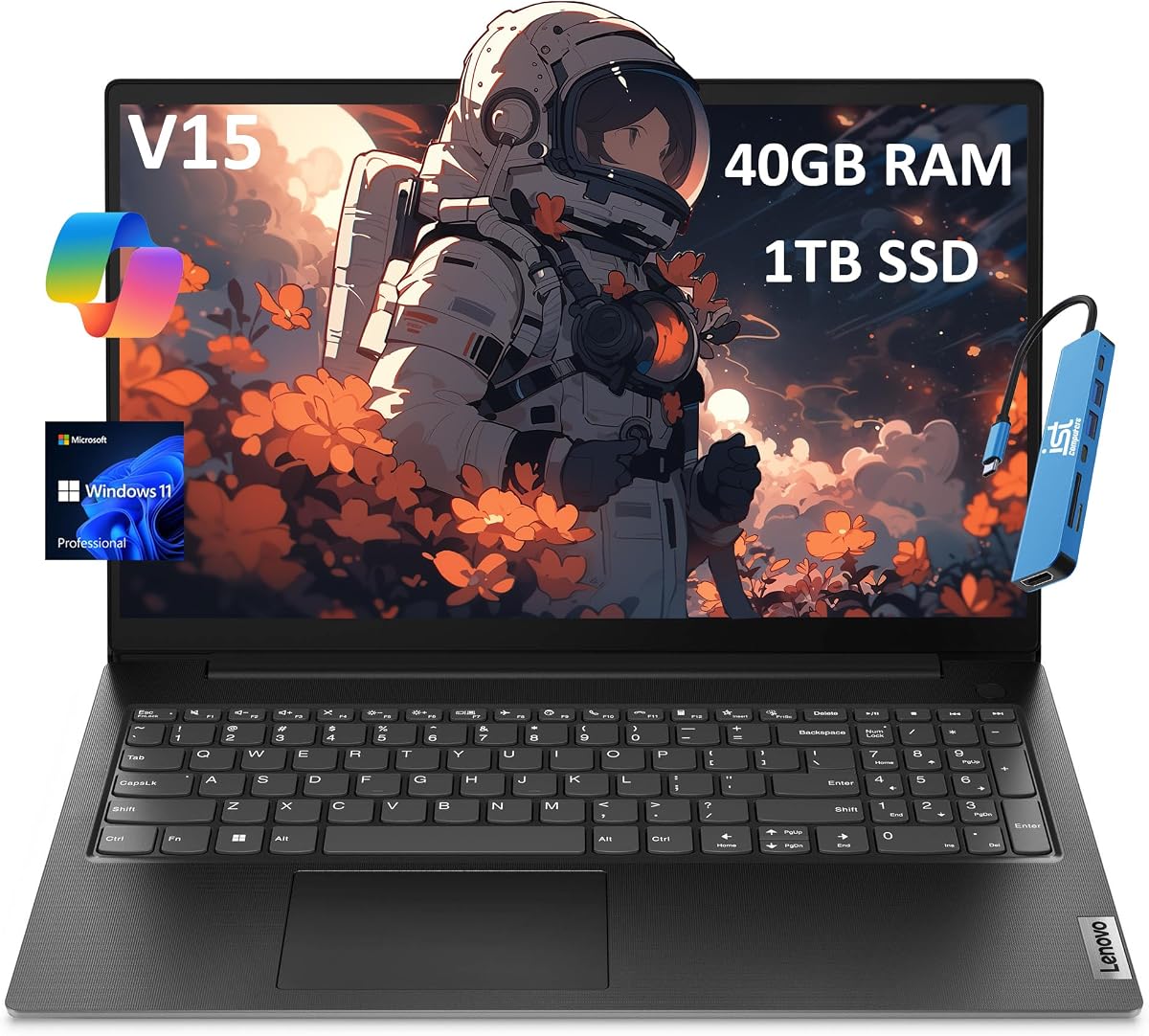
This Lenovo model stands out with its AMD Ryzen 7 processor which balances performance and battery life well. It supports up to 40GB of RAM making it adaptable for growing storage needs.
We may earn a commission when you buy through this link, at no additional cost to you.
The 1TB PCIe NVMe SSD ensures fast boot up and efficient data transfer. Users benefit from high bandwidth memory that smooths out browser tabs and application switching effortlessly.
While the processor is from an earlier generation it remains capable for general business use. The numeric keypad is a valuable addition for anyone frequently entering financial data or numbers.
Perfect for students and office staff this laptop offers essential ports like HDMI and RJ45. It provides a straightforward reliable experience without unnecessary premium costs for casual users.
40GB RAM smoothly runs multiple applications and browser tabs all at once for productivity.
We may earn a commission when you buy through this link, at no additional cost to you.
The HP 255 G10 brings modern connectivity with Wi-Fi 6 and a capable Ryzen 7 processor. It is designed for business users needing security and efficient remote desktop capabilities.
We may earn a commission when you buy through this link, at no additional cost to you.
With 32GB RAM and a 1TB SSD this device handles large files and multiple workflows smoothly. The anti glare display reduces eye strain during long work sessions in various lighting conditions.
The system supports Windows 11 Pro which includes tools like single sign on and enhanced management. This makes it easier to integrate into corporate networks securely without extra software overhead.
A strong option for hybrid workers this laptop balances portability with desktop replacement power. The numeric keypad and USB Type-C make daily tasks convenient and efficient for general use.
Includes enterprise grade security and powerful management tools for professional productivity and remote desktop.
We may earn a commission when you buy through this link, at no additional cost to you.
This ASUS Vivobook features a larger 16 inch WUXGA display that offers more screen real estate than standard models. It is powered by an Intel Core i9 processor ensuring fast responsiveness for creative work.
We may earn a commission when you buy through this link, at no additional cost to you.
The storage configuration is unique with 1TB SSD combined with a docking station offering an additional 1TB. This setup supports extensive file storage and easy connection to external devices simultaneously.
While ratings are not yet available the specs suggest high end performance. The fingerprint reader enhances security making it suitable for sensitive data handling in professional environments.
Ideal for media consumption this laptop provides ample workspace for multitasking. The backlit keyboard adds convenience for late night work sessions in low light environments.
Enjoy sharp visuals and ample workspace on the 16 inch WUXGA display perfect for productivity.
We may earn a commission when you buy through this link, at no additional cost to you.
The HP 15 Notebook provides a solid foundation for everyday tasks with its Core i5 processor. Upgraded to 32GB DDR4 RAM it offers significant headroom for modern multitasking applications.
We may earn a commission when you buy through this link, at no additional cost to you.
Storage is handled by a 1TB PCIe SSD which ensures instant boot up and responsive app loading. The inclusion of a multi format SD card reader is a bonus for photographers needing quick transfers.
This model supports better multi monitor functionality which aids in productivity setups. While it runs Windows 11 Home it still delivers a consistent design and good performance for general use.
Recommended for students or home users needing reliable performance. The anti glare screen and USB Type-C port make it a practical choice for daily computing and entertainment.
Enhanced high bandwidth memory and fast SSD ensure smooth switching between applications and data transfer.
We may earn a commission when you buy through this link, at no additional cost to you.
This Lenovo V15 features the latest 13th Gen Intel Core i7 processor offering exceptional speed up to 5.0GHz. It is rated highly for business users needing robust security and performance.
We may earn a commission when you buy through this link, at no additional cost to you.
The 40GB RAM ensures smooth operation of routine applications and virtual machines. A standout feature is the HD camera with privacy shutter which gives users physical control over their data security.
While the display is TN based it remains functional for business tasks. The 2TB SSD provides ample space for files ensuring that storage never becomes a bottleneck during workflow.
Best for security conscious professionals this laptop balances power and protection effectively. The Windows 11 Pro environment supports efficient management and connectivity for modern business needs.
40GB high bandwidth RAM smoothly runs multiple applications and browser tabs all at once for efficiency.
We may earn a commission when you buy through this link, at no additional cost to you.
This model is marketed as a budget friendly replacement for the Thinkpad E15 with MIL-SPEC tested durability. It offers strong performance with a 13th Gen Intel Core i5 processor that beats older i7 models.
We may earn a commission when you buy through this link, at no additional cost to you.
Memory capacity is impressive at 40GB DDR4 ensuring smooth multitasking for various tasks. The AI Copilot in Windows 11 Pro provides intelligent assistance for routine professional and design tasks.
The robust build makes it suitable for field work or demanding environments. While the keyboard lacks backlighting the price and durability make it a compelling choice for many users.
Ideal for students and small businesses this laptop offers great value. The Ethernet port and Wi-Fi 5 ensure reliable connectivity for remote learning and business operations alike.
Tested to 810H requirements for sturdy built and business security suitable for rugged usage.
We may earn a commission when you buy through this link, at no additional cost to you.
The HP 255 is a thin and light laptop designed for mobile workstyles. It runs on a Ryzen 3 processor which delivers impressive power efficiency for everyday computing and browsing.
We may earn a commission when you buy through this link, at no additional cost to you.
While it starts with 16GB RAM and 256GB SSD the architecture supports upgrades up to 64GB RAM and 2TB storage. This flexibility is vital for users planning to expand capabilities later.
The Full HD LED backlit display offers clear visuals for media consumption. Radeon Graphics provide decent performance for light entertainment and basic graphic work without needing a discrete GPU.
Best for casual users needing an affordable portable solution. The high-speed RAM design allows smooth switching between tabs making it a capable machine for general daily activities.
Upto 64GB high bandwidth RAM allows smooth running of multiple applications and browser tabs at once.
We may earn a commission when you buy through this link, at no additional cost to you.
This lightweight laptop is notable for its dual slot RAM design allowing full upgrade freedom from the start. It features an active cooling system to prevent thermal throttling during heavy tasks.
We may earn a commission when you buy through this link, at no additional cost to you.
It starts with 4GB RAM but you can add 4GB 8GB or 16GB sticks to boost performance easily. The 128GB SSD ensures instant boot up while the TF card slot expands storage for files.
The full size keyboard with numeric keypad enhances typing comfort for data entry. A privacy shutter on the webcam adds security which is valuable for remote work and online classes.
Ideal for those on a tight budget who want upgrade flexibility. The 180 degree lay flat hinge and lightweight design make it a versatile choice for collaborative work and travel.
Features one 4GB So-DIMM module and one empty slot giving you full upgrade freedom for RAM growth.
We may earn a commission when you buy through this link, at no additional cost to you.
Selecting a laptop with upgradeable memory requires considering several technical factors. This section breaks down what to look for to ensure long term performance.
Check how many RAM slots are available on the motherboard. Some laptops have one slot open and one fixed while others have two removable slots. Also confirm if it uses DDR4 or DDR5 memory as this affects compatibility and speed.
Always verify the slot configuration before buying to ensure you can reach your desired memory capacity later.
The processor limits how much RAM you can use effectively. Ensure your CPU supports the maximum capacity you plan to install. Modern CPUs support higher capacities but checking specs avoids bottlenecks.
Match your processor choice with your expected RAM needs for optimal performance.
More RAM and higher performance generate more heat. Look for laptops with robust cooling systems like multiple fans or heat pipes. Overheating can slow down your system and reduce component lifespan.
Prioritize models with good reviews on cooling performance for sustained usage.
Ensure your OS is 64-bit to utilize large amounts of RAM. Windows 11 Home supports up to 128GB but Pro versions often support more. This allows your system to make full use of added memory.
Verify your OS version can handle the memory upgrade you intend to install.
Some laptops make it hard to access the RAM slots without specialized tools. Check user manuals or reviews to see how difficult it is to upgrade. Some models require removing the entire motherboard.
Choose a model with easy bottom panel access for straightforward memory upgrades.
Consider your future needs. A model that supports up to 64GB may be worth the extra cost over one that tops out at 32GB. Planning ahead prevents premature replacement.
Invest in a laptop with headroom for future software requirements.
Buy a laptop with less RAM and upgrade it yourself can save money. However ensure the base model is cheap enough to justify the upgrade cost. Balance initial price with upgrade potential.
Calculate total cost including RAM modules to find the best deal.
When upgrading RAM power off the laptop completely and unplug it to prevent damage. Use an anti-static wristband or touch a metal surface to discharge any static electricity before handling components.
Keep your laptop clean to maintain cooling efficiency. Dust buildup can cause overheating which slows down performance. Clean air vents regularly using compressed air and a soft cloth.
Update your BIOS periodically to ensure compatibility with new memory modules. Check the manufacturer website for BIOS updates that improve stability and support for higher capacities.
No not all laptops allow RAM upgrades. Some have memory soldered directly to the motherboard making it impossible to change. Check your specific model's specs before assuming it is upgradeable.
For general tasks 16GB is sufficient. For heavy multitasking or content creation 32GB or more is recommended. This ensures your system remains smooth as software demands increase over time.
More RAM improves multitasking and handling large files but does not increase CPU speed. If your computer slows due to running out of memory upgrading will help significantly. It prevents bottlenecks in workflow.
DDR5 offers higher speeds and lower power consumption than DDR4. Newer laptops support DDR5 while older models use DDR4. Always buy RAM that matches your laptop's supported type.
Installing more than recommended may void warranty or cause instability. Stick to the maximum supported capacity listed in your user manual. Exceeding limits can lead to boot failures.
No you do not need to reinstall Windows after adding RAM. The OS will automatically detect the new memory. You may need to restart the system for changes to take effect.
Our top picks highlight the versatility of upgradeable RAM in modern computing. The ASUS Vivobook leads in performance while the Lenovo options offer excellent value for business needs.
Prioritize cooling and memory slot availability to ensure you can expand your device as needed. This approach extends the lifespan of your investment significantly.
Prices change frequently so check current listings before you buy. Verify exact specs to ensure you get the upgrade capabilities you need for your specific workflow.