
HP DeskJet 2955
3.7Editor score
Wireless printing capability
Compact home design
Basic fax functionality
This comprehensive guide compares the top ten affordable fax machines available in October 2026 to help you find the right cheap fax machine for your needs.
Finding a reliable communication tool for your home or small office can be challenging when budget is a primary concern. A cheap fax machine offers a practical solution for businesses that still require traditional document transmission methods without breaking the bank.
We have carefully evaluated ten different models based on their functionality, reliability, and overall value. This list covers a wide range of options including laser and inkjet technologies to ensure you find the perfect fit for your specific workflow requirements.
Each pick in this guide highlights key features and potential trade-offs to help you make an informed decision. Please note that availability and specific configuration options may vary over time so always check the latest details before purchasing.
3.7Editor score

3.8Editor score

4.0Editor score
The following table provides a side-by-side comparison of all ten fax machines included in this guide to help you quickly identify the most suitable option for your budget and workspace requirements.




The Brother FAX-575 stands out as a robust option for those needing a dedicated fax solution. With a solid rating and reliable performance metrics it offers a blend of speed and storage that is hard to beat in this category.
We may earn a commission when you buy through this link, at no additional cost to you.
Its 9600 BPS modem ensures that pages are transmitted quickly reducing wait times for busy offices. The 512 KB memory allows you to store up to 25 pages which is excellent for high-volume environments where printing might lag.
While the upfront investment might be higher than some budget alternatives the reliability and feature set justify the expense. Users appreciate the straightforward operation which minimizes training time for new employees or home office workers.
If you need a machine that can handle frequent faxing without constant jams or errors this model is a strong candidate. It is particularly well suited for small businesses that prioritize consistent communication over flashy extras.
The modem speed allows for quick page transmission which is vital for time sensitive documents.
Storing up to 25 pages in memory ensures you can send faxes even when paper runs low.
We may earn a commission when you buy through this link, at no additional cost to you.
For those seeking the functionality of the original model at a reduced cost the renewed version offers a compelling alternative. It retains the essential features of the standard unit while presenting a more accessible entry price for budget conscious buyers.
We may earn a commission when you buy through this link, at no additional cost to you.
The core performance metrics such as transmission speed and memory remain consistent with the original model. This means you get the same operational efficiency without the premium associated with a brand new unit straight from the factory.
However buyers should be aware that renewed items may show minor signs of wear or have different warranty terms. It is important to inspect the item upon arrival to ensure it meets your specific operational standards before full deployment.
This option is ideal for temporary setups or small offices where cost efficiency is paramount. If the fax machine is used intermittently the slight trade-off in condition is often acceptable for the significant savings achieved.
Purchasing a renewed unit allows you to access premium features at a fraction of the original cost.
Despite being renewed the machine maintains the same speed and memory capabilities as the new model.
We may earn a commission when you buy through this link, at no additional cost to you.
The Sharp UXB20 brings inkjet versatility to the fax machine category allowing for better integration with existing office workflows. Its design focuses on ease of use with features like speed dial and caller ID detection that enhance daily operations.
We may earn a commission when you buy through this link, at no additional cost to you.
With a 9600 bps modem it handles standard fax transmission efficiently. The memory capacity supports out-of-paper storage which is a handy feature when the machine runs out of paper during a large transmission batch.
The inclusion of a corded handset adds a layer of traditional communication capability that some users prefer. This can be particularly useful for businesses that still rely heavily on voice communication alongside document sending.
While the rating is lower than some competitors the feature set remains robust for basic needs. It is a solid choice for those who already invest in inkjet systems and want a unified device for printing and faxing.
With 30 speed dial presets you can quickly send faxes to frequent contacts without entering numbers.
The 449 KB memory allows for 24 pages to be stored if paper runs out during transmission.
We may earn a commission when you buy through this link, at no additional cost to you.
The HP DeskJet 2955 is a versatile all-in-one device that brings fax capability to a budget conscious home office. It focuses on core printing needs while adding essential communication tools like faxing for those who need them occasionally.
We may earn a commission when you buy through this link, at no additional cost to you.
Its wireless capabilities and AI features ensure that documents are formatted correctly before printing. This reduces waste and ensures that your faxes look professional even when using basic settings or standard paper types.
While it may lack the robust speed of dedicated fax machines it excels in connectivity and ease of use. The dual-band Wi-Fi helps maintain a stable connection for mobile printing and scanning which is vital for modern workflows.
This device is perfect for home users who need a single machine for printing scanning and occasional faxing. The low entry price makes it an attractive option for startups or individuals setting up a temporary workspace.
HP AI helps remove unwanted content from web pages ensuring your printed faxes look clean and professional.
The dual-band Wi-Fi ensures a stable connection allowing you to print and fax from anywhere in the office.
We may earn a commission when you buy through this link, at no additional cost to you.
The Canon PIXMA TR4720 is a true 4-in-1 printer that offers a compact and versatile solution for home offices. It includes built-in fax capabilities which makes it a strong contender for those needing multiple functions in one device.
We may earn a commission when you buy through this link, at no additional cost to you.
Its easy setup process ensures that you can start using it immediately upon unboxing. The mobile printing features allow you to send faxes or print documents directly from your smartphone for added convenience.
The front paper tray is designed for fast loading which helps maintain workflow efficiency. With a 100 sheet capacity it handles daily printing needs without requiring constant refills during busy periods.
This model is ideal for users who prioritize space saving without sacrificing essential features. The combination of fax scanning and printing in a small footprint makes it a practical choice for smaller workspaces.
The auto document feeder allows for quick multi-page scanning or faxing without manual page turning.
Use the Canon PRINT app to manage all your printing needs remotely from your favorite mobile devices.
We may earn a commission when you buy through this link, at no additional cost to you.
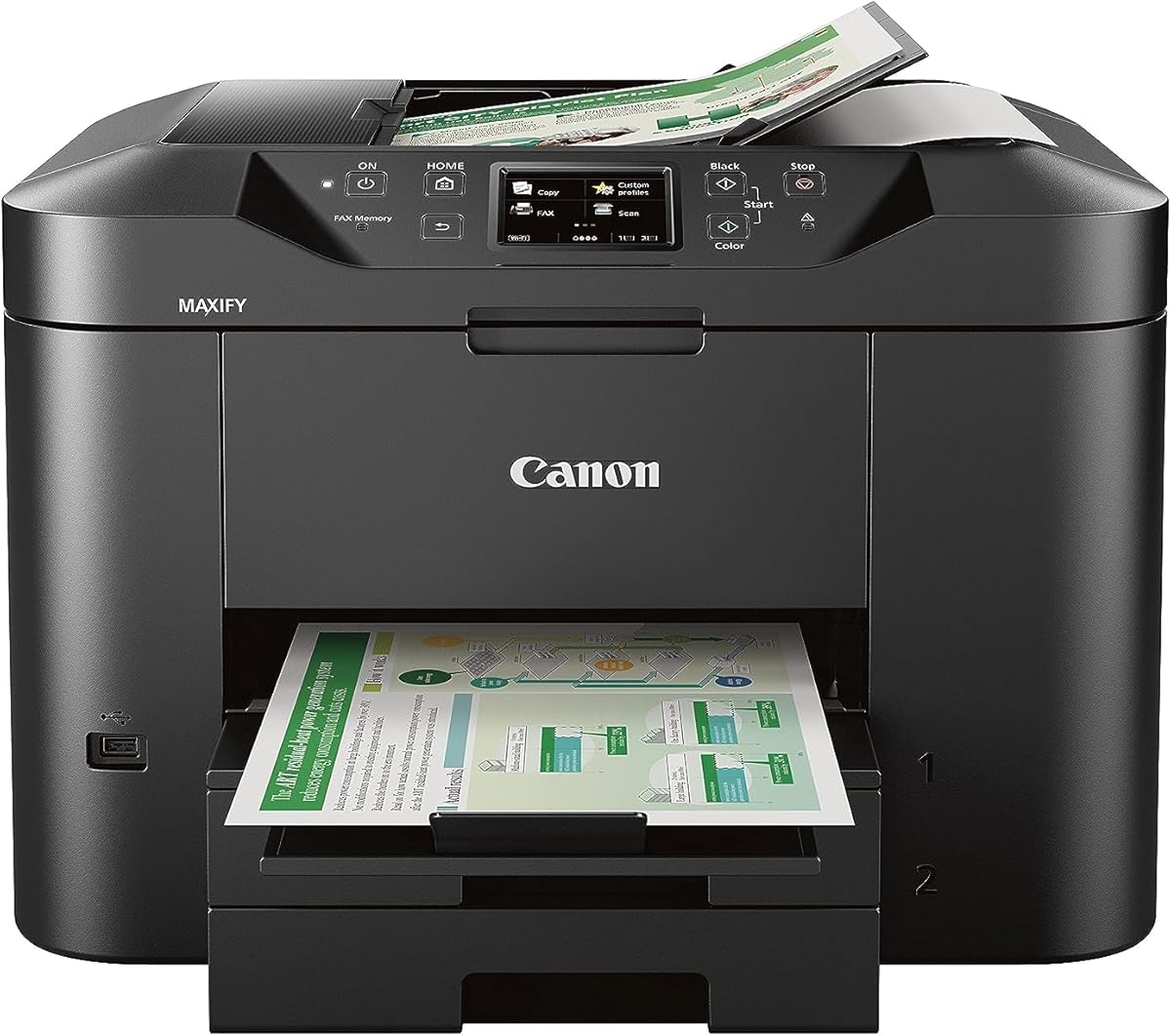
The Canon MAXIFY MB2720 is built to last for all your home business needs with a robust duty cycle of 20000 pages. It offers a large paper capacity ensuring that you are always ready for any job without constant refilling.
We may earn a commission when you buy through this link, at no additional cost to you.
Its print quality is sharp and smudge resistant which is crucial for professional documents that need to look polished. The dual resistant high density inks ensure that your text remains legible even after handling or exposure to light.
Support is fully US based which can be a significant advantage for businesses that need quick assistance with any issues. This adds a layer of reliability that is often missing from cheaper generic alternatives in the market.
While it is a larger investment than basic models the reliability and performance justify the cost for active businesses. It is the best choice for users who need a printer that can handle high volume and professional results.
With two cassettes providing 500 sheets you can run the printer for days without needing to refill paper.
The 20000 page duty cycle ensures the machine is built to handle the demands of a busy business office.
We may earn a commission when you buy through this link, at no additional cost to you.
The Canon PIXMA TR8620a stands out with its smart voice integration allowing you to manage tasks with simple commands. It offers a high capacity of 200 sheets and auto two-sided printing which saves paper and adds convenience to your workflow.
We may earn a commission when you buy through this link, at no additional cost to you.
Its print speed of 15 ipm makes it efficient for tasks where time is of the essence. The 1000 page duty cycle ensures it can handle regular home office workloads without straining the internal components over time.
Alexa integration is a unique feature that allows for smart reorders when ink is running low. This ensures you never run out of supplies unexpectedly which can be a major disruption in a busy work environment.
This model is perfect for users who want a high-end experience with minimal manual intervention. The combination of advanced features and reliability makes it a top choice for those willing to invest in a premium home office setup.
Connect your printer to Alexa to receive low ink notifications and place smart reorders instantly.
Auto two-sided printing helps reduce paper usage by automatically printing on both sides of a page.
We may earn a commission when you buy through this link, at no additional cost to you.
The Brother intelliFAX-2840 utilizes laser technology to provide fast and reliable faxing for business environments. With a speed of 21 ppm it is significantly faster than many inkjet counterparts ensuring that large volumes are handled efficiently.
We may earn a commission when you buy through this link, at no additional cost to you.
The laser output provides sharp text which is ideal for legal or formal documents that need to be professional. This technology is generally more durable for high-volume environments compared to inkjet systems that may require frequent maintenance.
While it lacks some of the advanced networking features found in newer models it serves its primary purpose exceptionally well. The straightforward operation allows users to focus on communication rather than navigating complex menus or software.
This machine is best suited for environments where speed and text clarity are the top priorities. If you need a dedicated device that handles faxing quickly without printing extra files this is a strong option to consider.
The 21 pages per minute speed ensures that your fax transmissions are completed quickly and efficiently.
Laser technology produces crisp text that is ideal for formal documents and contracts.
We may earn a commission when you buy through this link, at no additional cost to you.
The Brother FAX-575 Thermal model offers a simplified approach to faxing that is easy to use for basic tasks. It is Energy Star certified which means it consumes less power than many standard machines helping to reduce operating costs over time.
We may earn a commission when you buy through this link, at no additional cost to you.
Its 512 KB memory allows it to store up to 25 pages which provides a buffer during transmission. This feature is useful for ensuring that documents are sent even if the receiving end is busy or busy for a moment.
The thermal transfer mechanism is straightforward and requires less maintenance than laser or inkjet systems. This simplicity makes it a great choice for users who want a dedicated fax machine without unnecessary extra features.
While thermal paper can sometimes be less durable than plain paper this model still delivers consistent results. It is an excellent choice for small offices that need a reliable workhorse without complex connectivity options.
The Energy Star certification ensures that the device uses power efficiently to help save on electricity bills.
Simplified controls and basic features make this machine easy to operate for users of all technical levels.
We may earn a commission when you buy through this link, at no additional cost to you.
The Panasonic KX-FHD331 focuses on the basics by using plain paper which is convenient for most users. It includes caller ID compatibility and an answering machine interface which adds a layer of utility to standard faxing tasks.
We may earn a commission when you buy through this link, at no additional cost to you.
Its modem speed is standard for its class ensuring that it can handle basic transmission requirements without issue. The design prioritizes simplicity allowing you to focus on sending and receiving faxes without getting lost in complex menus.
The exchange program provides a safety net if the unit develops issues within the warranty period. This can be reassuring for buyers who are concerned about the longevity of the device in a demanding environment.
While it has a lower rating than some competitors it remains a functional option for those who need plain paper output. It is a solid choice for users who value straightforward operation and standard paper types over advanced features.
Using standard plain paper makes it easy to distribute faxes without needing special thermal rolls.
The answering machine interface allows for a unified system for both voice messages and fax messages.
We may earn a commission when you buy through this link, at no additional cost to you.
Choosing the right fax machine involves weighing several key factors to ensure the device meets your budget and functional needs.
Transmission speed is measured in bits per second and determines how quickly a document is sent. Faster speeds reduce wait times and are essential for businesses sending many pages daily.
Look for a modem speed of at least 9600 bps to ensure efficient transmission without unnecessary delays.
The capacity of the paper tray affects how often you need to refill it. A larger tray is more convenient for offices with high volume faxing needs.
Check for a tray capacity of at least 50 sheets to minimize interruptions during busy work hours.
Memory storage allows the machine to hold documents even when it is out of paper. This is a critical feature for preventing lost faxes in high volume environments.
Ensure the device has at least 512 KB of memory to store multiple pages before printing.
Modern fax machines often include wireless capabilities that allow you to print and scan from mobile devices. This adds flexibility to how you interact with your office equipment.
Prioritize models with Wi-Fi support if you need to send faxes from smartphones or tablets.
The resolution determines the clarity of the text and images on the fax. Higher DPI values result in sharper and more readable documents.
A resolution of 400 x 400 dpi is generally sufficient for most business document transmission needs.
Energy efficiency is an important factor for devices that stay on for long periods. Machines with energy-saving features can reduce overall electricity costs.
Look for models that carry the Energy Star certification to ensure lower power usage.
Extra functions like speed dial or caller ID can enhance usability for frequent faxes. These features save time when sending documents to regular contacts.
Consider models that offer speed dial presets to streamline frequent communication tasks.
A reliable warranty provides peace of mind against potential hardware failures. Long-term support ensures you have access to help if issues arise.
Check the warranty duration to ensure you have adequate protection for your investment.
Start by plugging the machine into a grounded outlet and connecting the phone line. Ensure that the paper tray is loaded correctly to avoid jams.
Familiarize yourself with the control panel settings by reading the manual. Adjust the contrast and speed settings to optimize the transmission quality.
Clean the scanner glass regularly to prevent smudges on received documents. Keep the device in a dry and dust-free environment to maintain its performance.
Yes most cheap fax machines are designed to work with traditional analog phone lines which are still widely available. However you may need to check if your area supports analog signals or requires adapters.
Transmission speed determines how fast a document is sent to the receiver. Higher speeds reduce the time required to send multiple pages improving overall efficiency in busy offices.
Some models include wireless or USB connectivity allowing you to send faxes directly from your computer. Check the specifications to confirm if the model supports PC fax capabilities.
Laser fax machines use toner and generally offer faster speeds and sharper text. Inkjet models use liquid ink and are often more affordable but may be slower for large documents.
Memory capacity allows the machine to store documents before printing which is useful when paper runs out. This ensures that important faxes are not lost during transmission.
Wireless machines offer greater flexibility and allow you to print from anywhere in the network. However wired models can be more reliable for consistent connections without signal issues.
Most modern machines use standard plain paper which is easy to purchase and store. Some older models may require thermal paper which is less convenient and more expensive to replace.
You can reduce costs by choosing models with high capacity cartridges or refillable systems. Also using draft mode for internal documents can save a significant amount of ink.
Choosing the right fax machine depends on your specific needs such as speed capacity and connectivity. This guide highlights options ranging from basic thermal models to advanced wireless devices to suit different budgets.
Prioritize features that align with your daily workflow such as memory storage or paper tray size. Investing in a reliable model can save time and reduce technical issues in the long run.
Always check the latest availability and specific configurations before making a purchase decision. Prices and inventory can change quickly so verify the details to ensure you get the best value.