
NETGEAR GS348
4.8Editor score
Plug-and-Play Setup
48 Gigabit Ports
Energy Efficient Operation
This guide compares the top 10 48 Port Gigabit Managed Switch models based on performance, security, and management features for 2026.
Modern businesses require robust networking infrastructure to handle increasing data loads and secure connections. A 48 Port Gigabit Managed Switch provides the backbone for scalable and efficient network operations across various environments.
We evaluated ten leading models from trusted brands like TP-Link, NETGEAR, and Ubiquiti. Our analysis focused on port density, management capabilities, security protocols, and overall reliability to identify the best options.
Each pick highlights unique strengths for different needs, from budget-friendly setups to enterprise-grade deployments. Please note that pricing fluctuates frequently, so verify current costs before making your final purchasing decision today.
4.8Editor score

4.7Editor score

5.0Editor score
This table provides a side-by-side comparison of all ten models to help you quickly identify the right switch for your specific networking requirements and constraints.




The TP-Link SG2452LP stands out as the top choice for businesses needing centralized control. With a 4.7 rating, it integrates seamlessly with the Omada Cloud Management Platform for remote oversight. This switch offers powerful tools for monitoring and configuring networks across multiple sites.
We may earn a commission when you buy through this link, at no additional cost to you.
Its standout feature is the ability to manage complex networks via a cloud interface. You can deploy Zero Touch Provisioning to automate device setup, saving significant time for IT teams. The fanless design ensures it operates silently, making it ideal for quiet office spaces or healthcare facilities.
Security is handled robustly with features like 802.1X authentication and DHCP snooping. These protocols protect your network from unauthorized access and common cyber threats. However, utilizing the full potential requires some initial configuration knowledge which might deter non-technical users.
If you are looking for a scalable and secure solution, this model is highly recommended. It balances advanced features with reliability, making it a solid investment for growing enterprises. The five-year warranty adds peace of mind for long-term deployment.
Control your entire network from anywhere using the Omada Cloud Platform for real-time insights and configuration adjustments.
The fanless design eliminates noise pollution, ensuring a quiet environment even under heavy network loads.
We may earn a commission when you buy through this link, at no additional cost to you.
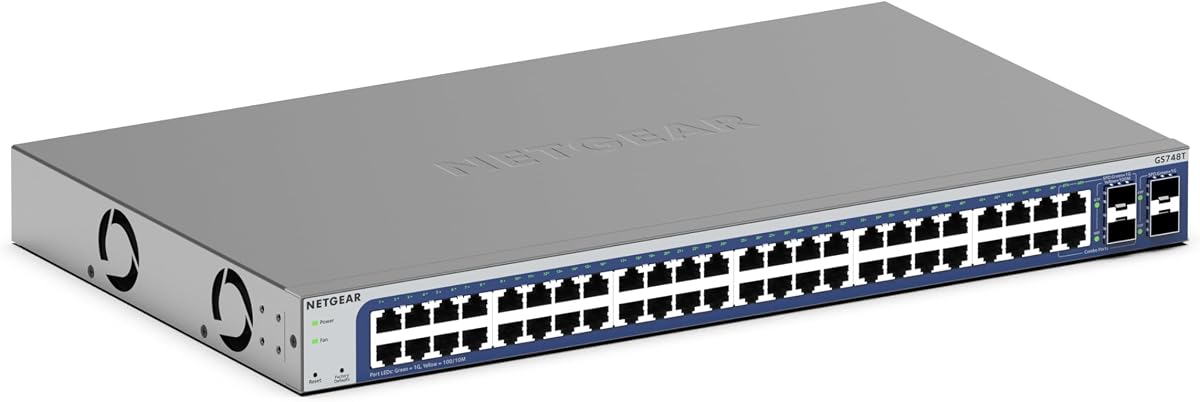
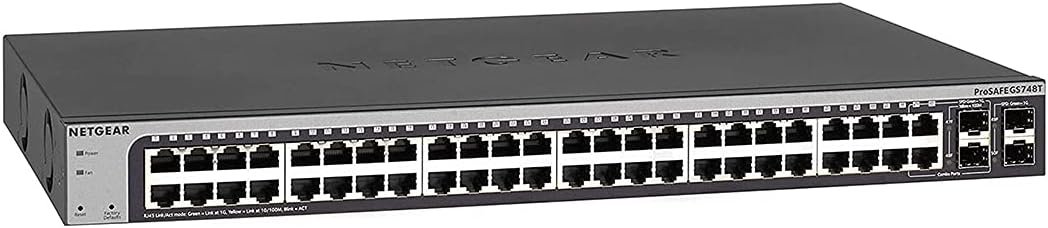
The NETGEAR GS748T delivers reliable performance with 48 gigabit ports and four SFP options for fiber connections. It offers a smart managed interface that simplifies network configuration and security protocols. The inclusion of one year of NETGEAR Insight allows for remote management capabilities.
We may earn a commission when you buy through this link, at no additional cost to you.
This switch is excellent for businesses that need to expand their network over fiber optics without replacing copper cabling. The auto-negotiating ports ensure compatibility with various devices and cable types like Cat5e or Cat6. The interface is intuitive for basic management tasks.
However, the remote management feature is time-limited to one year unless extended. You may find the cost increases if you opt for longer subscriptions or additional features. Despite this, the core switching performance remains solid and dependable for daily use.
For offices needing flexibility in connection types, this model is a strong contender. It provides the necessary tools for secure and efficient network management. Just be aware of the subscription limitations when planning your budget.
The SFP ports enable high-speed fiber optic connections, extending your network reach effectively.
An easy-to-use interface allows for secure setup and management of access controls and SNMP settings.
We may earn a commission when you buy through this link, at no additional cost to you.
The Omada SG3452 introduces L2+ features like static routing to optimize internal traffic flow. It integrates into the Omada Software Defined Networking platform for unified control. This makes it ideal for environments requiring more control than standard L2 switching offers.
We may earn a commission when you buy through this link, at no additional cost to you.
You can segment your network using 802.1Q VLANs to isolate traffic for better security and performance. The switch also supports CLI management for advanced users who prefer command-line interfaces. Its ability to operate in standalone mode adds deployment flexibility.
Ensure your devices are running compatible SDN firmware to unlock full capabilities. Without this, some integration features might not work as expected. While powerful, it requires careful planning to align with your existing infrastructure and firmware requirements.
If you need routing capabilities without investing in a full router, this switch is a cost-effective solution. It supports large network deployments with robust security and scalability. Verify firmware compatibility before purchase to avoid setup complications.
Static routing helps direct internal traffic efficiently, improving resource usage across the network.
Features like IP-MAC-Port binding and DoS defense protect your network from internal and external threats.
We may earn a commission when you buy through this link, at no additional cost to you.
This version of the NETGEAR GS748T includes a lifetime limited hardware warranty for long-term security. It features 48 gigabit ports and combo SFP ports for flexible uplinks. The lifetime coverage is a major advantage for businesses wanting minimal downtime risk.
We may earn a commission when you buy through this link, at no additional cost to you.
Network admins can manage devices via smart software and SNMP tools easily. The compact metal design supports both desktop and rack mounting options for versatile installation. Energy efficient design ensures lower power consumption during operation.
It is important to note that some SFP ports are shared with Ethernet ports. This configuration may limit flexibility in high-density fiber scenarios. Despite this limitation, the warranty support remains a significant value add over competitors.
For organizations prioritizing reliability and support, this model offers great peace of mind. The lifetime warranty covers unexpected hardware failures effectively. Ensure you understand port sharing constraints before finalizing your purchase.
A lifetime warranty ensures you are covered for hardware failures, reducing long-term ownership costs.
Mounting hardware is included, allowing for either desktop placement or standard rack mounting.
We may earn a commission when you buy through this link, at no additional cost to you.
The TL-SG3452P provides 48 PoE+ ports with a 384W power budget to support numerous devices. It includes PoE auto recovery to reboot disconnected devices automatically ensuring uptime. This is ideal for IP cameras and access points needing remote power control.
We may earn a commission when you buy through this link, at no additional cost to you.
Managed features include IPv6 support and static routing for better traffic management. The Omada SDN integration allows unified control across switches and access points. A lifetime protection warranty covers the hardware against defects effectively.
The power budget limits how many high-wattage devices you can power simultaneously. Ensure your device count matches the available power to avoid performance issues. It is a strong choice if your network relies heavily on powered devices.
If you are deploying many wireless access points or cameras, this switch is highly capable. The auto-recovery feature is a great safety net for remote locations. Calculate your total power needs carefully before purchasing.
PoE auto recovery detects inactive ports and power cycles connected devices to restore connectivity.
Full IPv6 compatibility ensures future-proofing for modern network protocols and addressing schemes.
We may earn a commission when you buy through this link, at no additional cost to you.
The NETGEAR GS348 offers a simple solution for expanding your network without complexity. It provides 48 gigabit ports with plug-and-play functionality requiring no setup. This makes it perfect for environments where VLANs and advanced control are unnecessary.
We may earn a commission when you buy through this link, at no additional cost to you.
It is highly rated for reliability and silent operation due to its fanless design. Energy Efficient Ethernet reduces power consumption while maintaining high-speed performance. This model is excellent for homes or small offices needing extra ports.
Because it is unmanaged, you cannot segment traffic or adjust settings via software. This limits security and optimization capabilities for complex networks. However, for pure connectivity extension, it works perfectly well out of the box.
For users who prioritize ease of use and cost, this switch is a top choice. You save money by avoiding complex management interfaces. Ensure your needs are strictly connectivity-based before opting for this unmanaged model.
Plug-and-play setup means you can connect devices immediately without software installation.
The fanless design ensures silent operation which is ideal for quiet environments.
We may earn a commission when you buy through this link, at no additional cost to you.
This renewed model provides professional managed features at a reduced cost compared to new units. It includes 48 gigabit ports and fiber connectivity options for network expansion. ProSAFE lifetime protection offers continued hardware support for the refurbished unit.
We may earn a commission when you buy through this link, at no additional cost to you.
Smart Managed Pro software allows secure access control and SNMP management easily. You can use desktop or rack mounting options based on your space constraints. Buying renewed is a great strategy for budget-conscious IT managers.
It is essential to check the specific warranty terms for renewed products. They may differ slightly from new product guarantees. However, the core performance remains high for most enterprise or office needs.
If you need enterprise features without the premium price tag, this model is smart. Ensure you verify the condition of the unit upon delivery for peace of mind. It represents great value for expanding networks efficiently.
Renewed products offer significant savings while retaining most of the original functionality and features.
Access advanced settings for security and performance without the complexity of enterprise gear.
We may earn a commission when you buy through this link, at no additional cost to you.
The Ubiquiti EdgeSwitch Lite delivers high throughput with a switching capacity of 140 Gbps. It features SFP+ ports for fiber connectivity suitable for backbone connections. Non-blocking performance ensures data moves efficiently without bottlenecks.
We may earn a commission when you buy through this link, at no additional cost to you.
Network admins can use the console port for detailed configuration. Rack or wall mounting options provide flexibility in physical installation. The DC input allows for alternative power sources in specialized setups.
It does not support PoE so external power injectors are needed for devices. The interface can be more complex than consumer-grade switches. This model is best for advanced users needing raw performance.
If your network requires high bandwidth and fiber uplinks, this switch is excellent. The non-blocking throughput supports heavy traffic loads effectively. Be prepared for a steeper learning curve during configuration.
With 140 Gbps switching capacity, this unit handles heavy data traffic without latency issues.
Rack or wall mount options allow you to fit the device into various physical environments.
We may earn a commission when you buy through this link, at no additional cost to you.
The YuanLey switch offers 48 PoE+ ports with a massive 460W budget for power. It includes six 10G SFP+ slots for high-speed uplinks ideal for servers. L3 management features like static routing make it versatile for large networks.
We may earn a commission when you buy through this link, at no additional cost to you.
It supports VLANs, QoS, and ACLs for detailed control over traffic. The fanless design keeps noise low even under load. The web interface is clean for both general and professional management tasks.
Less known brands might lack extensive documentation or community support. Ensure you are comfortable managing network settings independently if issues arise. Performance is strong but user support resources vary.
For businesses needing high-speed fiber and massive PoE budget, this is a great option. It balances cost and features effectively for growing businesses. Verify specific requirements match this unit's capabilities before purchasing.
With 460W budget, you can power a wide array of devices without external injectors.
Six 10G SFP+ slots allow for fast connectivity to core networks and servers.
We may earn a commission when you buy through this link, at no additional cost to you.
The GS348TPv2 achieves a perfect 5.0 rating for reliability and ease of use. It offers 48 PoE+ ports with 380W total budget to support power-hungry devices. The smart managed interface simplifies secure setup and access control.
We may earn a commission when you buy through this link, at no additional cost to you.
Smart software provides SNMP management and NMS integration for IT teams. Compact metal design supports flexible desktop or rack mounting placements. Fiber connectivity via SFP ports allows easy expansion without cabling limitations.
Premium features come with a higher price point compared to basic switches. Ensure your budget aligns with the benefits offered. The rating indicates high customer satisfaction which suggests few common flaws.
If quality and customer satisfaction are priorities, this is the top choice. It offers balanced features for professional environments. Confirm your PoE needs match the 380W budget before buying.
A perfect rating suggests consistent performance and minimal issues for users.
User-friendly software reduces the time required for setup and maintenance.
We may earn a commission when you buy through this link, at no additional cost to you.
Selecting the right switch involves considering multiple factors that impact performance, scalability, and security. Understanding these key elements ensures you invest in a switch that meets your current and future needs.
Managed switches allow you to configure VLANs, security policies, and traffic prioritization for better control. Unmanaged switches are plug-and-play with no configuration options, suitable for simple expansion needs.
Choose managed if you need network segmentation or security protocols. Opt for unmanaged if you only need additional ports without control.
Power over Ethernet (PoE) lets you power devices like cameras and access points via Ethernet cables. Check the total wattage budget to ensure it supports all your PoE devices simultaneously.
Calculate total wattage requirements before buying. A 380W budget supports many devices, while lower budgets may restrict power-heavy setups.
Look for SFP or SFP+ ports if you plan to use fiber optic cables for long-distance connections. These slots allow high-speed uplinks to routers or other switches without copper limits.
Ensure you have enough SFP slots for your expansion needs. Fiber is essential for high-speed backbone connections.
Layer 2 switches handle data link layer traffic, while Layer 3 switches include routing capabilities. L2+ models offer static routing for internal traffic optimization.
L2 is sufficient for standard switching. Choose L2+ if you need routing features within the switch itself.
Check if the switch offers Web, CLI, or Cloud management. Cloud platforms like Omada allow centralized remote access across multiple sites easily.
Cloud management is ideal for distributed networks. Local web interfaces work for single-site setups.
Modern switches include 802.1X, ACLs, and DHCP Snooping to prevent unauthorized access. These features protect your network from malware and intrusions.
Prioritize switches with advanced security if you handle sensitive data. Basic security may suffice for public networks.
Warranty periods range from limited lifetime to five years. Lifetime warranties provide long-term protection against hardware defects effectively.
Choose brands with strong support channels. A longer warranty reduces risk and replacement costs.
Fanless designs are quieter and more reliable than fan-cooled models. This is critical for office or home environments where noise is a concern.
Select fanless models for quiet operation. Fans are acceptable in noisy server rooms.
Start by connecting the switch to your router or core network using an Ethernet cable. Then plug in power and verify status lights indicate connectivity and power on. Configure basic settings via the web interface or CLI.
Assign VLANs to separate traffic groups for security or performance. Ensure all connected devices are compatible with the switch's port speeds. Update firmware regularly to patch security vulnerabilities.
Mount the switch securely in a rack or on a flat surface. Keep ventilation paths clear to prevent overheating. Monitor performance metrics via the dashboard to maintain optimal network health.
Managed switches allow configuration of settings like VLANs and security policies for network control. Unmanaged switches are plug-and-play with fixed settings suitable for simple connectivity needs.
For small businesses needing network segmentation or security, a managed switch is recommended. It offers better control over traffic and access compared to unmanaged models.
Power over Ethernet delivers power and data over one cable. It is vital for powering devices like cameras or access points without separate power adapters.
Insert fiber optic cables into the SFP or SFP+ slots. Ensure you use compatible transceivers for the correct fiber type and speed.
Yes, platforms like Omada Cloud allow centralized management of multiple switches. This simplifies monitoring and configuration across different sites.
Check for updates quarterly to ensure security patches are applied. Manufacturers release fixes for vulnerabilities that could compromise network safety.
We have reviewed ten top models ranging from budget-friendly to premium options. TP-Link and NETGEAR offer robust solutions for diverse networking needs effectively.
Prioritize your requirements like PoE budget, security, and management style before choosing. The right switch ensures reliable connectivity and scalability for your infrastructure.
Prices and availability change quickly so always check current details before buying. Compare features and warranty terms to find the best value for your situation.