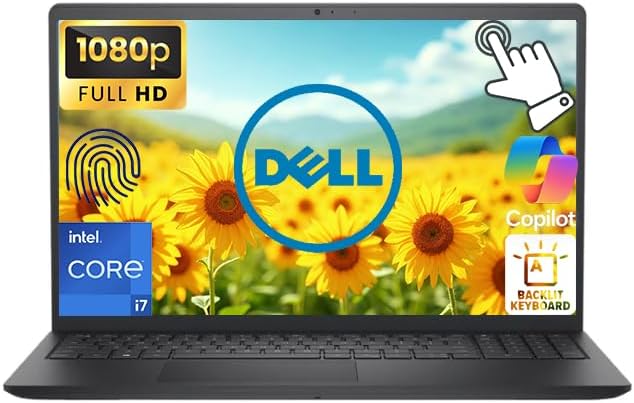
Dell Touchscreen 15.6" FHD Business Laptop
5.0Editor score
Intel Core i7-1355U processor
16GB RAM and 1TB SSD storage
Fingerprint reader and backlit keyboard
Finding a laptop with a keypad and touchscreen combines productivity with intuitive interaction. These devices offer numeric input for spreadsheets and touch navigation for apps. They suit professionals and students who need versatile tools.
We evaluated ten models based on processor power, memory, storage, and display clarity. Each option balances performance with portability. Our analysis covers real-world usability for work, study, and multimedia tasks.
Every pick highlights key strengths and ideal use cases. Ratings reflect user feedback and technical specs. Prices change frequently, so verify current deals before purchasing to ensure the best value for your needs.
5.0Editor score

4.0Editor score

4.8Editor score
As an Amazon Associate we earn from qualifying purchases.
This comparison table lists all ten models side-by-side with their core specifications. Use it to quickly identify which device meets your performance and budget requirements for daily tasks.


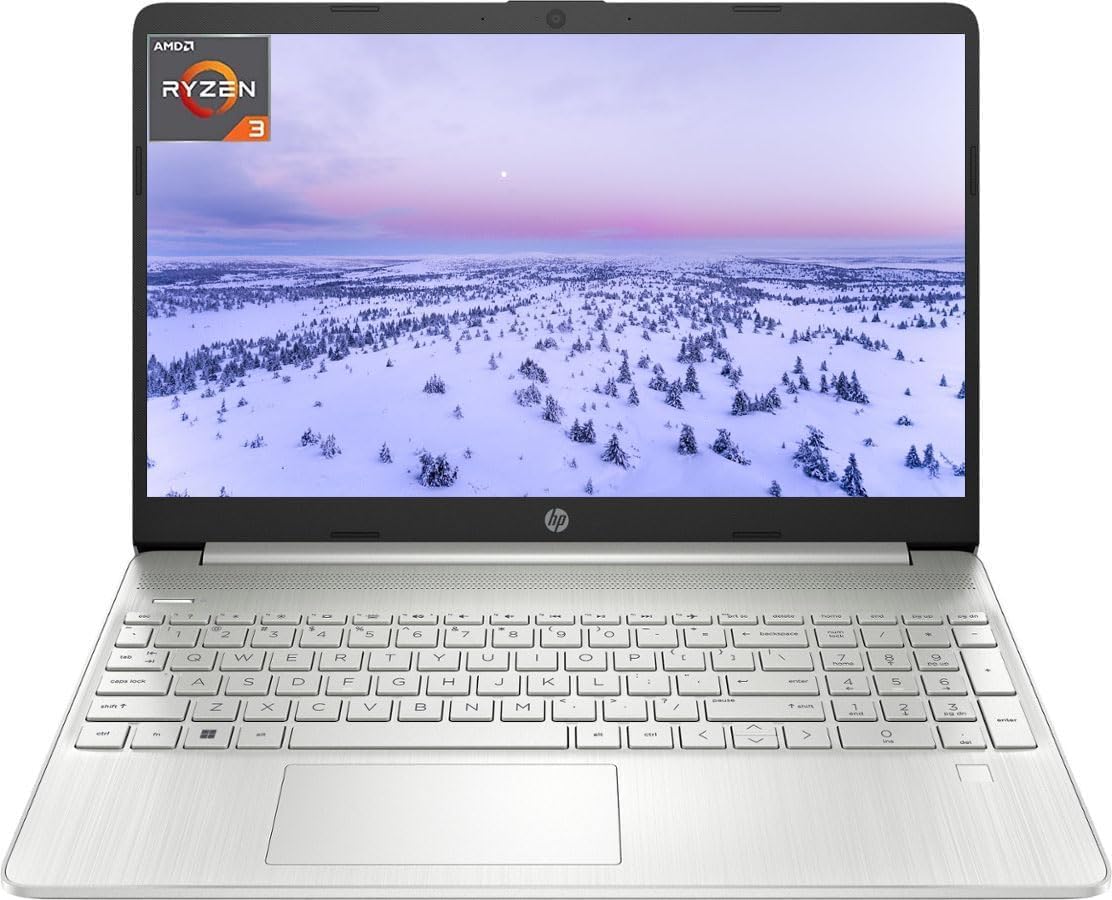


This HP laptop stands out for power users needing reliable daily performance. With a 4.0 rating, it delivers smooth operation across office tasks and light multimedia. The AMD Ryzen 7 processor ensures efficiency without draining battery quickly.
We may earn a commission when you buy through this link, at no additional cost to you.
Its 32GB RAM handles heavy workloads like spreadsheets and virtual meetings effortlessly. The 1TB SSD provides ample storage and fast boot times. The touchscreen IPS panel offers clear visuals for presentations or streaming.
The numeric keypad aids data entry while the privacy shutter protects webcam security. Ports include USB-C HDMI and USB-A for versatile peripherals. Though not ultra-premium, its balance of features justifies the investment.
Ideal for remote workers or students managing complex projects. Prioritize this model if you value processing power and input versatility. Check current offers to secure the best value for your workflow.
The AMD Ryzen 7 7730U with 8 cores supports seamless multitasking and reduces lag during demanding tasks.
A full-size keyboard with numeric keypad and responsive touchscreen enables precise data entry and intuitive navigation.
We may earn a commission when you buy through this link, at no additional cost to you.
This model offers a vast workspace ideal for multitasking professionals. Rated 5.0, it combines a 17.3-inch touchscreen with robust Core i7 performance. The AI features streamline workflows and enhance efficiency daily.
We may earn a commission when you buy through this link, at no additional cost to you.
The HD+ resolution provides sufficient clarity for documents and media. With 32GB RAM it handles multiple applications without slowdowns. Storage is ample for large files and media libraries.
Its size adds weight but enhances screen real estate significantly. Built-in speakers and microphones support clear audio calls. The display supports comfortable viewing for extended study or work sessions.
Best for users prioritizing screen size over portability. If you need room for multiple windows this laptop delivers. Confirm availability before purchasing to meet your specific needs.
The 17.3-inch HD+ touchscreen offers expansive visuals for detailed tasks and comfortable media consumption.
Core i7-1355U with AI capabilities ensures fast responsiveness and optimized task management.
We may earn a commission when you buy through this link, at no additional cost to you.
This Dell laptop balances cost and capability for educational use. A 4.3 rating reflects reliable performance for daily tasks. The 11th Gen i5 processor handles general productivity well.
We may earn a commission when you buy through this link, at no additional cost to you.
16GB RAM supports multiple browser tabs and apps. The 1TB SSD offers quick access and substantial storage. The touchscreen adds flexibility for note-taking and presentations.
Express charge technology ensures quick power-ups between classes. The numeric keypad aids calculations for business or science courses. Ports like HDMI and USB simplify peripheral connectivity.
Recommended for students seeking budget-friendly efficiency. It covers basic to intermediate needs effectively. Check current pricing to maximize value for your academic goals.
Intel Core i5 processor with 16GB RAM provides smooth multitasking for school and office tasks.
Express Charge capability recharges battery quickly to minimize downtime during busy days.
We may earn a commission when you buy through this link, at no additional cost to you.
An accessible choice for casual users needing a big display. Rated 4.4, it offers essential features without high cost. The 17.3-inch touchscreen supports web browsing and media well.
We may earn a commission when you buy through this link, at no additional cost to you.
Base storage may require upgrades but RAM options vary. The keyboard includes a numeric pad for easy data entry. A fingerprint reader enhances security and login speed.
Windows 11 Home with Copilot key provides modern AI tools. Connectivity includes USB-C and HDMI for basic peripherals. This setup suits light home office or educational use.
Best for those prioritizing screen real estate on a budget. Upgrade storage if needed for larger files. Verify current configurations before purchase to match your requirements.
The large HD+ touchscreen delivers comfortable viewing for videos and documents at home.
Fingerprint reader enables fast and secure access to your device and personal data.
We may earn a commission when you buy through this link, at no additional cost to you.
This Dell model integrates advanced AI for modern workflows. Rated 4.7, it delivers strong performance and versatile upgrades. The 10-core processor ensures speed for multitasking and streaming.
We may earn a commission when you buy through this link, at no additional cost to you.
Storage and RAM expand significantly to meet diverse needs. The FHD touchscreen enhances interaction with touch-enabled apps. Windows 11 Home includes AI Copilot for streamlined assistance.
Design includes a numeric keypad and express charge for convenience. Ports cover USB-C HDMI and SD card for flexibility. Ideal for professionals needing adaptable specifications.
Consider for users wanting future-proof configurations and AI tools. Check upgrade options to tailor performance. Confirm pricing aligns with your upgrade plans before buying.
Windows 11 with Copilot offers AI-powered help for optimizing daily tasks and workflows.
Support for up to 64GB RAM and 2TB SSD allows customization for heavier workloads.
We may earn a commission when you buy through this link, at no additional cost to you.
This compact HP laptop suits routine home and school use. A 4.3 rating confirms dependable performance for basic needs. The i3 processor handles browsing and apps efficiently.
We may earn a commission when you buy through this link, at no additional cost to you.
RAM and storage can expand via upgrades. The HD touchscreen supports navigation and touch interactions. Privacy shutter adds security during video meetings.
Windows 11 S Mode provides enhanced protection from malware. Ports like USB-C and HDMI ensure connectivity. It is well-suited for light computing tasks.
Ideal for first-time buyers or secondary devices. Consider upgrading RAM if needed. Verify current pricing before purchase to match your budget.
Windows 11 S Mode ensures enhanced security by restricting app installs to trusted sources.
Integrated webcam privacy shutter protects your privacy during video calls and browsing.
We may earn a commission when you buy through this link, at no additional cost to you.
Designed for frequent travelers seeking quality in a portable chassis. A 4.5 rating reflects reliable performance and clear visuals. The 16-inch 2K touchscreen offers sharp detail.
We may earn a commission when you buy through this link, at no additional cost to you.
AI noise reduction enhances call clarity during remote work. The Ryzen 5 40 provides smooth multitasking. GaN adapter charges faster and is more compact.
At 3.61 lbs it balances size and weight effectively. Battery life supports all-day mobility with moderate usage. Windows 11 Pro includes Copilot for productivity enhancements.
Best for professionals needing mobility and a sharp screen. Check battery expectations for heavy use. Confirm current deals to secure the best value.
The 2K IPS touchscreen delivers vivid clarity for professional tasks and media.
Lightweight chassis and GaN adapter support easy transport and faster charging.
We may earn a commission when you buy through this link, at no additional cost to you.
This Dell model delivers a premium business experience. Rated 5.0, it excels in performance and usability. The 10-core i7 processor ensures fast multitasking and responsiveness.
We may earn a commission when you buy through this link, at no additional cost to you.
Security features include fingerprint reader and backlit keyboard. The FHD touchscreen supports touch interactions smoothly. AI Copilot integrates into Windows 11 for daily assistance.
Build quality and port selection meet professional demands. Storage and memory are balanced for efficiency. Ideal for users seeking reliability and modern features.
Best for business users needing secure fast tools. Prioritize this if quality is paramount. Verify pricing and availability before finalizing your decision.
Backlit keyboard with numeric keypad supports accurate typing in varied lighting conditions.
Fingerprint reader enables quick secure login without needing passwords.
We may earn a commission when you buy through this link, at no additional cost to you.
Tailored for students and professionals needing high RAM. A 4.1 rating shows consistent daily performance. The i5 processor supports multitasking for office apps.
We may earn a commission when you buy through this link, at no additional cost to you.
32GB RAM ensures smooth switching between tabs and files. The 1TB SSD stores documents and media efficiently. Windows 11 Pro adds security and management features.
Numeric keypad helps with budgets or spreadsheets. HDMI port supports external monitors for expanded workspace. It balances performance with practical design.
Consider for heavy multitaskers needing memory. Check current offers for best value. Verify specs match your workflow before purchasing.
32GB RAM ensures smooth switching between multiple applications and browser tabs.
Windows 11 Pro provides advanced security and remote features for business use.
We may earn a commission when you buy through this link, at no additional cost to you.
An affordable choice that does not compromise essential features. With a 4.8 rating it excels in user satisfaction. The i3-N305 handles daily tasks reliably.
We may earn a commission when you buy through this link, at no additional cost to you.
Modern connectivity like WiFi 6 ensures fast network speeds. The FHD touchscreen provides clear visuals for media. The keyboard includes a numeric keypad for convenience.
While storage is modest it suits most cloud workflows. Anti-glare display supports comfortable extended use. Ideal for home or student budgets.
Best for cost-conscious buyers needing reliability. Verify current offers to maximize savings. Check specifications to ensure they meet your daily needs.
WiFi 6 and Bluetooth 5.4 provide faster wireless speeds and stable connections.
Anti-glare FHD touchscreen reduces eye strain during long browsing or work sessions.
We may earn a commission when you buy through this link, at no additional cost to you.
Selecting the right device involves weighing processor speed, memory, storage, display, and input features. Here are critical factors to consider for your specific needs.
The processor determines how fast your laptop handles multitasking and complex apps. For business work or content creation choose at least an Intel Core i5 or AMD Ryzen 5. Entry-level processors work for browsing and basic office tasks.
Prioritize newer generations for better efficiency and longevity.
RAM affects how many apps you can run simultaneously. Aim for 16GB or more if you use multiple tabs and programs. SSD storage ensures quick boot times and file access compared to older HDDs.
At least 512GB SSD is recommended for comfortable daily use.
Touchscreen resolution impacts clarity and touch responsiveness. Full HD (1920×1080) is standard for sharp text and images. IPS panels provide wider viewing angles and better color accuracy for media.
Look for anti-glare coatings to reduce eye strain.
A full-size keyboard with numeric keypad speeds up data entry and calculations. Touchscreen responsiveness should be smooth for navigation. Backlit keys help in dim environments and ergonomics matter for long typing.
Ensure the layout suits your hands and workflow needs.
Battery capacity impacts portability and unplugged work. Aim for models offering at least 8 hours of runtime. Fast charge features reduce downtime when outlets are scarce.
Check real-world usage estimates beyond official specs.
Ports determine how you connect peripherals like external monitors or printers. USB-C HDMI and USB-A ports are essential for versatility. WiFi 6 ensures fast and stable internet connections.
Verify your devices match the available ports before buying.
Windows 11 offers modern features and security. Home suits personal use while Pro adds business tools. Some models include subscription services that may require activation.
Ensure the OS supports your required software and updates.
Weight and size affect mobility. Lighter laptops suit commuting but may have smaller screens. Durable materials protect against daily wear and tear.
Balance screen real estate with carry weight.
Start by customizing touch sensitivity and keyboard settings for comfort. Use the numeric keypad for efficient data entry in spreadsheet apps. Calibrate the screen if needed to align touch inputs precisely.
Maintain battery health by avoiding complete discharges regularly. Store your device in a cool dry place to protect components. Use a protective sleeve during transport to prevent scratches or impacts.
Keep software and drivers updated for optimal performance and security. Clean the touchscreen with a soft lint-free cloth to avoid residue. Back up important files to cloud storage or external drives consistently.
Not necessarily but it helps with data entry or accounting tasks. Users focusing on media or writing may prefer a compact layout. Check your workflow to decide if it is worth the size trade-off.
Full HD offers sharp text and responsive touch. Higher resolutions increase cost and power use. For most tasks 1920×1080 provides clear visuals without excessive resource demand.
16GB handles multiple apps and browser tabs smoothly. 8GB may work for basic tasks but can slow with heavier workloads. Choose based on your typical usage intensity and budget.
Pro adds advanced security and remote desktop tools. Home meets most personal and small business needs. Consider Pro only if you require specific enterprise features or remote management.
Some models allow upgrades while others have soldered parts. Check specifications before purchase to confirm expandability. Upgrading can extend device life if supported.
They use slightly more power when active but impact is minimal with efficient panels. Reducing brightness and disabling touch when not needed conserves energy effectively.
USB-C HDMI and USB-A cover most needs. USB-C with charging support simplifies setup. Ensure your peripherals match available ports to avoid dongles.
Use a soft microfiber cloth and gentle circular motions. Avoid harsh chemicals that may damage coatings. Turn off the device to prevent unintended touch inputs during cleaning.
Our top picks highlight strong performance and usability across categories. The HP 15.6" FHD Touchscreen Laptop leads with power and value. For premium features consider the Dell Touchscreen Business Laptop.
Prioritize processor speed and memory for demanding work. Screen size and keypad layout suit specific tasks. Matching these factors ensures a device that supports productivity long term.
Verify current pricing and availability before purchasing. Offers change frequently and may affect your choice. Use this guide to find the right fit for your professional or academic needs.