
GIGABYTE X470 AORUS ULTRA GAMING
4.4Editor score
8+3 Phase Hybrid Digital PWM
2-Way CrossFire SLI Support
Dual Armor Ultra Durable Design
This guide compares the top Amd Ryzen Gen 2 X470 Motherboards for performance, features, and value to help you choose the right board for your build.
Selecting the right motherboard is crucial for any AMD Ryzen system build. The X470 chipset offers robust features for second-generation processors. We analyze key specs to ensure compatibility and performance.
Our team evaluated ten top-rated motherboards based on user feedback and technical specifications. We focus on VRM quality, connectivity options, and overall build reliability for enthusiasts.
Each pick highlights distinct strengths for different user needs and budgets. Please note that specific model availability and technical details may vary by region over time.
4.4Editor score

4.3Editor score

4.6Editor score
This table provides a side-by-side overview of the selected motherboards to help you quickly identify the model that fits your specific hardware requirements.


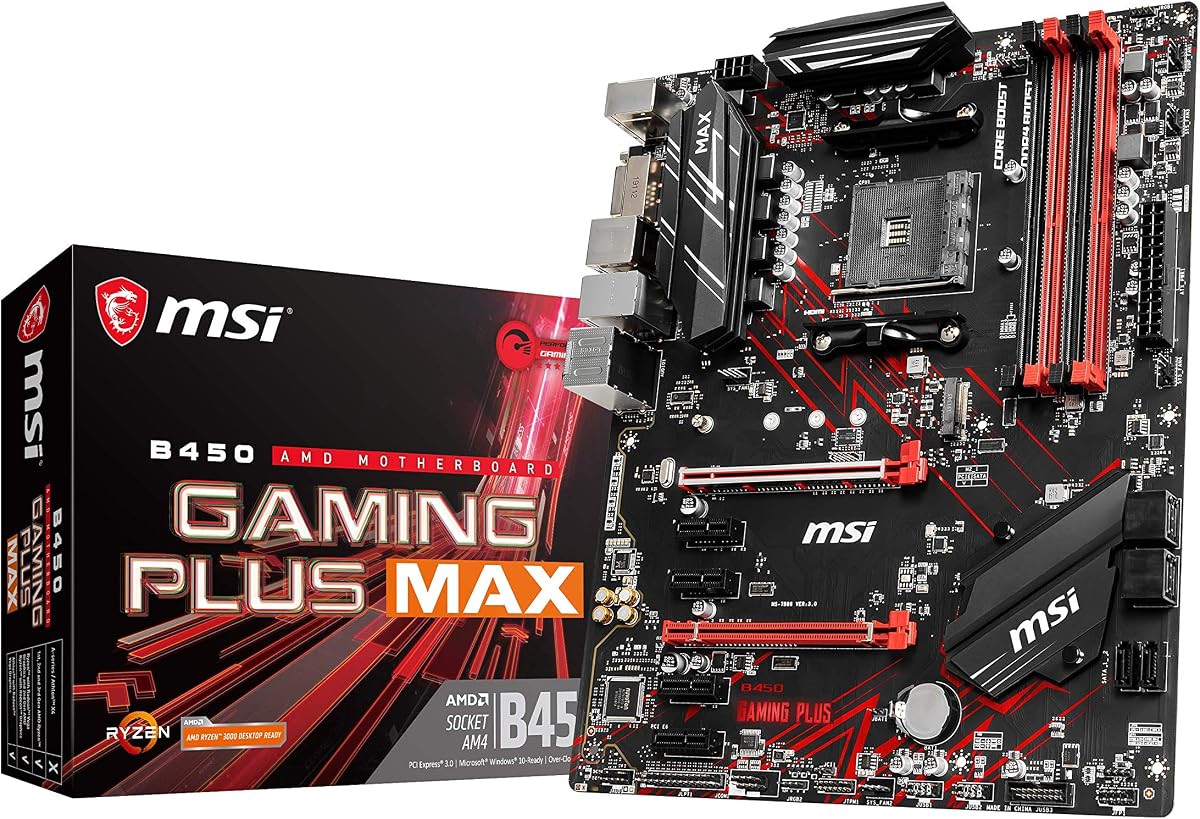
This motherboard offers advanced connectivity options for modern builds. It supports high-speed networking and fast storage interfaces effectively.
We may earn a commission when you buy through this link, at no additional cost to you.
The robust power solution ensures stable performance for demanding processors. Users appreciate the comprehensive software support and intuitive interface.
Some thermal throttling might occur under extreme load. The cost reflects newer standards but older systems may not need it.
Ideal for gamers needing fast wireless and future-proof ports. It is a solid choice for high-performance systems.
It features integrated WiFi 6E for reduced latency and faster speeds. This ensures smooth online gaming experiences.
The power stages are designed to handle high power draw. This supports overclocking and stable operation.
We may earn a commission when you buy through this link, at no additional cost to you.
This board is a top choice for AMD Ryzen 2nd Gen users. It provides excellent VRM quality and comprehensive connectivity options.
We may earn a commission when you buy through this link, at no additional cost to you.
The digital PWM design ensures efficient power delivery. The integrated heatsinks help maintain safe operating temperatures under load.
It lacks modern PCIe 4.0 features found in newer boards. Some users find the BIOS interface less intuitive than competitors.
Recommended for builders prioritizing stability and thermal performance. It balances high-end features with solid build quality.
The digital PWM design offers precise voltage control. This improves overclocking potential and system stability.
Fins-Array heatsinks ensure effective heat dissipation. This prevents thermal throttling during intensive tasks.
We may earn a commission when you buy through this link, at no additional cost to you.
This premium board focuses on gaming durability and power delivery. It supports multiple GPUs for advanced visual setups effectively.
We may earn a commission when you buy through this link, at no additional cost to you.
The hybrid PWM design offers a balance of efficiency and performance. Users like the robust physical protection provided by the armor.
It does not include built-in wireless networking modules. The price may be high for those needing basic features.
Best for enthusiasts building high-end gaming rigs. It delivers excellent build quality and stable power for demanding hardware.
Optimized for multi-GPU setups with CrossFire and SLI. This supports high-performance visual rendering.
Armor components provide physical protection for slots. This ensures longevity during transport or heavy use.
We may earn a commission when you buy through this link, at no additional cost to you.
This motherboard provides a cost-effective solution for AM4 systems. It includes essential features for reliable daily operation.
We may earn a commission when you buy through this link, at no additional cost to you.
The auto-tuning software simplifies optimization for users. The SafeSlot technology ensures physical security for graphics cards.
It lacks premium wireless or advanced audio capabilities. The design is functional but less customizable than gaming models.
Great for budget builders needing solid performance. It balances value with essential reliability for everyday computing.
5-Way Optimization handles cooling and speed automatically. This reduces the need for manual configuration.
SafeSlot protects against heavy GPU installation. This ensures slots remain intact over time.
We may earn a commission when you buy through this link, at no additional cost to you.
This Micro-ATX board is ideal for smaller builds. It supports modern Ryzen processors and fast storage effectively.
We may earn a commission when you buy through this link, at no additional cost to you.
The digital VRM design offers basic stability for entry-level chips. Users appreciate the compact footprint and essential connectivity options.
It may struggle with high-end overclocking due to power limits. The feature set is functional but lacks advanced capabilities.
Suitable for compact systems requiring modern standards. It provides good value for budget-conscious builders.
The Micro-ATX form fits smaller cases easily. This saves space in desktop setups.
Supports PCIe 4.0 for faster storage speeds. This improves system responsiveness significantly.
We may earn a commission when you buy through this link, at no additional cost to you.
This board offers a blend of modern connectivity and wireless. It supports Ryzen processors with reliable power delivery.
We may earn a commission when you buy through this link, at no additional cost to you.
The memory layout is optimized for higher frequencies. Users benefit from dual M.2 slots for expanded storage.
RGB customization is limited compared to gaming models. The GPU slot remains Gen 3 despite the newer chipset.
Ideal for users needing integrated wireless in a standard build. It balances performance and essential features well.
OptiMem trace layout boosts memory stability. This allows for higher clock speeds.
DrMOS power stages provide steady voltage. This improves system reliability under load.
We may earn a commission when you buy through this link, at no additional cost to you.
This board is optimized for high-performance Ryzen processors. The power design ensures stability during demanding gaming sessions.
We may earn a commission when you buy through this link, at no additional cost to you.
The integrated shield simplifies the assembly process significantly. Users appreciate the front USB-C connectivity for modern devices.
The BIOS lacks some advanced features found on premium boards. Customization options are functional but not extensive.
Best for gamers needing robust power without high cost. It delivers solid performance and reliable build quality.
The 10+3 phase design handles high power draw. This supports overclocking safely.
Integrated shields save time during installation. This simplifies the overall assembly process.
We may earn a commission when you buy through this link, at no additional cost to you.
This Micro-ATX board combines compact design with modern standards. It supports wireless networking and fast video outputs.
We may earn a commission when you buy through this link, at no additional cost to you.
The layout supports higher memory frequencies effectively. Users benefit from fast storage slots for better system speeds.
Expansion is limited due to the smaller form factor. The VRM may be a bottleneck for high-end CPUs.
Perfect for small form factor builds with fast networking. It balances size and essential features well.
Integrated WiFi 6 ensures low latency gaming. This supports smooth online experiences.
HDMI 2.1 supports high-resolution displays. This enhances multimedia capabilities.
We may earn a commission when you buy through this link, at no additional cost to you.
This board offers exceptional value for budget-conscious users. It supports Ryzen processors with reliable audio and storage options.
We may earn a commission when you buy through this link, at no additional cost to you.
The audio technology provides immersive sound quality. Users like the M.2 support for fast boot times.
It lacks built-in wireless networking for remote use. The chipset is older and lacks some newer features.
Ideal for basic builds prioritizing value and audio. It remains a strong option for entry-level systems.
Audio Boost technology delivers studio-quality sound. This enhances gaming audio experiences.
Turbo M.2 ensures fast data transfer rates. This improves overall system responsiveness.
We may earn a commission when you buy through this link, at no additional cost to you.
This board serves as a reliable alternative for basic needs. It supports Ryzen processors effectively with standard features.
We may earn a commission when you buy through this link, at no additional cost to you.
The build quality is robust for regular usage. Users appreciate the straightforward layout and ease of setup.
It does not support the latest wireless standards. Some advanced features are missing compared to newer models.
Best for straightforward builds where cost is key. It remains a functional option for specific use cases.
Robust materials ensure durability over time. This supports reliable daily operations.
Simple layout makes installation easy. This reduces complexity for casual users.
We may earn a commission when you buy through this link, at no additional cost to you.
Selecting the right motherboard involves considering several key factors that impact performance and longevity. This guide helps you prioritize the essential features for your specific needs.
Ensure the board supports your processor generation. Most models here support AM4 sockets for Ryzen 2nd Gen. Verify specific CPU compatibility before purchasing.
Always check the manufacturer's support list. Incompatible sockets will not function correctly.
The VRM design impacts power delivery stability. Look for models with digital phases or high-quality components. This is critical for overclocking.
Higher phase counts usually mean better performance. Budget boards often sacrifice VRM quality for cost savings.
Modern connectivity includes USB 3.1 Gen 2 and NVMe support. Check if you need USB Type-C ports on the rear. These improve peripheral speed.
Select a board with sufficient ports for your devices. Future-proofing your build depends on these options.
ATX and Micro-ATX form factors determine case compatibility. Measure your case size before buying a motherboard. Smaller cases limit expansion options.
Choose a form that fits your case perfectly. Incorrect sizing can lead to installation issues.
Some boards include integrated WiFi modules. If you rely on wireless networking, verify the standard included. Look for Wave 2 or higher.
Built-in wireless simplifies cabling and setup. It is essential for cable-free desktops.
Integrated audio codecs vary in quality. High-end models offer better DACs and amplifiers. This matters for audiophiles using high-impedance headphones.
Review audio specs to match your listening needs. Basic boards may require external DACs for quality sound.
A user-friendly BIOS simplifies tuning and updates. Look for Flashback features to update without a CPU. This aids troubleshooting and upgrades.
Intuitive interfaces reduce the learning curve. Good software support improves user experience.
Features like SafeSlot and reinforced armor protect components. These prevent damage from heavy graphics cards. Durability is key for transport.
Strong physical construction extends motherboard life. Prioritize boards with proven protection features.
Always ground yourself before touching components to prevent static discharge. This protects sensitive electronics from sudden electrical shocks during installation.
Keep the BIOS updated via the manufacturer's utility. Updates often improve compatibility with newer processors and fix security issues.
Maintain airflow in your case to prevent overheating. Regularly dust filters and ensure fans are functioning correctly.
No, the X470 chipset does not support PCIe 4.0. It is limited to PCIe 3.0 speeds. Newer chipsets like B550 or X570 are required for Gen 4 support.
Yes, many X470 boards support Ryzen 5000 series CPUs with a BIOS update. Always check the motherboard's CPU support list before purchasing to ensure compatibility.
A minimum of 8+2 or 10+2 phases is recommended for stable gaming performance. This ensures the CPU receives consistent power under load without throttling.
No, Micro-ATX boards are not inherently slower. They often share the same VRM design as larger models. Performance depends on specific component choices.
Most have standard RGB headers but some budget models omit addressable headers. Check the specific product page to confirm header types if you plan to add lighting.
No, BIOS Flashback is typically found on premium models. It allows updating the BIOS without a CPU installed. Budget boards usually require a CPU to flash.
Look for at least two M.2 slots if you plan to use multiple SSDs. One is often used for the OS and another for high-speed media storage.
Most consumer AM4 boards do not officially support ECC memory. Only specific workstation models may have this feature. Check the QVL for confirmed support.
We have reviewed the top options available for your specific build requirements. The selected boards offer a range of features for different budgets.
Prioritize VRM quality and connectivity options for long-term stability. These factors ensure your system performs well under daily use.
Always verify current compatibility details before finalizing your purchase. Specifications and availability may change over time.