
MNN 15.6" FHD Portable Monitor
4.3Editor score
Full HD IPS display
Dual Type-C ports
Ultra-light travel design
Finding the right external monitor for your MacBook Neo can transform your workflow and entertainment experience. Whether you are traveling or working from home, a portable display adds essential screen real estate.
We evaluated ten leading portable monitors based on resolution, connectivity, build quality, and user feedback. Each option offers unique strengths tailored to different needs and budgets.
Every pick includes detailed specs and real-world insights. Prices fluctuate often so check current listings before purchasing to ensure you get the best deal available.
4.3Editor score

4.8Editor score
4.8Editor score
As an Amazon Associate we earn from qualifying purchases.
Below is a side-by-side comparison of all ten portable monitors. Each entry highlights key specifications to help you quickly identify the best match for your MacBook Neo setup.


The VisionOwl portable monitor stands out as the top choice for users seeking high performance in a portable package. With a 4.8 star rating, it delivers exceptional clarity and smooth visuals.
We may earn a commission when you buy through this link, at no additional cost to you.
Its 2.5K QHD resolution and 144Hz refresh rate make it ideal for gaming and creative work. The 16:10 aspect ratio ensures seamless full-screen mirroring on MacBook Neo screens without black bars.
While it is priced higher than entry-level models, the premium IPS panel and 470 nits brightness justify the investment. It handles bright environments well and offers accurate colors for designers.
Buyers who need a reliable second screen for productivity and gaming will appreciate its versatility. It is the best balance of portability and high-end features currently available.
The 16:10 aspect ratio aligns perfectly with modern MacBook screens, eliminating black bars during full-screen mode.
A 144Hz refresh rate ensures fluid motion during gaming or scrolling, reducing eye strain over long sessions.
We may earn a commission when you buy through this link, at no additional cost to you.
The MNN portable monitor is an excellent choice for budget-conscious users who still want quality performance. It holds a solid 4.3 rating thanks to its reliable build and ease of use.
We may earn a commission when you buy through this link, at no additional cost to you.
It features a 15.6-inch Full HD IPS panel that delivers clear images and wide viewing angles. The dual Type-C ports allow for versatile connectivity, supporting plug-and-play setups with modern laptops.
Trade-offs include a standard 60Hz refresh rate and lower brightness compared to high-end models. However, for general work and casual viewing, these limitations are rarely noticeable.
Anyone looking to expand their workspace without breaking the bank should consider this option. It offers great value and essential features for students and remote workers.
Requires only a single Type-C cable for power and signal, simplifying setup for users on the go.
Designed to fit easily into backpacks, making it ideal for travelers and commuters.
We may earn a commission when you buy through this link, at no additional cost to you.
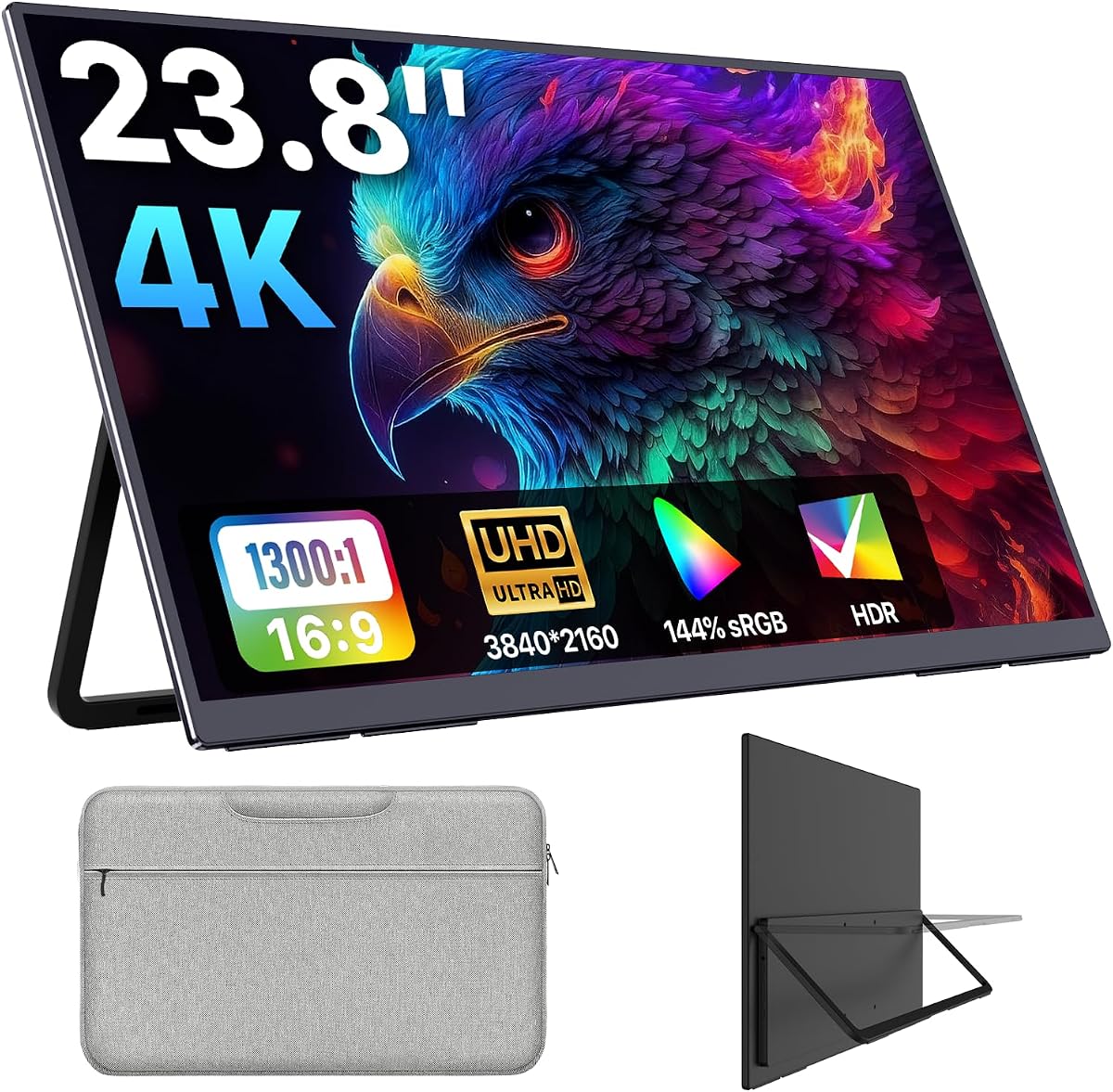
The Upperizon 23.8-inch monitor offers a premium experience for users who need a large workspace. It earns a 4.8 rating for its impressive 4K resolution and vibrant color performance.
We may earn a commission when you buy through this link, at no additional cost to you.
Its 3840×2160 resolution and 144% sRGB color gamut ensure sharp text and rich visuals. This makes it perfect for content creators and professionals working with detailed graphics.
Trade-offs include its weight and power requirements. While less portable than smaller options, it provides desktop-quality viewing when set up in hotels or offices.
If screen real estate is your top priority, this monitor is unmatched. It transforms any location into a productive workstation with its large, clear display.
The 4K resolution allows for crisp text and image editing, reducing pixelation significantly.
High sRGB coverage ensures colors look true to life, essential for design and photography work.
We may earn a commission when you buy through this link, at no additional cost to you.
ASUS is a renowned brand in the monitor market. This ZenScreen model delivers reliable performance for everyday tasks, supported by a 3-year warranty that adds peace of mind.
We may earn a commission when you buy through this link, at no additional cost to you.
Its anti-glare surface is designed to reduce reflections and eye fatigue during long sessions. The hybrid signal solution ensures compatibility with both Type-C and Type-A ports.
While it lacks advanced gaming features, its durability and warranty make it a safe investment for business users. It is straightforward to set up and robust for travel.
Buyers prioritizing brand reliability and long-term support should consider this option. It balances essential features with proven quality.
The included three-year warranty provides substantial protection against defects and unexpected issues.
Flicker-free and low blue light technologies help maintain comfort during extended viewing.
We may earn a commission when you buy through this link, at no additional cost to you.
This InnoView monitor includes built-in speakers, a rare feature in this category. It scores a 4.3 rating for its practical design and media-friendly capabilities.
We may earn a commission when you buy through this link, at no additional cost to you.
The IPS panel supports HDR for better contrast, and the included protective case adds value. It connects easily to laptops and consoles without extra drivers.
Some users report flickering if the source device lacks sufficient power. A separate power adapter often resolves this, adding minor bulk to the setup.
Ideal for travelers who need quick access to video and sound. It removes the need for external speakers during meetings or entertainment.
Built-in speakers allow for direct audio playback, convenient for streaming or video calls.
The protective case shields the screen from scratches during transport.
We may earn a commission when you buy through this link, at no additional cost to you.
This model features a versatile 90-degree adjustable stand for ergonomic viewing. It receives a 4.4 rating for its solid build and practical design for daily use.
We may earn a commission when you buy through this link, at no additional cost to you.
The IPS A+ screen provides clear images and wide viewing angles. The ultra-slim profile and included sleeve make it easy to carry for remote work.
While it lacks gaming refresh rates, its adjustability improves comfort during long sessions. It is a reliable option for general productivity tasks.
Users needing an adjustable viewing angle will find this useful. It offers good ergonomics in a compact portable form.
The adjustable stand allows you to position the screen at the most comfortable height and angle.
Ultra-slim design ensures it fits easily in bags without adding weight.
We may earn a commission when you buy through this link, at no additional cost to you.
The cocopar monitor is crafted for professionals requiring precise color rendering. With a 4.8 rating, it delivers vivid visuals and sturdy construction.
We may earn a commission when you buy through this link, at no additional cost to you.
Its 110% sRGB color gamut ensures accurate tones for creative projects. The metal build adds durability and a premium feel to the device.
Trade-offs include weight and price. While it is less portable than lightweight options, its build quality justifies the cost for demanding users.
Designers and video editors will appreciate its color performance. It serves as a trustworthy secondary display for high-quality output.
Wide sRGB coverage ensures designs and photos appear true to intended color schemes.
Full metal chassis provides extra durability compared to standard plastic portable monitors.
We may earn a commission when you buy through this link, at no additional cost to you.
KEFEYA offers a unique clamping design that attaches directly to the laptop. It earns a 4.5 rating for its innovative approach to dual-screen productivity.
We may earn a commission when you buy through this link, at no additional cost to you.
The 14-inch FHD screen expands workspace without taking extra desk room. It supports mirror and extended modes seamlessly across multiple operating systems.
Installation depends on laptop size and hinge type. Compatibility may vary, so check dimensions before buying to ensure a secure fit.
This is ideal for travelers needing minimal footprint. It allows for multitasking while keeping gear compact and efficient.
Attaching directly to the laptop reduces clutter, making it perfect for small workspaces.
Increases productivity by allowing two screens side-by-side without external stand.
We may earn a commission when you buy through this link, at no additional cost to you.
The kksmart monitor offers a larger 18.5-inch screen for comfortable viewing. It scores a 4.8 rating for its balanced features and modern frameless design.
We may earn a commission when you buy through this link, at no additional cost to you.
Its 100Hz refresh rate delivers smoother motion than standard 60Hz panels. The built-in speakers add convenience for media consumption without external audio.
Trade-offs include lower resolution than 4K and slightly thicker chassis. Still, it is a practical choice for general use and casual gaming.
Buyers wanting extra screen space in a portable package should consider this. It bridges the gap between small portable screens and larger monitors.
100Hz refresh rate improves scrolling and motion clarity compared to standard 60Hz panels.
Frameless design maximizes screen real estate and offers a modern aesthetic.
We may earn a commission when you buy through this link, at no additional cost to you.
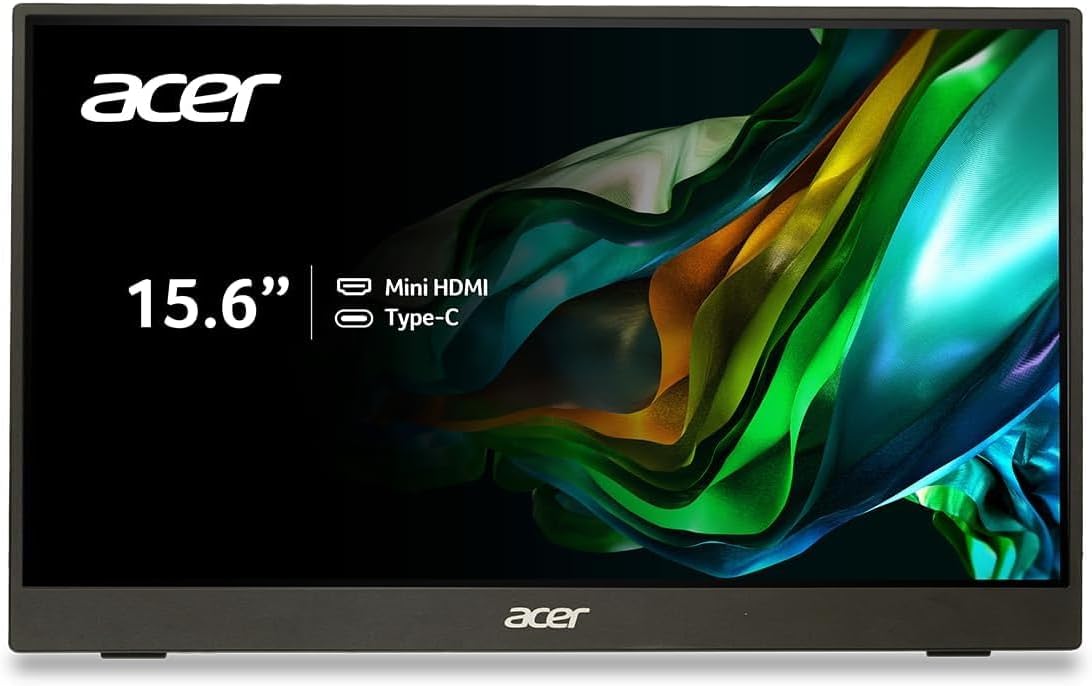
Acer offers a straightforward portable monitor designed for essential use. With a 4.3 rating, it focuses on core features like IPS quality and ergonomic tilt.
We may earn a commission when you buy through this link, at no additional cost to you.
AMD FreeSync helps reduce screen tearing during video playback. The slim design fits into bags easily, making it convenient for travelers.
It lacks advanced gaming specs but provides reliable performance for office work. Its value lies in brand trust and simplicity.
Ideal for users needing a no-fuss second screen. It delivers standard quality without complicated setup or controls.
Acer is a well-known hardware manufacturer offering dependable products.
Ergonomic tilt allows adjusting the angle for comfortable viewing from different positions.
We may earn a commission when you buy through this link, at no additional cost to you.
Choosing the right external monitor involves considering several key factors that impact usability, compatibility, and overall value.
Resolution determines the sharpness of text and images. For portable monitors, Full HD (1080P) is standard, while higher resolutions like 2.5K or 4K offer greater detail but may cost more.
Screen size ranges from 14 to 24 inches. Larger screens provide more workspace but add weight and bulk to your travel bag.
Check your MacBook Neo for available ports. Most modern models support USB-C with DP Alt Mode, allowing video and power through a single cable.
Ensure the monitor offers compatible inputs. Dual Type-C ports or HDMI options increase flexibility for connecting different devices.
Refresh rate affects how smooth motion appears on screen. Standard monitors run at 60Hz, while gaming-oriented models may offer 144Hz or higher.
Faster refresh rates reduce motion blur during gaming or scrolling. For general office work, 60Hz is typically sufficient and cost-effective.
IPS panels offer better color accuracy and wider viewing angles than TN panels. Look for high sRGB percentages if you work with images or design.
Some premium models include HDR support for improved contrast. This feature enhances visuals but often requires higher brightness levels.
Materials impact durability and weight. Metal chassis feel sturdier but add weight. Plastic builds are lighter but may scratch easily over time.
Consider how often you will move the monitor. Lightweight designs under 1.5 pounds are easiest to carry in daily travel.
Many portable monitors draw power directly from the laptop via USB-C. Others require a separate power adapter, which adds bulk to your kit.
Check your source device's output capacity. If the laptop cannot supply enough power, you may need an additional power source for stable operation.
Some monitors include speakers or protective cases. Built-in audio can be handy but usually offers limited quality compared to external headphones.
Features like VESA mounts allow attaching the screen to arms or stands. This flexibility is useful for permanent setups at home offices.
Warranty coverage varies by brand. Some offer one year while others provide three. Extended warranties give more peace of mind for expensive purchases.
Check customer support responsiveness. Brands with fast service make troubleshooting easier if you encounter setup issues.
To connect your monitor, use a compatible USB-C cable to link the display directly to your MacBook Neo port. Ensure your laptop supports video output through USB-C. If the screen does not turn on, check that your device supports DP Alt Mode or Thunderbolt.
Adjust the display settings on your MacBook by going to System Settings > Displays. You can set the mode to Mirror or Extended depending on your workflow needs. Use the built-in controls or on-screen menus to tweak brightness and contrast.
Protect the screen by keeping it clean with a soft microfiber cloth. Avoid pressing hard on the panel to prevent damage. When transporting, use the included case or sleeve to shield against scratches and impact.
Not always. Most modern portable monitors can draw power directly via USB-C if your MacBook supports it. However, high brightness models may need an external power adapter for stable operation. Always check the device specs.
Yes, most portable monitors work with PCs, tablets, and consoles. They use standard USB-C or HDMI connections, so compatibility depends on your device's ports. Ensure your device supports video output modes.
Yes, especially models with higher refresh rates like 144Hz. These provide smoother motion and faster response times. Check the refresh rate before purchasing to match your gaming needs.
Use a high-quality full-function USB-C cable for single-cable setup. HDMI may require additional power cables. The included cables often work best to ensure compatibility and power transfer.
Flickering often happens if the power supply is weak. Use a stronger power adapter or connect a separate USB-C power cable. Updating graphics drivers on your laptop may also help stability.
Higher-end models with 2.5K or 4K resolution and wide sRGB color gamuts are great for design and photo editing. Budget models may lack the color precision needed for professional creative tasks.
This guide highlighted the top portable monitors available for MacBook Neo users. Each option balances performance and value to suit different needs and preferences.
Prioritize resolution and connectivity that match your workflow. If you need high detail for design, choose a model with higher resolution and color accuracy.
Always verify current pricing before buying. Prices change frequently, so checking today's listings ensures you secure the best value for your setup.