
Raywego 49 Inch Curved Ultrawide Gaming Monitor
4.6Editor score
DQHD 5120×1440 resolution
165Hz refresh rate for smooth motion
1500R curvature for immersion
VA panel with 127% sRGB
Adaptive Sync support included
Finding the perfect display for sim racing requires a balance of immersion and performance. A 49 inch ultrawide monitor offers a panoramic view that mimics real-world peripheral vision. This expanded field of view helps you spot competitors and track details more easily.
We evaluated ten top models based on resolution, refresh rate, and curvature. Each option provides a unique mix of features for racing fans. Our analysis covers response times, color accuracy, and connectivity to ensure smooth gameplay without distractions.
Each pick highlights key strengths and ideal use cases for your setup. Prices fluctuate frequently so check current listings before buying. These monitors range from budget-friendly to premium OLED panels for ultimate visual fidelity.
4.6Editor score

4.3Editor score

4.4Editor score
As an Amazon Associate we earn from qualifying purchases.
This side-by-side comparison highlights the key specifications and unique features of each monitor to help you decide which model fits your racing simulation setup best.




The Raywego 49 Inch Curved Ultrawide Gaming Monitor is an excellent entry point for sim racers seeking a large immersive display without breaking the bank. With a strong rating and impressive DQHD resolution, it delivers sharp visuals crucial for spotting competitors on the track. Its 165Hz refresh rate ensures smooth motion during high-speed cornering.
We may earn a commission when you buy through this link, at no additional cost to you.
Key strengths include its expansive 32:9 aspect ratio which replaces two standard monitors seamlessly. The VA panel provides deep contrast and vivid colors suitable for diverse racing environments. Adaptive Sync support minimizes tearing, making gameplay feel fluid. It also offers PIP and PBP modes for multitasking between game and telemetry.
While the response time is decent, it may not match ultra-fast panels in extreme scenarios. Brightness levels are adequate but may struggle in very bright rooms. These trade-offs are acceptable given the price point and the level of immersion provided for competitive racing.
This monitor is ideal for budget-conscious racers who prioritize screen real estate and resolution. It offers a compelling balance of performance and cost. We recommend it for anyone looking to upgrade from smaller screens to a panoramic experience without overspending.
The 49-inch curved design wraps around your field of view simulating real-world peripheral vision during races.
Multiple HDMI and DisplayPort inputs allow flexible setup options for PCs and consoles.
We may earn a commission when you buy through this link, at no additional cost to you.
The Samsung 49" Odyssey OLED G9 represents the pinnacle of visual fidelity for sim racing. Its QD-OLED panel offers unmatched color vibrancy and true black levels that bring night races to life. This monitor is widely regarded as a top choice for enthusiasts who demand the best picture quality.
We may earn a commission when you buy through this link, at no additional cost to you.
The primary strengths are its infinite contrast ratio and near-instant 0.03ms response time which eliminate motion blur completely. The wide color spectrum ensures that track textures and skyboxes look realistic. Advanced features like logo detection help protect the screen during long gaming sessions.
Potential buyers must consider the risk of burn-in from static HUDs or telemetry. Proper configuration with screen savers is essential for longevity. While these are valid concerns, the visual benefits are significant enough to justify the investment for serious racers.
This monitor is best suited for those who prioritize image quality and can manage burn-in precautions. It transforms the racing experience into a visually stunning event. We highly recommend it for users seeking a premium display that sets a new standard.
OLED technology provides infinite contrast allowing dark tunnel sections to appear with realistic depth.
The near-instant response time ensures that rapid steering inputs are reflected immediately on screen.
We may earn a commission when you buy through this link, at no additional cost to you.
The Samsung 49-inch Odyssey G9 (G91F) offers an aggressive 1000R curvature that envelops the user completely. This extreme curve is designed to match the natural arc of the human eye providing a truly immersive cockpit feel. It stands out as a premium option for those who want maximum realism.
We may earn a commission when you buy through this link, at no additional cost to you.
Key strengths include DisplayHDR 600 which enhances contrast and color depth during bright sunny racing scenes. The 144Hz refresh rate and 1ms response time ensure fluid motion and quick reactions on track. Auto Source Switch+ simplifies input changes when switching between devices.
The steep curve may take some adjustment for non-gaming tasks like reading text. Additionally the price reflects its high-end positioning and features. These factors are minor compared to the sheer level of immersion it provides for dedicated sim racing setups.
Ideal for serious sim racers willing to invest in top-tier hardware this monitor delivers exceptional performance. Its blend of curvature and speed creates a convincing virtual driving environment. We recommend it for those who value immersion above all else.
The 1000R curve wraps tightly around your view creating a cockpit-like feeling.
DisplayHDR 600 support ensures bright highlights and deep shadows remain visible.
We may earn a commission when you buy through this link, at no additional cost to you.
The Samsung 49” Odyssey G9 Series boasts an impressive 240Hz refresh rate which is among the fastest available for ultra-wide monitors. This makes it ideal for competitive sim racers who need the smoothest possible motion. The high brightness level also ensures visibility in well-lit environments.
We may earn a commission when you buy through this link, at no additional cost to you.
Its standout features include the 1000R curve and HDR1000 support for vibrant colors and sharp details. The 1ms GtG response time eliminates ghosting allowing you to react instantly to track hazards. G-Sync compatibility further enhances stability during gameplay.
However HDR implementation can sometimes be inconsistent depending on content. Power consumption is also significant due to the bright panel. These issues are offset by the sheer speed and visual impact this monitor delivers during high-speed racing.
For competitive gamers prioritizing refresh rate and response time this monitor is a top contender. It provides a fluid and immersive experience that rivals dual screen setups. We suggest it for users seeking the fastest performance available.
The 240Hz refresh rate delivers fluid motion that helps you react faster in races.
With 1000 nits of brightness HDR effects pop even in bright rooms.
We may earn a commission when you buy through this link, at no additional cost to you.
The INNOCN 49C1R Curved Monitor stands out for its extensive connectivity options including USB-C with power delivery. This feature allows you to connect laptops with a single cable making it highly convenient for hybrid setups. It also includes an Ethernet port for reliable internet connectivity.
We may earn a commission when you buy through this link, at no additional cost to you.
Key strengths include its rich port variety and built-in speakers which reduce cable clutter. The 120Hz refresh rate provides smooth visuals while the adjustable stand ensures ergonomic comfort during long sessions. The USB-C port is a unique addition for this class.
The refresh rate is slightly lower than some rivals which may affect ultra-fast racing. The speakers are functional but not high fidelity. However these are minor drawbacks compared to the versatility it offers for both gaming and productivity.
This model is ideal for users who connect multiple devices or need single-cable laptop support. It offers a practical solution for those seeking convenience alongside performance. We recommend it for professionals and racers who value connectivity.
USB-C connectivity simplifies your desk by carrying video data and power.
The built-in Ethernet port ensures low latency connections for online racing.
We may earn a commission when you buy through this link, at no additional cost to you.
The CRUA 49 DQHD 165Hz Ultrawide Curved Gaming Monitor offers a strong performance profile at a competitive price. With a 165Hz refresh rate it delivers smooth motion essential for fast racing action. The height adjustable stand improves ergonomics significantly for desktop setups.
We may earn a commission when you buy through this link, at no additional cost to you.
It provides solid color accuracy with 120% sRGB coverage making visuals vibrant and lifelike. The 1500R curvature creates a wide viewing field that enhances immersion. Its compatibility with AMD FreeSync ensures reduced tearing and stuttering.
Build quality is typical for budget-friendly models lacking premium materials. There are no USB-C ports which limits connectivity options for laptops. Despite this it remains a practical choice for those prioritizing refresh rate and immersion without extra features.
This monitor is well suited for casual to intermediate sim racers on a budget. It offers the essentials for a great experience without unnecessary frills. We suggest it for users seeking a reliable entry-level ultra-wide screen.
The 165Hz refresh rate ensures that fast movement on the screen is fluid.
Wide color coverage brings rich and accurate visuals to your gameplay.
We may earn a commission when you buy through this link, at no additional cost to you.
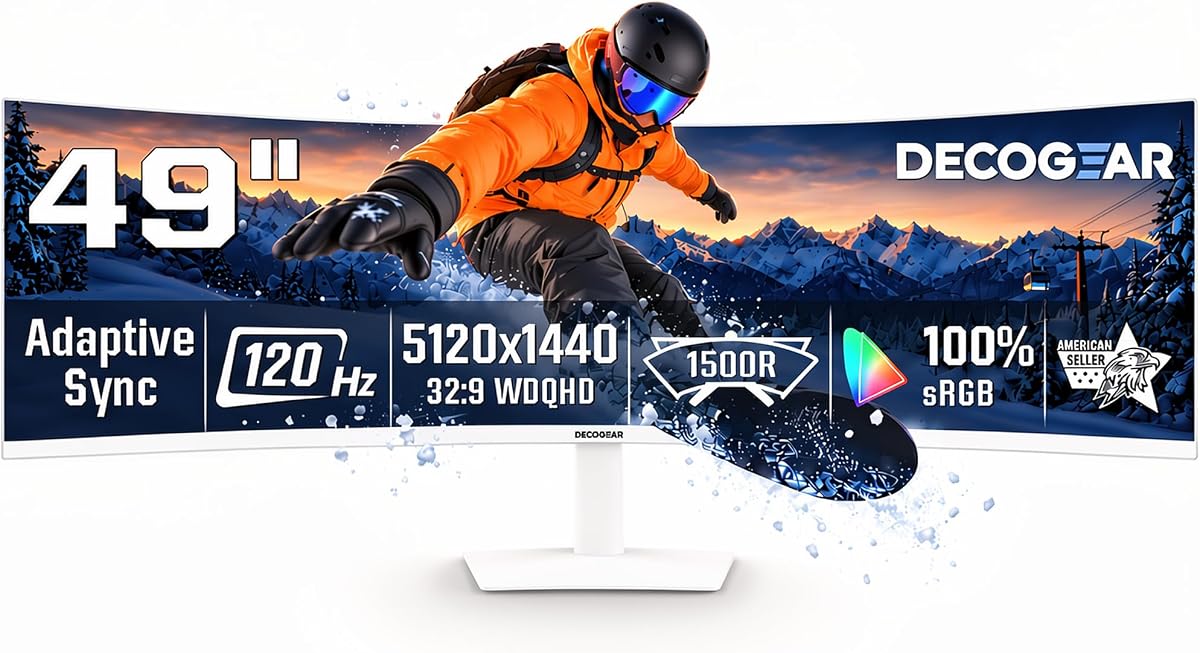
The Deco Gear 49 Super Ultrawide Curved Monitor stands out with its integrated KVM switch allowing you to control multiple devices with one keyboard and mouse. This feature is rare at this price point and adds significant value. USB-C power delivery also simplifies laptop connectivity.
We may earn a commission when you buy through this link, at no additional cost to you.
Its 120Hz refresh rate and adaptive sync support ensure fluid visuals during racing. The 3000:1 contrast ratio delivers deep blacks and vibrant colors. Built-in speakers provide convenient audio for quick sessions without extra speakers.
The build quality feels lightweight and the response time is standard. While not the fastest option for competitive play it remains a strong all-rounder. These drawbacks are minor compared to its connectivity features.
This model is ideal for users who work on multiple systems or need easy device switching. It balances gaming and productivity well. We recommend it for those who value versatile connectivity features.
The KVM feature allows seamless switching between multiple computers.
High contrast and wide color coverage enhance visual quality.
We may earn a commission when you buy through this link, at no additional cost to you.
The ASUS ROG XG49VQ offers a trusted brand experience with robust build quality. Its 144Hz refresh rate ensures smooth motion for racing games. The 1800R curvature provides a natural immersion that reduces eye strain. It includes FreeSync 2 HDR for better visual consistency.
We may earn a commission when you buy through this link, at no additional cost to you.
Key strengths include the strong ergonomic stand and bundled Adobe Creative Cloud subscription. The DisplayHDR 400 certification adds a layer of visual enhancement. It is a reliable choice for those valuing brand reputation.
The DFHD resolution is lower than many competitors which impacts fine track detail. USB-C is also absent limiting connectivity. While these are valid concerns it remains a solid choice for reliable performance.
This model suits users seeking stability and standard features without advanced connectivity. It offers a balanced experience for general gaming and productivity. We recommend it for fans of the ASUS brand.
ASUS build quality ensures durability and consistent results.
Adjustable stand allows for comfortable viewing positions during long sessions.
We may earn a commission when you buy through this link, at no additional cost to you.
The Z-Edge 5K 49 Curved Gaming Monitor offers a high resolution and refresh rate combination that rivals premium brands. Its 240Hz refresh rate and 1ms response time ensure ultra-smooth gameplay. The 5K2K resolution delivers crisp details essential for competitive racing.
We may earn a commission when you buy through this link, at no additional cost to you.
Standout features include Delta E<2 accuracy ensuring color precision and USB-C connectivity for versatile setup. Built-in speakers add convenience while PIP and PBP modes boost productivity. This monitor provides a compelling alternative to established names.
While brand recognition is lower quality remains competitive. Software support may lack depth compared to industry leaders. These are minor concerns given the performance value provided to users.
Ideal for value-conscious gamers seeking top-tier specs this monitor offers excellent performance. It is a strong alternative for those wanting speed without high cost. We recommend it for technical buyers.
Delta E<2 ensures colors are consistent for a realistic visual experience.
240Hz refresh rate supports rapid motion and quick reflexes.
We may earn a commission when you buy through this link, at no additional cost to you.
The Samsung 49" Odyssey (G93SC) delivers premium visual performance with its QD-OLED panel and blazing fast response. Its 240Hz refresh rate and 0.03ms response time are ideal for competitive racing. HDR True Black 400 ensures unmatched shadow detail.
We may earn a commission when you buy through this link, at no additional cost to you.
Key strengths include deep blacks and vibrant colors that enhance immersion. The metal finish adds a premium aesthetic to any setup. G-Sync compatibility keeps gameplay smooth without artifacts or tearing.
The price is significantly higher than other options and burn-in risks require careful management. These are acceptable for enthusiasts seeking ultimate fidelity. It represents the top tier of display technology.
This monitor is best for users who prioritize visuals over budget. It offers an unmatched racing experience for those who can invest. We suggest it for top-end sim racing rigs.
OLED technology provides infinite contrast for realistic shadow detail.
The metal finish ensures a sleek modern design.
We may earn a commission when you buy through this link, at no additional cost to you.
Selecting the right monitor involves evaluating several technical factors that affect immersion and performance.
Curvature determines how immersive the screen feels. Common options are 1800R 1500R and 1000R. The 1000R curve wraps around your vision more tightly than others. Aspect ratio like 32:9 expands the horizontal view significantly.
For sim racing a tighter curve creates a cockpit-like effect. Ensure the curve matches your viewing distance.
Refresh rate measures how many frames are shown per second. Higher rates like 240Hz provide smoother motion. Response time indicates how fast pixels change. Faster rates reduce motion blur in racing.
Prioritize high refresh rates for competitive racing. Look for response times of 1ms or lower.
Resolution determines image sharpness. DQHD and 5K2K offer clear visuals. Higher resolution reveals more detail on tracks. It impacts GPU requirements significantly.
Choose resolution based on your graphics capabilities. Higher resolution improves realism.
VA panels offer good contrast and are common in ultrawides. OLED panels provide superior black levels and response. Consider the pros and cons of each technology for your needs.
VA is budget-friendly while OLED is premium. Select based on image priorities.
Ports like HDMI and DisplayPort connect devices. USB-C simplifies laptop setup. Ensure your GPU supports the monitor's input requirements.
Check available ports to avoid adapters. USB-C is convenient for modern laptops.
A stand that adjusts height and tilt ensures comfort. VESA mounts allow alternative arm setups. Long sessions require proper positioning.
Prioritize adjustable stands. Consider a monitor arm if the stand is fixed.
Wide color gamuts like sRGB and DCI-P3 enhance visuals. Good calibration ensures realistic track colors. Look for Delta E ratings for accuracy.
High color accuracy improves immersion. Check for HDR support as well.
Sync technologies like FreeSync and G-Sync prevent tearing. PIP/PBP modes help with multitasking. These features enhance usability.
Enable sync features for smooth gameplay. Check if PIP is available for overlays.
Connect your GPU via HDMI or DisplayPort cables to ensure maximum refresh rates. Update your graphics drivers to support the resolution.
Adjust your chair height and screen tilt to match eye level. Use VESA mounts if the stand is restrictive.
Calibrate colors and brightness for your room. Use built-in presets for gaming to optimize performance.
A 49 inch monitor is ideal for sim racing as it mimics peripheral vision. It fills your field of view naturally. Just ensure your desk is deep enough to avoid neck strain.
Yes a DQHD resolution requires a powerful GPU to run games smoothly. Look for RTX 3070 or higher. Otherwise performance may lag significantly.
1500R is less curved than 1000R. The tighter 1000R offers more immersion. Choose based on how much curve you prefer.
Yes ultrawide monitors are great for multitasking. The large screen real estate helps manage multiple windows easily.
OLED panels offer superior contrast and speed but cost more. If budget allows they are worth it for realism.
Use screen savers and lower brightness for static elements. Avoid keeping HUD elements on screen permanently.
We highlighted ten top options ranging from budget to premium choices for your needs. Each model offers unique strengths in performance and visuals.
Prioritize refresh rate and resolution for the best racing experience. Curvature is also key for immersion.
Check current prices and availability before buying to ensure you get the best deal.