
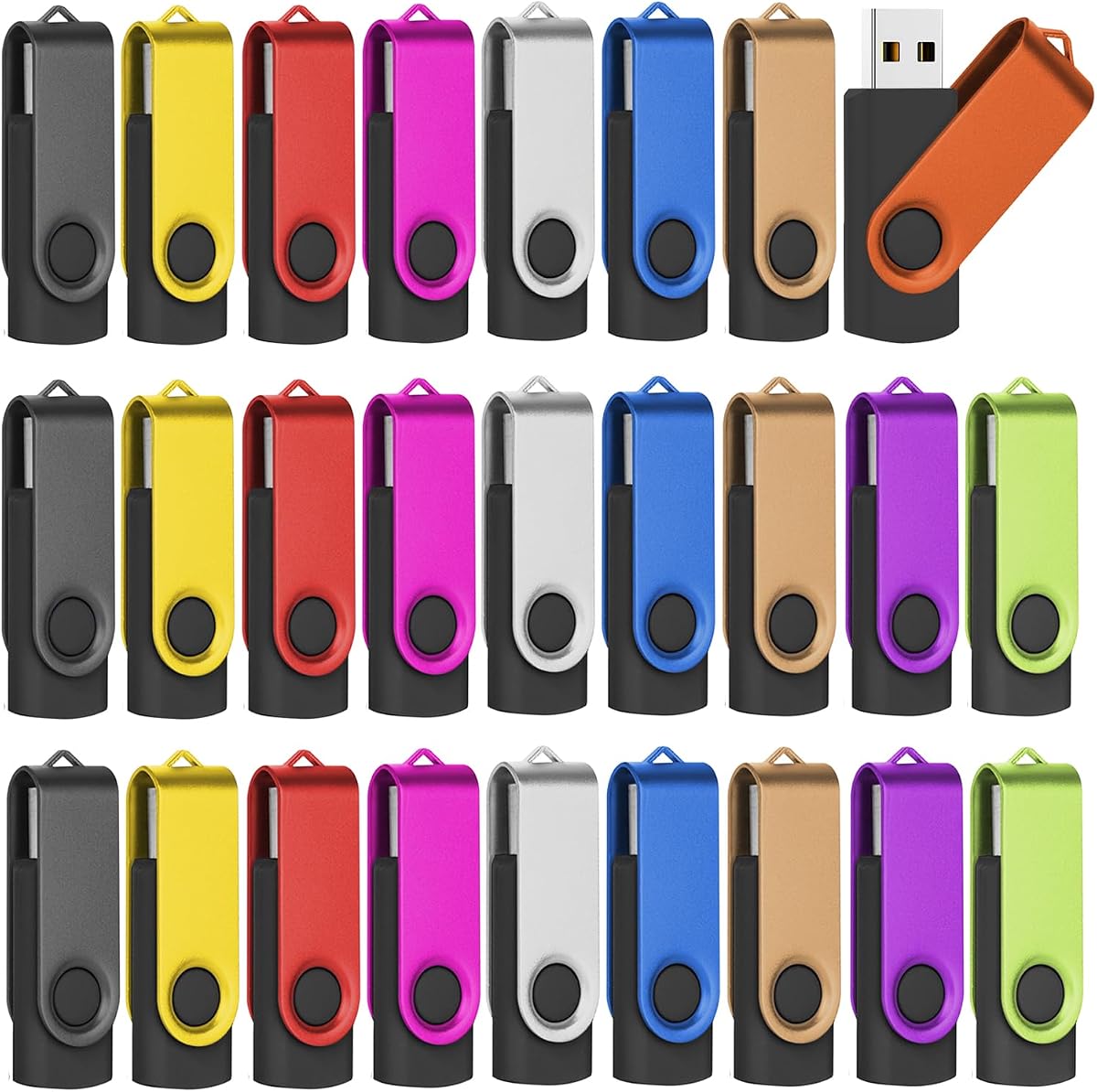
512MB Flash Drives 100 Pack Bulk and Wholesale
4.5Editor score
100 pack capacity
Metal clip design
SLC flash chip
This guide compares the top 10 bulk USB flash drives for businesses and schools, evaluating capacity, speed, durability, and value to help you choose the right
Finding the right storage solution for your organization requires careful consideration of capacity, speed, and durability. Bulk USB flash drives offer a practical way to distribute data efficiently while keeping costs manageable across large teams or student groups.
We analyzed ten popular bulk packs based on performance specs, user feedback, and design features. Our comparison covers everything from low capacity promotional items to high speed portable drives suitable for professional workflows and everyday file sharing needs.
Each pick highlights key strengths and ideal use cases to simplify your decision making process. Please note that pricing and availability can change frequently so always verify current details before finalizing your purchase for optimal value and satisfaction.
4.5Editor score

4.6Editor score

4.6Editor score
This side by side comparison outlines the key specifications and strengths of each bulk USB flash drive pack to help you identify the best fit for your storage distribution needs.


The PNY 32GB Turbo Attaché 3 stands out as a top choice for bulk storage needs with its robust performance and sleek design. Rated highly by users for its speed and reliability, it offers a practical solution for professionals who need to transfer large media files efficiently across multiple devices.
We may earn a commission when you buy through this link, at no additional cost to you.
Its USB 3.0 interface delivers transfer speeds up to ten times faster than standard USB 2.0 drives ensuring that you spend less time waiting for data to move. The sliding collar mechanism protects the connector without requiring a separate cap reducing the risk of losing parts during daily use.
While the price point is higher than some budget options the durability and speed justify the investment for business environments. The capless design might feel less secure to some users but the protective collar effectively shields the port from dust and damage in most scenarios.
This pack is ideal for organizations needing a balance of capacity and speed without breaking the budget. If you prioritize fast data transfer and reliable performance over sheer quantity this PNY set provides excellent value for your team or school projects.
USB 3.0 technology ensures rapid file transfers reducing downtime and improving workflow efficiency for busy professionals.
The sliding collar and lightweight construction make these drives easy to carry and resistant to physical wear over time.
We may earn a commission when you buy through this link, at no additional cost to you.
This 100 pack of 512MB flash drives offers an economical solution for distributing small files or promotional materials to a large audience. With a focus on affordability and simplicity it is well suited for events or educational settings where extensive storage is not required.
We may earn a commission when you buy through this link, at no additional cost to you.
The use of SLC flash chips ensures a baseline of reliability despite the lower price point. These drives operate via USB 2.0 which means transfer speeds are modest but sufficient for text documents or small image files that do not demand rapid movement.
The primary limitation is the limited capacity which restricts usage to very small datasets. Users needing to store videos or large software packages will find these drives inadequate for their specific requirements but they excel for basic data sharing.
Ideal for conferences or classroom handouts this bulk pack provides great value for organizations looking to minimize costs. If your needs are limited to small text or image files this option delivers a practical and affordable storage solution.
Buying in bulk reduces the cost per drive making it affordable for large scale distribution without compromising basic functionality.
SLC flash technology provides consistent performance and durability ensuring that your data remains accessible when needed most.
We may earn a commission when you buy through this link, at no additional cost to you.
The Micro Center SuperSpeed 64GB pack delivers premium performance with high capacity storage and fast transfer rates suitable for demanding workflows. Its robust build and warranty support make it a reliable choice for businesses that require consistent data access and protection.
We may earn a commission when you buy through this link, at no additional cost to you.
Transfer speeds up to 70MB/s significantly outperform standard USB 2.0 drives allowing for quick movement of large video or software files. The hard plastic cover protects the USB connector from damage while the rear loop facilitates easy attachment to keychains or lanyards.
While the price is higher than budget options the combination of speed capacity and warranty support justifies the investment for professional use. Some users may find the plastic casing prone to scratching over time but the core functionality remains unaffected by cosmetic wear.
This pack is perfect for IT departments or creative teams needing fast reliable storage for project files. If you prioritize speed and durability over low cost this set offers a premium experience that meets high performance standards.
High speed USB 3.0 interface ensures efficient file transfers saving valuable time for professional workflows and large datasets.
Built with durable materials and backed by a two year warranty providing peace of mind for long term storage needs.
We may earn a commission when you buy through this link, at no additional cost to you.
This 50 pack of 128MB USB drives features a variety of colors and included lanyards making it easy to categorize and distribute files at events. The affordable price point and simple design cater well to promotional giveaways or educational distribution needs.
We may earn a commission when you buy through this link, at no additional cost to you.
Each drive offers basic USB 2.0 connectivity which is sufficient for small text or image files. The frosted metal cover resists fingerprints and the compact size ensures these drives are easy to carry in a pocket or bag during travel.
The limited capacity restricts usage to minimal data sets preventing storage of larger media files. However the color options add a functional benefit for organizing different file types or assigning drives to different groups efficiently.
Ideal for teachers or event planners this pack provides a convenient and cost effective way to share small amounts of data. If your needs are limited to basic documents this bulk set offers excellent practicality and organization features.
Ten color choices allow for easy categorization of files or assignments across different users or departments.
Included lanyards and compact design ensure the drives stay secure and accessible during daily use or travel.
We may earn a commission when you buy through this link, at no additional cost to you.
This 50 pack offers a straightforward solution for distributing small files across multiple users. The drives support a wide range of operating systems and require no software installation ensuring easy setup for anyone in a team or classroom.
We may earn a commission when you buy through this link, at no additional cost to you.
While the 128MB capacity limits the size of files that can be stored it is sufficient for text documents or small presentations. The inclusion of twenty lanyards helps users keep track of their drives reducing the risk of loss during daily use.
Users should note that actual available capacity may be slightly less than stated due to system reservations. Despite this the drives perform reliably for basic tasks and offer a cost effective option for high volume distribution needs.
Best suited for offices or schools needing basic storage this set provides a balance of price and functionality. If you require simple reliable drives for small data sharing this pack delivers a practical solution without unnecessary complexity.
Supports various operating systems ensuring seamless use across Windows Mac and Linux devices without extra drivers.
Plug and play functionality means no software installation is required making it accessible for all users.
We may earn a commission when you buy through this link, at no additional cost to you.
This 20 pack of 16GB drives provides a solid mid range option for users needing more storage than basic models offer. The swivel design protects the USB port while the integrated loop allows easy attachment to key chains or backpacks.
We may earn a commission when you buy through this link, at no additional cost to you.
The 16GB capacity accommodates moderate file sizes making these drives suitable for storing music photos or documents. Packaging is neat with dividers ensuring the drives arrive securely and are ready to distribute without additional handling.
Transfer speeds are standard for USB 2.0 which is adequate for most daily tasks. The swivel mechanism may wear over time but the design generally holds up well for regular use in professional or personal settings.
Ideal for small businesses or students this set balances capacity and convenience effectively. If you need a reliable drive that protects its connector easily this KOOTION pack offers good value for everyday storage tasks.
The 360 degree swivel design covers the USB connector preventing damage during transport or storage.
Integrated loops make it easy to attach drives to key chains ensuring they are always within reach.
We may earn a commission when you buy through this link, at no additional cost to you.
This 50 pack of 16GB drives offers excellent value for organizations needing bulk storage with reliable performance. The use of USB A+ chips ensures stable data transfer making these drives suitable for professional or educational distribution needs.
We may earn a commission when you buy through this link, at no additional cost to you.
Each drive comes with a lanyard for easy carrying and tracking which is especially helpful for events or classroom settings. The lightweight body ensures these drives are easy to transport and store in bags or pockets without adding bulk.
While the casing is plastic and may show scratches over time the core functionality remains robust. The drives are tested rigorously to ensure quality providing confidence that each unit in the pack will perform as expected.
Best for schools or events needing many drives this set provides a reliable and affordable solution. If you require a large quantity of functional storage without high costs this EASTBULL pack is an excellent choice.
Double tested quality control ensures that each drive functions correctly reducing the risk of defective units.
The high quantity and low per unit price make it an economical choice for large scale distribution needs.
We may earn a commission when you buy through this link, at no additional cost to you.
This 20 pack of 4GB drives offers a functional solution for small file distribution with a durable aluminum build. The LED indicator provides visual feedback during data transfers ensuring users know when it is safe to remove the drive.
We may earn a commission when you buy through this link, at no additional cost to you.
The swivel cap protects the USB port while the compact design allows easy pocket carry. FAT32 formatting ensures universal compatibility with Windows and macOS making these drives suitable for a variety of everyday tasks.
While 4GB is limited for large media files it works well for documents or small software packages. The aluminum casing withstands daily wear making these drives more durable than plastic alternatives for regular use.
Ideal for basic storage needs this pack balances durability with functionality. If you need simple reliable drives for light data transfer this set provides a practical and cost effective option.
LED indicator lights up during activity ensuring safe removal and preventing data corruption during transfers.
FAT32 format ensures the drives work seamlessly with both Windows and macOS systems without extra setup.
We may earn a commission when you buy through this link, at no additional cost to you.
This 50 pack of 16GB drives offers consistent quality with reliable USB A+ chips for stable data transfer. The blue color helps identify drives quickly while included lanyards assist in keeping them secure during use.
We may earn a commission when you buy through this link, at no additional cost to you.
Compatibility with a wide range of devices ensures these drives work well in mixed environments. The drives are tested to ensure they function correctly reducing the likelihood of issues during deployment for events or classes.
While the design is standard the performance meets basic needs for file sharing and backup. The value proposition is strong for those needing many drives without compromising on essential functionality or reliability.
Best for bulk distribution this set offers reliable performance at a reasonable price. If you need many functional drives for small to medium files this EASTBULL pack delivers consistent value and utility.
USB A+ chips provide stable and consistent performance ensuring reliable data access when needed most.
Distinct blue color helps identify drives quickly reducing confusion during shared use or large distribution events.
We may earn a commission when you buy through this link, at no additional cost to you.
This 10 pack of 64GB drives offers high capacity storage with a variety of colors to help identify different content types. The swivel design protects the USB port while the LED indicator provides visual feedback during data transfers.
We may earn a commission when you buy through this link, at no additional cost to you.
Compatibility with various operating systems ensures these drives work across Windows and macOS devices without extra software. The color options allow for easy organization making it simple to assign drives to specific projects or users.
While the pack size is smaller than bulk options the capacity per drive is significantly higher. The LED indicator prevents accidental data removal ensuring file integrity during use in professional or personal settings.
Ideal for users needing higher capacity with easy identification this set provides a practical solution. If you want to organize data by color and need more storage this FEBNISCTE pack delivers versatility and performance.
Ten different colors allow for easy identification and organization of various files or project types.
LED indicators signal data activity ensuring safe removal and preventing potential data loss during transfers.
We may earn a commission when you buy through this link, at no additional cost to you.
Selecting the right bulk USB flash drives involves weighing several critical factors to ensure you meet your storage and distribution needs effectively.
Capacity determines how much data you can store on each drive ranging from 128MB for tiny files to 64GB for larger media or software packages. Assess the size of the files you plan to distribute to avoid buying drives that are too small or unnecessarily large for your needs.
Choose a capacity that matches the typical file size your recipients will need to store ensuring efficient use of space and budget.
Transfer speed impacts how quickly you can move data between devices with USB 3.0 drives offering significantly faster rates than USB 2.0 options. Higher speeds are valuable if you need to transfer large files repeatedly or want to save time during distribution.
Prioritize USB 3.0 drives if speed is essential for your workflow though USB 2.0 may suffice for smaller files or slower connections.
Durability features such as swivel caps sliding collars or metal casings protect the USB connector from damage during transport and use. A robust design extends the lifespan of the drive reducing the likelihood of failure or loss over time.
Look for protective features like caps or swivel mechanisms that keep the connector safe and consider the build material for long-term reliability.
Bulk packs range from 10 to 100 units affecting the cost per drive and overall value. Buying more units often reduces the price per drive but ensure you need the full quantity to avoid waste or storage issues.
Calculate the cost per unit based on your actual needs to find the best balance between price and usable quantity for your project.
Ensure the drives are compatible with the operating systems and devices you intend to use such as Windows Mac or Linux machines. Most USB drives are plug and play but checking specific system requirements prevents issues during initial setup.
Verify that the drives work with your existing hardware and software to ensure seamless integration and use across all devices.
Some packs include lanyards cases or color options that add convenience and organization to your distribution efforts. These extras can help prevent loss and simplify file management especially when sharing drives with many users.
Consider whether accessories like lanyards or color coding are worth the additional cost based on how you plan to distribute and manage the drives.
A warranty provides peace of mind by covering defects or failures within a specific period of use. Brands offering longer warranties or responsive support may offer better long-term value and reliability for professional or business needs.
Check the warranty terms before purchasing to ensure you have protection against defects and access to support if issues arise.
The default file system such as FAT32 exFAT or NTFS affects which devices and operating systems can read the drive. FAT32 is widely compatible but has file size limits while exFAT and NTFS support larger files with different compatibility trade-offs.
Confirm that the preformatted file system meets your needs or plan to reformat the drives if you require specific compatibility or file size support.
Always eject the drive properly using the operating system's safe remove function before unplugging to prevent data corruption or loss. This step ensures that all write operations are complete and the file system remains intact for future use.
Store drives in a cool dry place away from direct sunlight or moisture to protect internal components from environmental damage. Using cases or sleeves can help prevent physical scratches and keep connectors clean and functional over time.
Periodically check the health of the drives by testing file transfers and capacity to catch any issues early. If a drive stops working try reformatting it on a different computer before discarding to recover data if possible.
Most USB flash drives last between three to five years with regular use depending on build quality and handling. Avoid excessive bending or dropping the drives and always eject them safely to extend their operational life.
Yes you can write erase and rewrite data on USB flash drives thousands of times before the memory wears out. Regular use without physical damage ensures they remain functional for many distribution cycles.
Most bulk USB drives work with Mac computers via USB 2.0 or 3.0 ports but may need to be formatted as exFAT for full read write access. Always check compatibility before purchasing if you plan to use them primarily with macOS.
Insert the drive into your computer and check if the operating system recognizes it. Transfer a test file to ensure read and write functions work and verify the available capacity matches expectations.
FAT32 is the most universally compatible format for USB drives across Windows and Mac systems. However if you need to store files larger than 4GB choose exFAT instead to avoid size limitations.
Use color coded drives or label them consistently to track different file types or users. Many bulk packs come in various colors which help simplify identification and distribution during large events.
No most bulk USB flash drives are plug and play and do not require any drivers on modern computers. Simply insert them into a USB port and they should be recognized automatically by your operating system.
Try connecting the drive to a different computer or USB port to rule out connection issues. If it is still unrecognized you may need to reformat the drive using disk management tools but backup data first if possible.
The top picks in this guide highlight the best balance of performance capacity and value for different bulk storage needs. Whether you prioritize speed with USB 3.0 drives or cost with lower capacity options there is a suitable choice for every project.
Focus on capacity transfer speed and durability to ensure the drives meet your specific requirements without unnecessary extra costs. Consider the quantity needed and included accessories like lanyards to maximize convenience and organization.
Remember that prices and availability can change so verify current details before finalizing your purchase. Choose the option that best aligns with your distribution goals to ensure reliable and efficient data sharing.