
LONELY BINARY Logic Analyzer Kit
4.2Editor score
8 Channel 24MHz Sampling
Includes Breakout Boards
Dual USB Connectivity
This guide compares the top logic analyzers for electronics projects to help you choose the right tool for debugging digital signals and protocols effectively.
Selecting the right logic analyzer is crucial for anyone working on electronics projects. These tools capture digital signals to help you debug communication protocols like I2C and SPI with precision and ease.
We compared ten top-rated analyzers based on channel count, sampling rate, software compatibility, and ease of use. Our list covers options from affordable hobbyist kits to professional-grade instruments for complex embedded systems.
Each pick highlights key features, pros, and cons to guide your decision. Prices and availability may change, so check the latest details before purchasing to ensure you get the best value for your needs.
4.2Editor score

4.5Editor score
4.8Editor score
The following table provides a side-by-side comparison of all ten logic analyzers featured in this guide. Review the specifications to find the model that best matches your project requirements.


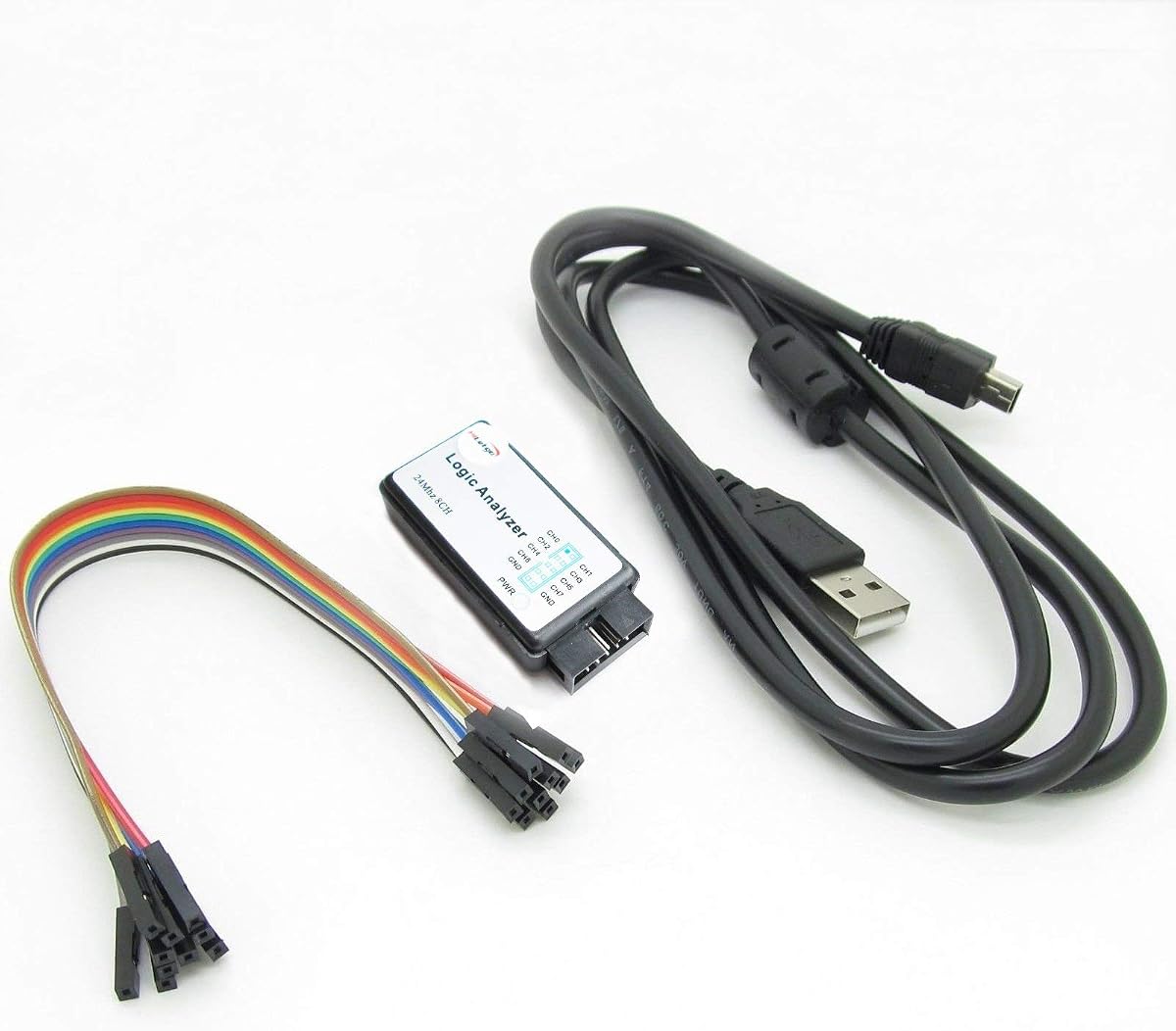


The LONELY BINARY Logic Analyzer Kit offers an excellent entry point for hobbyists needing to debug digital signals. With an 8.2 and 24MHz sampling rate, it handles common protocols like UART and SPI effectively for most student projects.
We may earn a commission when you buy through this link, at no additional cost to you.
This kit stands out due to its comprehensive accessory package. It includes breakout boards, jumper wires, and test clips, saving you time and money on additional components. The dual USB connectivity ensures it works with both older and modern computers.
While the sampling rate is lower than professional models, it is sufficient for standard microcontroller debugging. The software is straightforward, though it may lack some advanced visualization features found in higher-end tools.
Buyers looking for a cost-effective solution for basic electronics work will find this kit ideal. It provides all necessary tools out of the box, making it a practical choice for those starting their journey in embedded systems.
Everything needed for immediate use is included in the box, reducing setup time and extra costs for users.
Comes with both USB-A and Type-C cables for universal compatibility with older PCs and modern laptops.
We may earn a commission when you buy through this link, at no additional cost to you.
The LA1010 USB Logic Analyzer balances performance and affordability exceptionally well. With 16 input channels and a 100MHz sampling rate, it captures complex digital signals with high precision. This makes it suitable for debugging advanced embedded systems and FPGAs.
We may earn a commission when you buy through this link, at no additional cost to you.
Its software, KingstVIS, provides real-time signal visualization and decodes over 30 standard protocols. This feature accelerates debugging by converting raw digital data into human-readable communication formats quickly and efficiently.
While the software interface may take some time to master, the functionality is robust. The device supports Windows, macOS, and Linux, ensuring compatibility across different development environments without needing extra drivers.
This analyzer is the top pick for users needing professional features at a mid-range price. It offers the reliability and speed required for serious electronics work without breaking the bank.
Simultaneously capture 16 digital signals and convert them into clear digital waveforms displayed instantly on your PC screen.
Decode 30+ standard protocols to extract human-readable communication data, accelerating debugging significantly.
We may earn a commission when you buy through this link, at no additional cost to you.
The Saleae Logic Pro 16 represents the pinnacle of consumer-grade logic analysis. It offers 16 digital and analog inputs with a massive 500 MS/s digital sample rate. This performance is unmatched for capturing high-speed signals in advanced electronics projects.
We may earn a commission when you buy through this link, at no additional cost to you.
Its software is renowned for its ease of use and powerful analysis tools. The ability to mix digital and analog channels allows for deeper insights into system behavior, making it ideal for complex mixed-signal debugging.
While the cost is significant, the investment pays off in time saved and accuracy gained. The build quality is robust, and the device is ultra-portable, fitting easily into a professional workspace or field kit.
For professionals and serious hobbyists who need the best tools available, this model is the clear choice. It simplifies complex tasks and provides reliable results consistently over long-term use.
Digital sample rate up to 500 MS/s and Analog sample rate up to 50 MS/s for comprehensive testing.
Cross platform support for Mac, Windows, and Linux ensures it works with any development environment.
We may earn a commission when you buy through this link, at no additional cost to you.
The Logic Pro 8 (Black) is the more compact version of the flagship model, offering 8 channels with the same high speed. It maintains the 500 MS/s digital sample rate and supports analog inputs for versatile testing capabilities.
We may earn a commission when you buy through this link, at no additional cost to you.
Its portable design makes it easy to carry to different workstations or field locations. The software remains intuitive, allowing users to focus on the data rather than navigating complex menus or settings.
While it lacks the full channel count of the Pro 16, it is often sufficient for many embedded tasks. The build quality ensures durability, making it a long-term investment for professionals needing consistent performance.
This model is perfect for those who prioritize speed and software experience over maximum channel count. It delivers professional results in a smaller footprint suitable for various work environments.
Ultra-portable form factor saves time and frustration when moving between workspaces.
Digital sample rate up to 500 MS/s ensures precise capture of high-speed signals.
We may earn a commission when you buy through this link, at no additional cost to you.
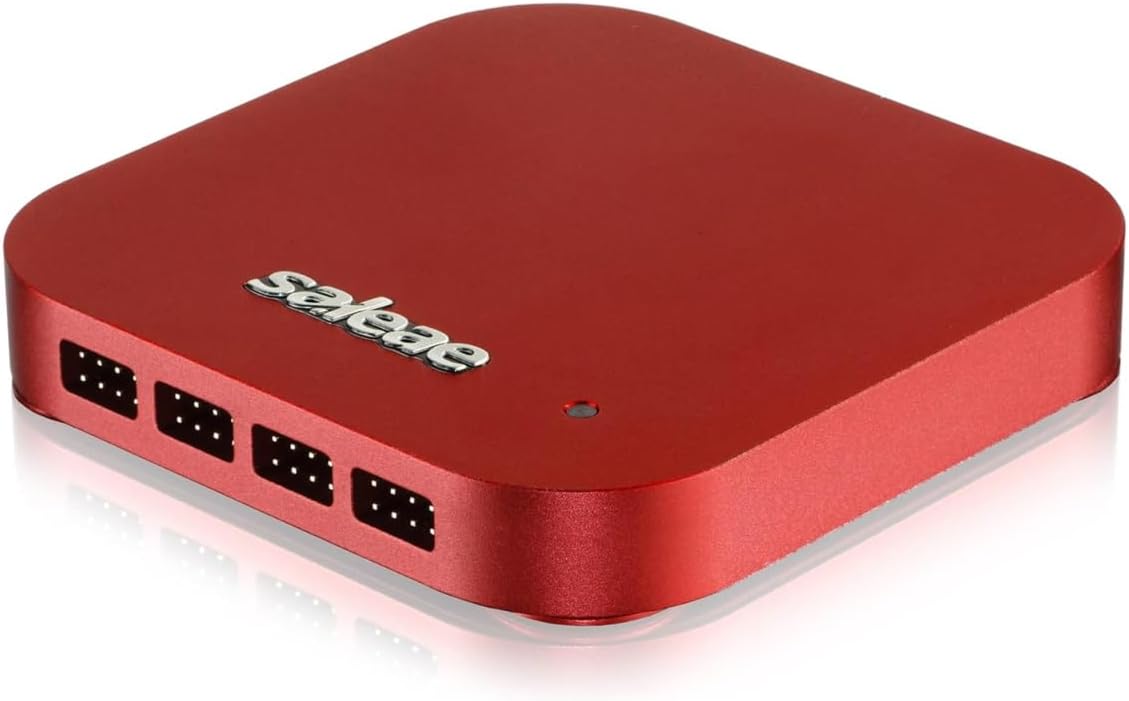
This USB Logic Analyzer is a budget-friendly tool compatible with popular Saleae Logic Analyzer software. It features 8 digital channels with a 24MHz sampling rate, which is suitable for standard microcontroller debugging tasks.
We may earn a commission when you buy through this link, at no additional cost to you.
The ability to use existing software means you do not need to learn a new interface. This compatibility is a significant advantage for users who already have workflow familiarity with Saleae tools or PulseView.
While it lacks advanced protocol decoding, the raw signal capture is reliable for basic tasks. The adjustable sampling rate allows you to optimize performance based on your specific signal requirements.
Buyers seeking a simple and cost-effective tool will appreciate this option. It provides essential functionality without the complexity of higher-end models, making it great for students or quick prototyping.
Designed to be compatible with Saleae Logic Analyzer software for seamless integration.
Sampling rate up to 24 MHz can be adjusted to fit different application needs.
We may earn a commission when you buy through this link, at no additional cost to you.
The DSLogic Plus offers impressive performance with a 400MHz sampling rate in buffer mode. It has 16 digital channels and 256Mbits of on-board memory, allowing for long capture durations without relying solely on PC memory.
We may earn a commission when you buy through this link, at no additional cost to you.
Its DSView software is open-source, giving users the freedom to modify or extend its capabilities. This is a huge benefit for developers who want to customize their analysis workflow without restrictions.
The dual-mode support (stream and buffer) provides flexibility for different testing scenarios. Stream mode allows long durations, while buffer mode offers high-speed capture for short events.
This analyzer is ideal for users who need high performance and open customization. It balances advanced specs with a reasonable price point, making it a strong contender in the mid-range market.
In stream mode data transfers to PC memory in real time for long durations.
DSView supports nearly a hundred protocol decoders and is open source on github.
We may earn a commission when you buy through this link, at no additional cost to you.
The HiLetgo USB Logic Analyzer is a straightforward tool designed for basic digital signal debugging. It offers 8 channels with a 24MHz sampling rate, which covers most common microcontroller needs effectively.
We may earn a commission when you buy through this link, at no additional cost to you.
It comes with an EMI ferrite ring on the USB cable to reduce noise interference during testing. This small addition helps ensure cleaner waveforms, which is particularly useful in electrically noisy environments.
The device supports standard input voltages up to 5.25V, making it safe for use with typical 3.3V and 5V logic levels. While it lacks advanced features, it serves its primary purpose well.
For hobbyists on a tight budget, this is a reliable choice. It provides the necessary functionality for checking digital logic without unnecessary complexity or high costs.
EMI Ferrite Ring USB cable helps reduce noise interference during testing.
Ready to use with standard drivers and straightforward connection to PCs.
We may earn a commission when you buy through this link, at no additional cost to you.
The Logic 8 (Black) is a reliable standard model offering 8 channels with a 100 MS/s digital sample rate. It maintains the quality and software consistency expected from the Saleae brand at a lower price point.
We may earn a commission when you buy through this link, at no additional cost to you.
Its 8 digital/analog inputs allow for flexible testing without requiring separate equipment. The software is intuitive and supports over 20 protocols, making it user-friendly for various debugging tasks.
While the USB 2.0 interface is slower than newer standards, it is sufficient for most applications. The compact design ensures it fits easily into any workbench setup.
This model is a great choice for those wanting branded reliability without the premium cost. It strikes a good balance between performance and price for general electronics work.
8 Digital/Analog inputs multi-use allow for flexible testing setups.
Decode SPI, I2C, and 23+ more analyzers with ease.
We may earn a commission when you buy through this link, at no additional cost to you.
This DSLogic Plus model emphasizes deep memory capture, allowing for long durations with high-resolution sampling. With 16G sampling depth in stream mode, it can hold extensive data sets without losing detail.
We may earn a commission when you buy through this link, at no additional cost to you.
Its 400MHz sampling rate in buffer mode ensures precise capture of fast signal transitions. The 256Mbits on-board SDRAM memory supports multiple buffer modes for flexible usage options.
Compatibility with Windows, macOS, and Linux ensures it works across diverse systems. The open-source software provides transparency and the ability to modify decoders as needed.
Ideal for users who need to capture rare events or long sequences, this analyzer offers technical depth. It is a strong choice for advanced debugging where data retention is critical.
Up to 16G sample depth in stream mode captures long durations.
Supports nearly 100 protocol decoders and is open-source on Github.
We may earn a commission when you buy through this link, at no additional cost to you.
The Analog Discovery 3 is an all-in-one solution combining oscilloscope, logic analyzer, waveform generator, and power supply. It offers 16 digital I/O channels with a 125 MS/s sample rate, plus two analog channels.
We may earn a commission when you buy through this link, at no additional cost to you.
Its versatility makes it a complete lab station in a small package. You can generate signals and analyze them simultaneously, which is incredibly efficient for testing circuits and systems.
The software offers a wide range of instruments including spectrum and network analyzers. While the learning curve is steeper, the value provided by having multiple tools in one device is high.
For engineers who need a versatile lab setup without multiple devices, this is an excellent investment. It consolidates functionality and simplifies workflow for complex testing scenarios.
Oscilloscope, Logic Analyzer, Waveform Generator and Variable Power Supply in one device.
Software instruments include Spectrum Analyzer, Network Analyzer, and Impedance Analyzer.
We may earn a commission when you buy through this link, at no additional cost to you.
Choosing the right logic analyzer involves evaluating several key factors. This guide breaks down the important aspects to consider for your specific electronics projects.
The number of channels determines how many signals you can monitor simultaneously. Most hobbyist projects require 8 channels, but complex embedded systems may need 16 or more to observe all relevant lines.
Ensure the analyzer has enough channels for your current needs and potential future expansion.
Sampling rate is the speed at which the device captures signals. Higher rates like 100MHz or more are necessary for high-speed protocols, while basic 24MHz suffices for slower UART or SPI connections.
Match the sampling rate to the speed of the protocols you plan to debug.
Protocol decoding converts raw binary data into readable formats like text or hex. Look for support for the protocols you use most, such as I2C, SPI, and UART, to save analysis time.
Built-in decoding features significantly speed up the debugging process.
Check that the software runs on your operating system. Most modern analyzers support Windows, macOS, and Linux, but some older models might be restricted to specific platforms.
Cross-platform support ensures you can use the tool regardless of your development environment.
Some analyzers offer mixed signals inputs to capture both digital logic and analog waveforms. This feature is useful if you need to observe power levels or analog signals alongside digital data.
Consider mixed signal support if your projects involve analog components.
Memory depth determines how long data can be stored before transmission. Deep memory allows capturing long sequences without stopping, which is vital for detecting intermittent issues.
Look for on-board memory or stream modes that support long capture durations.
USB connectivity is standard, but newer devices often use USB-C for faster data transfer and better durability. Ensure the cable type matches your computer ports.
USB 3.0 or higher offers better performance for large data transfers.
Durable construction ensures the device withstands frequent use in labs or fieldwork. Metal cases or reinforced connectors are signs of better build quality.
Invest in a well-built model to avoid damage during regular use.
Begin by connecting the logic analyzer to your circuit using test clips or breakout boards. Ensure the voltage levels of your circuit match the analyzer's input specifications to avoid damage.
Launch the software on your computer and configure the sampling rate based on your signals speed. Set trigger conditions to start capturing when specific events occur on the monitored lines.
After capturing data, use the protocol decoders to analyze the communication between components. Regularly update the software to ensure compatibility with new protocols and security features.
A logic analyzer captures digital signals and converts them into logic levels like high or low, whereas an oscilloscope measures analog voltage over time. Logic analyzers are better for debugging digital protocols, while oscilloscopes show detailed signal shapes.
Not necessarily. For purely digital work, a logic analyzer suffices. However, if you need to inspect signal noise or analog variations, an oscilloscope complements a logic analyzer effectively.
Yes, most logic analyzers support Arduino projects. They can monitor pins used for communication like UART, SPI, or I2C, helping you verify data transmission and timing.
Most devices include proprietary software like Saleae Logic or KingstVIS. Some support open-source options like PulseView. Check compatibility with your operating system before purchasing.
Calibration often involves setting voltage thresholds manually. Ensure the input voltage range matches your circuit logic levels so low and high signals are correctly interpreted by the software.
Yes, but speed depends on the sampling rate. High-speed models with 100MHz or more can capture fast data, while lower-end models are suited for slower protocols.
We hope this guide helped you find the right logic analyzer for your needs. Whether you choose the budget-friendly LONELY BINARY kit or the powerful Saleae Logic Pro, each option offers unique strengths.
Prioritize features like channel count and sampling rate that match your specific projects. A tool that fits your current skill level and growth plans will provide the most value.
Remember to check current availability and prices before purchasing as these factors can change. With the right logic analyzer, you can simplify debugging and improve your electronics work significantly.