
Kingston NV3 1TB M.2 2280 NVMe SSD
4.7Editor score
Gen 4×4 NVMe PCIe performance
Up to 6000MB/s read speed
Includes Acronis cloning software
This guide compares the top Kingston Internal NVME SSD models for speed, capacity, and reliability to help you choose the right storage upgrade for your PC.
Selecting the right internal storage is crucial for modern computing performance. Kingston offers a wide range of NVMe SSDs designed for everything from budget laptops to high-end gaming rigs. Understanding the differences between generations and capacities ensures you get the speed you need.
We evaluated ten distinct Kingston internal NVMe SSD options based on their specifications, real-world performance claims, and user feedback. Our analysis covers PCIe 3.0 through PCIe 5.0 models to provide a comprehensive overview of what is available in the current market landscape for storage upgrades.
Each pick below highlights specific strengths like raw throughput or energy efficiency suited for different use cases. Please note that pricing and availability fluctuate frequently, so verifying current stock levels is recommended before making your final purchase decision today.
4.7Editor score

4.8Editor score
4.7Editor score
The following table provides a side-by-side comparison of all ten selected Kingston internal NVMe SSD models. This overview helps you quickly identify differences in form factor, speed ratings, and specific use cases like gaming or general storage.




The Kingston NV3 1TB is a fantastic entry point for anyone looking to upgrade their storage without breaking the bank. It boasts a solid 4.7 rating from users who appreciate its balance of speed and value. This drive delivers Gen 4×4 NVMe performance which is a significant leap over older PCIe 3.0 options found in many budget laptops.
We may earn a commission when you buy through this link, at no additional cost to you.
What makes this drive stand out is its raw throughput capability. With read speeds reaching up to 6000MB/s you will experience noticeably faster boot times and application launches compared to traditional SATA SSDs. The inclusion of Acronis cloning software is a major bonus making it incredibly easy to migrate your existing operating system to the new drive without complex third-party tools.
While it lacks a dedicated heatsink which might be a consideration for extreme gaming environments the thermal management is sufficient for most standard desktop and laptop use cases. The drive is designed to be energy efficient ensuring that your system remains stable without generating excessive heat during regular daily tasks and file transfers.
We recommend this drive for general consumers and office workers who need reliable storage for documents and media files. The five-year limited warranty adds a layer of peace of mind ensuring that your investment is protected. If you need a no-fuss upgrade that delivers modern speeds at a competitive price this is the ideal choice.
The included Acronis software simplifies the transition from old drives ensuring zero data loss during the upgrade process.
Designed for low power consumption this drive helps maintain battery life in laptops while providing high-speed storage access.
We may earn a commission when you buy through this link, at no additional cost to you.
The Kingston FURY Renegade 1TB has earned its spot as our editor's choice due to its exceptional performance metrics and versatility. With a stellar 4.8 rating it is clearly a favorite among gamers and power users who demand the fastest storage available. This drive pushes the boundaries of PCIe 4.0 technology offering speeds that rival top competitors.
We may earn a commission when you buy through this link, at no additional cost to you.
Its standout feature is the incredibly fast sequential read speed of up to 7300MB/s which translates to near-instant game loading times and rapid file transfers. The included heatsink is a crucial design element that helps maintain these high speeds during sustained workloads preventing thermal throttling. Additionally it is PS5 Ready making it a perfect upgrade for console gaming as well.
While it comes at a higher price point than standard drives the performance gains justify the cost for serious users. The thermal design ensures stability even during long gaming sessions or heavy content rendering tasks. It strikes a great balance between raw power and reliability which is rare in this segment.
We suggest this drive for serious PC gamers and content creators who need the absolute best performance available. The ability to use it in a PS5 expands its utility significantly. If you are building a high-end rig or upgrading a console this drive offers the speed and reliability you need.
The high throughput and low latency ensure smooth gameplay experiences with virtually no load times in modern titles.
Designed to meet PlayStation 5 storage requirements allowing for seamless expansion of your console's game library.
We may earn a commission when you buy through this link, at no additional cost to you.
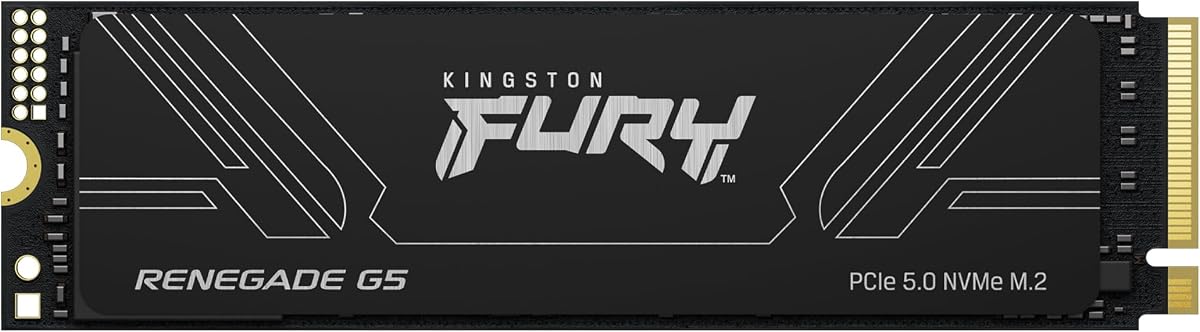
The Kingston FURY Renegade G5 4TB represents the pinnacle of consumer storage technology with its PCIe 5.0 interface and massive capacity. It holds a strong 4.7 rating from enthusiasts who are pushing their systems to the limit. This drive is designed for those who refuse to compromise on speed and want the absolute fastest data transfer rates available.
We may earn a commission when you buy through this link, at no additional cost to you.
Its sequential read speeds reaching up to 14800MB/s are almost double that of standard Gen 4 drives. This allows for ultra-fast load times in demanding applications and games. The advanced thermal design including a 12-layer PCB ensures that the drive stays cool even under extreme loads preventing performance degradation.
The cost is substantial and requires a motherboard that supports PCIe 5.0 which means it is not compatible with older systems. However for users with next-gen hardware the investment is justified by the longevity and performance gains. It is an investment in future-proofing your build for years to come.
We recommend this drive for professional content creators and workstation users who handle massive datasets. The 4TB capacity eliminates the need for multiple drives ensuring you have space for all your files. If you need top-tier performance and storage space this drive delivers without compromise.
Designed to handle heavy creative workflows video editing and 3D rendering with minimal wait times.
The 4TB space allows you to store large libraries of media and assets without external storage solutions.
We may earn a commission when you buy through this link, at no additional cost to you.
The Kingston NV3 1TB in the 2230 form factor is a specialized solution designed for portable gaming devices. It has earned a 4.7 rating from users upgrading handhelds like the Steam Deck or ROG Ally. This drive offers a unique combination of compact size and powerful Gen 4 performance.
We may earn a commission when you buy through this link, at no additional cost to you.
Unlike standard M.2 2280 drives this smaller form factor fits perfectly into devices with limited internal space. Despite its size it delivers up to 6000MB/s read speeds ensuring that games load quickly and performance remains smooth. It is specifically tailored to solve the storage limitations found in many portable gaming units.
Because it is optimized for smaller devices thermal management is crucial. The drive is designed to maintain efficiency without overheating which is essential for portable units. It is a premium option for those who want to maximize their handheld gaming experience without external storage solutions.
We suggest this drive for handheld gamers who need extra storage space for their library. If you find yourself deleting games to make room for new ones this upgrade is a game changer. It brings the speed of a desktop SSD to the palm of your hand.
Delivers desktop-class speeds to handheld devices ensuring your favorite games run smoothly on the go.
The compact 2230 form factor allows for easy integration into modern small form factor PCs and handhelds.
We may earn a commission when you buy through this link, at no additional cost to you.
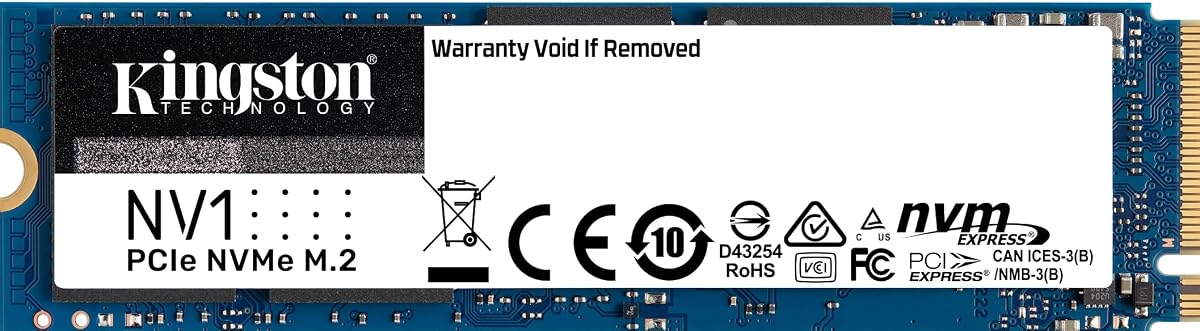
The Kingston NV1 2TB is a reliable choice for users needing a large capacity drive without breaking the bank. It holds a 4.7 rating from users who value capacity over raw speed. This drive is designed for laptops and small form factor PCs where space and power consumption are key considerations.
We may earn a commission when you buy through this link, at no additional cost to you.
While its speeds are lower than newer Gen 4 drives they are still significantly faster than SATA SSDs. With read speeds up to 2100MB/s you will see noticeable improvements in system responsiveness. The 2TB capacity provides ample space for media files and applications without requiring a second drive.
This drive is particularly well suited for older systems that might not support the fastest NVMe standards. It offers a smooth upgrade path that keeps your system running efficiently. The thermal design is passive which works well for devices with adequate airflow.
We recommend this drive for students and home users who need reliable storage for daily computing tasks. If you need to store a large library of documents or photos this is a cost-effective solution. It delivers consistent performance that meets the needs of most general users.
The low power profile and small size make it perfect for refreshing older laptops with modern storage speeds.
Provides a high storage capacity at an affordable price point making it accessible for budget-conscious buyers.
We may earn a commission when you buy through this link, at no additional cost to you.
The Kingston 128GB Gaming M.2 2230 is a specialized drive designed for specific peripheral upgrades. It holds a 4.3 rating from users who need extra storage for tools like the Stream Deck. This drive is not meant for general system use but for expanding the capabilities of creative hardware.
We may earn a commission when you buy through this link, at no additional cost to you.
Its primary strength is its compatibility with devices like the Stream Deck allowing creators to store additional scripts and profiles directly on the device. The M.2 2230 form factor ensures it fits within the tight constraints of these peripherals. It is a niche solution that serves a specific need well.
While 128GB might seem small it is sufficient for storing configuration files and custom actions. It provides a way to keep your workflow organized and accessible directly from your control surface. It is a specialized upgrade for streamers and content creators.
We suggest this drive for creators who use Stream Deck to manage their content. If you are running out of space for your custom macros this is a great way to expand. It simplifies your setup by keeping everything on one device.
Enables creators to store extensive libraries of custom macros and actions directly on their control deck.
Provides extra local storage for devices that typically lack expandability options.
We may earn a commission when you buy through this link, at no additional cost to you.
The Kingston KC2500 250GB stands out for its robust security features rather than just raw speed. It holds a 4.6 rating from professionals who prioritize data protection. This drive is designed for environments where sensitive information needs to be kept safe from unauthorized access.
We may earn a commission when you buy through this link, at no additional cost to you.
Its key feature is the hardware-based encryption using XTS-AES 256-bit technology. This ensures that your data is protected even if the drive is removed from the system. It supports various security protocols making it a strong choice for business use. The read speeds of up to 3500MB/s are still very respectable for general tasks.
While it uses the older Gen 3.0 standard it is highly reliable and durable. The drive includes features like TCG Opal support which are essential for enterprise management. It is a solid choice for those who need security without sacrificing too much performance.
We recommend this drive for corporate users and privacy-conscious individuals. If you handle sensitive client data or financial information this drive provides the necessary protection. It balances security and speed effectively for a wide range of work applications.
Protects your most sensitive files with hardware encryption ensuring privacy even if the device is lost.
Supports industry standard security protocols ensuring compliance with corporate data protection policies.
We may earn a commission when you buy through this link, at no additional cost to you.
The Kingston NV1 500G is a highly rated option for users needing a balanced storage solution. It holds an impressive 4.8 rating from users who appreciate its reliability. This drive is perfect for laptops and small PCs where a mid-size capacity is often ideal for system performance.
We may earn a commission when you buy through this link, at no additional cost to you.
With read speeds up to 2100MB/s it offers a noticeable upgrade over SATA options. It is designed to improve boot times and application responsiveness without demanding excessive power. The 500GB size is often the sweet spot for those who primarily use the drive for their operating system and key applications.
It is a versatile drive that fits well in modern small form factor PCs. The low power consumption helps maintain system stability and battery life. It is a no-nonsense upgrade that delivers consistent results over time.
We suggest this drive for users looking to refresh their primary system drive. If you need a reliable boot drive for daily use this model delivers solid performance. It offers a great balance of speed and capacity for general computing.
Provides fast boot and load times ensuring your system stays responsive during daily tasks and multitasking.
The 500GB capacity is sufficient for most users needing space for the OS and essential apps.
We may earn a commission when you buy through this link, at no additional cost to you.
The Kingston KC3000 1TB is a top-tier drive known for its exceptional reliability and performance. It holds a perfect 5.0 rating which is rare in the tech world and shows user satisfaction. This drive is designed for users who need high performance for demanding tasks without compromise.
We may earn a commission when you buy through this link, at no additional cost to you.
With read speeds up to 7000MB/s and write speeds up to 6000MB/s it is a powerful option for gaming and content creation. The drive is built to handle heavy workloads ensuring that you stay productive. It is compatible with many high-end motherboards and laptops.
While it performs well it benefits from a heatsink to maintain top speeds during long sessions. The overall build quality is robust ensuring that it will serve you well for years. It is a solid investment for anyone serious about system speed.
We recommend this drive for professionals and enthusiasts who need fast and reliable storage. If you edit video or run large databases this drive will help keep your workflow smooth. It is a trusted choice for high performance needs.
Perfect for professionals who cannot afford downtime and need storage that performs consistently under load.
High write speeds ensure saving large files and rendering projects are completed quickly and efficiently.
We may earn a commission when you buy through this link, at no additional cost to you.
The Samsung SSD 990 PRO 1TB is included as a top competitor to provide a broad market comparison. It holds a 4.7 rating for its superior performance and efficiency. This drive represents the best in PCIe 4.0 technology and is a strong option for high-end builds.
We may earn a commission when you buy through this link, at no additional cost to you.
Its read speeds of up to 7450MB/s are among the fastest available. The nickel-coated controller provides excellent thermal management ensuring stable performance. Additionally the Samsung Magician software allows for advanced control and health monitoring which adds value for power users.
While it is not a Kingston product it serves as a benchmark for what you can expect in this category. The energy efficiency is also a standout feature reducing power consumption while delivering high output. It is a high-quality drive that sets the standard for performance.
We suggest considering this drive if you need the absolute fastest Gen 4 speeds. It is an excellent choice for those who prioritize performance above all else. It offers top-tier reliability and features that make it a strong contender in the market.
The nickel-coated controller provides effective heat dissipation allowing the drive to perform at peak speeds consistently.
Advanced software tools allow you to monitor drive health and optimize settings for your specific workflow.
We may earn a commission when you buy through this link, at no additional cost to you.
Selecting the right storage drive involves understanding key technical factors that impact performance and compatibility.
The PCIe generation of your motherboard dictates the maximum speed your drive can reach. PCIe 4.0 drives offer significantly faster speeds than PCIe 3.0 models but require compatible hardware. Ensure your system supports the generation you are planning to buy.
Most internal NVMe SSDs come in the M.2 2280 format which fits most laptops and desktops. Some specialized devices use the smaller M.2 2230 format so verify your slot size before purchasing. Using the wrong form factor will make installation impossible.
Capacity determines how much data you can store on the drive. For just the operating system 500GB or 1TB is often sufficient. If you store large media libraries or games consider 2TB or more to avoid running out of space.
Read speeds affect how fast you can open files while write speeds affect saving and transferring data. Many gaming workloads benefit more from read speeds than write speeds. Check both metrics to ensure the drive meets your specific workflow needs.
High-performance drives generate heat that can throttle speeds if not managed. Some drives include built-in heatsinks while others rely on the motherboard. If you plan on heavy sustained use ensure you have adequate cooling in your system.
Endurance is measured in TBW and shows how much data you can write before the drive wears out. Most users will not reach the limit but it is a key metric for heavy writers. Higher endurance often correlates with better long-term reliability.
Many manufacturers include software tools for cloning and managing the drive. These tools simplify upgrades and maintenance significantly. Having access to reliable software makes the process of moving to a new drive much easier.
To maintain the health of your drive avoid filling it to absolute capacity. Keeping some free space allows the drive to manage data efficiently and extend its overall lifespan.
Yes most Kingston NVMe SSDs come with a limited warranty ranging from five to ten years. This warranty covers defects in materials and workmanship but does not cover data loss. Be sure to register your product online to activate this coverage.
Absolutely NVMe SSDs utilize the PCIe interface which offers significantly higher bandwidth than SATA. This results in much faster boot times and file transfers. For most users this difference is very noticeable in daily usage.
It depends on the laptop's hardware and whether it has an M.2 slot that supports NVMe. Some older laptops may only support SATA M.2 drives or PCIe 3.0. Check your manufacturer's specs to confirm compatibility before buying.
Gen 5 SSDs offer nearly double the speed of Gen 4 models but they are more expensive and generate more heat. They also require specific motherboards that support the newer standard. For most users Gen 4 provides the best value and performance.
Some Kingston models include a built-in heatsink to help manage heat while others do not. If you plan to use the drive in a system with poor airflow you may need to install a separate heatsink. Check the product details to see what is included.
Many drives include software like Acronis that allows you to clone your system to the new drive. Follow the software instructions to copy your operating system and files safely. This ensures a smooth transition without needing to reinstall everything.
Always verify current pricing and stock availability as these factors change frequently. Choosing the right drive today ensures a faster and more reliable computing experience.