
Lenovo 100E Chromebook 2ND Gen
4.0Editor score
Lightweight durable design
Affordable price point
Long battery life
Finding a reliable laptop on a budget can be challenging. Chromebooks offer an affordable alternative with cloud-based apps and long battery life. They are perfect for students and casual users needing basic productivity tools without the high cost.
We evaluated ten popular models based on processor speed, display quality, port selection, and user feedback. Our goal is to highlight devices that deliver the most value while maintaining the smooth experience Chrome OS is known for across different needs.
Each pick shows specific strengths like touchscreens or large storage. Prices and availability change often so verify details before buying. These selections represent the best balance of cost and capability currently available in the market for cost-conscious shoppers.
4.0Editor score

4.5Editor score
4.4Editor score
As an Amazon Associate we earn from qualifying purchases.
The following table provides a side by side comparison of all ten models featured in this guide. It highlights key specifications and unique features to help you quickly identify which device fits your specific requirements.





This HP model stands out as a reliable choice for students and casual users. With a rating reflecting strong user satisfaction, it balances performance and cost effectively. The quad-core processor handles basic multitasking smoothly without breaking the bank.
We may earn a commission when you buy through this link, at no additional cost to you.
The Intel N4120 chip ensures responsive performance for web browsing and document editing. The 14-hour battery life means you can work through a full school day or commute without carrying a charger. Connectivity is robust with USB-A and USB-C ports included.
Trade-offs include the 64GB eMMC storage which may require cloud reliance. The HD display is functional but lacks the crispness of higher resolution panels. These are acceptable compromises given the budget-friendly positioning of the device.
Ideal for students or households needing a secondary laptop. It delivers essential features like webcam and HDMI for presentations. If you prioritize battery life and portability over heavy media consumption, this is a top recommendation.
The quad-core processor divides workloads efficiently, ensuring smooth operation across multiple browser tabs and apps.
Battery life extends through the day, reducing the need for constant access to power outlets during use.
We may earn a commission when you buy through this link, at no additional cost to you.
This variant focuses on portability and media consumption. Users appreciate the thin design which fits easily into backpacks. The 4K graphics capability allows for smooth streaming of high definition content even at lower resolutions.
We may earn a commission when you buy through this link, at no additional cost to you.
The multi-touch touchpad supports gestures for easy navigation. Fast charging technology ensures you get significant power quickly when time is tight. The sustainable design aligns with eco-friendly values for environmentally conscious buyers.
Missing features like a fingerprint reader limit biometric login options. The screen resolution remains standard for this price tier. However, the audio quality and build strength make it a solid daily driver.
Recommended for travelers or remote workers needing a light device. The battery and charging features support long periods away from outlets. It is a practical choice for those prioritizing mobility and media playback.
The thin profile and lightweight construction make it easy to carry everywhere without adding bulk to your bag.
Tuned stereo speakers provide rich sound for movies and music, enhancing media consumption without external speakers.
We may earn a commission when you buy through this link, at no additional cost to you.
This device is optimized for younger users and interactive learning. The touchscreen enables natural navigation for children unfamiliar with trackpads. The 2-in-1 design allows for tablet mode during creative activities.
We may earn a commission when you buy through this link, at no additional cost to you.
The small 11.6-inch form factor fits well on smaller desks. As a renewed unit, it offers significant savings while maintaining functionality. Bluetooth connectivity supports wireless mice or headphones for expanded use cases.
Storage is limited to 32GB which requires careful management of offline files. The screen resolution is standard but sufficient for reading and basic tasks. Durability is key for this demographic though not explicitly rated here.
Perfect for elementary education or as a first laptop. Parents looking for a durable yet affordable option will find this suitable. Its interactive features make learning engaging and accessible for young students.
The touchscreen interface supports direct interaction, making it easier for young students to navigate educational apps and games.
The smaller footprint makes it easy to carry and store, ideal for limited desk space or frequent travel.
We may earn a commission when you buy through this link, at no additional cost to you.
This model stands out for its display quality. The 1920 x 1080 resolution offers crisp visuals for reading and media. IPS technology ensures colors remain consistent from wide viewing angles.
We may earn a commission when you buy through this link, at no additional cost to you.
The MediaTek Kompanio 520 processor provides efficient performance and battery life. Built-in privacy features like the webcam shutter enhance security during video calls. Fast connectivity via WiFi 6 improves streaming quality.
Users should note that ARM processors may not run all legacy x86 apps. The 64GB storage is adequate but requires cloud solutions for larger libraries. For web-centric work, these limitations are minimal.
Ideal for media consumption and visual tasks. The touchscreen and high resolution make it excellent for design or reading. It is a strong contender for those prioritizing screen quality and connectivity speed.
The Full HD display delivers sharp images and text, enhancing productivity and entertainment experiences significantly.
WiFi 6 support ensures faster downloads and stable streaming, keeping you connected without interruptions.
We may earn a commission when you buy through this link, at no additional cost to you.
This unit offers a larger 15.6-inch screen within a light chassis. The anti-glare coating improves visibility in bright environments. Users receive a bundle with accessories like a mouse and cable.
We may earn a commission when you buy through this link, at no additional cost to you.
The processor ensures standard speed for web tasks. Storage remains at 64GB which is typical for this class. The bundle adds immediate value, saving the need to buy peripherals separately.
Weight may be slightly higher than smaller models. Keyboard lighting is absent which impacts usage in dim lighting. For desk use or home environments, these factors are less critical.
Great for users needing more real estate for multitasking. The larger screen reduces eye strain during long sessions. It is a cost-effective solution for students and professionals needing expanded workspace.
The 15.6-inch display provides ample room for multiple windows and documents, boosting productivity during complex tasks.
Included accessories like earbuds and mouse enhance functionality immediately without extra purchases.
We may earn a commission when you buy through this link, at no additional cost to you.
The standout feature here is the 128GB internal storage. This allows for more offline files compared to standard 64GB models. The IPS panel ensures color accuracy for casual viewing.
We may earn a commission when you buy through this link, at no additional cost to you.
Performance is supported by a high-clocked Intel processor. WiFi speeds are optimized for streaming. As a renewed unit, it offers significant savings while maintaining core functionality.
RAM is capped at 4GB which might limit heavy multitasking. Availability depends on renewed stock levels which can fluctuate. However, for standard web browsing, this configuration is robust.
Recommended for users needing significant local storage. The combination of screen quality and storage capacity makes it versatile. It is a smart choice for those wanting more space for downloads.
With 128GB of internal storage, you can store more applications, files, and media without relying entirely on the cloud.
The IPS technology ensures consistent colors and viewing angles, enhancing the overall visual experience.
We may earn a commission when you buy through this link, at no additional cost to you.
This model is praised for its audio performance. Speakers tuned by B&O deliver clear sound for media. The design is slim and easy to move between rooms or locations.
We may earn a commission when you buy through this link, at no additional cost to you.
Battery life supports all day usage with quick charge capabilities. The OS ensures security and smooth updates. Build quality is durable enough for regular use.
Storage is tight at 32GB requiring cloud reliance for most data. The keyboard lacks backlighting which limits usability in dark rooms. Despite this, the overall experience is high quality.
Ideal for users prioritizing media and design. The audio quality makes it a great entertainment device. For daily tasks and streaming, it delivers value and satisfaction.
B&O tuned speakers provide rich and clear sound, making movies and music enjoyable without external speakers.
Fast charge technology allows rapid power replenishment, ensuring you are never far from a charger for long.
We may earn a commission when you buy through this link, at no additional cost to you.
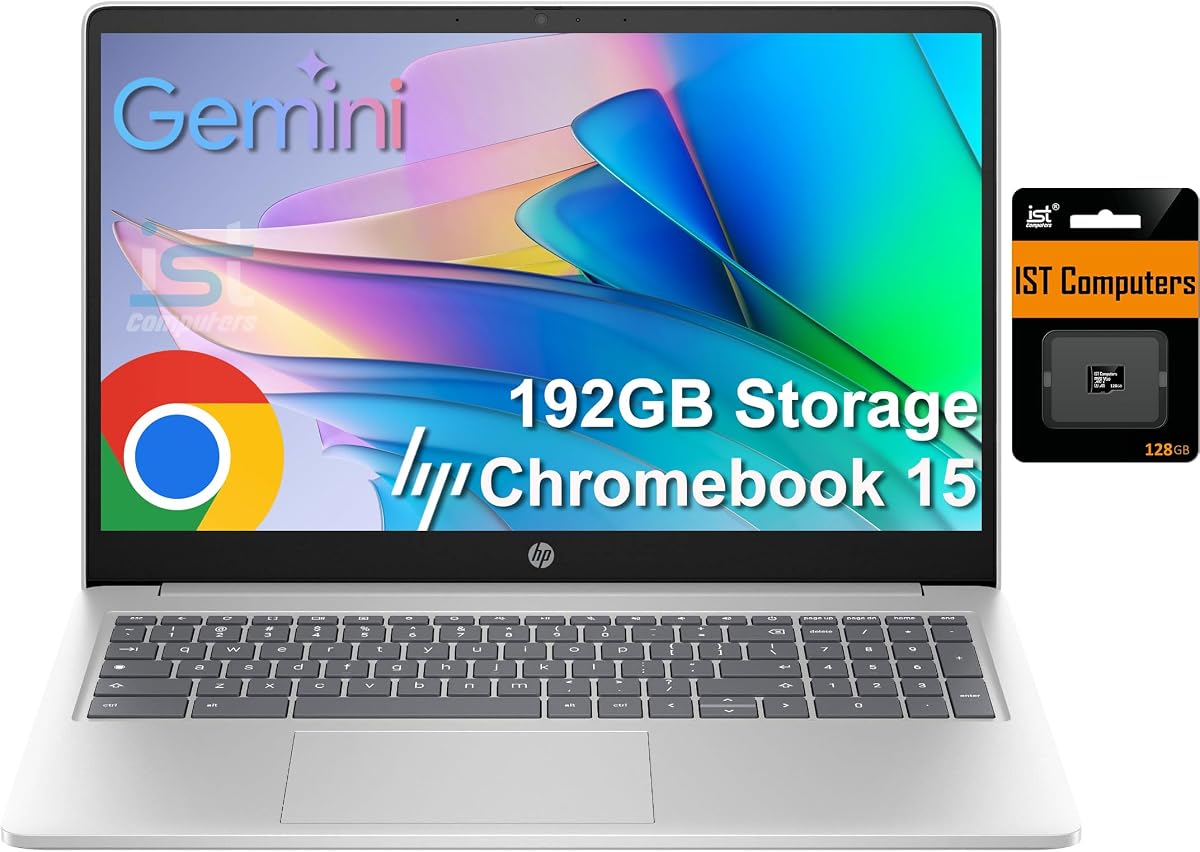
This is the most powerful option in the lineup. 8GB DDR5 RAM supports robust multitasking without lag. The storage capacity is double that of many rivals.
We may earn a commission when you buy through this link, at no additional cost to you.
The larger screen and numeric keypad aid data entry. Support for external 4K monitors enhances flexibility. Auto update expiration is extended to 2030 ensuring long term use.
Price is higher but justified by performance specs. The screen resolution remains HD which limits pixel density. For productivity and media, these specs offer significant capability.
Recommended for power users or small business tasks. The RAM and storage make it suitable for heavier workloads. It stands out as a premium choice within the budget range.
8GB DDR5 RAM allows for seamless switching between multiple apps and browser tabs without slowdowns.
192GB of storage provides ample space for offline files and applications, reducing reliance on cloud storage.
We may earn a commission when you buy through this link, at no additional cost to you.
This unit offers advanced connectivity features for the price. Ultra-fast WiFi 6 ensures stable streaming and fast downloads. DDR5 RAM provides improved efficiency over older generations.
We may earn a commission when you buy through this link, at no additional cost to you.
The Full HD IPS display delivers clear visuals. As a renewed unit, it offers cost savings while maintaining performance. The design is lightweight and easy to transport.
Storage is standard at 64GB which limits offline data. Color finish is specific to this batch. For internet heavy users, the connectivity features are the strongest point.
Ideal for streaming and online learning environments. The WiFi 6 support future proofs connectivity needs. It is a solid pick for those prioritizing connection speed and clarity.
Ultra-fast WiFi 6 ensures stable connections and faster download speeds for streaming and gaming.
DDR5 RAM improves power efficiency and performance over older DDR4 models for smoother operation.
We may earn a commission when you buy through this link, at no additional cost to you.
This model is the most affordable option available. It is designed for basic tasks with minimal overhead. The 11.6-inch screen is small but functional for reading and web browsing.
We may earn a commission when you buy through this link, at no additional cost to you.
As a renewed unit, it offers significant savings. The processor handles light web browsing adequately. For elementary school tasks or basic email, it performs without issue.
Storage is extremely limited at 16GB requiring cloud use. Performance will lag on heavy sites. For those needing the absolute lowest entry point, this is the answer.
Best for students on a tight budget or secondary devices. Its portability and price make it accessible for many. It proves you can get a working Chrome OS device at a minimal cost.
Pricing makes this accessible for households needing a secondary or backup device without financial strain.
The compact size makes it easy to carry and fit into small bags or backpacks for travel.
We may earn a commission when you buy through this link, at no additional cost to you.
Choosing the right budget Chromebook requires balancing performance needs with cost. This section outlines the key factors to consider before making your decision.
The processor determines how smoothly your Chromebook runs apps and browser tabs. Look for Intel Celeron N series or MediaTek chips which provide adequate power for web browsing. Avoid very old models if you plan to multitask.
A good screen reduces eye strain during long sessions. Higher resolutions like Full HD offer sharper text and images. Anti-glare coatings are important for use in bright environments.
Most budget models come with 4GB of RAM and 32GB to 64GB of storage. If you need to store files offline, look for higher storage options. More RAM helps with heavy multitasking.
Long battery life ensures productivity throughout the day. Look for devices offering 10 hours or more. Fast charging features can be a significant convenience for users always on the move.
Check the available ports for USB-A, USB-C, and HDMI. These are essential for connecting monitors or storage devices. WiFi 6 support provides faster internet speeds on modern networks.
A sturdy build protects your investment. Lightweight designs are better for travel. Check for spill-resistant keyboards if you are using the device in school or shared environments.
Chrome OS updates are critical for security. Ensure the model has a long Auto Update Expiration date. This guarantees you get new features and security patches for several years.
Some bundles include accessories like mouses or headphones. Check the warranty terms especially for renewed units. A longer warranty provides peace of mind for any potential hardware issues.
Always update your Chrome OS to the latest version to ensure security and performance. These updates are automatic but checking manually ensures you get them sooner.
Keep the device clean by wiping the screen and keyboard with a microfiber cloth. Avoid liquids and store the Chromebook in a dry place to prevent damage.
Manage storage by clearing browser cache regularly. Use cloud storage services like Google Drive to keep offline files to a minimum and maintain speed.
You can play casual web games and use Android games from the Play Store. However, heavy gaming is not supported due to hardware limits. Stick to titles optimized for lower end processors.
Yes it is excellent for school work. It supports Google Docs and other web apps needed for assignments. The cloud integration makes saving and sharing papers simple and secure.
Most models last 3 to 5 years with proper care. Software support usually ends after 6 to 7 years. Physical durability depends on how often it is transported.
They do not come with native Microsoft Office. You can use web versions of Word and Excel or free alternatives like Google Docs. These are sufficient for most basic document tasks.
Internal storage is usually not upgradeable. However most models support external storage via USB drives or microSD cards. You can also use cloud storage to expand your capacity virtually.
Yes Chrome OS has built-in parental controls. You can set content filters and screen time limits. It is considered a secure environment for younger users browsing the web.
Renewed units are inspected and refurbished by certified sellers. They are cheaper but may have cosmetic wear. New units come with full factory packaging and standard warranties.
We have reviewed ten affordable Chromebook options that serve various needs from students to remote workers. The HP 14 HD and Lenovo 100E stand out for their balance of cost and performance.
Prioritize battery life and display quality for daily productivity. If you need more power consider the HP Chromebook 15 with increased memory and storage options.
Prices fluctuate frequently so verify the current offers before purchasing. These choices provide strong value for anyone needing a reliable laptop without breaking the budget.