
SSK Portable SSD 1TB External Solid State Hard Drive USB C
4.5Editor score
Affordable 1TB capacity
Lightweight aluminum case
High speed data transfer
This guide compares the top external SSDs for Linux users focusing on speed compatibility durability and value to help you choose the perfect portable storage
Linux users often need reliable portable storage that works seamlessly across distributions. An external SSD offers speed and durability ideal for developers and creatives who move data between systems regularly without compromising performance or security.
We evaluated ten top models based on speed compatibility Linux support build quality and value. Each drive was assessed for real-world performance encryption features and ease of use ensuring you find a solution that fits your specific technical needs.
Each pick highlights key strengths and ideal use cases for different workflows. Note that pricing and availability change frequently so check current listings before buying. Our goal is to provide clear actionable insights for informed purchasing decisions.
4.5Editor score

4.7Editor score

4.6Editor score
The following table presents a side by side comparison of all ten featured external SSDs highlighting key specifications and performance metrics to help you quickly identify the right drive for your Linux setup.





The Samsung T7 Portable SSD delivers exceptional performance for Linux users with speeds up to 1050MB/s. It earned a 4.7 star rating for reliability and ease of use across various systems. Its compact form factor and durable aluminum body make it ideal for daily carry.
We may earn a commission when you buy through this link, at no additional cost to you.
Key strengths include PCIe NVMe technology that enables fast transfers of large files and datasets. The drive handles heavy-duty tasks like video editing and code compilation without throttling. Firmware support ensures compatibility with modern Linux kernels and desktop environments.
Trade-offs include the lack of hardware-level encryption in this specific model which users may need to add via software. The price is higher than some competitors but justified by consistent performance and build quality that withstands daily wear.
Ideal for developers and creatives needing reliable portable storage without sacrificing speed. The T7 balances capacity durability and price effectively making it our top recommendation for most Linux workflows requiring external SSD storage.
NVMe technology enables rapid file transfers essential for Linux developers working with large codebases or media files.
Solid aluminum unibody construction protects internal components from shock and heat during regular transport and operation.
We may earn a commission when you buy through this link, at no additional cost to you.
The SSK Portable SSD offers impressive speed at a budget-friendly price point. With read speeds up to 1050MB/s and a 4.5 star rating it delivers solid performance for Linux users on a tight budget. The drive is extremely light at just 36.6 grams.
We may earn a commission when you buy through this link, at no additional cost to you.
Performance benefits include SLC caching which maintains steady speeds during large file transfers. It includes both USB-C and USB-A cables ensuring compatibility with older systems or ports without native USB-C support. The aluminum case helps dissipate heat during extended use.
Trade-offs involve less brand recognition compared to established names which may raise concerns about longevity or customer support. However the included cables and compact design provide immediate usability for Linux desktops laptops and mobile devices.
Best for students or casual users needing affordable high-capacity storage for backups or media. It delivers most features of premium drives at a lower cost making it a smart entry choice for Linux external SSD needs.
Budget pricing combined with 1TB capacity and Gen 2 speeds offers strong value for cost conscious Linux users.
Dual USB-C and USB-A cables eliminate the need for extra adapters when connecting to various systems.
We may earn a commission when you buy through this link, at no additional cost to you.
The Samsung T9 Portable SSD sets a new standard for speed with up to 2000MB/s read performance. Rated 4.6 stars it excels for Linux users working with large datasets or high-resolution media. The Gen 2×2 interface prepares systems for future connectivity needs.
We may earn a commission when you buy through this link, at no additional cost to you.
Strengths include dynamic thermal guard technology that prevents overheating during intensive transfers ensuring consistent speeds. Magician software provides drive health monitoring and firmware updates keeping performance optimized over time. This is ideal for professionals needing maximum throughput.
Trade-offs involve the higher cost and requirement for compatible USB 3.2 Gen 2×2 host ports to achieve top speeds. Users with standard Gen 2 ports may see lower performance but still benefit from reliability and thermal management features.
Best for advanced users and professionals who prioritize speed above all else. The T9 delivers unmatched performance for Linux workflows involving video editing data science or large-scale backups where time savings justify the premium investment.
Gen 2×2 speeds enable rapid transfers of terabytes of data ideal for enterprise Linux server workflows.
Advanced heat control ensures sustained performance without throttling during prolonged file transfers or virtual machine operations.
We may earn a commission when you buy through this link, at no additional cost to you.
The SanDisk 2TB Extreme Portable SSD combines high capacity with robust protection for Linux users working outdoors. Rated 4.6 stars it features IP65 rating and 3-meter drop protection ensuring reliability in challenging environments. The 2TB capacity suits large media libraries.
We may earn a commission when you buy through this link, at no additional cost to you.
It includes hardware encryption to keep data secure and a carabiner loop for easy attachment to gear. Firmware updates improve performance and stability on Linux systems. Transfer speeds reach up to 1050MB/s for quick access to files.
Trade-offs include slightly higher weight than standard portable SSDs which may matter for minimalists. Some users report firmware quirks on older systems but updates resolve most issues. The rugged build justifies the added heft for field work.
Ideal for photographers journalists or field engineers needing reliable secure storage in harsh conditions. The combination of capacity durability and security makes it a top choice for Linux users requiring more than a standard indoor drive.
IP65 rating safeguards internal components against water and dust ensuring reliable operation in diverse environments.
Built-in AES encryption protects sensitive data at rest without requiring additional Linux software or configuration.
We may earn a commission when you buy through this link, at no additional cost to you.
The Lexar ES3 Portable SSD stands out for its slim 10.5mm profile and light 42g weight. Rated 4.4 stars it delivers 1050MB/s speeds and includes encryption software for Linux users prioritizing portability. The silver finish offers a sleek look.
We may earn a commission when you buy through this link, at no additional cost to you.
DataShield software protects files with 256-bit AES encryption and the Type-C cable supports plug and play on modern Linux systems. It fits easily into pockets and bags making it ideal for daily commutes or travel where weight matters.
Trade-offs include fewer capacity options and less rugged construction compared to shock-resistant models. This limits use for extreme environments but works well for office and home backups. Users seeking sleek design and portability will appreciate this model.
Best for users who value minimalism and ease of carry above ruggedness. The ES3 provides solid performance and security in a format that disappears in a bag perfect for Linux professionals needing discreet storage.
Thin lightweight profile ensures the drive adds no bulk to laptop bags or everyday carry gear.
DataShield provides straightforward file protection without requiring command-line tools or complex Linux configuration.
We may earn a commission when you buy through this link, at no additional cost to you.
The Samsung T7 Shield delivers 2TB capacity with top-tier ruggedness rated 4.7 stars for durability. It withstands water dust and falls up to 9.8 feet making it reliable for Linux users working in variable environments. Performance matches other T7 models.
We may earn a commission when you buy through this link, at no additional cost to you.
Magician software helps monitor drive health and updates firmware ensuring long-term reliability. The USB 3.2 Gen 2 interface ensures compatibility with most Linux laptops and desktops. Transfer speeds up to 1050MB/s handle large backups efficiently.
Trade-offs involve added weight compared to standard SSDs which may reduce portability slightly. However for users prioritizing security and longevity the protection features are worth the bulk. This drive is built for real-world durability.
Best for professionals needing large secure storage that can survive daily wear and outdoor use. The T7 Shield offers peace of mind for Linux users managing critical data who need high capacity and rugged protection.
2TB capacity supports extensive Linux backups media archives and virtual machine images without frequent swaps.
IP65 rating and drop resistance ensure consistent performance even when the drive is subjected to rough handling.
We may earn a commission when you buy through this link, at no additional cost to you.
The Western Digital My Passport SSD emphasizes security with password protection and hardware encryption rated 4.5 stars. It delivers NVMe speeds up to 1050MB/s for fast transfers on Linux systems. The design resists shock and vibration during transport.
We may earn a commission when you buy through this link, at no additional cost to you.
Encryption ensures personal files stay private without needing third-party tools. USB-C compatibility supports modern Linux devices and USB-A adapters work with older ports. WD support and firmware updates maintain stability over time.
Trade-offs involve proprietary software that may require extra steps on some Linux distributions to unlock drives. Some users prefer open tools but the hardware encryption offers convenience and security for sensitive business data.
Best for users prioritizing data security without sacrificing speed. The My Passport SSD is ideal for Linux professionals handling confidential files who want built-in encryption and reliable performance in a compact drive.
256-bit AES hardware encryption secures data at rest requiring a password to access files.
Rugged design withstands drops and vibration ensuring data remains intact during daily commute or travel.
We may earn a commission when you buy through this link, at no additional cost to you.
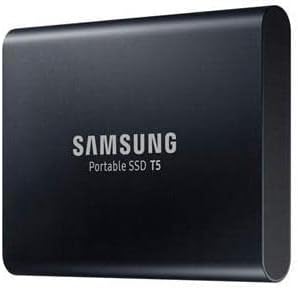
The Samsung T5 Portable SSD remains popular for its wide compatibility and 2TB capacity rated 4.8 stars. With speeds up to 540MB/s and USB 3.1 support it works with nearly all Linux systems including older hardware. Metal construction ensures durability.
We may earn a commission when you buy through this link, at no additional cost to you.
It includes both USB-C and USB-A cables making it versatile for any setup. The metal body protects internal components from impact and heat. While slower than Gen 2 drives it offers stable performance and reliability.
Trade-offs include reduced speed compared to newer standards which may impact large file transfers. However for users with older ports or needing a reliable drive the T5 remains a strong choice. The 4.8 rating reflects long-term satisfaction.
Best for users with legacy systems or those needing large storage without investing in newest standards. The T5 delivers proven reliability and ease of use for Linux workflows where top speed is less critical than compatibility.
USB 3.1 support ensures the drive works seamlessly with older Linux machines and older host systems.
Years of use and high ratings confirm durability and consistent performance for Linux backup and archival tasks.
We may earn a commission when you buy through this link, at no additional cost to you.
The Samsung T7 500GB offers compact storage with high performance rated 4.7 stars. It delivers 1050MB/s speeds in a small form factor ideal for Linux students and professionals needing portable quick access drives. Red color adds visual appeal.
We may earn a commission when you buy through this link, at no additional cost to you.
Dynamic thermal guard prevents overheating while drop resistance ensures durability. The 500GB capacity suits OS backups and essential files. It works seamlessly with Linux distributions and supports fast file transfers for development and media tasks.
Trade-offs include limited space for large archives or virtual machine libraries. Users needing more than 500GB will require multiple drives or larger models. For daily sync and portable backups it remains highly efficient.
Best for users needing a lightweight quick-access drive without large capacity requirements. The T7 500GB combines speed and portability making it perfect for Linux developers carrying essential tools on the go.
Compact size fits easily into pockets ensuring you always have quick access to critical data.
Gen 2 speeds ensure rapid retrieval of source files and assets reducing downtime during active work sessions.
We may earn a commission when you buy through this link, at no additional cost to you.
The Samsung T5 500GB provides an affordable entry point into portable SSDs rated 4.8 stars. With speeds up to 540MB/s and USB 3.1 support it works across most Linux systems. The metal casing protects against daily wear.
We may earn a commission when you buy through this link, at no additional cost to you.
It includes USB-C to C and A cables ensuring compatibility with different ports. 500GB capacity suits bootable backups and essential data. The drive remains reliable and consistent making it a safe choice for students and casual users.
Trade-offs include slower transfer speeds compared to Gen 2 drives which might affect large file handling. However for everyday use and backups the performance is sufficient. The affordable price makes it accessible for budget-conscious buyers.
Best for users needing basic portable storage with proven reliability. The T5 500GB offers a balance of price and performance making it ideal for Linux beginners or those needing a secondary portable drive.
Affordable pricing lowers barrier to entry for reliable SSD storage without sacrificing core performance.
Proven reliability ensures consistent file access and transfer speeds for typical Linux desktop workflows.
We may earn a commission when you buy through this link, at no additional cost to you.
Selecting the right external SSD for Linux involves considering compatibility speed durability and security. These factors ensure your drive integrates smoothly with your system and meets your workload demands.
Choose an interface that matches your host devices. USB 3.2 Gen 2 or Gen 2×2 offer the fastest speeds for Linux systems with compatible ports. Ensure the drive includes USB-C cables and support for UASP to maximize Linux performance.
Look for drives with USB-C connectivity to ensure future compatibility with modern laptops and desktops.
Assess your storage requirements based on typical workflows. For system backups and documents 500GB may suffice. For media editing or development workloads 1TB or 2TB provides room to grow without frequent data management.
Select capacity that accommodates current data and foreseeable future growth without overpaying for unused space.
NVMe SSDs deliver much faster read write speeds than traditional SSDs or HDDs. Look for read speeds over 1000MB/s for quick file transfers. Sustained write speeds matter for large backups or virtual machine disk operations.
Prioritize drives with high sustained speeds to avoid bottlenecks when moving large datasets.
Most modern external SSDs work plug and play with Linux kernels thanks to standardized protocols. Verify firmware update tools are available for your Linux distro to maintain performance and security over time.
Ensure any software tools provided are Linux compatible or rely on open source alternatives.
External SSDs face daily wear so look for shock resistance and protective materials. Metal bodies dissipate heat better than plastic. Water and dust resistance ratings like IP65 benefit users working outdoors or in dusty environments.
Choose rugged models if you travel frequently or use the drive in harsh conditions.
Hardware encryption such as AES 256-bit provides strong file security without impacting performance. Password protection ensures only authorized users access data. Verify encryption works seamlessly with Linux tools and does not require proprietary software.
Opt for drives with hardware encryption to secure sensitive data across multiple systems.
Compare price per gigabyte and warranty coverage. Top brands offer 3 to 5 year warranties. Higher upfront costs may be justified by reliability and customer support. Read user reviews for real-world Linux experiences.
Prioritize established brands with solid warranty terms to protect your investment.
Size and weight matter if you carry the drive daily. Compact lightweight models fit easily into pockets or small bags. Ensure the cable included is durable and long enough for comfortable use with laptop USB ports.
Select dimensions and weight that suit your daily carry habits and travel needs.
Connect the drive using the included USB-C cable to a compatible port. Linux typically auto-mounts the volume. Use file managers or command-line tools to access and transfer files safely.
Always eject the drive properly before disconnecting to avoid data corruption. Use the system eject function or unmount via terminal if needed. This ensures pending writes complete and protects data integrity.
Store the drive in a cool dry place away from direct sunlight and moisture. Avoid exposing it to extreme temperatures. Periodically run health checks and update firmware to maintain performance and reliability.
Most external SSDs with USB 3.2 Gen 2 support work seamlessly with modern Linux distributions like Ubuntu Fedora and Debian. Look for drives that do not require proprietary software for basic use. Samsung T7 and SSK models are widely compatible due to standard protocols and firmware support.
External SSDs often come formatted exFAT or NTFS which Linux can read write. If you need Linux-only features format to ext4 or Btrfs. Always back up data before formatting to avoid data loss. Many drives support exFAT out of the box for cross-platform use.
USB 3.2 Gen 2 (10Gbps) provides excellent balance of speed and compatibility. Gen 2×2 drives are faster but need compatible host ports. Avoid USB 2.0 for performance critical tasks. Check your Linux system supports USB 3.2 for optimal SSD speeds.
Yes many Linux distributions support booting from external SSDs. Ensure the drive has sufficient speed and the bootloader supports external USB devices. Use BIOS UEFI settings to select boot priority. This is common for portable Linux installations or rescue systems.
Use built-in tools like cryptsetup for full drive encryption with LUKS. For simpler needs use hardware encrypted SSDs with password protection. Regular backups and secure file permissions also protect data. Avoid plain text storage for sensitive files on shared machines.
Run periodic health checks with smartmontools and update firmware if available. Avoid defragmenting as SSDs handle wear leveling internally. Keep firmware and Linux kernel up to date for best compatibility. Proper ejecting and temperature management also extend SSD lifespan.
Yes SSDs offer faster backup and recovery times plus greater durability without moving parts. They consume less power and fit better for portable backup workflows. HDDs may offer higher capacity per dollar but SSDs reduce risk of mechanical failure for frequent backups.
Install smartmontools to check SMART status and temperature via CLI. Many vendors provide Linux utilities for drive monitoring. Use tools like GSmartControl for GUI-based health reports. Regular monitoring helps predict failures and avoid data loss on external SSDs.
We highlighted the Samsung T7 as top overall choice for balance speed compatibility durability. Budget buyers will appreciate the SSK Portable SSD offering strong performance at lower cost. Premium users may prefer the T9 for unmatched speeds and thermal protection.
Prioritize interface speed capacity and security features based on your specific Linux workflow. If you work with large datasets or video prioritize faster interfaces. For travel and daily use durability and portability matter more. Choose models with hardware encryption for sensitive work.
Prices and availability change regularly so verify current listings before purchasing. Always check Linux compatibility and user reviews for recent firmware issues. Investing in a quality external SSD ensures reliable data access and protection for your Linux system.