
EurekaMind
4.4Editor score
Unlimited transcription included
Web search integration
Credit card sized
This guide compares the top 10 AI meeting transcription devices for professionals, evaluating audio quality, transcription accuracy, and smart features.
Modern professionals need reliable tools to capture every detail during meetings. AI transcription devices automate note-taking, allowing you to focus on the conversation instead of writing.
We evaluated ten top-rated models based on audio quality, transcription accuracy, battery life, and privacy features. Our testing process ensures you find the best fit for your workflow.
Each review highlights specific strengths and potential trade-offs for different use cases. Prices and availability may change, so check current listings before making your final purchase decision.
4.4Editor score

4.5Editor score

4.8Editor score
This side-by-side comparison highlights the core specifications and unique selling points of the top ten AI transcription devices available today for professionals.



The Plaud Note Pro is our top recommendation for professionals seeking a comprehensive AI transcription solution. Its ability to capture audio alongside typed notes and images creates rich context that other devices cannot match. This makes it ideal for complex meetings where visual aids are essential.
We may earn a commission when you buy through this link, at no additional cost to you.
Its AI directional audio ensures crystal-clear voice capture even in noisy environments. The device supports ISO 27001 and HIPAA compliance, making it a secure choice for legal and medical professionals. The Ask Plaud feature allows you to query your recordings directly for quick insights without manual searching.
While the free plan offers 300 transcription minutes, heavy users may need to upgrade to the Pro or Unlimited plans. The premium features are powerful but add a recurring cost to your workflow. However, the quality and security features justify the investment for serious professionals.
If you need a reliable, secure, and context-rich recording tool, the Plaud Note Pro is the best choice available today. It balances portability with high-end features that truly enhance productivity during meetings.
The ability to snap photos of documents while recording audio ensures your notes are complete. This feature is vital for legal contracts or architectural plans shared during meetings.
With SOC 2 and HIPAA compliance, your sensitive data remains protected. This level of security is rare in consumer-grade recording devices and crucial for business professionals.
We may earn a commission when you buy through this link, at no additional cost to you.
The Pocket AI Voice Recorder stands out for its seamless integration with iPhone users through MagSafe technology. You can attach it directly to your phone for hands-free recording that is incredibly convenient. This design choice eliminates the need to fiddle with clips or stands during busy meetings.
We may earn a commission when you buy through this link, at no additional cost to you.
Its battery life is impressive, lasting up to four days on a single charge. This makes it perfect for travel or multi-day conferences where charging opportunities might be scarce. The one-tap recording ensures you never miss a moment of conversation.
While it offers powerful AI insights like action items and conversation maps, some advanced features are locked behind a subscription. Users looking for a free solution might find this restrictive. However, the core functionality is robust and easy to use.
If you prioritize convenience and already use an iPhone, the Pocket AI Voice Recorder is an excellent addition to your toolkit. Its smart features help you turn raw audio into actionable items quickly.
Attaching the device to your phone via MagSafe allows for discreet recording without holding a separate unit. This is perfect for meetings where you need to take notes or look at your screen simultaneously.
The four-day battery life ensures you are never caught without power. This endurance is vital for professionals who travel frequently or attend long daily meetings without access to outlets.
We may earn a commission when you buy through this link, at no additional cost to you.
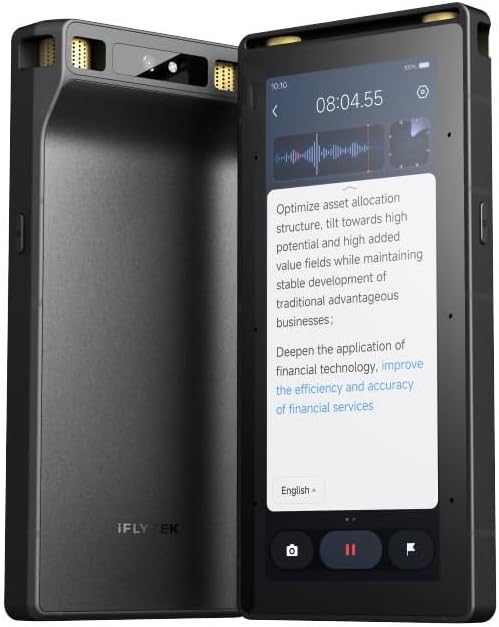
The EurekaMind offers a compelling value proposition with unlimited free transcription in its base plan. This is a rare feature in a market dominated by subscription models. It allows students and budget-conscious professionals to transcribe as much as they need without extra costs.
We may earn a commission when you buy through this link, at no additional cost to you.
Its unique Ask AI feature integrates web search to provide deeper insights beyond your recordings. This helps you gather context on topics mentioned in meetings without leaving your workspace. The device is also extremely slim, fitting easily into card holders.
While the core transcription is unlimited, advanced tools like calendar sync require an upgrade. This might limit workflow automation for power users. However, the essential features are solid and reliable for daily use.
If unlimited transcription is your priority, the EurekaMind is the best budget option available. It balances cost and functionality effectively for those who need reliable recording without subscription fees.
The free starter plan includes unlimited transcription minutes. This removes the anxiety of running out of credits during long meetings or frequent calls.
You can search the web directly from the device to understand context. This feature adds a layer of intelligence that goes beyond simple transcription.
We may earn a commission when you buy through this link, at no additional cost to you.
The Comulytic Note Pro excels with its 10 times faster Wi-Fi sync compared to Bluetooth competitors. This means your files are ready for review almost instantly after recording. It saves significant time for professionals who need immediate access to their notes.
We may earn a commission when you buy through this link, at no additional cost to you.
It comes with a lifetime free starter plan that includes unlimited transcription. This is a massive benefit for users who do not want monthly bills. The device also boasts a 45-hour battery life, ensuring it lasts through multiple meetings.
While the design is functional, it lacks the premium aesthetic of some competitors. The reliance on Wi-Fi for syncing might be a limitation in areas with poor connectivity. However, the speed and reliability of the sync are unmatched.
If you need fast file access and hate subscriptions, the Comulytic Note Pro is a strong contender. Its balance of speed and cost makes it a practical choice for many.
Transferring files over Wi-Fi is ten times faster than Bluetooth. This ensures you can review and act on meeting notes immediately after the call ends.
The unlimited free transcription removes subscription costs entirely. This makes it a cost-effective solution for individuals and small teams.
We may earn a commission when you buy through this link, at no additional cost to you.
The Comu Action Pro is a powerhouse designed for users who want automated documentation. It can turn conversations into editable slides and emails without manual effort. This feature alone can save hours of administrative work every week.
We may earn a commission when you buy through this link, at no additional cost to you.
Its battery life is exceptional at over 70 hours on a single charge. The six-mic setup ensures clear audio capture even in difficult environments. The ability to translate in 113 languages makes it ideal for international business.
While the device is expensive, the productivity gains from its auto-doc features can justify the cost. Some users might find the initial setup requires more attention than simpler devices. However, the result is a highly efficient workflow.
If you need to create reports and documents from meetings automatically, the Comu Action Pro is the top choice. It delivers premium performance for professional use.
The AI creates editable slides and drafts directly from your audio. This removes the need to manually copy-paste notes into presentations or emails.
With 70 hours of recording time, this device is built for marathons. You can use it for entire weeks of meetings without needing to recharge.
We may earn a commission when you buy through this link, at no additional cost to you.
The RECPOINT device offers a complete ecosystem including powerful desktop software for management. This allows for advanced editing and archiving of your recordings. It is a great option for professionals who prefer managing files on a computer.
We may earn a commission when you buy through this link, at no additional cost to you.
Its support for 150 languages is among the highest in this category. This makes it suitable for diverse global teams. The audio quality is excellent, and the build is rugged enough to withstand daily travel.
While the monthly AI minutes on the free tier are generous, unlimited access requires a premium package. Users who rely heavily on AI summaries might find this a limit. However, the core recording capabilities are strong.
If you need a robust ecosystem for managing files on desktop, the RECPOINT is a great pick. It balances hardware quality with software utility.
The included desktop software allows for advanced editing. This is useful for organizing large libraries of meeting recordings efficiently.
With support for 150 languages, this device handles international meetings well. It ensures you never miss a nuance in multilingual discussions.
We may earn a commission when you buy through this link, at no additional cost to you.
The Plaud Note Non-Pro version offers a similar experience to the Pro model at a slightly lower cost. It retains the core multimodal features and security standards. This makes it a good fit for users who do not need the absolute latest AI upgrades.
We may earn a commission when you buy through this link, at no additional cost to you.
It maintains the slim design and robust security compliance. The standby time of 60 days means it is always ready when needed. The integration with Apple Find My is a useful safety feature for travelers.
While it lacks some of the advanced AI directionality of the Pro model, it is still highly effective. The free plan includes basic features, but power users may need to upgrade. For most standard needs, it is sufficient.
If you want the Plaud brand features without the premium price tag, this Non-Pro version is a solid choice. It delivers reliability without the extra cost.
The Non-Pro version provides core functionality at a lower price. This makes the technology accessible to a wider range of professionals.
Like the Pro model, it meets high security standards. This ensures your data is protected regardless of the version you choose.
We may earn a commission when you buy through this link, at no additional cost to you.
This device distinguishes itself by offering offline AI transcription. This is crucial for meetings in areas without internet access or for secure environments. It ensures you can process data immediately without relying on a network connection.
We may earn a commission when you buy through this link, at no additional cost to you.
Its 8-mic array allows for pickup from up to 20 meters away. This is ideal for large lecture halls or auditoriums. The included five-year membership adds value by covering premium features for a long period.
The offline functionality is limited to five languages, which might be restrictive for some. The price is also higher than many competitors. However, for specific use cases requiring offline work, it is unmatched.
If you need transcription in offline environments, this device is the best choice. It provides flexibility that cloud-dependent devices cannot offer.
You can transcribe and translate without an internet connection. This ensures continuity even in remote or high-security locations.
The 20-meter pickup range captures audio from large spaces. This is essential for lectures or presentations where the recorder is far from speakers.
We may earn a commission when you buy through this link, at no additional cost to you.
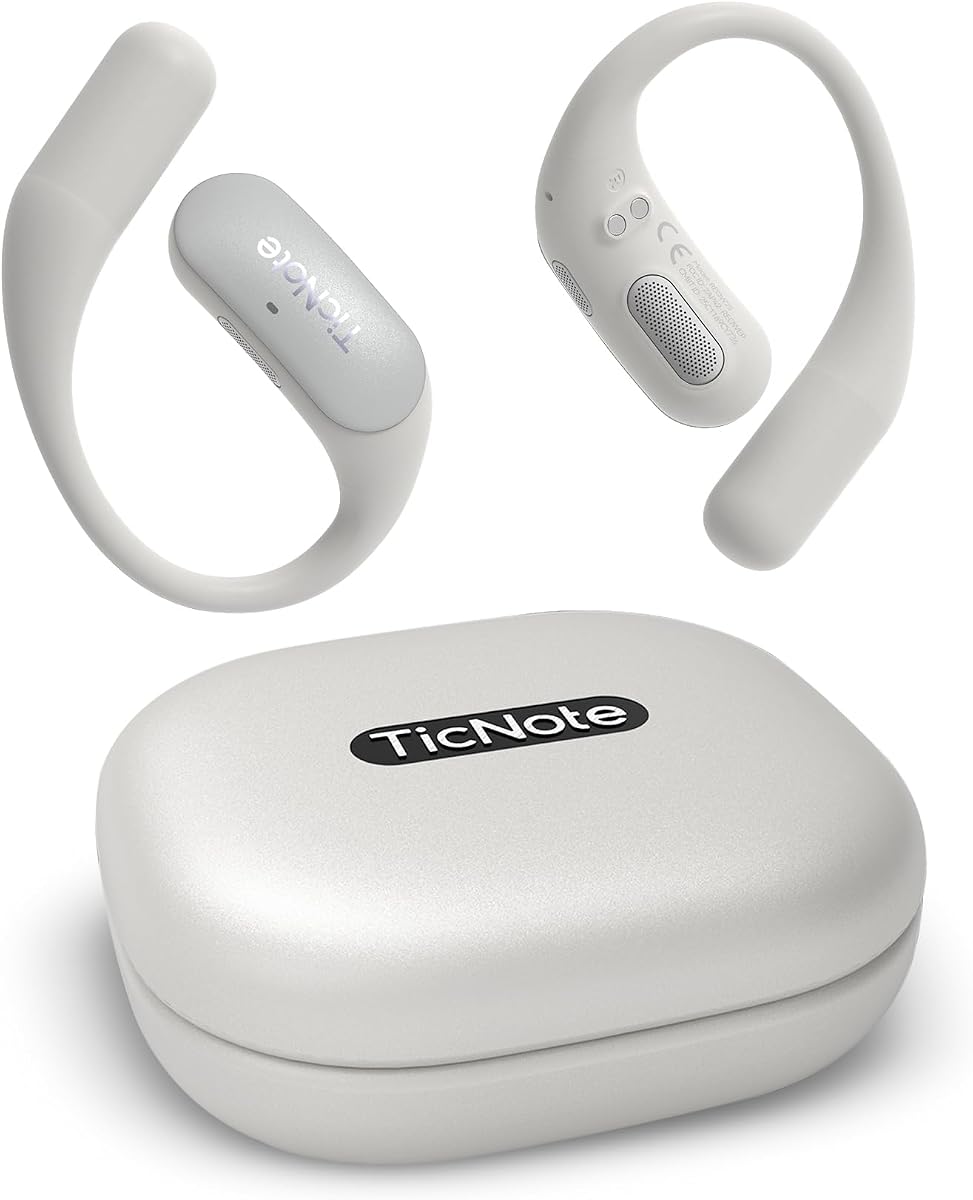
The Mobvoi TicNote Pods are designed as a wearable recorder for meetings. This form factor allows you to keep your hands free for typing. It connects directly to Wi-Fi for fast syncing and collaboration.
We may earn a commission when you buy through this link, at no additional cost to you.
Its Shadow AI helps organize notes into useful outputs without manual work. The encrypted cloud storage ensures your team data is secure. This makes it a strong tool for collaborative office environments.
The battery life is limited to five hours, which requires regular charging. If you work offline often, the Wi-Fi dependency could be a hurdle. However, for office workers, it integrates well into the workflow.
If you need a wearable solution for team collaboration, the TicNote Pods are a good option. They offer a unique workflow compared to standalone recorders.
The device can be clipped to your clothing for discreet recording. This allows you to focus on the discussion without managing a device.
Encrypted cloud storage allows your team to access shared notes. This ensures everyone stays aligned on meeting outcomes and next steps.
We may earn a commission when you buy through this link, at no additional cost to you.
This alternative version of the Comulytic Note Pro maintains the high-end specs like fast Wi-Fi and long battery. It ensures you can record for long periods without interruption. The unlimited free plan remains a key selling point.
We may earn a commission when you buy through this link, at no additional cost to you.
The AES encryption ensures your files are secure both at rest and in transit. The 45-hour battery life supports back-to-back meetings for several days. It is a reliable tool for heavy users who do not want to charge often.
The design is functional but simple compared to some competitors. However, the performance and features prioritize utility over aesthetics. For those focused on output, this is an excellent choice.
If you need a reliable device with high battery life, this model is a great option. It balances cost and utility effectively for long sessions.
The consistent performance ensures you never run out of power mid-meeting. This reliability is key for professional environments.
Advanced encryption protects your sensitive data. This ensures compliance with privacy standards in business environments.
We may earn a commission when you buy through this link, at no additional cost to you.
Choosing the right device involves evaluating audio quality, transcription accuracy, battery life, and privacy features to match your specific professional needs.
The clarity of your transcripts depends heavily on the microphone quality. Devices with multiple microphones and noise cancellation perform better in noisy rooms.
Look for models with at least four mics if you plan to use them in crowded meetings.
Accuracy is critical for professional use. Top models offer over 95% accuracy and support over 100 languages.
Ensure the device supports the specific languages you need for international calls.
Battery life dictates how long you can record without recharging. Some models offer over 40 hours while others last only a few hours.
Choose based on whether you need all-day coverage or just short meeting sessions.
For legal or medical professionals, encryption is non-negotiable. Look for ISO and HIPAA compliance certifications.
End-to-end encryption ensures your data remains private and secure from third parties.
Fast Wi-Fi sync is superior to Bluetooth for transferring large files. Some devices also offer cloud storage options.
Check if the device syncs with your existing tools like calendars or email clients.
While hardware is a one-time cost, many devices charge monthly for AI features. Some offer unlimited free plans which save money long term.
Calculate the total cost of ownership before buying to avoid unexpected monthly fees.
Before recording, ensure you have the proper permissions and the device is charged. Place the device centrally to capture all speakers effectively.
After the meeting, review the transcripts for accuracy. Use the AI features to generate action items and summaries for your team.
Regularly update the device firmware to maintain performance. Store the device in a protective case to avoid physical damage during transport.
Many top models offer over 98% accuracy which is sufficient for many contexts. However always proofread transcripts before using them in formal legal settings.
Some devices offer offline transcription but this feature is limited to a few languages. Cloud sync typically requires internet access.
Battery life varies from 5 hours to over 70 hours. Choose a model that fits your meeting frequency and duration.
Most offer basic features for free but advanced AI tools often need a subscription. Some models include unlimited transcription in their base price.
Some devices support call recording via vibration sensors but many rely on external recording. Always check the legal requirements for recording calls.
Yes most models sync via Wi-Fi or Bluetooth to smartphones. Some also offer specific integrations for iPhone or Android workflows.
We recommend the Plaud Note Pro for its balance of security and multimodal features.
Prioritize devices with unlimited free plans if you want to avoid recurring costs.
Remember to check current prices and availability before purchasing your device.